Generect Pros and Cons: An Honest 2026 Review for B2B Teams
Generect pulls B2B contact data from LinkedIn in real time instead of serving it from a stale static database. That design choice creates real advantages — and real trade-offs. Here's an unfiltered breakdown before you sign anything.
Generect pros and cons come down to one trade-off. You get LinkedIn data pulled fresh at query time. You pay for it with sales-led pricing and a thin self-serve product. Here is the honest breakdown.
TL;DR
- Generect's edge is real-time lookup. It pulls profile and company data when you ask, not from a stale table. Job titles and company moves stay current.
- It fits engineering-led teams that want a Leads or Companies API. It fits marketers who just want a UI and a CSV export far less.
- The main cons: sales-led pricing, no self-serve free tier, a thin product surface, and compliance work on any LinkedIn-derived data.
- If you mainly need verified work emails from names and domains, a dedicated email finder at $49/mo beats a full platform on cost per usable contact.
- Best setup for most teams: one broad source for discovery, plus a separate email verifier before anything hits your sending infrastructure.
What is Generect and who actually uses it?#
Generect is a B2B lead-generation data provider built on LinkedIn as its main source. The product line centers on APIs: a Leads API, a Companies API, a Groups API, and email-finding endpoints. There is also a lead-list interface for teams that do not want to write code. You can read the current product breakdown on Generect's own site.
One architectural claim is worth understanding. Most contact databases are warehouses. A vendor scrapes, buys, and merges data into one giant table, then sells you lookups against that table. The table decays about 2–3% per month as people change jobs. Generect resolves queries against live sources at request time, so you are less exposed to that decay curve.
The analogy: a static database is a printed phone book. It is accurate the week it ships and more wrong every month after. A real-time lookup is calling directory assistance. Slower per call, but the answer reflects today.
That design shapes who Generect fits:
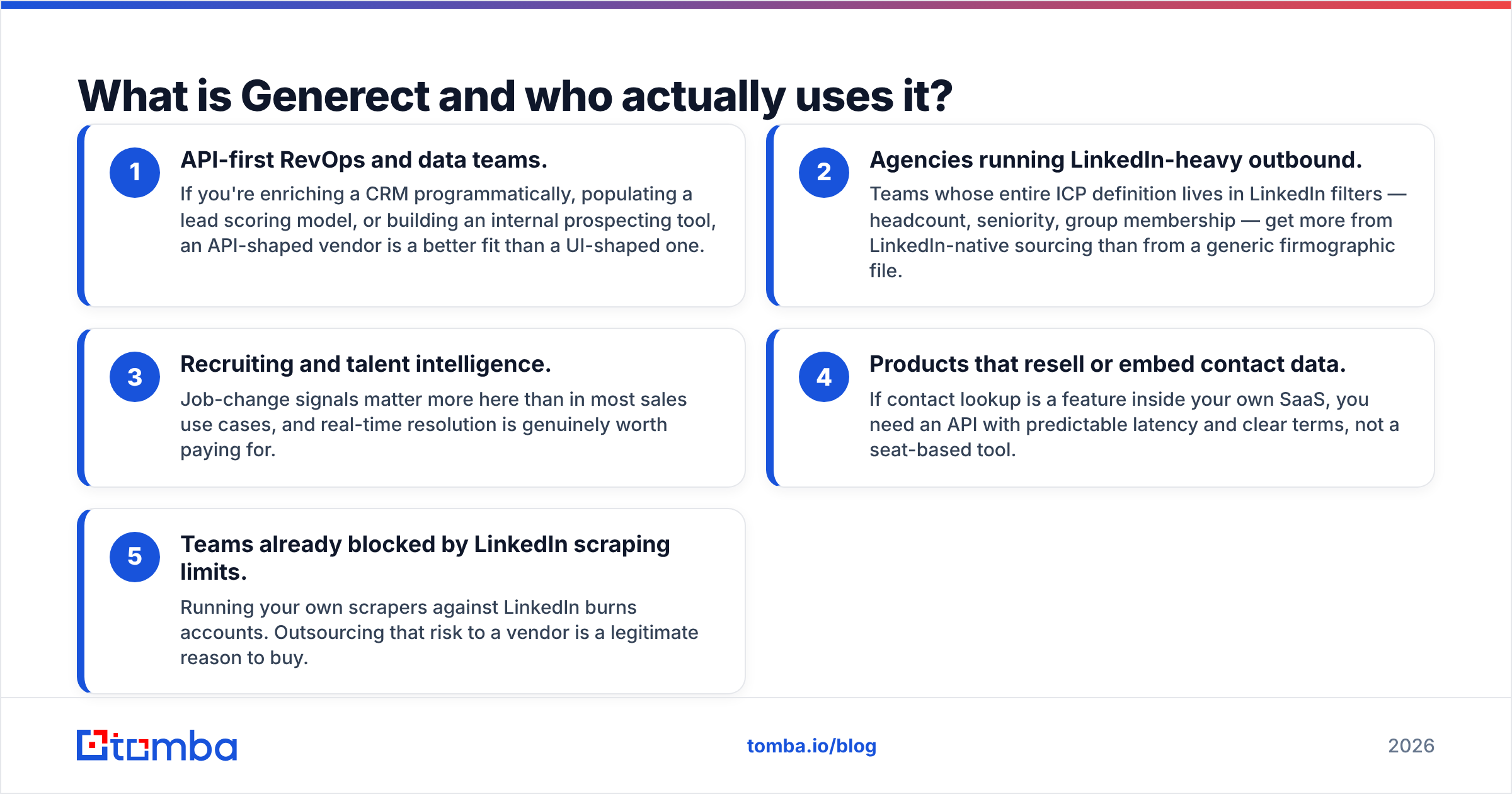
- API-first RevOps and data teams. You may be enriching a CRM in code, feeding a lead scoring model, or building an internal prospecting tool. An API-shaped vendor fits that better than a UI-shaped one.
- Agencies running LinkedIn-heavy outbound. Some teams define their whole ICP in LinkedIn filters: headcount, seniority, group membership. They get more from LinkedIn-native sourcing than from a generic firmographic file.
- Recruiting and talent intelligence. Job-change signals matter more here than in most sales work, so real-time resolution is worth paying for.
- Products that resell or embed contact data. If contact lookup is a feature inside your own SaaS, you need an API with predictable latency and clear terms, not a seat-based tool.
- Teams already blocked by LinkedIn scraping limits. Running your own scrapers burns accounts. Handing that risk to a vendor is a fair reason to buy.
Not on that list? If you are a two-person sales team that wants to type a domain and get emails, you are not the buyer this product was built for. The pricing conversation will make that clear.
What are Generect's biggest pros?#
Freshness on job titles and company moves. This is the real advantage. The costliest data error in outbound is not a bounced email. It is a perfectly deliverable email to someone who left eight months ago. Real-time resolution cuts that class of error far more than a warehouse refreshed quarterly.
API depth beyond a simple lookup. The Groups API is unusual. You can pull the members of a specific LinkedIn group, which gives you an ICP filter most competitors cannot match. Group membership is a strong intent-adjacent signal, and almost nobody's outbound uses it yet.
No seat tax on the API side. Per-seat vendors punish you for giving more of the team access. An API-metered model prices what you actually use. On a team of 15 where three people prospect daily, that is a very different bill.
Company-level and person-level data in one contract. You can resolve a company, pull its people, filter by seniority, and request contact details. No stitching three vendors together. Fewer contracts also means fewer reconciliation problems later.
Willingness to run custom scoping. Sales-led pricing hurts small teams. Large teams get the upside: negotiate volume, request specific fields, and talk to an engineer instead of a chatbot. If your use case is unusual, that flexibility is worth real money.

What are Generect's cons and hidden limits?#
No meaningful self-serve free tier. You usually cannot sign up, burn 25 lookups, and decide. That is a real barrier. Data quality claims stay unfalsifiable until you test them against a list where you already know the right answers. A vendor that makes testing hard is asking for trust it has not earned. Insist on a sample run against 100 contacts you can verify yourself.
Sales-led pricing means an opaque comparison. You cannot line Generect up against three rivals on a spreadsheet in ten minutes. Two of the four cells just say: contact us. Budget owners hate that, and they are right to. Total cost stays unknowable until you have spent a week in procurement.
Real-time lookup has a latency cost. Live queries are slower than reading an indexed row. For one enrichment inside a form submission, that is fine. For a bulk job over 50,000 records, throughput and rate limits shape your architecture. Get documented rate limits in writing before you commit.
Smaller ecosystem and integration surface. Mainstream platforms ship native connectors, Chrome extensions, spreadsheet add-ins, and hundreds of prebuilt automations. A focused vendor usually does not. If your workflow lives in Google Sheets or a no-code tool, you will write glue code that other tools hand you for free.
LinkedIn-derived data carries compliance homework. Any platform-sourced dataset has terms attached. LinkedIn's User Agreement restricts automated collection. GDPR duties for legitimate interest, notice, and deletion land on you as the data controller the moment you email someone. This is not unique to Generect, since it applies to every LinkedIn-sourced provider. Even so, leaving it to the vendor will not survive a DPA review. Get their processing basis and deletion workflow documented.
Overkill for the plain email-finding job. Say 90% of your queries are first name, last name, domain, give me the address. Then you are paying platform prices for a utility function. That is not a knock on the product. It is a scoping mismatch, and it costs teams real money every month.
How does Generect compare to the alternatives?#
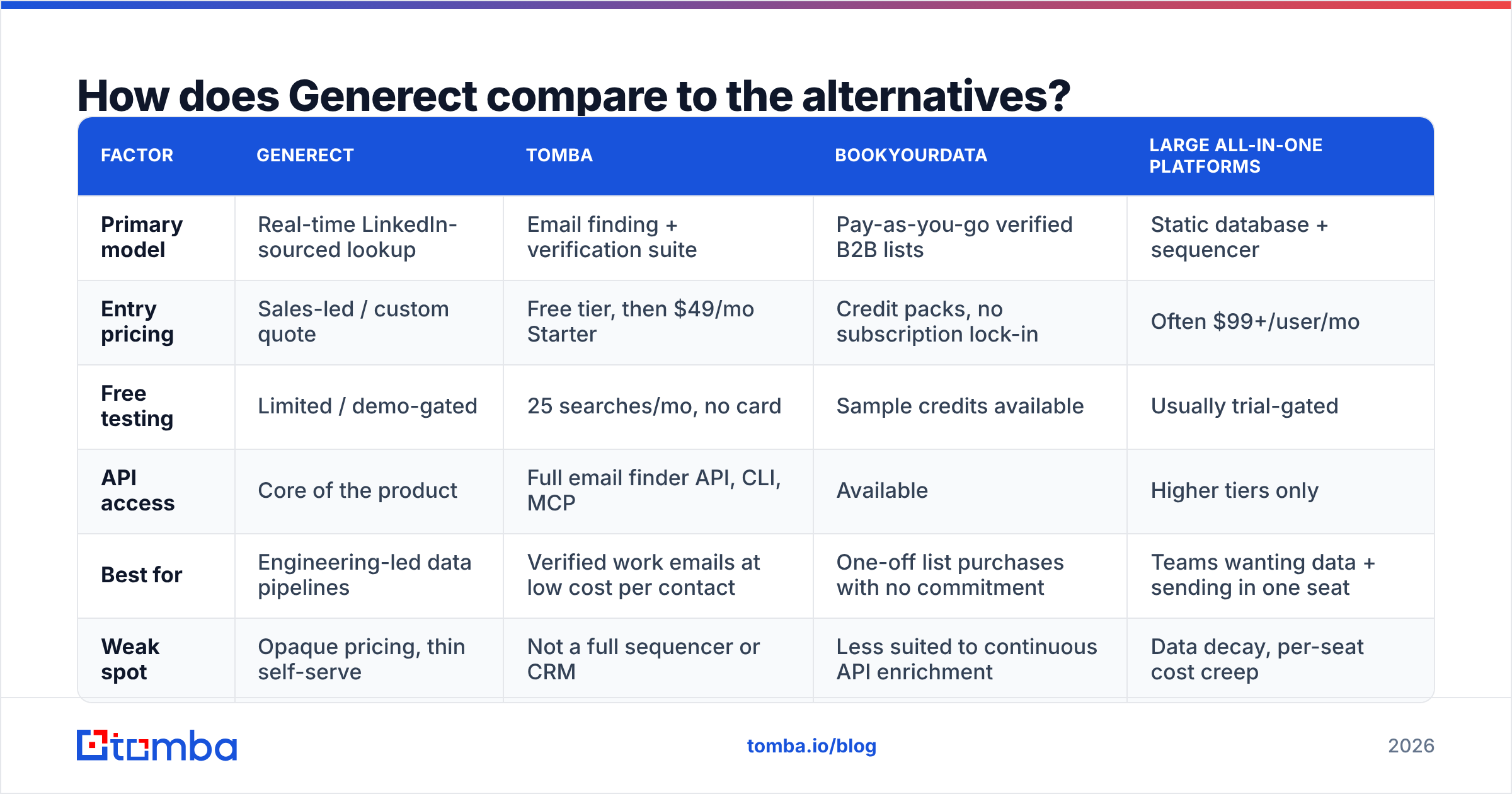
| Factor | Generect | Tomba | BookYourData | Large all-in-one platforms |
|---|---|---|---|---|
| Primary model | Real-time LinkedIn-sourced lookup | Email finding + verification suite | Pay-as-you-go verified B2B lists | Static database + sequencer |
| Entry pricing | Sales-led / custom quote | Free tier, then $49/mo Starter | Credit packs, no subscription lock-in | Often $99+/user/mo |
| Free testing | Limited / demo-gated | 25 searches/mo, no card | Sample credits available | Usually trial-gated |
| API access | Core of the product | Full email finder API, CLI, MCP | Available | Higher tiers only |
| Best for | Engineering-led data pipelines | Verified work emails at low cost per contact | One-off list purchases with no commitment | Teams wanting data + sending in one seat |
| Weak spot | Opaque pricing, thin self-serve | Not a full sequencer or CRM | Less suited to continuous API enrichment | Data decay, per-seat cost creep |
Two things stand out in that grid.
First, the pricing models are not comparable in kind. Generect and the big platforms sell a contract. Tomba and BookYourData sell consumption. If your volume is spiky, such as a quarterly campaign rather than a daily grind, consumption is almost always cheaper. BookYourData fits well when you want verified contacts with no ongoing commitment.
Second, the best-for column is doing the heavy lifting. A tool being worse for you does not make it worse. Generect is the stronger answer if you call an endpoint 40,000 times a month and need job-change accuracy. It is the weaker answer if you are an SDR with 300 target accounts and a Chrome tab open.

Is Generect's data accurate enough for cold outreach?#
Accuracy is really two questions, and vendors tend to blur them.
Question one: is the person still in that role? LinkedIn-native, real-time sourcing wins here. Profiles update when people update them, usually within weeks of a job change. A warehouse on a slower refresh cycle keeps selling you the old title.
Question two: does the address actually accept mail? That is a different problem, and source freshness does not solve it. An address can be correctly inferred from a real person at a real company and still hard-bounce. The company may use an odd format. The mailbox may be decommissioned. The domain may be catch-all, accepting everything and delivering nothing.
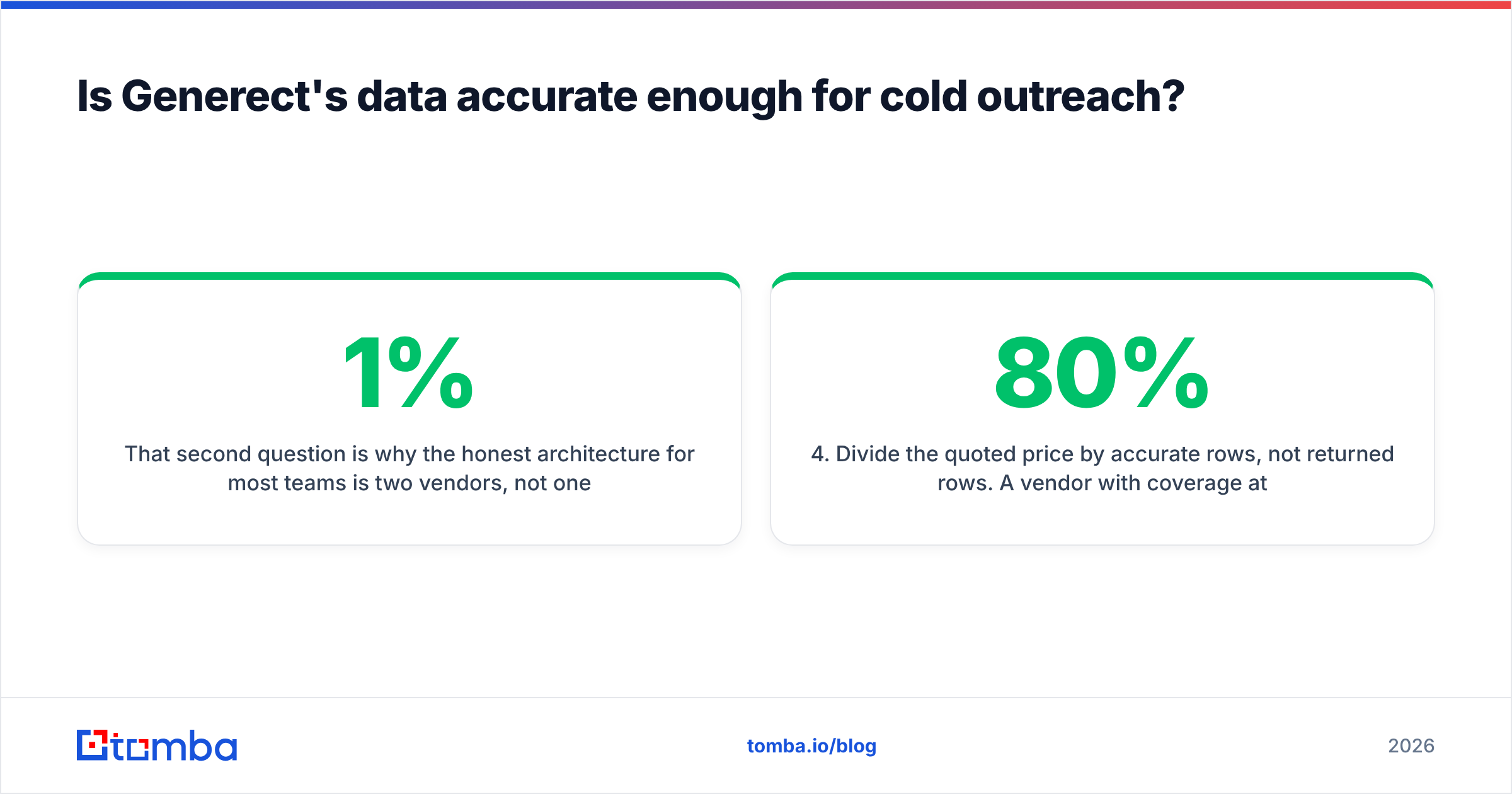
That second question is why most teams need two vendors, not one. Use whatever source gives you the best coverage for discovery. Then verify before you send. Running a catch-all verifier over the ambiguous slice of your list is what separates a 1% bounce rate from a 7% one. At 7%, mailbox providers start throttling your domain.
Here is a practical test protocol before you buy anything, Generect included:
- Build a 100-row truth set. Use contacts whose current email you already know: customers, past deals, your own network.
- Run it blind through the vendor. No cherry-picking domains. Include hard cases: small companies, non-English domains, catch-all setups.
- Score three metrics separately. Coverage (rows returned), accuracy (rows matching truth), and freshness (rows with the current employer).
- Divide the quoted price by accurate rows, not returned rows. A vendor with 80% coverage at 95% accuracy beats one with 95% coverage at 60% accuracy. The headline coverage number hides that.
- Re-test at 60 days. Decay profiles differ a lot between providers. The second test tells you more than the first.
Most teams skip step 4 and buy on coverage. That is how you end up with a full CRM and a burned sending domain. To run this at volume, a bulk email finder makes the comparison cheap to execute.
Who should buy Generect — and who shouldn't?#
Buy it if: you have engineering capacity. Your ICP is defined by LinkedIn attributes that generic firmographic files cannot express. Job-change accuracy is worth a premium in your model, and your volume justifies a negotiated contract. Recruiting teams, talent-intelligence products, and data-heavy agencies fit this profile well.
Don't buy it if: you are under ten people, you want to test before you talk to a rep, or your workflow is spreadsheet-and-CRM rather than API-and-pipeline. The same answer applies if the real job is finding verified work emails from names and domains. There you are buying a platform to do a utility's work, and cost per usable contact will run several times higher than it needs to be.
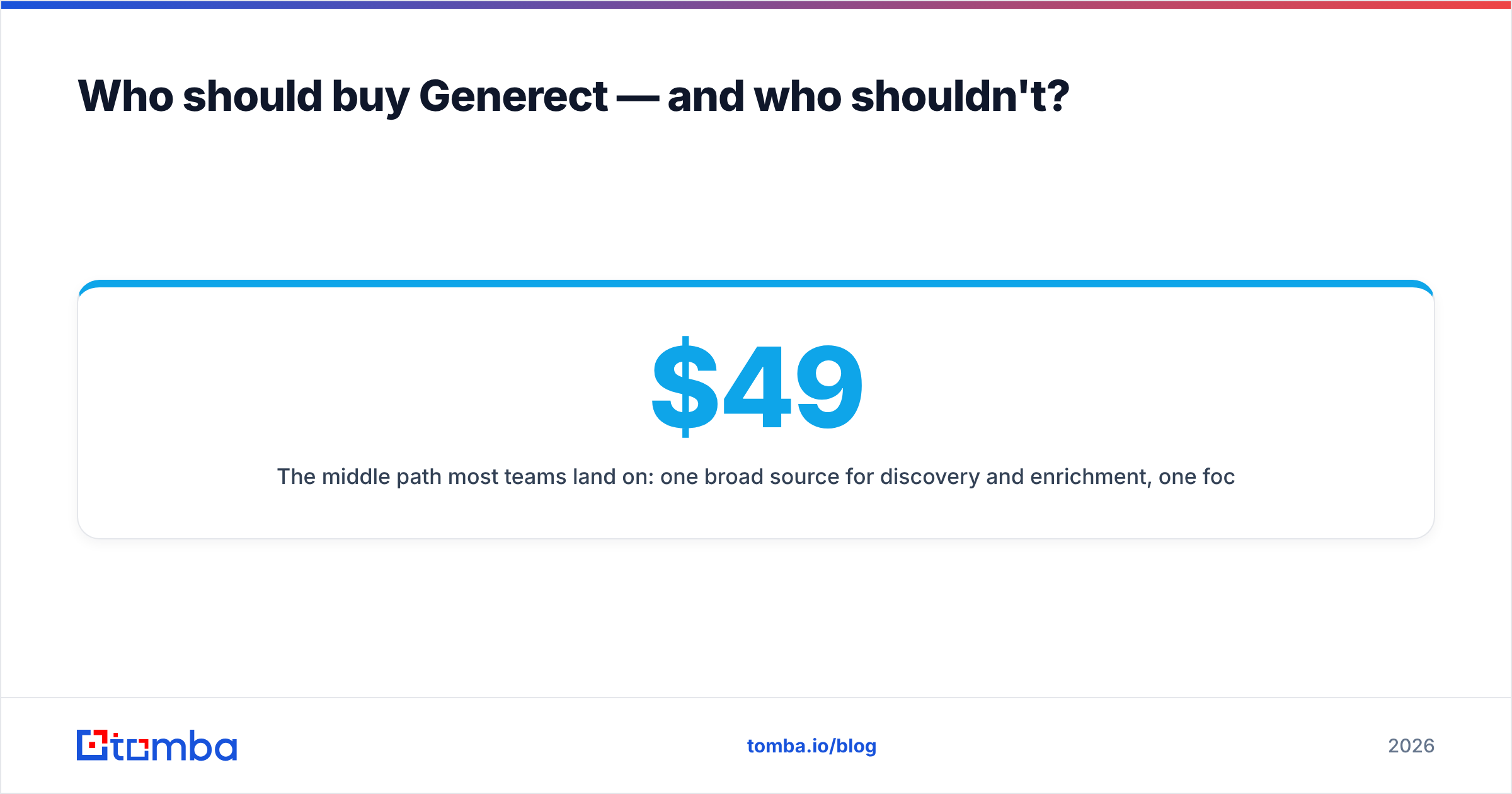
The middle path most teams land on: one broad source for discovery and enrichment, one focused tool for email discovery and verification, and one sending platform. Three tools, clear boundaries, and no single vendor holding your pipeline hostage at renewal. Check the numbers against Tomba pricing: Free at 25 searches/mo, Starter $49/mo, Growth $99/mo, Pro $249/mo. The focused layer usually costs less than the line item it replaces inside a bigger contract. If your sourcing starts on LinkedIn, the LinkedIn finder covers that path directly.
One more check before you sign with any provider in this category. Read the reviews on a neutral aggregator like G2's sales intelligence category. Weight one-star reviews about support and billing more heavily than five-star reviews about data quality. Data quality complaints are often user error. Billing and support complaints almost never are.
What's the verdict on Generect pros and cons?#
The Generect pros and cons net out like this. It is a well-scoped tool with an unusual and defensible technical position. Real-time LinkedIn resolution solves a problem static databases structurally cannot, and the Groups API is a genuine differentiator. The costs are just as real: no easy self-serve entry, opaque pricing, a thinner integration ecosystem, and compliance work you own no matter what the vendor tells you.
The mistake to avoid is not choosing Generect. It is picking any single platform to cover discovery, enrichment, verification, and sending. At renewal you find you are paying enterprise rates for the one endpoint you actually use.
Start with the cheapest test that tells you the truth. Take 100 contacts you can verify by hand. Run them through Tomba's Email Finder on the free tier: 25 searches a month, no card. Then scale to Starter at $49/mo if the accuracy holds up on your list, not on somebody's marketing page. If it does not hold up, you have lost an afternoon instead of a fiscal year.
Related guides#
Ready to find emails that actually work?
Join 150,000+ professionals who stopped guessing and started sending. Free credits on signup — no credit card required.
Get the Tomba newsletter
Practical outbound tactics and product updates — once every two weeks.
About the author