Generect vs GetEmail.io: Which B2B Email Tool Wins in 2026?
Generect sells lead lists and APIs. GetEmail.io guesses one email at a time. We break down accuracy, credits, pricing and API limits — plus where a third option beats both.
TL;DR
- Generect is a lead-database and API company: you pull filtered lists of LinkedIn-sourced companies and people, with emails attached. It is built for volume and for engineers.
- GetEmail.io is a single-lookup email finder: type a name plus a company domain (or click a LinkedIn profile) and it predicts the address. It is built for reps, not for pipelines.
- They barely compete on the same axis. Generect wins on bulk list-building and enrichment throughput; GetEmail.io wins on speed-to-first-email and a genuinely simple Chrome extension.
- Both are weakest on the same thing: verification depth. Neither one is primarily a verifier, so catch-all domains and role accounts leak through unless you add a second tool.
- If you want finding plus verification plus enrichment on one credit pool, a consolidated platform like Tomba (free tier at 25 searches/month, Starter $49/mo) usually beats running two point tools.
What are Generect and GetEmail.io, actually?#
Two products that get lumped together in "email finder" listicles but solve different halves of the job.
Generect positions itself as a B2B lead-generation data provider. Its core deliverable is a list: filter by industry, headcount, geography, job title, technology, and get back a set of company and contact records — including work emails — either through a dashboard or an API. Think of it as a data faucet you point at an ICP definition and turn on.
GetEmail.io is the opposite shape. Its core deliverable is one address. You supply a first name, last name, and a company domain; the engine combines pattern inference with its own data to return the most likely work email and a confidence score. There is a Chrome extension for LinkedIn and Gmail, plus a lightweight API.
The everyday analogy: Generect is a wholesale supplier that ships you a pallet. GetEmail.io is the corner shop where you buy one item on the way home. Both sell groceries. You would not run a restaurant on the corner shop, and you would not use a pallet to make one sandwich.
Technically, the difference shows up in three places — coverage model (pre-indexed database vs on-demand inference), billing unit (records exported vs credits consumed per lookup), and integration surface (bulk API and CSV vs extension and single-call API).

How do Generect and GetEmail.io compare head to head?#
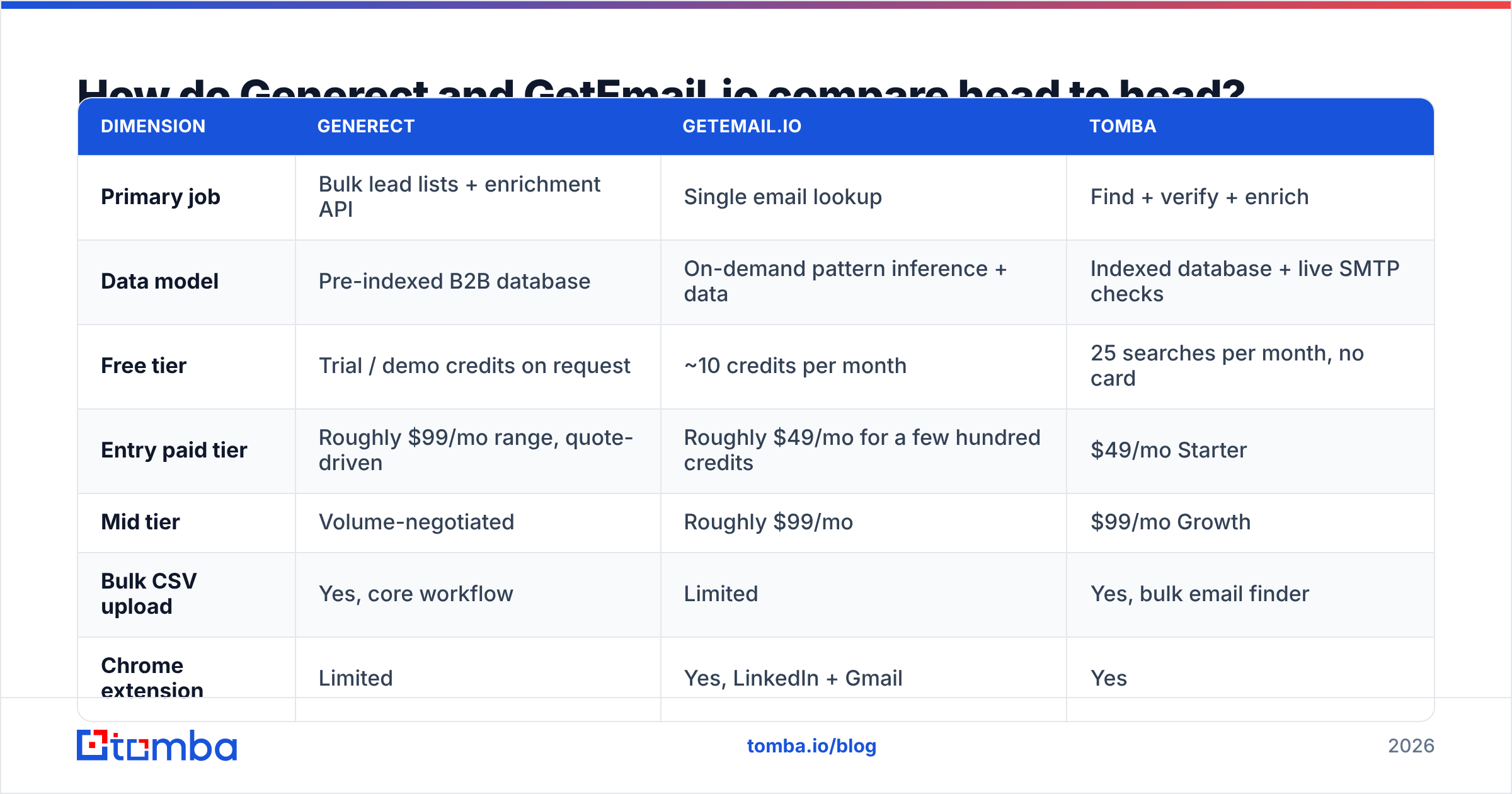
Here is the practical comparison. Pricing on both vendors moves; treat these as directional and confirm on the vendors' own pricing pages before you buy.
| Dimension | Generect | GetEmail.io | Tomba |
|---|---|---|---|
| Primary job | Bulk lead lists + enrichment API | Single email lookup | Find + verify + enrich |
| Data model | Pre-indexed B2B database | On-demand pattern inference + data | Indexed database + live SMTP checks |
| Free tier | Trial / demo credits on request | ~10 credits per month | 25 searches per month, no card |
| Entry paid tier | Roughly $99/mo range, quote-driven | Roughly $49/mo for a few hundred credits | $49/mo Starter |
| Mid tier | Volume-negotiated | Roughly $99/mo | $99/mo Growth |
| Bulk CSV upload | Yes, core workflow | Limited | Yes, bulk email finder |
| Chrome extension | Limited | Yes, LinkedIn + Gmail | Yes |
| Native verification | Basic | Confidence score only | Dedicated email verifier + catch-all handling |
| Phone numbers | Available on some plans | No | Yes |
| API | Yes, developer-first | Yes, simple REST | Yes, Tomba API, CLI, MCP |
| Best for | RevOps and data teams | Individual reps and recruiters | Teams that want one credit pool |
The row that decides most purchases is the free tier. Ten lookups a month is a demo, not an evaluation. You cannot judge accuracy on ten records — you need at least a few dozen against a domain you already know. That is the practical reason so many buyers end up trialling three tools at once.
Which one is more accurate?#
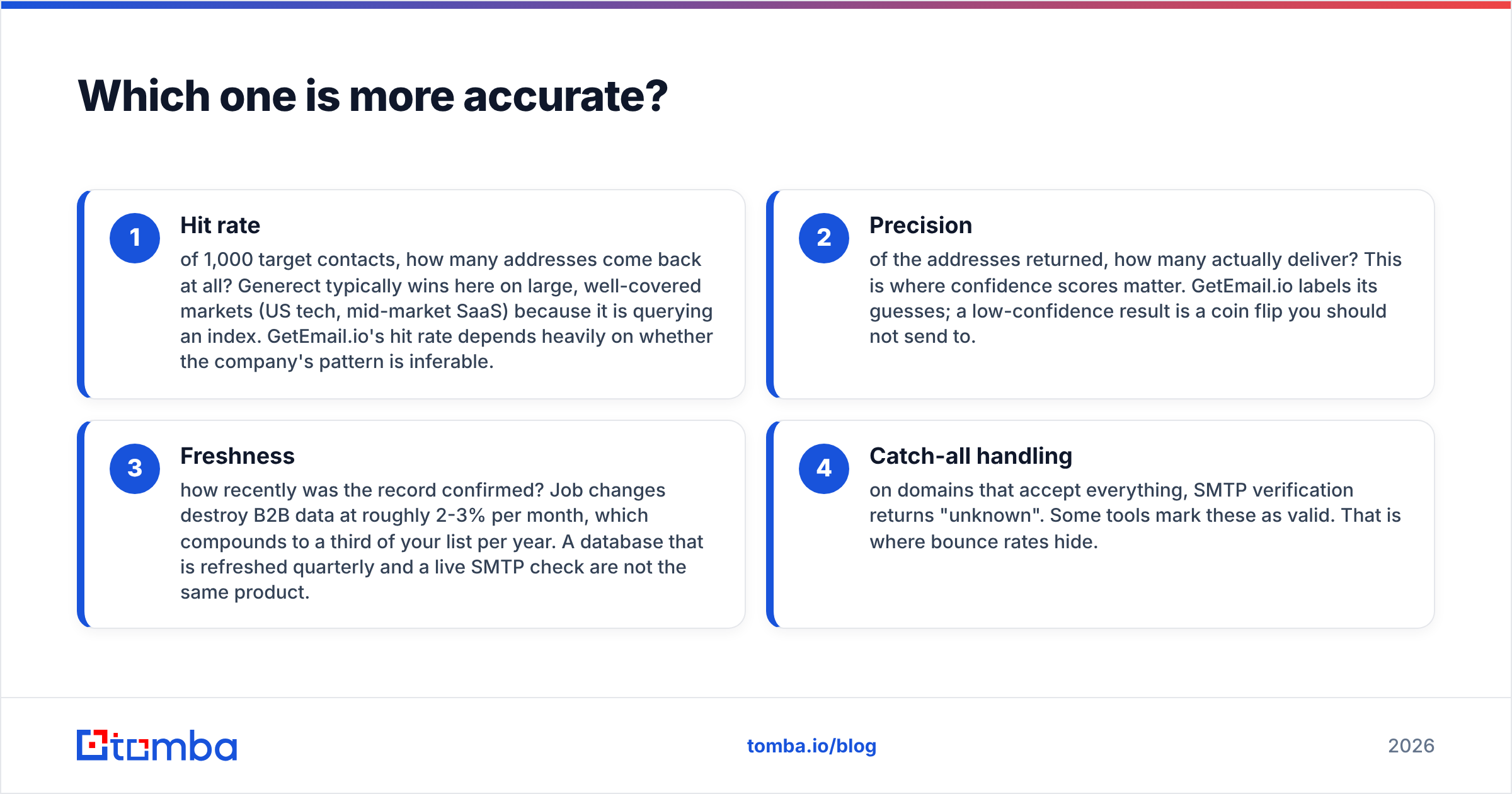
Accuracy is not one number, and any vendor quoting a single percentage is flattening three separate questions:
- Hit rate — of 1,000 target contacts, how many addresses come back at all? Generect typically wins here on large, well-covered markets (US tech, mid-market SaaS) because it is querying an index. GetEmail.io's hit rate depends heavily on whether the company's pattern is inferable.
- Precision — of the addresses returned, how many actually deliver? This is where confidence scores matter. GetEmail.io labels its guesses; a low-confidence result is a coin flip you should not send to.
- Freshness — how recently was the record confirmed? Job changes destroy B2B data at roughly 2-3% per month, which compounds to a third of your list per year. A database that is refreshed quarterly and a live SMTP check are not the same product.
- Catch-all handling — on domains that accept everything, SMTP verification returns "unknown". Some tools mark these as valid. That is where bounce rates hide.

The honest test: take 100 contacts you already have confirmed emails for, strip the emails, and run the names and domains through each tool. Count exact matches, misses, and wrong-but-confident results. That last bucket is the expensive one — a confident wrong address costs you a bounce, and bounces cost you sender reputation.
Whatever you pick, run the output through a verifier before it touches a sending tool. Neither Generect nor GetEmail.io is built as a verification-first product, and treating a confidence score as a verification result is the single most common reason cold campaigns land in spam.
Is Generect worth it for list building?#
Yes, if you have a defined ICP and someone who can operate an API.
Where Generect earns its price:
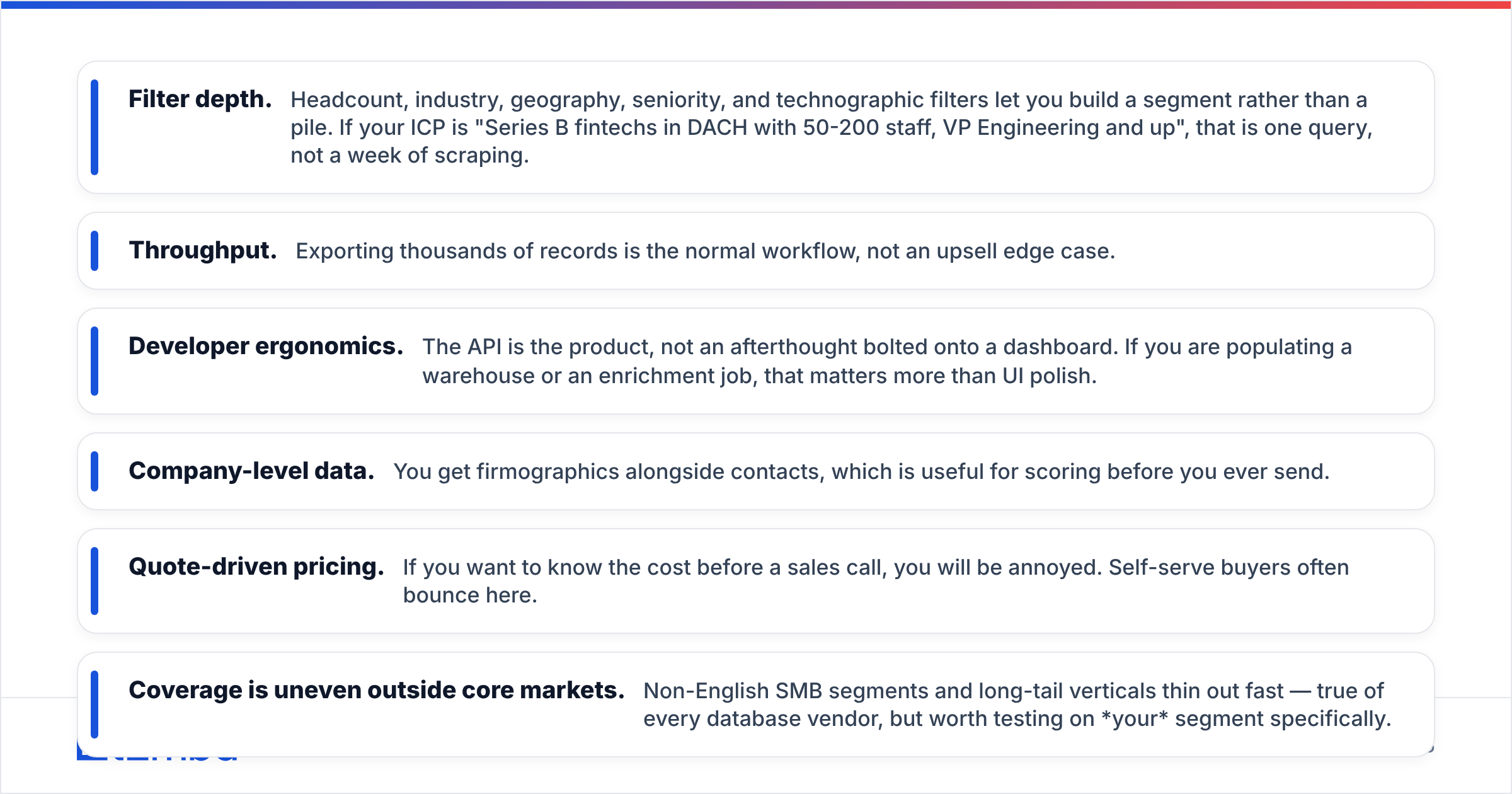
- Filter depth. Headcount, industry, geography, seniority, and technographic filters let you build a segment rather than a pile. If your ICP is "Series B fintechs in DACH with 50-200 staff, VP Engineering and up", that is one query, not a week of scraping.
- Throughput. Exporting thousands of records is the normal workflow, not an upsell edge case.
- Developer ergonomics. The API is the product, not an afterthought bolted onto a dashboard. If you are populating a warehouse or an enrichment job, that matters more than UI polish.
- Company-level data. You get firmographics alongside contacts, which is useful for scoring before you ever send.
Where it frustrates buyers:
- Quote-driven pricing. If you want to know the cost before a sales call, you will be annoyed. Self-serve buyers often bounce here.
- Coverage is uneven outside core markets. Non-English SMB segments and long-tail verticals thin out fast — true of every database vendor, but worth testing on your segment specifically.
- You still need verification. Exported does not mean deliverable.
If Generect's list-building model appeals but the sales-call pricing does not, the closest self-serve equivalent is a domain search workflow: give it a company domain, get back the people and the email pattern, repeat across your target account list. Less filter depth, far less procurement friction.
Is GetEmail.io worth it for individual reps?#
Yes, for a narrow job: you are on a LinkedIn profile right now and you want the email in three seconds.
GetEmail.io's extension is the strongest part of the product. It is fast, it does not demand a workflow change, and the confidence score is displayed honestly rather than buried. For a recruiter working 30 profiles a day, or a founder doing manual outbound to 100 named accounts, that is enough tool.
The limits show up when you scale:
- Credit math gets ugly. Per-lookup pricing at low volume is fine. At 5,000 lookups a month, per-credit cost becomes the dominant line item and database vendors undercut it.
- No real bulk lane. Uploading a CSV of 2,000 rows is not the workflow this product was designed around.
- Inference has a ceiling. When a company uses a non-obvious pattern — initials, legacy domains, or a subsidiary's mail domain — pattern prediction degrades. A database that has seen the address does better.
- Thin surrounding stack. No phone numbers, no enrichment, minimal verification. You will buy a second and third tool.
If you like the extension model but want it attached to a bigger data spine, compare against a LinkedIn finder that shares credits with bulk and API workflows instead of siloing them.

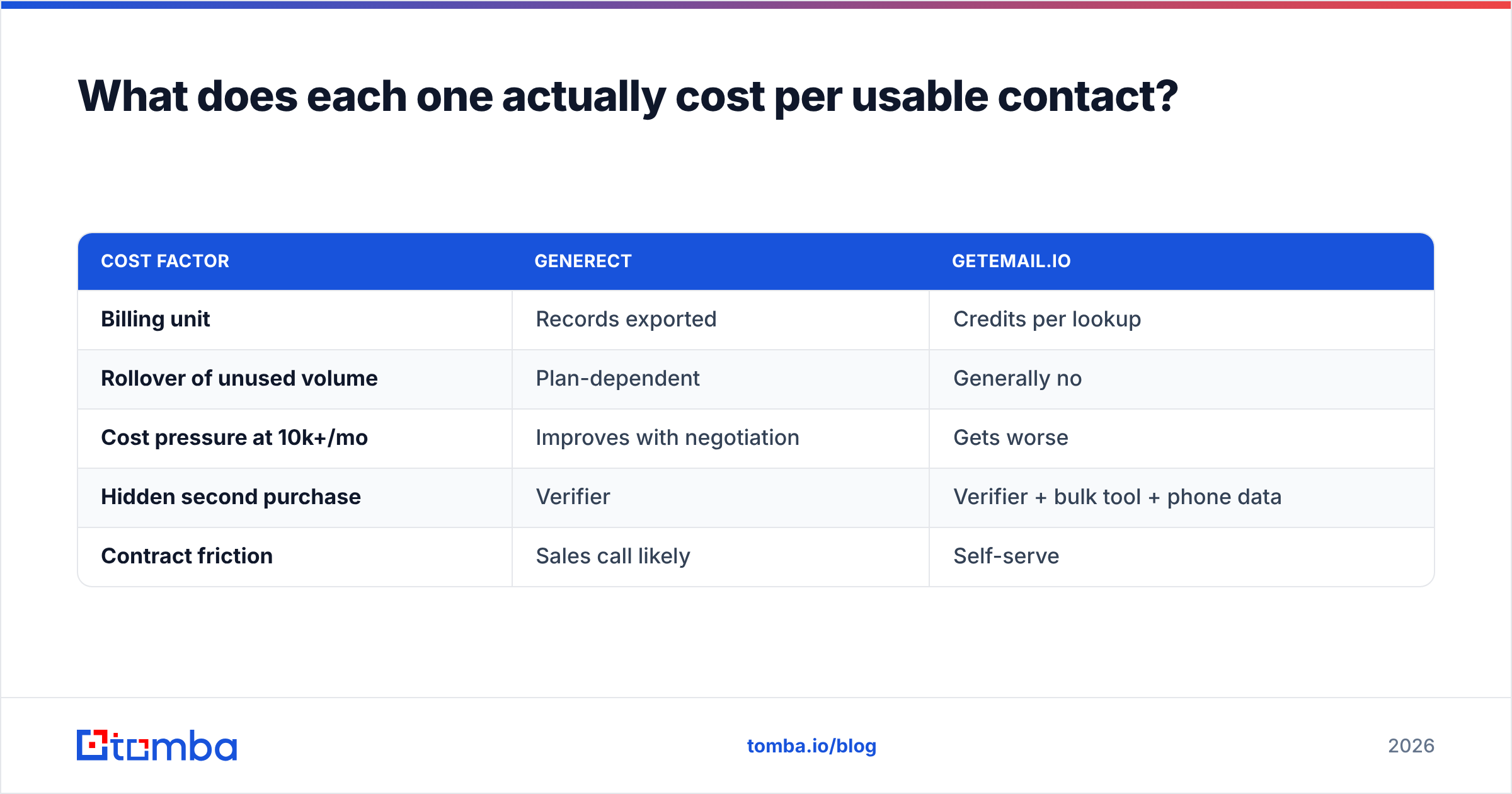
What does each one actually cost per usable contact?#
Sticker price is the wrong metric. The number that matters is cost per verified, deliverable contact, which is:
(subscription ÷ records returned) ÷ (hit rate × precision)
Run that and cheap tools stop looking cheap. A $49 plan with a 55% hit rate and 85% precision costs more per usable contact than a $99 plan at 75% and 95% — and the $49 plan also burns your domain reputation on the difference.
| Cost factor | Generect | GetEmail.io |
|---|---|---|
| Billing unit | Records exported | Credits per lookup |
| Rollover of unused volume | Plan-dependent | Generally no |
| Cost pressure at 10k+/mo | Improves with negotiation | Gets worse |
| Hidden second purchase | Verifier | Verifier + bulk tool + phone data |
| Contract friction | Sales call likely | Self-serve |
The "hidden second purchase" row is the one buyers underweight. Two point tools plus a standalone verifier routinely runs past $200/month before anyone has sent an email — which is roughly where a consolidated plan with data enrichment and verification bundled starts to look obvious. You can sanity-check that math against Tomba pricing in about a minute.
For third-party sentiment rather than vendor claims, both products have review histories on G2 worth skimming — filter to reviews from companies your size, since a 5-person agency and a 500-person sales org experience these tools completely differently.
Which should you choose in 2026?#
Pick by job, not by feature count.
- Choose Generect if you are RevOps or data engineering, you need thousands of filtered records on a schedule, and you have budget flexibility plus tolerance for a sales conversation.
- Choose GetEmail.io if you are one person doing manual, high-intent outbound, you live in LinkedIn, and you want zero setup.
- Choose neither, and consolidate, if your real problem is that finding, verifying, and enriching are three separate invoices. That is the most common situation we see: a rep tool for ad-hoc lookups, a database for lists, a verifier to clean the mess, and no single source of truth.
The consolidation case is not just about price. It is about the failure mode. When your finder and your verifier are different vendors, nobody owns the bounce. When one platform returns the address, checks it against SMTP, flags the catch-all, and logs the pattern, you can actually diagnose why a campaign underperformed.
Two rules regardless of which vendor wins your test:
- Never send to an unverified address. Run every list through verification, and treat catch-all domains as a separate risk bucket with its own send policy — a catch-all verifier exists precisely because "unknown" is not "valid".
- Re-verify quarterly. Your list decays whether you look at it or not.

How should you run the bake-off?#
Do not read another comparison post — including this one — and buy. Run a 60-minute test:
- Pull 100 contacts from your CRM where you already know the working email.
- Strip the emails, keep names and domains.
- Run the same 100 through each tool's free or trial tier.
- Score three columns: found, exact match, confidently wrong.
- Weight by your segment. A tool that is 90% accurate in US SaaS and 40% in Nordic manufacturing is a bad tool if you sell to Nordic manufacturers.
Then, and only then, look at price.
Start with the free tier that lets you actually test#
If you want to include a third option in that bake-off without a sales call, start with the Tomba Email Finder. The free tier gives you 25 searches a month with no card, which is enough to run a real accuracy sample rather than a demo. Finding, verification, catch-all detection, domain search, and enrichment all draw from one credit pool, so you are not stitching three invoices together to answer one question: is this address going to deliver?
Run your 100-contact test against all three. Let the results, not the marketing pages, pick the winner.
Related guides#
Ready to find emails that actually work?
Join 150,000+ professionals who stopped guessing and started sending. Free credits on signup — no credit card required.
Get the Tomba newsletter
Practical outbound tactics and product updates — once every two weeks.
About the author