Generect vs Leadmine (2026): Which B2B Lead Data Tool Wins?
Generect and Leadmine both promise clean B2B contact data, but they solve different problems. Here is an honest breakdown of coverage, pricing, verification and which one fits your outbound motion.
TL;DR
- Generect is LinkedIn-native: it pulls leads from LinkedIn and Sales Navigator searches, resolves them to work emails, and exposes an API for developers who want to build lead flows programmatically.
- Leadmine is database-first: you search a static B2B contact index by title, industry, and location, then confirm addresses with a bundled verifier. Its free tier is generous for solo prospectors.
- Generect wins on fresh LinkedIn-sourced data and API depth. Leadmine wins on simplicity and price for small monthly volumes.
- Neither is a complete data layer. Both leave gaps on catch-all domains, phone numbers, and enrichment fields — which is where a dedicated finder-plus-verifier stack earns its keep.
- Our pick depends on volume: under ~1,000 lookups a month, Leadmine is fine. Above that, or if you need programmatic access, Generect or a general-purpose provider like Tomba is the better cost-per-verified-lead.
What Are Generect and Leadmine?#
They sit in the same category — B2B contact data — but they got there from opposite directions.
Generect started as a LinkedIn data extraction service. You give it a Sales Navigator search URL, a company domain, or a person's profile, and it returns structured lead records: name, title, company, work email, sometimes phone. Its selling point is that data is pulled and resolved close to request time rather than served from a warehouse that was refreshed last quarter. It also ships a REST API, which is unusual at its price point and makes it attractive to teams building internal lead-routing tools.
Leadmine is closer to the classic B2B database model. You filter a stored index of contacts by job title, company, industry, and geography, then export the matches. It bundles an email verifier so you can check addresses before pushing them into a sequencer. The UX is deliberately plain — search box, filters, results grid, export. No sequences, no CRM, no scoring.
The practical difference: Generect answers "who works at this company right now, according to LinkedIn," while Leadmine answers "who is in the index matching these attributes." Both are legitimate, and they fail in different places.

How Do Generect and Leadmine Compare Head to Head?#
Here is the practical comparison, based on published vendor documentation and how each tool behaves in a typical outbound workflow. Pricing changes often — always confirm on the vendor's own page before you commit.
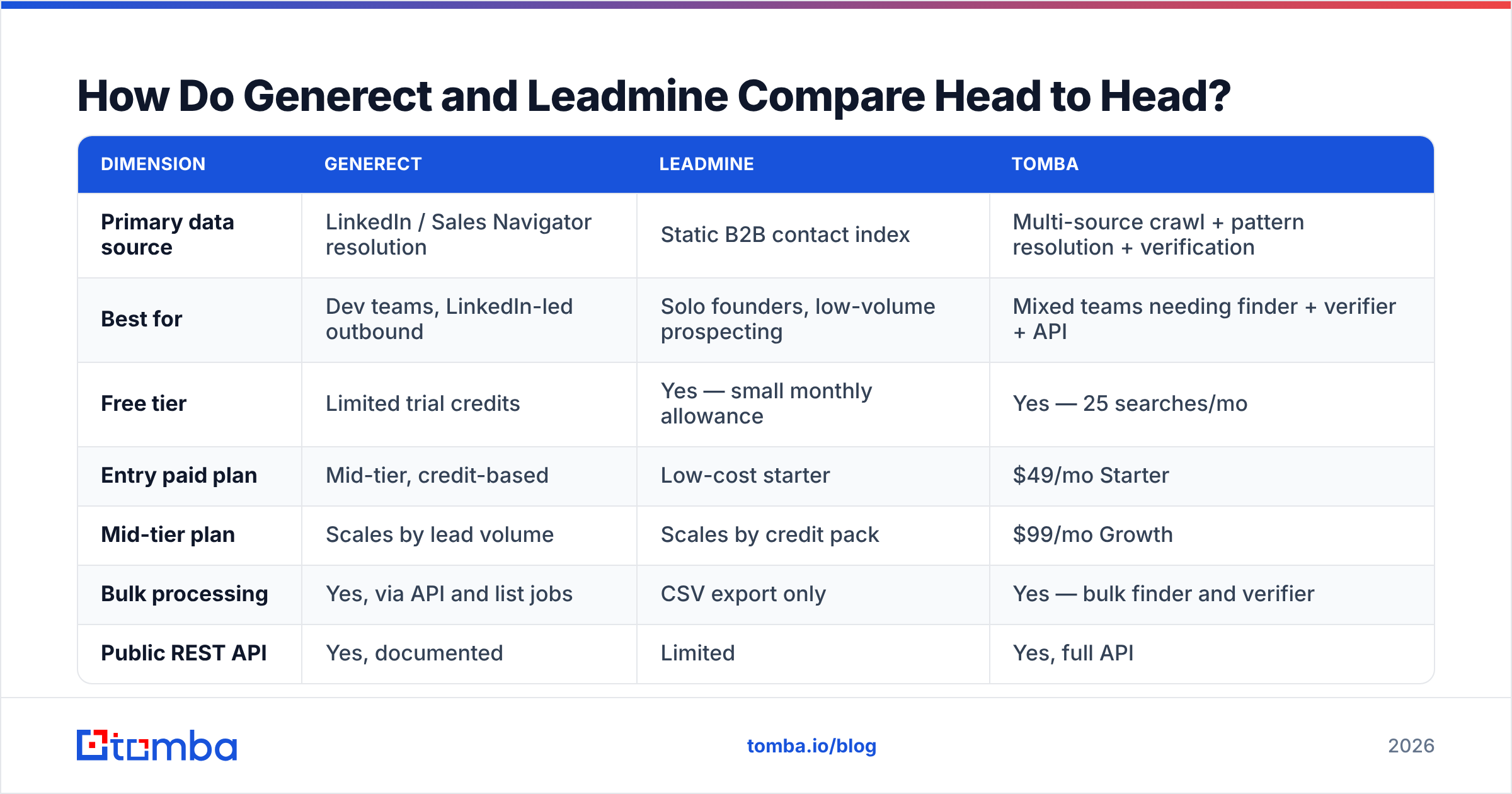
| Dimension | Generect | Leadmine | Tomba |
|---|---|---|---|
| Primary data source | LinkedIn / Sales Navigator resolution | Static B2B contact index | Multi-source crawl + pattern resolution + verification |
| Best for | Dev teams, LinkedIn-led outbound | Solo founders, low-volume prospecting | Mixed teams needing finder + verifier + API |
| Free tier | Limited trial credits | Yes — small monthly allowance | Yes — 25 searches/mo |
| Entry paid plan | Mid-tier, credit-based | Low-cost starter | $49/mo Starter |
| Mid-tier plan | Scales by lead volume | Scales by credit pack | $99/mo Growth |
| Bulk processing | Yes, via API and list jobs | CSV export only | Yes — bulk finder and verifier |
| Public REST API | Yes, documented | Limited | Yes, full API |
| Email verification included | Basic validity check | Yes, bundled verifier | Yes, dedicated verifier |
| Catch-all domain handling | Partial | Flagged, not resolved | Dedicated catch-all verifier |
| Phone numbers | Sometimes | No | Yes, phone finder |
| Chrome extension | Yes | Yes | Yes |
| CRM integrations | Via API / Zapier | Limited native | HubSpot, Salesforce, Pipedrive, Zapier, Make |
The table hides one thing worth stating plainly: these tools are not mutually exclusive with a general finder. Most teams running serious outbound end up with two data sources, because the overlap between any two B2B databases is far lower than vendors imply. Independent reviews on G2 consistently show buyers running a primary provider plus a fallback for exactly this reason.
Which One Has Better Data Coverage?#
Coverage is where the two diverge most, and the honest answer is "it depends on your ICP."
Generect is stronger on recency. Because it resolves against LinkedIn profiles, a person who changed jobs six weeks ago will typically show the new company. Static databases lag — the record ages quietly, and you find out when your email bounces or, worse, lands with someone who left. If you sell into fast-moving segments (startups, agencies, tech), recency matters more than raw record count.
Leadmine is stronger on breadth for common roles at established companies. If you want "VP Marketing at US manufacturing companies with 200-1000 employees," a static index handles that filter query cleanly and returns volume immediately. Generect's model works best when you already know the target — a company, a domain, a profile — rather than when you're browsing a universe.
Three coverage failure modes to plan for regardless of which you pick:
- Catch-all domains. A large share of enterprise domains accept all mail at the SMTP layer, so no verifier can confirm the address by ping alone. Both tools flag these; neither fully resolves them. A dedicated catch-all verifier that uses pattern confidence plus secondary signals is the only reliable way through.
- Non-US and non-English markets. Coverage thins fast outside North America and Western Europe for both vendors. Test your actual geography before you buy — not the demo list.
- Small companies under 20 people. Fewer public signals, fewer LinkedIn profiles with complete titles, weaker pattern data. Expect hit rates 15-25 points lower than your enterprise segment.
The practical test: build a 100-row list from your real ICP, run it through both trials, and count verified-deliverable results. Not "found" results — deliverable ones. That number is the only coverage metric that maps to pipeline.
Is Generect or Leadmine More Accurate?#
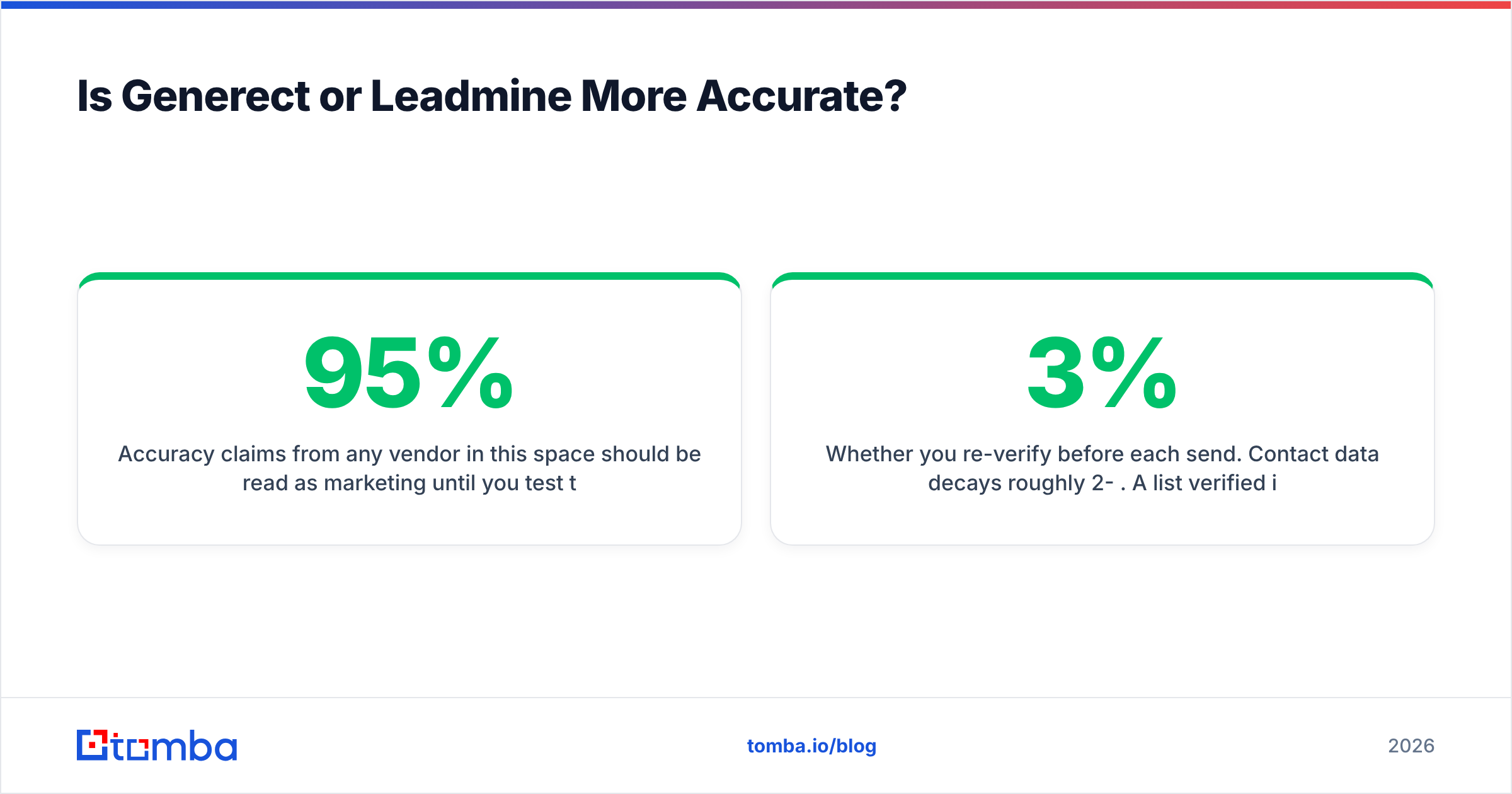
Accuracy claims from any vendor in this space should be read as marketing until you test them. The industry-standard framing — that vendors advertise 95%+ accuracy while real-world bounce rates land in the 3-8% range — holds for both of these tools.
What actually determines your bounce rate:
- Whether the tool verifies at find time or at export time. Verifying at export catches records that went stale between the search and the send.
- How it treats "risky" and "unknown" statuses. A tool that quietly counts unknowns as valid will flatter its own accuracy stat and wreck your sender reputation.
- Whether you re-verify before each send. Contact data decays roughly 2-3% per month. A list verified in January is meaningfully worse in April.
Leadmine's bundled verifier is convenient but conservative — it will mark a lot of catch-alls as unverifiable and leave the decision to you. Generect's validity check is lighter; if you're pushing volume, you should run its output through a separate email verifier before it touches your sequencer. That extra step costs pennies per contact and is the single highest-ROI habit in cold outbound. Google's own sender guidelines make the stakes explicit: sustained spam complaints and bounces throttle your delivery for everyone on the domain, not just the campaign that caused it.
If you want a fast sanity check on a handful of addresses without wiring anything up, a free email checker will tell you whether a domain even accepts mail before you build a list against it.
What Does Each Tool Actually Cost Per Verified Lead?#
Headline pricing is the wrong metric. Cost per verified, deliverable lead is the one that maps to your budget.
Work it out like this:
- Take the plan price and divide by the monthly credit or export allowance. That's your nominal cost per record.
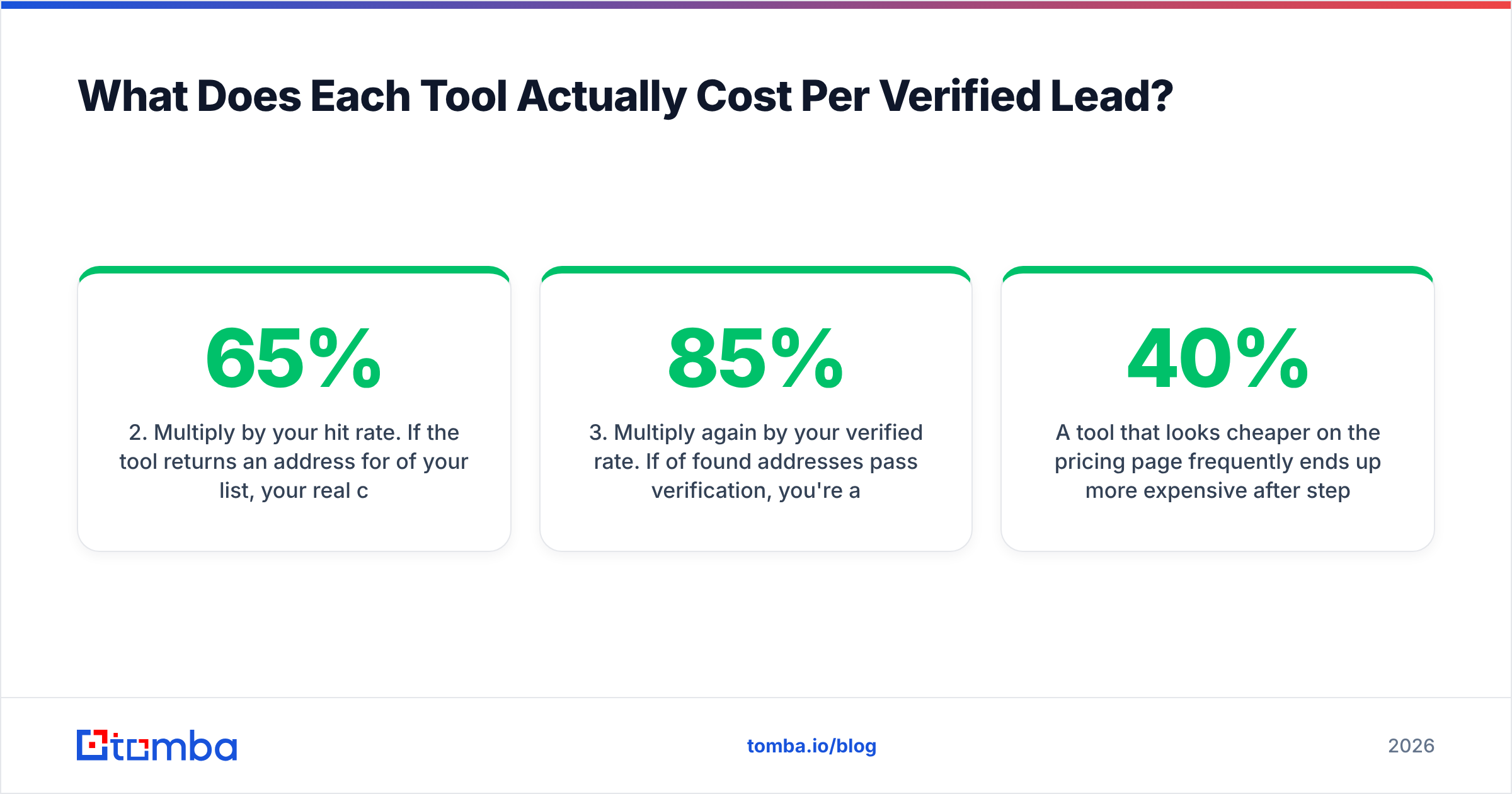
- Multiply by your hit rate. If the tool returns an address for 65% of your list, your real cost per found address is 1.54x the nominal.
- Multiply again by your verified rate. If 85% of found addresses pass verification, you're at roughly 1.8x nominal.
- Add the cost of a second source for the rows the first tool missed — because you will need one.
- Add verification cost if it isn't bundled.
A tool that looks 40% cheaper on the pricing page frequently ends up more expensive after steps 2 and 3. This is why a $49/mo plan with a 70% verified hit rate beats a $29/mo plan at 40% — you'd need to buy two of the cheap plan and still stitch the results together.
Watch for these billing details specifically:
- Do failed lookups consume credits? Some vendors charge for a search that returns nothing. Over a 5,000-row list this is a real line item.
- Do credits roll over? Most don't. Seasonal outbound teams overpay badly on annual plans they use in bursts.
- Is the API metered separately from the UI? Sometimes yes, and it's the surprise on the second invoice.
- What's the export format and row cap? A cap of 1,000 rows per export turns a 20,000-record project into twenty manual jobs.
Which Should You Choose for Your Use Case?#
Match the tool to the motion, not to the feature list.
Choose Generect if: your outbound starts on LinkedIn, you already build Sales Navigator searches, and you have someone who can call an API. The programmatic access is the real differentiator — it lets you turn a saved search into a nightly job that drops fresh leads into your CRM without a human touching a CSV. If you're not going to use the API, you're paying for capability you won't touch.
Choose Leadmine if: you're a founder or a one-person sales team doing a few hundred lookups a month, you want filters-plus-export with no setup, and the bundled verifier removes a tool from your stack. It's the lower-friction option and the cheaper one at small scale. It stops making sense the moment you need volume, phone numbers, or automation.
Choose neither — or add a third — if: you need domain-wide sweeps, enrichment fields beyond name/title/email, catch-all resolution, or phone data. That's a different product category. A domain search that returns every discoverable address at a company, with confidence scores and sources, solves the "map this account" job that neither of these tools targets. Similarly, data enrichment that fills company size, tech stack, and social profiles is what turns a raw list into a segmentable one.
It's also worth acknowledging the broader market. Providers like BookYourData take a different route again — pay-as-you-go, prebuilt lists with accuracy guarantees — which suits teams that want a one-time list rather than an ongoing subscription. If your buying pattern is bursty rather than continuous, that model often beats both Generect and Leadmine on total spend. Analysts at Gartner group all of these under sales intelligence, but the buying decision really splits on whether you need a subscription tool or a data purchase.
How Do You Test Both Before You Commit?#
Run a controlled bake-off. It takes two hours and saves months of paying for the wrong tool.
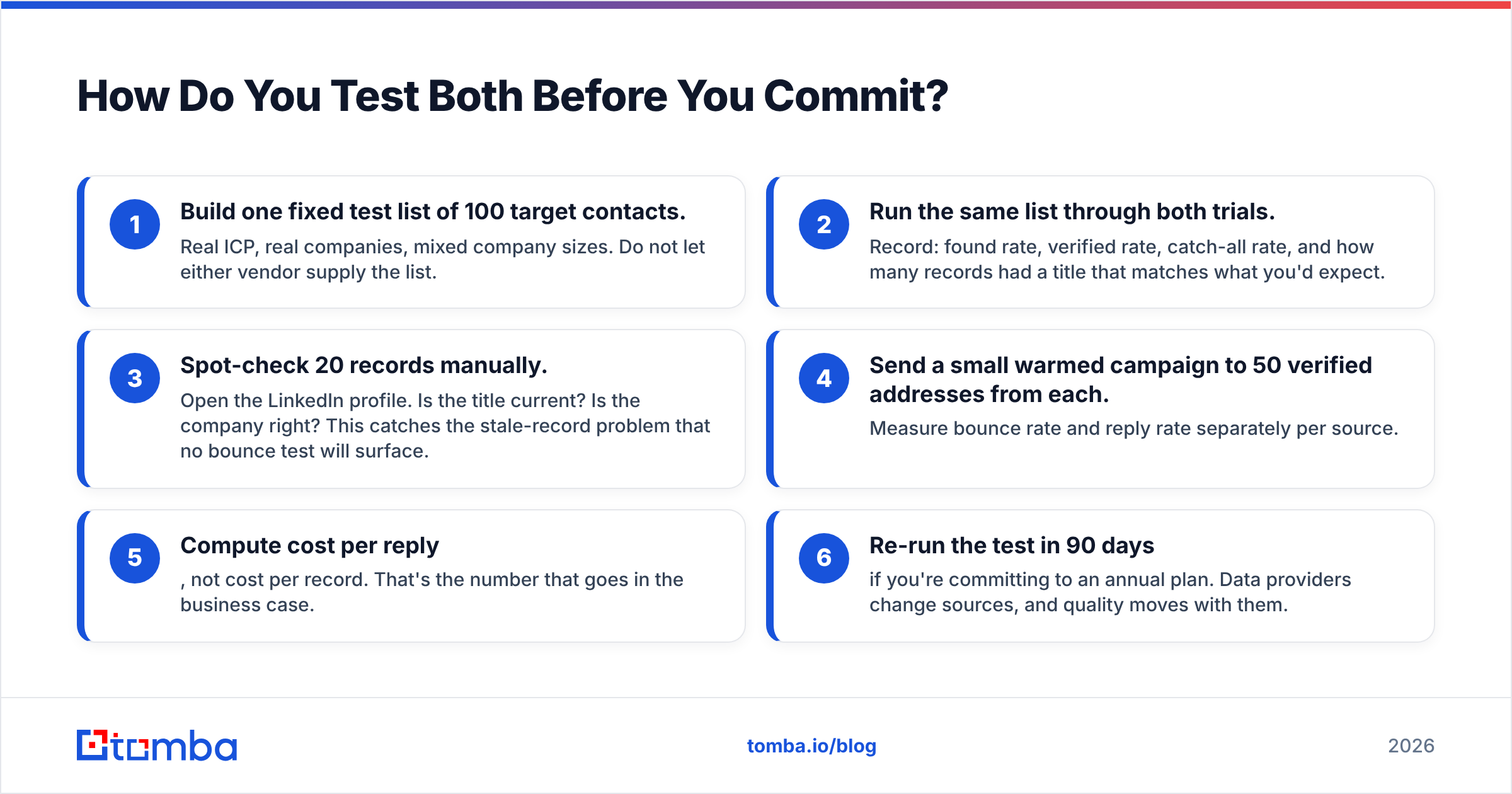
- Build one fixed test list of 100 target contacts. Real ICP, real companies, mixed company sizes. Do not let either vendor supply the list.
- Run the same list through both trials. Record: found rate, verified rate, catch-all rate, and how many records had a title that matches what you'd expect.
- Spot-check 20 records manually. Open the LinkedIn profile. Is the title current? Is the company right? This catches the stale-record problem that no bounce test will surface.
- Send a small warmed campaign to 50 verified addresses from each. Measure bounce rate and reply rate separately per source.
- Compute cost per reply, not cost per record. That's the number that goes in the business case.
- Re-run the test in 90 days if you're committing to an annual plan. Data providers change sources, and quality moves with them.
If you'd rather not manage two vendors during the test, run both through the same verification layer so your quality measurement is apples-to-apples. Pushing every source through one bulk verify step means the only variable is the data itself.
What Are the Common Mistakes Teams Make Here?#
- Buying on record count. "500 million contacts" is meaningless if 400 million are outside your ICP and 100 million are stale. Coverage within your segment is the only number that matters.
- Skipping verification because it's bundled. Bundled verifiers are usually the vendor grading its own homework. An independent check costs little and protects the domain you've spent months warming.
- Ignoring the catch-all bucket. For many B2B lists, 20-40% of domains are catch-all. If you discard them you throw away a third of your market; if you send blindly you burn reputation. Resolve them properly instead.
- Annual contracts before a bake-off. The discount is 15-25%. The cost of being locked into the wrong data source for a year is far higher.
- Treating data as a one-time purchase. Contact records decay. Budget for re-verification on any list older than a quarter.
- Not checking compliance posture. GDPR and CCPA obligations follow the data, not the vendor. Ask both providers where records originate and what their lawful basis is before you import anything into a European sequence.
The Bottom Line#
Generect and Leadmine are both reasonable tools that solve narrower problems than their marketing suggests. Generect is the better pick when your outbound is LinkedIn-first and you can use the API; Leadmine is the better pick when you're small, price-sensitive, and want one screen that does search-and-verify. Neither is a full data layer, and both will leave you stitching sources together above a few thousand lookups a month.
If what you actually need is a single, API-first layer that finds work emails by name or domain, verifies them, resolves catch-alls, and enriches the result — rather than two half-solutions — start with the Tomba Email Finder. The free tier gives you 25 searches a month to test against your own ICP list, Starter is $49/mo, and Growth at $99/mo covers most teams running real outbound volume. Run your 100-row bake-off list through it alongside your Generect and Leadmine trials, compare verified-deliverable counts, and let the numbers pick your stack. Full Tomba pricing is public, so you can model cost per verified lead before you spend anything.
Related guides#
Ready to find emails that actually work?
Join 150,000+ professionals who stopped guessing and started sending. Free credits on signup — no credit card required.
Get the Tomba newsletter
Practical outbound tactics and product updates — once every two weeks.
About the author