Generect vs Leadsforge: Which B2B Lead Data Tool Wins in 2026?
Generect sells LinkedIn-native lead lists and real-time verification. Leadsforge sells an AI chat that builds lists for you. We compare accuracy, pricing, exports, and where each one quietly falls short.
TL;DR
- Generect is a LinkedIn-native lead database with real-time verification at export time. It's strongest when your ICP is defined by LinkedIn filters (title, headcount, tech, group membership) and you want lists that don't rot in the CRM.
- Leadsforge is an AI chat interface on top of a lead database. You describe your ICP in plain English and it returns a list. Fastest time-to-first-list of the two, weakest control over the filters that actually matter.
- Pricing is the real fork: Generect leans mid-market with annual-friendly contracts; Leadsforge leans self-serve with cheap entry tiers that get expensive per verified contact.
- Neither is a full outbound stack. Both hand you a CSV and stop. You still need verification, enrichment, and a sending layer.
- If your bottleneck is email accuracy rather than list building, a dedicated finder-verifier like Tomba at $49/mo will outperform either tool's bundled data.
What are Generect and Leadsforge, exactly?#
Both tools sell the same outcome — a list of B2B contacts you can email — but they get there from opposite directions.
Generect (generect.com) positions itself as a LinkedIn-data company. Its core value proposition is that leads are pulled and verified against live LinkedIn data rather than served from a stale snapshot. It offers a lead database UI, a LinkedIn Sales Navigator-style filter set, and an API for teams that want to pipe leads directly into their own systems. The pitch to RevOps is "your list is accurate the moment you export it."
Leadsforge (leadsforge.ai) is an AI-first lead generation tool. Instead of clicking through filter panels, you type something like "VP of Engineering at Series B fintech companies in Germany with 50-200 employees" and it assembles the list. It markets itself around speed and zero learning curve — closer to a ChatGPT wrapper on a contact database than a traditional data platform.
That difference in interface drives everything else: who each tool suits, what breaks, and what you end up paying per usable contact.

How do Generect and Leadsforge compare head-to-head?#
Here's the practical breakdown. Treat published pricing as directional — both vendors move tiers and both gate real numbers behind a call at the top end.
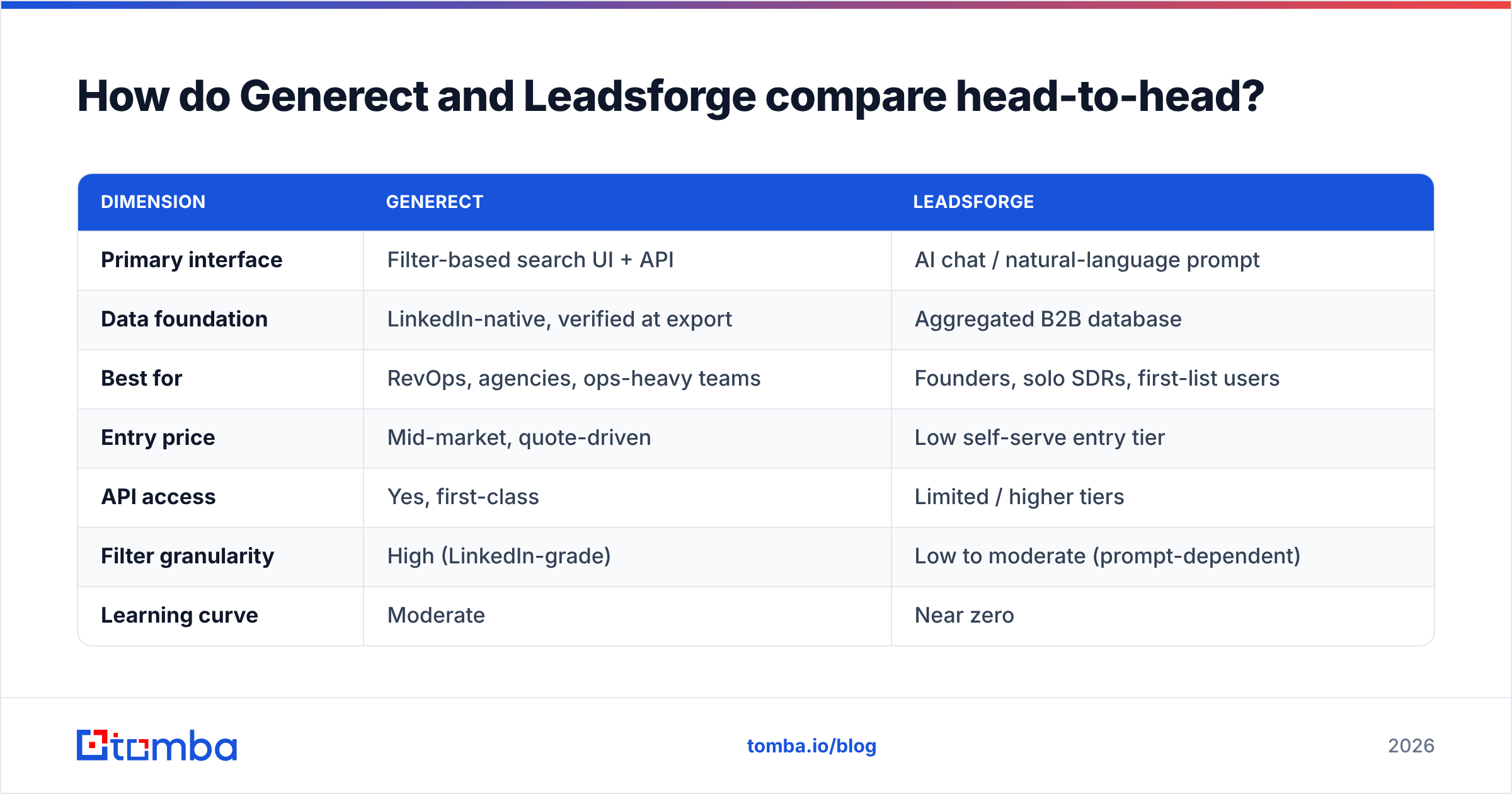
| Dimension | Generect | Leadsforge |
|---|---|---|
| Primary interface | Filter-based search UI + API | AI chat / natural-language prompt |
| Data foundation | LinkedIn-native, verified at export | Aggregated B2B database |
| Best for | RevOps, agencies, ops-heavy teams | Founders, solo SDRs, first-list users |
| Entry price | Mid-market, quote-driven | Low self-serve entry tier |
| API access | Yes, first-class | Limited / higher tiers |
| Filter granularity | High (LinkedIn-grade) | Low to moderate (prompt-dependent) |
| Learning curve | Moderate | Near zero |
| Bulk export | Supported | Supported, credit-capped |
| Email verification | Built in at export | Basic, varies by record |
| Phone data | Limited | Limited |
| CRM push | Via API/integrations | Native connectors on higher tiers |
The table hides one thing worth naming: prompt-based filtering is lossy. When you type an ICP description, you're trusting the model to translate fuzzy language into database predicates. Generect makes you do that translation yourself, which is slower and more accurate. Leadsforge does it for you, which is faster and occasionally wrong in ways you won't notice until your reply rate tanks.
Which one has better data accuracy?#
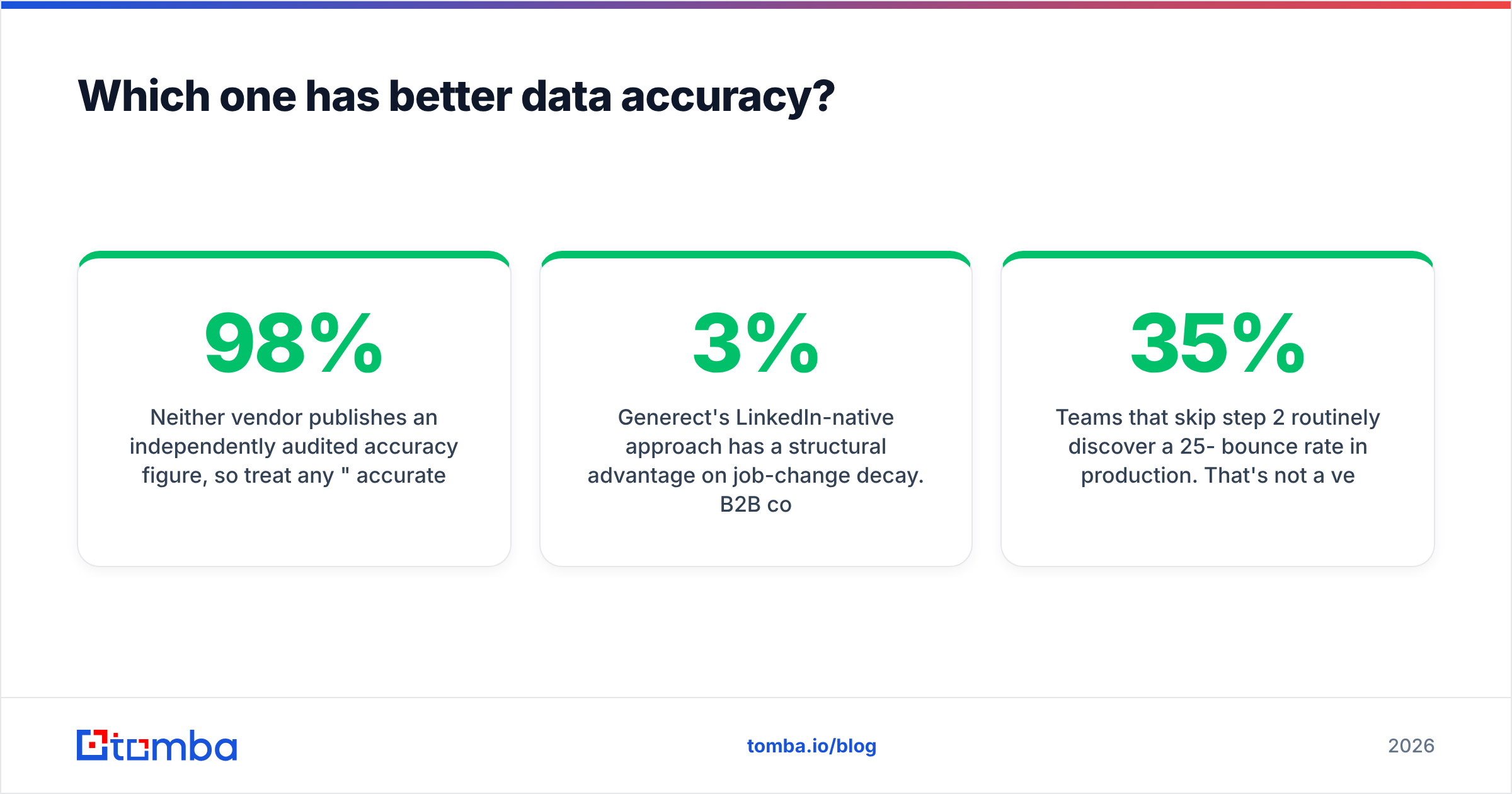
Neither vendor publishes an independently audited accuracy figure, so treat any "98% accurate" marketing claim from either side as unverified. What you can evaluate is methodology.
Generect's LinkedIn-native approach has a structural advantage on job-change decay. B2B contact data degrades roughly 2-3% per month as people switch roles — that's the number most data vendors and analysts converge on, and Gartner has long flagged data decay as the primary driver of wasted outbound spend. A tool that re-checks the profile at export time catches more of that decay than a tool serving from a quarterly refresh.
Leadsforge's weakness here isn't the AI layer — it's that the AI layer obscures provenance. When a chat interface returns 500 contacts, you don't see which ones came from a fresh crawl and which came from a two-year-old aggregation. Generect at least shows you the filter that produced the row.
What to actually test before you buy:
- Build the same list in both tools. Same ICP, same geography, same headcount band. Export 200 rows each.
- Run both exports through a third-party verifier. Don't trust the vendor's own validity flag — that's marking their own homework. Use an independent email verifier and record hard-bounce risk per file.
- Check catch-all density. Both tools will hand you
@company.comaddresses on catch-all domains that no SMTP check can definitively confirm. A catch-all verifier tells you what percentage of the file is genuinely unverifiable. - Spot-check 20 rows against LinkedIn manually. Title accuracy and company accuracy matter as much as the email being deliverable.
- Count the duplicates. Overlap between the two exports tells you how much unique coverage you're actually paying for.
Teams that skip step 2 routinely discover a 25-35% bounce rate in production. That's not a vendor-specific problem — it's what happens when you email an unverified export from any database.
Is Generect better than Leadsforge for outbound teams?#
Depends entirely on where your bottleneck sits.
Pick Generect if:
- Your ICP is filter-shaped. You know the exact titles, headcounts, and tech stack. You want to express that precisely and re-run it monthly.
- You need an API. Generect's API is a genuine product, not an afterthought. If you're building lead flow into your own CRM or internal tooling, this matters more than the UI.
- You run an agency. Repeatable, auditable list-building across many client ICPs is where filter-based tools beat chat interfaces decisively.
- Data freshness is a board-level concern. Export-time verification is a real differentiator when your team burns domains on stale lists.
Pick Leadsforge if:
- You're building your first list this week. Time-to-value is genuinely faster. No filter training required.
- Your ICP is vague and exploratory. "Companies that might care about our thing" is a prompt, not a filter set. Chat handles ambiguity better.
- You're a solo founder or a one-person SDR function. The low entry tier and zero setup cost are the whole argument.
- You don't need reproducibility. If you'll never re-run the exact same query, prompt drift doesn't hurt you.
Pick neither if:
- Your problem is email deliverability, not list volume. Adding more unverified contacts to a broken sending setup makes things worse, faster.
- You need phone numbers as a primary channel. Both tools are thin here; a dedicated phone finder is a better spend.
- You need enrichment on contacts you already have. Neither is built for reverse workflows — feeding a list of domains or names back in and getting structured data out. That's an enrichment job.
What do Generect and Leadsforge cost in practice?#
Sticker price is the least useful number in this category. What matters is cost per contact you can actually email.
Run the math like this:
True cost per usable lead
  = (monthly plan cost)
  ÷ (exported contacts × verified-deliverable rate)
If you pay $200/mo for 2,000 contacts and 65% survive verification, your real cost is $0.15 per usable lead — not $0.10. If a competitor charges $300/mo for 2,000 contacts at 90% verified, that's $0.17. Close enough that the cheaper tool isn't obviously cheaper, and the more accurate tool protects your sender reputation, which has value you can't put in the numerator.
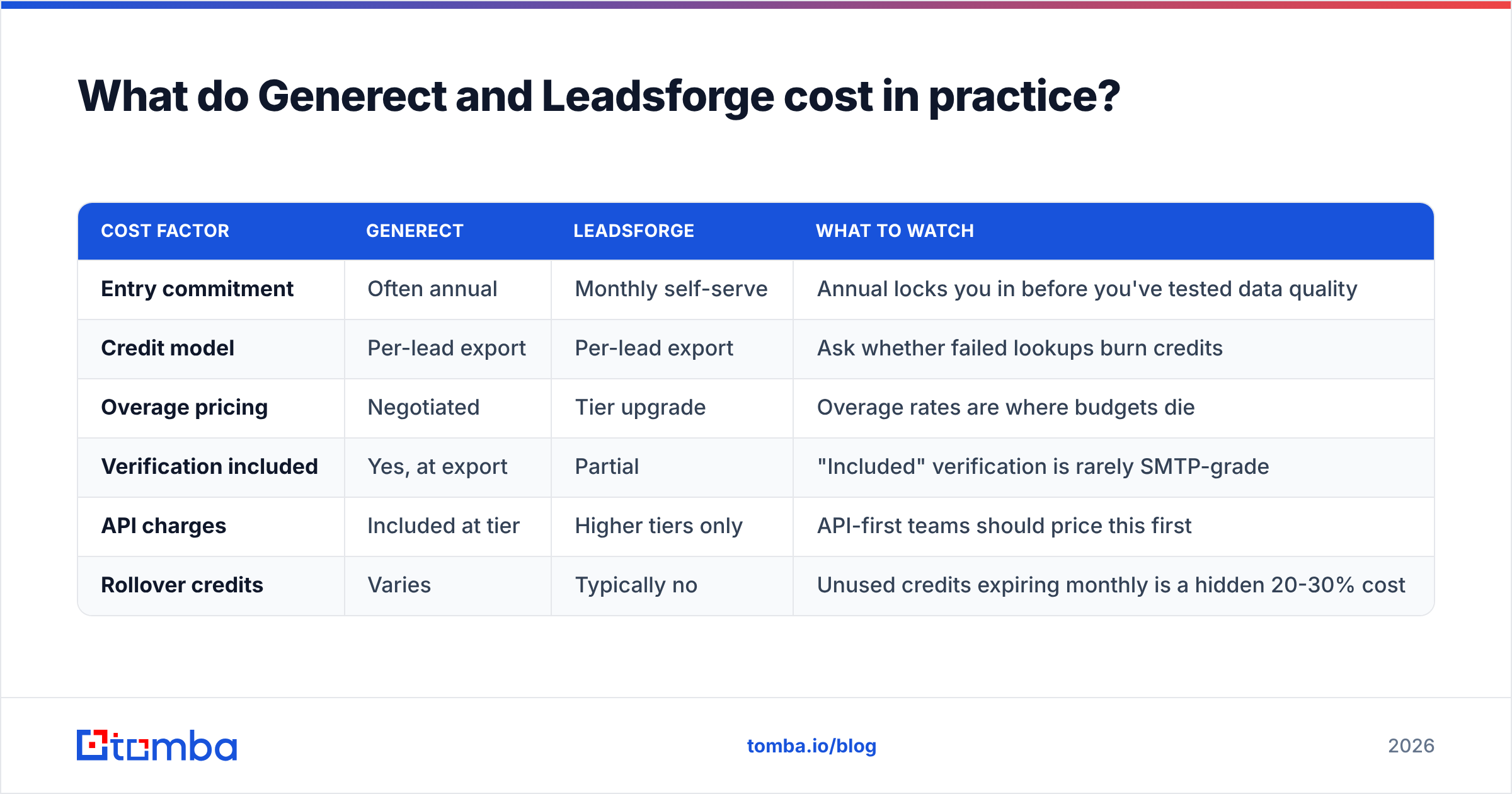
| Cost factor | Generect | Leadsforge | What to watch |
|---|---|---|---|
| Entry commitment | Often annual | Monthly self-serve | Annual locks you in before you've tested data quality |
| Credit model | Per-lead export | Per-lead export | Ask whether failed lookups burn credits |
| Overage pricing | Negotiated | Tier upgrade | Overage rates are where budgets die |
| Verification included | Yes, at export | Partial | "Included" verification is rarely SMTP-grade |
| API charges | Included at tier | Higher tiers only | API-first teams should price this first |
| Rollover credits | Varies | Typically no | Unused credits expiring monthly is a hidden 20-30% cost |
Ask both vendors the same three questions before you sign anything:
- Do failed or empty lookups consume a credit?
- Do unused credits roll over?
- What is the overage rate per contact past the plan limit?
Vendors that dodge these are telling you something.

What are the real limitations nobody puts on the pricing page?#
Generect's constraints. LinkedIn-native data means LinkedIn-shaped gaps. Contacts who keep thin or private profiles — common in manufacturing, logistics, healthcare admin, and much of non-English-speaking Europe — are underrepresented. If your ICP lives off LinkedIn, the freshness advantage evaporates because there's nothing fresh to pull. Pricing also skews toward committed contracts, which is a poor fit for testing.
Leadsforge's constraints. Prompt-driven search creates a reproducibility problem. Run the same prompt twice and you may get materially different lists. For a solo user that's fine. For a team documenting an outbound process, it's a real operational headache — you can't hand a teammate "the query" because there isn't one, just a sentence that produced a result once. There's also the standard AI-interface risk: the tool will confidently return something even when the honest answer is "we have very little data matching this."
Both tools share the same ceiling. They stop at the CSV. Neither handles warmup, neither manages email deliverability, neither writes sequences. Vendor-comparison sites like G2 show this pattern across the whole lead-intelligence category: buyers consistently rate data tools well on coverage and poorly on "does it actually get my email delivered."
What should you use alongside either tool?#
Whichever you pick, budget for a verification and enrichment layer. This is the part teams skip and then blame the data vendor for.
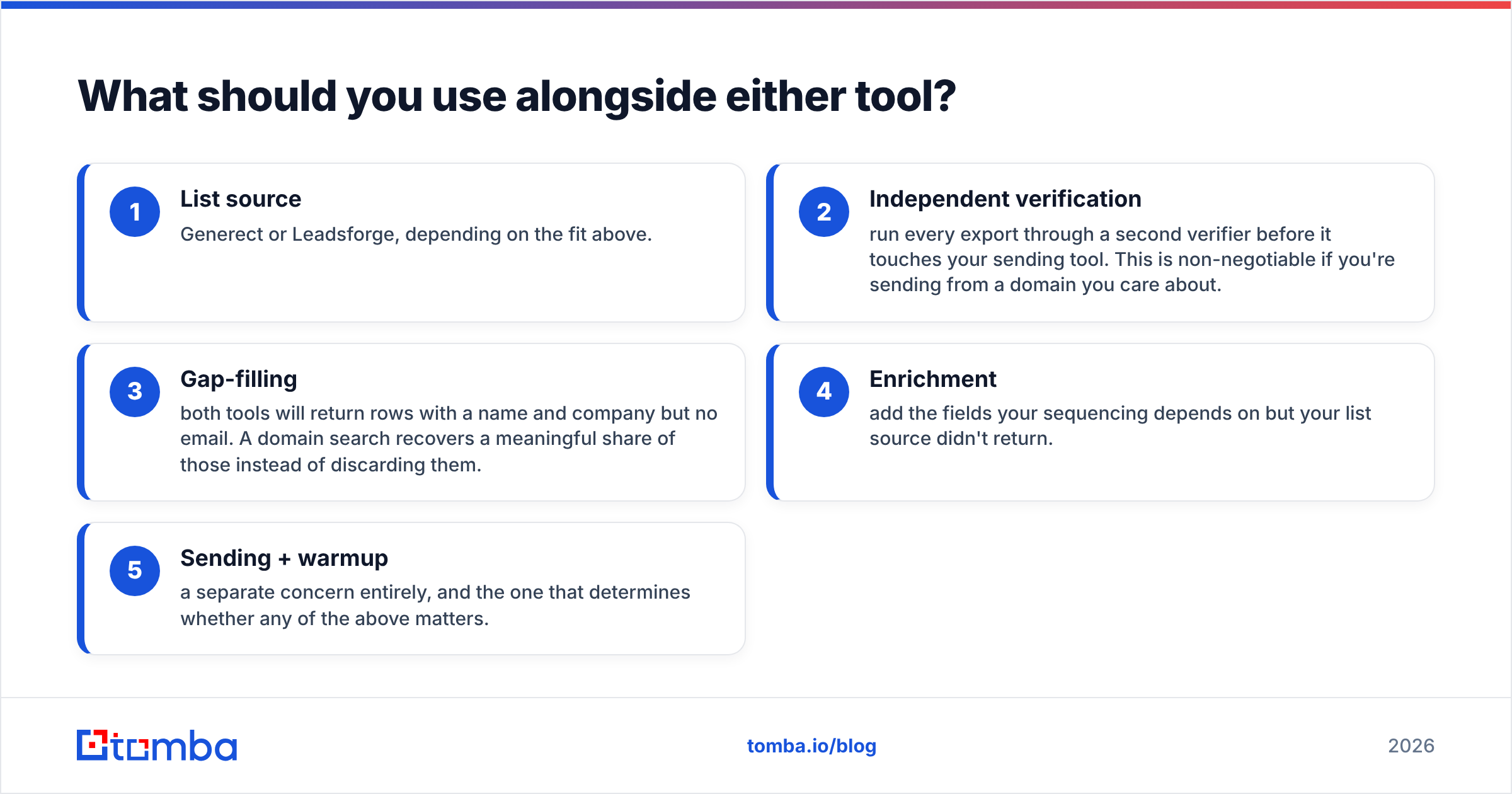
A workable stack looks like:
- List source — Generect or Leadsforge, depending on the fit above.
- Independent verification — run every export through a second verifier before it touches your sending tool. This is non-negotiable if you're sending from a domain you care about.
- Gap-filling — both tools will return rows with a name and company but no email. A domain search recovers a meaningful share of those instead of discarding them.
- Enrichment — add the fields your sequencing depends on but your list source didn't return.
- Sending + warmup — a separate concern entirely, and the one that determines whether any of the above matters.
For step 3 specifically, the economics are good: recovering 15% of an otherwise-dead export usually costs less than buying 15% more contacts from the original vendor.
Which one should you actually buy?#
The short verdict: Generect if you're an ops-minded team with a defined ICP and API needs. Leadsforge if you're one person who needs a list today and will iterate later. Neither if your real problem is that the emails you already have keep bouncing.
Run a 200-row bake-off before committing to an annual plan on either. The exercise costs you an afternoon and routinely changes the decision — teams who assume the AI interface is "good enough" often find the filter-based tool returns tighter lists, and teams who assume the enterprise-looking tool has better data sometimes find coverage gaps in their exact vertical.
And keep the two jobs separate in your head. Finding contacts and confirming they're reachable are different problems, and bundling them into one vendor is how teams end up with a 30% bounce rate and no idea which layer failed.
Ready to fix the accuracy half of the problem? The Tomba Email Finder finds and SMTP-verifies professional email addresses by domain, name, or company — with a free tier of 25 searches/month and paid plans starting at $49/mo. Use it to fill the gaps in a Generect or Leadsforge export, or to build the list from scratch with verification baked in from the first row. See full Tomba pricing or wire it into your stack with the Tomba API.
Related guides#
Ready to find emails that actually work?
Join 150,000+ professionals who stopped guessing and started sending. Free credits on signup — no credit card required.
Get the Tomba newsletter
Practical outbound tactics and product updates — once every two weeks.
About the author