Generect vs Ninjapear: Which B2B Lead Data Tool Wins in 2026
Generect and Ninjapear both promise fresh LinkedIn-sourced leads and verified emails. Here is how they actually differ on data sourcing, accuracy, API access, and price — and when a cheaper third option beats both.
TL;DR
- Generect is built for teams that want LinkedIn-shaped lead data delivered through an API — real-time search, company and people records, and email discovery on top. It skews technical and sells on data freshness.
- Ninjapear is the lighter, self-serve option: pull a list, enrich it, export it, and move on. It appeals to solo founders and small outbound teams who do not want to write code.
- Neither tool is a verification specialist. If you send cold email at volume, you will still want a dedicated verification step before your sequencer touches the list.
- Pricing is the real dividing line: Generect leans quote-based and enterprise-shaped; Ninjapear leans low-commitment. Both change pricing often, so treat any number you read (including here) as a starting point to confirm on their sites.
- If your actual job is "find and verify work emails at a predictable per-credit cost," a focused email finder usually beats a broad lead platform on cost per usable contact.
What are Generect and Ninjapear?#
Both tools live in the same category — B2B contact data — but they were built for different buyers.
Generect positions itself as a lead generation data provider with a strong LinkedIn angle. The pitch is real-time search rather than a stale snapshot: instead of querying a database that was refreshed last quarter, you query for people and companies matching filters and get records assembled closer to request time. It exposes this through an API, which is the part technical teams care about, and it also sells done-for-you list building.
Ninjapear sits closer to the self-serve end. The workflow is familiar to anyone who has used a lightweight prospecting tool: define a search or upload a list, let the tool find and enrich contacts, export a CSV or push to your CRM. Less setup, less engineering, fewer knobs.
That difference in shape explains most of the disagreements you will find in reviews. A RevOps engineer who wants to hydrate a warehouse table nightly and a founder who wants 300 leads before Friday are not evaluating the same product, even when the logos sit side by side on a comparison page.
How do Generect and Ninjapear source their data?#
This is the question that actually predicts your bounce rate, and it is the one vendors answer most vaguely.
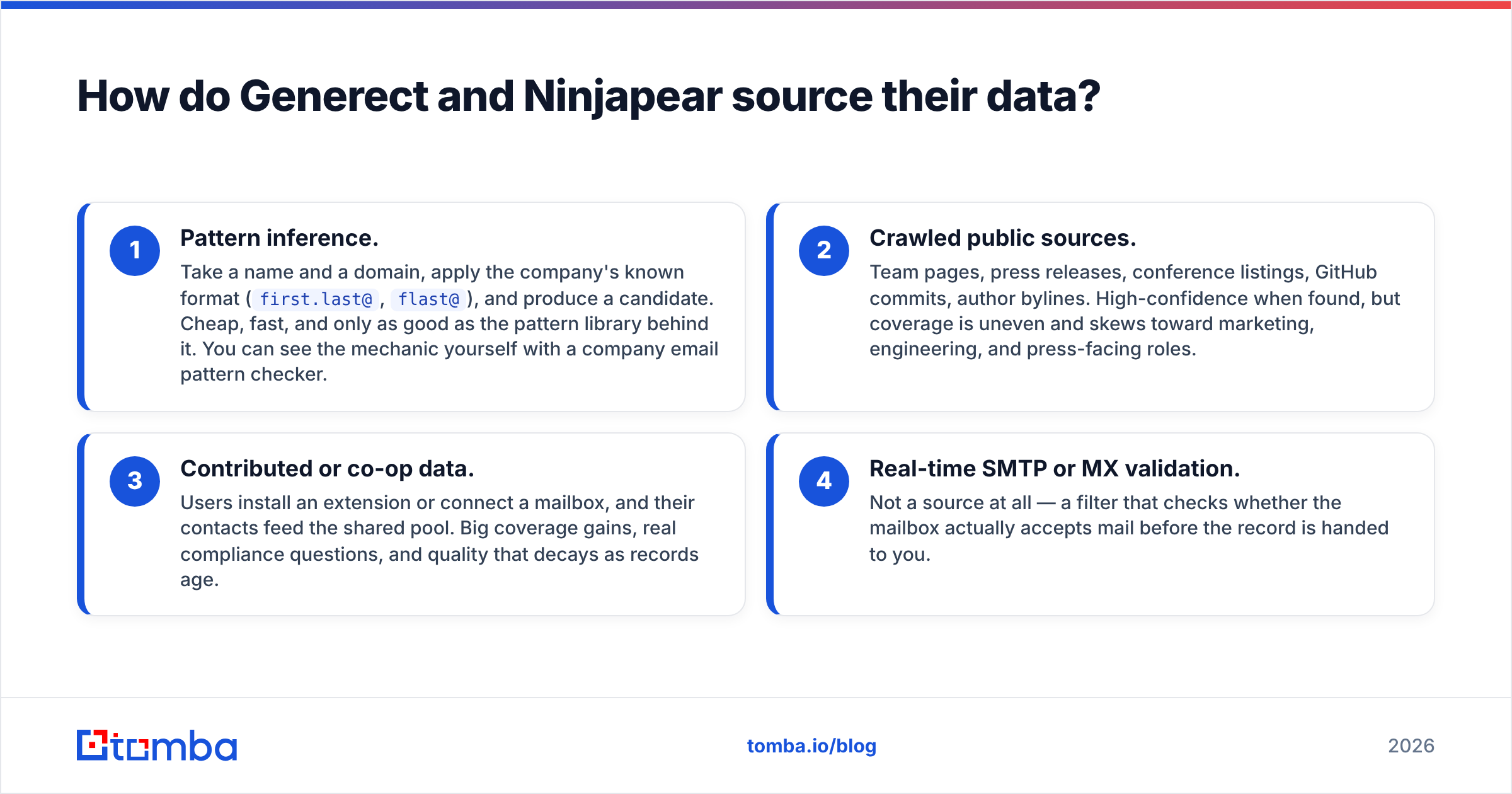
Broadly, B2B contact tools get emails one of four ways:
- Pattern inference. Take a name and a domain, apply the company's known format (
first.last@,flast@), and produce a candidate. Cheap, fast, and only as good as the pattern library behind it. You can see the mechanic yourself with a company email pattern checker. - Crawled public sources. Team pages, press releases, conference listings, GitHub commits, author bylines. High-confidence when found, but coverage is uneven and skews toward marketing, engineering, and press-facing roles.
- Contributed or co-op data. Users install an extension or connect a mailbox, and their contacts feed the shared pool. Big coverage gains, real compliance questions, and quality that decays as records age.
- Real-time SMTP or MX validation. Not a source at all — a filter that checks whether the mailbox actually accepts mail before the record is handed to you.
Generect's marketing emphasizes freshness and LinkedIn-derived records, which puts it mostly in categories 2 and 3 with a validation pass on top. Ninjapear's self-serve flow behaves more like categories 1 and 2 with validation applied at export.
The practical consequence: tools that lean on pattern inference are excellent on mid-size companies with predictable formats and weak on enterprises with legacy or randomized addressing. Tools that lean on crawled and contributed data are the reverse — strong on people who leave a public footprint, thin on the quiet ops manager at a 40-person manufacturer.

How accurate are Generect and Ninjapear emails?#
Neither vendor publishes an independently audited accuracy figure, and you should be suspicious of any comparison post that claims otherwise. What you can do is run the same test both would run on themselves.
Take 200 contacts you already have verified emails for — past customers, closed-won contacts, people who have replied to you. Strip the emails. Feed the names and domains back into each tool. Measure three things:
- Match rate — what percentage returned any email at all.
- Precision — of those returned, how many exactly matched the known-good address.
- Bounce rate — send a real, small, warmed campaign to a sample and count hard bounces.
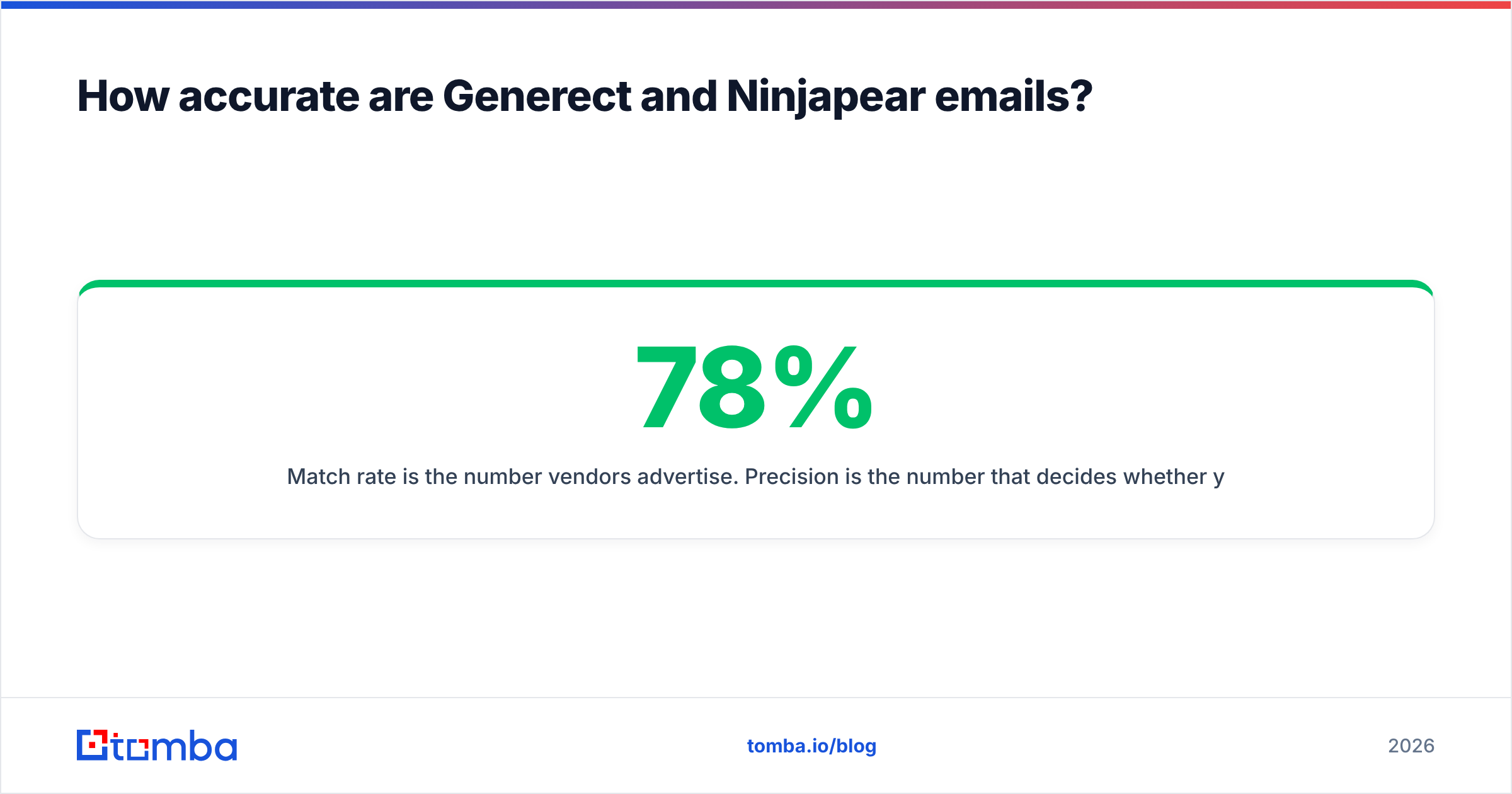
Match rate is the number vendors advertise. Precision is the number that decides whether your domain survives the quarter. A tool with a 78% match rate and 94% precision will outperform one with a 92% match rate and 71% precision every single time, because the second one is quietly filling your list with plausible guesses.

Whatever you conclude, add a verification layer. Even the strongest finder returns catch-all domains it cannot confirm, and catch-all servers accept everything at the SMTP handshake and bounce later — after the damage. A catch-all verifier is the difference between "accepted" and "actually deliverable."
Generect vs Ninjapear: the full comparison#
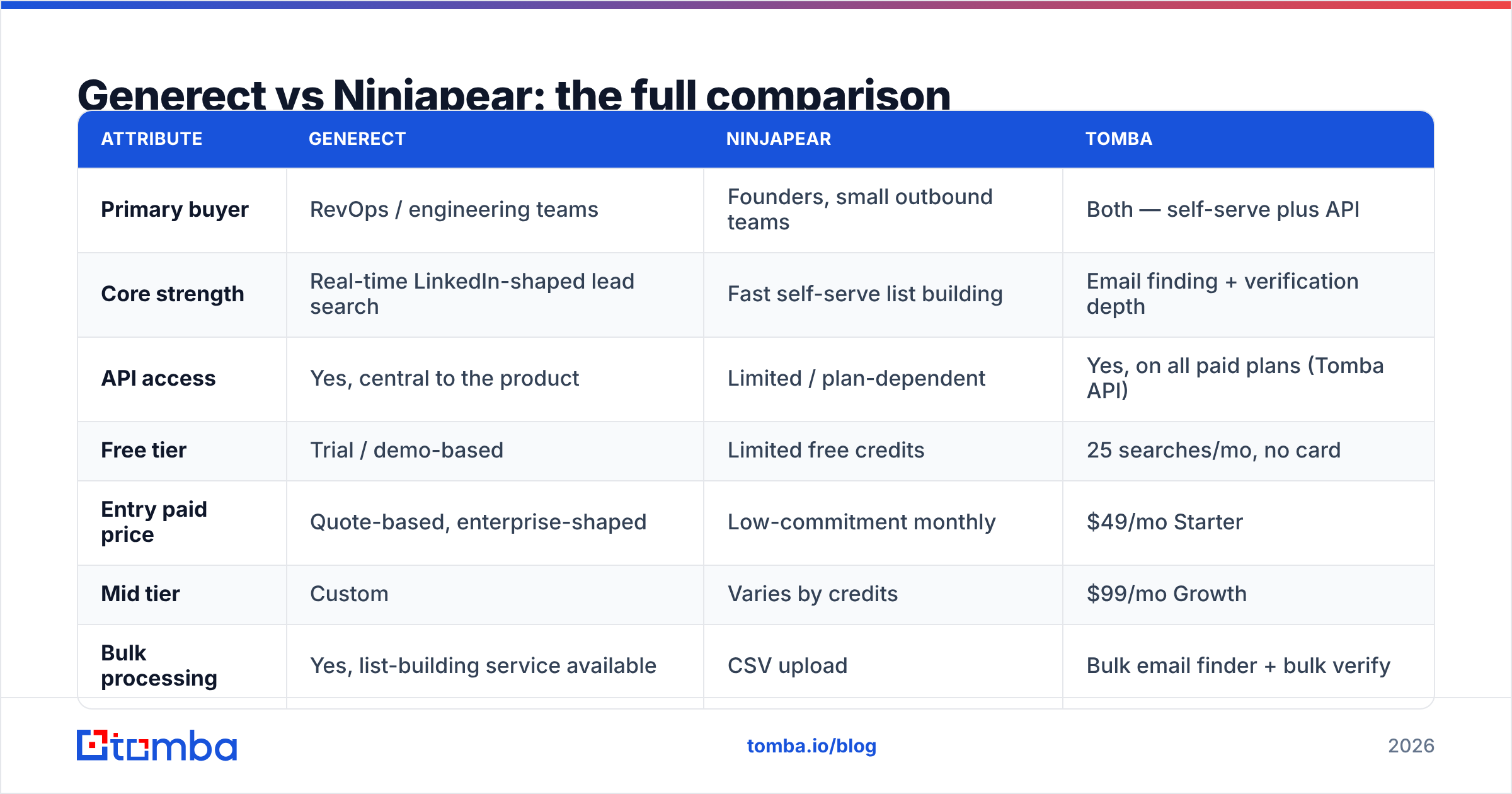
Here is the head-to-head on the attributes that change your workflow. Pricing and limits move — confirm current numbers on each vendor's site before you commit.
| Attribute | Generect | Ninjapear | Tomba |
|---|---|---|---|
| Primary buyer | RevOps / engineering teams | Founders, small outbound teams | Both — self-serve plus API |
| Core strength | Real-time LinkedIn-shaped lead search | Fast self-serve list building | Email finding + verification depth |
| API access | Yes, central to the product | Limited / plan-dependent | Yes, on all paid plans (Tomba API) |
| Free tier | Trial / demo-based | Limited free credits | 25 searches/mo, no card |
| Entry paid price | Quote-based, enterprise-shaped | Low-commitment monthly | $49/mo Starter |
| Mid tier | Custom | Varies by credits | $99/mo Growth |
| Bulk processing | Yes, list-building service available | CSV upload | Bulk email finder + bulk verify |
| Dedicated verification | Bundled, not a standalone product | Bundled at export | Standalone verifier + catch-all handling |
| Phone numbers | Available on some plans | Limited | Yes, phone finder + validator |
| Spreadsheet add-ons | Via API | CSV export | Google Sheets, Excel, Airtable |
| Best for | Data pipelines at scale | Quick, small campaigns | Predictable cost per verified email |

Read that table as three different products rather than a ranking. Generect wins when the deliverable is a data feed. Ninjapear wins when the deliverable is a CSV by Thursday. A dedicated finder wins when the deliverable is "as many confirmed-deliverable addresses as possible per dollar."
Which one is better for API-first teams?#
Generect, in most cases — with a caveat.
If you are building lead sourcing into a product or an internal pipeline, three things matter more than raw record counts:
- Rate limits and concurrency. Can you run 50 parallel requests during a nightly job, or will you be throttled into a six-hour batch?
- Response schema stability. Silent field renames break pipelines. Ask how the vendor versions its API and how much notice you get.
- Per-request cost predictability. Quote-based pricing is fine until your usage triples and renewal becomes a negotiation instead of a line item.
That last point is where quote-based vendors lose deals they should win. Engineering teams can model $X per 1,000 lookups. They cannot model "let's talk." If your finance team needs a number in a spreadsheet before you write the integration, transparent per-credit pricing is not a nice-to-have — it is the buying criterion.
Ninjapear's API story is thinner and plan-dependent, which is consistent with its positioning. If you need programmatic access as the primary interface, it is the wrong shape of tool, and no amount of workarounds will fix that.
What do Generect and Ninjapear cost?#
Cost comparisons in this category are almost always wrong, because vendors price on different units: credits, exports, seats, verified records, or API calls. A "1,000 credit" plan means nothing until you know whether a failed lookup burns a credit and whether verification costs extra.
Ask every vendor these five questions before you compare prices:
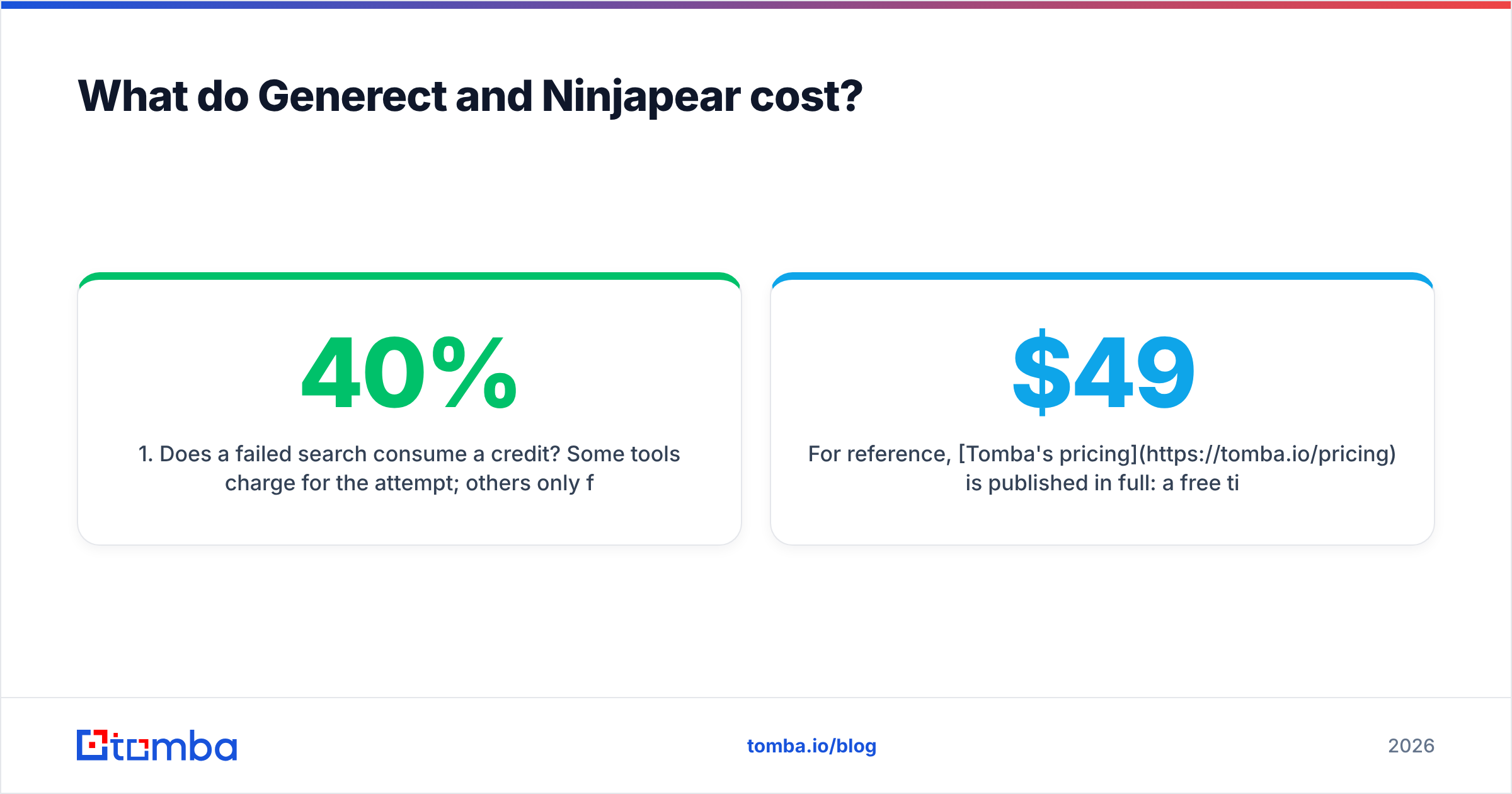
- Does a failed search consume a credit? Some tools charge for the attempt; others only for a returned record. This alone can swing effective cost by 30–40%.
- Is verification included or metered separately? A cheap finder plus a paid verifier is often more expensive than a slightly pricier all-in tool.
- Do credits roll over? Non-rolling credits punish seasonal outbound.
- What happens on overage? Auto-upgrade, hard stop, or per-unit surcharge — all three exist, and only one is pleasant.
- Is the API on the entry plan or gated to a higher tier? This is the most common upsell trap in the category.
For reference, Tomba's pricing is published in full: a free tier at 25 searches per month, Starter at $49/mo, Growth at $99/mo, Pro at $249/mo, and custom Enterprise. API access is not gated behind an enterprise conversation. That transparency is not a claim about who has better data — it is a claim about how quickly you can make a decision.
Independent review aggregators like G2 are useful for spotting pricing complaints that never appear on a vendor page, particularly around overage billing and annual lock-ins. Read the two-star reviews, not the five-star ones.

Which tool should you actually choose?#
Match the tool to the job rather than to the feature count.
- Choose Generect if lead data is an input to a system you are building, you have engineering capacity, and you can absorb a quote-based contract. The real-time angle is genuinely useful when your ICP churns fast — startups, hiring-driven triggers, recently funded companies.
- Choose Ninjapear if you are one to three people, you need lists more than infrastructure, and low commitment matters more than depth. It is the right call for validating a new segment before you invest in tooling.
- Choose a dedicated email finder if your bottleneck is not "which companies should I target" but "I have the companies and I need reachable humans at them." That is a different problem, and broad platforms solve it less efficiently than focused ones.
That third case is more common than most teams admit. You already know your ICP. You already have a list of 400 target domains from a conference, a funding database, or your own CRM. What you need is domain search across those companies, role filtering, and an email verifier pass before anything enters your sequencer. Paying platform prices for a job a finder does is the single most common overspend in outbound tooling.
One more practical note: whichever tool you pick, your deliverability is downstream of list hygiene, not upstream of it. Warm your domains, keep bounce rates under 2%, authenticate properly, and re-verify any list older than 90 days. Contact data decays at roughly 2–3% per month as people change roles — a list you bought in January is materially worse by April, regardless of which vendor sold it to you. Microsoft and Google both publish sender guidance worth reading before you scale; the Wikipedia overview of email authentication is a decent starting point if SPF, DKIM, and DMARC are still fuzzy for you.
How do you test both without wasting a month?#
Run a two-week bake-off with a fixed protocol:
- Week 1, days 1–2: Build a 200-contact ground-truth set from closed-won and replied contacts. Strip emails.
- Days 3–4: Run the identical set through each tool's free tier or trial. Record match rate and precision separately.
- Days 5–7: Run a 50-contact live send per tool from a warmed domain. Track hard bounces and spam complaints, not replies — you are testing data, not copy.
- Week 2: Test the failure modes. Enterprise domains, catch-all domains, non-US companies, and roles outside sales and marketing. This is where tools separate.
- Decision: Compute cost per verified, deliverable contact — not cost per credit. That single number ends most debates.
Two weeks of structured testing beats two months of arguing about vendor-published accuracy claims, and it costs you almost nothing beyond attention.
The bottom line#
Generect and Ninjapear are not really competitors so much as neighbors. Generect is infrastructure for teams with engineers; Ninjapear is a tool for teams without them. Pick based on which sentence describes you, then add a verification layer either way, because neither one removes that requirement.
If what you actually need is reliable work emails at a price you can forecast — with a free tier to test before you commit and an API that is not locked behind a sales call — start with the Tomba Email Finder. Twenty-five free searches per month is enough to run the ground-truth test above, and Starter at $49/mo covers most small outbound programs without a contract negotiation. Test it against whichever of these two you were leaning toward, and let the bounce rate settle the argument.
Related guides#
Ready to find emails that actually work?
Join 150,000+ professionals who stopped guessing and started sending. Free credits on signup — no credit card required.
Get the Tomba newsletter
Practical outbound tactics and product updates — once every two weeks.
About the author