Generect vs Skrapp: Which B2B Email Finder Wins in 2026?
Generect sells API-first lead generation. Skrapp sells a LinkedIn extension and email finder. We compare data sourcing, accuracy, pricing, and the workflows each one actually fits — plus when a third option beats both.
TL;DR
- Generect is an API-first B2B lead generation platform: you query its database programmatically, pull company and people records, and pipe them into your own systems. It suits engineering-backed GTM teams.
- Skrapp is a browser-extension-first email finder: you scrape LinkedIn profiles and company sites in the browser, build lists, export CSVs. It suits SDRs who prospect by hand.
- Neither tool is a full data stack. Generect is thin on self-serve UI polish; Skrapp is thin on verification depth and API surface.
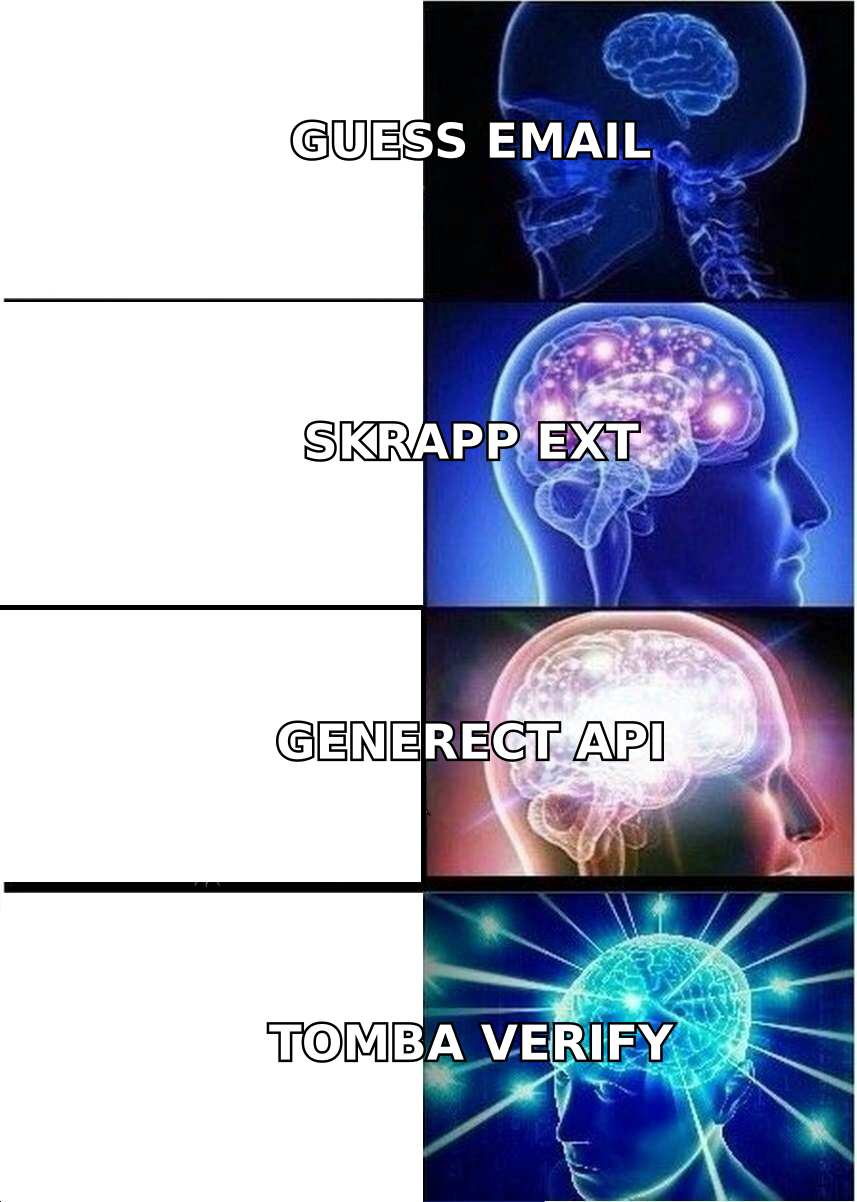
- On raw email discovery plus verification in one place, a dedicated email finder with a catch-all verifier and a real API — like Tomba at $49/mo — covers more of the workflow than either.
- Pick Generect if your pipeline is code. Pick Skrapp if your pipeline is a person with a Chrome tab open. Pick neither if you need bulk verification built in.
What are Generect and Skrapp, and who are they built for?#
They solve the same problem from opposite ends of the funnel.
Generect positions itself as a lead generation infrastructure provider. The pitch is real-time data: instead of serving you a stale database snapshot, it queries live sources and returns company profiles, decision-maker records, and contact details through an API and a lightweight web app. Its natural buyer is a RevOps or growth-engineering team that already has a warehouse, a CRM, and someone who can write a POST request.
Skrapp started as a LinkedIn email finder and still leads with that. You install the Chrome extension, browse LinkedIn or Sales Navigator, click to collect profiles into a list, and Skrapp attaches business emails using domain pattern detection plus its own database. It also offers a domain search and a bulk CSV upload. Its natural buyer is an SDR or founder doing manual prospecting who wants fewer tabs and a fast export.
That difference in shape explains almost every other difference between them. Generect optimizes for throughput and integration. Skrapp optimizes for the moment you are looking at a prospect's profile.

How do Generect and Skrapp source their data?#
Understanding sourcing tells you where each tool will fail you.
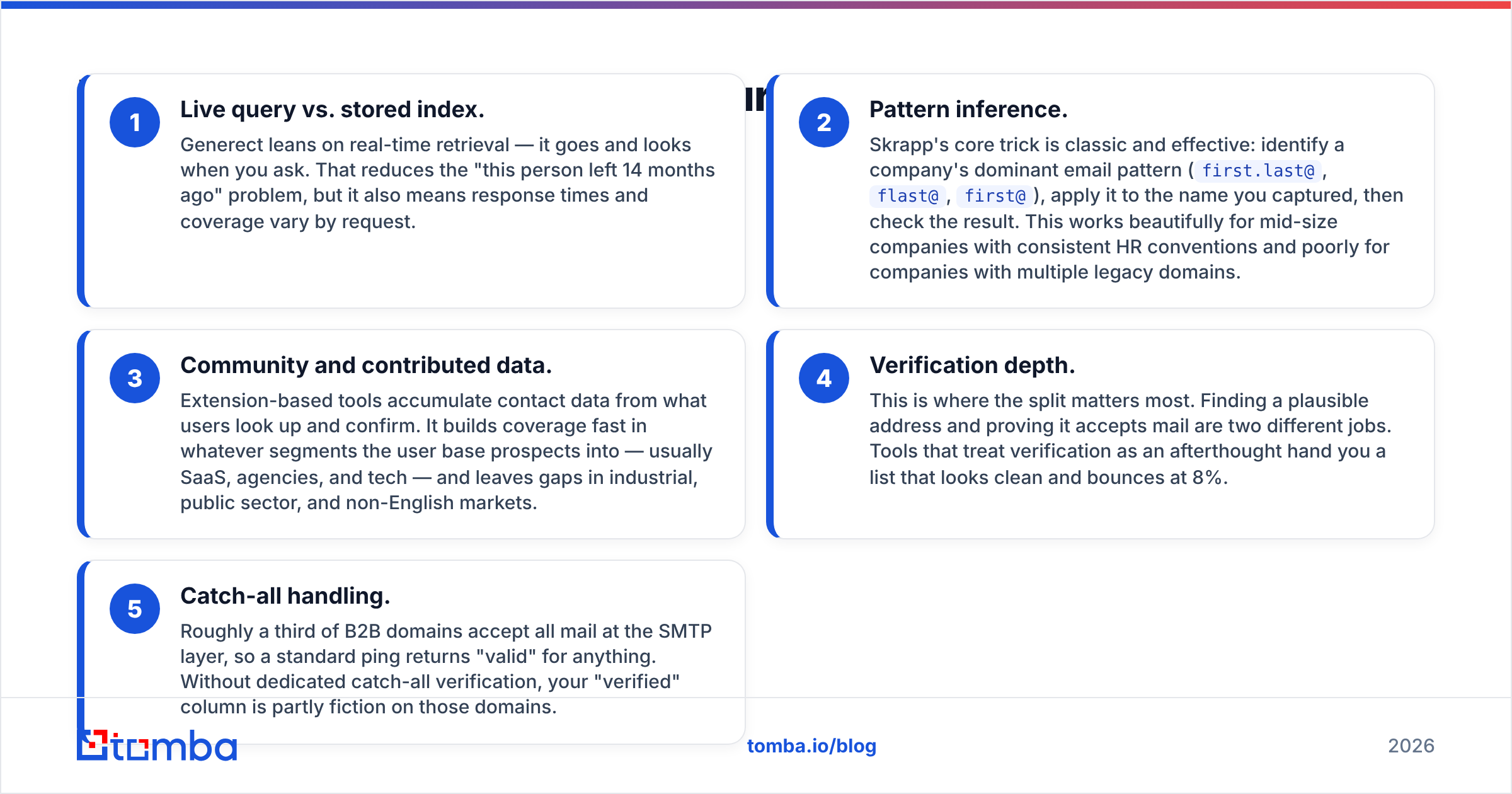
- Live query vs. stored index. Generect leans on real-time retrieval — it goes and looks when you ask. That reduces the "this person left 14 months ago" problem, but it also means response times and coverage vary by request.
- Pattern inference. Skrapp's core trick is classic and effective: identify a company's dominant email pattern (
first.last@,flast@,first@), apply it to the name you captured, then check the result. This works beautifully for mid-size companies with consistent HR conventions and poorly for companies with multiple legacy domains. - Community and contributed data. Extension-based tools accumulate contact data from what users look up and confirm. It builds coverage fast in whatever segments the user base prospects into — usually SaaS, agencies, and tech — and leaves gaps in industrial, public sector, and non-English markets.
- Verification depth. This is where the split matters most. Finding a plausible address and proving it accepts mail are two different jobs. Tools that treat verification as an afterthought hand you a list that looks clean and bounces at 8%.
- Catch-all handling. Roughly a third of B2B domains accept all mail at the SMTP layer, so a standard ping returns "valid" for anything. Without dedicated catch-all verification, your "verified" column is partly fiction on those domains.
If you only remember one thing from this section: sourcing determines coverage, and verification determines bounce rate. They are separate line items, and most vendors bundle them into a single "accuracy" number.
Which one is more accurate on email discovery?#
Neither publishes an audited accuracy figure you should take at face value — and you should be suspicious of any vendor that does, including ones we like.
Here is what actually drives the numbers in a real test:
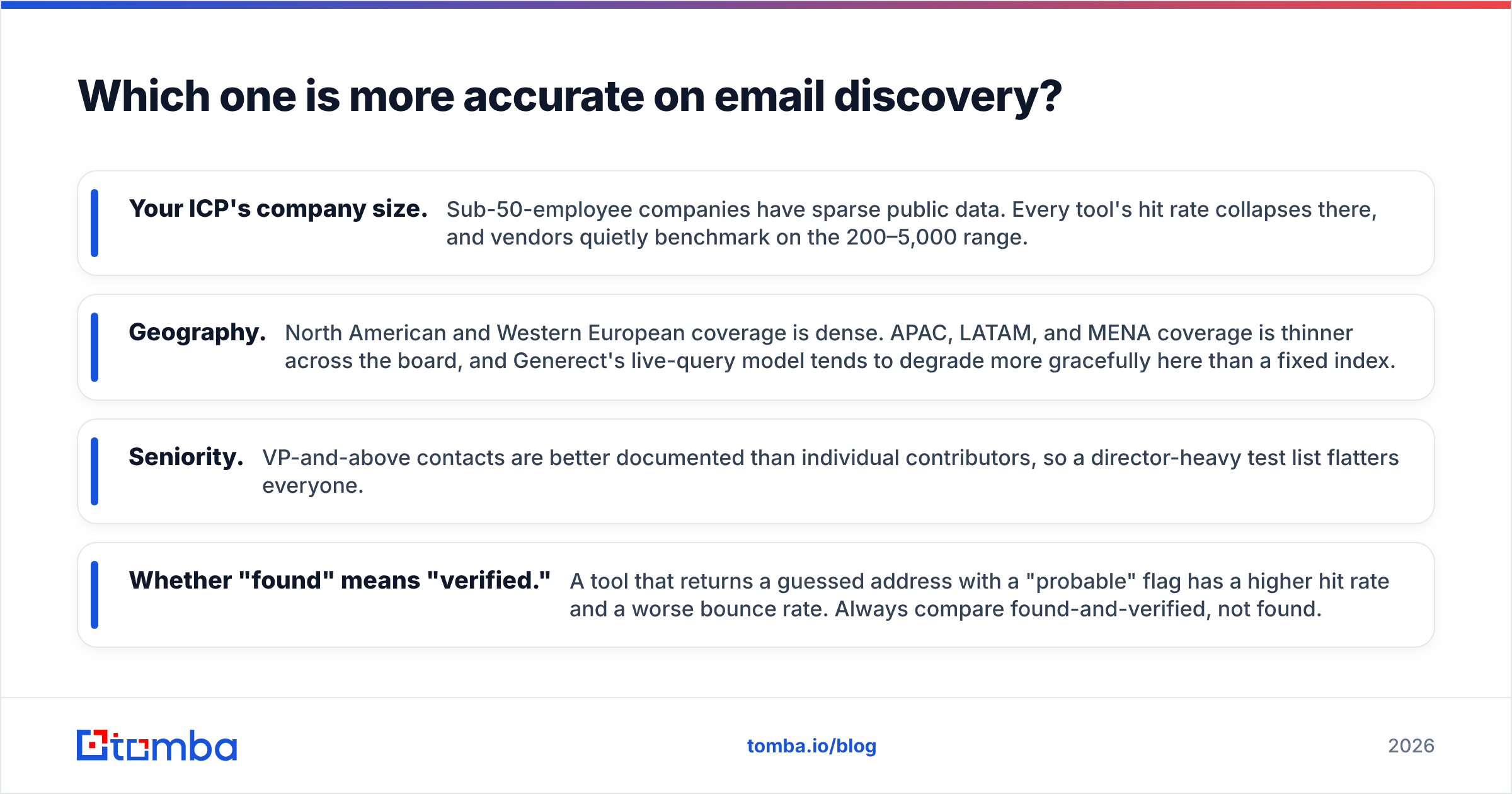
- Your ICP's company size. Sub-50-employee companies have sparse public data. Every tool's hit rate collapses there, and vendors quietly benchmark on the 200–5,000 range.
- Geography. North American and Western European coverage is dense. APAC, LATAM, and MENA coverage is thinner across the board, and Generect's live-query model tends to degrade more gracefully here than a fixed index.
- Seniority. VP-and-above contacts are better documented than individual contributors, so a director-heavy test list flatters everyone.
- Whether "found" means "verified." A tool that returns a guessed address with a "probable" flag has a higher hit rate and a worse bounce rate. Always compare found-and-verified, not found.

The practical test takes an hour: take 100 real prospects from your CRM whose emails you already know are good, strip the email column, and run the list through both tools' free tiers or trials. Score three columns — found, verified, matched-your-known-good. That number is the only accuracy figure that matters for your account list, and it will differ from every published benchmark.
One habit worth adopting regardless of vendor: never send to a raw finder output. Run everything through a dedicated email verifier before it touches your sequencer. It costs a fraction of a credit and protects the domain reputation you spent months building.
How do Generect and Skrapp compare on features and pricing?#
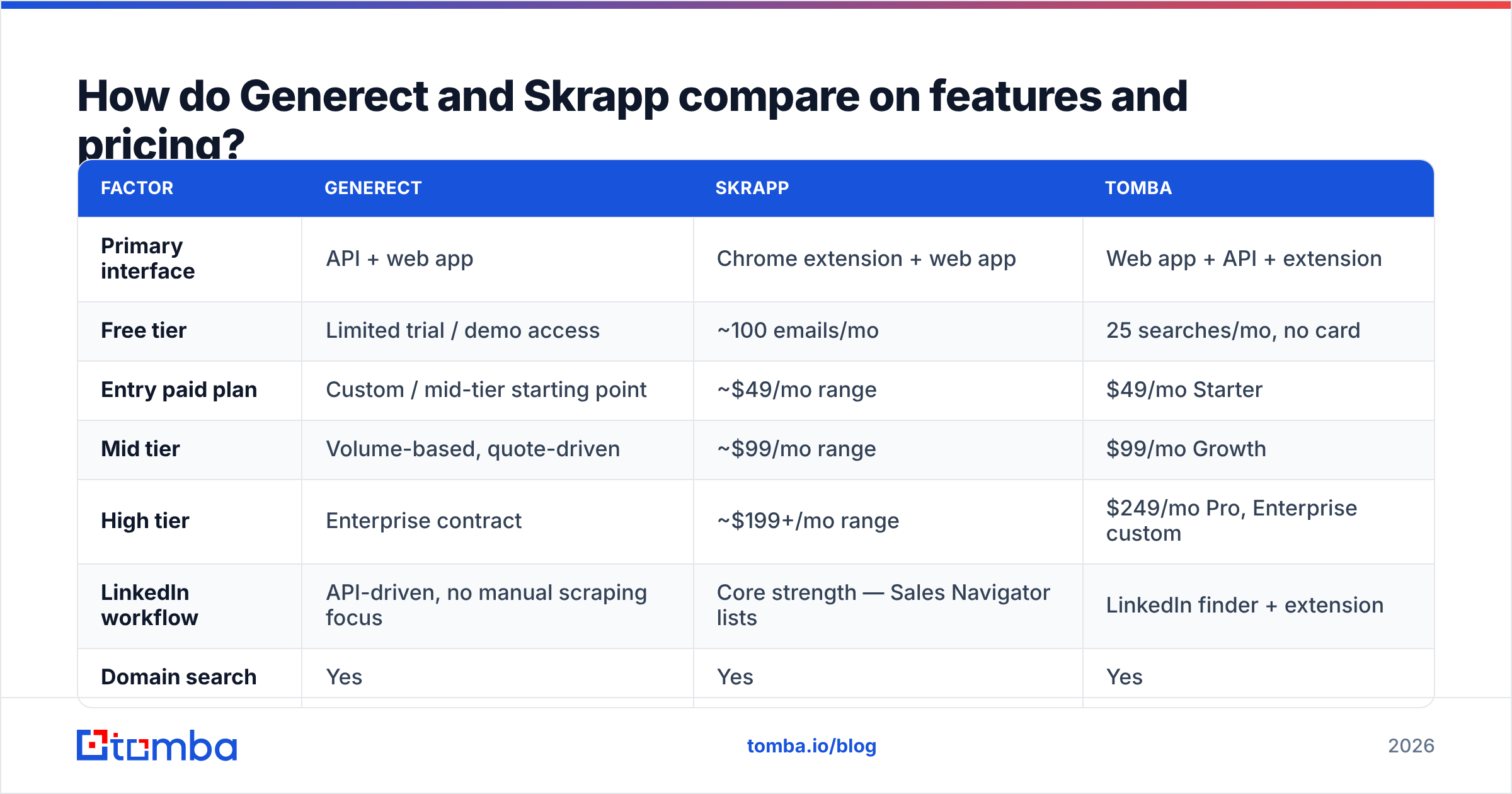
Pricing on both sides changes, and both use credit systems where one "credit" can mean different things depending on the operation. Check the vendors' own pages before you buy; the table below reflects published positioning at the time of writing and is meant for shape, not for a purchase order.
| Factor | Generect | Skrapp | Tomba |
|---|---|---|---|
| Primary interface | API + web app | Chrome extension + web app | Web app + API + extension |
| Free tier | Limited trial / demo access | ~100 emails/mo | 25 searches/mo, no card |
| Entry paid plan | Custom / mid-tier starting point | ~$49/mo range | $49/mo Starter |
| Mid tier | Volume-based, quote-driven | ~$99/mo range | $99/mo Growth |
| High tier | Enterprise contract | ~$199+/mo range | $249/mo Pro, Enterprise custom |
| LinkedIn workflow | API-driven, no manual scraping focus | Core strength — Sales Navigator lists | LinkedIn finder + extension |
| Domain search | Yes | Yes | Yes |
| Bulk processing | Yes, API-native | CSV upload | Bulk finder + bulk verify |
| Dedicated email verifier | Basic validation | Included, standard checks | Standalone verifier |
| Catch-all verification | Not a headline feature | Not a headline feature | Dedicated catch-all verifier |
| Phone numbers | Available in enrichment | Not a focus | Phone finder + validator |
| Native integrations | API-first, build your own | Common CRMs and outreach tools | HubSpot, Salesforce, Pipedrive, Sheets, Zapier |
| Best for | Engineering-led GTM | Manual SDR prospecting | Teams needing find + verify in one |

Two things stand out. First, the credit economics differ more than the sticker price: a plan that charges a credit for every attempted lookup — including misses — is meaningfully more expensive than one that charges only on a successful find, even at the same monthly number. Ask that question explicitly before you commit.
Second, Generect's pricing is quote-shaped. That is normal for API-first vendors and fine if you have volume, but it makes month-one experimentation harder than with a $49 self-serve card swipe. If you want to compare like for like, Tomba pricing is published in full, which at least gives you a fixed reference point when a rep quotes you a number.
Which tool fits a LinkedIn prospecting workflow better?#
Skrapp, clearly — if the workflow is a human clicking through Sales Navigator.
That is Skrapp's home turf. Build a search, run the extension, collect profiles into a named list, let it attach emails, export. For a solo founder or a two-person SDR team, that loop is hard to beat on time-to-first-list. There is no integration project, no API key, no engineering ticket.
Generect approaches LinkedIn from the other direction: rather than scraping the UI, you query for people matching a role, seniority, company size, and technology footprint, and you get structured records back. That is better at scale, safer from an account-restriction standpoint, and completely useless if you want to prospect while reading someone's post.
The honest limitation on both: LinkedIn-sourced job titles go stale, and neither tool can tell you that the VP you found accepted a new role three weeks ago. Whatever you use, re-verify anything older than 60 days. If LinkedIn is your main channel, a purpose-built LinkedIn finder that resolves profile URLs to verified work emails — rather than to inferred ones — will cut your bounce rate more than switching between these two ever will.
What about API depth and automation?#
This is Generect's strongest argument and Skrapp's weakest.
If you are building anything — a lead router, an enrichment step in a warehouse job, a signal-triggered outbound motion — you need an API with predictable rate limits, documented error codes, batch endpoints, and webhook or polling patterns for long jobs. Generect is designed around that assumption. Skrapp offers API access, but the product's center of gravity is the extension, and the developer surface reflects it.
Ask these four questions of any vendor before you build on top of them:
- Are batch and single-lookup endpoints both available? Looping single calls 10,000 times is a rate-limit incident waiting to happen.
- What is the failure semantics on a miss? Does a not-found return 200 with a null, or a 404? Your retry logic depends on the answer.
- Is verification a separate endpoint? If find and verify are fused, you cannot re-verify a stored contact without paying to find it again.
- Are there official SDKs and a sandbox? Otherwise your integration cost is real engineering time, not a config screen.
Teams that want the API path without an enterprise contract often end up on a middle option: a documented email finder API with separate find, verify, enrich, and bulk endpoints, on a published price. It is less bespoke than Generect and far deeper than an extension-first tool.
Where does each tool fall short?#
Generect's weak points. Quote-driven pricing slows evaluation. The self-serve experience is not the product's focus, so non-technical users get less out of it than the API justifies. And real-time querying means variable latency — fine for batch jobs, awkward inside a live form-fill enrichment.
Skrapp's weak points. Verification depth is the big one: pattern-inferred addresses without catch-all handling produce bounces that show up two weeks later as domain reputation damage. Extension-driven collection also ties throughput to human hours, and manual LinkedIn scraping carries account-restriction risk that no vendor will indemnify you against.
Shared weak points. Neither is a complete data layer. If you need firmographic enrichment, phone numbers, technographics, and intent alongside emails, you will be stitching. Budget for that instead of pretending one tool covers it.
For teams that want fewer moving parts, running find, verify, and data enrichment through a single credit pool removes an entire class of reconciliation work — and one invoice instead of three.
Which should you choose in 2026?#
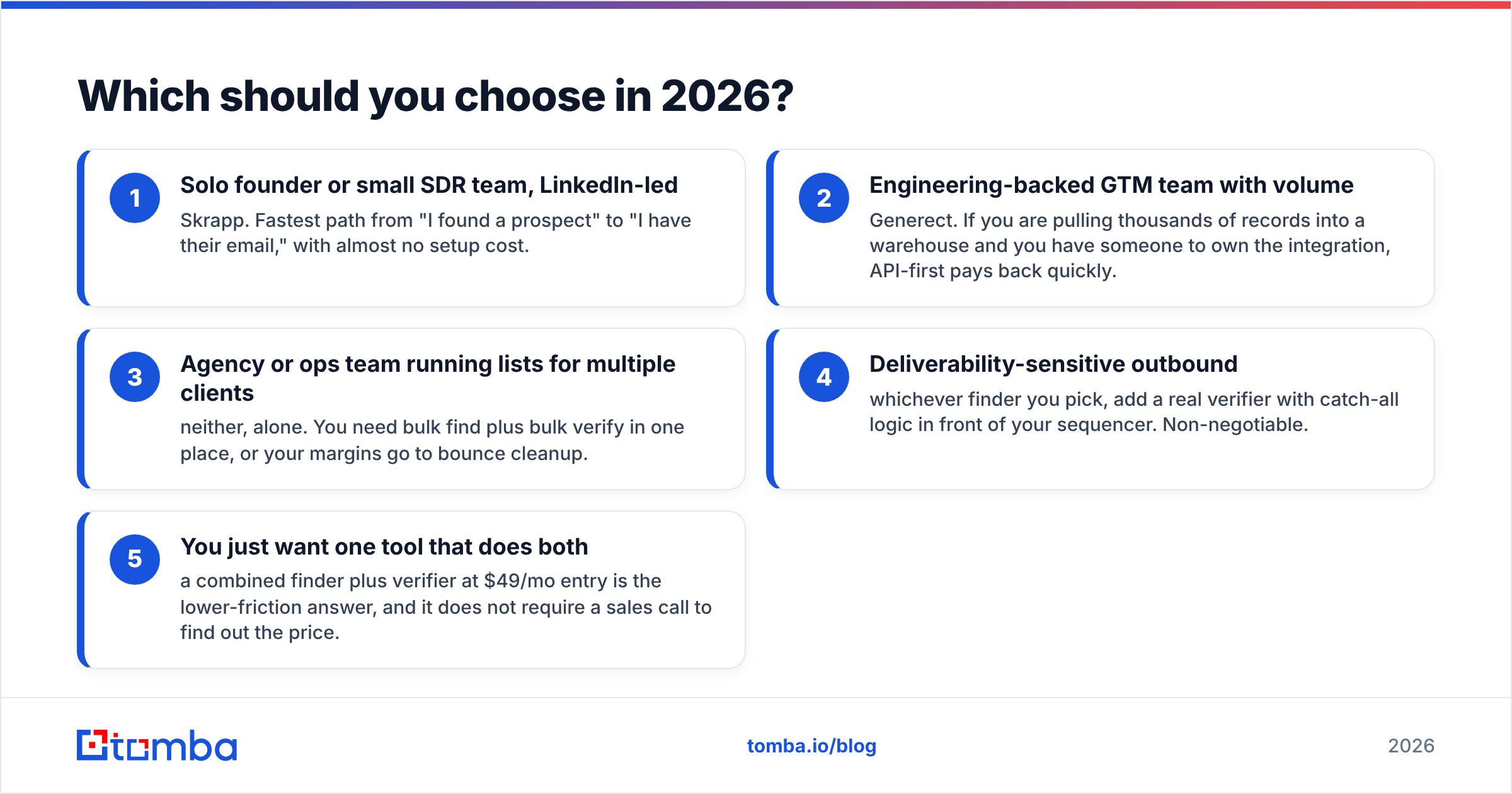
Match the tool to who is doing the work:
- Solo founder or small SDR team, LinkedIn-led — Skrapp. Fastest path from "I found a prospect" to "I have their email," with almost no setup cost.
- Engineering-backed GTM team with volume — Generect. If you are pulling thousands of records into a warehouse and you have someone to own the integration, API-first pays back quickly.
- Agency or ops team running lists for multiple clients — neither, alone. You need bulk find plus bulk verify in one place, or your margins go to bounce cleanup.
- Deliverability-sensitive outbound — whichever finder you pick, add a real verifier with catch-all logic in front of your sequencer. Non-negotiable.
- You just want one tool that does both — a combined finder plus verifier at $49/mo entry is the lower-friction answer, and it does not require a sales call to find out the price.
Before you commit, read current user reviews on G2 with a filter for company size close to yours. Accuracy complaints cluster by segment, and a five-star review from an enterprise buyer tells you very little about coverage in a 30-person SaaS ICP.
Ready to test it yourself?#
Take your last 100 bounced prospects, run them through Tomba's Email Finder, and see how many come back with a verified, catch-all-checked address. The free tier gives you 25 searches a month with no card, Starter is $49/mo, and every plan includes the verifier, domain search, and API — so you can compare find rates against Generect and Skrapp on your own list instead of on someone's benchmark slide. Run the test, keep the winner, cancel the rest.
Related guides#
Ready to find emails that actually work?
Join 150,000+ professionals who stopped guessing and started sending. Free credits on signup — no credit card required.
Get the Tomba newsletter
Practical outbound tactics and product updates — once every two weeks.
About the author