Generect vs VerifyEmailAddress.com: Which One Do You Need?
One tool builds lead lists from LinkedIn-shaped data. The other tells you whether a single address exists. Here is how Generect and VerifyEmailAddress.com actually compare - and what to use when neither one covers the job.
TL;DR
- Generect and VerifyEmailAddress.com are not competitors. Generect is a paid B2B lead database and API that finds contacts; VerifyEmailAddress.com is a free single-lookup utility that checks one address at a time.
- If your problem is "I have no list," Generect is the relevant tool. If your problem is "I have one address and I'm not sure it's real," the free checker is enough.
- Neither tool solves the full loop on its own. Generect gives you data you still need to validate; VerifyEmailAddress.com validates data you still have to source somewhere else.
- Free single-address checkers break down at volume: no API, no bulk upload, no catch-all handling, and rate limits that make a 2,000-row list a full afternoon of clicking.
- A combined find-plus-verify platform (Tomba, Hunter, Apollo, Findymail) usually costs less than stitching a database subscription to a manual verification habit.
What is Generect?#
Generect is a B2B lead generation platform built around real-time contact search. Instead of serving a static snapshot, it pulls company and people data — job titles, seniority, company size, location, LinkedIn-shaped profile attributes — and returns lead lists you can filter and export.
The pitch is speed and freshness. You define an ICP filter, Generect resolves matching people and companies, and you get a list with work emails attached where they exist. There's an API for teams that want to wire lead pulls into their own systems rather than clicking through a UI.
What Generect does not do is act as a standalone deliverability guardrail. Like every provider in this space, it returns addresses at varying confidence levels, and the burden of proving an address is safe to mail still lands on you. That's the gap the second tool in this comparison lives in.
What is VerifyEmailAddress.com?#
VerifyEmailAddress.com is the opposite kind of product: a free, browser-based, one-address-at-a-time checker. You paste an email, it runs syntax parsing, a domain and MX record lookup, and an SMTP handshake against the receiving server, then tells you whether the mailbox appears to exist.
No account. No credit card. No dashboard. That simplicity is genuinely the feature — for a one-off sanity check before you email a VP you found on a conference page, it does the job in eight seconds.
The limits show up the moment your workflow has more than one row in it. There is no bulk upload, no API key, no CRM sync, no result history, and no meaningful handling of catch-all domains, which is where roughly a fifth of B2B addresses live. Free SMTP checkers also share IP infrastructure with everyone else using them, so heavier mail providers throttle or graylist those probes, and "unknown" starts appearing far more often than it should.

How do Generect and VerifyEmailAddress.com actually differ?#
The two tools sit at different stages of the same pipeline. Understanding which stage you're stuck at is the whole decision:
- Job to be done. Generect answers "who should I contact?" VerifyEmailAddress.com answers "is this one address real?" You cannot substitute one for the other.
- Input. Generect takes filters — industry, headcount, title, geography. The verifier takes a single, complete email address you already possess.
- Output. Generect returns rows: names, companies, roles, emails. The verifier returns a single status flag: valid, invalid, or unknown.
- Scale model. Generect is built for volume with plans and API access. The free checker is built for one lookup, and its rate limiting enforces that.
- Cost model. Generect is a paid subscription priced by data volume and seats. VerifyEmailAddress.com is free with no paid tier to graduate into.
- Risk profile. With Generect, your risk is paying for stale or thin coverage in a niche vertical. With the free checker, your risk is an unverified "unknown" that quietly torches your sender reputation when you mail it anyway.
Put plainly: if you ran a cold campaign using only Generect, you'd send to unvalidated addresses. If you ran one using only VerifyEmailAddress.com, you'd have nothing to send to.
How accurate is each tool?#
Accuracy means two different things here, and conflating them is how teams end up with a 9% bounce rate.
For a finder like Generect, accuracy is coverage plus correctness: what percentage of your target list returns an email at all, and what percentage of those emails are actually deliverable. Good providers land in the 65–85% coverage range on mid-market North American and European targets, and drop noticeably on small companies, non-English domains, and regulated industries where staff emails are less exposed.
For a verifier, accuracy is about correct classification, especially at the edges. Anyone can flag notarealperson@gmail.com. The hard cases are catch-all domains that accept everything, role accounts, disposable providers, greylisting servers that defer on first contact, and Microsoft 365 tenants that have deliberately stopped leaking mailbox existence over SMTP. Free single-lookup tools are weakest precisely there, because those cases need retry logic, multiple probe strategies, and reputation-managed sending IPs — infrastructure a free utility can't fund.

The practical takeaway: treat a free checker's "valid" as trustworthy, its "invalid" as trustworthy, and its "unknown" as a coin flip you should not bet a domain on. If more than 10–15% of your list comes back unknown, you need a tool with real catch-all verification, not a bigger sample of guesses.
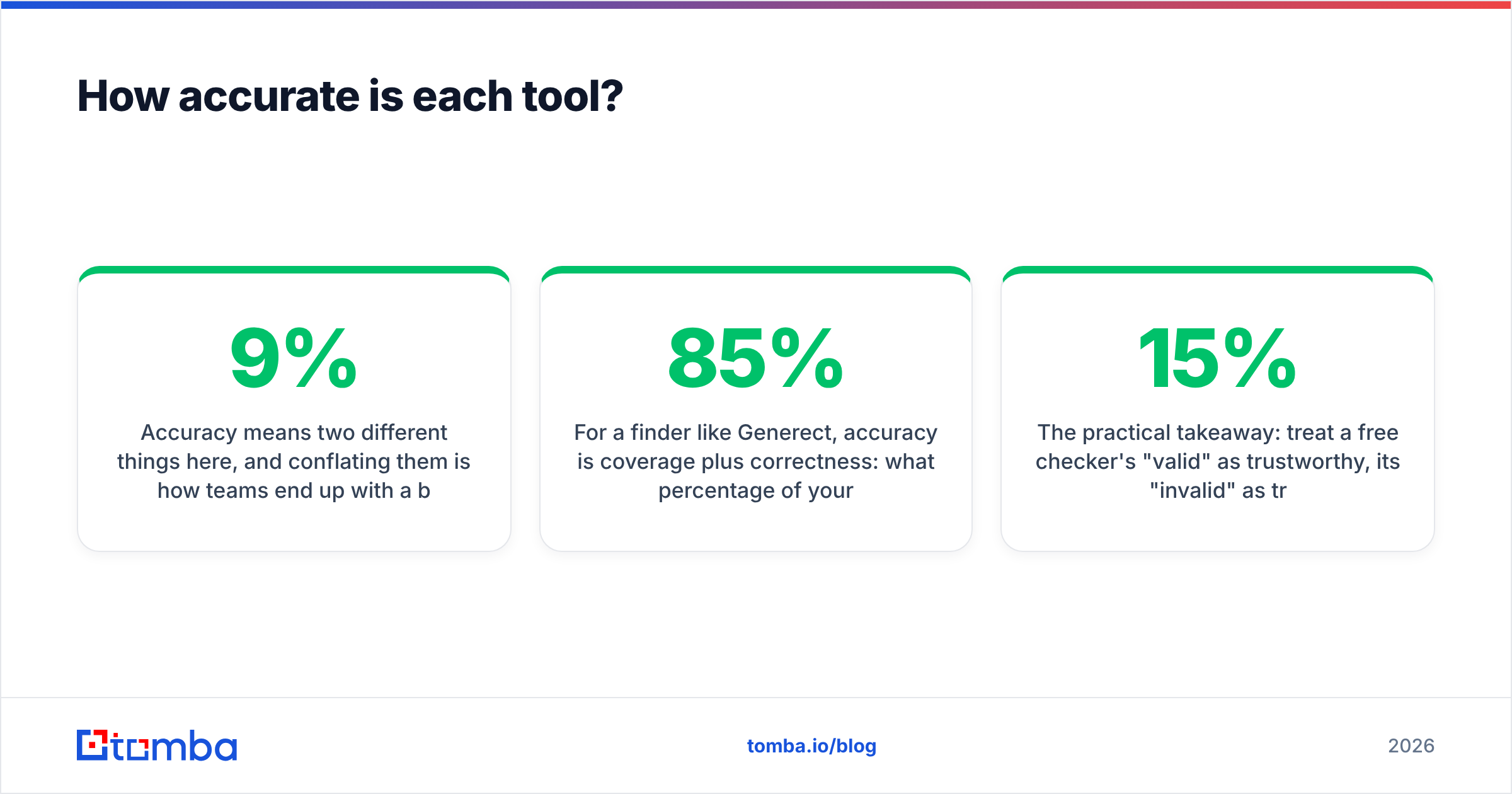
Generect vs VerifyEmailAddress.com: full comparison#

| Attribute | Generect | VerifyEmailAddress.com | Tomba |
|---|---|---|---|
| Primary function | Lead database + contact search | Single-address verification | Email finding + verification |
| Finds new contacts | Yes, by ICP filters | No | Yes, by domain, name, or company |
| Verifies addresses | Limited / secondary | Yes, one at a time | Yes, single and bulk |
| Bulk processing | Yes (list export) | No | Yes, CSV upload and bulk API |
| API access | Yes | No | Yes, REST + CLI + MCP |
| Catch-all handling | Not the core focus | Weak — frequent "unknown" | Dedicated catch-all verifier |
| Free tier | Trial / demo based | Fully free, rate-limited | 25 searches/month |
| Entry paid price | Quote and plan based | No paid tier | $49/mo Starter |
| CRM integrations | Yes | No | HubSpot, Salesforce, Pipedrive, Sheets, Zapier |
| Best for | Building lists from scratch | One-off manual checks | Full find-then-verify loop |
Two things jump out of that table. First, the column overlap between Generect and VerifyEmailAddress.com is almost empty — they're complements, not rivals. Second, if you're paying for one and manually operating the other, you're doing by hand what a single platform does in one API call.
What do they cost in practice?#
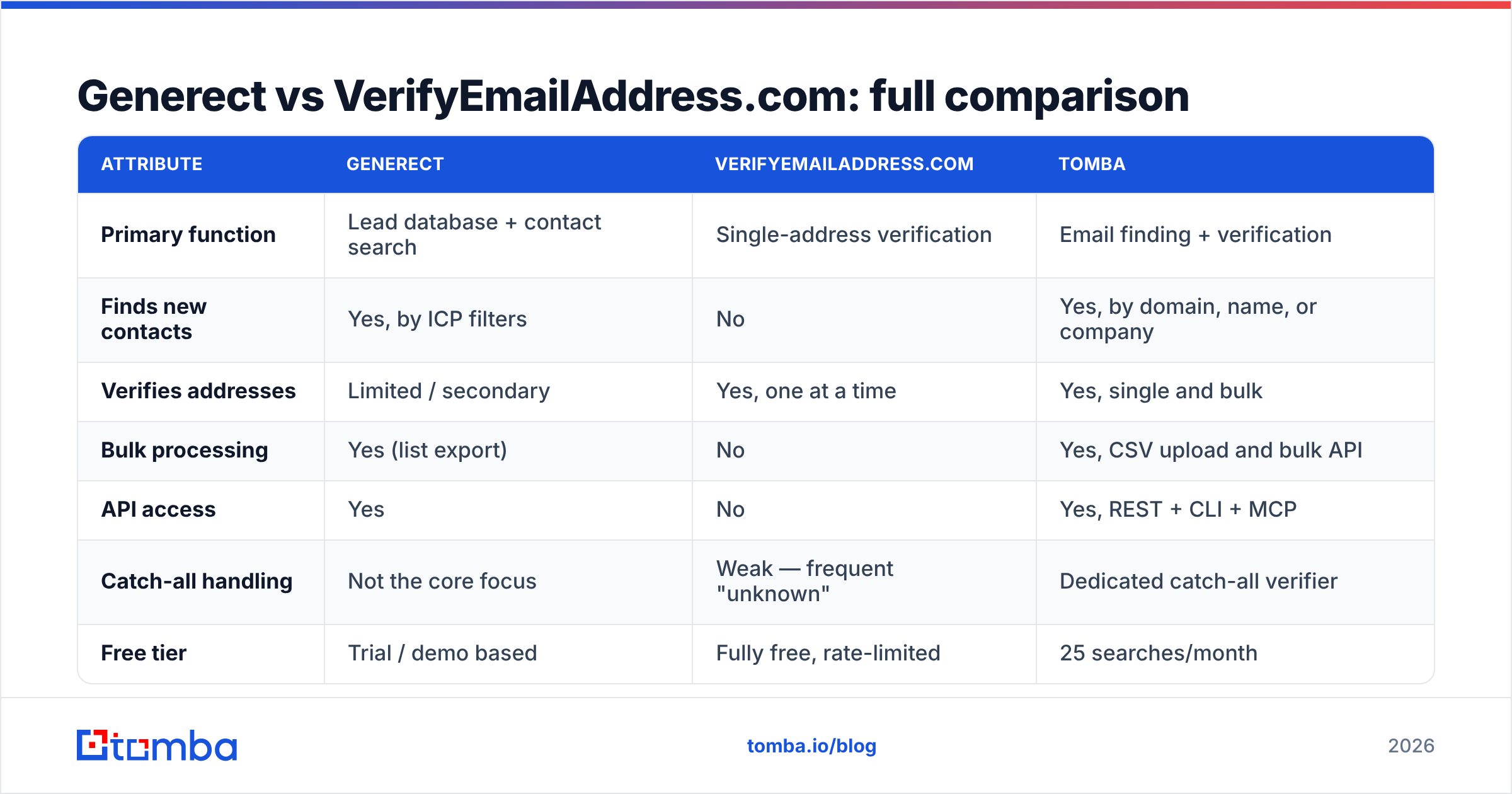
VerifyEmailAddress.com costs nothing in dollars. It costs time, and time compounds badly. Checking 500 addresses by hand at roughly 20 seconds each — paste, wait, read, log — is close to three hours of an SDR's week, every week, forever. At a loaded rate of $35/hour that's over $100 of labor per list, spent to produce a result that a $49 tool returns in 40 seconds with better catch-all logic.
Generect's pricing is plan- and volume-based rather than a single published number, and it moves with seats and data allowance, so check their current page before budgeting. Lead databases in this tier generally land somewhere between $100 and $500 per month for a small team, with API volume priced separately. That's reasonable if list-building is your bottleneck and you're pulling thousands of contacts a month. It's expensive if you only need 200 well-targeted contacts and already know exactly which companies you're targeting — in that case a per-domain domain search is a far cheaper unit of work than a database subscription.
For reference on how buyers actually rate these categories against each other, G2's lead intelligence grid is a more honest signal than any vendor's own comparison page, including this one.

Which one should you choose?#
Choose Generect if: you don't have a list yet, your ICP is defined by attributes rather than named accounts, you're pulling hundreds or thousands of contacts a month, and you want an API to feed your own systems. Budget separately for verification before you send — treat that as a required line item, not an optional one.
Choose VerifyEmailAddress.com if: you check a handful of addresses a week, you already source contacts manually from LinkedIn, company sites, or events, and you have zero budget. It is a legitimately useful free utility inside those bounds. Just don't build a process on top of it.
Choose neither if: your real workflow is "here are 40 target companies, get me the right person at each and make sure the address is safe to mail." That's the most common B2B motion, and it doesn't map cleanly onto either tool. It maps onto a combined finder-verifier: search by domain, filter to the right department, verify in the same pass, push to CRM.
For that last case, tools worth putting on your shortlist alongside Tomba include Hunter, Findymail, Apollo, and BookYourData, which is a solid pick when you'd rather buy a pre-built, pay-as-you-go list than run searches yourself. Each optimizes for something different — Apollo for all-in-one sequencing, Findymail for waterfall accuracy on hard domains, BookYourData for instant list purchase, Tomba for API-first find-and-verify at a low entry price.
How does Tomba compare on this specific job?#
Tomba is built for the loop the other two tools each cover half of. You give it a domain, a name, or a company, and it returns the address plus a confidence score; the same platform then verifies it before it reaches your sequencer.
Concretely, that means:
- Email finder — resolve a person's work email from name plus domain, with sources shown.
- Email verifier — syntax, MX, SMTP, disposable and role detection, with catch-all treated as its own state rather than a shrug.
- Bulk processing — upload a CSV, get finding and verification on the whole list, no per-row clicking.
- API, CLI, and MCP access — same endpoints whether you're scripting, working in a terminal, or wiring an AI agent.
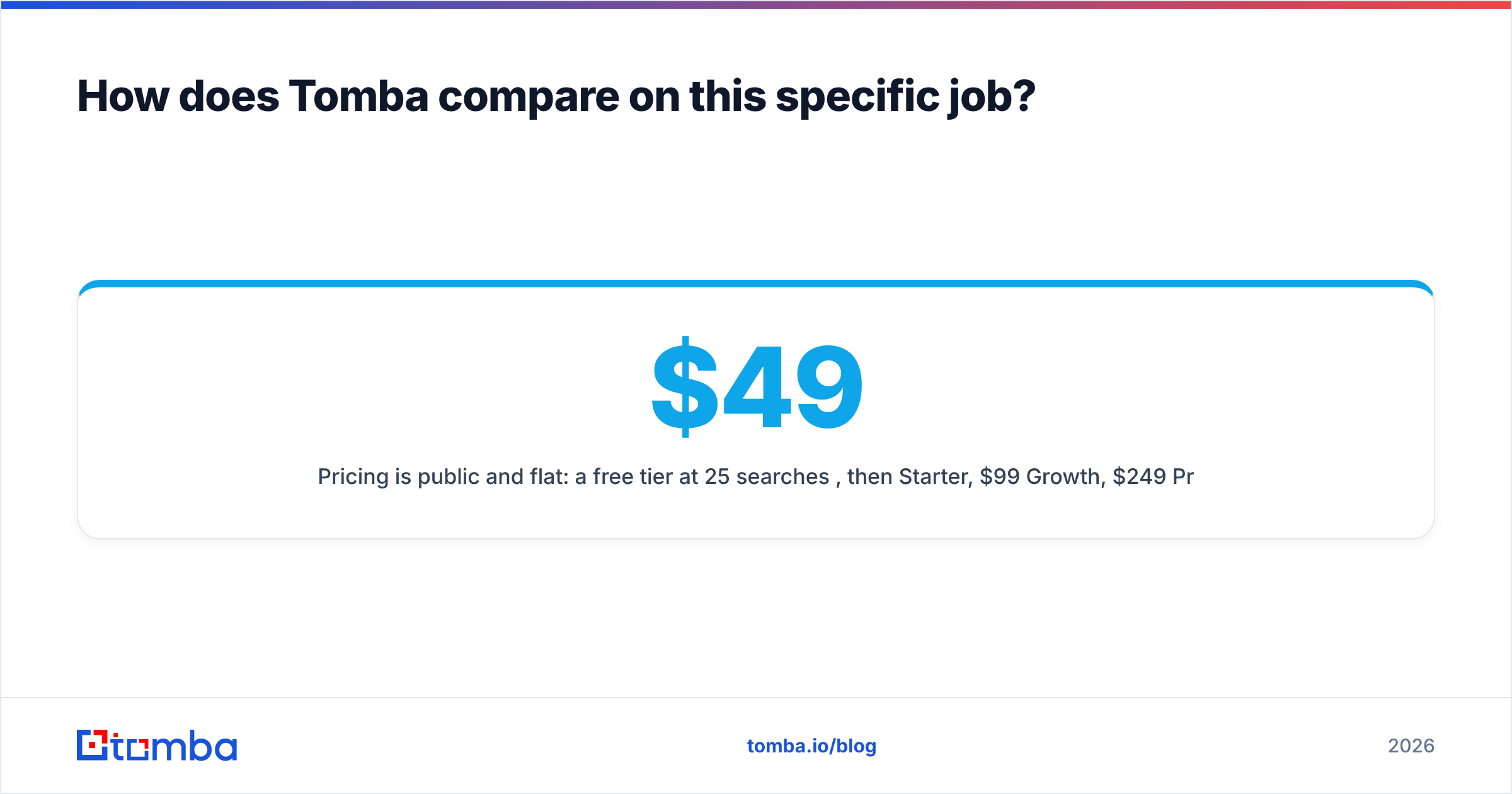
Pricing is public and flat: a free tier at 25 searches per month, then $49/mo Starter, $99/mo Growth, $249/mo Pro, and custom Enterprise. Full Tomba pricing is on the site with credit allowances per plan, so you can model cost against list size before you commit.
The honest limitation: Tomba is not an ICP discovery engine in the way Generect is. If you need to say "show me every Series B fintech in DACH with 50–200 employees and a VP of Growth," a lead database will build that list faster. Tomba shines once you know which companies you're going after and need the right contacts, verified, without a second subscription.
FAQ#
Can I use both Generect and VerifyEmailAddress.com together? Technically yes — pull the list from Generect, spot-check a sample in the free tool. But don't verify a full export by hand. Sample 20 rows to gauge quality, then run the whole file through a bulk verifier.
Is a free email checker safe to rely on before a cold campaign? For single sends, yes. For campaigns, no. The failure mode isn't wrong "valid" results, it's the volume of "unknown" results you'll be tempted to mail anyway. That's how bounce rates cross 5% and email deliverability collapses.
What bounce rate should I target? Under 2% is healthy, under 1% is good. If you're above 4%, stop sending and re-verify the entire list before mailbox providers start filtering your domain.
Does verification guarantee delivery? No. Verification confirms the mailbox exists. Whether your message lands in the inbox depends on authentication, warmup, content, and sending volume — separate problems with separate fixes.
Get the find-and-verify loop in one place#
If you came here trying to decide between a lead database and a free checker, the real answer is usually that you need one tool doing both halves. Start with the Tomba Email Finder — 25 free searches a month, no card required — and run a domain you already know well. Compare what comes back against your own knowledge of that company, then check the same addresses in whatever free tool you've been using. The gap between the two results is the number you should be making this decision on.
Related guides#
Ready to find emails that actually work?
Join 150,000+ professionals who stopped guessing and started sending. Free credits on signup — no credit card required.
Get the Tomba newsletter
Practical outbound tactics and product updates — once every two weeks.
About the author