Gentle Reminder Email Template: 12 Examples That Get Replies
Most reminder emails fail because they apologize instead of making the next step obvious. Here are 12 gentle reminder email templates, the timing rules behind them, and the mistakes that kill reply rates.
TL;DR
- A gentle reminder email works when it removes friction, not when it apologizes. Cut "sorry to bother you" and lead with the one decision you need.
- Wait a minimum of 3 business days before the first nudge, then 5-7 for each follow-up. Same-day bumps read as panic.
- Reply-in-thread beats a new subject line for internal and warm reminders; a fresh subject wins for cold or long-dormant threads.
- Every reminder needs a deadline, a default, or a one-click option. "Let me know your thoughts" is where reminders go to die.
- Reminders only work if the address is real. Bad data looks identical to being ignored — verify before you blame your copy.
What Is a Gentle Reminder Email?#
A gentle reminder email is a short follow-up that re-surfaces a request someone has not acted on, without accusing them of ignoring you. It sits between "I know you're busy" and "this is now blocking me" — polite, but with a clear next action attached.
Think of it like tapping someone on the shoulder in a crowded room. You are not shouting, and you are not standing there silently hoping they turn around. One tap, one sentence, one specific ask.
The mistake most people make is treating "gentle" as a synonym for "vague." It is not. Gentleness lives in the tone; clarity lives in the ask. A reminder that says "just circling back on the below whenever you get a chance" is soft and useless — it gives the recipient nothing new to act on, so it costs them more energy to reply than to ignore.
Here is what separates a reminder that gets a reply from one that gets archived:
- One request, not three. If your original email had three asks, your reminder should pick the one that unblocks everything else.
- New information or new framing. Repeating your first email verbatim tells the reader nothing changed. Add a deadline, a data point, or a shorter option.
- A stated default. "If I don't hear back by Thursday, I'll assume the March date works" converts silence into a decision.
- Reduced reply cost. Yes/no questions, two options to pick from, or a calendar link outperform open-ended questions every time.
- Correct timing. Too fast reads as pushy; too slow reads as unimportant. Both kill the reply.
- A deliverable address. None of the above matters if the message bounced or landed in a catch-all void.
When Should You Send a Gentle Reminder Email?#
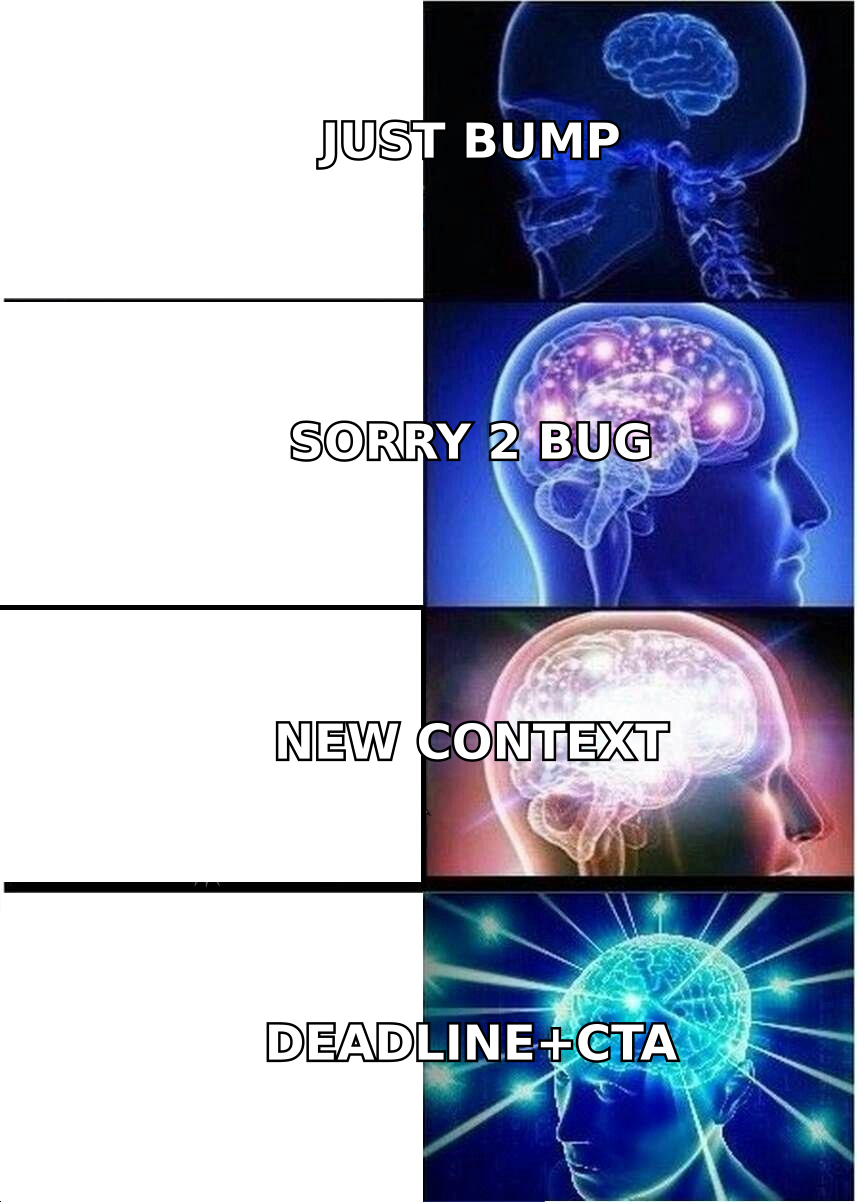
Timing is the single biggest lever, and most people get it wrong in the same direction: too early.
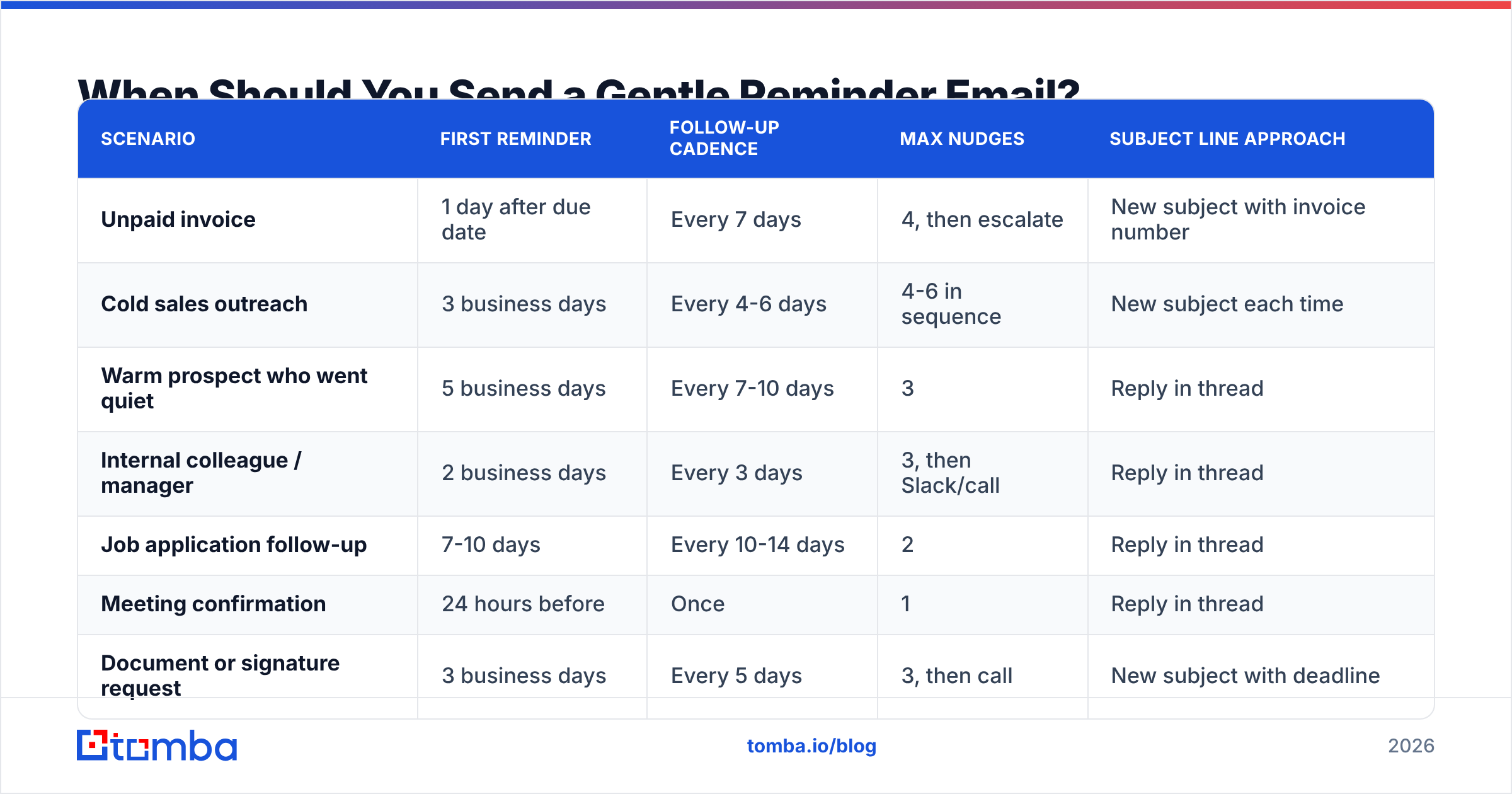
The general rule is 3 business days minimum for the first reminder on a normal request, and 5-7 business days between each follow-up after that. But the right interval depends heavily on what you asked for and who you asked.
| Scenario | First reminder | Follow-up cadence | Max nudges | Subject line approach |
|---|---|---|---|---|
| Unpaid invoice | 1 day after due date | Every 7 days | 4, then escalate | New subject with invoice number |
| Cold sales outreach | 3 business days | Every 4-6 days | 4-6 in sequence | New subject each time |
| Warm prospect who went quiet | 5 business days | Every 7-10 days | 3 | Reply in thread |
| Internal colleague / manager | 2 business days | Every 3 days | 3, then Slack/call | Reply in thread |
| Job application follow-up | 7-10 days | Every 10-14 days | 2 | Reply in thread |
| Meeting confirmation | 24 hours before | Once | 1 | Reply in thread |
| Document or signature request | 3 business days | Every 5 days | 3, then call | New subject with deadline |
| Event RSVP | 7 days before | 2 days before | 2 | New subject |
Two nuances worth internalizing:
Reply in thread vs. new subject. Threading preserves context and signals continuity — ideal when the recipient already knows you. A new subject line resets the visual weight of the message in a crowded inbox and is better when the original email is buried under 200 others or the relationship is cold. For cold sequences, Gmail groups threaded messages which means your fourth touch can collapse behind three unread ones the recipient never opened.
Send windows matter less than people claim, but not zero. Tuesday through Thursday, 8-10am in the recipient's timezone, still tests marginally better than Friday afternoon. The effect is real but small — maybe a few points of open rate. Timing interval matters far more than timing hour.
What Should a Gentle Reminder Email Contain?#
Five components, in this order. Cut anything that does not belong to one of them.
- Subject line — specific enough to be recognized in a preview pane. "Re: Q3 budget approval — need by Friday" beats "Following up" and "Quick question."
- One-line context — remind them what this is about in under 15 words. Do not re-paste the entire original email; link to it or quote two lines.
- The ask, stated as a question or a decision — this is the only sentence that truly matters. Bold it if the email is longer than four lines.
- A deadline or default — a date, or what happens if they don't reply. This is what turns a reminder into a forcing function.
- An exit ramp — "If this isn't a priority right now, just reply 'later' and I'll check back in Q4." Counterintuitively, giving people permission to decline increases total reply rate because it lowers the social cost of responding.
What to delete: apologies ("sorry to bother you," "I know you're swamped"), hedges ("just," "maybe," "if you get a chance"), and gratitude-in-advance ("thanks in advance!" reads as pressure disguised as politeness). The word "just" alone appears in roughly every second reminder email and adds nothing.
Keep the whole thing under 90 words. If your reminder is longer than the original email, you have written a new pitch, not a reminder.
What Are the Best Gentle Reminder Email Templates?#
Twelve templates below. Swap the brackets and delete anything that does not apply. Every one of them is under 90 words on purpose.
1. The standard first nudge (universal)#
Subject: Re: [original subject]
Hi [Name],
Following up on the [proposal / doc / question] I sent [day]. Is [specific thing] still something your team is looking at this quarter?
A yes or no is genuinely fine — I'll adjust from there.
[Your name]
2. The deadline reminder#
Subject: [Project] — need your sign-off by Thursday
Hi [Name],
Quick one: I need your approval on [item] by Thursday 5pm to keep the [date] launch on track. If I don't hear back, I'll proceed with [default option] and flag it in the notes.
Link: [url]
Thanks,
[Your name]
3. The invoice reminder#
Subject: Invoice #[1042] — due [date]
Hi [Name],
Invoice #[1042] for $[amount] was due on [date] and is showing as unpaid on our end. Payment link is below in case the original got lost.
If it's already been processed, ignore this and my apologies for the noise.
[Payment link]
[Your name]
4. The meeting confirmation#
Subject: Still good for tomorrow, 2pm?
Hi [Name],
Confirming our [30-minute] call tomorrow at [2pm ET]. Agenda is [one line].
If something's come up, here's my calendar to move it: [link].
[Your name]
5. The internal "you're blocking me" (still polite)#
Subject: Re: [ticket/project] — blocked on your review
Hi [Name],
[Task] is waiting on your review to move forward — it's been sitting since [day]. Takes about 5 minutes.
If you'd rather someone else take it, tell me who and I'll re-route it today.
[Your name]
6. The cold outreach bump#
Subject: [Company] + [their pain point]
Hi [Name],
Reaching out again because [specific trigger — they hired 3 SDRs / launched in EMEA / posted about X].
Teams at [similar company] used us to [concrete outcome]. Worth 15 minutes, or is this not a priority for [Company] right now?
[Your name]
7. The value-add follow-up (no ask)#
Subject: Thought of you — [resource]
Hi [Name],
Not chasing a reply. Saw [report / article / benchmark] on [topic] and it's directly relevant to the [problem] you mentioned: [link].
Around if it sparks anything.
[Your name]
8. The break-up email#
Subject: Closing the loop
Hi [Name],
I've reached out a few times about [topic] and haven't caught you at the right moment — which usually means the timing is off, not the fit.
I'll stop here. If [problem] moves up the list in the next few months, reply to this and I'll pick it back up.
[Your name]
9. The job application follow-up#
Subject: Re: [Role] application — [Your Name]
Hi [Name],
Following up on my application for [Role], submitted [date]. Still very interested, particularly because of [specific thing about the team].
Happy to send [portfolio / references / a short work sample] if that's useful. Any update on timeline?
[Your name]
10. The document/signature chase#
Subject: [Contract] — one signature left
Hi [Name],
The [MSA] is signed on our side and just needs yours. Direct link, takes under a minute: [link].
If legal is still reviewing, let me know who to follow up with and I'll take it off your plate.
[Your name]
11. The event RSVP nudge#
Subject: [Event] on [date] — headcount closing Friday
Hi [Name],
We're locking catering numbers on Friday for [event] on [date]. Are you in?
RSVP: [link]. Takes 10 seconds and a no is completely fine.
[Your name]
12. The dormant customer re-engagement#
Subject: Anything we can unblock?
Hi [Name],
Noticed [account] hasn't used [feature] since [month]. Usually that means one of two things: it stopped being useful, or something got in the way.
Which is it? If it's the second one, I can get you 20 minutes with [specialist] this week.
[Your name]
Why Do Gentle Reminder Emails Get Ignored?#
Assuming the copy is decent, ignored reminders usually trace back to one of four causes — and only two of them are about writing.
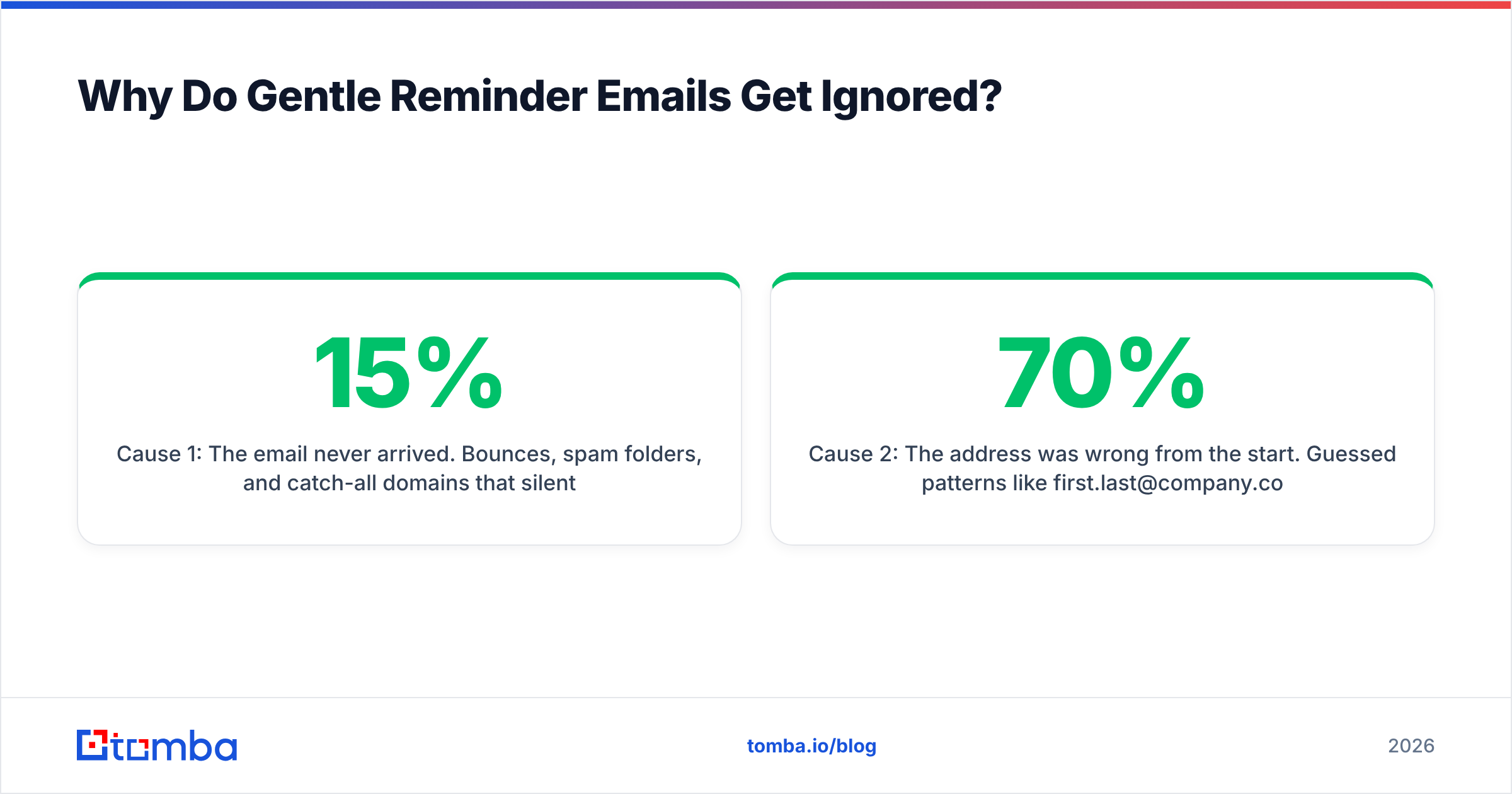
Cause 1: The email never arrived. Bounces, spam folders, and catch-all domains that silently swallow mail all look identical to being ignored. If your reminder open rate is under 15% on a warm list, you have a delivery problem, not a copy problem. Check your SPF record and authentication setup before you rewrite a single sentence, and understand how email deliverability actually gets scored.
Cause 2: The address was wrong from the start. Guessed patterns like first.last@company.com are right maybe 60-70% of the time depending on the industry. Role changes, acquisitions, and domain migrations degrade lists at roughly 2-3% per month. Running your list through an email verifier before a reminder sequence is the cheapest fix available — it turns "they ignored me" into either "they actually ignored me" or "this address died in March."
Cause 3: No decision to make. "Let me know your thoughts" asks the recipient to do work: figure out what you want, formulate an opinion, write prose. "Does Tuesday or Thursday work better?" asks them to type one word. Reply cost is the variable you control most directly.
Cause 4: You are the fifth person emailing them today about something similar. This is a targeting problem, not a reminder problem. If your first email did not earn a reply, the second one rarely fixes bad fit — hence template 8. Know when to stop.
Should You Automate Reminder Emails or Send Them Manually?#
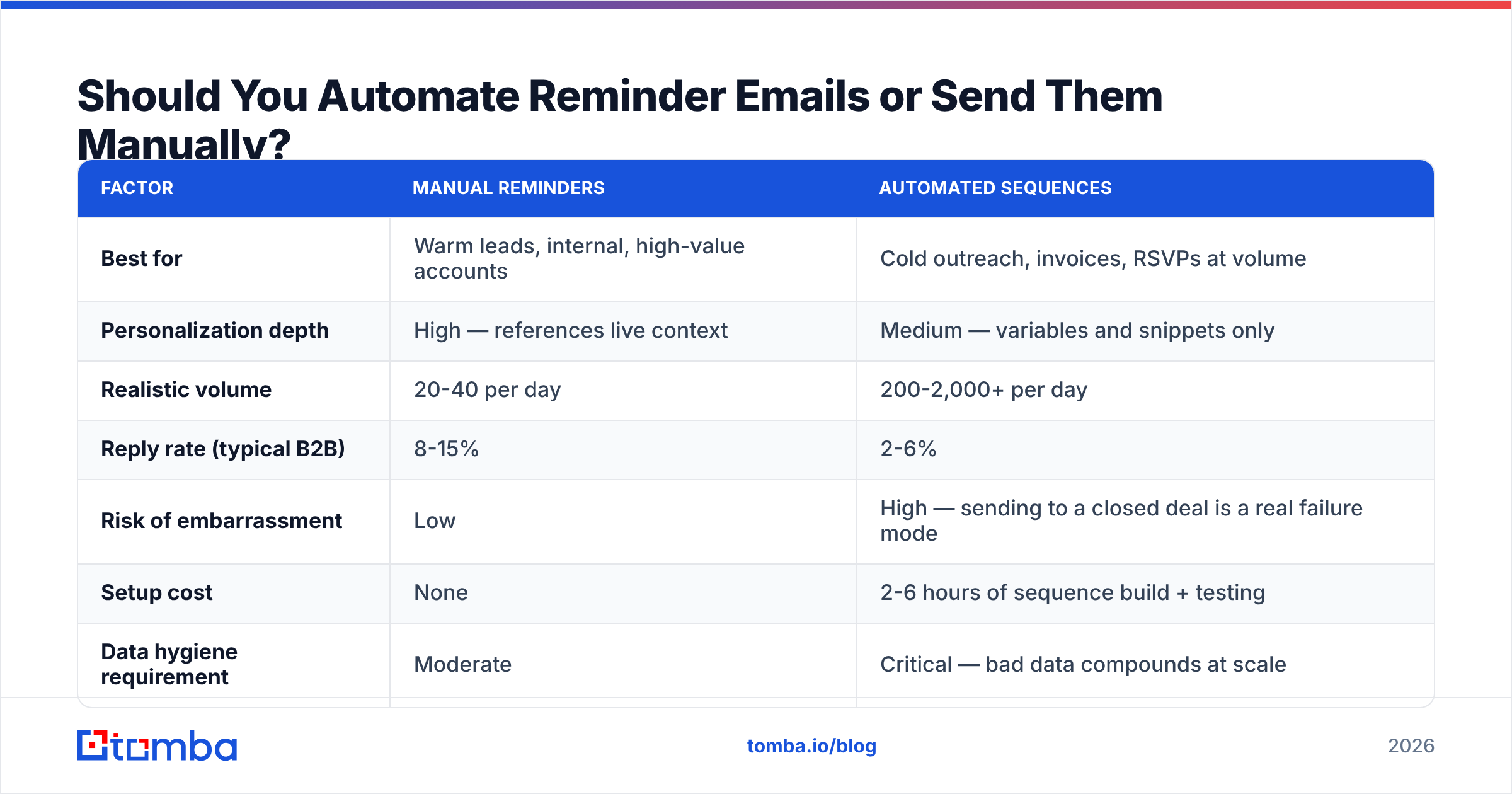
Both, split by relationship temperature. Here is the honest trade-off.
| Factor | Manual reminders | Automated sequences |
|---|---|---|
| Best for | Warm leads, internal, high-value accounts | Cold outreach, invoices, RSVPs at volume |
| Personalization depth | High — references live context | Medium — variables and snippets only |
| Realistic volume | 20-40 per day | 200-2,000+ per day |
| Reply rate (typical B2B) | 8-15% | 2-6% |
| Risk of embarrassment | Low | High — sending to a closed deal is a real failure mode |
| Setup cost | None | 2-6 hours of sequence build + testing |
| Data hygiene requirement | Moderate | Critical — bad data compounds at scale |
The failure mode nobody warns you about: automated sequences that keep firing after the person replied on another channel, or after the deal closed. Every sequence needs an exit condition tied to your CRM, not just to email replies.
For volume outbound, the practical stack is a verified contact list, a sequencing tool, and a suppression list that syncs both ways with your CRM. Tools like HubSpot and Salesforce handle the sequencing layer; the data layer is where most teams underinvest. Peer platforms like BookYourData take a database-first approach for teams that want pre-built lists, while an API-driven finder fits better when you're enriching contacts you already sourced.
If you're building lists rather than buying them, a domain search gets you every published address at a target company in one call, and bulk verify cleans the result before it ever enters a sequence. That order matters — verifying after you've already burned three sends is expensive in sender reputation terms.
How Do You Measure Whether Your Reminders Work?#
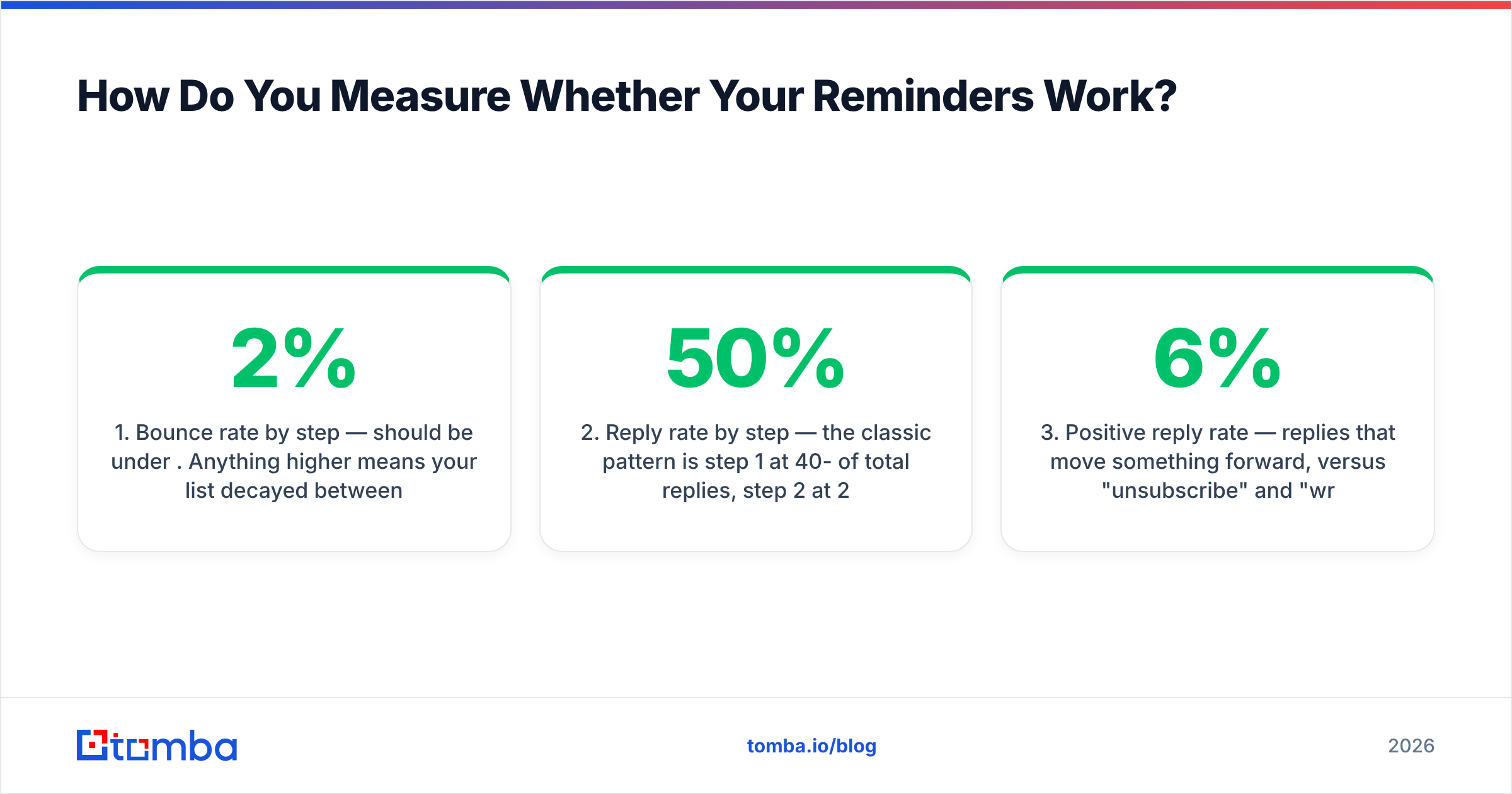
Track four numbers, per sequence step, not per campaign:
- Bounce rate by step — should be under 2%. Anything higher means your list decayed between the first send and the reminder.
- Reply rate by step — the classic pattern is step 1 at 40-50% of total replies, step 2 at 25-30%, steps 3-4 splitting the rest. If step 2 outperforms step 1, your first email is under-specific.
- Positive reply rate — replies that move something forward, versus "unsubscribe" and "wrong person." A 6% response rate that's 80% negative is worse than a 3% rate that's all positive.
- Time-to-first-reply — if the median is 4 days, your 2-day reminder interval is manufacturing noise. Set your cadence from this number, not from a blog post.
Benchmark data from G2's sales engagement category shows follow-up sequences meaningfully outperform single sends, but the curve flattens hard after touch four. Past that point you're spending sender reputation for diminishing returns.
Ready to Send Reminders That Actually Land?#
Great reminder copy sent to a dead inbox produces exactly zero replies — and you'll never know which problem you had. Start by making sure every address in your sequence is real and current.
Tomba's Email Finder locates verified professional addresses by name and domain, with confidence scores so you know what you're sending into. The free tier gives you 25 searches a month to test it against a list you already have; paid plans start at $49/mo for Starter and $99/mo for Growth if you're running reminder sequences at volume. Full Tomba pricing is public — no demo required to see the numbers.
Verify first, then write the reminder. In that order.
Related guides#
Ready to find emails that actually work?
Join 150,000+ professionals who stopped guessing and started sending. Free credits on signup — no credit card required.
Get the Tomba newsletter
Practical outbound tactics and product updates — once every two weeks.
About the author