GetAccept vs PandaDoc (2026): Which Deal Room Wins?
GetAccept and PandaDoc both close deals with e-signatures, but they solve different problems. Here's an honest breakdown of pricing, deal rooms, document automation, and which one your team should actually buy in 2026.
GetAccept vs PandaDoc is really one question: do you want a deal room or a document factory? Both tools send proposals and collect signatures. They just bet on different halves of the job. Here's the short answer first.
TL;DR
- PandaDoc is a document automation platform. Templates, a content library, approval workflows, pricing tables, and e-signature at scale. Best when lots of people send documents — sales, HR, legal, ops.
- GetAccept is a sales engagement layer around a signature. Video intros, live chat in the document, mutual action plans, and buyer-side "Digital Sales Rooms." Best for a few reps running high-touch deals.
- Pricing is close at entry and splits at the top. Both charge per user per month. Both gate branding, API, SSO, and advanced approvals behind higher plans.
- Neither tool fills your pipeline. They optimize the last 20% of the deal. If reps still hunt for the buyer's email, the bottleneck sits upstream.
- Quick rule: 15+ document senders outside sales → PandaDoc. Under 15 reps running multi-stakeholder deals → GetAccept.
What are GetAccept and PandaDoc?#
Both products sit at the same point in the funnel: a proposal, quote, or contract has to go out and come back signed. They got there from opposite directions.
PandaDoc started as document automation. The core idea is simple. Your company sends the same ten documents over and over. Each one should be a template with dynamic fields, a shared content library, an approval chain, and a binding signature block at the end. Sales uses it for proposals. HR uses it for offer letters. Ops uses it for vendor agreements. That breadth is the product's whole personality.
GetAccept started as sales engagement. The pitch: a PDF attachment is a dead end, so turn the document into a room. Add a rep video, a chat widget the buyer can use on the page, a dated action plan, a shelf of case studies, and analytics on who opened what. The signature is the last step, not the point.
That difference explains almost every disagreement you'll read in review threads. People who wanted a document factory and bought a deal room feel it's overbuilt. People who wanted a deal room and bought a document factory feel it's cold.
GetAccept vs PandaDoc: how do they compare head to head?#
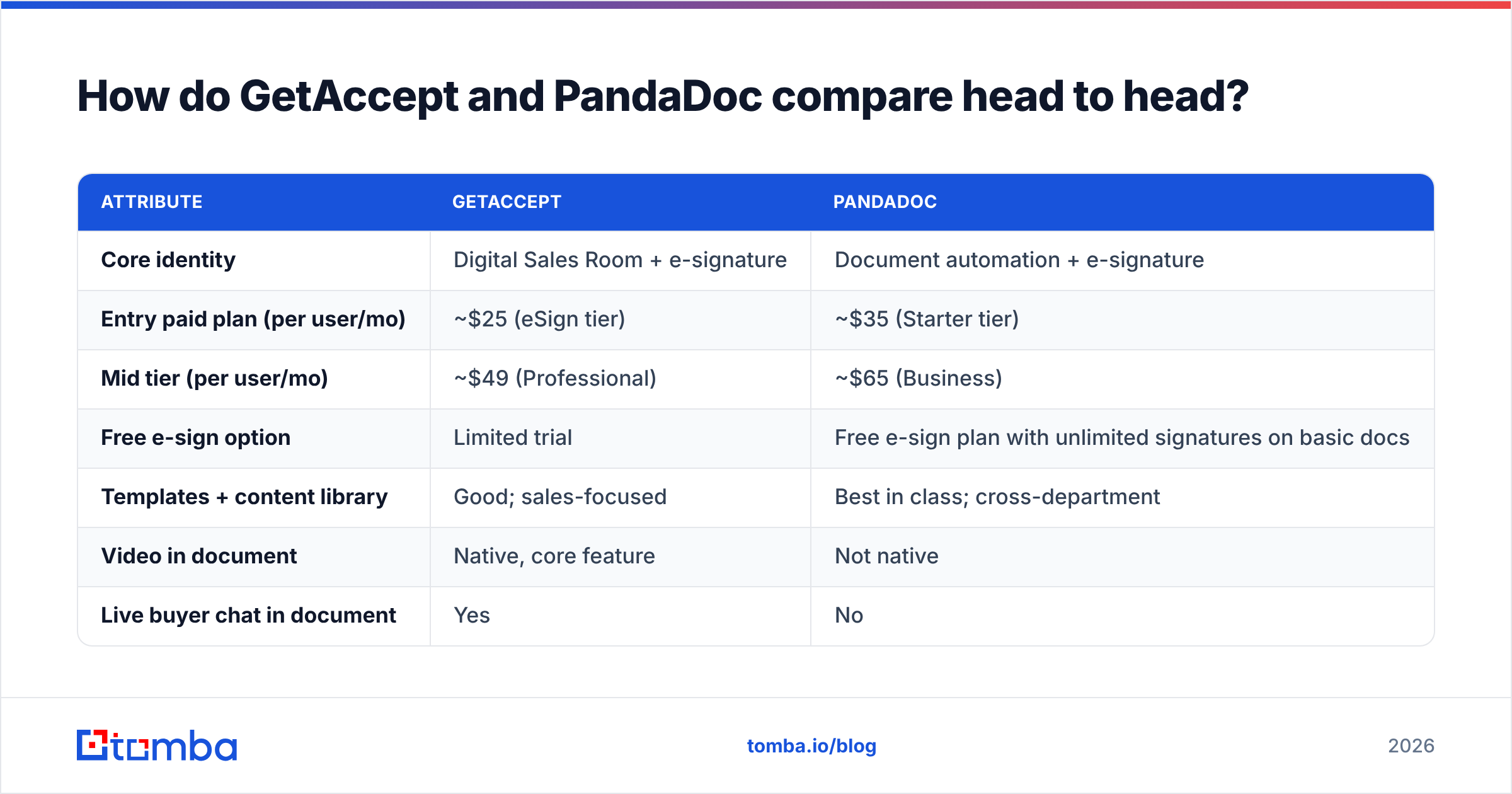
Here's the side-by-side on the attributes that actually change a buying decision. Check current numbers on each vendor's pricing page before you commit. Both companies have repriced in the last two years.
| Attribute | GetAccept | PandaDoc |
|---|---|---|
| Core identity | Digital Sales Room + e-signature | Document automation + e-signature |
| Entry paid plan (per user/mo) | ~$25 (eSign tier) | ~$35 (Starter tier) |
| Mid tier (per user/mo) | ~$49 (Professional) | ~$65 (Business) |
| Free e-sign option | Limited trial | Free e-sign plan with unlimited signatures on basic docs |
| Templates + content library | Good; sales-focused | Best in class; cross-department |
| Video in document | Native, core feature | Not native |
| Live buyer chat in document | Yes | No |
| Mutual action plans | Yes, built in | No |
| Pricing tables / quote builder | Basic | Strong, with product catalog |
| Approval workflows | Available on higher tiers | Available on higher tiers, more granular |
| CRM depth | Deep HubSpot and Salesforce, strong Pipedrive | Deep HubSpot and Salesforce, wide app coverage |
| Analytics | Per-section engagement, buyer heatmaps | Document open and time-on-page |
| API access | Higher tiers | Higher tiers, well documented |
| Best fit team size | 3-40 reps | 10-500+ senders across departments |
The table hides one thing worth saying plainly. PandaDoc has more surface area. GetAccept has more depth in a narrower lane. Surface area costs money in onboarding time. Depth costs money when you outgrow the lane.
What does GetAccept actually do better?#
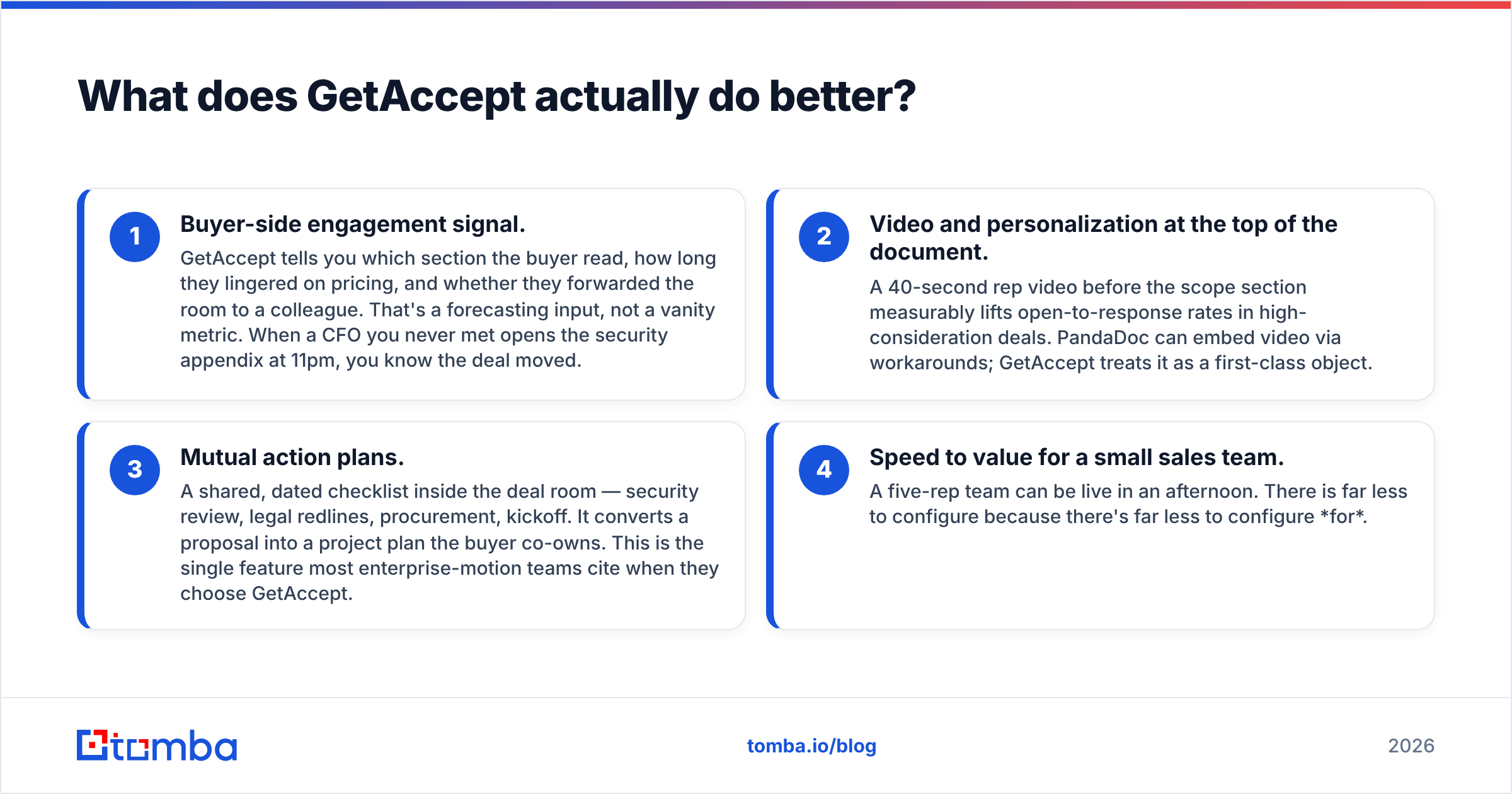
Four things, concretely.
- Buyer-side engagement signal. GetAccept shows which section the buyer read and how long they sat on pricing. It also flags forwards to colleagues. That's a forecasting input, not a vanity metric. When a CFO you never met opens the security appendix at 11pm, the deal just moved.
- Video at the top of the document. A 40-second rep video lifts reply rates in high-consideration deals. PandaDoc can embed video with workarounds. GetAccept treats it as a first-class object.
- Mutual action plans. A shared, dated checklist inside the deal room: security review, legal redlines, procurement, kickoff. It turns a proposal into a plan the buyer co-owns. Enterprise teams cite this feature most often.
- Speed to value for a small team. Five reps can be live in an afternoon. There is less to configure because there is less to configure for.
Where GetAccept gets thin: complex quoting. Tiered volume discounts, optional add-on bundles, and a product catalog that has to stay in sync with billing? You'll end up back in spreadsheets.
What does PandaDoc actually do better?#
- Templates that scale past sales. Offer letters, NDAs, SOWs, renewals, vendor forms. One admin maintains the library; every department pulls from it. That governance story is why PandaDoc wins procurement reviews at 100+ employee companies.
- Pricing tables and product catalogs. Line items, quantity fields, optional add-ons the buyer can toggle, automatic totals and taxes. It's a light CPQ without buying CPQ.
- Approval workflows with teeth. Conditional routing — discounts above 20% go to the VP, anything with custom legal language goes to counsel. Auditable, and it survives headcount changes.
- A genuinely free e-signature tier. For a tiny team that just needs signatures and nothing else, PandaDoc's free plan is hard to argue with.
- API and integration depth. If your RevOps team wants to generate documents from a CRM trigger, PandaDoc's API documentation is mature and widely implemented.
Where PandaDoc gets thin: buyer experience. The document is still fundamentally a document. It's a very good document, but the buyer receives it, reads it, signs it, and leaves. There's no room to hang out in.
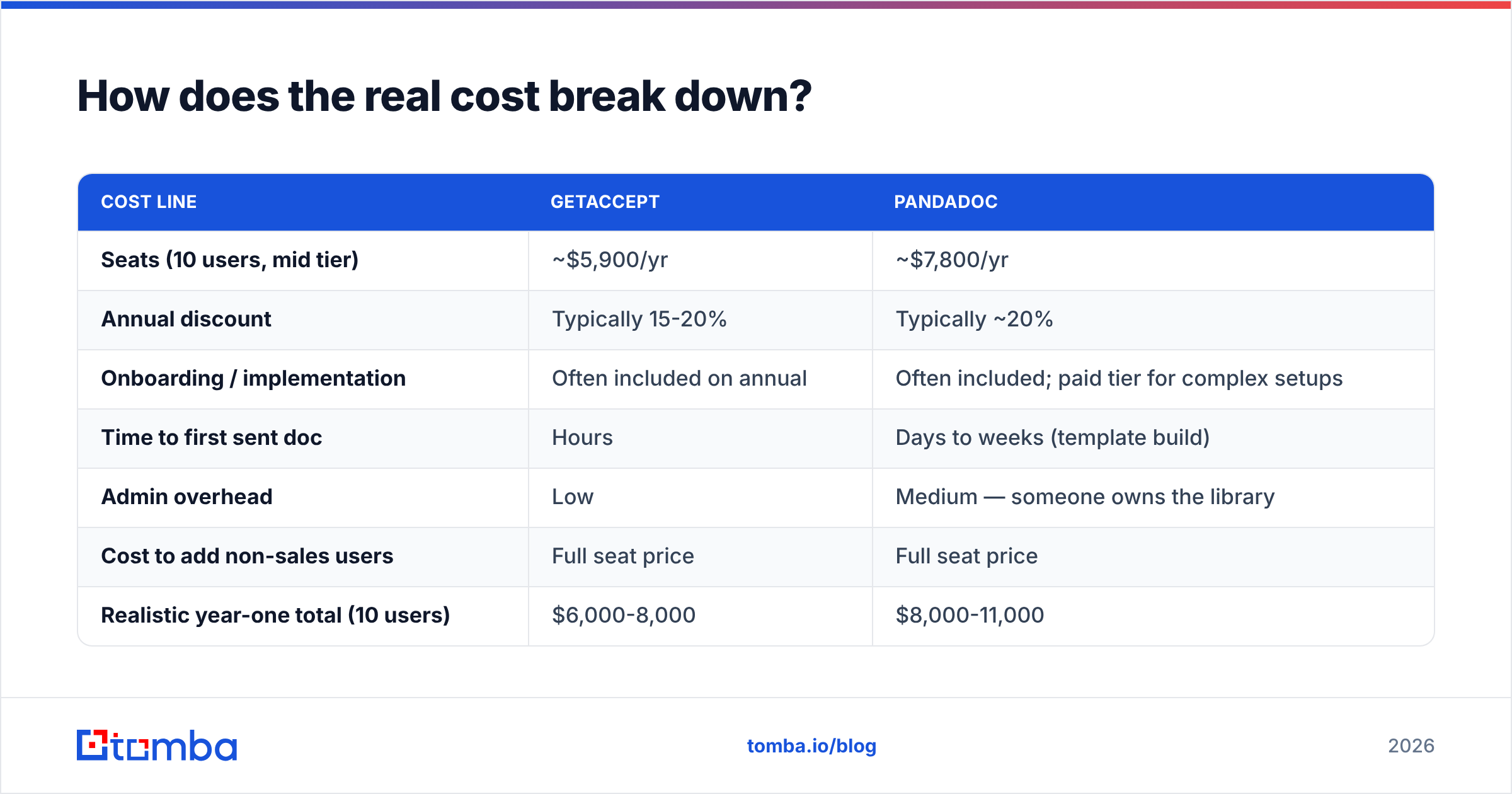
How does the real cost break down?#
Sticker price per seat is the smallest part of the bill. Here's what to actually model over 12 months.
| Cost line | GetAccept | PandaDoc |
|---|---|---|
| Seats (10 users, mid tier) | ~$5,900/yr | ~$7,800/yr |
| Annual discount | Typically 15-20% | Typically ~20% |
| Onboarding / implementation | Often included on annual | Often included; paid tier for complex setups |
| Time to first sent doc | Hours | Days to weeks (template build) |
| Admin overhead | Low | Medium — someone owns the library |
| Cost to add non-sales users | Full seat price | Full seat price |
| Realistic year-one total (10 users) | $6,000-8,000 | $8,000-11,000 |
Two traps show up repeatedly in both products:
- Seat creep. Sales ops, a CS lead, and a legal reviewer all need logins. Ten seats becomes fourteen. Ask about read-only or viewer seats before you sign.
- Feature gating. Custom branding, SSO, Salesforce sync, and API access all live on higher tiers in both tools. Price the plan you'll be on in month six, not the one that looked cheap in the demo.
Which one fits your sales motion?#
The GetAccept vs PandaDoc answer changes with how you sell. Match the tool to your motion, not to the feature grid.
- Transactional, high-volume SMB sales (deal cycle under 21 days): PandaDoc. You need speed and templates, not a mutual action plan for a $4,000 contract.
- Multi-stakeholder mid-market or enterprise (45-180 day cycles): GetAccept. Buyer engagement data and shared action plans earn their keep when six people touch the deal.
- Documents sent by more than one department: PandaDoc. The content library and approval routing were built for exactly this.
- Complex, configurable pricing: PandaDoc, or a real CPQ if your catalog is large.
- Rep-led, relationship-heavy selling where personalization is the differentiator: GetAccept.
- Tiny team, occasional signatures only: PandaDoc's free e-sign tier, and revisit in a year.
Still tied? Run both in a two-week bake-off on live deals. Send five real proposals through each. The winner is usually obvious by day nine, and both vendors will extend a trial if you ask.
What do reviewers say about each tool?#
Independent review sites are useful here. Both products have thousands of ratings, and the complaint patterns are consistent. On G2's proposal software category, the recurring themes are:
PandaDoc criticisms: editor quirks when formatting complex layouts, occasional slowness on very long documents, and support response times on lower tiers. The template editor is powerful, but the learning curve surprises teams expecting Google Docs.
GetAccept criticisms: fewer integrations outside the major CRMs, less sophisticated document formatting, and a smaller ecosystem of community resources. Some reviewers note that the sales-room features go unused if reps don't adopt them, which turns an expensive tool into a plain e-signature tool.
Both patterns are fair. Neither is disqualifying. Read reviews written in the last twelve months only — both products have shipped meaningfully since 2024.
What do neither GetAccept nor PandaDoc solve?#
Both tools start working after you already have a named buyer with a working email address. That's the quiet assumption baked into every proposal tool demo. It's also the step where most pipelines leak.
You can have the most elegant deal room in your category and still lose the quarter because:
- The champion left and you're emailing a dead mailbox.
- The economic buyer never got looped in because nobody found their address.
- The proposal went to a shared inbox and sat there.
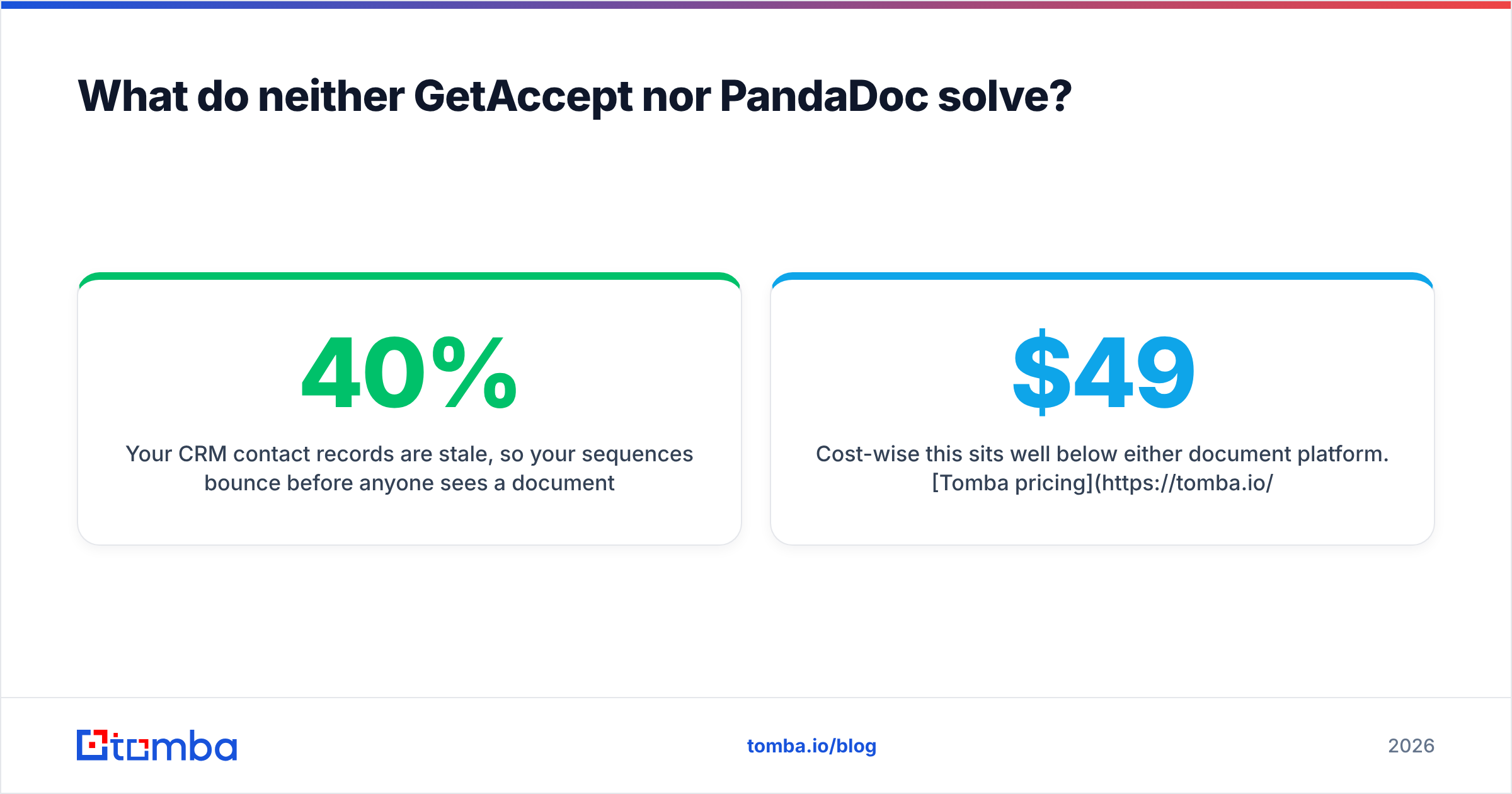
- Your CRM contact records are 40% stale, so your sequences bounce before anyone sees a document.
That's a data problem, not a document problem. Before a proposal exists, someone has to find the right people at the account and reach them. An email finder turns a name and company domain into a verified professional address. A domain search returns the whole contact map for an account, which helps when you need to multi-thread past a single champion into finance and security.
The maintenance side matters just as much. Run your CRM contacts through an email verifier each quarter. You'll typically find a double-digit percentage of records that no longer resolve. Those are deals your proposal tool will never get to touch. If your stack runs on HubSpot, the HubSpot integration pushes verified contacts into the same records your document tool reads from, so the proposal goes to a person who still works there.
Cost-wise this sits well below either document platform. Tomba pricing starts with a free tier at 25 searches a month, then Starter at $49/mo, Growth at $99/mo, and Pro at $249/mo. That's cheaper than two more seats on a per-user proposal platform, and it feeds every other tool you own.
FAQ#
Is GetAccept cheaper than PandaDoc? At the entry tier, usually yes — GetAccept's e-sign plan lands near $25/user/mo versus PandaDoc's ~$35. At mid tier the gap narrows and depends on your annual commitment and seat count. PandaDoc's free e-sign plan makes it cheaper for teams that need signatures and nothing else.
Can either replace DocuSign? For most B2B sales teams, yes. Both are legally binding under ESIGN and eIDAS, and both handle audit trails. Highly regulated industries should validate with legal before switching.
Does GetAccept have templates? Yes, and they're solid for sales use cases. They're just not the multi-department content library PandaDoc built its reputation on.
Which integrates better with Salesforce? Both offer managed packages with bidirectional sync. PandaDoc has the wider overall integration catalog; GetAccept's Salesforce and HubSpot integrations are equally deep in practice. Ask each vendor for a live demo against a sandbox with your objects.
Can I use both? Some teams do — GetAccept for enterprise deals, PandaDoc for high-volume standardized contracts. It's rarely worth the double spend under 50 reps.
The verdict#
GetAccept vs PandaDoc comes down to one line. Buy PandaDoc if documents are a company-wide workflow problem. Buy GetAccept if closing is a rep-led, multi-stakeholder relationship problem. Every feature difference is downstream of that.
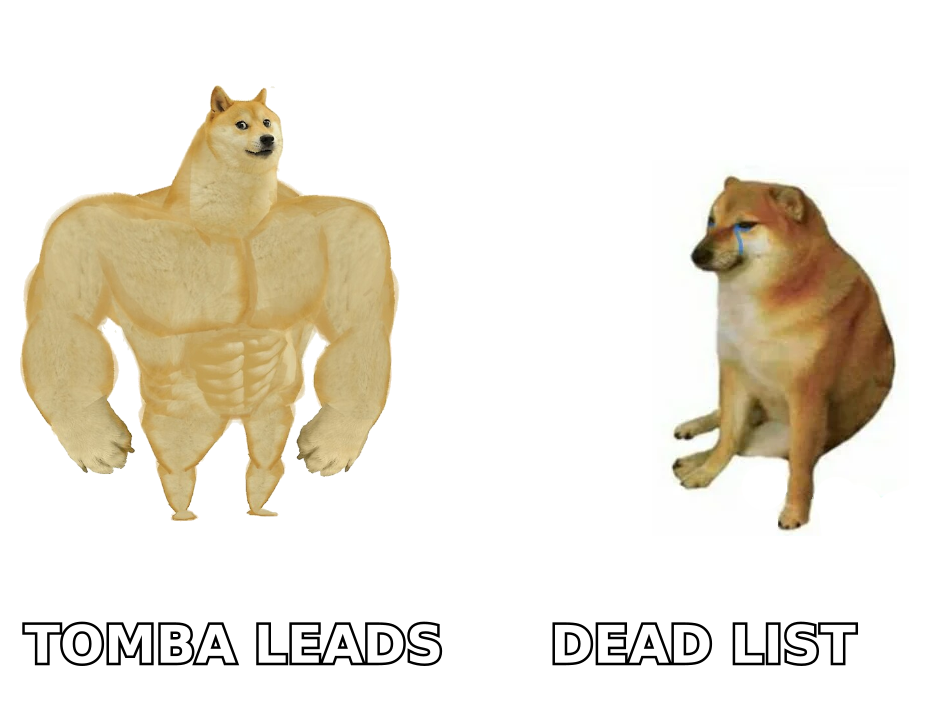
Then fix the part neither tool touches. A signature platform converts an opportunity you already created; it doesn't create opportunities. Start with the Tomba Email Finder to turn target accounts into verified, reachable decision-makers — free for your first 25 searches, no card required — and let your proposal tool do the job you're paying it for.
Related guides#
Ready to find emails that actually work?
Join 150,000+ professionals who stopped guessing and started sending. Free credits on signup — no credit card required.
Get the Tomba newsletter
Practical outbound tactics and product updates — once every two weeks.
About the author