GetEmail Extension Review 2026: Accuracy, Limits, Pricing
The GetEmail extension promises a work email in two clicks from any LinkedIn profile. Here is what it actually delivers, where the credits disappear, and which alternatives win on cost per verified contact.
TL;DR
- The GetEmail extension is a browser add-on (Chrome, Edge, Firefox) that guesses and returns a prospect's work email while you sit on their LinkedIn profile or a company site. It is a lookup layer, not a database you can query in bulk.
- It is fastest for one-at-a-time, rep-driven prospecting. It gets expensive and slow the moment you need 500 contacts in a spreadsheet.
- Confidence scores are not verification. Any extension that returns a "guessed" address should be paired with a real SMTP-level check before you send.
- Credits burn on attempts, not just hits — the number that matters is cost per verified, deliverable email, not the sticker price per credit.
- If you need both the browser workflow and bulk/API access on one plan, Tomba's Free tier (25 searches/mo) and $49/mo Starter cover both without stacking two subscriptions.
What is the GetEmail extension?#
The GetEmail extension is the browser front-end for GetEmail.io, an email-finding service that predicts professional email addresses from a person's name and their company domain. You install it, pin it to your toolbar, open a LinkedIn profile, click the icon, and it returns a best-guess address with a confidence label.
Mechanically, it does three things:
- Scrapes the page context — first name, last name, and the employer shown on the profile or company page you are viewing.
- Resolves the domain — maps "Acme Corp" to
acme.com, which is where a surprising share of failures start. - Predicts the pattern — applies the most likely format for that domain (
first.last@,flast@,first@) and scores its own confidence.
That is the same core loop every finder extension runs. The differences between vendors are almost entirely in step 2 and step 3: how good the domain resolution is, how large the observed-pattern corpus is, and whether the result is actually validated before it reaches you.
If you want the deeper mechanics of how pattern prediction differs from real discovery, the company email pattern checker shows what a domain's dominant format looks like when it is derived from observed addresses rather than a guess.
How does the GetEmail extension actually work in a prospecting session?#
The workflow is genuinely fast, and that is the honest case for it. A typical rep session looks like this:
- Run a LinkedIn Sales Navigator search
- Open a profile in a tab
- Click the extension icon
- Copy the returned address into your CRM or sequencer
- Repeat
Two to five seconds per prospect once you have rhythm. For an AE working 20–40 named accounts, that is fine. The problem appears at scale: this is a manual, tab-by-tab motion with no batch mode inside the extension itself. Forty prospects is a coffee break. Four hundred is an afternoon you will never get back.
There is also a subtler cost. Every click is a credit whether or not the result is usable. A "not found" or a low-confidence guess that later bounces still came out of your monthly allowance in most credit-based finders. That is why the honest unit of measurement is cost per verified contact, not cost per credit.
Wait — that renders wrong. Here it is correctly:

How accurate is the GetEmail extension?#
Accuracy for any pattern-prediction extension splits into three very different numbers, and vendors love to blur them:
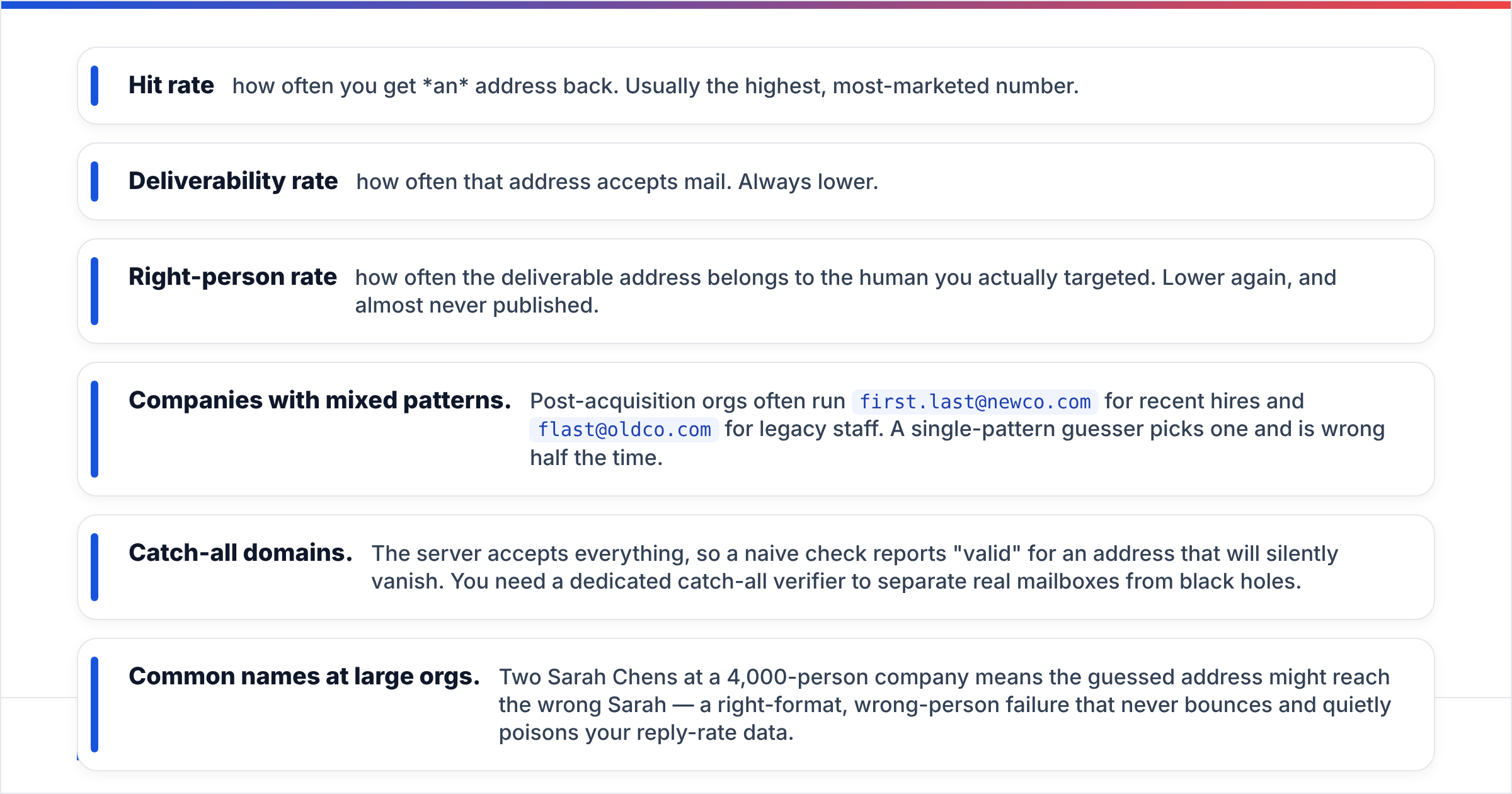
- Hit rate — how often you get an address back. Usually the highest, most-marketed number.
- Deliverability rate — how often that address accepts mail. Always lower.
- Right-person rate — how often the deliverable address belongs to the human you actually targeted. Lower again, and almost never published.
Extensions that lean on pattern prediction do well on hit rate and mid-pack on deliverability. Where they slip is predictable and worth memorising:
- Companies with mixed patterns. Post-acquisition orgs often run
first.last@newco.comfor recent hires andflast@oldco.comfor legacy staff. A single-pattern guesser picks one and is wrong half the time. - Catch-all domains. The server accepts everything, so a naive check reports "valid" for an address that will silently vanish. You need a dedicated catch-all verifier to separate real mailboxes from black holes.
- Common names at large orgs. Two Sarah Chens at a 4,000-person company means the guessed address might reach the wrong Sarah — a right-format, wrong-person failure that never bounces and quietly poisons your reply-rate data.
- Freelancers and micro-companies on Gmail or custom vanity domains, where there is no pattern corpus to learn from.

The practical takeaway: treat any extension's confidence score as a sorting signal, not a sending signal. High confidence means "send this to the verifier first." Low confidence means "don't spend a verification credit on this at all." Running every found address through an email verifier before it enters a sequence is the single highest-ROI habit in the whole workflow — it protects your sender reputation, which is far harder to rebuild than a prospect list.
What does the GetEmail extension cost in 2026?#
GetEmail.io sells credit bundles on monthly and annual terms, with a small free allowance to try it and paid tiers scaling into the thousands of credits. Entry-level paid access sits in the same $49-ish band most finders cluster around, with per-credit cost dropping as volume rises.
One caveat before you budget: finder pricing changes often, and every vendor defines a "credit" slightly differently — some charge per search, some per successful find, some charge separately for verification. Always confirm on the vendor's own pricing page before you commit, and specifically ask three questions:
- Does a failed search consume a credit?
- Is verification included, or billed separately?
- Do unused credits roll over, and are seats charged individually?
Those three answers move real annual cost more than the headline price does.
How does the GetEmail extension compare to other email finder tools?#
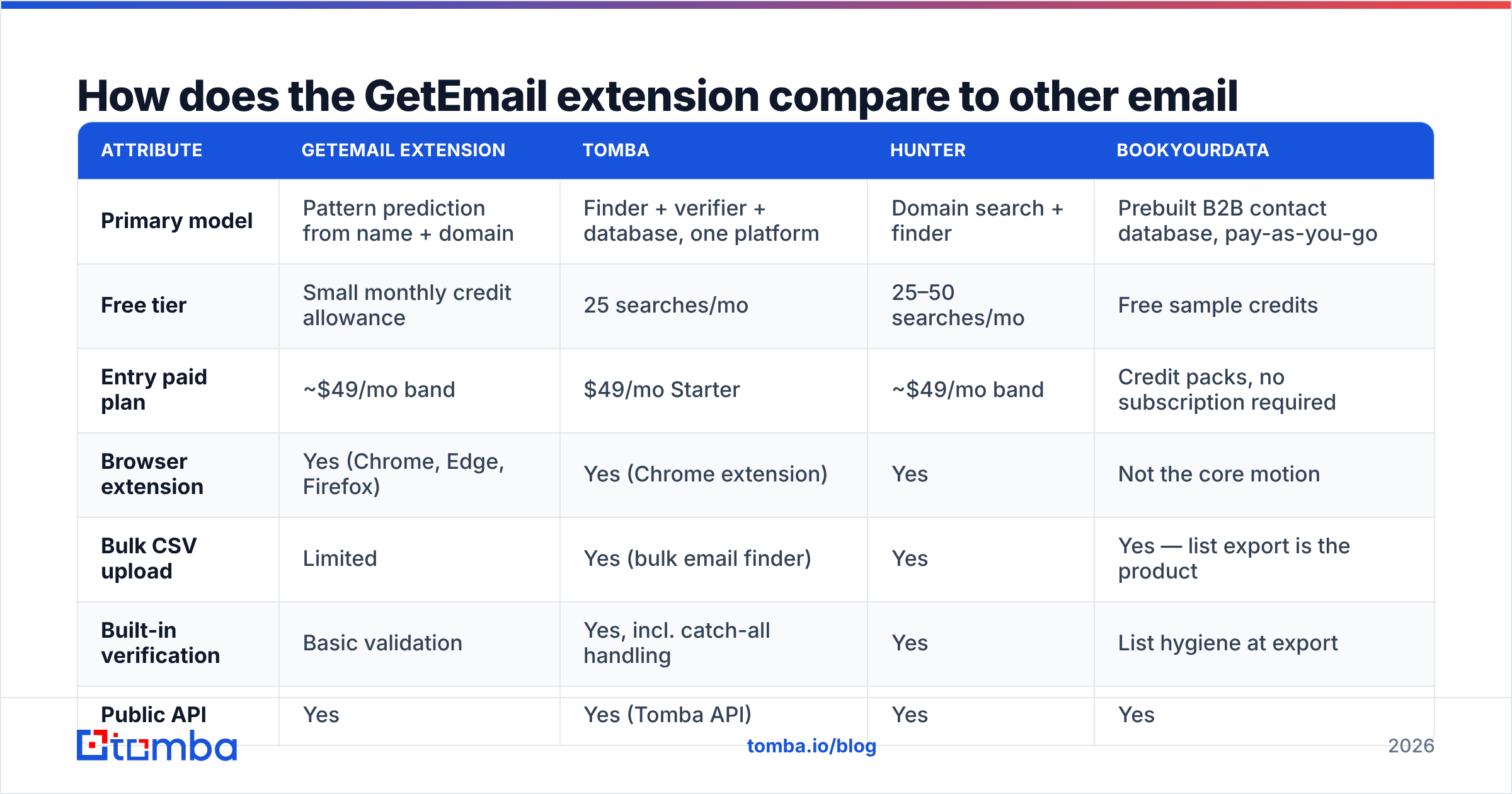
Here is the shape of the market as of 2026. Prices are entry-tier list prices; treat non-Tomba figures as approximate and verify on the vendor site.
| Attribute | GetEmail extension | Tomba | Hunter | BookYourData |
|---|---|---|---|---|
| Primary model | Pattern prediction from name + domain | Finder + verifier + database, one platform | Domain search + finder | Prebuilt B2B contact database, pay-as-you-go |
| Free tier | Small monthly credit allowance | 25 searches/mo | 25–50 searches/mo | Free sample credits |
| Entry paid plan | ~$49/mo band | $49/mo Starter | ~$49/mo band | Credit packs, no subscription required |
| Browser extension | Yes (Chrome, Edge, Firefox) | Yes (Chrome extension) | Yes | Not the core motion |
| Bulk CSV upload | Limited | Yes (bulk email finder) | Yes | Yes — list export is the product |
| Built-in verification | Basic validation | Yes, incl. catch-all handling | Yes | List hygiene at export |
| Public API | Yes | Yes (Tomba API) | Yes | Yes |
| Best for | Rep-driven, one-at-a-time LinkedIn prospecting | Teams needing finder + verifier + API on one bill | Domain-first research | Buying a targeted list outright, no seat commitment |

The categories matter more than the rows. GetEmail and Hunter-style tools are lookup products: you bring the target, they return the address. BookYourData is a supply product: you describe an ICP and buy the list, which is a genuinely different purchase and often the cheaper path when you need 5,000 contacts in one shot rather than 50 a week. Tomba sits across both — a B2B database plus live finding and verification — which is why it tends to win when a team is currently paying for two of the three.
Where does the GetEmail extension break down?#
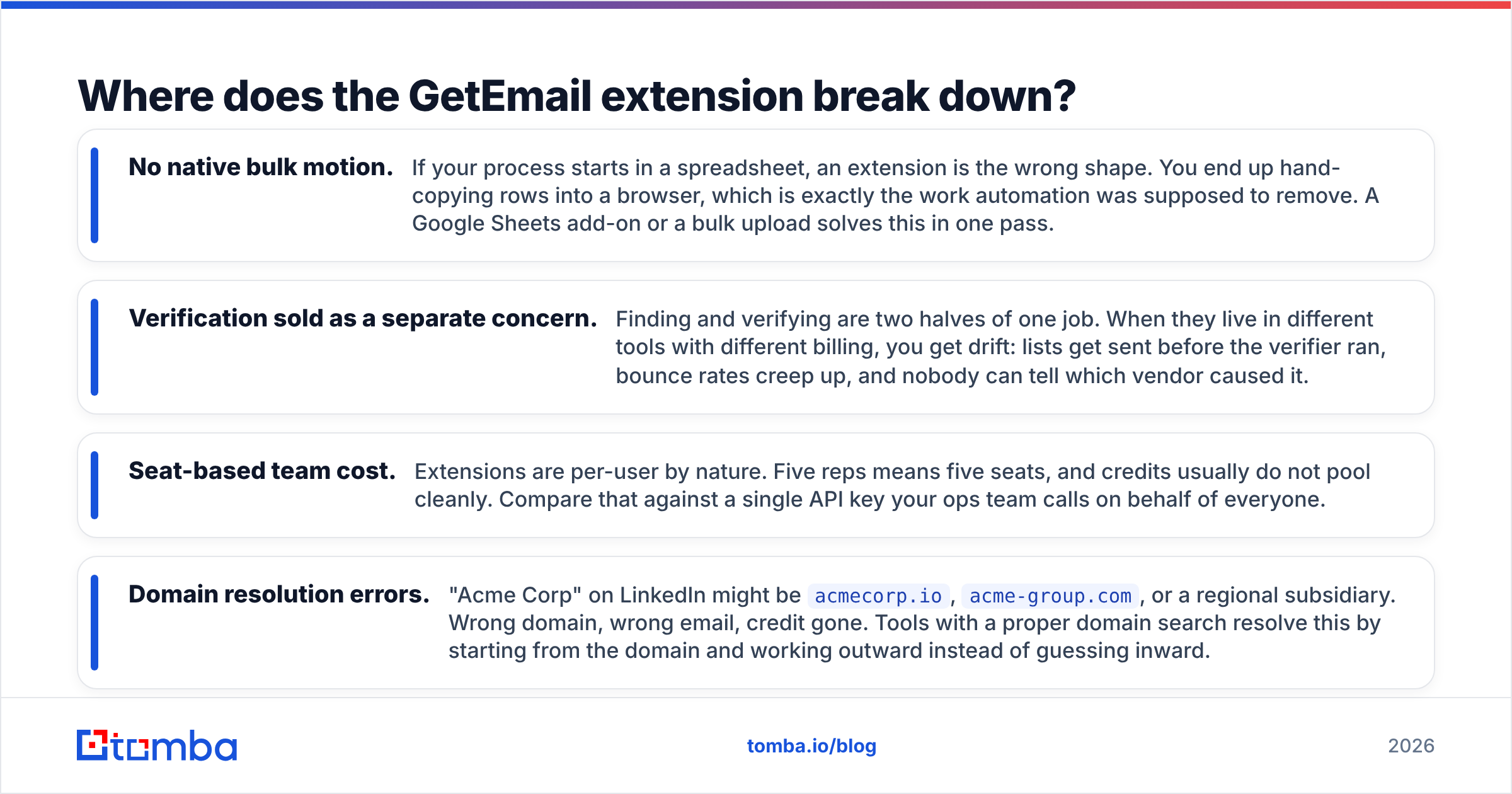
Four failure modes show up repeatedly in team deployments:
- No native bulk motion. If your process starts in a spreadsheet, an extension is the wrong shape. You end up hand-copying rows into a browser, which is exactly the work automation was supposed to remove. A Google Sheets add-on or a bulk upload solves this in one pass.
- Verification sold as a separate concern. Finding and verifying are two halves of one job. When they live in different tools with different billing, you get drift: lists get sent before the verifier ran, bounce rates creep up, and nobody can tell which vendor caused it.
- Seat-based team cost. Extensions are per-user by nature. Five reps means five seats, and credits usually do not pool cleanly. Compare that against a single API key your ops team calls on behalf of everyone.
- Domain resolution errors. "Acme Corp" on LinkedIn might be
acmecorp.io,acme-group.com, or a regional subsidiary. Wrong domain, wrong email, credit gone. Tools with a proper domain search resolve this by starting from the domain and working outward instead of guessing inward.
Who should actually use the GetEmail extension?#
Good fit:
- Solo founders and AEs working fewer than ~50 named accounts a month
- Recruiters sourcing candidate-by-candidate on LinkedIn
- Anyone who prospects inside the browser and never touches a CSV
Poor fit:
- RevOps teams enriching CRM records in batches
- Agencies running outbound for multiple clients under one bill
- Anyone whose bounce rate is already above 3% and needs verification built in, not bolted on
How do you get more out of any email finder extension?#
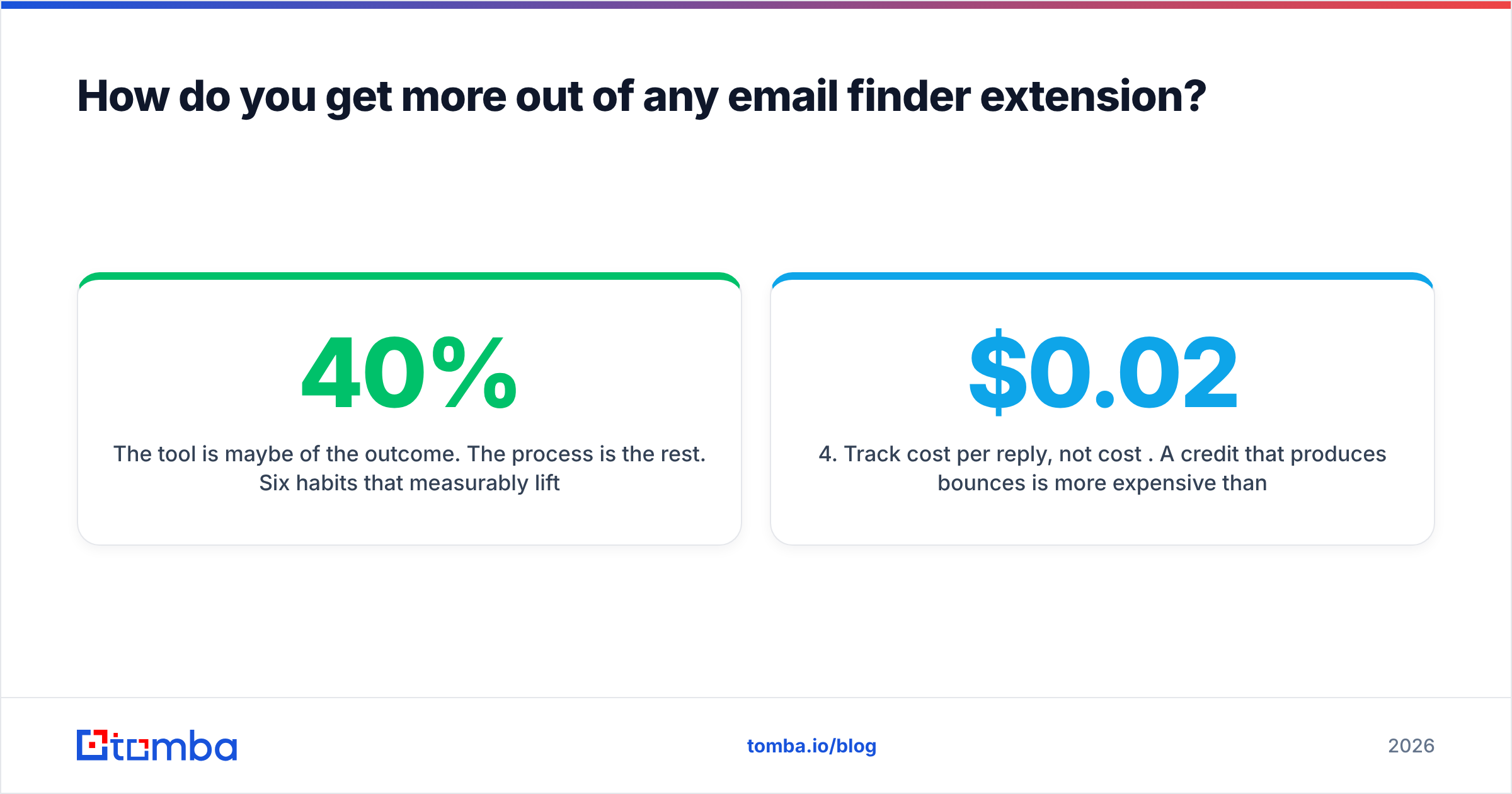
The tool is maybe 40% of the outcome. The process is the rest. Six habits that measurably lift cost-per-verified-contact:
- Resolve the domain first, then the person. Confirm the exact corporate domain before you spend a find credit. A website-to-company lookup takes seconds and kills the most common failure mode.
- Never send on confidence alone. Route every found address through verification. Treat "high confidence" as a queue, not a green light.
- Segment catch-all domains into their own bucket. Do not mix them with confirmed mailboxes — they need lower volume and a different risk tolerance.
- Track cost per reply, not cost per credit. A $0.02 credit that produces bounces is more expensive than a $0.08 credit that produces conversations.
- Warm the sending domain before volume increases. Better data will not save a cold domain. Check your SPF record and DMARC alignment before you scale, and watch email deliverability metrics weekly.
- Deduplicate before you import. The same prospect found twice under two company names is two credits and one annoyed recipient.
Is there a cheaper path to the same result?#
Usually, yes — but "cheaper" depends on your volume shape.
If you find fewer than 25 contacts a month, a free tier covers you and paying anything is a mistake. If you find 200–2,000 a month, the deciding factor is whether finding and verifying live on the same bill; two $49 subscriptions is $1,176 a year you probably do not need to spend. If you need 10,000 contacts in one campaign, a list purchase from a database vendor beats any per-lookup extension on raw math.
Independent review sites are useful here for sentiment, though not for accuracy claims — vendors rarely publish methodology, and review-site ratings on G2 measure satisfaction, not deliverability. Test with your own ICP: take 50 real prospects, run them through two tools, send to both lists, and compare bounce and reply rates. That 30-minute experiment beats any review, including this one.
The bottom line#
The GetEmail extension does what it says: fast, in-browser, one-prospect-at-a-time email lookup. If that is genuinely your workflow, it is a reasonable purchase. If your workflow involves spreadsheets, teammates, an API, or any volume above a few hundred contacts a month, the extension shape starts working against you — and the verification gap becomes the thing that actually costs you money, in bounces and in sender reputation.
If you want the browser speed and bulk, API, and verification on a single bill, start with the Tomba Email Finder. The Free tier gives you 25 searches a month to test against your own list, the Chrome extension covers the LinkedIn motion, and the $49/mo Starter plan adds bulk uploads, catch-all handling, and API access without a second subscription. Run your next 50 prospects through both and let the bounce rate decide — that is the only benchmark that pays you back. Full Tomba pricing is public, per-credit, and does not require a sales call.
Related guides#
Ready to find emails that actually work?
Join 150,000+ professionals who stopped guessing and started sending. Free credits on signup — no credit card required.
Get the Tomba newsletter
Practical outbound tactics and product updates — once every two weeks.
About the author