GetEmail.io vs Leadsforge: Which Email Finder Wins in 2026?
GetEmail.io and Leadsforge both promise verified B2B emails, but they solve different problems. Here's how they compare on accuracy, credits, bulk workflows, and real cost per usable contact in 2026.
GetEmail.io vs Leadsforge is a common shortlist, but the two tools do different jobs. One finds the email of a person you already named. The other builds a lead list from a prompt. Here is how they compare on accuracy, credits, and real cost per usable contact in 2026.
TL;DR
- GetEmail.io is a lightweight, AI-driven email finder built around single lookups and a Chrome extension. It is fast to adopt, but light on verification depth and bulk tooling.
- Leadsforge is a conversational list builder. You describe an ICP in plain language and it returns a lead list. Good for exploration, weaker on deterministic, auditable lookups.
- Neither tool wins on cost per usable email once you count bounces, credit burn on failed searches, and seat pricing.
- If you have a domain and a name and just want a deliverable address, a finder plus a verifier — like Tomba Email Finder at $49/mo — usually costs less per confirmed contact.
- The real question is not which brand is better. It is whether you need discovery or resolution. Buy for the one you actually do.
What are GetEmail.io and Leadsforge?#
They sit in the same category on a G2 page and solve nearly opposite problems.
GetEmail.io is an email finder. You give it a first name, last name, and company domain. It predicts the most likely address using pattern inference plus its own data, and returns a confidence score. It ships a Chrome extension for LinkedIn, a Gmail sidebar, and an API. The pitch is speed and simplicity — no CRM to configure, no ICP builder, just a lookup box.
Leadsforge is an AI list builder. Instead of a filter panel with 40 dropdowns, you type something like "heads of RevOps at Series B fintechs in Germany" and it assembles a list, then attaches contact data. The pitch is that you skip the query-building step entirely.
That difference matters more than any feature checkbox. GetEmail.io assumes you already know who you want. Leadsforge assumes you don't yet. Buying the wrong side of that line is the most common mistake teams make here.

GetEmail.io vs Leadsforge: how do they compare?#
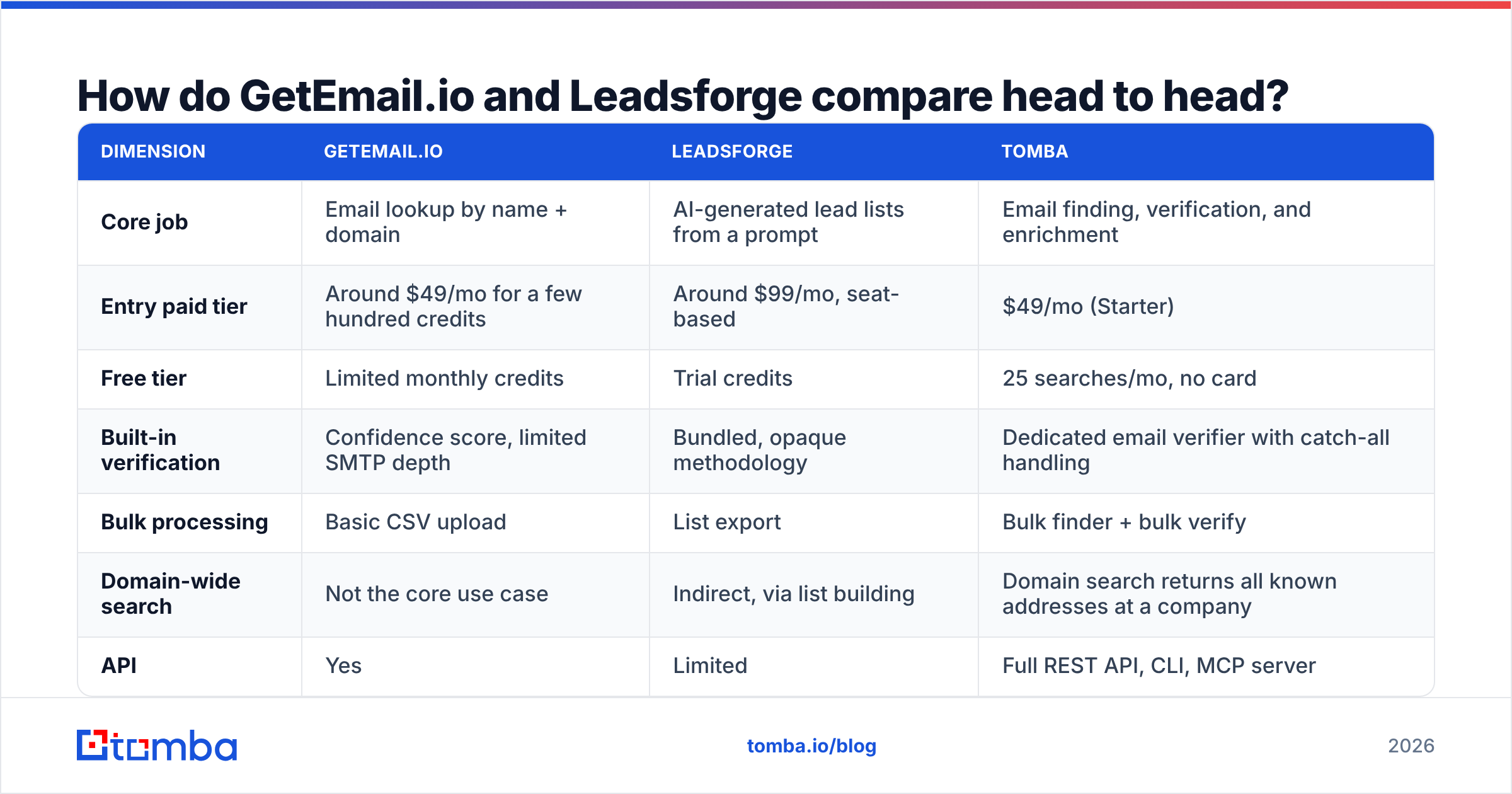
Pricing and packaging in this category change often. The table below reflects publicly published positioning at the time of writing. Always confirm current tiers on each vendor's own site before you commit budget.
| Dimension | GetEmail.io | Leadsforge | Tomba |
|---|---|---|---|
| Core job | Email lookup by name + domain | AI-generated lead lists from a prompt | Email finding, verification, and enrichment |
| Entry paid tier | Around $49/mo for a few hundred credits | Around $99/mo, seat-based | $49/mo (Starter) |
| Free tier | Limited monthly credits | Trial credits | 25 searches/mo, no card |
| Built-in verification | Confidence score, limited SMTP depth | Bundled, opaque methodology | Dedicated email verifier with catch-all handling |
| Bulk processing | Basic CSV upload | List export | Bulk finder + bulk verify |
| Domain-wide search | Not the core use case | Indirect, via list building | Domain search returns all known addresses at a company |
| API | Yes | Limited | Full REST API, CLI, MCP server |
| Best for | One-off lookups from LinkedIn | Early ICP exploration | Repeatable, auditable outbound at volume |
| Weakest at | Volume workflows, catch-all domains | Deterministic single-person lookups | Not a sequencer — you still need a sending tool |

Which one is more accurate?#
Accuracy is where GetEmail.io vs Leadsforge actually gets decided. But the claims mean little unless you know what is being measured. Three different numbers get marketed as "accuracy":
- Match rate — of 100 people you searched, how many returned any address. Vendors love this number because guessing inflates it.
- Deliverability rate — of the addresses returned, how many actually accept mail. This is the number that decides whether your domain survives the quarter.
- Identity accuracy — the address is deliverable and belongs to the person you asked for. Rarely measured, most expensive to get wrong.
GetEmail.io leans heavily on pattern prediction. If a company uses first.last@domain.com, prediction works well. On companies with mixed formats, acquisitions, or legacy addresses, prediction degrades. The confidence score is then the only signal you have — and a "high confidence" guess is still a guess if nothing bounced it against a mail server.
Leadsforge builds its contact data as part of list generation. So you generally cannot see why a given address was attached to a given person. That is fine for a first-pass list. It is uncomfortable when a prospect replies "who gave you this address?" and you have no provenance trail.
The practical fix for either tool is the same: never send to a finder's output without a separate verification pass. Run addresses through a free email checker or a bulk verifier before they touch your sequencer.
A 12% bounce rate on a 5,000-contact send does more long-term damage to sender reputation than any list-building tool saves you in time. For the mechanics of why bounces compound, the Wikipedia entry on bounce messages is a decent primer on what receiving servers do with them.

What does each tool actually cost per usable email?#
List price is the wrong metric. Here is the calculation that matters, in five steps:
- Start with monthly cost. Include every seat. Seat-based pricing quietly triples when you add two SDRs.
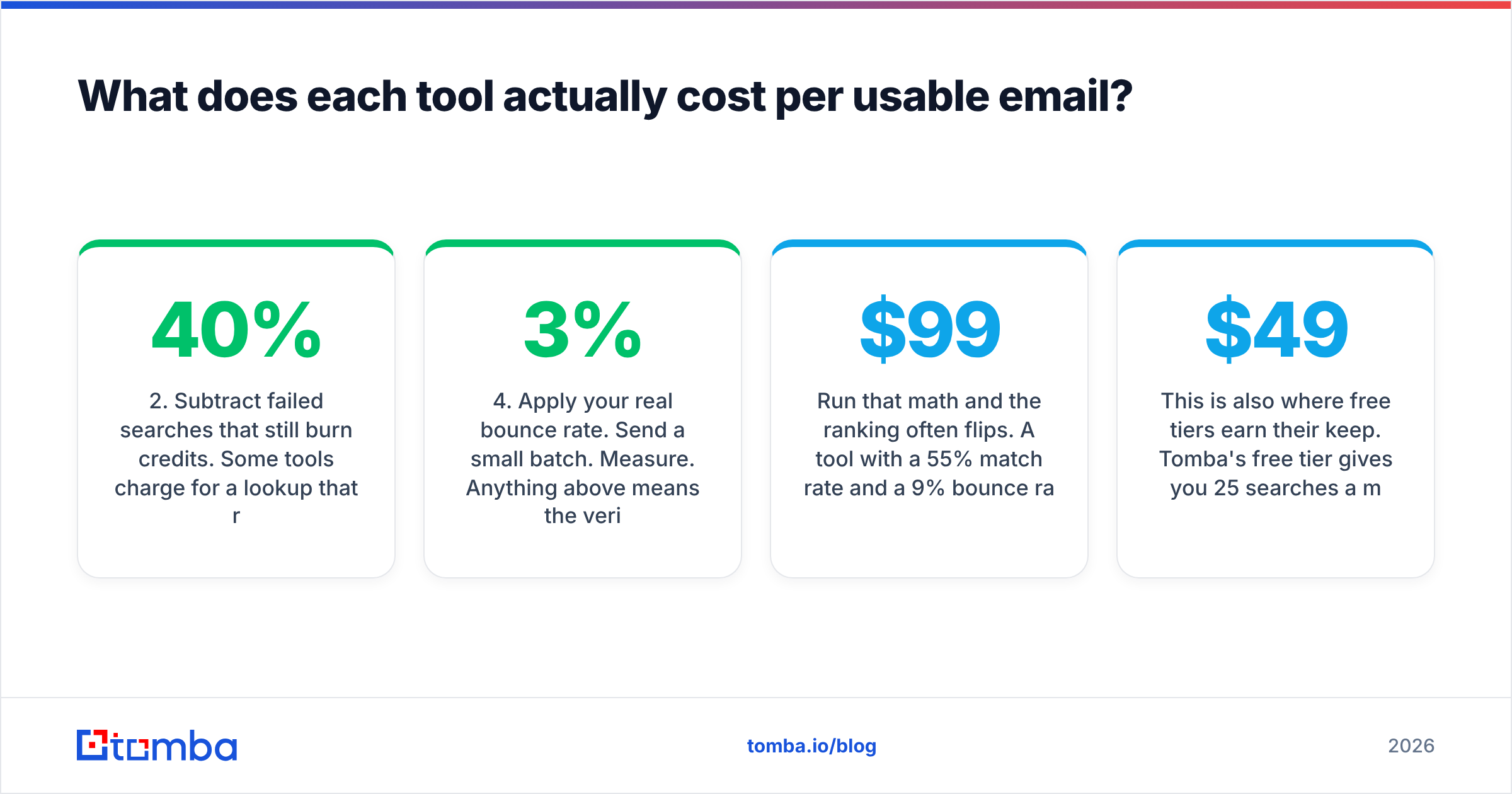
- Subtract failed searches that still burn credits. Some tools charge for a lookup that returns nothing. Ask before you buy — it can swing effective cost by 30–40%.
- Apply your real match rate. Not the vendor's benchmark. Run 200 of your ICP accounts during the trial and count.
- Apply your real bounce rate. Send a small batch. Measure. Anything above 3% means the verification layer is not doing its job.
- Divide. Monthly cost ÷ (credits × match rate × deliverability) = true cost per usable email.
Run that math and the ranking often flips. A $99/mo tool with a 55% match rate and a 9% bounce rate costs more per usable contact than a $49/mo tool at 68% match and 2% bounce. That is before you count the deliverability damage.
This is also where free tiers earn their keep. Tomba's free tier gives you 25 searches a month with no card, enough to benchmark against your own account list before spending anything. Full Tomba pricing runs Starter $49/mo, Growth $99/mo, and Pro $249/mo, with Enterprise on request.

Is Leadsforge better for building lists from scratch?#
Yes — and that is the honest read. If you do not know your target accounts yet, a prompt-driven list builder collapses an hour of filter-fiddling into thirty seconds. For founders doing early customer discovery, or a marketer testing three new segments, that speed is real value.
The caveats are the ones you would expect from any AI-generated list:
- Recall is unverifiable. You cannot tell what the model missed. A filter-based database at least shows you the total count matching a query.
- Segment drift. Ask for "Series B fintechs" and you will get some Series A and some payments-adjacent companies. Usually fine, occasionally embarrassing on a personalized send.
- Refresh cadence is opaque. Titles change constantly. A list built in January and sent in April will have a meaningful share of people who moved on.
- Provenance. Under GDPR and similar regimes, "an AI assembled it" is not a great answer to a data-subject request. Vendors with published data sources give you something to point at.
Use Leadsforge for what it is good at — a fast first pass. Then re-resolve the contacts you actually intend to email through a deterministic finder. That two-step is more work, and it produces a much cleaner list.
Is GetEmail.io better for one-off lookups?#
For a rep working LinkedIn tab by tab, GetEmail.io is genuinely pleasant. The extension is quick, the UI is uncluttered, and there is nothing to configure. If your team does fewer than a couple hundred lookups a month, and mostly targets companies with predictable email formats, it will do the job.
It starts to strain in three places:
- Volume. Bulk workflows are basic. If you regularly process CSVs of 2,000+ rows, you will feel the ceiling. A dedicated bulk email finder handles this class of job natively.
- Catch-all domains. Many mid-market and enterprise domains accept all mail at the SMTP layer, so standard verification returns "unknown." Without a dedicated catch-all verifier, those contacts sit in limbo — you either send blind or drop them.
- Automation. The API exists. But if you are wiring lookups into HubSpot, Clay, or your own pipeline, you want a provider that treats the API as a first-class surface rather than an add-on.
What should you actually buy in 2026?#
Decide by workflow, not by feature count. GetEmail.io vs Leadsforge comes down to one question: do you already know who you want to reach?
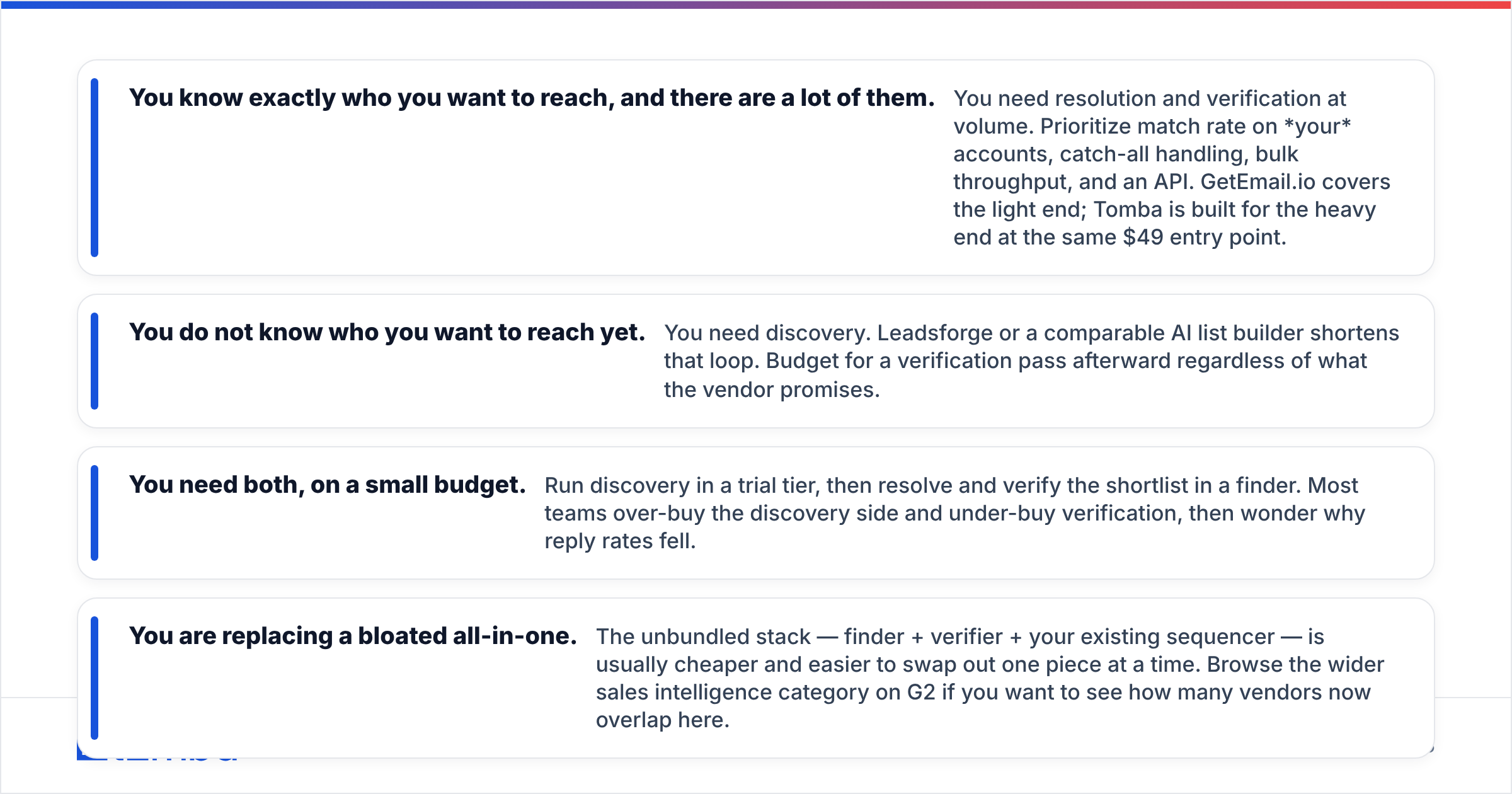
- You know exactly who you want to reach, and there are a lot of them. You need resolution and verification at volume. Prioritize match rate on your accounts, catch-all handling, bulk throughput, and an API. GetEmail.io covers the light end; Tomba is built for the heavy end at the same $49 entry point.
- You do not know who you want to reach yet. You need discovery. Leadsforge or a comparable AI list builder shortens that loop. Budget for a verification pass afterward, whatever the vendor promises.
- You need both, on a small budget. Run discovery in a trial tier, then resolve and verify the shortlist in a finder. Most teams over-buy discovery and under-buy verification, then wonder why reply rates fell.
- You are replacing a bloated all-in-one. The unbundled stack — finder + verifier + your existing sequencer — is usually cheaper and easier to swap one piece at a time. Browse the wider sales intelligence category on G2 to see how many vendors now overlap here.
One more thing worth saying plainly: no email finder is a substitute for targeting. A perfectly verified address sent a generic pitch still gets ignored. Data quality raises your ceiling. It does not write your offer.
How should you run the trial?#
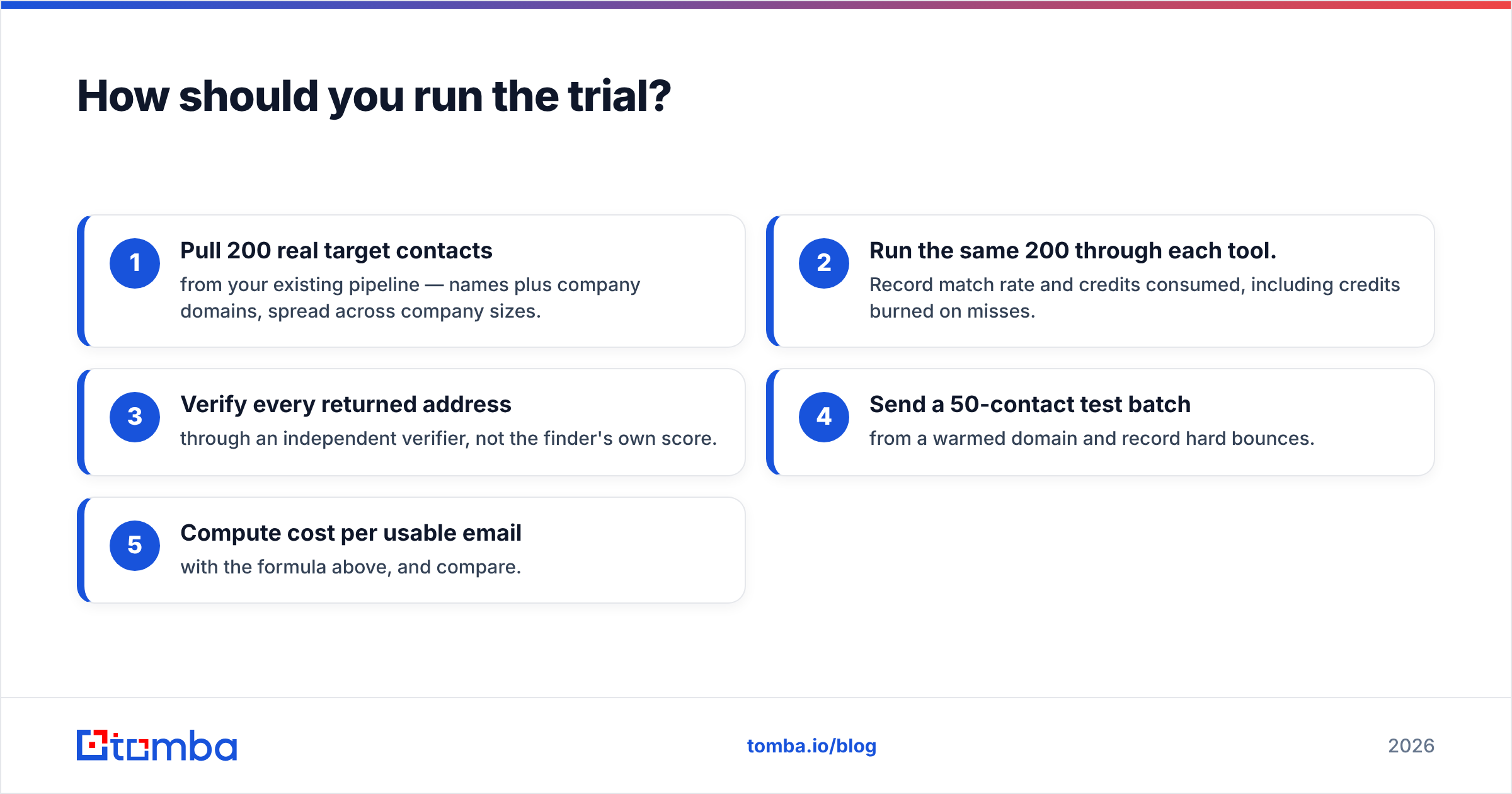
Do not evaluate on the vendor's demo accounts. Do this instead, in one afternoon:
- Pull 200 real target contacts from your existing pipeline — names plus company domains, spread across company sizes.
- Run the same 200 through each tool. Record match rate and credits consumed, including credits burned on misses.
- Verify every returned address through an independent verifier, not the finder's own score.
- Send a 50-contact test batch from a warmed domain and record hard bounces.
- Compute cost per usable email with the formula above, and compare.
That process takes a few hours and settles the argument with your own data. Every benchmark you read online — including this one — is a proxy for it.
Ready to test it on your own list? Run your next 25 lookups free with Tomba Email Finder — no card, full confidence scoring, and SMTP-level verification included. You can measure match rate and bounce rate side by side against whatever you use today. If the numbers favor your current tool, keep it. If they don't, Starter is $49/mo and the API, bulk processing, and catch-all handling come with it.
Related guides#
Ready to find emails that actually work?
Join 150,000+ professionals who stopped guessing and started sending. Free credits on signup — no credit card required.
Get the Tomba newsletter
Practical outbound tactics and product updates — once every two weeks.
About the author