9 Best GetProspect Alternatives in 2026 (Free & Paid)
GetProspect is a solid LinkedIn-first email finder, but credit limits, verification gaps, and per-seat pricing push teams to look elsewhere. Here are 9 alternatives compared on accuracy, price, and API depth.

TL;DR
- GetProspect is a LinkedIn-first email finder with a generous 50-email free tier, but its paid plans meter credits aggressively and verification is thinner than dedicated tools.
- The best GetProspect alternatives split into three groups: email-finder specialists (Tomba, Hunter, Findymail), all-in-one sales platforms (Apollo, Lusha, RocketReach), and static B2B databases (BookYourData, Cognism).
- If you need API-first infrastructure and predictable per-credit costs, Tomba's $49/mo Starter beats most per-seat pricing at comparable volume.
- If your entire workflow lives inside LinkedIn Sales Navigator, Wiza or ContactOut will feel more natural than a domain-search tool.
- Do not migrate on price alone. Run a 100-contact bake-off on your own ICP before you switch — hit rates vary 20-40% across tools depending on the industry you sell into.
What is GetProspect and who actually uses it?#
GetProspect is a B2B email finder built around a LinkedIn Chrome extension and a hosted contact database. You browse LinkedIn or Sales Navigator, click the extension, and it pulls names, titles, companies, and appended email addresses into a spreadsheet-style CRM inside the app. There's also a domain search, a bulk CSV enrichment flow, and a REST API.
The typical GetProspect user is a founder or a one-to-three-person SDR team doing LinkedIn-sourced outbound. It sits in the same bracket as Hunter, Snov.io, and Skrapp — light enough for solo use, structured enough to hand a list to an SDR.
The free plan gives you 50 valid emails per month, which is genuinely useful for testing. Paid plans start around $49/mo for roughly 1,000 emails and scale up from there, with phone-number credits sold separately.
Why do people look for GetProspect alternatives?#
Five reasons come up repeatedly in G2 reviews and in migration conversations:
- Credit burn on invalid results. Some users report credits consumed on contacts that later bounce. When your list is a mix of SMB and enterprise domains, that erosion is real.
- Verification is a separate concern. GetProspect returns a validity label, but teams running high-volume cold email usually re-verify through a dedicated email verifier anyway — which means paying twice.
- Per-seat economics. If four people need the extension, you pay four times, even when three of them pull ten contacts a month.
- Catch-all domains. Roughly 20-25% of B2B domains are catch-all, and generic SMTP checks can't resolve them. Tools without a dedicated catch-all verifier mark them "risky" and leave you guessing.
- API depth. If you're building enrichment into a product or a RevOps pipeline, you need documented endpoints, rate limits you can plan against, and SDKs — not just a UI.
How do the top GetProspect alternatives compare on price and features?#
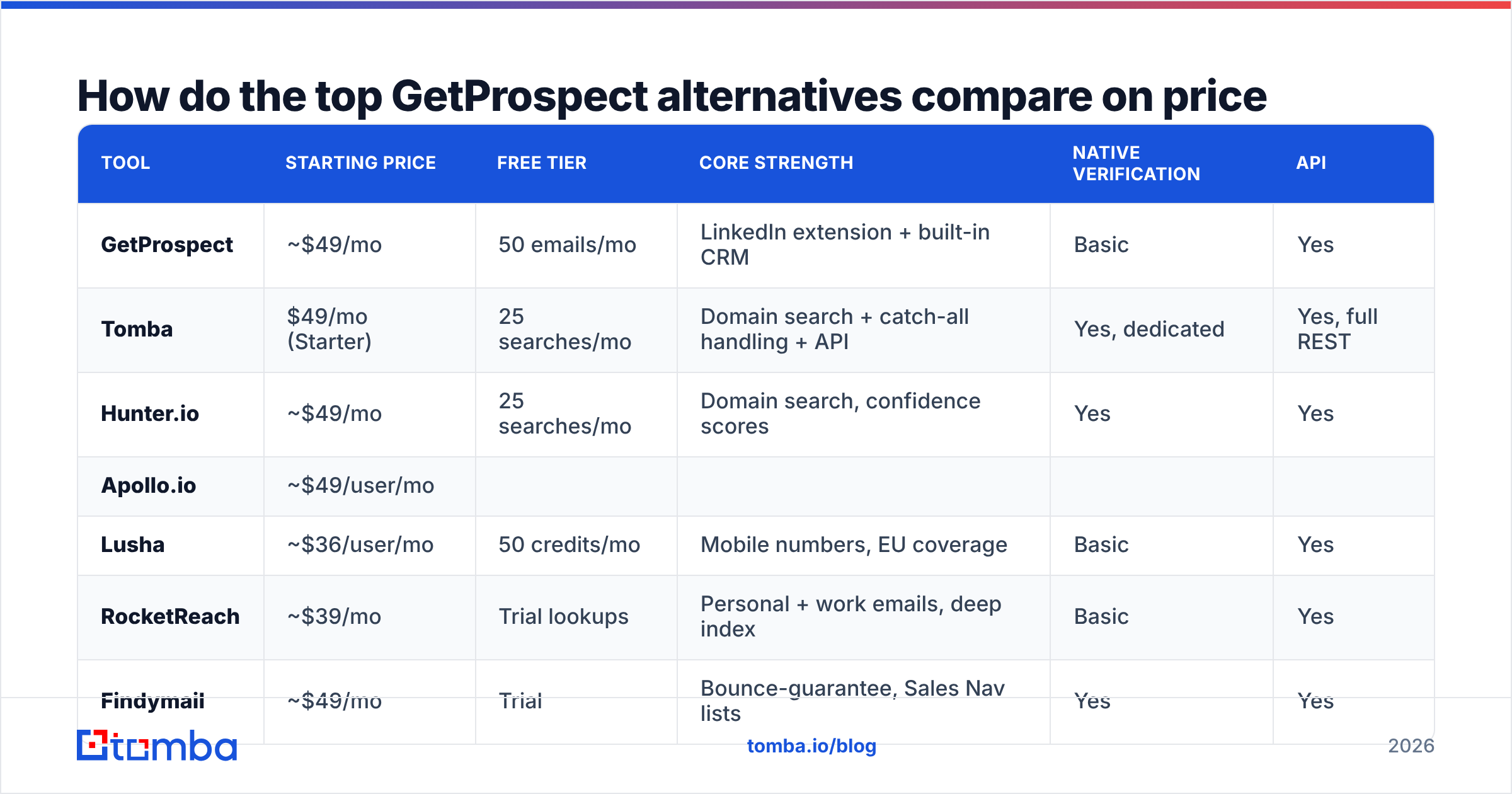
Here's the head-to-head. Prices are entry-level published rates as of early 2026; annual billing usually shaves 20-30%.
| Tool | Starting price | Free tier | Core strength | Native verification | API |
|---|---|---|---|---|---|
| GetProspect | ~$49/mo | 50 emails/mo | LinkedIn extension + built-in CRM | Basic | Yes |
| Tomba | $49/mo (Starter) | 25 searches/mo | Domain search + catch-all handling + API | Yes, dedicated | Yes, full REST |
| Hunter.io | ~$49/mo | 25 searches/mo | Domain search, confidence scores | Yes | Yes |
| Apollo.io | ~$49/user/mo | ||||
| Limited credits | All-in-one database + sequencer | Basic | Yes | ||
| Lusha | ~$36/user/mo | 50 credits/mo | Mobile numbers, EU coverage | Basic | Yes |
| --- | --- | --- | --- | --- | --- |
| RocketReach | ~$39/mo | Trial lookups | Personal + work emails, deep index | Basic | Yes |
| Findymail | ~$49/mo | Trial | Bounce-guarantee, Sales Nav lists | Yes | Yes |
| Wiza | ~$39/mo | 20 credits | Sales Navigator list export | Yes | Yes |
| BookYourData | Pay-as-you-go | Sample records | 97%+ accuracy guarantee, prepaid credits | Yes | Yes |
| ContactOut | ~$49/mo | Limited daily | Recruiter-focused personal emails | Basic | Yes |
Note the pricing model differences, which matter more than the headline number:
- Per-seat (Apollo, Lusha, ContactOut) — cheap for one person, expensive for a team of six.
- Per-credit subscription (Tomba, Hunter, GetProspect, Findymail) — predictable, and unused seats cost nothing.
- Prepaid / pay-as-you-go (BookYourData) — good for one-off campaigns and agencies that bill lists through to clients.

Which alternative fits which use case?#
1. Tomba — best for API-first teams and domain-driven prospecting.
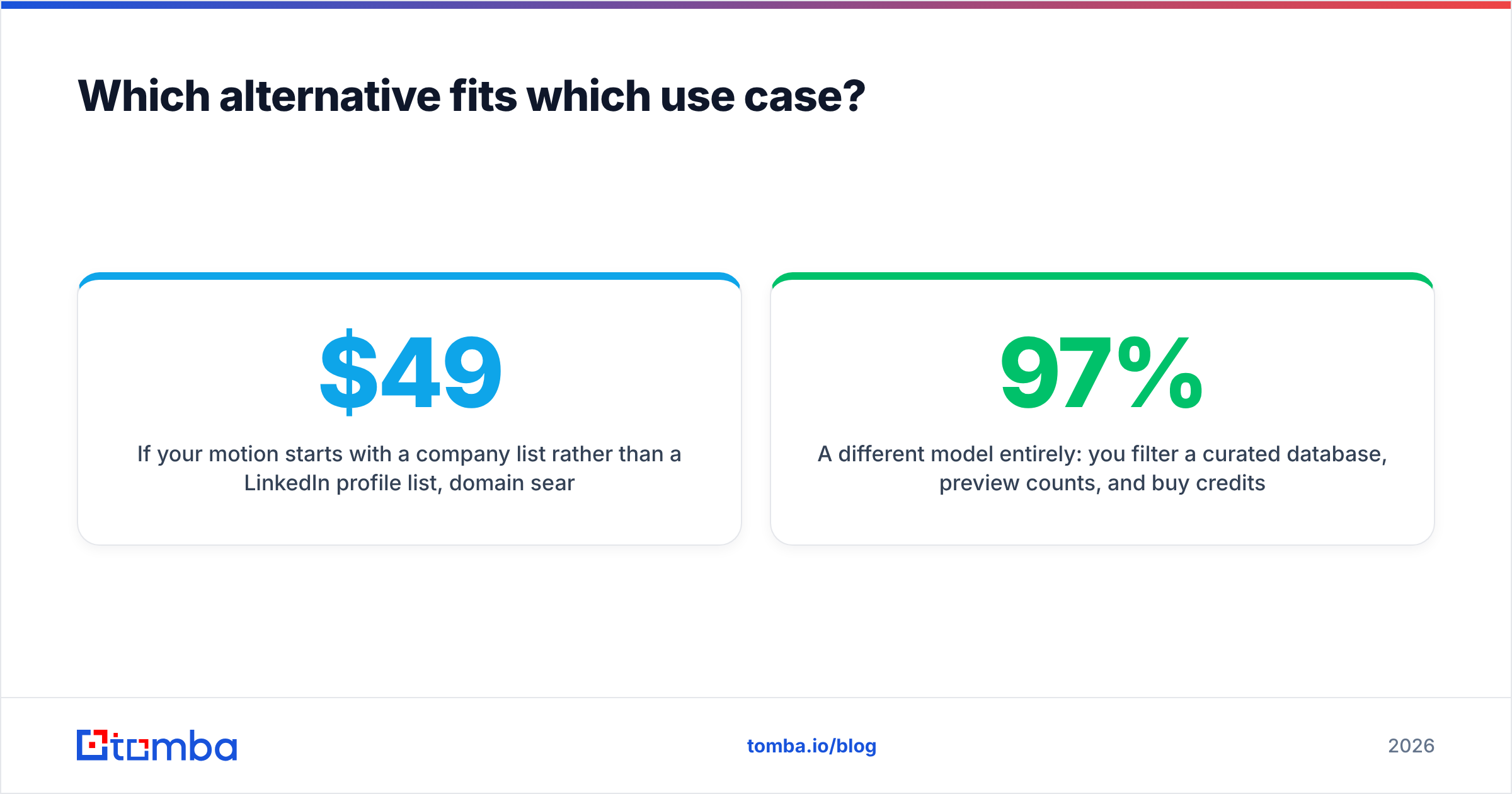
If your motion starts with a company list rather than a LinkedIn profile list, domain search is the correct primitive. Tomba's domain search returns every discoverable address on a domain plus the detected pattern (first.last@, flast@, etc.), so you can extrapolate to contacts that were never indexed. The email finder API has SDKs across Python, Node, PHP, Go, and Ruby, plus a CLI and an MCP server if you're wiring enrichment into an AI agent. Pricing is flat: Free (25 searches/mo), Starter $49/mo, Growth $99/mo, Pro $249/mo, Enterprise custom — no per-seat multiplier.
2. Hunter.io — best for simple, brand-safe domain lookups. The most recognized name in the category. Confidence scores are conservative, the UI is clean, and the Google Sheets add-on is dependable. Weaker on personal emails and phone data.
3. Apollo.io — best if you want the database and the sequencer in one bill. Apollo bundles a 200M+ contact database with sequencing, dialer, and basic CRM. That's genuine value if you have no outbound stack yet. The tradeoff is data freshness on smaller companies and per-seat costs that climb fast. See our Apollo alternative breakdown if you're evaluating the swap.
4. Lusha — best for direct dials in EMEA. Strong mobile-number coverage and a clear GDPR posture. Contact volumes are lower than Apollo's and the credit system is strict.
5. RocketReach — best for finding people, not companies. Deep index of personal emails and social profiles. Recruiters like it. Sales teams find the pricing tiers confusing.
6. Findymail — best for bounce-sensitive senders. Markets a bounce guarantee and refuses to return addresses it can't stand behind. Fewer results, cleaner results.
7. Wiza — best for Sales Navigator list exports. Point it at a saved Sales Nav search and get a verified CSV. Purpose-built, narrow, effective.
8. BookYourData — best for prepaid, guaranteed-accuracy list buys. A different model entirely: you filter a curated database, preview counts, and buy credits outright with a 97%+ accuracy commitment and bounce credits back. Good fit for agencies and for teams that need a list once a quarter rather than a subscription. Worth a look alongside any finder tool, since it complements rather than replaces real-time lookup.
9. ContactOut — best for recruiting workflows. Personal emails and phone numbers surfaced straight from LinkedIn profiles. Sales use is possible but the index is tuned for talent.
How accurate are these tools in practice?#
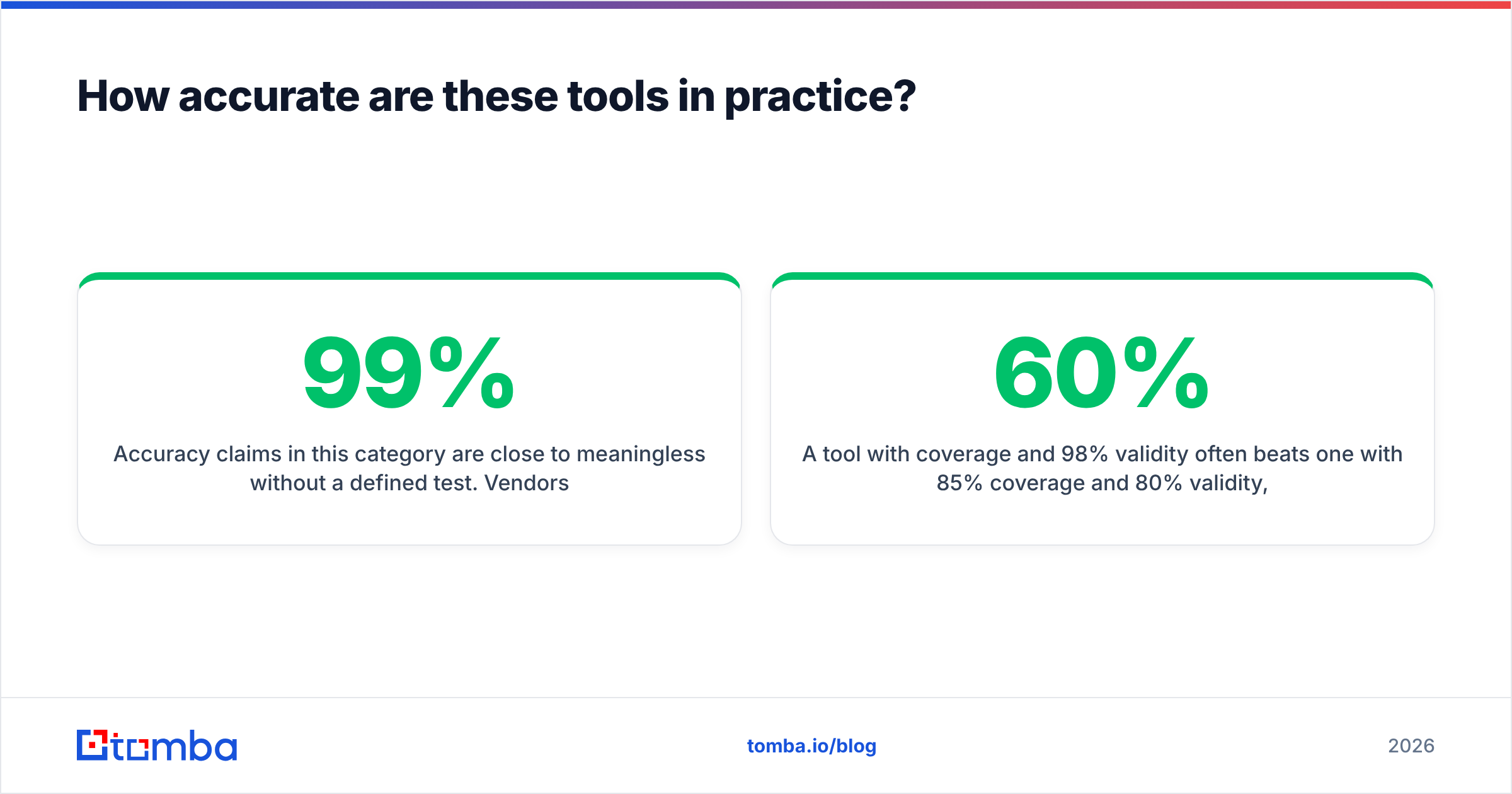
Accuracy claims in this category are close to meaningless without a defined test. Vendors quote 95-99%, but they're measuring different things: some report "of the emails we returned, X% were deliverable," others report "of the contacts you asked for, X% got an answer." Those are hit rate and deliverability, and they trade against each other.
Run your own benchmark this way:
- Pick 100 real prospects from your ICP — same industry mix you actually sell into.
- Run them through each tool's trial or free tier.
- Record coverage (how many returned an address) and validity (how many pass an independent verifier).
- Send a real, low-volume campaign and record actual bounce rate.
- Divide total spend by deliverable contacts — not by credits. That's your true cost per contact.
A tool with 60% coverage and 98% validity often beats one with 85% coverage and 80% validity, because bounces cost you sender reputation, and reputation damage compounds across every future campaign. Mailbox providers weigh bounce rate heavily; Google's own sender guidelines put a hard ceiling on what they tolerate.
Catch-all domains are where the spread widens most. A generic SMTP handshake accepts everything on a catch-all server, so the tool has to fall back on pattern confidence and historical signals. Tools with a purpose-built catch-all finder resolve a meaningful slice of those; tools without one just flag them and move on.

Is a free GetProspect alternative good enough?#
For fewer than ~50 contacts a month, yes. Every serious vendor has a free tier, and stacking two or three of them will cover a light workload:
- Tomba Free — 25 searches/mo, full API access, no credit card
- Hunter Free — 25 searches/mo, 50 verifications
- GetProspect Free — 50 emails/mo
- Apollo Free — limited monthly credits, sequencer included
Beyond that, free tiers break down for three reasons: no bulk processing, no CRM sync, and rate limits that make a 500-row enrichment take days. If you're doing manual one-off lookups, a free email checker plus an email permutator handles a surprising amount of work without any subscription at all.

What should you check before you switch?#
Run this list before you cancel anything:
- Export your existing data. GetProspect stores contacts in its built-in CRM. Export to CSV before your plan lapses — some tools restrict export on downgrade.
- Test on your ICP, not a demo list. Coverage for US SaaS VPs is very different from coverage for German manufacturing plant managers.
- Check the integration you actually depend on. HubSpot, Salesforce, Pipedrive, Zapier, or a raw API call — confirm it exists and that it's on your tier, not gated to Enterprise.
- Read the credit rollover policy. Some vendors expire unused credits monthly. Over a year that's real money.
- Confirm the compliance posture. GDPR and CCPA obligations don't transfer to your vendor. Check where the data comes from and whether opt-out handling is documented — Tomba publishes its data sources for exactly this reason.
- Model team growth. A per-seat tool at $39/user is cheaper than a $99 flat plan today and twice as expensive when you hire two SDRs. Compare Tomba pricing against your 12-month headcount plan, not your current one.
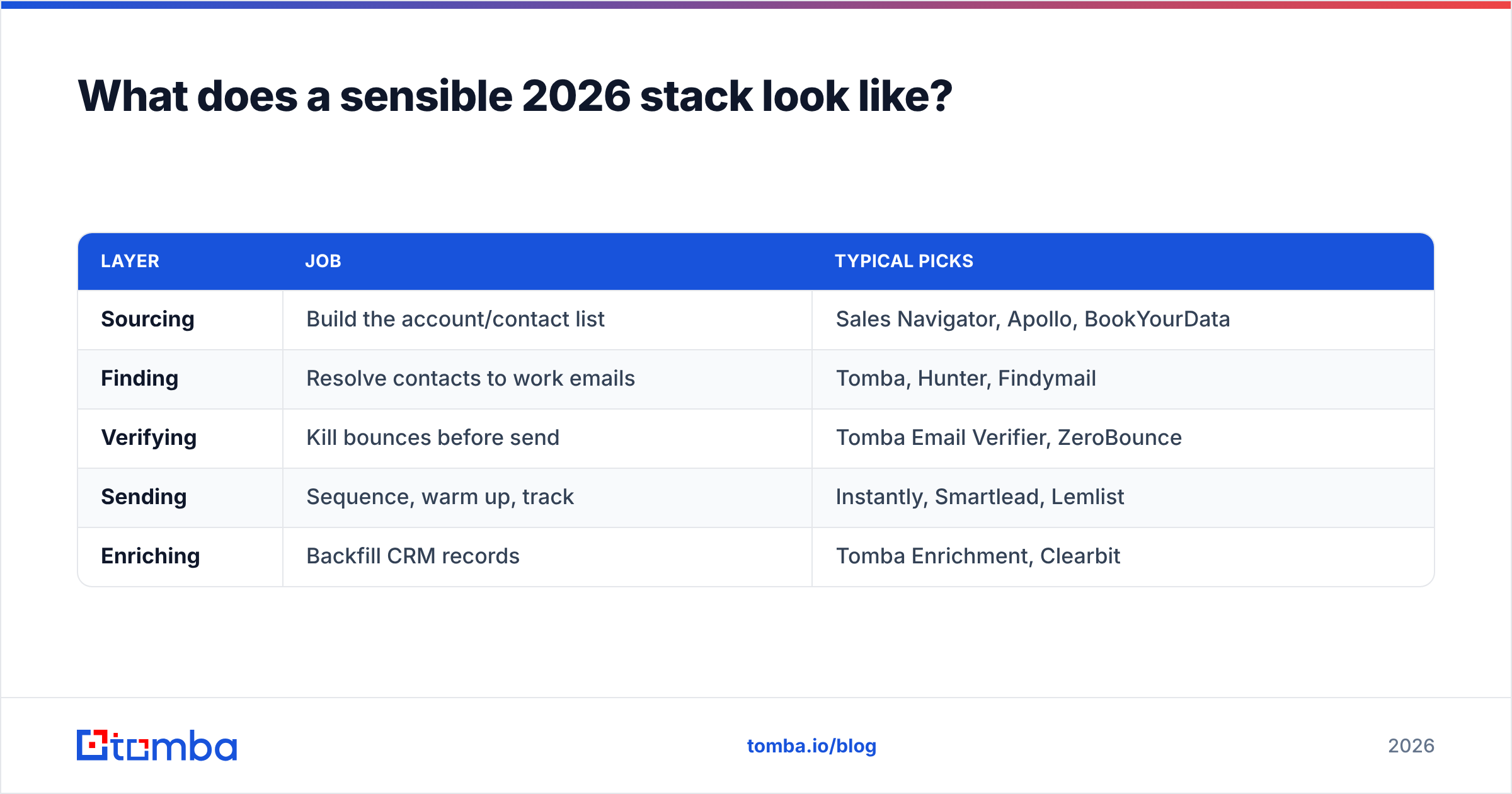
What does a sensible 2026 stack look like?#
Most efficient outbound teams we see run two or three layers rather than one all-in-one tool:
| Layer | Job | Typical picks |
|---|---|---|
| Sourcing | Build the account/contact list | Sales Navigator, Apollo, BookYourData |
| Finding | Resolve contacts to work emails | Tomba, Hunter, Findymail |
| Verifying | Kill bounces before send | Tomba Email Verifier, ZeroBounce |
| Sending | Sequence, warm up, track | Instantly, Smartlead, Lemlist |
| Enriching | Backfill CRM records | Tomba Enrichment, Clearbit |
The all-in-one pitch is convenient, but it usually means accepting the weakest component in the bundle. Splitting sourcing from finding from verifying costs slightly more in subscriptions and considerably less in bounced sends and burned domains. If you're consolidating instead, make sure the data enrichment layer can backfill whatever your sourcing tool leaves blank.
Frequently asked questions#
Is GetProspect worth keeping? If your workflow is LinkedIn-first, you're a team of one or two, and 1,000 emails a month covers you, yes. The built-in CRM removes a spreadsheet step. Switch when you outgrow the credit tier or need serious API work.
Which alternative is cheapest per verified email? It depends on your ICP's catch-all density. On mixed lists, flat per-credit plans (Tomba, Hunter) usually beat per-seat plans once you pass two users.
Can I use several tools together? Yes, and the strongest teams do — a waterfall where tool A runs first and tool B only gets the misses. The bulk email finder workflow plus a CSV diff is the low-tech version of that.
Do any of these guarantee zero bounces? No one can guarantee zero. Findymail and BookYourData offer bounce credits or accuracy commitments, which is the closest realistic thing.
Ready to test a GetProspect alternative on your own list?#
Don't take anyone's accuracy claim on faith — including this article's. Pull 25 of your real target accounts, run them through the Tomba Email Finder free tier, and compare coverage and bounce rate against whatever you're paying for now. It takes about fifteen minutes, costs nothing, and gives you a number you can defend in a budget conversation. If the results hold up, Starter is $49/mo with the full API, catch-all handling, and no per-seat surcharge — scale up only when your pipeline does.
Related guides#
Ready to find emails that actually work?
Join 150,000+ professionals who stopped guessing and started sending. Free credits on signup — no credit card required.
Get the Tomba newsletter
Practical outbound tactics and product updates — once every two weeks.
About the author