GetProspect vs Kaspr (2026): Which B2B Contact Tool Wins?
GetProspect sells email volume. Kaspr sells LinkedIn phone numbers. They look like competitors but solve different halves of the same problem — here's how they actually compare on data, pricing, and bounce rates.
TL;DR
- GetProspect is a database-and-email-finder play: bulk domain search, list building, a 50-email free tier, and per-credit pricing that scales with volume rather than headcount.
- Kaspr is a LinkedIn-first contact revealer: a Chrome extension that surfaces mobile numbers and emails as you browse profiles, priced per user per month, now part of the Cognism group.
- They are not really the same product. If your motion is "build a 5,000-row list and email it," GetProspect fits. If it is "call the 30 people I just found on Sales Navigator," Kaspr fits.
- Both hit the same wall: coverage gaps on the exact accounts you care about, and neither replaces a dedicated verification step before you send.
- Cheapest honest answer for most teams: pick one for your primary channel, then layer an API-first email finder underneath so your CRM stops filling up with dead addresses.
What are GetProspect and Kaspr?#
GetProspect started as a LinkedIn email-extraction extension and grew into a B2B contact database with saved lists, CSV enrichment, and a domain-search workflow. You give it a company, a role filter, or a spreadsheet of names, and it returns work emails at scale. The product is built around volume: the interface assumes you want a list, not a single contact.
Kaspr went the other direction. It is a browser extension that lives on top of LinkedIn, Sales Navigator, and Recruiter. Open a profile, click the widget, and Kaspr reveals a phone number, an email, or both — with a strong bias toward mobile numbers, which is its actual differentiator. Kaspr was acquired by Cognism, which matters for two reasons: enterprise-grade compliance processes, and a roadmap increasingly aligned with Cognism's upmarket positioning.
So the honest framing of GetProspect vs Kaspr is not "which tool is better." It is "which half of the contact record do you need first?"
How do GetProspect and Kaspr differ on data coverage?#
Here is where the two products actually diverge, in the order that matters for a decision:
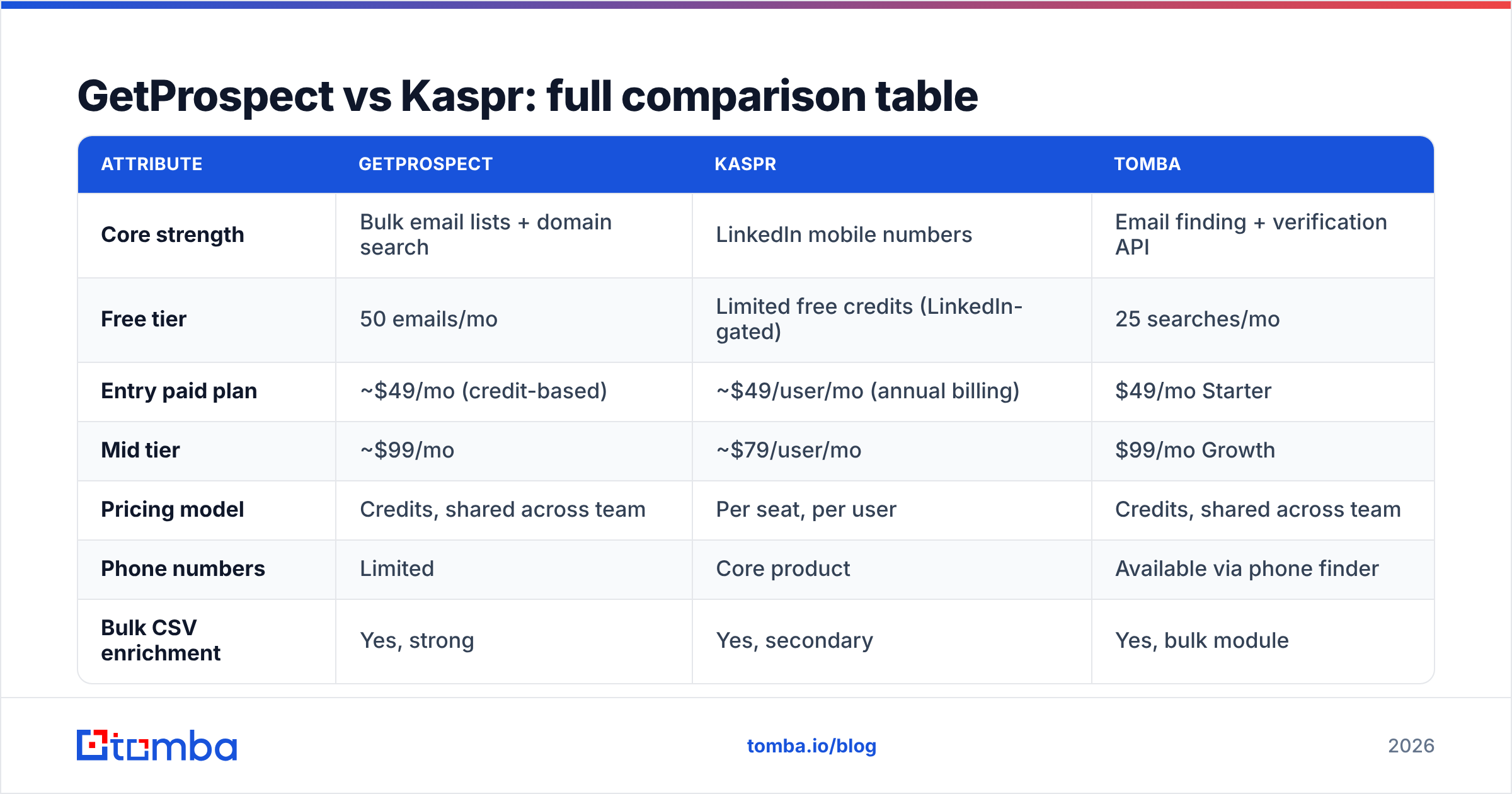
- Primary data type. GetProspect optimizes for verified work email. Kaspr optimizes for direct dial and mobile. If you run a calling motion, that difference alone decides the question.
- Entry point. GetProspect works fine with zero LinkedIn involvement — feed it domains, feed it a CSV, use the API. Kaspr's value is highest when a LinkedIn profile is on screen; away from LinkedIn it is a much thinner product.
- Batch behavior. GetProspect handles thousands of rows in one job. Kaspr's bulk enrichment exists but is secondary to the one-profile-at-a-time reveal, and credits get consumed fast when you use it that way.
- Geography. Kaspr's mobile coverage skews strongly European, especially France, the UK, and DACH. GetProspect's email coverage is broader globally but thinner on non-English company domains.
- Pricing logic. GetProspect charges for credits and lets a whole team share them. Kaspr charges per user per month, so a five-rep team pays roughly five times what one rep pays. That is the single biggest cost variable in this comparison.

Which one has better data accuracy?#
Nobody in this category publishes a neutral, audited accuracy figure, so treat every vendor number — including the ones on this blog — as directional rather than gospel. What holds up across user reviews on G2 and hands-on testing is a consistent pattern:
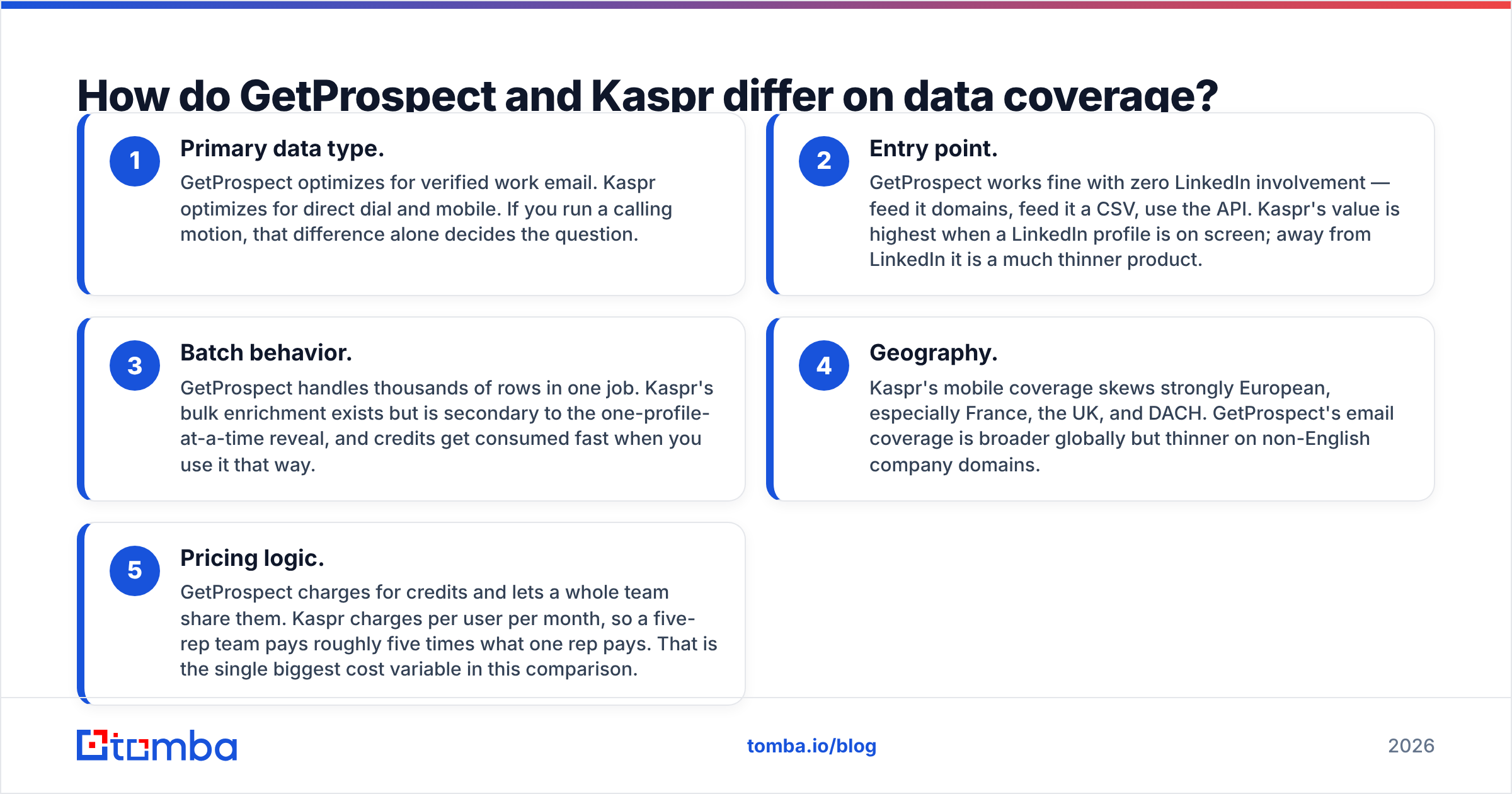
- Email accuracy is highest when the tool has seen the company's email pattern before. All of these tools do well on a 500-person SaaS company with
first.last@formatting, and all of them degrade on 12-person agencies with custom domains. - Phone accuracy decays faster than email accuracy. A work email survives a job change until IT disables it; a mobile number stays valid but starts belonging to someone at a different company. Kaspr's numbers are genuinely good, but "valid number, wrong employer" is the failure mode you will hit.
- Catch-all domains are where reported accuracy quietly falls apart. If a domain accepts every address, most tools mark the guess "valid" because the SMTP handshake succeeds. That is a false positive dressed up as a verified email, which is why a dedicated catch-all verifier belongs in the workflow regardless of which vendor you buy.

The practical rule: whatever number a vendor quotes, assume your real deliverable rate is 8-15 points lower on mid-market and SMB targets, and design your sending volume around that assumption rather than the marketing page.
Screenshot placeholder: GetProspect saved-list view showing verification status column alongside a Kaspr LinkedIn widget reveal on the same contact.
GetProspect vs Kaspr: full comparison table#
List prices move; verify current numbers on each vendor's pricing page before you commit. The figures below reflect publicly listed plans at the time of writing.
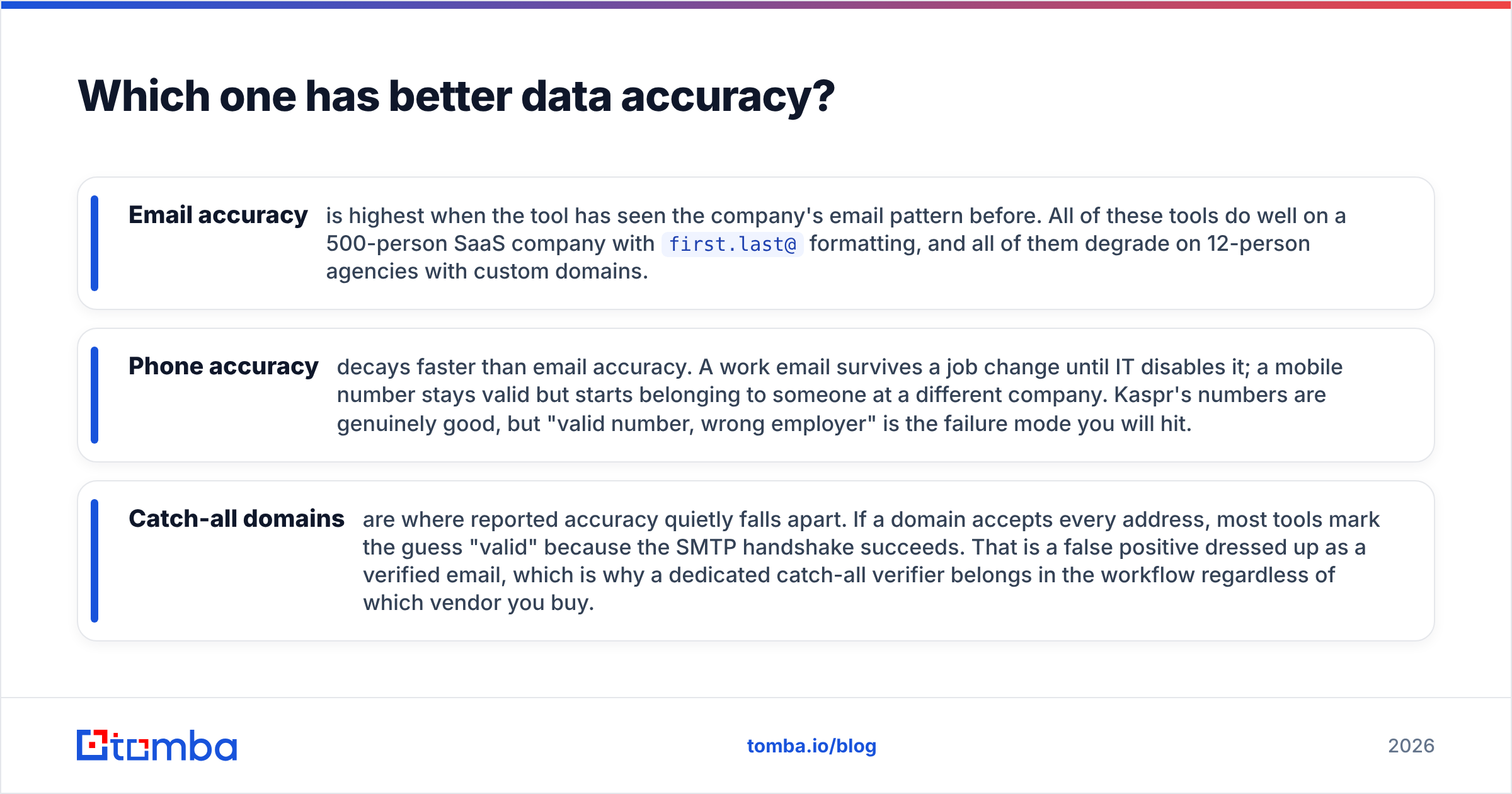
| Attribute | GetProspect | Kaspr | Tomba |
|---|---|---|---|
| Core strength | Bulk email lists + domain search | LinkedIn mobile numbers | Email finding + verification API |
| Free tier | 50 emails/mo | Limited free credits (LinkedIn-gated) | 25 searches/mo |
| Entry paid plan | ~$49/mo (credit-based) | ~$49/user/mo (annual billing) | $49/mo Starter |
| Mid tier | ~$99/mo | ~$79/user/mo | $99/mo Growth |
| Pricing model | Credits, shared across team | Per seat, per user | Credits, shared across team |
| Phone numbers | Limited | Core product | Available via phone finder |
| Bulk CSV enrichment | Yes, strong | Yes, secondary | Yes, bulk module |
| Public API | Yes | Yes (higher tiers) | Yes, documented + CLI + MCP |
| Chrome extension | Yes | Yes, central to product | Yes |
| Built-in verification | Basic | Basic | Dedicated verifier + catch-all handling |
| Best for | List builders, agencies, growth teams | SDRs who cold call from LinkedIn | Dev-led and ops-led enrichment |

The row that decides most deals is pricing model. A three-person SDR team on Kaspr pays three seats whether or not all three prospect every week. The same team on a credit-based tool shares one pool. Once you cross roughly four active users, per-seat pricing stops being competitive for anything but a pure calling org — and if you are a pure calling org, the phone data is worth the premium.
Is Kaspr better for LinkedIn prospecting?#
Yes, if "LinkedIn prospecting" means working profiles one at a time. Kaspr's whole design assumes a rep with Sales Navigator open, running a search, and reveal-clicking down the list. The widget is fast, the mobile hit rate on European contacts is the best of the two, and the workflow requires no context switching.
GetProspect's extension works, but it is a companion to the web app rather than the main event. Its natural motion is: build a search in the app, export, enrich, hand to a sequencer.
Two caveats worth stating plainly:
- LinkedIn scraping has platform risk. LinkedIn's user agreement restricts automated data extraction, and enforcement is inconsistent but real. Any extension-based reveal tool operates in that gray zone. Kaspr is not uniquely exposed here — every tool in the category is — but treat account safety as a live cost, not a theoretical one.
- GDPR obligations do not transfer. Buying European mobile numbers from a vendor does not make you compliant by proxy. You still owe legitimate-interest documentation and a working opt-out. Kaspr's Cognism ownership means the compliance paperwork is genuinely more mature than most competitors', which is a real point in its favor — but it is your legal basis, not theirs.
If you would rather not touch a browser extension at all, a LinkedIn finder that resolves profile URLs server-side sidesteps the extension-detection problem entirely, at the cost of the one-click convenience reps like.

Where does each tool fall short?#
GetProspect's weak spots:
- Verification is a checkbox, not a discipline. Emails come back marked valid, and a meaningful slice of those are catch-all guesses. Run them through a real email verifier before a cold campaign or you will learn this the expensive way.
- Phone coverage is an afterthought. If your sequence has a call step, you will be buying a second tool.
- Credit burn on failed lookups varies by plan generation — read the fine print on whether unresolved searches consume credits.
Kaspr's weak spots:
- Per-seat pricing punishes teams. Four reps at the mid tier costs more than most credit-based tools charge for enterprise-scale volume.
- Coverage outside Europe is noticeably thinner. If your ICP is US mid-market, run a sample test on 50 real target accounts before you sign an annual contract.
- The product is tightly coupled to LinkedIn. If LinkedIn changes its DOM, its detection, or its policy, your workflow changes with it.
What they share:
Neither one is an outbound platform. Neither sends email, manages sequences, warms domains, or protects your sender reputation. Both are data suppliers, and both hand you a list that is only as good as the verification layer you put behind it. Budget for that layer as a line item rather than assuming it comes free.
What are the alternatives to GetProspect and Kaspr?#
Worth putting on the shortlist depending on what actually broke:
- You need cheap, high-volume email at API speed. An email finder API that returns a confidence score and a verification verdict in one call removes the export-enrich-reimport loop entirely. Tomba starts at $49/mo for Starter and $99/mo for Growth, with credits pooled across the whole team rather than metered per seat — see Tomba pricing for the tier breakdown.
- You need verified B2B records with a purchase-not-subscribe model. BookYourData is a solid option here — it sells verified contact lists with a pay-as-you-go structure and a bounce guarantee, which suits teams that build one big list per quarter rather than prospecting continuously. Different shape of product, genuinely good at what it does.
- You need enterprise phone data at scale. Cognism proper, rather than Kaspr, is the honest recommendation once you are past 10 reps and need DNC screening baked in.
- You need everything in one platform and will accept average data. All-in-one prospecting suites bundle sequencing with data. The data is usually the weakest component, but the consolidation is worth something.
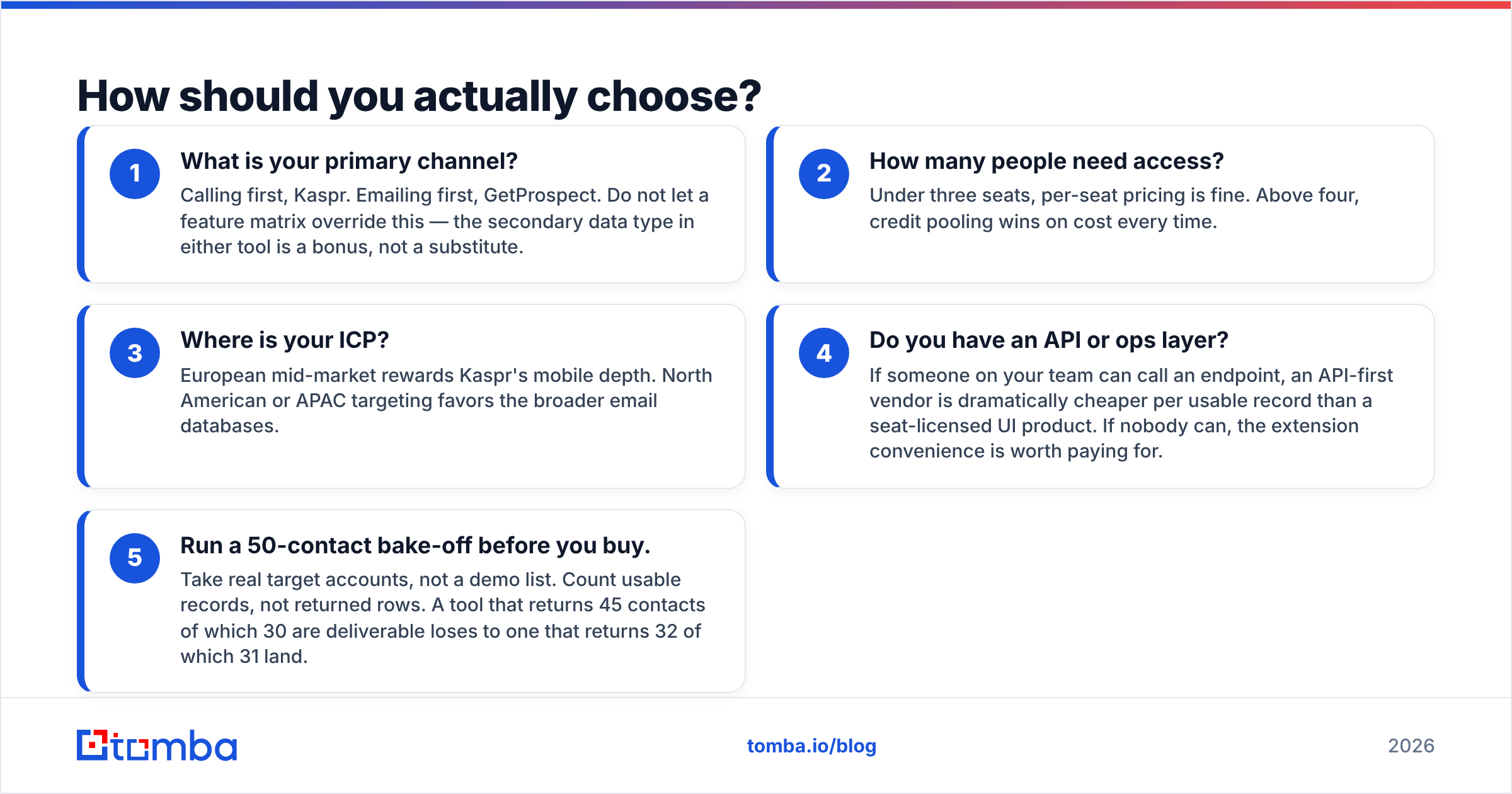
How should you actually choose?#
Run this decision in order:
- What is your primary channel? Calling first, Kaspr. Emailing first, GetProspect. Do not let a feature matrix override this — the secondary data type in either tool is a bonus, not a substitute.
- How many people need access? Under three seats, per-seat pricing is fine. Above four, credit pooling wins on cost every time.
- Where is your ICP? European mid-market rewards Kaspr's mobile depth. North American or APAC targeting favors the broader email databases.
- Do you have an API or ops layer? If someone on your team can call an endpoint, an API-first vendor is dramatically cheaper per usable record than a seat-licensed UI product. If nobody can, the extension convenience is worth paying for.
- Run a 50-contact bake-off before you buy. Take real target accounts, not a demo list. Count usable records, not returned rows. A tool that returns 45 contacts of which 30 are deliverable loses to one that returns 32 of which 31 land.
That last step is the only one that produces evidence rather than opinion, and both vendors have free tiers specifically so you can do it. Use them.
Frequently asked questions#
Is GetProspect or Kaspr cheaper? For a single user, they land in the same range at entry tier. For a team, GetProspect's credit pooling is materially cheaper than Kaspr's per-user pricing once you pass three or four seats.
Can I use both together? Yes, and plenty of teams do — GetProspect for list building, Kaspr for the phone reveal on high-priority accounts. It is not elegant, but it is common. The cost only makes sense if calling is a real part of your motion, not an aspiration.
Do either of them verify emails properly? Both do a basic syntax and SMTP check. Neither handles catch-all domains with the rigor a cold campaign needs. Add a dedicated verification step regardless of which one you pick.
Which is better for recruiting rather than sales? Kaspr, comfortably. Recruiting workflows are profile-by-profile and phone-heavy, which is exactly the shape Kaspr was built for.
Where to go from here#
If your bottleneck is phone numbers on European LinkedIn profiles, buy Kaspr and stop reading. If it is email volume with predictable per-record cost, GetProspect is a reasonable buy — but pair it with real verification or you are just paying to bounce.
If your bottleneck is neither, and what you actually want is one API that finds the address, scores its confidence, and tells you when a domain is catch-all before you send, start with the Tomba Email Finder. The free tier gives you 25 searches to test it against your own target accounts, Starter is $49/mo, and credits are shared across your whole team instead of metered per seat. Run the 50-contact bake-off described above — that is the only comparison that answers the question for your list.
Related guides#
Ready to find emails that actually work?
Join 150,000+ professionals who stopped guessing and started sending. Free credits on signup — no credit card required.
Get the Tomba newsletter
Practical outbound tactics and product updates — once every two weeks.
About the author