GetProspect vs Mailead: Which Cold Outreach Tool Wins?
GetProspect finds the emails. Mailead sends them. Comparing the two as rivals is the mistake most teams make — here's the honest breakdown of pricing, data quality, deliverability, and which one you actually need first.
GetProspect vs Mailead is the wrong fight to pick. One tool finds the emails. The other sends them. Here is what each does, what each costs, and which one you need first.
TL;DR
- GetProspect vs Mailead is not a real head-to-head. GetProspect is a B2B contact database and email finder. Mailead is a cold email sender with built-in warmup. One fills the list. The other mails it.
- High bounce rate? That is a data problem. It sits in GetProspect's lane (and Tomba's).
- Open rate fell while the list stayed clean? That is a deliverability problem. That is Mailead's lane.
- Mailead sells unlimited sending accounts and free warmup at a flat price. GetProspect sells a big searchable database, a LinkedIn extension, and verification.
- Most teams that ask "GetProspect vs Mailead?" buy both. Some swap the data half for a cheaper, API-first finder and keep the sender.
GetProspect vs Mailead: what does each tool do?#
GetProspect is a lead database and email finder. You search by company, job title, industry, headcount, or location. It returns work email addresses with company and role data. A Chrome extension pulls contacts off LinkedIn search results and profiles. There is also bulk CSV enrichment and built-in verification, so you can drop risky addresses before export. A small list manager comes with it. Nobody buys it for that.
Mailead sits one step later in the funnel. It is a cold email sending platform. You connect mailboxes, warm them up, and build multi-step sequences that rotate across inboxes. It tracks opens and replies, and it gives you one inbox where answers land. The hook is the price model: unlimited email accounts and unlimited warmup on paid plans. Most sequencers charge per inbox.
So the honest framing of GetProspect vs Mailead is not "which is better." It is "which half of the problem am I solving this quarter?"

Is GetProspect vs Mailead even a fair fight?#
Only at the edges. Here is where the two overlap, and where they do not.
- Contact sourcing — GetProspect only. Mailead has no B2B database. You bring your own list as a CSV or through an integration.
- Email verification — Both touch it. GetProspect verifies at export. Mailead cleans lists on import, but it is not a verification vendor.
- Sequencing and sending — Mailead only. GetProspect has no real sending engine. It is a data tool with export buttons.
- Inbox warmup and rotation — Mailead only. This is the core of the product.
- Reply management — Mailead only, through its shared inbox.
- API access for engineers — GetProspect has a find-and-verify API. Mailead's API covers campaigns and leads, not discovery.
That list is why the "versus" question falls apart. The real choice is who you hire for each half. Neither tool can cover both.
GetProspect vs Mailead: feature by feature#
| Capability | GetProspect | Mailead | Tomba |
|---|---|---|---|
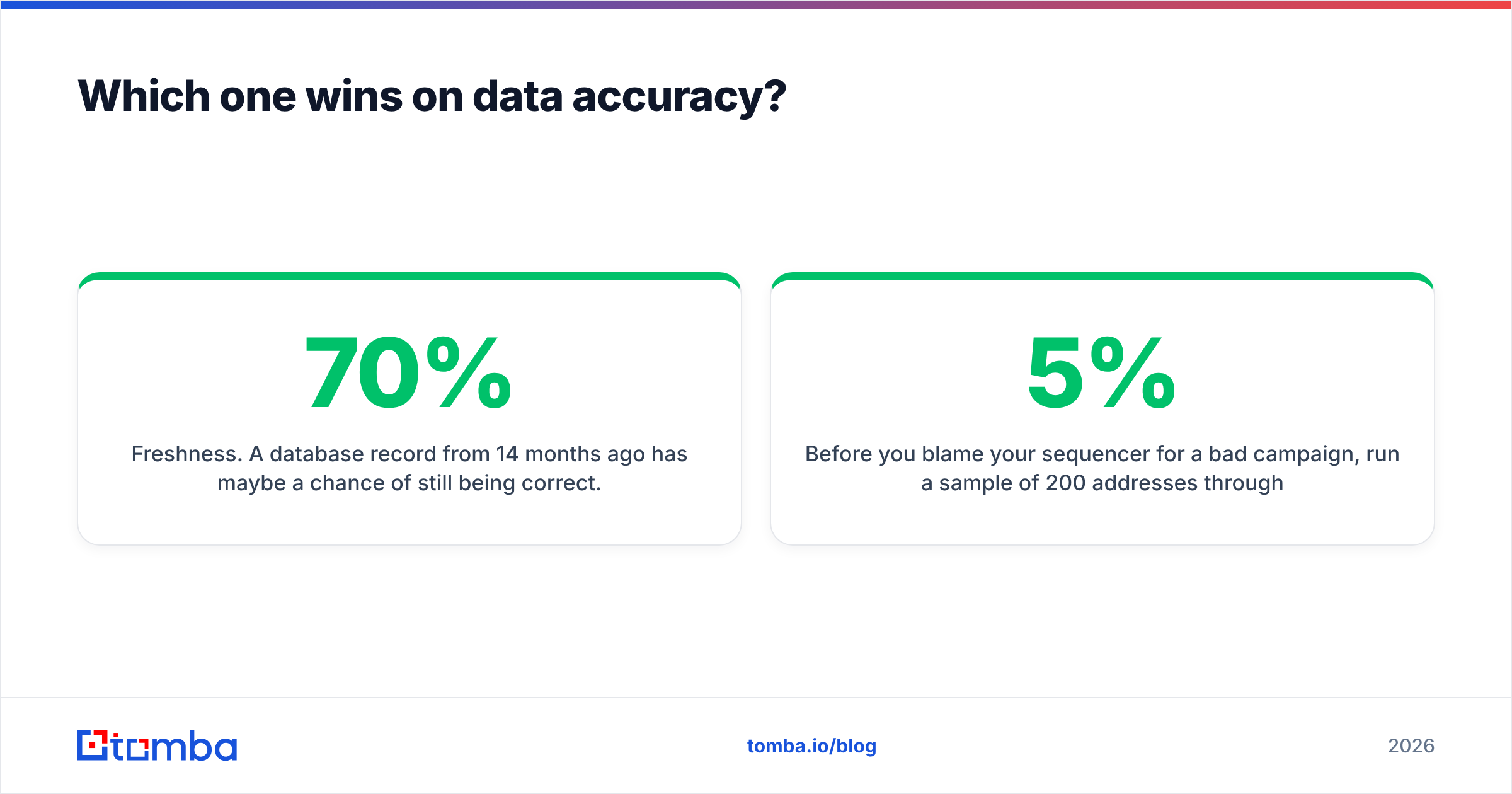
| Primary job | Find + verify B2B contacts | Send + warm cold email | Find + verify B2B contacts |
| Contact database | Yes, filterable by role/company/geo | No | Yes, plus live domain crawl |
| LinkedIn extraction | Chrome extension | No | LinkedIn finder |
| Email verification | Included at export | Basic import hygiene only | Dedicated email verifier + catch-all handling |
| Multi-step sequences | No | Yes | No — integrates instead |
| Inbox warmup | No | Yes, unlimited on paid plans | No |
| Mailbox rotation | No | Yes | No |
| Unified reply inbox | No | Yes | No |
| Developer API | Yes | Campaign-focused | Full email finder API, CLI, MCP |
| Spreadsheet add-ons | Limited | No | Google Sheets, Excel, Airtable |
| Free tier | Yes, small monthly allowance | Trial-based | 25 searches/mo |
The row that matters most is the fourth from the bottom. Are you building anything programmatic? Enrichment on form submit, a nightly job that fills new CRM records, an agent that researches accounts? Then the sender does not matter much. The quality of the finder's API becomes the whole decision.
GetProspect vs Mailead pricing: what drives the bill?#
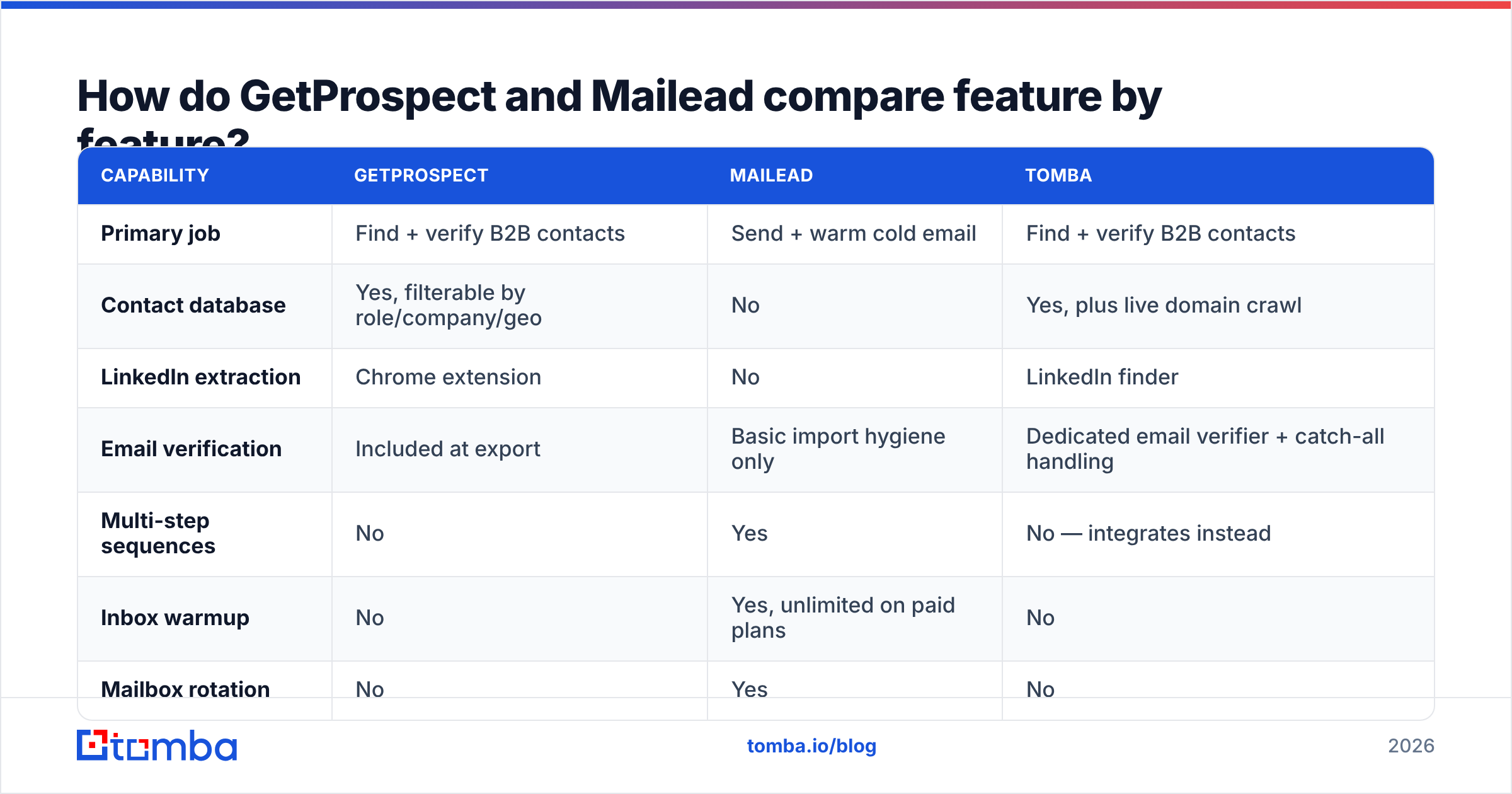
Both vendors change plans often. Treat these as shapes, not quotes, and check the live pricing pages before you commit. The key difference is the billing unit, not the number.
| Dimension | GetProspect | Mailead | Tomba |
|---|---|---|---|
| Billing unit | Verified contacts / credits per month | Flat fee by contact + sending volume | Search + verification credits |
| Free option | Small monthly free allowance | Trial | Free tier, 25 searches/mo |
| Entry paid tier | Roughly $49/mo range | Roughly $39–$49/mo range | $49/mo Starter |
| Mid tier | Scales with credit volume | Scales with contacts stored | $99/mo Growth |
| High tier | Enterprise / custom | Higher volume plans | $249/mo Pro, Enterprise custom |
| Cost driver | How many contacts you pull | How many contacts you mail | How many lookups you run |
| Per-inbox charges | N/A | None — unlimited accounts | N/A |
| Annual discount | Yes | Yes | Yes |
Two practical notes on cost:
Credit models punish sloppy targeting. With GetProspect, Tomba, or any credit-metered finder, every bad-fit contact costs money. Tighten your ICP filters before you export, not after.
Flat sending fees punish light use. Mailead's unlimited-inbox pitch is strong if you run 15 mailboxes across three domains. Send from one inbox to 200 people a month and you pay for headroom you never touch. A cheaper per-seat sequencer, or your CRM's own sequences, will do.
Want a like-for-like look at finder costs at high volume? The Tomba pricing page lists the credit tiers plainly, including where bulk work gets cheaper per lookup.
GetProspect vs Mailead: which wins on data accuracy?#
GetProspect wins by default, because Mailead is not playing. But "wins by default" is not the same as "good enough." This is where most cold email programs quietly die.
Three things decide whether a B2B email will land:
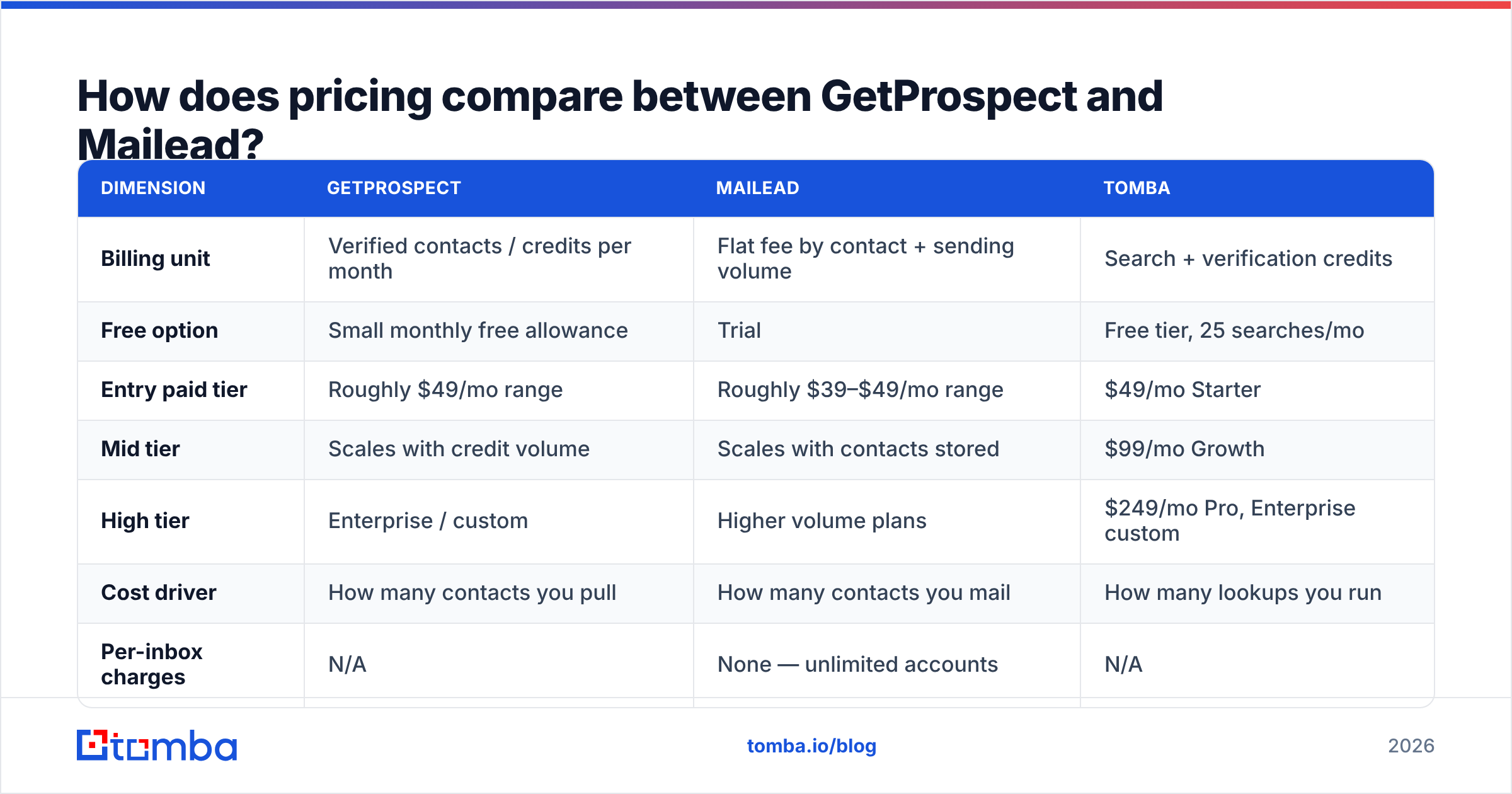
- Freshness. A record from 14 months ago has maybe a 70% chance of still being right. Roughly 20–30% of B2B contacts change jobs each year. Every change orphans an address. Static databases decay. Live lookups do not.
- Catch-all handling. Many large domains accept every address at the SMTP layer. A naive checker marks them "valid." You learn the truth when the bounce report lands. Any vendor that hides catch-all behind a green checkmark is padding its accuracy number. Tomba splits it out with a dedicated catch-all verifier.
- Guessed vs. observed. Guessing
first.last@domain.comfrom a known pattern is cheap and often right. It is also how you mail an address that never existed. Ask each vendor whether a result was seen in a source or guessed from a pattern. The good ones will tell you.
Do not blame the sequencer yet. Run 200 sample addresses through an independent email verifier first. If more than 3–5% come back risky or invalid, your data is the bottleneck. No amount of warmup fixes that.

GetProspect vs Mailead: which wins on deliverability?#
Mailead, and it is not close. GetProspect has no story here at all.
Here is what Mailead gives you that a spreadsheet and Gmail cannot:
- Warmup at scale. New domains and new mailboxes need weeks of slow, friendly volume before inbox providers trust them. Unlimited warmup accounts is the feature people pay for.
- Rotation. Spread a campaign across many inboxes and each one stays under the daily limits that trigger filtering. This is the biggest structural win over sending from one address.
- Sequence logic. Stop-on-reply, step delays, weekday scheduling, variant tests. Standard for a sequencer, missing from every data tool.
- One shared inbox. When replies land across 12 mailboxes, your reps need a single place to read them.
None of this is unique to Mailead. It is the standard kit for the category, and you will find the same in the tools listed on G2's sales engagement category. What stands out is the flat fee and the unlimited inboxes. Run an agency or many sending domains and that model pays off fast. Run a two-rep team and it does not.
Whatever you pick, set up authentication first. SPF, DKIM, and DMARC are not optional in 2026. Google and Yahoo made that formal for bulk senders, and the rules have only tightened since. Run your domain through an SPF checker and a blacklist checker before your first send. HubSpot's deliverability documentation is a good vendor-neutral primer.
What does a working stack look like?#
Most working outbound teams land on the same six steps, whatever logos they use.
- Define the ICP narrowly. Job titles, headcount, tech stack, geography. Narrow lists beat big lists on every metric, and they burn fewer credits.
- Source contacts from a finder. Search a database, or crawl domain by domain. This is GetProspect's slot, or Tomba's domain search when you work from a named-account list.
- Verify away from the source. Never let the vendor that sold you an address grade its own homework. Separate step, separate tool, in bulk.
- Enrich for personalization. Role, recent funding, tech signals, LinkedIn profile. Thin data means generic copy, and generic copy gets no replies.
- Load into the sender. Mailead's slot. Warm the mailboxes, ramp volume slowly, rotate inboxes.
- Feed replies back to the CRM. Close the loop so you stop mailing people who already answered.
Steps 2 through 4 are where one API-first vendor saves the most pain. Every handoff between tools is a CSV that someone has to babysit. Run find, verify, and enrich in one bulk email finder flow, or one API call, and you remove two failure points before you open the sequencer.
Where does Tomba fit?#
Tomba competes with the GetProspect half. It stays out of the sending business on purpose.
The case for it over a general database tool comes down to three things.
Coverage method. Tomba runs a searchable B2B database and live domain crawling. Target accounts missing from every static index still resolve. Pure database tools return nothing for those.
Verification depth. Catch-all detection, SMTP checks, and confidence scores are built in, not an export-time afterthought. You see why an address scored the way it did.
Developer surface. A documented REST API, a CLI, an MCP server for AI agents, a Chrome extension, Google Sheets and Excel add-ins, and native connectors for HubSpot, Salesforce, Pipedrive, and Zapier. If part of your outbound runs on autopilot — and by 2026 most does — that surface is what your ops team builds against.
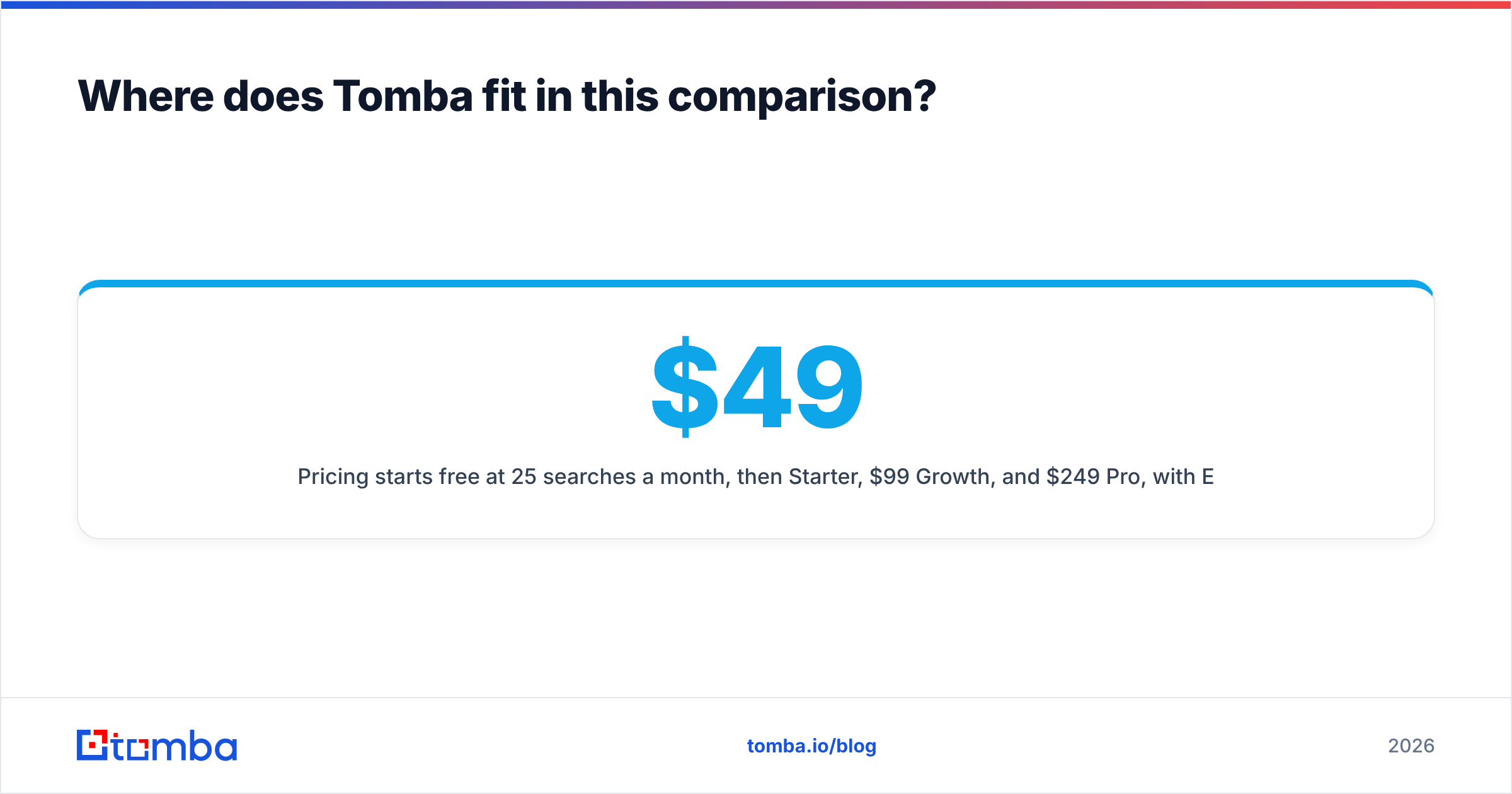
Pricing starts free at 25 searches a month, then $49/mo Starter, $99/mo Growth, and $249/mo Pro. Enterprise is custom. That tracks GetProspect's entry point closely, so the choice usually comes down to coverage on your domain list, not price. Test both on 50 real accounts from your own pipeline. Ten minutes of that beats a week of reading comparison posts, this one included.
GetProspect vs Mailead: which should you choose?#
| Your situation | Pick |
|---|---|
| List is stale, bounce rate above 5% | A finder + verifier (GetProspect or Tomba) |
| List is clean, opens fell off a cliff | Mailead — you need warmup and rotation |
| Running 10+ sending domains / agency model | Mailead, for the unlimited-inbox pricing |
| Need enrichment inside your own app or CRM | Tomba API |
| Prospecting mainly from LinkedIn searches | GetProspect extension or Tomba LinkedIn finder |
| Targeting a fixed named-account list | Domain search, not a persona database |
| One rep, under 300 emails/month | Skip the flat-fee sender; use CRM sequences |
| Building from zero, budget for one tool | The finder. Bad data breaks every downstream step |
That last row is the whole post in one line. A great sequencer mailing a bad list makes bounces at scale. An average sequencer mailing a clean, well-targeted list books meetings. Fix the input first.
Ready to fix the data half?#
Is your GetProspect vs Mailead question really "why is my cold email flat"? Then audit the list, not the sender. Run your next 50 target accounts through the Tomba Email Finder. Free tier, 25 searches a month, no card. Compare the hit rate and confidence scores against your current tool. If coverage is better on your accounts, wire it in through the API or a native integration. Then let Mailead, or any sender you like, do the part it is good at.
Related guides#
Ready to find emails that actually work?
Join 150,000+ professionals who stopped guessing and started sending. Free credits on signup — no credit card required.
Get the Tomba newsletter
Practical outbound tactics and product updates — once every two weeks.
About the author