GetProspect vs Minelead: Which Email Finder Wins in 2026?
GetProspect sells a 200M-contact database with a LinkedIn extension. Minelead sells cheap domain lookups and a generous free tier. We break down accuracy, pricing, and which one actually fits your workflow.
TL;DR
- GetProspect is a contact-database play: a claimed 200M+ B2B profile index, a LinkedIn Chrome extension, and CRM-style list management. Best if you prospect inside LinkedIn and want filters, not just lookups.
- Minelead is a lightweight domain-lookup play: cheap, API-first, a genuinely usable free tier, and very little product surface beyond finding and verifying emails.
- Accuracy is the real differentiator, and neither publishes independently audited bounce rates. Budget for a separate verification pass regardless of which you pick.
- On cost per verified email, the sticker price is misleading. A $49 plan with 60% deliverable results is worse than a $99 plan at 95%.
- If you need one tool that finds, verifies, and enriches at API scale, Tomba's email finder sits between the two on price and ahead of both on coverage breadth.
Most "GetProspect vs Minelead" comparisons are affiliate pages that never mention the thing that actually costs you money: bounce rate. This one does. Here's how the two tools differ in architecture, what each one is genuinely good at, and where a third option makes more sense.
What is GetProspect and who is it for?#
GetProspect is a B2B contact database with a LinkedIn scraping layer on top. You install the Chrome extension, run a LinkedIn Sales Navigator search, and pull profiles into GetProspect lists with emails appended. You can also filter their stored database directly by industry, headcount, technology, and location without touching LinkedIn at all.
That second mode is what makes it a database product rather than a finder. GetProspect isn't primarily guessing first.last@company.com and testing it — it's returning a record it already holds. When the record is fresh, that's fast and accurate. When it's two years stale, you get an email for someone who left in 2024.
The tooling around it is real: list segmentation, CSV enrichment, basic sequences on higher tiers, and integrations into HubSpot and Pipedrive. If your motion is "build a targeted list of 500 VPs of Ops at Series B SaaS companies," GetProspect handles that end to end.
The trade-off is credit economics. Database products charge per revealed contact, and every reveal burns a credit whether the email is deliverable or not. That's the part the pricing page doesn't foreground.
What is Minelead and who is it for?#
Minelead is much narrower and much cheaper. You give it a domain, it returns the emails it knows for that domain. You give it a name plus a domain, it returns a best-guess address. There's an API, a Chrome extension, and a bulk upload flow. That's essentially the product.
The free tier is the headline. Minelead gives away enough monthly lookups that a solo founder doing 20 outreach emails a week may never need to pay. For developers who want a cheap GET /search?domain= endpoint dropped into a script, it's hard to beat on raw price.
The limits show up at scale. Minelead's index skews toward publicly scrapable addresses — role accounts (info@, contact@, sales@), addresses on team pages, and emails exposed in WHOIS or GitHub commits. Those are real emails, but they're not the ones you want for cold outbound. Sending a personalized VP pitch to info@ is how you end up in a shared inbox nobody reads.
Minelead also offers far less on filtering. There's no "find me all the CFOs in fintech" motion. You need to already know the company.

How do GetProspect and Minelead compare head to head?#
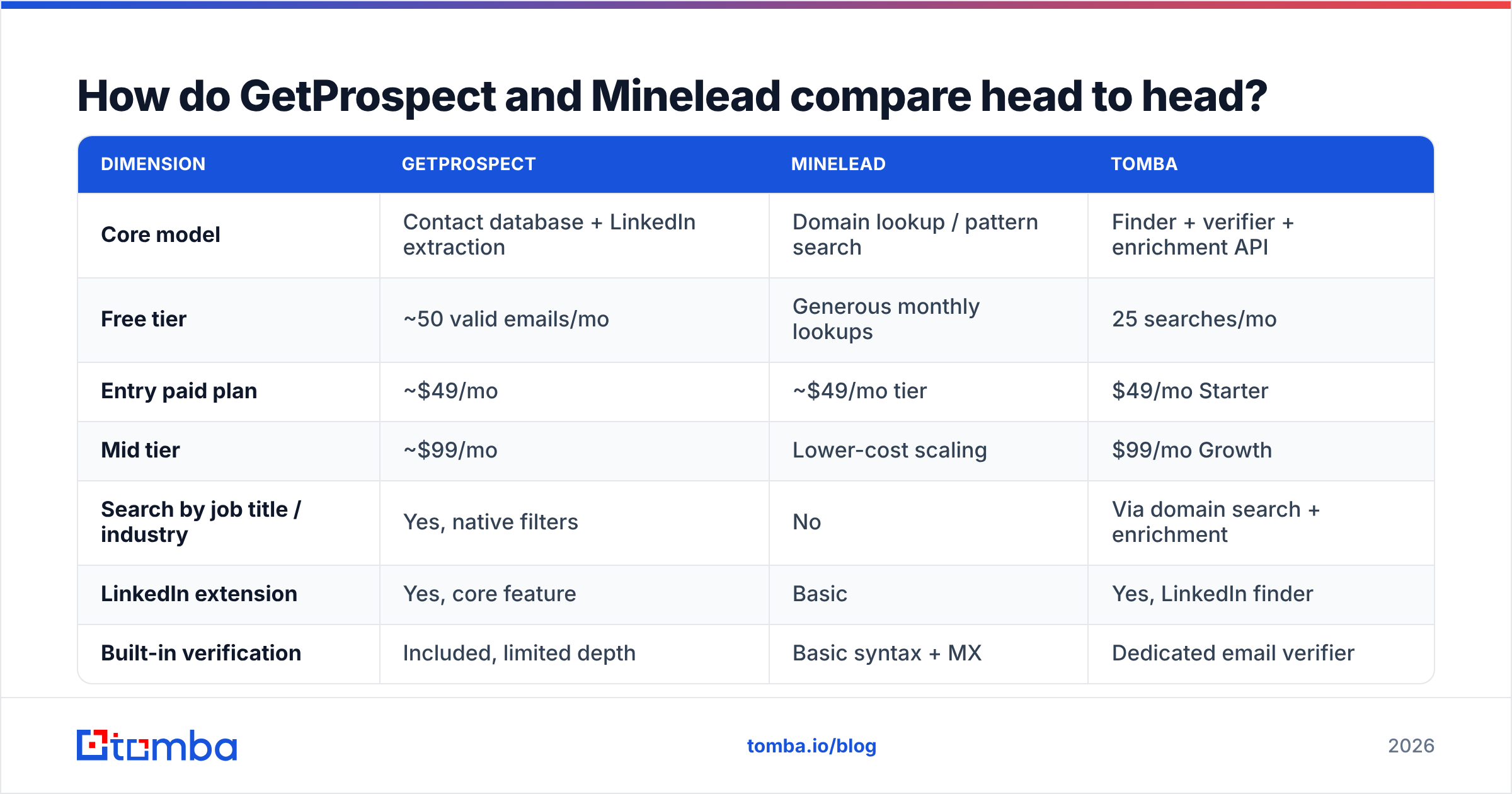
Here's the practical breakdown. Prices reflect publicly listed plans as of early 2026 — check each vendor's page before you buy, since credit packaging changes often.
| Dimension | GetProspect | Minelead | Tomba |
|---|---|---|---|
| Core model | Contact database + LinkedIn extraction | Domain lookup / pattern search | Finder + verifier + enrichment API |
| Free tier | ~50 valid emails/mo | Generous monthly lookups | 25 searches/mo |
| Entry paid plan | ~$49/mo | ~$49/mo tier | $49/mo Starter |
| Mid tier | ~$99/mo | Lower-cost scaling | $99/mo Growth |
| Search by job title / industry | Yes, native filters | No | Via domain search + enrichment |
| LinkedIn extension | Yes, core feature | Basic | Yes, LinkedIn finder |
| Built-in verification | Included, limited depth | Basic syntax + MX | Dedicated email verifier |
| Catch-all handling | Marked, not resolved | Marked, not resolved | Dedicated catch-all verifier |
| Phone numbers | Limited | No | Yes |
| API quality | Functional, list-oriented | Simple and fast | Full REST + CLI + MCP |
| Best for | List building from LinkedIn | Cheap bulk domain lookups | Mixed find + verify at scale |
The pattern is clear: GetProspect wins on discovery, Minelead wins on price, and neither owns verification depth. That third column matters more than most buyers realize on day one.
Which one is more accurate?#
Neither vendor publishes an audited accuracy number, so treat marketing claims of "97% accuracy" from any email-finder vendor as unverified. What you can reason about is where the data comes from, because source determines decay rate.

Three mechanisms produce a B2B email, and they fail differently:
- Stored database records. Fast and complete, but decay at roughly 2–3% per month as people change jobs. GetProspect leans here. A record that hasn't been re-verified in 18 months is a coin flip.
- Pattern inference. The tool learns that Acme uses
f.last@acme.comand applies it to a new name. Cheap and scalable, but wrong whenever a company runs mixed patterns after an acquisition. Minelead leans here. - Live SMTP verification. The tool actually asks the receiving server whether the mailbox exists. Slowest, most expensive, most accurate — and it fails silently on catch-all domains, which now cover a large share of mid-market companies.
The right test isn't which vendor claims a higher number. It's this: take 100 contacts you already know are valid, run them through each tool, and measure recall (how many it found) and precision (how many were actually deliverable). Do it on your ICP, not a generic sample. A tool that's excellent on US SaaS can be weak on European manufacturing.
Catch-all domains are where most tools quietly degrade. If a domain accepts every address, an SMTP check returns "valid" for asdfgh@company.com too. Vendors that mark these as "risky" and move on are being honest; vendors that mark them "valid" are inflating their own accuracy stat. A dedicated catch-all verifier is the only way to resolve those, and it's a capability neither GetProspect nor Minelead treats as a first-class feature.
What does each tool actually cost per verified email?#
Sticker price is the wrong unit. Run the math on cost per deliverable contact instead:
- Cost per credit = plan price ÷ monthly credits
- Effective cost = cost per credit ÷ (your measured deliverability rate)
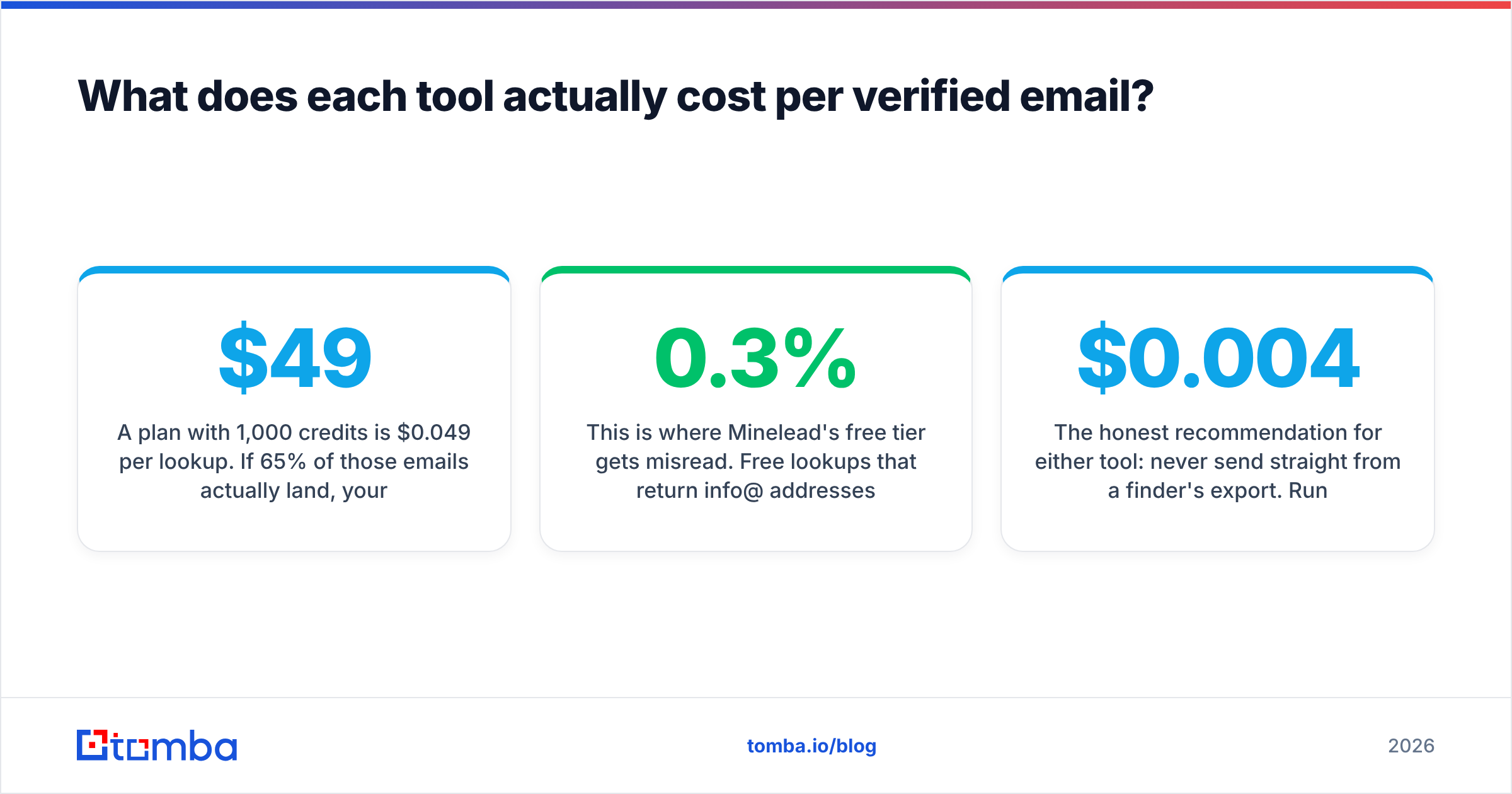
A $49 plan with 1,000 credits is $0.049 per lookup. If 65% of those emails actually land, your real cost is $0.075 per usable contact. A $99 plan with 2,500 credits at 92% deliverability is $0.043 — nearly half. The cheaper plan is the more expensive one.
This is where Minelead's free tier gets misread. Free lookups that return info@ addresses aren't free — they consume your sending reputation, which is the scarcest resource in outbound. Every bounce and every ignored role-account send pushes your domain closer to the spam folder. Google and Yahoo's bulk sender requirements formalized this: sustained complaint rates above 0.3% get you throttled, and there's no appeal process worth the name. Google's own guidance is unambiguous about it.

GetProspect's credit model has a different trap: reveals are charged whether or not the contact is usable. If you filter for 500 prospects and 120 records are stale, you paid for 500. Ask any vendor — including this one — whether unverifiable results are refunded. Most aren't.
The honest recommendation for either tool: never send straight from a finder's export. Run the list through a dedicated verification pass first. That extra $0.004 per address is the cheapest insurance in your stack, and it protects the sender reputation you spent months building.
Is GetProspect better than Minelead for outbound teams?#
For a team running structured outbound — SDRs, defined ICP, sequences, a CRM — GetProspect is the better fit. The filtering, list management, and CRM sync remove real steps from a daily workflow. Minelead has no answer for "build me a list."
For a developer, a growth hacker, or a solo founder enriching a list they already have, Minelead wins on cost and simplicity. If you've scraped 2,000 company domains and need one email each, paying database prices for that is waste.
There's a third pattern worth naming: teams that need both, and end up paying two subscriptions. That's the most common failure mode we see. You buy GetProspect for discovery, discover the bounce rate is unacceptable, then bolt on a separate verifier — and now you're at $150/mo for a job one tool should do.
If you're evaluating either against the broader market, G2's email-finder category is a reasonable starting point for unfiltered user reviews, though weight recent reviews far more heavily than old ones — data quality changes fast in this space.
What are the best alternatives to GetProspect and Minelead?#
A few tools sit in the gap between "database with a LinkedIn extension" and "cheap domain lookup":
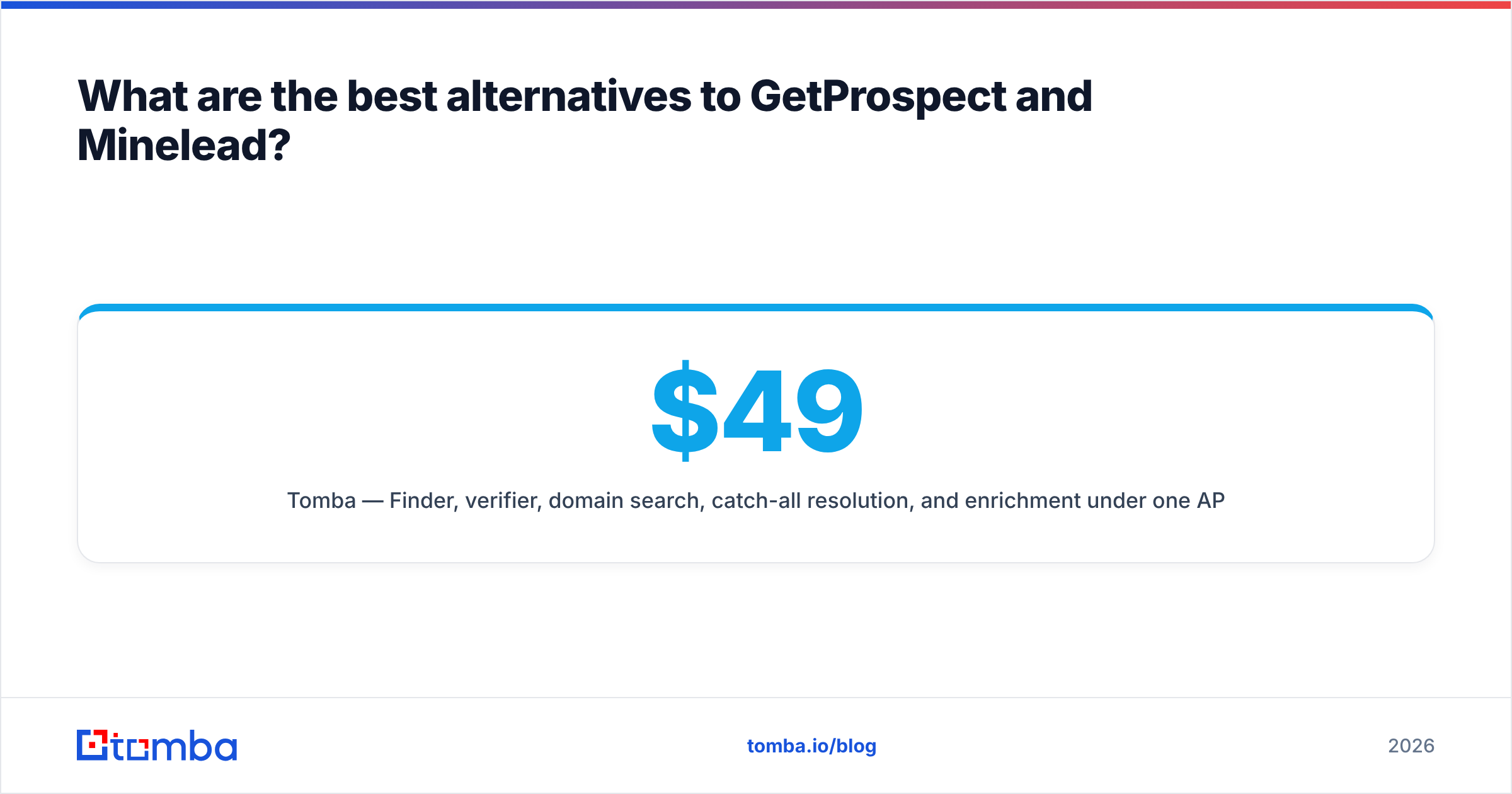
- Tomba — Finder, verifier, domain search, catch-all resolution, and enrichment under one API. Free tier at 25 searches/mo, Starter at $49/mo, Growth at $99/mo, Pro at $249/mo, Enterprise custom. Full Tomba pricing is public. Strongest when you need find and verify without stitching two vendors together.
- BookYourData — A pay-as-you-go B2B list provider with a strong accuracy guarantee and no forced subscription. Good choice when you need a defined list once rather than an ongoing seat, and their per-record model avoids credit-expiry waste.
- Hunter — The category's most recognizable name. Clean domain search, well-documented API, but pricing climbs steeply past mid-volume.
- Apollo — Database plus sequencer plus dialer. Broadest feature set, but you're buying an entire platform whether you need it or not. See our Apollo alternative breakdown for the trade-offs.
For most teams the deciding question is integration surface, not raw data. If your enrichment lives in a spreadsheet, a Google Sheets add-on beats a better API you'll never wire up. If it lives in code, the Tomba API or a plain CLI matters more than any UI.
How should you run the evaluation yourself?#
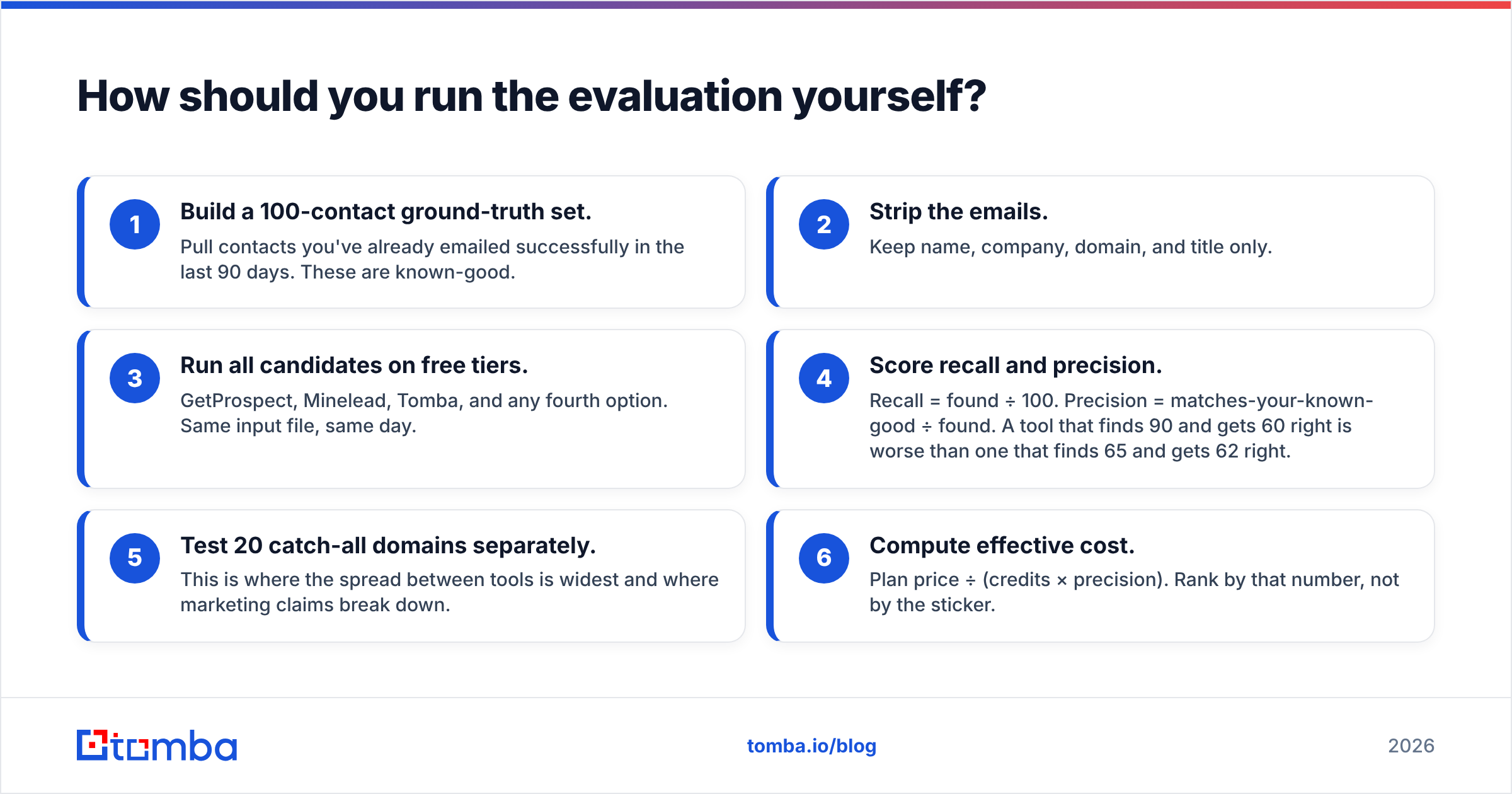
Don't take anyone's word for it — including ours. A weekend test settles the question:
- Build a 100-contact ground-truth set. Pull contacts you've already emailed successfully in the last 90 days. These are known-good.
- Strip the emails. Keep name, company, domain, and title only.
- Run all candidates on free tiers. GetProspect, Minelead, Tomba, and any fourth option. Same input file, same day.
- Score recall and precision. Recall = found ÷ 100. Precision = matches-your-known-good ÷ found. A tool that finds 90 and gets 60 right is worse than one that finds 65 and gets 62 right.
- Test 20 catch-all domains separately. This is where the spread between tools is widest and where marketing claims break down.
- Compute effective cost. Plan price ÷ (credits × precision). Rank by that number, not by the sticker.
Six steps, maybe three hours. It'll save you a year of a bad contract.
The verdict#
GetProspect if your prospecting starts in LinkedIn Sales Navigator, you need filters and list management, and you're willing to add a verification step downstream.
Minelead if you already have domains, want the cheapest possible lookup, and can tolerate role-account results in your output.
Neither, if you need one system that finds, verifies, resolves catch-alls, and enriches through a single API — because running two vendors to cover one job is where budgets quietly go to die.
That last case is the one Tomba was built for. Start with the Tomba Email Finder free tier — 25 searches a month, no card — and run it against the same 100-contact ground-truth set you use for GetProspect and Minelead. If the numbers don't beat what you're using, you've lost an afternoon. If they do, you've cut a line item and a bounce rate at the same time.
Related guides#
Ready to find emails that actually work?
Join 150,000+ professionals who stopped guessing and started sending. Free credits on signup — no credit card required.
Get the Tomba newsletter
Practical outbound tactics and product updates — once every two weeks.
About the author