GetProspect vs No2Bounce (2026): Which One Do You Actually Need?
One tool finds the email, the other decides whether it's safe to send. Here's an honest breakdown of GetProspect vs No2Bounce on accuracy, pricing, workflow fit — and when you need neither.
TL;DR
- GetProspect and No2Bounce are not really competitors. GetProspect is a prospecting database and email finder; No2Bounce is a bulk email verification service. Comparing them head-to-head only makes sense if you're trying to decide which problem to solve first.
- If your list is empty, a verifier is useless. Start with a finder. If your list is old, bought, or scraped, start with a verifier.
- GetProspect bundles light verification with its finder. No2Bounce goes deeper on verification (SMTP checks, catch-all handling, bulk uploads) but will never hand you a new contact.
- Running both means two subscriptions, two credit systems, and two exports to reconcile. A single platform that finds and verifies in one pass is usually cheaper and always faster.
- Our pick for most outbound teams: one tool that covers discovery + verification + enrichment. Tomba starts at $49/mo with a free tier for testing before you commit.
What are GetProspect and No2Bounce?#
The fastest way to understand this matchup is to notice that the two products sit at different points in the same pipeline.
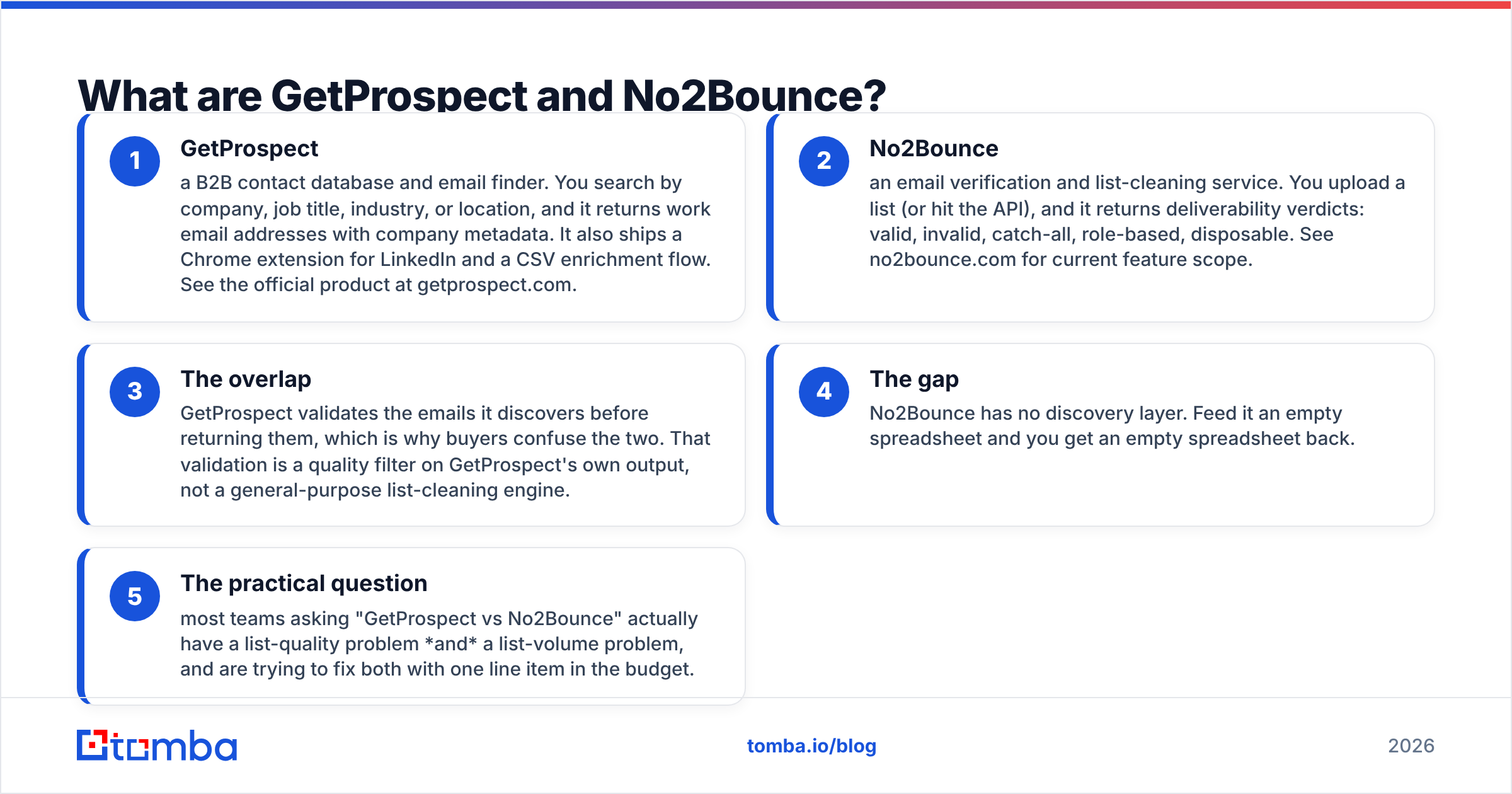
- GetProspect — a B2B contact database and email finder. You search by company, job title, industry, or location, and it returns work email addresses with company metadata. It also ships a Chrome extension for LinkedIn and a CSV enrichment flow. See the official product at getprospect.com.
- No2Bounce — an email verification and list-cleaning service. You upload a list (or hit the API), and it returns deliverability verdicts: valid, invalid, catch-all, role-based, disposable. See no2bounce.com for current feature scope.
- The overlap — GetProspect validates the emails it discovers before returning them, which is why buyers confuse the two. That validation is a quality filter on GetProspect's own output, not a general-purpose list-cleaning engine.
- The gap — No2Bounce has no discovery layer. Feed it an empty spreadsheet and you get an empty spreadsheet back.
- The practical question — most teams asking "GetProspect vs No2Bounce" actually have a list-quality problem and a list-volume problem, and are trying to fix both with one line item in the budget.
So the honest framing is: this is a finder vs verifier decision, not a feature-for-feature bake-off.

Is GetProspect a real email verifier?#
Partially — and the distinction matters more than most vendors admit.
Email finders run a validation step so they don't bill you for garbage. That usually means syntax checks, MX record lookups, disposable-domain filtering, and an SMTP handshake where the receiving server allows it. That's enough to keep a fresh, freshly-sourced list clean.
What a bundled validator typically does not do well:
- Catch-all domains. A catch-all server accepts every address at the domain, so a naive SMTP check returns "valid" for
asdfgh@company.com. Dedicated verifiers apply pattern confidence, historical send data, and secondary signals. This is exactly the problem a catch-all verifier is built for, and roughly 15–25% of B2B domains in a typical prospect list are catch-all. - Decay on imported lists. B2B contact data goes stale fast — job changes, layoffs, and domain migrations mean a list you exported nine months ago is meaningfully worse than the day you built it. A finder validates at discovery time. It doesn't re-validate what's already sitting in your CRM.
- Bulk throughput on other people's data. Uploading 200,000 CRM records into an email finder isn't what the finder is priced for.
That's the case for No2Bounce or any dedicated verifier: it's a cleaning service for data you already own, from any source.
How do GetProspect and No2Bounce compare head-to-head?#
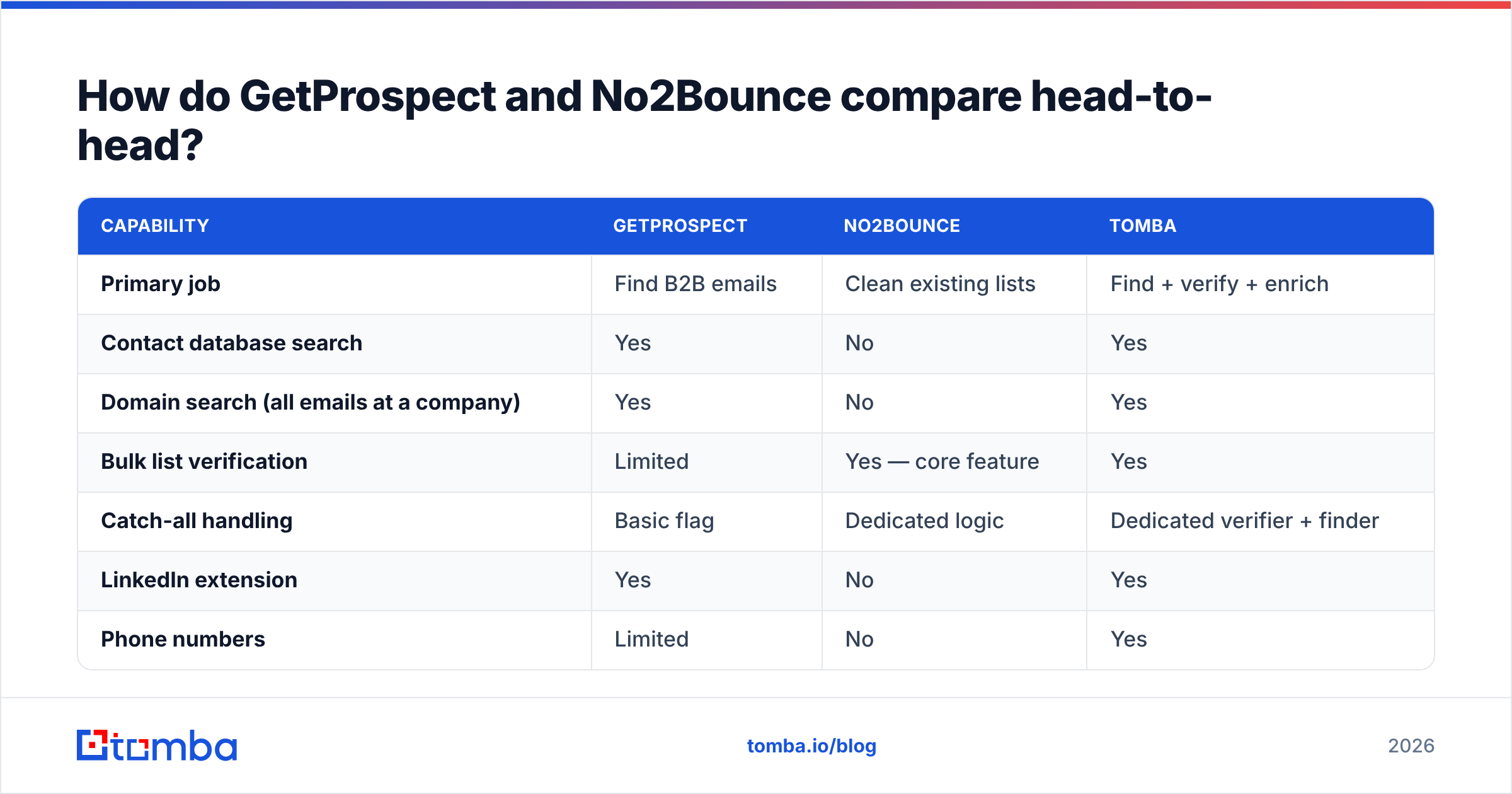
| Capability | GetProspect | No2Bounce | Tomba |
|---|---|---|---|
| Primary job | Find B2B emails | Clean existing lists | Find + verify + enrich |
| Contact database search | Yes | No | Yes |
| Domain search (all emails at a company) | Yes | No | Yes |
| Bulk list verification | Limited | Yes — core feature | Yes |
| Catch-all handling | Basic flag | Dedicated logic | Dedicated verifier + finder |
| LinkedIn extension | Yes | No | Yes |
| Phone numbers | Limited | No | Yes |
| API access | Yes | Yes | Yes (REST, CLI, MCP) |
| Free tier | Yes (limited credits) | Trial credits | 25 searches/mo |
| Starting paid price | ~$49/mo range | Credit packs / PAYG | $49/mo |
| Best for | Building new lists | Cleaning bought or aging lists | Teams that need both |
Pricing on all three moves; treat the row above as a shape, not a quote, and confirm on each vendor's own pricing page before you buy. You can see Tomba pricing in full detail, including what each credit actually consumes.
The row that decides most purchases is "primary job." If you're a founder with zero contacts, No2Bounce solves nothing this quarter. If you inherited a 400k-record database of unknown provenance, GetProspect solves nothing this quarter.
Which one is more accurate?#
Accuracy means two different things here, and vendors exploit that ambiguity.
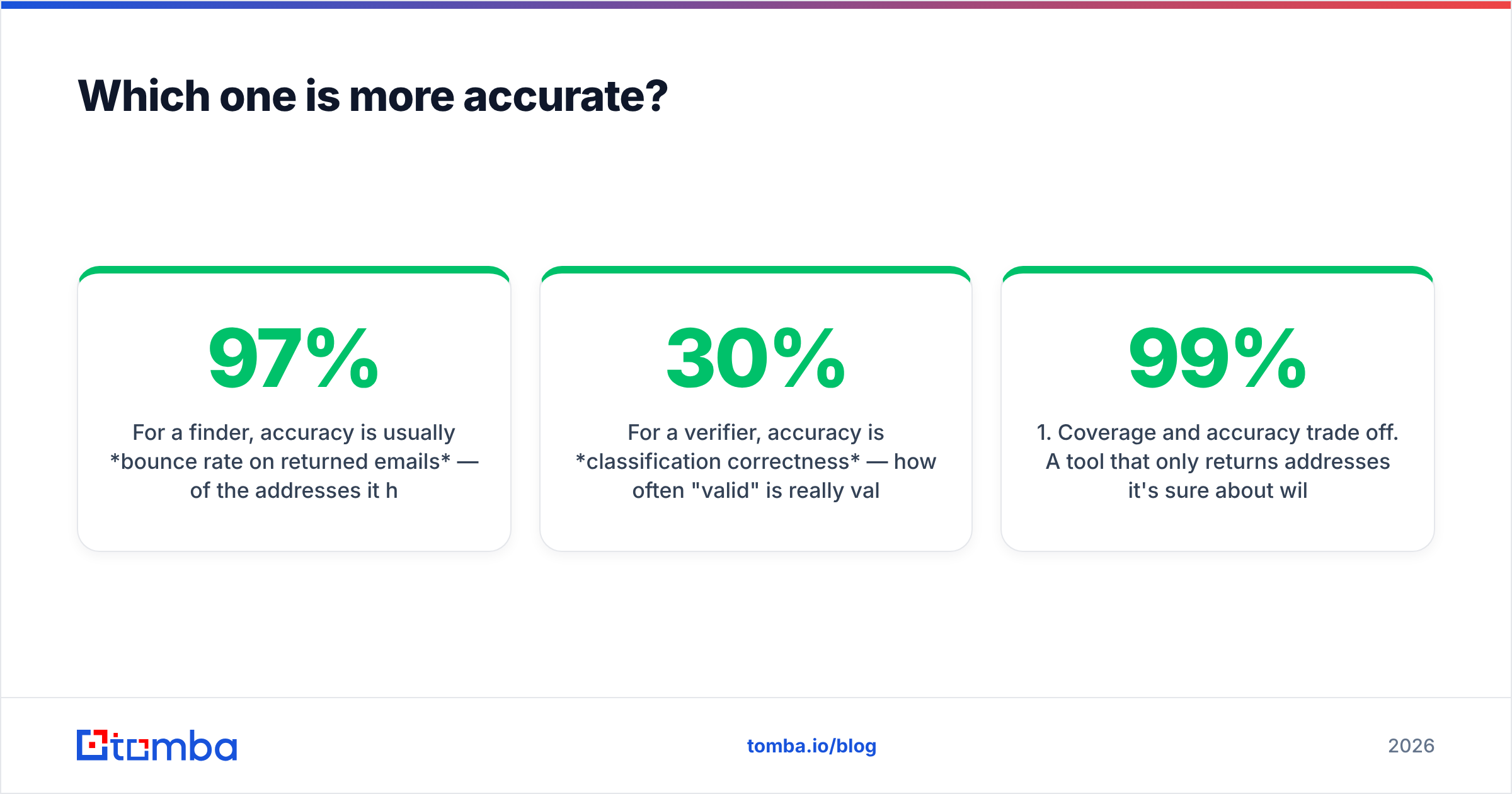
For a finder, accuracy is usually bounce rate on returned emails — of the addresses it hands you, how many are deliverable. Good finders sit in the 90–97% band on well-covered markets (US/EU tech, mid-market and up) and drop sharply on small businesses, non-English domains, and heavily-gated industries.
For a verifier, accuracy is classification correctness — how often "valid" is really valid and "invalid" is really invalid. Verifiers also compete on how few results they dump into the "unknown" or "risky" bucket, since a verifier that marks 30% of your list unknown hasn't done much work.

Two rules for reading any vendor accuracy claim, including ours:
- Coverage and accuracy trade off. A tool that only returns addresses it's 99% sure about will show a beautiful bounce rate and a terrible hit rate. Always ask for both numbers together. "97% accurate" on 22% of your target list is worse than "93% accurate" on 65%.
- Test on your ICP, not theirs. Take 100 real target accounts — your actual segment, your actual geography — and run them through every candidate's free tier. Count hits, then send a small warm-up batch and count real bounces. Two hours of work beats every comparison post on the internet, this one included.
If you want to check where a provider's data actually comes from before trusting it, Tomba publishes its data sources — a question worth asking every vendor on your shortlist.
What does the two-tool stack actually cost?#
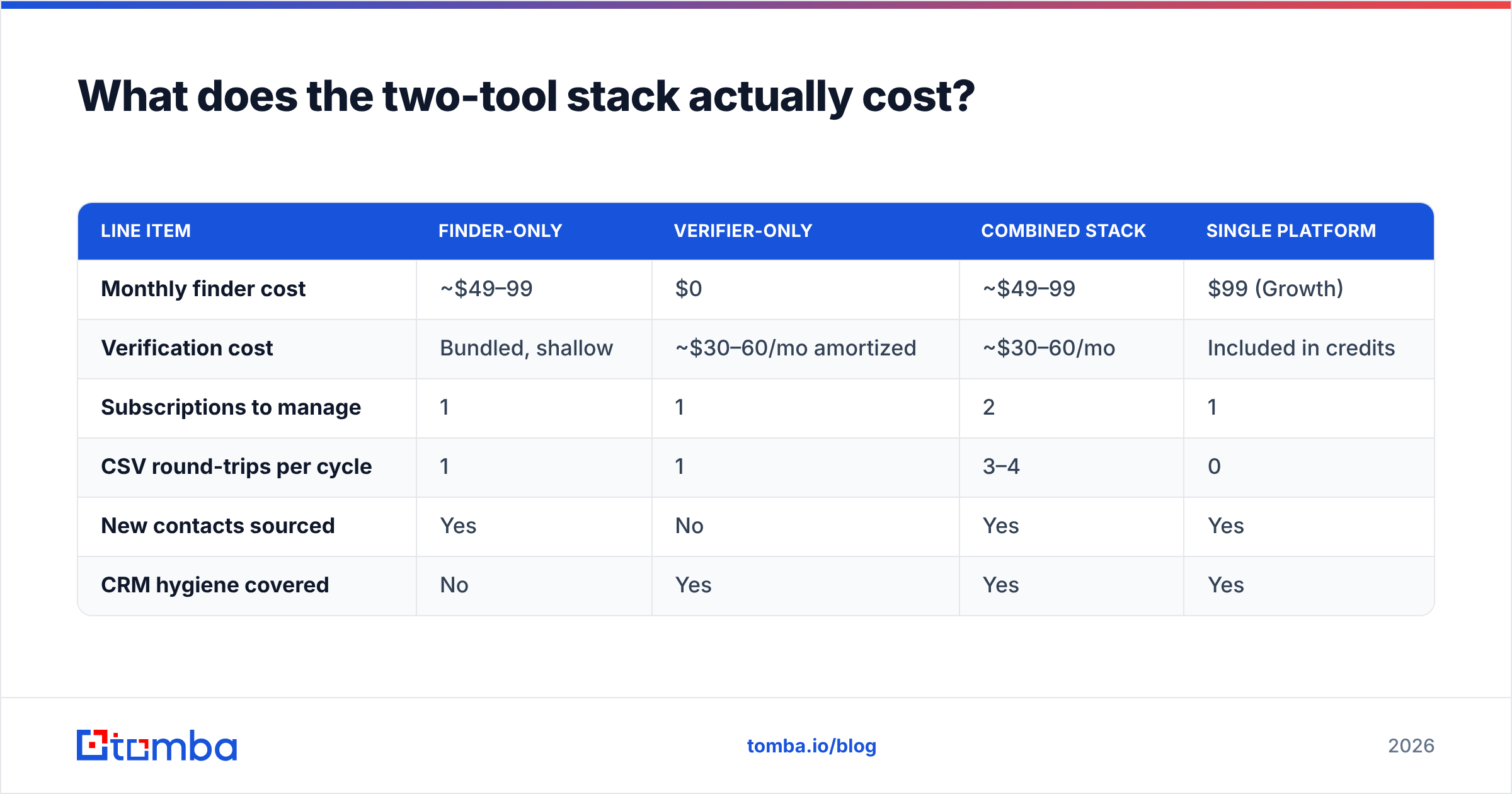
Say you're a three-person outbound team building 2,000 new contacts a month and re-verifying a 30,000-record CRM every quarter.
| Line item | Finder-only | Verifier-only | Combined stack | Single platform |
|---|---|---|---|---|
| Monthly finder cost | ~$49–99 | $0 | ~$49–99 | $99 (Growth) |
| Verification cost | Bundled, shallow | ~$30–60/mo amortized | ~$30–60/mo | Included in credits |
| Subscriptions to manage | 1 | 1 | 2 | 1 |
| CSV round-trips per cycle | 1 | 1 | 3–4 | 0 |
| New contacts sourced | Yes | No | Yes | Yes |
| CRM hygiene covered | No | Yes | Yes | Yes |
The dollar delta between "combined stack" and "single platform" is often small. The operational delta isn't. Every CSV round-trip is a chance to lose UTM fields, duplicate records, break a CRM sync, or email someone twice. If you're moving lists between tools by hand, budget for the mistake, not just the seat.

When should you choose GetProspect?#
Pick a finder-first tool like GetProspect when:
- You're building lists from scratch. No existing database, no legacy CRM to clean. Discovery is the bottleneck.
- You work primarily in LinkedIn. Extension-driven prospecting where you're already looking at profiles and want the email inline.
- Your ICP is well-covered. Mid-market and enterprise SaaS, agencies, and North American / Western European companies are the sweet spot for nearly every B2B database.
- You need firmographics too. Company size, industry, and tech signals matter to your segmentation, not just the address.
Pick a verifier-first tool like No2Bounce when:
- You bought or inherited a list. Never send to purchased data without cleaning it — the bounce rate will damage your sender reputation before you learn anything about the offer.
- Your CRM hasn't been touched in a year. Contact decay is real and compounding.
- You're migrating ESPs. Most reputable senders will look hard at your bounce rate in the first weeks. Clean before you migrate, not after.
- You're recovering from a deliverability incident. After a spam-trap hit or a blocklisting, list hygiene is the first remediation step, not the last.
Is there a reason to run both — or neither?#
Running both is legitimate at scale. Large RevOps teams often pair a database vendor with an independent verifier specifically so verification isn't marked by the same party that sold the data. That's a reasonable control, and it's why enterprise buyers accept the extra cost.
Below roughly 10,000 contacts a month, the separation is mostly overhead. You're paying twice for overlapping infrastructure and adding a manual export step between two systems that don't know about each other.
The third option — neither — applies more often than people expect. If your total addressable market is 300 accounts, you don't need a database subscription. You need domain search on 300 domains, a verification pass, and a spreadsheet. Buying enterprise tooling for a small TAM is the most common overspend in early outbound.

For anyone in the middle — thousands of contacts a month, one or two people running outbound, no dedicated ops hire — the consolidated path is almost always right. One credit pool, one API, one export.
How do you evaluate any of these in under an hour?#
A repeatable test beats vendor marketing. Run this against GetProspect, No2Bounce, Tomba, or anything else on your shortlist:
- Build a 100-row control set. Real companies in your ICP, real named people. Include 20 rows you already know the correct answer for — current customers, past colleagues, inbound leads. This is your ground truth.
- Run discovery. Record hit rate (rows returned) separately from confidence score. Note how many results are role-based (
info@,sales@) — those inflate hit rate and depress reply rate. - Run verification. Push the same list through the verifier. Count how many land in "unknown" or "risky." A high unknown rate means you'll be making the judgment call yourself anyway.
- Check the known-answer rows. Did the tool get your 20 ground-truth contacts right? Any false "invalid" on an address you know works is a coverage problem that will quietly shrink every future list.
- Send 50. Small batch, warmed domain, real copy. Actual bounces are the only accuracy metric that pays.
- Price the winner at your real volume. Not the headline tier — the volume you'll hit in month three. Overage pricing is where budgets break.
Cross-reference what you find with independent reviews on G2 before you sign anything annual. Look specifically at reviews from companies your size in your region; a tool that's excellent for US enterprise sales can be near-useless for European SMB.
Where does Tomba fit in this comparison?#
Tomba was built to remove the finder-vs-verifier split, and it's fair to say we're not neutral on the question. What's honest to claim:
- Discovery and verification share one credit pool. Find an address and validate it in the same call rather than exporting between two systems.
- Catch-all is handled explicitly. A separate email verifier and catch-all logic instead of a single ambiguous flag, so you can decide risk tolerance per campaign.
- Bulk is first-class. Bulk email finder and bulk verification for the CRM-hygiene use case that sends people to standalone verifiers in the first place.
- The API is the product for technical teams. REST, a CLI, and an MCP server if you're wiring lead gen into an agent workflow.
Where Tomba is not the answer: if you need deep intent data, ABM scoring, or a full sequencer, you'll still want a dedicated platform for that layer. Tomba is the data layer, not the whole GTM stack. And if your only job this month is scrubbing a purchased list you'll never add to, a pure verifier is a perfectly rational purchase.
The verdict#
GetProspect wins if the problem is "I don't have enough contacts." No2Bounce wins if the problem is "the contacts I have are rotting." Neither wins if the problem is both — which, for most outbound teams, it is.
Test before you commit. Take your 100-row control set, run it through the Tomba Email Finder free tier (25 searches, no card), and compare the hit rate and bounce rate against whatever you're using now. If the numbers hold, the $49/mo Starter plan replaces two line items with one. If they don't, you've lost an afternoon and gained a benchmark you can point at in the next vendor call.
Related guides#
Ready to find emails that actually work?
Join 150,000+ professionals who stopped guessing and started sending. Free credits on signup — no credit card required.
Get the Tomba newsletter
Practical outbound tactics and product updates — once every two weeks.
About the author