GetProspect vs Power Almanac: Which B2B Data Wins in 2026?
One tool finds emails live from LinkedIn and domains. The other sells a curated list of US local-government officials. Here is how GetProspect and Power Almanac actually differ on coverage, freshness, pricing, and bounce risk.
GetProspect vs Power Almanac is an odd matchup. One tool finds live work emails. The other sells a curated list of US local-government officials. This guide shows which one fits your market, your budget, and your send.
TL;DR
- They are not really rivals. GetProspect is a live B2B email finder built around LinkedIn and company domains. Power Almanac is a hand-researched database of US local-government officials. The choice comes down to who you sell to.
- If your buyers are commercial (SaaS, agencies, ecommerce, manufacturers), GetProspect wins on breadth and speed. Power Almanac barely covers that market.
- If your buyers are city managers, county clerks, public-works directors, or police chiefs, Power Almanac wins outright. No general finder maps small-town org charts as well.
- Freshness works in opposite ways. GetProspect looks up contacts on demand. Power Almanac re-checks its file on a schedule. Both decay, so verify before you send.
- Cost models differ more than prices. GetProspect sells monthly credits from about $49/mo. Power Almanac sells record bundles or an annual license, quoted by sales.
What is GetProspect and what is Power Almanac?#
Short answer: one is a search engine for work emails. The other is a filing cabinet for public-sector contacts.
GetProspect (getprospect.com) is a B2B email-finding platform. Feed it a name and a company domain, a LinkedIn profile, a Sales Navigator search, or a list of companies. It returns work email addresses plus firm details. The Chrome extension is the part most users touch daily. You browse LinkedIn, click, and export a list. Behind it sits a database of hundreds of millions of records. A checking layer strips out obvious bad addresses before the export reaches your CRM.
Power Almanac (poweralmanac.com) is a different animal. It is a research-built directory of elected and appointed officials in US local government. That means cities, towns, villages, townships, and counties. Coverage spans tens of thousands of local bodies and six figures of named officials. Each record is tagged by title, jurisdiction type, population band, and department. The pitch is that a person touches the file. Officials turn over after elections, so the data is re-checked on a cycle instead of scraped once and forgotten.
Here is the practical split, in the form most people need it:
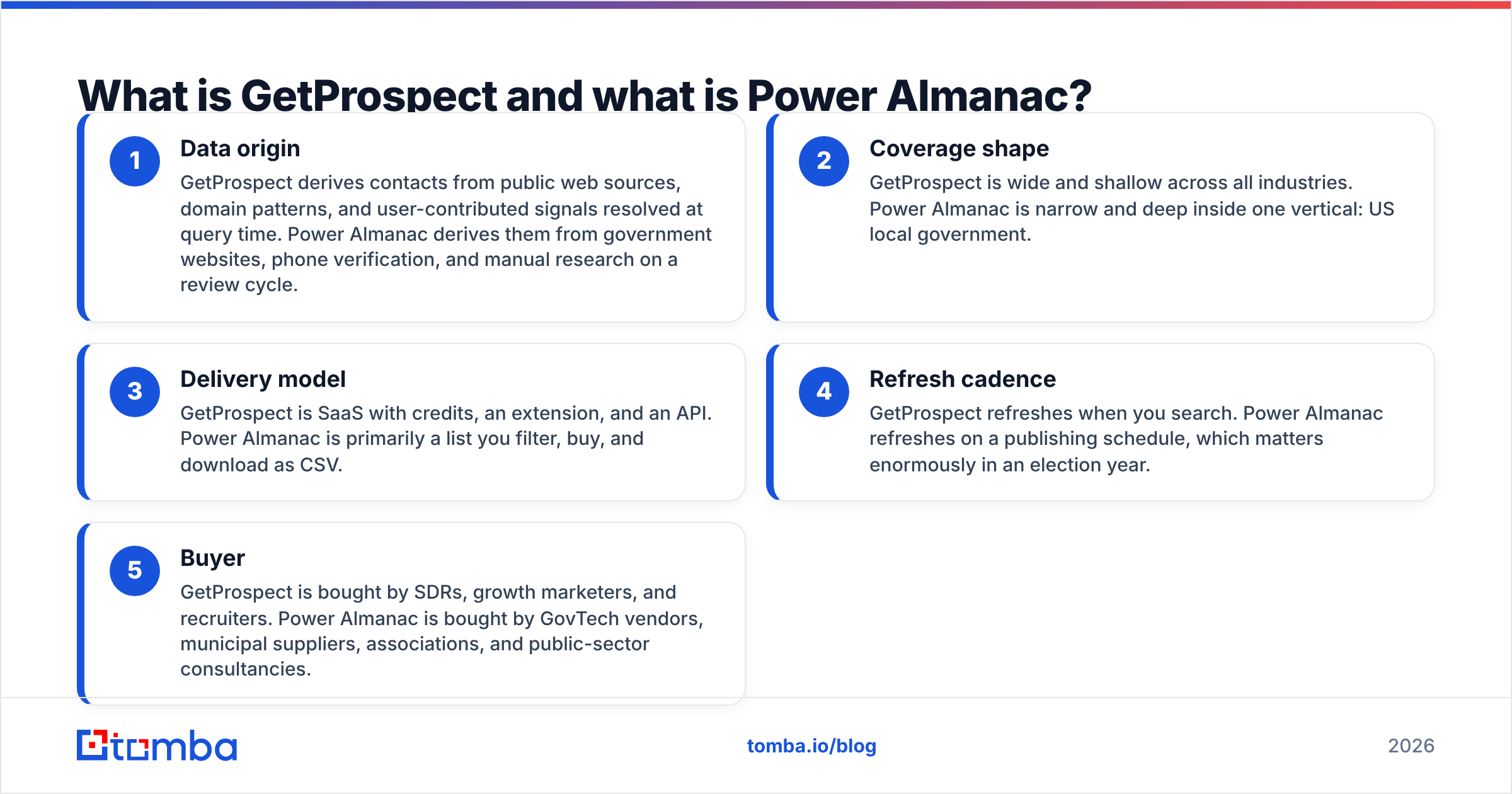
- Data origin — GetProspect builds contacts from public web sources, domain patterns, and user signals, all resolved when you search. Power Almanac builds them from government websites, phone calls, and manual research on a review cycle.
- Coverage shape — GetProspect is wide and shallow across every industry. Power Almanac is narrow and deep in one: US local government.
- Delivery model — GetProspect is software with credits, an extension, and an API. Power Almanac is mostly a list you filter, buy, and download as CSV.
- Refresh cadence — GetProspect refreshes when you search. Power Almanac refreshes on a publishing schedule. That gap matters a lot in an election year.
- Buyer — SDRs, growth marketers, and recruiters buy GetProspect. GovTech vendors, municipal suppliers, associations, and public-sector consultants buy Power Almanac.
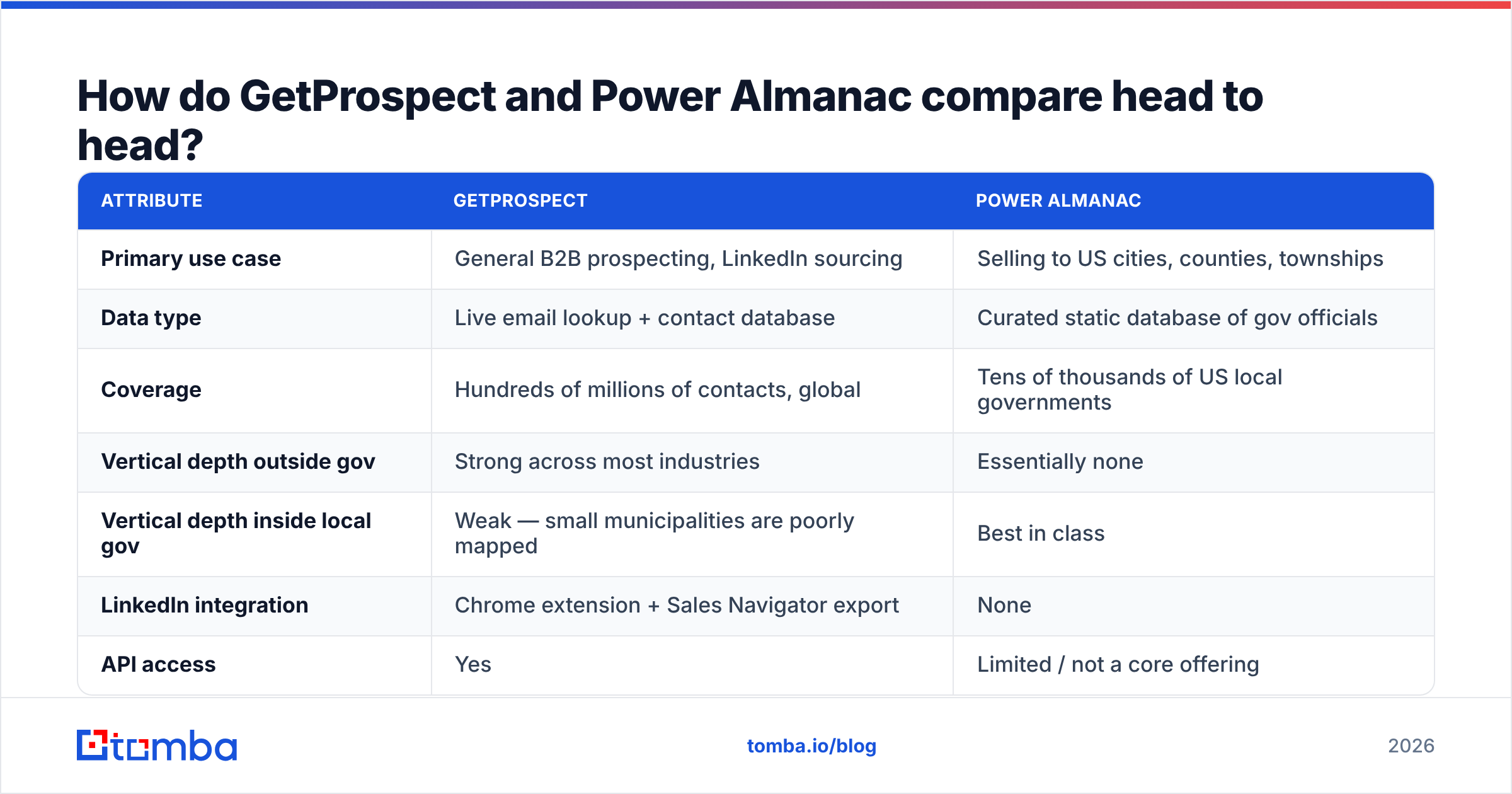
GetProspect vs Power Almanac: how do they compare head to head?#
| Attribute | GetProspect | Power Almanac |
|---|---|---|
| Primary use case | General B2B prospecting, LinkedIn sourcing | Selling to US cities, counties, townships |
| Data type | Live email lookup + contact database | Curated static database of gov officials |
| Coverage | Hundreds of millions of contacts, global | Tens of thousands of US local governments |
| Vertical depth outside gov | Strong across most industries | Essentially none |
| Vertical depth inside local gov | Weak — small municipalities are poorly mapped | Best in class |
| LinkedIn integration | Chrome extension + Sales Navigator export | None |
| API access | Yes | Limited / not a core offering |
| Phone numbers | Partial | Yes, direct department lines are a strength |
| Delivery | App, extension, CSV, API, integrations | Filtered CSV download |
| Pricing model | Monthly credits, self-serve, free tier | Record bundles / annual license, quoted |
| Entry cost | Free tier, paid from roughly $49/mo | Four-figure annual commitments are common |
| Best for | SDR teams doing volume outbound | GovTech and municipal-supply sales teams |
Two rows deserve extra weight. First, phone numbers. For public-sector outreach, the switchboard or a department line often beats email. Many city halls route outside email into a generic info@ inbox. Power Almanac is built for that reality. Second, API access. If you enrich a CRM or build a workflow, a CSV download is a ceiling you hit fast.
Which one has better data accuracy?#
They fail in different places. And neither vendor number should be taken at face value.
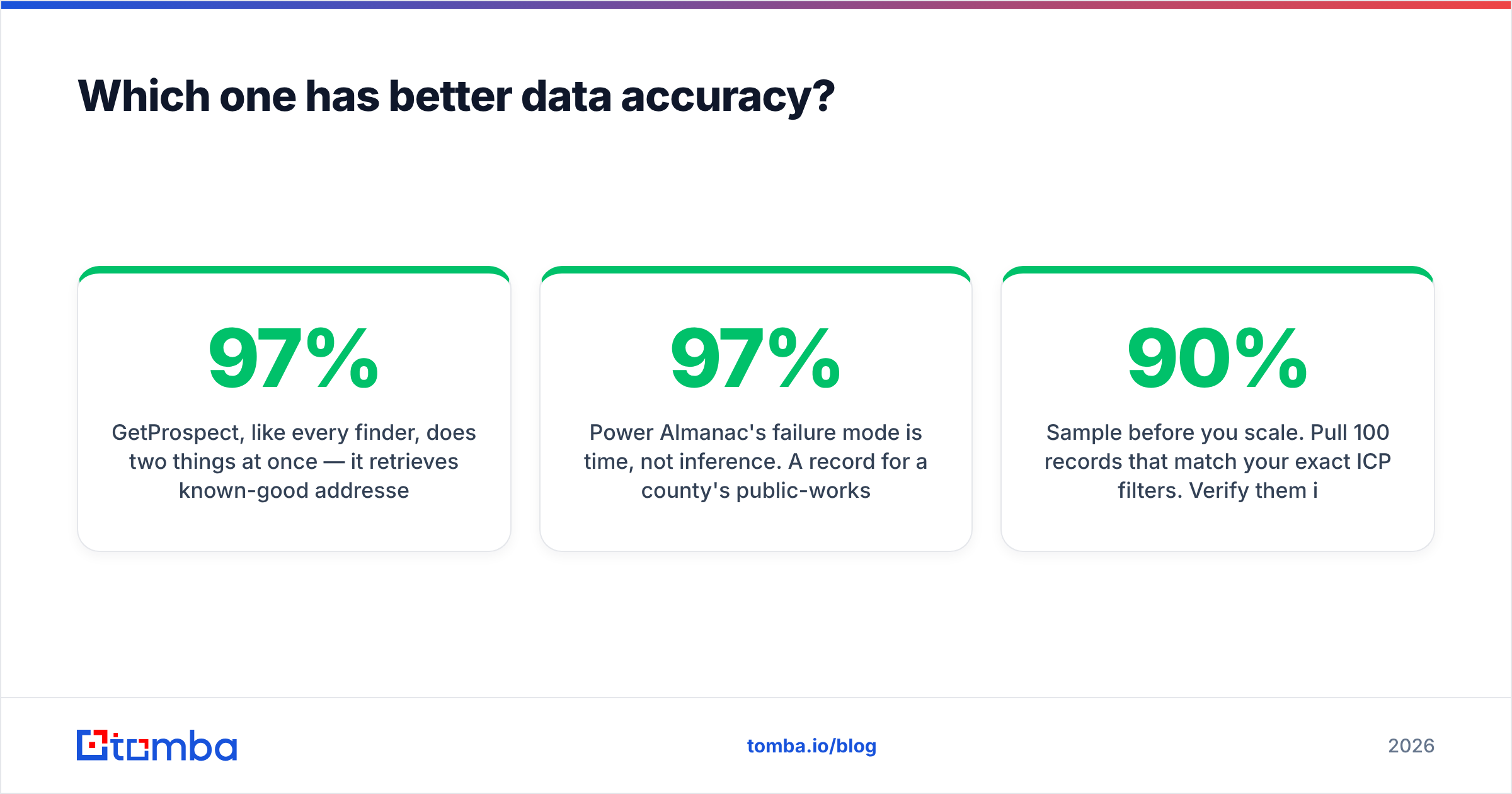
GetProspect does two things at once, like every finder. It pulls known-good addresses from a cache. It also guesses addresses from a company's known pattern, such as first.last@ or flast@, when it has no record. The first path is usually right. The second is a bet, and it is where bounces come from. Vendors in this category claim 90–97% accuracy. Those figures almost always describe verified-only exports on well-documented domains. They do not describe the messy tail of 12-person firms on catch-all servers.
Power Almanac fails on time, not guesswork. A record for a county public-works director can be right on the day it was researched. Six months later, after a retirement or a November election, it is wrong.
Local government turnover is lumpy and seasonal. A file that is 97% accurate in March can be much worse in January, once new terms begin. That is not a knock on the vendor. It is simply how static files work. So treat any bought list as a starting guess. Run it through an email verifier before the first send, whatever the source.
Three checks are worth running on either source before you spend:
- Sample before you scale. Pull 100 records that match your exact ICP filters. Verify them yourself. Under ~90% deliverable means your campaign math is worse than the vendor deck.
- Check catch-all handling. City domains and small firms both lean on catch-all servers. A standard SMTP check says "accept" for every address there. A dedicated catch-all verifier is the only way to tell real mailboxes from wishful thinking.
- Test the tail, not the head. Any provider looks good on Fortune 500 domains. Test the 500-person manufacturer or the 4,000-resident township. That is where vendors split apart.
How does pricing compare between GetProspect and Power Almanac?#
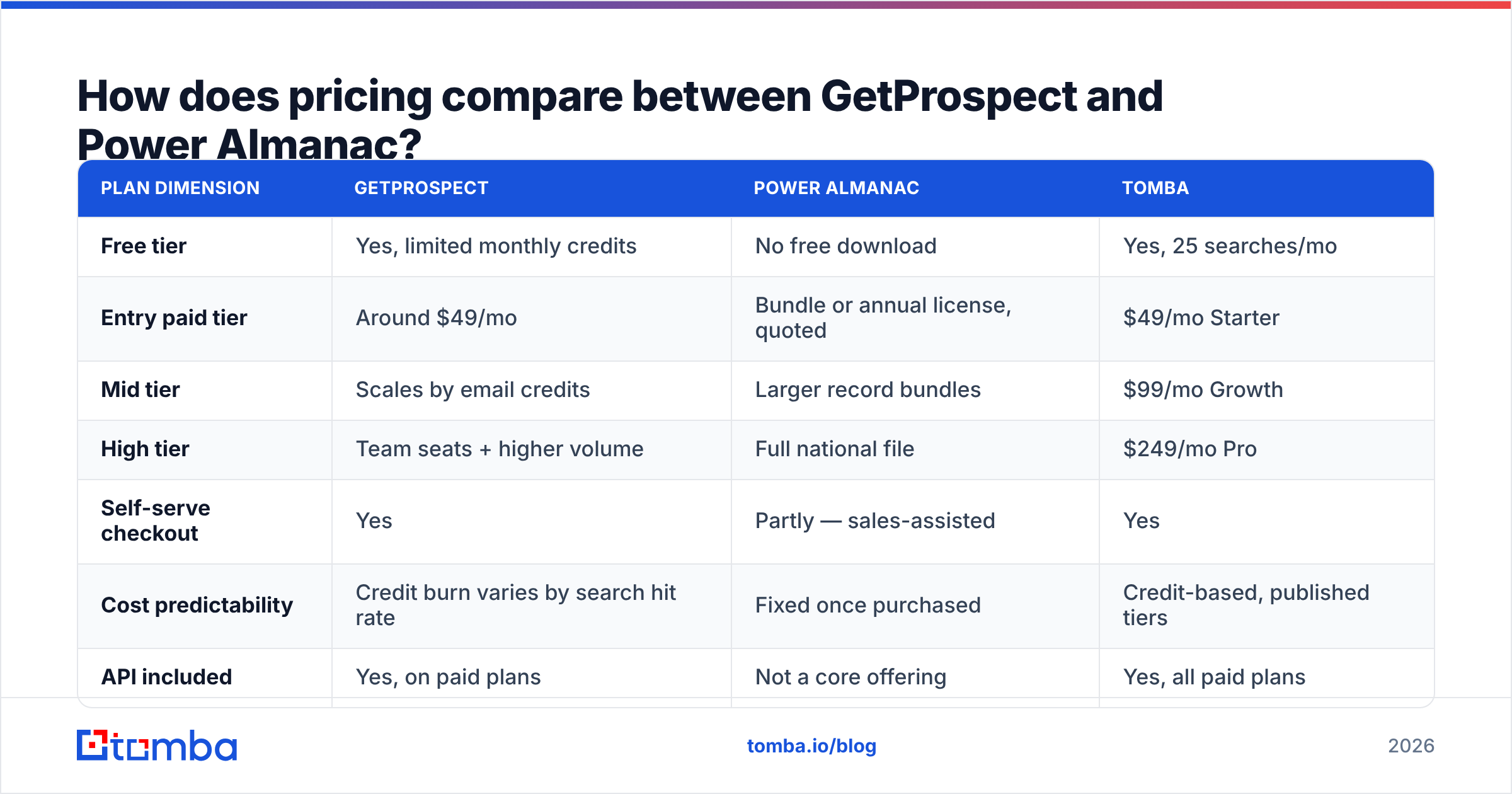
| Plan dimension | GetProspect | Power Almanac | Tomba |
|---|---|---|---|
| Free tier | Yes, limited monthly credits | No free download | Yes, 25 searches/mo |
| Entry paid tier | Around $49/mo | Bundle or annual license, quoted | $49/mo Starter |
| Mid tier | Scales by email credits | Larger record bundles | $99/mo Growth |
| High tier | Team seats + higher volume | Full national file | $249/mo Pro |
| Self-serve checkout | Yes | Partly — sales-assisted | Yes |
| Cost predictability | Credit burn varies by search hit rate | Fixed once purchased | Credit-based, published tiers |
| API included | Yes, on paid plans | Not a core offering | Yes, all paid plans |
Read that table as a model comparison, not a shopping list. Credit definitions change more often than headline prices, so check each vendor's own page before you buy.
The structural difference is simple. GetProspect charges for lookups, so your true cost per usable contact rides on hit rate. Say the finder resolves 45% of your list. Your real cost per contact is then about double the sticker math.
Power Almanac charges for records you already know exist. Cost per contact is fixed at purchase. But you pay for the whole slice of the file, including officials you will never contact. Neither model is cheaper by default. Run a 100-record sample from your own segment. Then work out the cost per verified, in-ICP contact. That single number settles most vendor arguments.
For a published, no-haggle reference point on the finder side, Tomba pricing runs Free (25 searches/mo), Starter at $49/mo, Growth at $99/mo, and Pro at $249/mo. Every paid tier includes API access. That makes a useful baseline when you judge a quoted annual list price.
Who should choose GetProspect?#
Choose GetProspect if most of these are true:
- Your buyers are commercial. You sell software, services, or products to private firms, and your buyer titles live on LinkedIn.
- LinkedIn is your sourcing surface. You build lists from Sales Navigator and want one click from profile to CRM.
- You need volume and speed. Weekly list-building beats quarterly list-buying for your motion.
- You want self-serve. No procurement cycle, no sales call. Card on file, start today.
Where it lets you down: go looking for the parks-and-recreation director of a 6,000-person township and the trail goes cold. That person may have no LinkedIn profile at all. The city domain may follow no pattern you can guess. General finders are weakest exactly where Power Almanac is strongest.
Who should choose Power Almanac?#
Choose Power Almanac if:
- You sell to local government. Fleet software, permit systems, road salt, body cameras, ERP for cities, grant consulting.
- Titles matter more than companies. You need every "city clerk" or every "emergency management director" nationwide, filtered by state or population band. No general finder offers that filter.
- You need phone-first outreach. Public-sector staff answer phones more than they answer cold email. Direct department lines are hard to find elsewhere.
- Compliance and provenance matter. A vendor that documents how it researched a public official is an easier story for legal review than scraping government sites yourself.
Where it lets you down: it does not help you sell outside US local government. There is no LinkedIn workflow. And CSV-only delivery makes enrichment and re-checks your problem.

Can you use both — and where does an email finder fit?#
Yes. For GovTech teams, the pair usually beats either tool alone.
Here is the pattern that works. Buy the vertical file for structure: who holds which role in which jurisdiction. Then use a finder and a verifier for contactability. Power Almanac tells you Jane Doe runs public works in a given county. A domain search against that county's domain shows the email pattern in use today. A verify pass shows whether Jane's mailbox still accepts mail this week. You swap a six-month-old guess for a same-day fact, and you keep the org-chart knowledge you paid for.
The same logic holds on the commercial side. Finders like GetProspect, Findymail alternatives, or Tomba's own email finder resolve contacts at query time. That is fine for accounts you work right now. But push a static list of 20,000 rows through a sequencer and the freshness edge dies the moment the CSV leaves the app. A bulk verify pass right before launch does more for deliverability than switching vendors ever will.
One more note for list buyers. Vendors like BookYourData hold a similar "buy a curated slice" spot on the commercial side. They sell filtered, verified B2B lists with published accuracy claims. If your gripe with Power Almanac is "great data, wrong vertical," then a verified-list vendor plus a finder is a sound setup.
What should you check before you buy?#
Skip the feature matrix for a moment. Run this checklist against both vendors:
- Segment sample test. 100 records from your exact ICP filters, verified on your own. Work out the deliverable rate and the cost per verified contact.
- Turnover exposure. Ask when the slice you are buying was last re-researched. For local government, ask what happens after November.
- Delivery fit. Can the data reach your CRM on its own? Or does someone own a monthly CSV chore forever? An email finder API or native CRM sync removes that whole class of busywork.
- Refund and replacement policy. What happens to bounced records: credits back, new records, or nothing? Get it in writing.
- Peer evidence. Read recent reviews on G2 instead of vendor case studies. Weight reviews from firms your size in your market.
- Exit cost. If you cancel, do you keep the exported data? On an annual license, that clause beats a 10% discount.
The verdict: GetProspect vs Power Almanac in 2026#
Sell to private companies and GetProspect is the better tool. Power Almanac is not a real option there. Sell to US cities and counties and Power Almanac is the better data. No general finder replaces it.
The hard case is teams that do both. Think GovTech vendors who also sell to utilities, contractors, and consultancies. Those teams should stop choosing and start layering. Buy the vertical file for structure. Add a finder for everything outside it. Put verification in front of every send, whatever the source.
Both tools share one limit that neither markets loudly. Data decays, and the decay stays invisible until your bounce rate spikes and your domain reputation takes the hit. So the verification step is not extra overhead. It is the line between a list you own and a list that quietly burns your sending domain.
Want one system for both sides — domain-level patterns, live lookups, catch-all handling, bulk cleaning, and an API that pushes into your CRM? Start with the Tomba Email Finder. The free tier gives you 25 searches a month. Run your own sample against the exact accounts you are arguing about. It settles a vendor debate faster than another comparison table.
Related guides#
Ready to find emails that actually work?
Join 150,000+ professionals who stopped guessing and started sending. Free credits on signup — no credit card required.
Get the Tomba newsletter
Practical outbound tactics and product updates — once every two weeks.
About the author