GetProspect vs RemoveBounce: Which Tool Do You Need in 2026?
GetProspect finds emails. RemoveBounce cleans them. They solve different halves of the same problem — here is how they compare on data, accuracy, pricing, and when one tool beats running both.
TL;DR
- GetProspect and RemoveBounce are not competitors. GetProspect finds B2B email addresses; RemoveBounce verifies lists you already have. Comparing them head-to-head only makes sense once you know which half of the pipeline is broken.
- If your problem is "I have no contacts," GetProspect is the relevant tool. If your problem is "my bounce rate is 9% and Gmail is throttling me," RemoveBounce is.
- Running both means two subscriptions, two credit pools, two APIs, and a manual CSV handoff between them.
- Consolidated platforms — Tomba, Hunter, Apollo — bundle finding and verification into one credit pool. Tomba's Starter plan is $49/mo with a free tier at 25 searches.
- Judge either tool on verified deliverable rate, not raw match rate. A finder that returns 90% of contacts but only 60% land is worse than one returning 65% that all land.
What are GetProspect and RemoveBounce, exactly?#
GetProspect is a B2B lead-generation platform built around an email finder and a LinkedIn Chrome extension. You search its contact database by job title, company size, industry, location, or technology, then export the results as a list with names, roles, company data, and work emails. It also has a lightweight CRM layer so lists can be tagged, filtered, and pushed into outreach tools. The core promise: turn a targeting brief into a spreadsheet of named humans with addresses.
RemoveBounce is an email verification service. You upload a list you already own — from a webinar, a scrape, a purchased file, an old CRM export — and it runs syntax checks, DNS and MX lookups, disposable-domain detection, role-account flagging, and SMTP-level mailbox probing. It returns each address labelled valid, invalid, risky, or unknown. It does not create contacts. It only tells you which of yours will bounce.
That distinction drives everything else in this comparison. One is a data source. The other is a data filter.
Why does the finder-vs-verifier distinction actually matter?#
Because buying the wrong one leaves the actual bottleneck untouched. Think of it like a kitchen: a finder is the grocery run, a verifier is the "check the expiry dates" step. Buying more groceries does not fix spoiled milk, and checking dates does not fill an empty fridge.
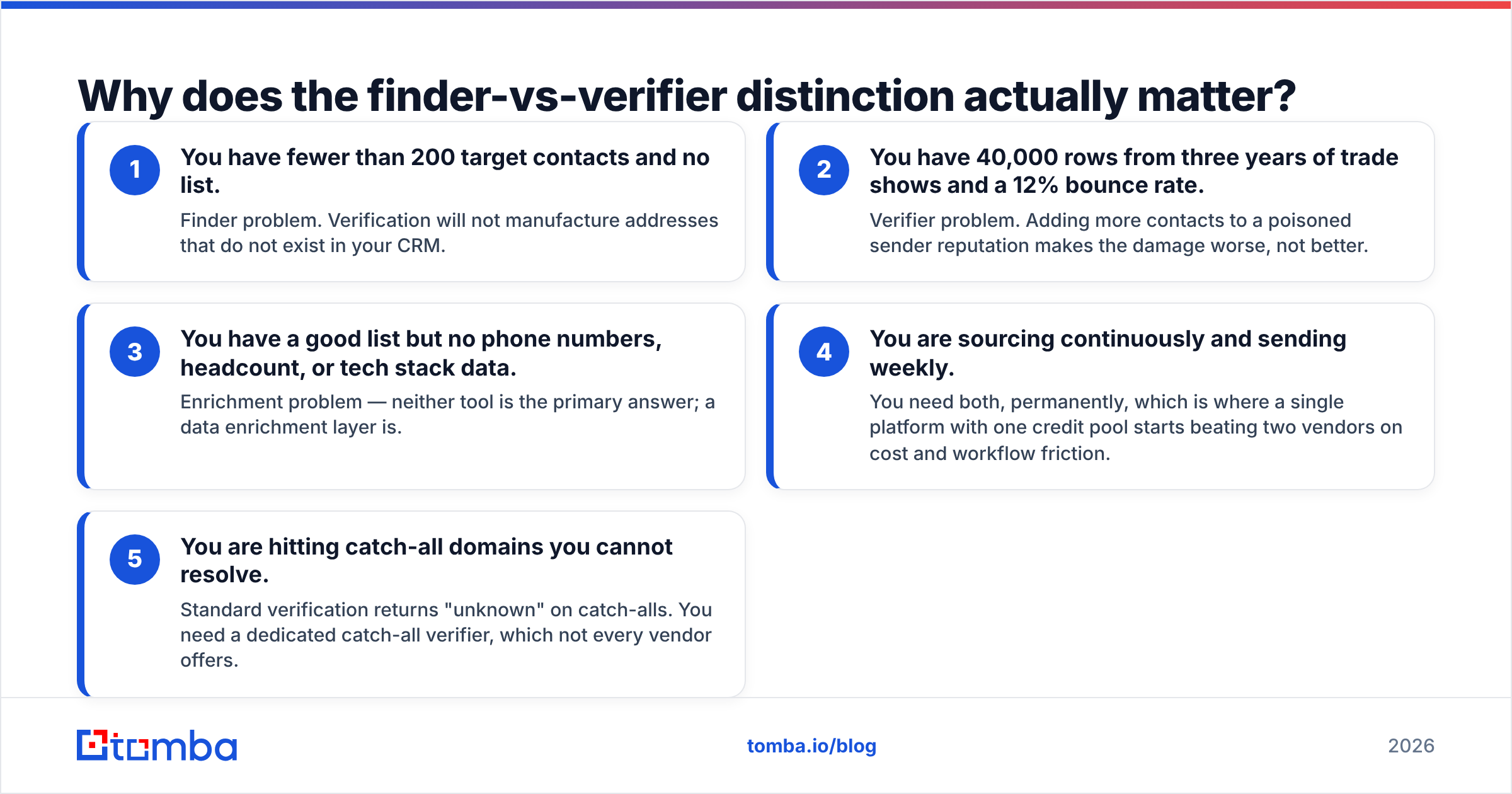
Here is how to diagnose which half you need:
- You have fewer than 200 target contacts and no list. Finder problem. Verification will not manufacture addresses that do not exist in your CRM.
- You have 40,000 rows from three years of trade shows and a 12% bounce rate. Verifier problem. Adding more contacts to a poisoned sender reputation makes the damage worse, not better.
- You have a good list but no phone numbers, headcount, or tech stack data. Enrichment problem — neither tool is the primary answer; a data enrichment layer is.
- You are sourcing continuously and sending weekly. You need both, permanently, which is where a single platform with one credit pool starts beating two vendors on cost and workflow friction.
- You are hitting catch-all domains you cannot resolve. Standard verification returns "unknown" on catch-alls. You need a dedicated catch-all verifier, which not every vendor offers.
Most teams under-diagnose. They buy a finder, blast the export unverified, torch their domain, then buy a verifier to clean up. The correct order is find → verify → send, every time, with no unverified address ever reaching a mail server.

How do GetProspect and RemoveBounce compare feature by feature?#
Because the products barely overlap, the table below reads as a capability map rather than a scoreboard. Treat pricing as directional — both vendors adjust plans, so confirm on their pricing pages before you commit.

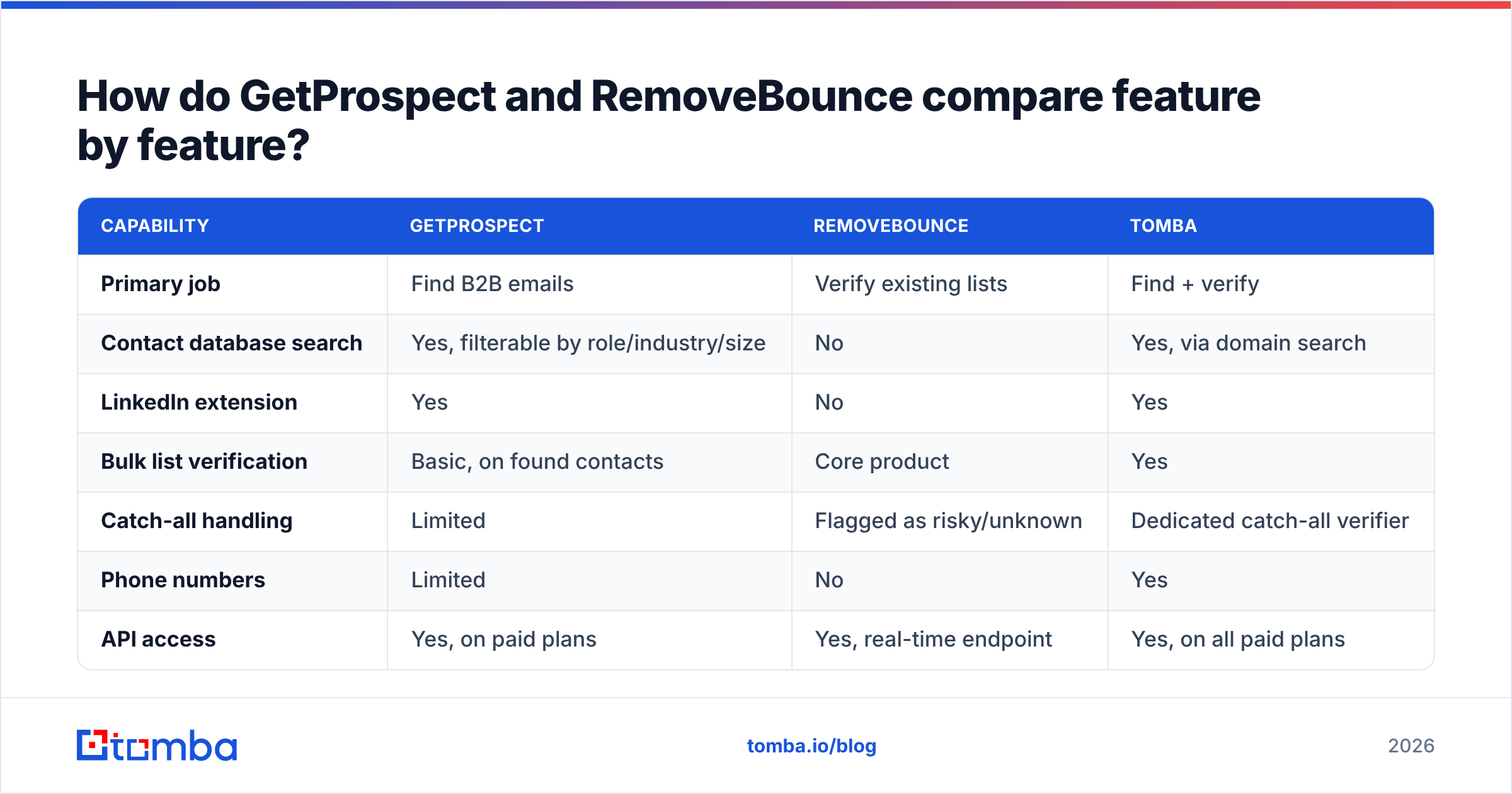
| Capability | GetProspect | RemoveBounce | Tomba |
|---|---|---|---|
| Primary job | Find B2B emails | Verify existing lists | Find + verify |
| Contact database search | Yes, filterable by role/industry/size | No | Yes, via domain search |
| LinkedIn extension | Yes | No | Yes |
| Bulk list verification | Basic, on found contacts | Core product | Yes |
| Catch-all handling | Limited | Flagged as risky/unknown | Dedicated catch-all verifier |
| Phone numbers | Limited | No | Yes |
| API access | Yes, on paid plans | Yes, real-time endpoint | Yes, on all paid plans |
| Free tier | ~50 emails/mo | Small trial credit block | 25 searches/mo |
| Entry paid price | ~$49/mo | Pay-as-you-go credits | $49/mo |
| Credit model | Monthly subscription | Credits, no expiry on most packs | Monthly subscription |
| Best for | Building lists from scratch | Cleaning inherited lists | Running both in one workflow |
Two things stand out. First, RemoveBounce's pay-as-you-go pricing is genuinely useful for one-off cleanups — if you clean a 50,000-row list twice a year, a credit pack beats a monthly seat you barely touch. Second, GetProspect's subscription model only earns its keep if you source continuously; sporadic prospectors leave credits on the table every month.
How accurate is each tool, and how would you even know?#
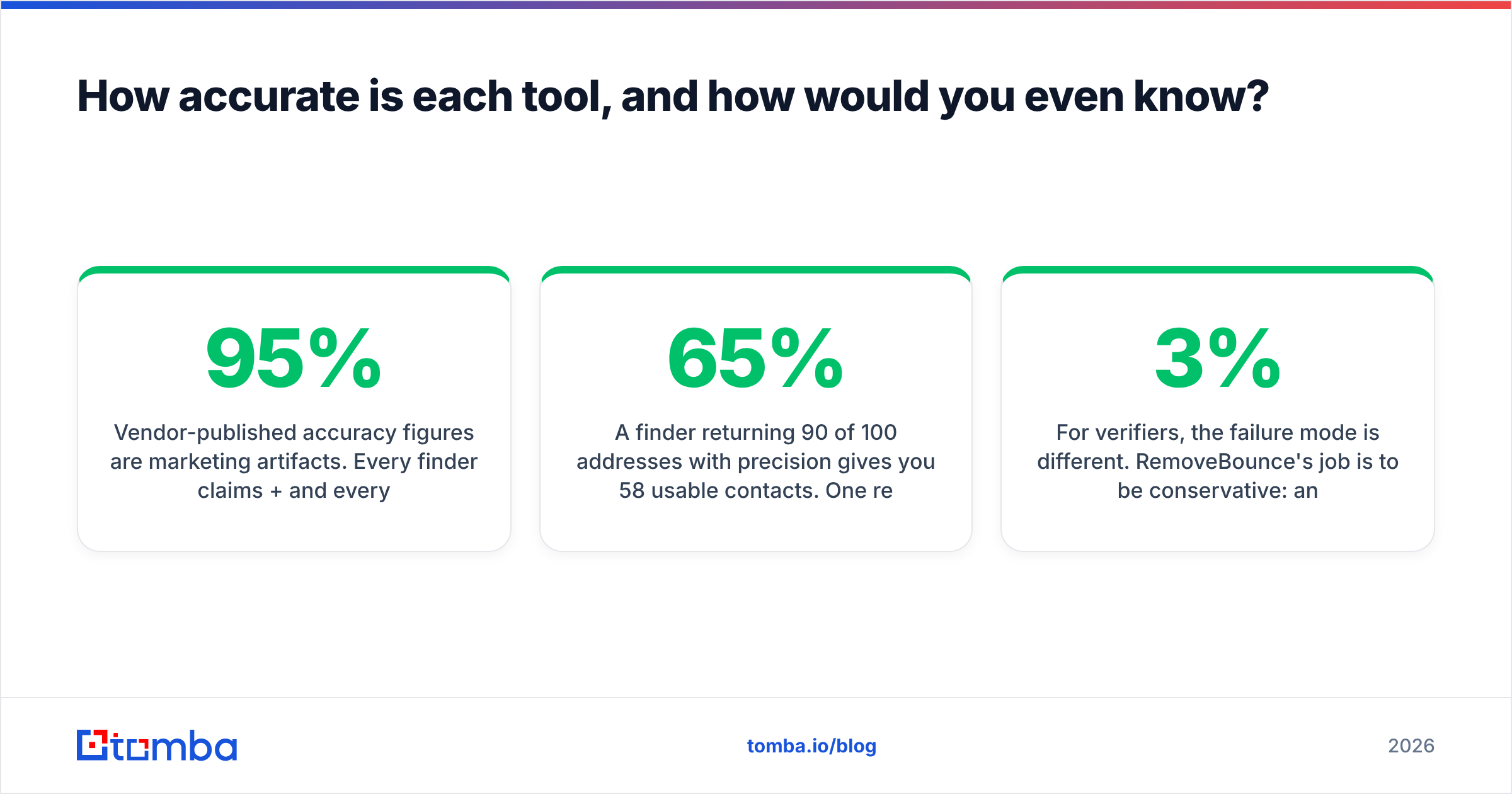
Vendor-published accuracy figures are marketing artifacts. Every finder claims 95%+ and every verifier claims 98%+, and the numbers are computed on samples the vendor selected. The only figure that matters is the one your own send produces.

Run this test before you buy either tool:
- Pull 100 contacts you can independently confirm — customers, partners, people who already emailed you.
- Delete the email column. Feed names and domains into the finder.
- Score three numbers: match rate (how many addresses came back), precision (how many match the known-good address), and verified deliverable rate (how many survive verification and a real send).
A finder returning 90 of 100 addresses with 65% precision gives you 58 usable contacts. One returning 68 with 94% precision gives you 64 — and does not burn your domain reputation on 32 bounces. The second tool is better despite the worse-looking headline number.
For verifiers, the failure mode is different. RemoveBounce's job is to be conservative: an aggressive verifier that marks risky addresses "valid" inflates its own pass rate and hands you the bounce. Test it by seeding a list with 20 addresses you know are dead — old employees who have left, deliberately mistyped domains — plus 20 known-live ones. Count the false positives. Anything above 2–3% on known-dead addresses is a red flag, regardless of what the dashboard reports.
Catch-all domains distort every accuracy claim in this category. Roughly one in five corporate domains accepts all mail at the SMTP layer, so no verifier can prove a mailbox exists there. Some vendors mark them "unknown" and hand you the risk. Some mark them "valid" and quietly inflate their accuracy stat. Ask directly how a vendor treats catch-alls; the answer tells you more than the accuracy page does. Tomba's email verifier separates catch-all as its own state, which is the honest approach even though it looks worse in a headline comparison.
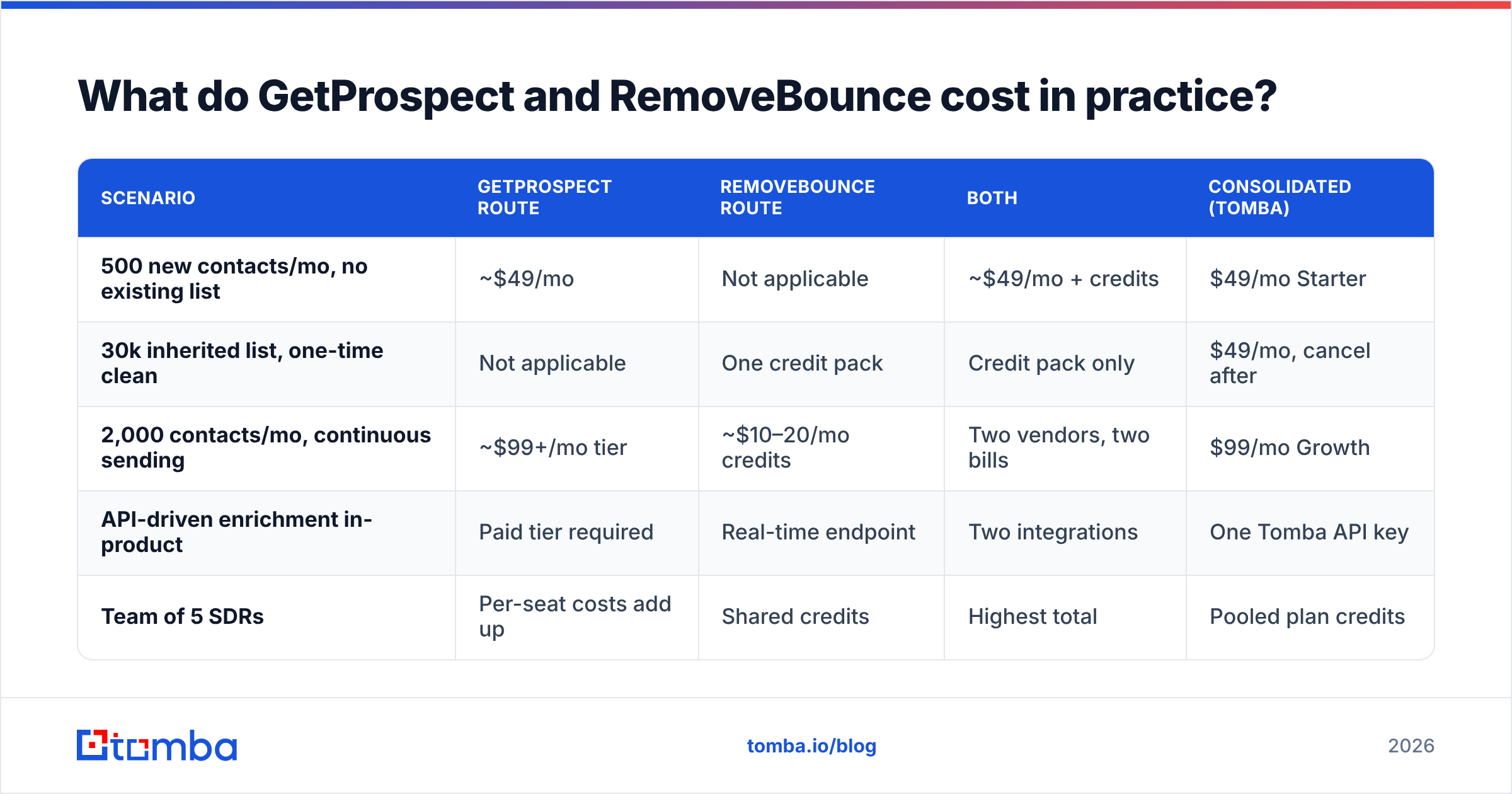
What do GetProspect and RemoveBounce cost in practice?#
Compare cost-per-usable-contact, not cost-per-credit. A $0.002 verification credit that clears an address you never had is worth nothing.
| Scenario | GetProspect route | RemoveBounce route | Both | Consolidated (Tomba) |
|---|---|---|---|---|
| 500 new contacts/mo, no existing list | ~$49/mo | Not applicable | ~$49/mo + credits | $49/mo Starter |
| 30k inherited list, one-time clean | Not applicable | One credit pack | Credit pack only | $49/mo, cancel after |
| 2,000 contacts/mo, continuous sending | ~$99+/mo tier | ~$10–20/mo credits | Two vendors, two bills | $99/mo Growth |
| API-driven enrichment in-product | Paid tier required | Real-time endpoint | Two integrations | One Tomba API key |
| Team of 5 SDRs | Per-seat costs add up | Shared credits | Highest total | Pooled plan credits |
The hidden cost of the two-vendor route is not the second invoice — it is the CSV round trip. Export from the finder, upload to the verifier, wait, download, re-import to your sequencer, reconcile the rows that got dropped. Do that weekly and you have quietly created a part-time job. Teams that run both usually end up scripting the handoff, which means maintaining two API integrations and two sets of rate limits and two billing alerts.
That is the real argument for consolidation, and it applies to Tomba, Hunter, Apollo, and BookYourData alike. It is not that any one platform's finder beats GetProspect or that any one verifier beats RemoveBounce on a single metric. It is that one credit pool, one dashboard, and one API remove a whole category of operational drag. Tomba pricing runs Free (25 searches/mo), Starter $49/mo, Growth $99/mo, Pro $249/mo, with verification included in the same pool rather than billed separately.

When is GetProspect the right choice?#
Pick GetProspect when list-building is the constraint and you like working from a filterable database rather than a domain-by-domain search. Its strengths are concrete:
- Persona-first search. If your brief is "heads of ops at 50–200 person logistics companies in DACH," a database with those filters beats guessing domains one at a time.
- LinkedIn workflow. The extension pulls contacts while you browse profiles or Sales Navigator lists, which suits reps who prospect visually rather than in bulk.
- Built-in list management. Tags, filters, and a light CRM mean you are not immediately exporting to a spreadsheet to stay organised.
It is the weaker choice when your targeting is account-based and named — you already know the 300 companies, you just need the right person at each. That workflow is faster through domain-level lookup or a bulk email finder run against a company list, and it does not require paying for database access you barely query.
When is RemoveBounce the right choice?#
Pick RemoveBounce when you have volume and doubt. Specifically:
- Inherited or aged lists. B2B data decays roughly 25–30% per year as people change jobs. A two-year-old list is mostly fiction, and cleaning it before sending is not optional.
- One-off cleanups. Pay-as-you-go credits with no monthly commitment is the correct pricing shape for irregular work, and this is where RemoveBounce genuinely beats subscription-only platforms.
- Pre-migration hygiene. Before importing anything into a marketing automation platform that bills per contact, verifying first pays for itself directly.
The limit is scope. It will not build a list, enrich a record, find a phone number, or tell you who at an account owns the budget. It is a filter, and a filter is only valuable when there is something flowing through it.
If deliverability is the underlying worry, verification is one of three levers, not the whole answer. Authentication (SPF, DKIM, DMARC), sending volume ramp, and content quality matter just as much — HubSpot's deliverability guidance covers the sending-side half that no verifier can fix. A perfectly clean list sent from an unauthenticated domain still lands in spam.
Is there a reason to skip both and consolidate?#
Yes, if your sourcing and sending are continuous rather than project-based. The test is simple: if you both find and verify addresses more than twice a month, two vendors is more expensive and more fragile than one.
What consolidation gets you concretely:
- One credit pool. No stranded finder credits at month end while you buy more verification credits.
- Verification at the point of discovery. Addresses arrive already scored, so no CSV round trip exists to break.
- One API surface. A single key, one rate limit, one error-handling path in your automation.
- Consistent catch-all logic. When the finder and verifier share a data layer, a catch-all is classified once, not twice with two different answers.
- Single vendor for compliance review. One DPA, one security questionnaire, one procurement cycle.
What you give up is best-of-breed depth. RemoveBounce's pay-as-you-go flexibility is real, and GetProspect's persona filters are genuinely good for cold database prospecting. If either of those is load-bearing for your motion, keep the specialist. If neither is, the specialist premium is buying you optionality you never exercise.
For most teams sending under 10,000 cold emails a month, consolidation wins. For agencies cleaning irregular client lists, or for research teams doing deep persona work, the specialists still earn their place.
How should you actually decide?#
Run a two-week bake-off instead of reading more comparison pages, including this one.
Take 100 target accounts. Run them through GetProspect, through a consolidated platform's email finder, and through whatever you use today. Verify every output — through RemoveBounce for the finder-only tools, through the built-in verifier for the consolidated one. Then send the same sequence to each cohort and measure bounce rate, reply rate, and cost per reply.
The winner is whichever combination produces the lowest cost per reply, not the highest match rate, not the cheapest credit, and not the tool with the best-looking accuracy chart. Almost every team that runs this test is surprised at least once — usually by discovering that their "cheap" finder was expensive after bounces, or that their expensive database was returning contacts they could have found from the domain for a fraction of the cost.
Where does Tomba fit?#
If the bake-off tells you the CSV handoff between finding and verifying is the actual friction, that is precisely the gap Tomba was built for. The Tomba Email Finder returns addresses with a confidence score and verification status in the same call, so nothing leaves the platform unverified — and the same credit pool covers domain search, catch-all checks, and enrichment. Start on the free tier with 25 searches a month, run it against contacts whose addresses you can already confirm, and compare the verified deliverable rate against whatever you are paying for today. If the numbers do not beat your current stack, keep your current stack. If they do, Starter is $49/mo and replaces two invoices with one.
Related guides#
Ready to find emails that actually work?
Join 150,000+ professionals who stopped guessing and started sending. Free credits on signup — no credit card required.
Get the Tomba newsletter
Practical outbound tactics and product updates — once every two weeks.
About the author