GetProspect vs Sendigram: Which One Do You Actually Need?
GetProspect finds and verifies B2B contacts. Sendigram sells the inboxes that send to them. Here is an honest breakdown of what each one does, what they cost, and which half of your outbound stack to fix first.
GetProspect vs Sendigram is the wrong fight to pick. One tool finds the contacts. The other one delivers the mail. Here is the short version.
TL;DR
- GetProspect is a B2B contact database and email finder. Sendigram is cold-email sending infrastructure: domains, mailboxes, and warmup.
- High bounce rate on stale data? Fix the finder first. Clean data landing in spam? Fix the sending setup instead.
- GetProspect starts free and moves into the $49–$99/mo range for real volume. Sendigram charges per mailbox, so cost scales with sending volume, not contact volume.
- Buying one and hoping it solves the other's problem is the most common outbound budgeting mistake we see.
- Most teams under 20 seats pay for three things: a finder/verifier, a sending provider, and a sequencer. Budget for all three.
What are GetProspect and Sendigram, exactly?#
Think of outbound email like mailing physical letters. GetProspect is the address book: it tells you who lives where. Sendigram is the post office. It makes sure the letter gets delivered instead of shredded at the sorting facility. You cannot mail anything with only one of them.
GetProspect is a B2B contact database with a Chrome extension, a LinkedIn scraper, and a bulk email finder. You search by company, job title, industry, headcount, or location, then export verified work emails. It also does light CRM-style list management, so smaller teams sometimes use it as a mini prospecting workspace rather than pushing everything to HubSpot or Pipedrive.
Sendigram sits at the other end of the pipeline. It provisions Google Workspace and Microsoft mailboxes on secondary domains, handles SPF, DKIM, and DMARC setup, and warms the inboxes before you start sending. It is not a database. It will never hand you a lead. It exists so the leads you already have receive your message in their primary tab.
That distinction matters because the two tools get compared constantly in buyer forums and G2 category pages, usually by someone who searched "cold email tool" and got both back.
Why does comparing them feel like an apples-to-oranges problem?#
Because it is one. But the comparison is still worth running, for a practical reason: you have a fixed budget this quarter, and you have to decide where the marginal dollar goes.
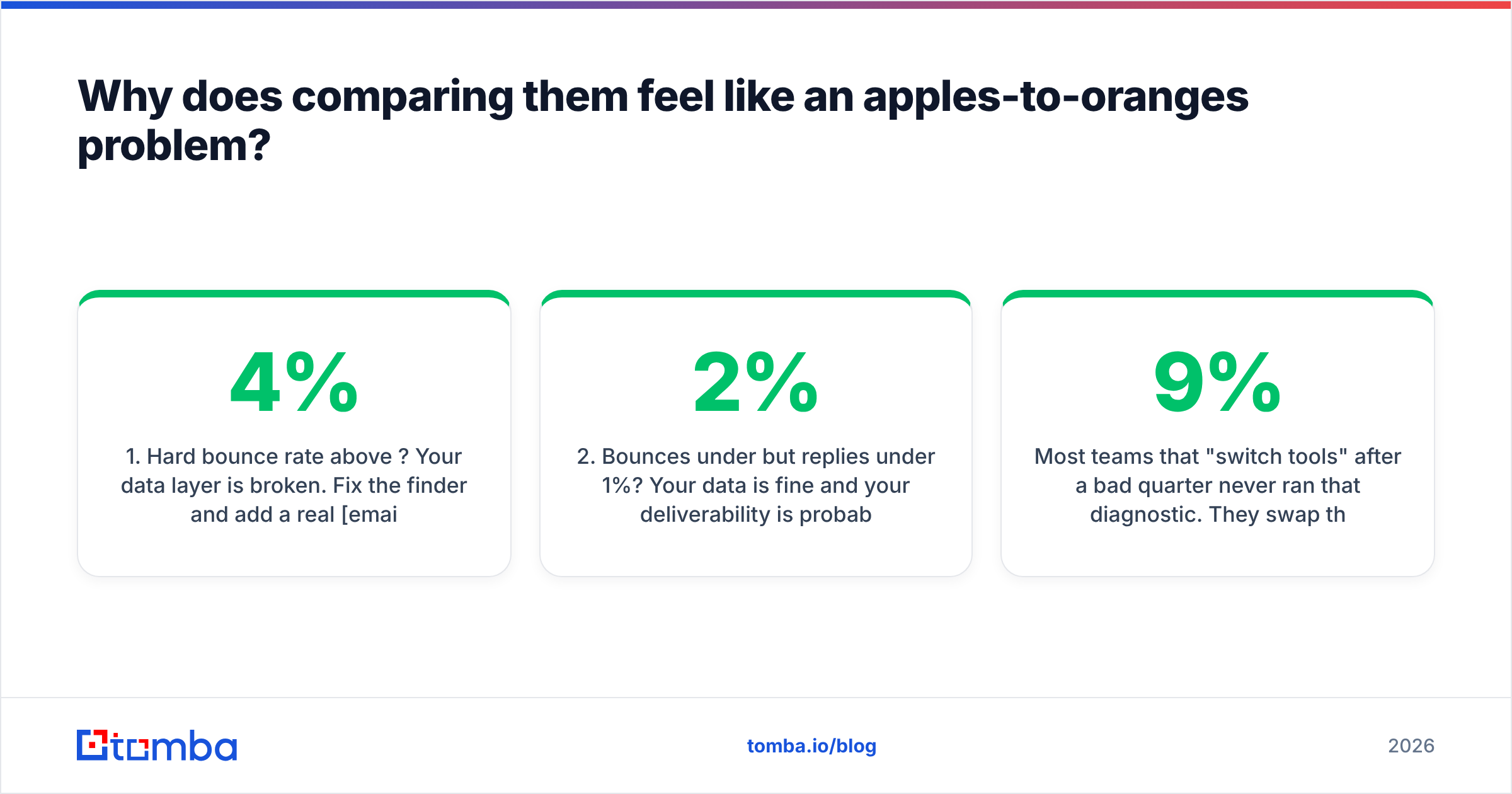
Here is the diagnostic that actually settles it. Run your last 1,000 sends through these five questions:
- Hard bounce rate above 4%? Your data layer is broken. Fix the finder and add a real email verifier first. No amount of warmup rescues a list full of dead mailboxes.
- Bounces under 2% but replies under 1%? Your data is fine. Deliverability is probably the culprit, so check for spam placement before you rewrite the copy again.
- Spam-folder placement confirmed by seed tests? That is an infrastructure problem. Domains, mailbox age, volume per inbox, DMARC alignment. This is Sendigram's territory.
- Getting replies but they are all "wrong person"? Your targeting filters are wrong, not your data provider. Tighten the ICP before you switch vendors.
- Everything technically fine but volume is capped? You need more mailboxes and more contacts. Budget for both.
Most teams that "switch tools" after a bad quarter never ran that diagnostic. They swap the finder when the problem was DNS. Or they buy 30 new inboxes when a 9% bounce rate was poisoning sender reputation on every domain they own.

GetProspect vs Sendigram: how do they compare head-to-head?#
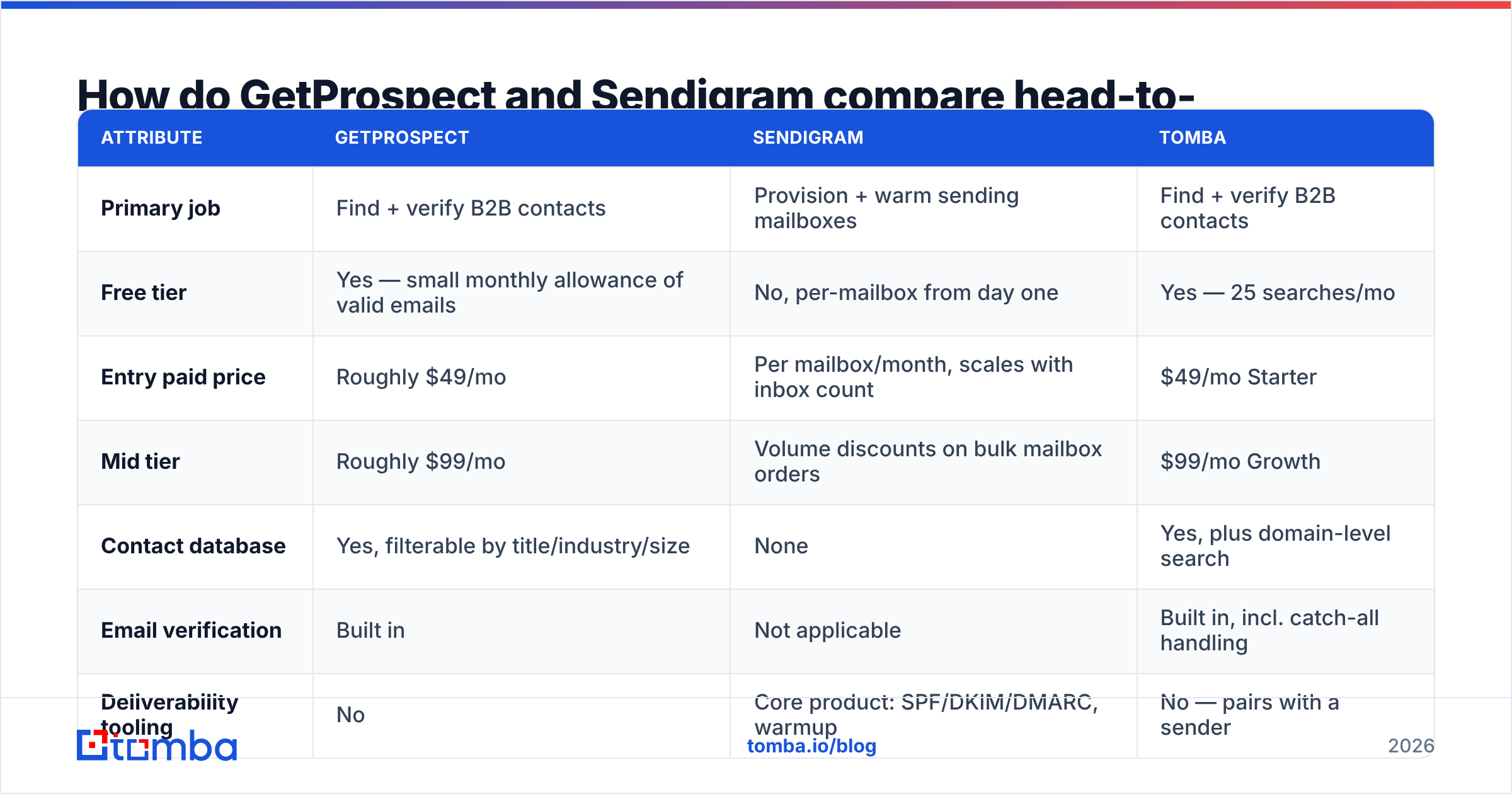
Pricing on both moves, so treat these as directional and confirm on each vendor's page before you commit. The structural differences are the part that stays true.
| Attribute | GetProspect | Sendigram | Tomba |
|---|---|---|---|
| Primary job | Find + verify B2B contacts | Provision + warm sending mailboxes | Find + verify B2B contacts |
| Free tier | Yes — small monthly allowance of valid emails | No, per-mailbox from day one | Yes — 25 searches/mo |
| Entry paid price | Roughly $49/mo | Per mailbox/month, scales with inbox count | $49/mo Starter |
| Mid tier | Roughly $99/mo | Volume discounts on bulk mailbox orders | $99/mo Growth |
| Contact database | Yes, filterable by title/industry/size | None | Yes, plus domain-level search |
| Email verification | Built in | Not applicable | Built in, incl. catch-all handling |
| Deliverability tooling | No | Core product: SPF/DKIM/DMARC, warmup | No — pairs with a sender |
| Public API | Yes | Limited, mailbox provisioning focused | Yes, plus CLI and MCP server |
| Chrome extension | Yes, LinkedIn-focused | No | Yes |
| Best for | Building the list | Delivering to the list | Building the list at API scale |
The honest read: GetProspect and Tomba overlap heavily. GetProspect and Sendigram barely overlap at all. If you landed on this page comparing the two as alternatives, the useful comparison is probably GetProspect vs a different finder, with Sendigram as a separate line item you also need.
How good is the data layer, and how do you test it?#
Do not take any vendor's accuracy claim at face value, including ours. Every provider quotes a number, and every number is measured on a sample that flatters the provider.
Run this test instead. It takes about an hour and costs almost nothing:
- Build a 100-row control list. Pull real people from a segment you actually sell into. Mix company sizes: 20 rows under 50 employees, 40 rows in the 50–500 band, 40 rows above 500. Small companies are where most databases fall apart.
- Run the same list through each vendor's free tier. GetProspect's free allowance and Tomba's free 25 searches both cover a meaningful slice of a 100-row test.
- Record match rate and confidence score separately. A tool that returns 90 emails but flags 30 as "risky" did not really give you 90.
Then pressure-test whatever survived that first pass:
- Verify the winners against a second source. Cross-check with a free email checker or a different verifier. If two independent systems agree an address is valid, it usually is.
- Send to 25 of them from a burner domain. This is the only ground truth that matters. Count hard bounces after 48 hours.
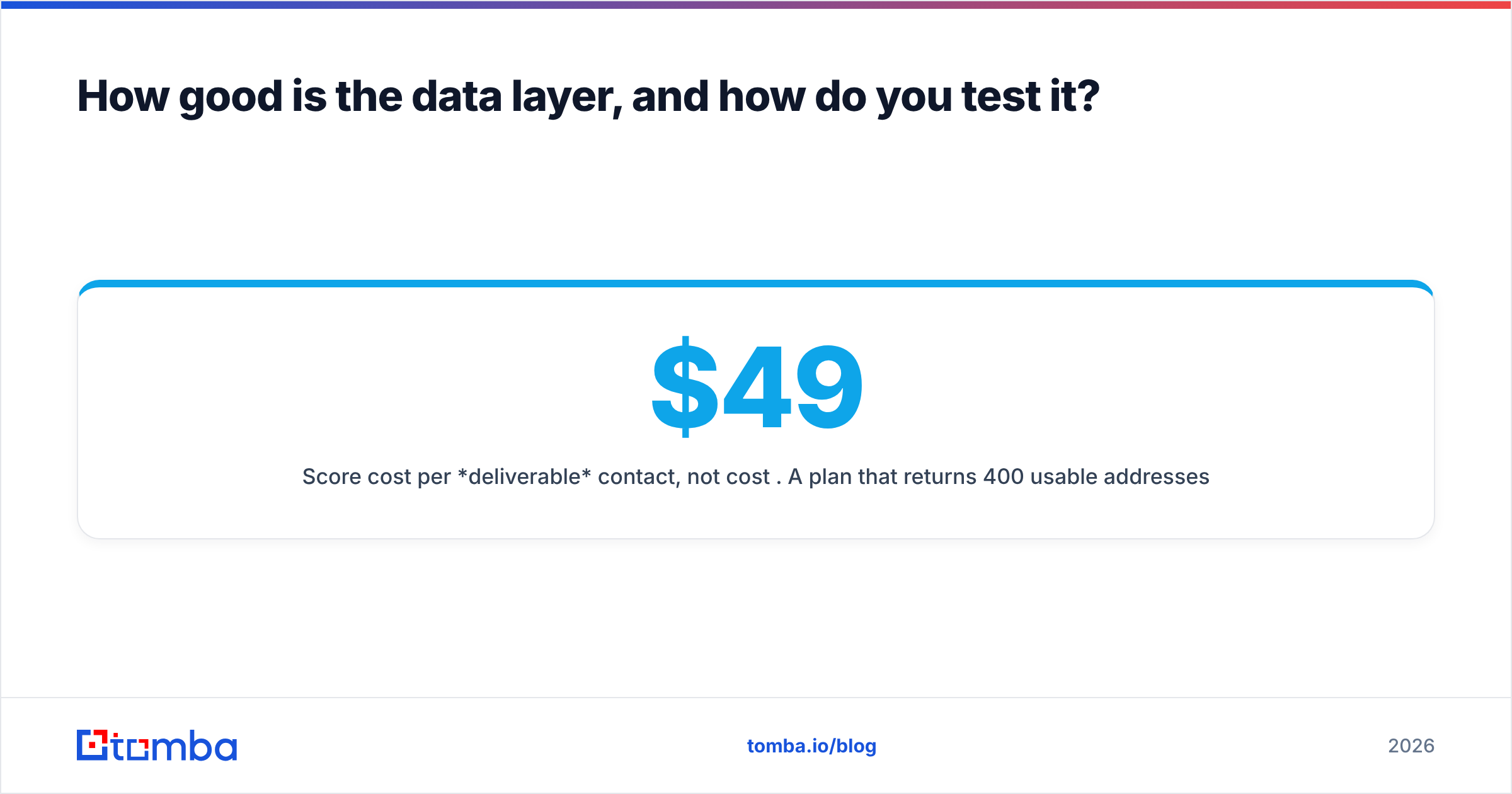
- Score cost per deliverable contact, not cost per credit. A $49 plan that returns 400 usable addresses beats a $99 plan that returns 500 with a 12% bounce rate.
Catch-all domains deserve special mention. A catch-all server accepts everything, so a naive verifier marks every address as valid. Vendors that count those as hits inflate their numbers badly. If you sell into mid-market and enterprise, where catch-all setups are common, run a proper catch-all verifier or you are flying blind on a third of your list.
What does Sendigram actually solve that a finder cannot?#
Deliverability is a reputation game played over weeks, and it has nothing to do with who your contacts are.
Google and Microsoft both tightened bulk-sender rules. The practical effect is simple: a brand-new domain sending 200 cold emails on day one gets throttled or filtered almost immediately. Sendigram's value is that it removes the manual setup. It buys secondary domains, configures DNS records correctly the first time, spins up mailboxes, and runs warmup traffic until each inbox has a plausible sending history.
You can do all of that yourself. Plenty of teams do. The question is whether your SDR manager's time is better spent on DMARC syntax or on pipeline. For a team running 10+ mailboxes, outsourcing that is usually the right call. For a founder sending 30 emails a day from one mailbox, it is overkill. Configure your own SPF record properly, run a manual warmup ramp, and spend the money on data instead.
What Sendigram explicitly does not do: it will not tell you whether the address you are sending to exists. Warmup on a perfect domain sending to a 15% invalid list still tanks your reputation. Verification has to happen upstream, always.

What does a complete outbound stack actually cost?#
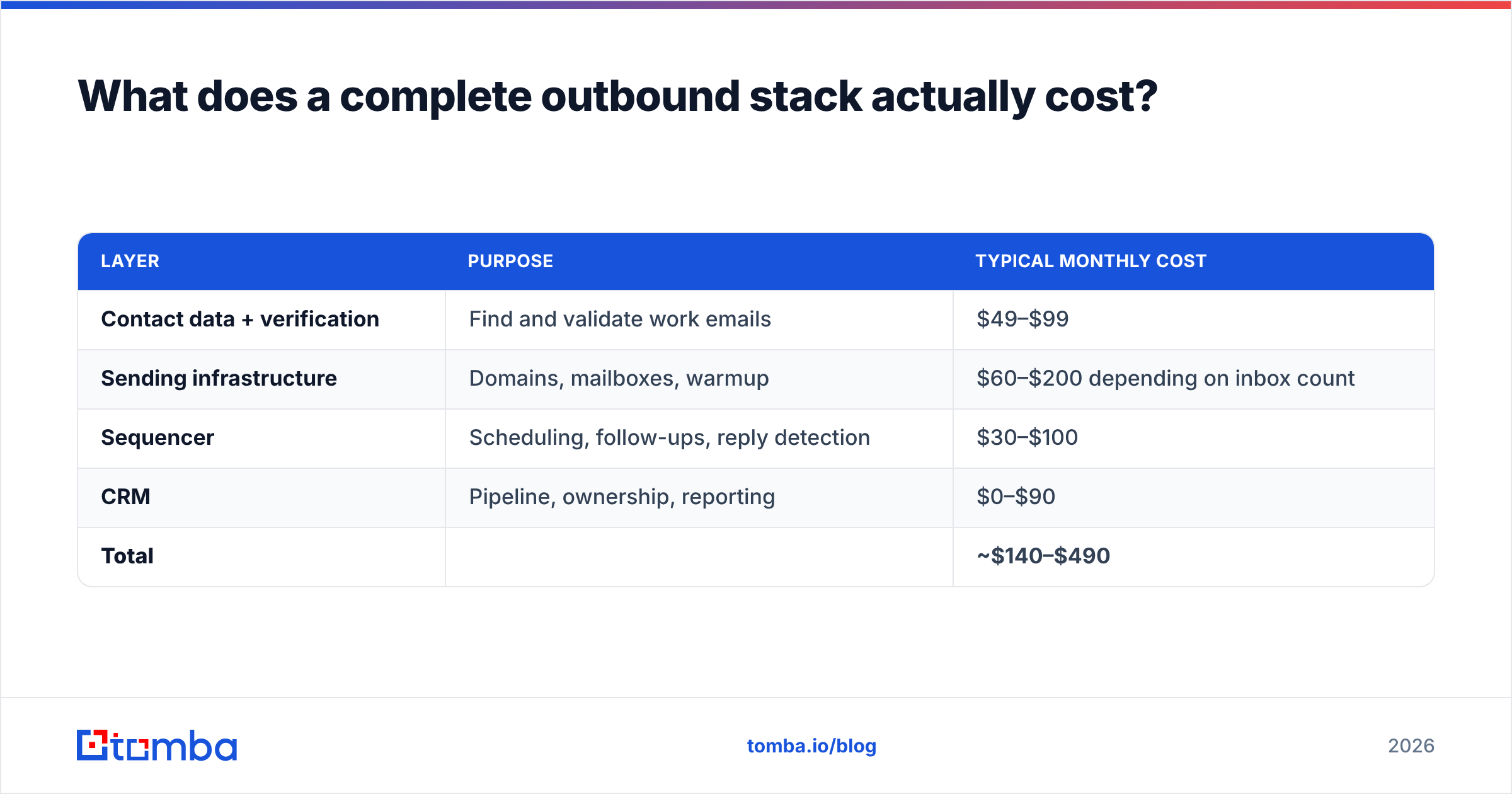
Here is a realistic monthly budget for a two-SDR team sending roughly 3,000 emails a month, using round numbers. Substitute your own vendors — the shape of the bill is what matters.
| Layer | Purpose | Typical monthly cost |
|---|---|---|
| Contact data + verification | Find and validate work emails | $49–$99 |
| Sending infrastructure | Domains, mailboxes, warmup | $60–$200 depending on inbox count |
| Sequencer | Scheduling, follow-ups, reply detection | $30–$100 |
| CRM | Pipeline, ownership, reporting | $0–$90 |
| Total | ~$140–$490 |
Two things fall out of that table. First, the data layer is rarely the expensive part, which is why cutting it to save $50 is usually a bad trade. Second, if you are only paying for one of those four rows, you have a gap. That gap is almost certainly why your numbers look bad.
You can compare full Tomba pricing against your current data line item directly. The tiers are Free (25 searches/mo), Starter at $49/mo, Growth at $99/mo, Pro at $249/mo, and custom Enterprise.
Is there a reason to consider a third option for the data layer?#
If you are evaluating GetProspect, you are evaluating the data half of the stack, and that is a crowded category worth shopping properly. G2's lead intelligence category lists dozens of vendors with real review volume. That is worth 20 minutes before you sign anything annual.
The dimensions that actually differentiate finders, once you get past match-rate marketing:
- API quality. If you plan to enrich inside a workflow rather than exporting CSVs, the API is the product. Check rate limits, response shape, and whether verification is a separate billable call. Tomba's email finder API is documented publicly, and there is a CLI and an MCP server if you are wiring this into an agent workflow.
- Domain-level discovery. Sometimes you know the company but not the person. Domain search returns every findable address at a company plus the detected email pattern, which is a different workflow from name-based lookup.
The rest is commercial detail, and it moves the bill more than most buyers expect:
- Credit accounting. Ask directly: are failed searches charged? Are verifications charged separately? Do unused credits roll over? These three answers can double or halve your effective cost.
- Bulk throughput. Uploading a 5,000-row list and getting it back enriched is a different engineering problem than one-off lookups. Test it before you need it, using a bulk email finder workflow on a real file.
- Compliance posture. Check where the data comes from and how deletion requests are handled. Tomba publishes its data sources; ask any vendor for the equivalent.
Which one should you buy first?#
Buy the data layer first if: your bounce rate is above 4%, you are still building lists by hand, or you cannot answer "how many verified contacts do we have in ICP right now?" without opening a spreadsheet.
Buy sending infrastructure first if: your bounce rate is already under 2%, seed tests show spam placement, you are sending from your primary company domain (stop doing this), or you need to scale past roughly 50 emails per day per mailbox.
Buy both this quarter if: you are starting outbound from zero. There is no sequencing trick that makes one work without the other, and trying to prove ROI on half a stack is how outbound programs get killed after one bad quarter.
For most teams reading a GetProspect comparison, the answer is the data layer. That is what you were shopping for, and bad data is the failure mode that quietly poisons every other layer downstream.
The bottom line#
GetProspect vs Sendigram is not a rivalry; the two tools are neighbours. Pick your finder on match rate against your ICP and cost per deliverable contact. Pick your sending infrastructure on how many mailboxes you need and how much DNS work you want to avoid. Test both with real data before you commit to an annual plan.
If the data half is what you are solving, start with the Tomba Email Finder. The free tier gives you 25 searches with no card required, which is enough to run the 100-row control test above against whatever you use today. If Tomba wins on your list, Starter is $49/mo with verification included. If it does not, you have spent an hour and learned something concrete about your data provider. Either outcome beats guessing.
Related guides#
Ready to find emails that actually work?
Join 150,000+ professionals who stopped guessing and started sending. Free credits on signup — no credit card required.
Get the Tomba newsletter
Practical outbound tactics and product updates — once every two weeks.
About the author