9 Best Gigasheet Alternatives in 2026, Compared Honestly
Gigasheet opens huge CSVs in a browser — but row caps, seat pricing, and thin analysis tooling push teams elsewhere. Here are nine alternatives compared on limits, cost, and the workflows they actually fit.

TL;DR
- Gigasheet solves one narrow problem well: opening a multi-gigabyte CSV in a browser without crashing your laptop. Most teams outgrow it the moment they need repeatable analysis, joins across sources, or automation.
- If your file is big but your questions are simple, DuckDB (free, local, SQL) replaces Gigasheet outright and costs nothing.
- If your team lives in spreadsheets but needs live data, Rows, Quadratic, or Sigma Computing cover the same ground with better formula and collaboration models.
- If the real problem is that your CSV is full of stale or missing contact data, no spreadsheet tool fixes that — you need enrichment and verification at the source.
- The honest verdict: pick by why the file is big. Log data → warehouse. Exported CRM data → enrichment. One-off vendor file → DuckDB or a free tier.
What is Gigasheet and what is it actually good at?#
Gigasheet is a browser-based spreadsheet built for files that Excel and Google Sheets refuse to open. You upload a CSV, Parquet, or JSON file — often hundreds of megabytes to several gigabytes — and get a familiar grid interface with filtering, grouping, and basic aggregation, backed by a columnar engine instead of your machine's RAM.
That is a real gap in the market. Excel caps out at 1,048,576 rows. Google Sheets tops out around 10 million cells. Anything larger historically meant learning SQL, spinning up a database, or begging a data engineer for help. Gigasheet's pitch is that a non-technical analyst can drag in a 50-million-row file and start filtering in ninety seconds.
Where it gets uncomfortable is everything after that first look. Gigasheet is a viewer-plus-filter tool with light transformation on top. It is not a warehouse, not a BI layer, not an ETL pipeline, and not a data provider. The moment your work becomes recurring — same file every Monday, joined against your CRM, pushed into an outbound sequence — you are fighting the tool instead of using it.

Why do people look for Gigasheet alternatives?#
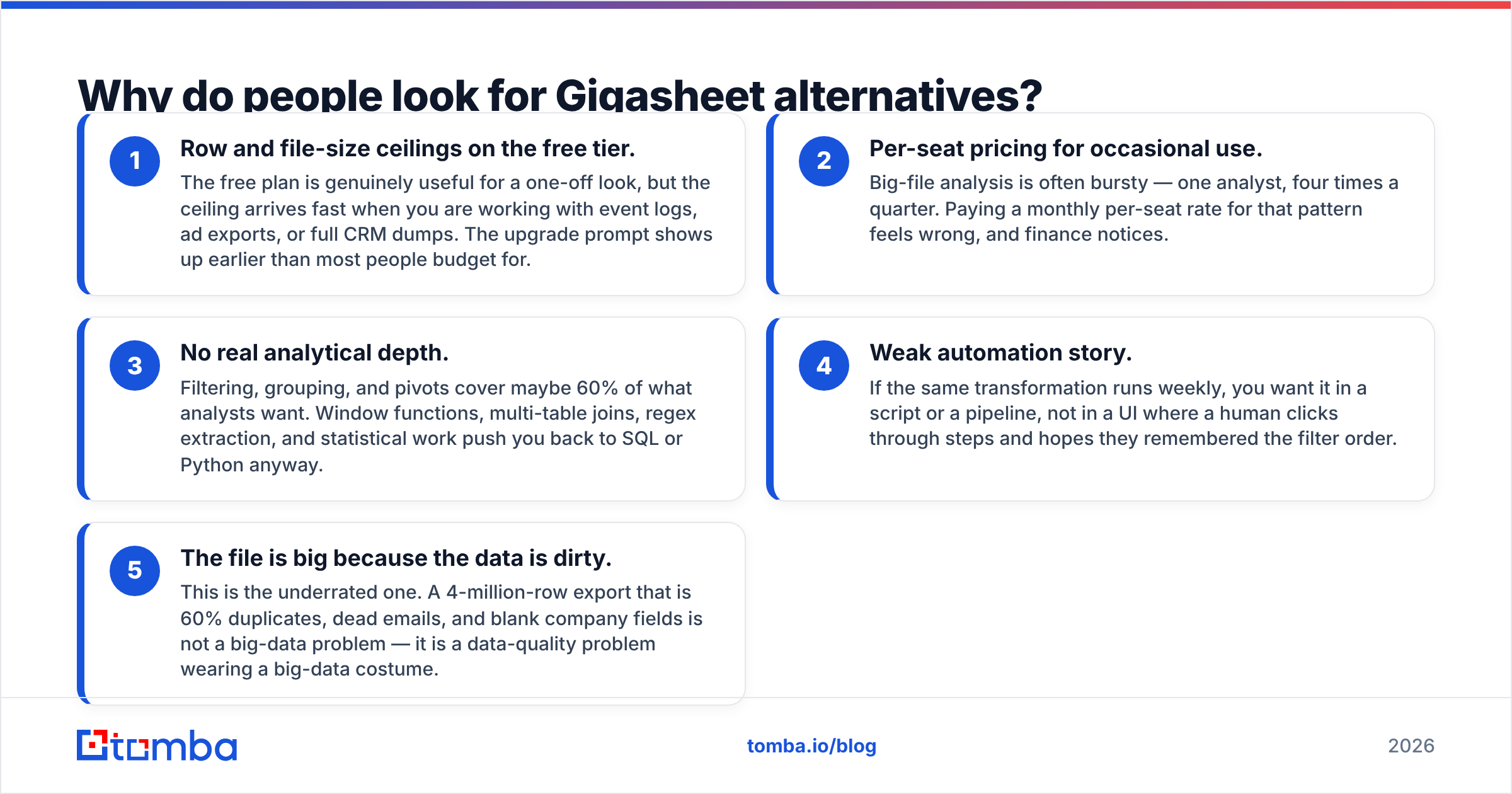
Five reasons come up repeatedly in evaluation threads and review sites like G2:
- Row and file-size ceilings on the free tier. The free plan is genuinely useful for a one-off look, but the ceiling arrives fast when you are working with event logs, ad exports, or full CRM dumps. The upgrade prompt shows up earlier than most people budget for.
- Per-seat pricing for occasional use. Big-file analysis is often bursty — one analyst, four times a quarter. Paying a monthly per-seat rate for that pattern feels wrong, and finance notices.
- No real analytical depth. Filtering, grouping, and pivots cover maybe 60% of what analysts want. Window functions, multi-table joins, regex extraction, and statistical work push you back to SQL or Python anyway.
- Weak automation story. If the same transformation runs weekly, you want it in a script or a pipeline, not in a UI where a human clicks through steps and hopes they remembered the filter order.
- The file is big because the data is dirty. This is the underrated one. A 4-million-row export that is 60% duplicates, dead emails, and blank company fields is not a big-data problem — it is a data-quality problem wearing a big-data costume.
If your reason is #1 or #2, a cheaper or free tool solves it. If it is #3 or #4, you need SQL or a platform. If it is #5, no spreadsheet tool on this list will help you, and you should read the data-layer section below.
Which Gigasheet alternatives are worth evaluating in 2026?#
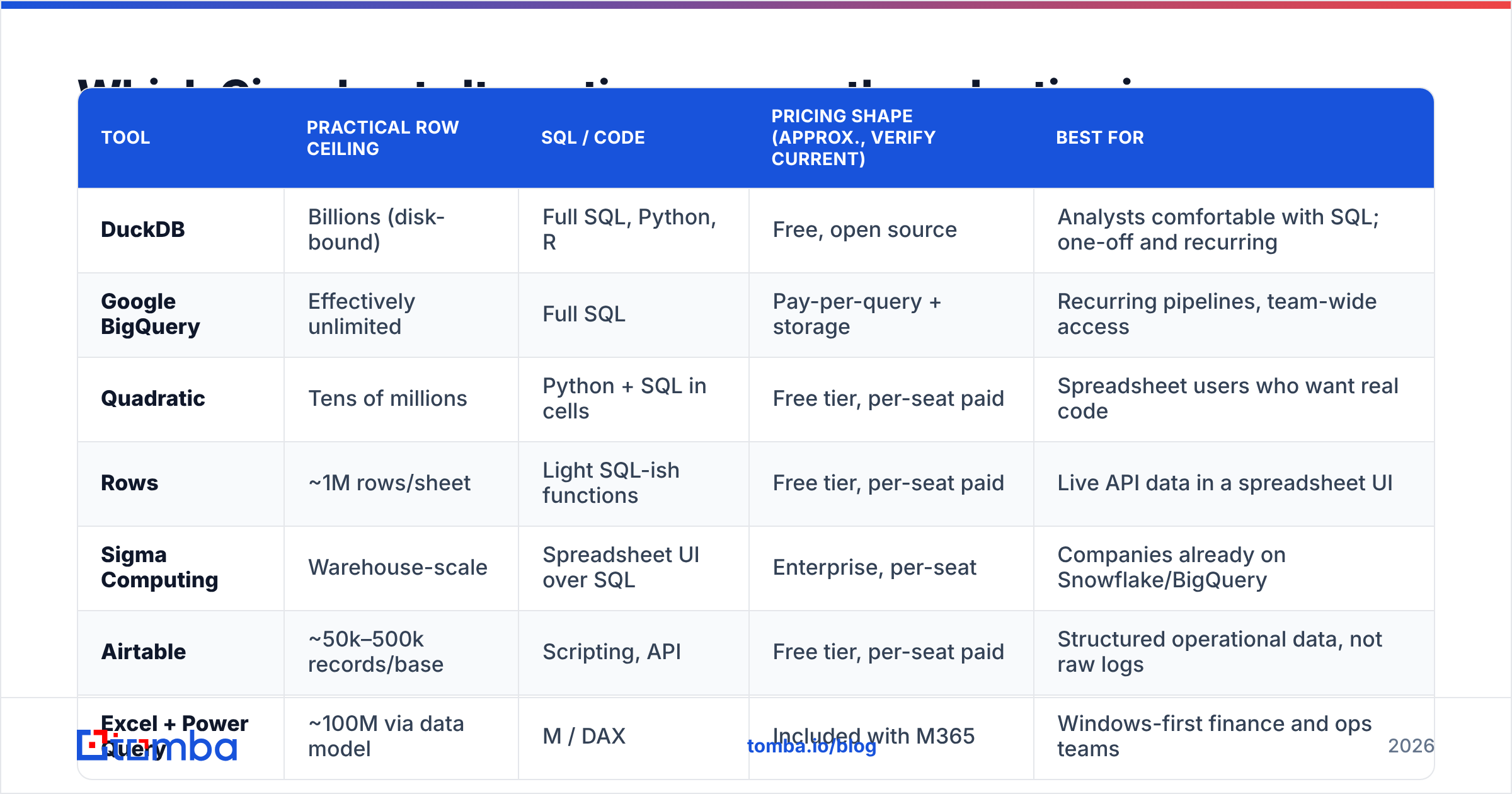
| Tool | Practical row ceiling | SQL / code | Pricing shape (approx., verify current) | Best for |
|---|---|---|---|---|
| DuckDB | Billions (disk-bound) | Full SQL, Python, R | Free, open source | Analysts comfortable with SQL; one-off and recurring |
| Google BigQuery | Effectively unlimited | Full SQL | Pay-per-query + storage | Recurring pipelines, team-wide access |
| Quadratic | Tens of millions | Python + SQL in cells | Free tier, per-seat paid | Spreadsheet users who want real code |
| Rows | ~1M rows/sheet | Light SQL-ish functions | Free tier, per-seat paid | Live API data in a spreadsheet UI |
| Sigma Computing | Warehouse-scale | Spreadsheet UI over SQL | Enterprise, per-seat | Companies already on Snowflake/BigQuery |
| Airtable | ~50k–500k records/base | Scripting, API | Free tier, per-seat paid | Structured operational data, not raw logs |
| Excel + Power Query | ~100M via data model | M / DAX | Included with M365 | Windows-first finance and ops teams |
| Clay | Tens of thousands/table | Formulas + AI + API | Credit-based, per-seat | GTM enrichment workflows |
| Tomba | Bulk jobs at list scale | REST API, CLI, MCP | Free (25/mo), $49–$249/mo | Fixing the contact data inside the file |
The table is where the shortlist starts, not ends. The differences that matter are structural, and they show up in the sections below.
Is DuckDB the best free Gigasheet alternative?#
For anyone willing to write basic SQL, yes — and it is not close.
DuckDB is an in-process analytical database that reads CSV, Parquet, and JSON directly off disk. You install it in about ten seconds, point it at a 6 GB file, and query it with standard SQL. No upload, no seat, no vendor. Your data never leaves your machine, which quietly solves the compliance conversation that browser-upload tools trigger in regulated industries.
SELECT domain, count(*) AS contacts
FROM 'export.csv'
WHERE email IS NOT NULL
GROUP BY 1
ORDER BY 2 DESC
LIMIT 25;
That query runs on tens of millions of rows in seconds on a laptop. The equivalent in a browser grid means uploading, waiting, grouping, and hoping the UI exposes the aggregation you want.
The honest trade-off: DuckDB has no grid. Non-technical stakeholders cannot poke at it. If you need to hand a filtered view to a colleague in marketing, you are exporting a CSV or wiring up a notebook. That handoff friction is exactly the gap Gigasheet was built to fill, and it is a real gap — just one that costs a lot per seat.
Pick DuckDB when: the analyst is technical, the data is sensitive, or the same query runs repeatedly. Skip it when: the person doing the analysis has never written a WHERE clause and never will.
Should you use a warehouse instead of a big-file spreadsheet?#
If the same file arrives on a schedule, stop treating it as a file.
BigQuery, Snowflake, and their peers exist because recurring large-data analysis is a pipeline problem, not a viewing problem. You load once, query many times, and every downstream tool — BI dashboards, reverse ETL, your CRM — reads the same source of truth. Cost is consumption-based rather than per-seat, which flips the economics for teams where five people each need occasional access.
The catch is setup. Someone has to own loading, schema, and access control. For a two-person startup analyzing a vendor export once a quarter, a warehouse is comical overkill, and Gigasheet or DuckDB wins on time-to-answer.
A useful rule: if the analysis will be repeated more than six times, the warehouse pays for itself in avoided manual work. Under six, use a file tool.
What about spreadsheet-native alternatives?#
Three tools keep the grid but fix different weaknesses.
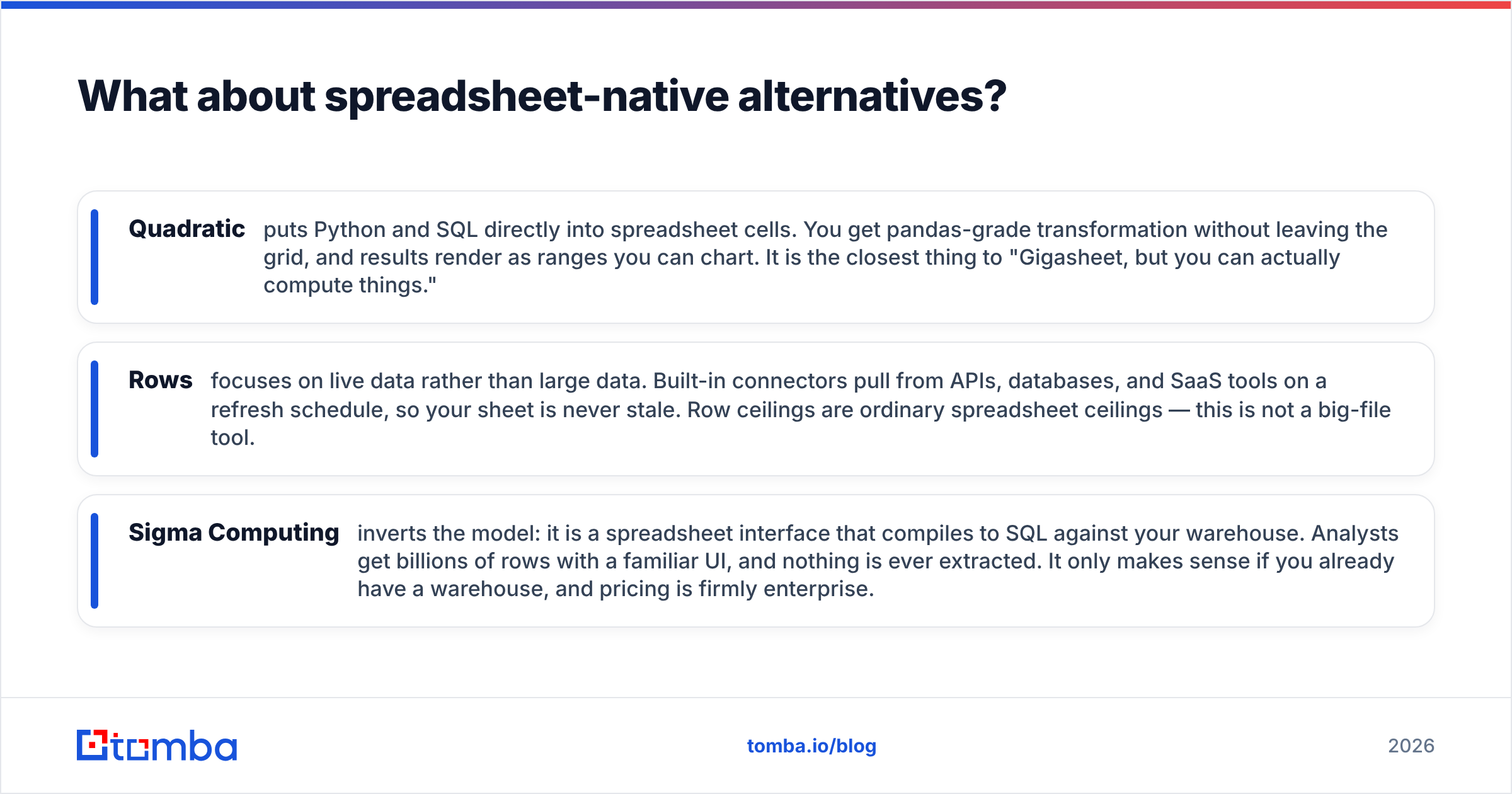
- Quadratic puts Python and SQL directly into spreadsheet cells. You get pandas-grade transformation without leaving the grid, and results render as ranges you can chart. It is the closest thing to "Gigasheet, but you can actually compute things."
- Rows focuses on live data rather than large data. Built-in connectors pull from APIs, databases, and SaaS tools on a refresh schedule, so your sheet is never stale. Row ceilings are ordinary spreadsheet ceilings — this is not a big-file tool.
- Sigma Computing inverts the model: it is a spreadsheet interface that compiles to SQL against your warehouse. Analysts get billions of rows with a familiar UI, and nothing is ever extracted. It only makes sense if you already have a warehouse, and pricing is firmly enterprise.
Airtable deserves a mention but a caveat. It is excellent for structured operational data — pipelines, content calendars, vendor lists — and terrible as a big-CSV viewer. Record limits per base sit well below what Gigasheet handles. If someone recommends Airtable as a Gigasheet alternative, they have misdiagnosed the problem.

What if the real problem is the data, not the spreadsheet?#
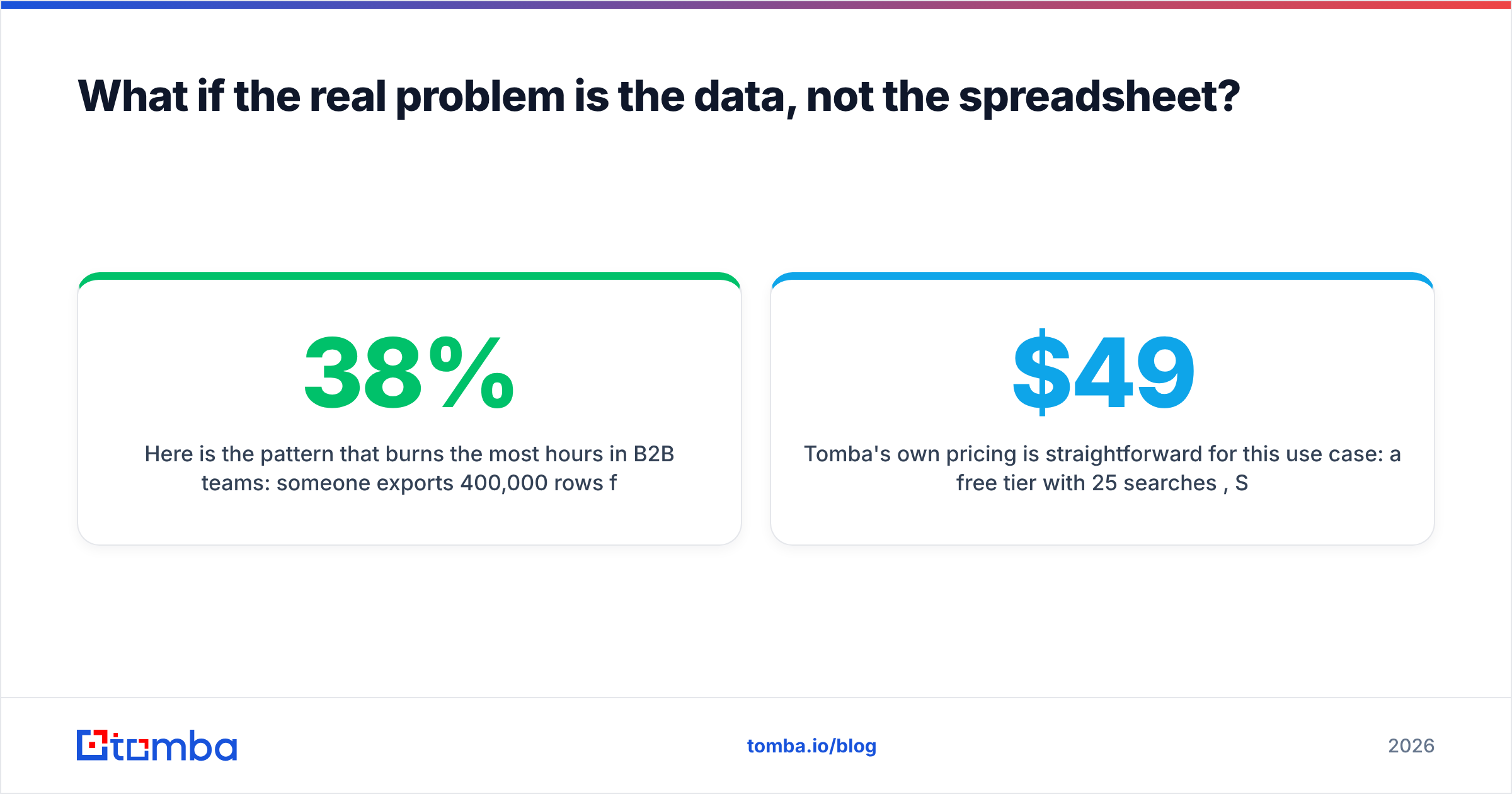
Here is the pattern that burns the most hours in B2B teams: someone exports 400,000 rows from an old CRM or scraped list, the file is too big for Excel, they reach for a big-file spreadsheet, and after two hours of filtering they discover that 38% of the emails bounce, half the company names are inconsistent, and 60,000 rows are duplicates of each other.
No viewer fixes that. The file was never the bottleneck.
The fix is a data layer that runs before the analysis:
- Deduplicate first. Collapsing exact and fuzzy duplicates often cuts a "too big for Excel" file down to something a normal spreadsheet handles. A free remove duplicates pass takes minutes and frequently removes the need for a big-file tool entirely.
- Verify before you analyze. Running the list through an email verifier strips invalid, role-based, and dead addresses. Analyzing a list you cannot email is a waste of both compute and attention.
- Enrich the gaps. Data enrichment fills missing job titles, company domains, sizes, and locations so your groupings actually mean something. Grouping by a company-name column with fourteen spellings of the same account produces confident nonsense.
- Automate it at list scale. A bulk email finder job or a scheduled call to the Tomba API handles this on a recurring basis without anyone opening a grid.
For teams who want to skip the export-and-clean cycle entirely, buying pre-verified contact data is a legitimate alternative path. Providers like BookYourData sell verified B2B contact lists with accuracy guarantees, which suits teams that would rather start from a clean file than repair a dirty one. Clay occupies a different niche again — a spreadsheet-shaped enrichment workbench where each row triggers waterfall lookups across providers. Neither is a Gigasheet competitor in the technical sense; both eliminate the reason many teams went looking for one.
Tomba's own pricing is straightforward for this use case: a free tier with 25 searches per month, Starter at $49/mo, Growth at $99/mo, and Pro at $249/mo — see Tomba pricing for current credit allocations. The relevant comparison is not against Gigasheet's grid, it is against the hours your team spends analyzing data that was wrong before the analysis started.
How do you choose the right Gigasheet alternative?#
Answer three questions in order.
1. Is this recurring? If yes, skip every file-viewer tool and go to a warehouse or a scripted pipeline. Recurring manual work in a UI is technical debt with a monthly subscription attached.
2. Who is doing the analysis? A technical analyst should use DuckDB and save the entire budget line. A non-technical operator needs a grid, which narrows you to Gigasheet, Quadratic, or Sigma depending on where the data lives.
3. Why is the file big? Machine-generated data (logs, events, transactions) genuinely belongs in a columnar engine. Human-generated business data — contact lists, CRM exports, prospect databases — is usually big because it is bloated with duplicates and unverified records. Clean it first and the problem often disappears.
One more filter worth applying: data residency. Every browser-upload tool means your file sits on someone else's infrastructure. For customer PII, HR data, or anything under GDPR scrutiny, local-first options like DuckDB or your own warehouse remove an entire compliance conversation.
What is the final verdict?#
Gigasheet is a good tool with a narrow, real job: letting a non-technical person look inside a file that is too big for Excel, today, without asking anyone for help. If that describes your situation once a month, its free tier may be all you ever need.
If you are here because of the upgrade wall, the row cap, or the seat price, the replacement depends on your constraint. Technical and cost-sensitive → DuckDB. Recurring and team-wide → BigQuery or Snowflake with Sigma on top. Spreadsheet-bound but needs computation → Quadratic. Live business data rather than large data → Rows or Airtable.
And if your "big data" problem is really a 400,000-row contact export full of bounces and blanks, fix the data instead of buying a bigger viewer.
Start with the data, not the grid. If the file you are trying to open is a prospect or CRM export, run it through Tomba Email Finder and the verification stack first — find missing addresses by domain and name, drop the invalid ones, and enrich what remains. Most teams find the cleaned file is small enough to open anywhere, and every row left in it is one they can actually act on. The free tier includes 25 searches a month, so you can test the theory on a sample before committing a dollar.
Related guides#
Ready to find emails that actually work?
Join 150,000+ professionals who stopped guessing and started sending. Free credits on signup — no credit card required.
Get the Tomba newsletter
Practical outbound tactics and product updates — once every two weeks.
About the author