Gigasheet vs Leadsforge: Which Lead Data Tool Wins in 2026?
Gigasheet cleans million-row lead files in the browser. Leadsforge builds lists from a chat prompt. They solve opposite halves of the same problem — here is which one your team actually needs, and where both leave gaps.
Gigasheet vs Leadsforge is an odd matchup. One tool opens huge lead files. The other builds a list from a chat prompt. Here is what each one solves, and what both leave undone.
TL;DR
- Gigasheet is a browser spreadsheet for huge files. It opens 100M-row CSVs that would kill Excel, and lets you filter, dedupe, and join them without SQL. It is not a lead source.
- Leadsforge is an AI list builder. You describe your ICP in a chat box and it returns a contact list. It is a lead source, not a data-cleaning workbench.
- They are complements, not competitors — the honest comparison is "which half of your data problem is currently on fire?"
- Neither is a dedicated email-finding or verification engine. Both hand you addresses; neither is built to prove those addresses still resolve on the day you send.
- The cheapest working stack for most teams is a list source + a verification layer + something to hold the file. Budget for all three, not one.
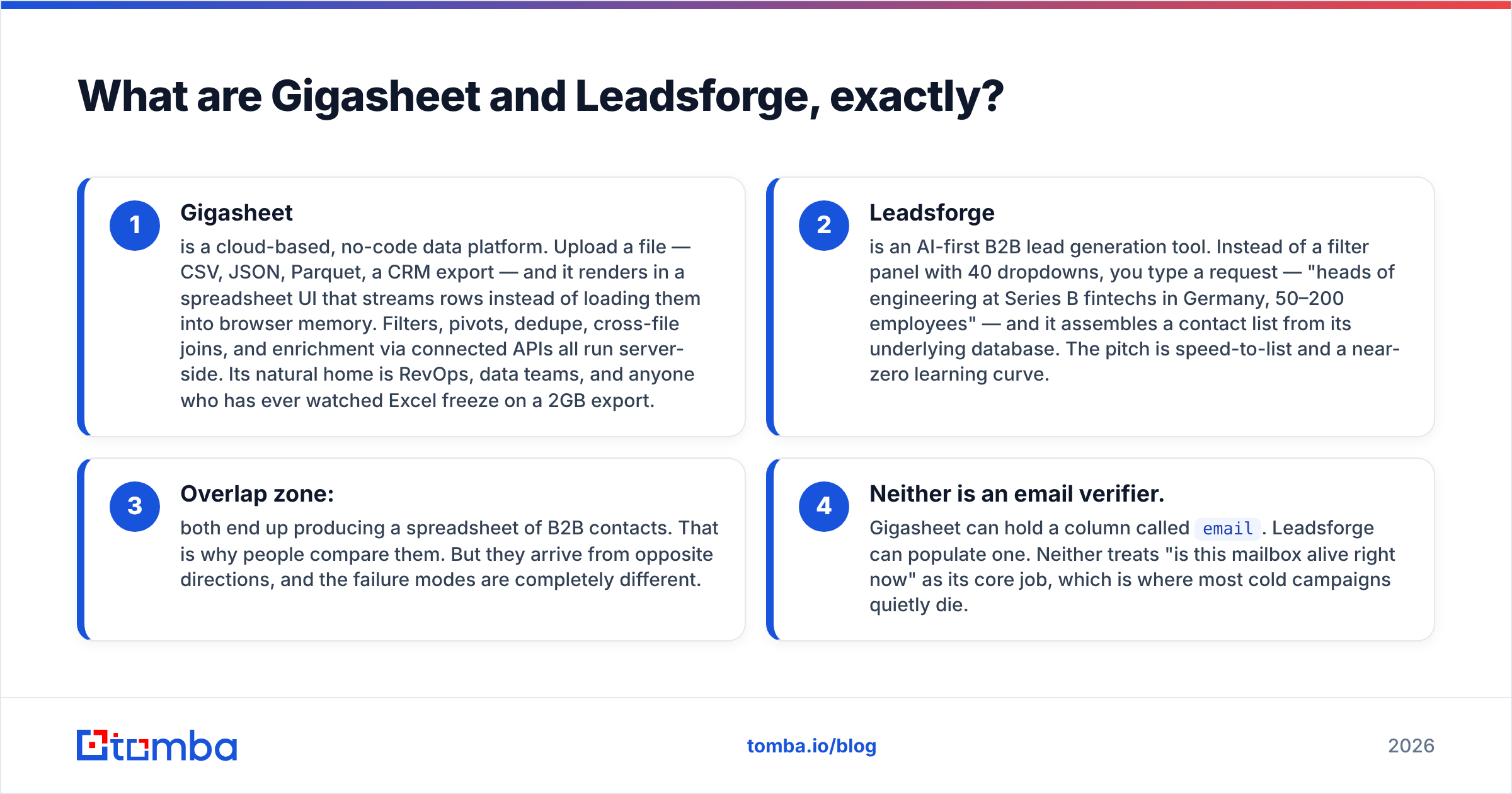
What are Gigasheet and Leadsforge, exactly?#
Think of it like a restaurant kitchen. Gigasheet is the industrial prep station. It is a steel counter big enough for a delivery of 40 million ingredients, with knives for slicing, sorting, and tossing the rotten ones.
Leadsforge is the supplier who shows up with a truck when you say "I need organic tomatoes from farms within 200 miles." One gives you raw material. One gives you the surface to work it on.
Technically:
- Gigasheet is a cloud-based, no-code data platform. Upload a file — CSV, JSON, Parquet, a CRM export — and it opens in a spreadsheet UI. It streams rows instead of loading them into browser memory. Filters, pivots, dedupe, cross-file joins, and API enrichment all run server-side. Its home is RevOps, data teams, and anyone who has watched Excel freeze on a 2GB export.
- Leadsforge is an AI-first B2B lead generation tool. Instead of a filter panel with 40 dropdowns, you type a request: "heads of engineering at Series B fintechs in Germany, 50–200 employees." It then assembles a contact list from its own database. The pitch is speed to list, with almost nothing to learn.
- Overlap zone: both end up handing you a spreadsheet of B2B contacts. That is why people compare them. But they arrive from opposite directions, and they fail in different ways.
- Neither is an email verifier. Gigasheet can hold a column called
email. Leadsforge can fill one. Neither treats "is this mailbox alive today" as its core job. That is where most cold campaigns quietly die.
The useful question is not "which tool is better." It is simpler: do you have a data problem or a discovery problem?
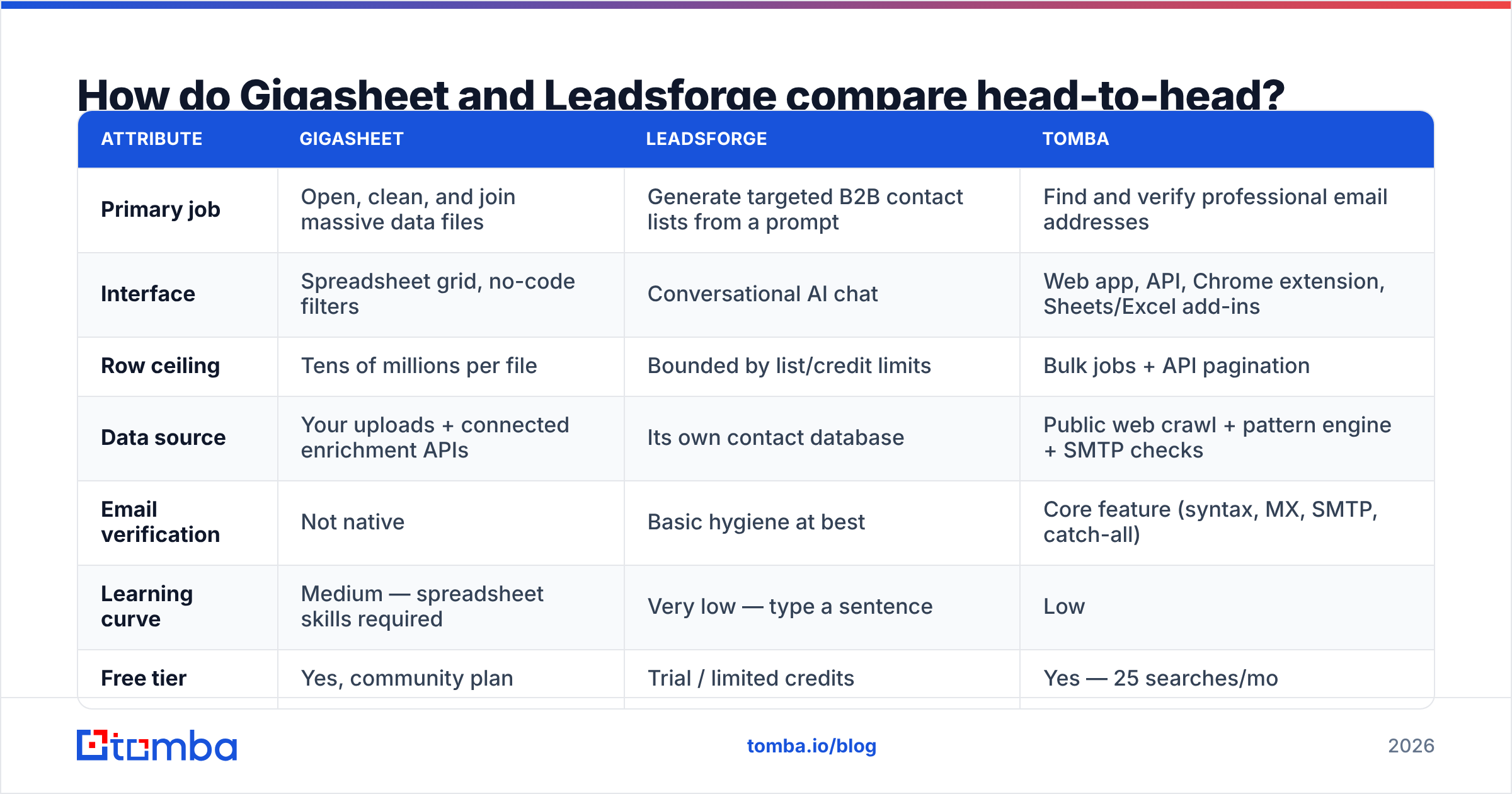
Gigasheet vs Leadsforge: how do they compare head-to-head?#
Here is the practical side-by-side. Pricing on both moves. Treat the tiers as directional and check each vendor's page before you buy.
| Attribute | Gigasheet | Leadsforge | Tomba |
|---|---|---|---|
| Primary job | Open, clean, and join massive data files | Generate targeted B2B contact lists from a prompt | Find and verify professional email addresses |
| Interface | Spreadsheet grid, no-code filters | Conversational AI chat | Web app, API, Chrome extension, Sheets/Excel add-ins |
| Row ceiling | Tens of millions per file | Bounded by list/credit limits | Bulk jobs + API pagination |
| Data source | Your uploads + connected enrichment APIs | Its own contact database | Public web crawl + pattern engine + SMTP checks |
| Email verification | Not native | Basic hygiene at best | Core feature (syntax, MX, SMTP, catch-all) |
| Learning curve | Medium — spreadsheet skills required | Very low — type a sentence | Low |
| Free tier | Yes, community plan | Trial / limited credits | Yes — 25 searches/mo |
| Entry paid price | Per-seat, roughly $95/mo range | Low double digits to ~$100/mo | $49/mo Starter |
| Best for | RevOps cleaning exports and merging sources | AEs and founders who need a list today | Teams who need deliverable addresses at scale |
| Worst for | Sourcing net-new contacts | Auditing a 5M-row file | Replacing a full data warehouse |
Read that table as a division of labor. Say your Monday looks like "merge three exports, kill duplicates, find the 12,000 rows with a valid domain." Gigasheet wins outright. Say it looks like "I have no list at all and a quota in nine days." Leadsforge wins outright.

When is Gigasheet the right call?#
Gigasheet earns its keep in four situations. Outside them, it is an expensive spreadsheet.
- The file is too big for Excel or Sheets. Google Sheets caps out near 10 million cells. Excel stops at about 1,048,576 rows, and it slows down well before that. Gigasheet streams instead of loading, so a 30M-row export opens in the browser. No warehouse project needed.
- You need joins without SQL. Merging a CRM export, a webinar list, and a product-usage dump usually means a data engineer or a fragile VLOOKUP chain. Gigasheet does the join in the UI. That removes a ticket from someone's backlog.
- Deduping and normalizing at scale. Real B2B files carry the same person four times, with odd capitalization and two typo domains. Cleaning that is a genuine skill, and Gigasheet's filter-and-group workflow is faster than pandas for anyone who is not already fluent in pandas.
- Audit trails and shareable views. You can hand a filtered view to a colleague instead of emailing a 2GB attachment. That matters for compliance-conscious teams.
What Gigasheet will not do is give you contacts you did not already have. Enrichment connectors help, but they are only as good as the provider behind them.
Uploading a clean list of 40,000 companies and expecting decision-maker emails to appear is the most common way teams get disappointed by it.
When is Leadsforge the right call?#
Leadsforge sits at the other end. Its selling point is that filter panels are a bad interface for a fuzzy idea.
Most tools make you translate "companies that feel like our best customers" into fourteen dropdown picks. A chat box absorbs the fuzziness and takes a first pass at it.
That is genuinely useful when:
- You are a founder or a solo AE with no ops support and no time to learn a filter taxonomy.
- Your ICP is exploratory. You are testing three segments this month and want three lists by lunch, not three saved-search configurations.
- The volume is modest. A few thousand contacts a month, not a few million.
The trade-offs are the ones every AI-mediated data tool carries. You get less control. The same prompt, phrased two ways, can return a different slice.
Coverage also depends on the underlying database, which is smaller than what Apollo, ZoomInfo, or a mature aggregator holds. And as with most list vendors, the addresses arrive with an implied freshness promise. Check it rather than trust it. For a broader view of the category, G2's lead intelligence grid is a fair neutral place to read real user reviews.
It is also worth naming the honest alternatives. If you want verified, human-checked B2B records instead of an AI interface, providers like BookYourData take a different route: curated databases sold by the record. Different philosophy, same goal — a list you can actually mail.
Do either of them solve the deliverability problem?#
Short answer: no. This is the gap that costs teams the most money.
A B2B contact record decays fast. Industry estimates put annual B2B data decay at 22% to 30%. People change roles, companies get acquired, mail servers move. So a list you pulled in January is measurably worse by June. A file you have kept in a spreadsheet since last year is worse still.
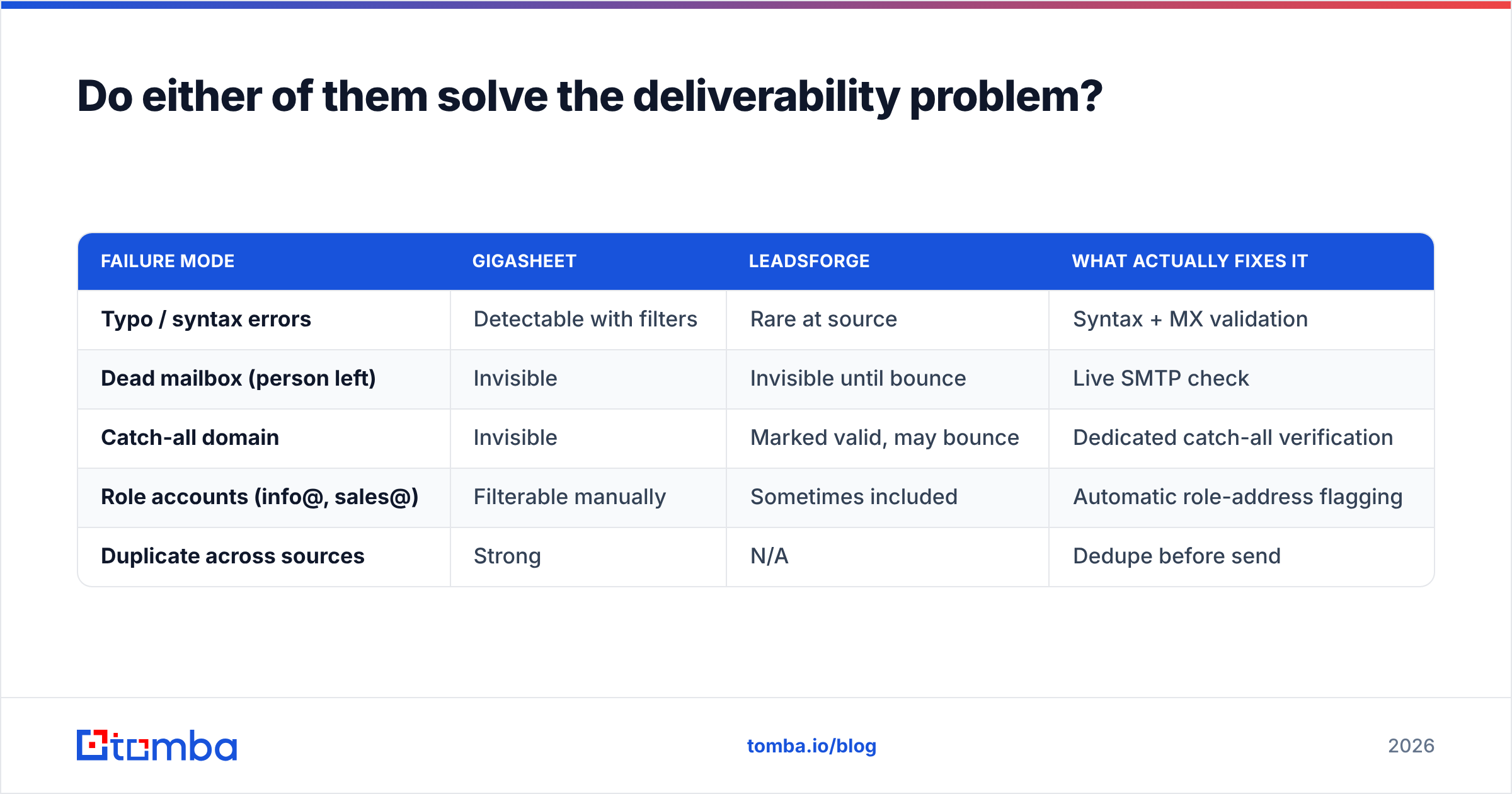
Neither tool is designed to fix this:
| Failure mode | Gigasheet | Leadsforge | What actually fixes it |
|---|---|---|---|
| Typo / syntax errors | Detectable with filters | Rare at source | Syntax + MX validation |
| Dead mailbox (person left) | Invisible | Invisible until bounce | Live SMTP check |
| Catch-all domain | Invisible | Marked valid, may bounce | Dedicated catch-all verification |
| Role accounts (info@, sales@) | Filterable manually | Sometimes included | Automatic role-address flagging |
| Duplicate across sources | Strong | N/A | Dedupe before send |
Only the last row is Gigasheet's home turf. The rest need a real verification layer. This is where a dedicated email verifier belongs: after the list is built, before it hits your sequencer.
Run a live SMTP check, then a catch-all verifier on the ambiguous domains. That is the difference between a 2% bounce rate and a 12% one. At 12% you are no longer debating tools. You are debating whether your sending domain survives the quarter.
Google and Yahoo's bulk-sender rules made this non-negotiable. Their published guidance holds bulk senders to a spam-complaint rate under 0.3%, and mailbox providers weigh bounce behavior heavily in sender reputation. A tool that hands you 10,000 unverified rows hands you a liability, however elegant the chat box was.

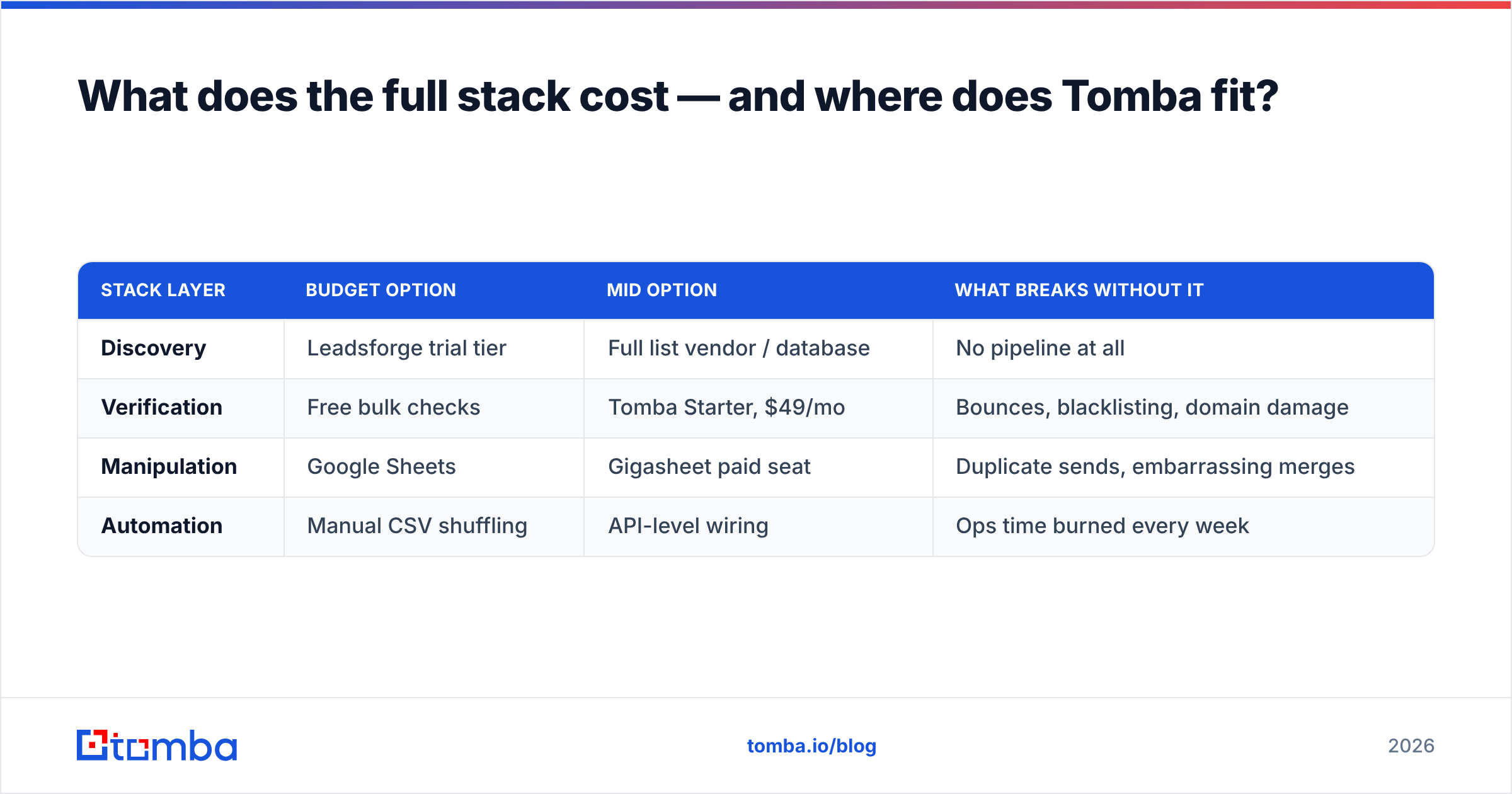
What does the full stack cost — and where does Tomba fit?#
Here is the part most comparison posts skip. You probably need more than one of these tools, and the total bill matters more than any single line item.
A realistic five-person outbound team needs three capabilities:
- Discovery — finding people who match the ICP. Leadsforge does this. So do a dozen databases.
- Verification — proving the addresses are live. Neither Gigasheet nor Leadsforge does this properly.
- Manipulation — merging, deduping, and enriching what you already own. Gigasheet does this exceptionally well.
| Stack layer | Budget option | Mid option | What breaks without it |
|---|---|---|---|
| Discovery | Leadsforge trial tier | Full list vendor / database | No pipeline at all |
| Verification | Free bulk checks | Tomba Starter, $49/mo | Bounces, blacklisting, domain damage |
| Manipulation | Google Sheets | Gigasheet paid seat | Duplicate sends, embarrassing merges |
| Automation | Manual CSV shuffling | API-level wiring | Ops time burned every week |
Tomba's honest position is layer two, plus a chunk of layer one. The email finder takes a name and a domain and returns a professional address with a confidence score. Domain search returns the addressable contacts at a company. The bulk email finder handles whole lists rather than one row at a time.
Pricing starts at a free tier with 25 searches a month, then Starter at $49/mo, Growth at $99/mo, and Pro at $249/mo. The full breakdown lives on the Tomba pricing page.
Where it fits with these two tools specifically:
- With Gigasheet: clean and dedupe the file in Gigasheet. Then push the surviving rows through Tomba's verification and data enrichment before the file goes near a sequencer. Gigasheet handles scale; Tomba handles truth.
- With Leadsforge: treat the AI-generated list as a hypothesis. Verify it, measure the pass rate, and let that number decide the renewal. A vendor that returns 82% deliverable addresses is worth twice one that returns 55%, whatever the sticker price.
- With neither: if you mostly need contacts at known target accounts, the finder can replace the discovery layer, and you skip a subscription entirely.
So which should you actually buy?#
The Gigasheet vs Leadsforge call comes down to your bottleneck, not the feature list:
- Choose Gigasheet if your data already exists and the problem is that you cannot open, merge, or trust it. It is the strongest no-code answer to "this file is too big." At that row count, the only real substitute is a warehouse.
- Choose Leadsforge if you have no list, no ops support, and a short runway. The chat interface removes the biggest friction point for non-technical sellers. A trial tells you within an hour whether its database covers your niche.
- Choose both if you are running serious volume. Build lists in one, govern them in the other.
- Choose neither, yet if you have not solved verification. Every dollar spent on more contacts before you can prove they are deliverable is a dollar spent making your bounce rate worse.
One more thing worth saying plainly: run the same 500-row test through every tool you shortlist. Same segment, same seniority, same geography. Measure coverage, deliverable rate after verification, and time to first list. Vendor benchmarks are marketing. Your own 500 rows are evidence.
Ready to make your list actually deliverable?#
However the Gigasheet vs Leadsforge decision goes, the addresses still have to reach a human inbox.
Start with the Tomba Email Finder. It finds professional email addresses by domain, name, or company, with confidence scoring and verification in the same workflow. The free tier gives you 25 searches a month, enough to benchmark whatever Gigasheet or Leadsforge is producing today. Starter is $49/mo when you are ready to run it across a full list. Test it on your own data before you renew anything else.
Related guides#
Ready to find emails that actually work?
Join 150,000+ professionals who stopped guessing and started sending. Free credits on signup — no credit card required.
Get the Tomba newsletter
Practical outbound tactics and product updates — once every two weeks.
About the author