Gigasheet vs SMARTe: Which B2B Data Tool Wins in 2026?
Gigasheet is a billion-row spreadsheet. SMARTe is a contact database with mobile numbers. They get compared constantly, but they solve different halves of the same problem. Here is the honest breakdown.
TL;DR
- Gigasheet and SMARTe are not really competitors. Gigasheet is a browser-based spreadsheet built to open files with hundreds of millions of rows; SMARTe is a B2B contact database that sells you emails, mobile numbers, and intent signals.
- Pick Gigasheet if your problem is "I exported 40M rows and Excel died." Pick SMARTe if your problem is "I have 3,000 company names and no contacts."
- Gigasheet publishes self-serve pricing with a free tier; SMARTe is quote-based and typically lands as an annual seat contract, which is where most teams get surprised.
- Both charge for enrichment in ways that scale badly if you enrich indiscriminately. An API-first finder plus a verifier is usually cheaper per usable contact.
- The strongest stack for most GTM teams uses all three layers: a workbench for the data, a database for coverage, and a per-lookup email finder for the long tail of accounts neither database covers.
What are Gigasheet and SMARTe, actually?#
They get bundled together in "B2B data tools" listicles because both touch big contact files. That's where the similarity stops.
Gigasheet is a no-code data workbench that looks like a spreadsheet and behaves like a columnar database. You upload a CSV, Parquet, or JSON file that would freeze Excel, and it opens in your browser in seconds. You get filters, group-bys, joins, pivots, and dedupe on files with hundreds of millions of rows without writing SQL. It bolted on enrichment later — you can append company and contact fields to rows — but enrichment is a feature, not the product.
SMARTe is the opposite shape. It's a B2B contact and account database: a searchable index of companies and people with work emails, direct dials, mobile numbers, technographics, and compliance coverage for GDPR/CCPA regions. You search or filter by ICP criteria, then export contacts or push them to your CRM. It ships a Chrome extension so reps can pull contacts while browsing LinkedIn or a company site.
So the real question behind "gigasheet vs smarte" is usually: do I have a data-volume problem or a data-coverage problem? Those need different purchases.
How do Gigasheet and SMARTe compare head-to-head?#
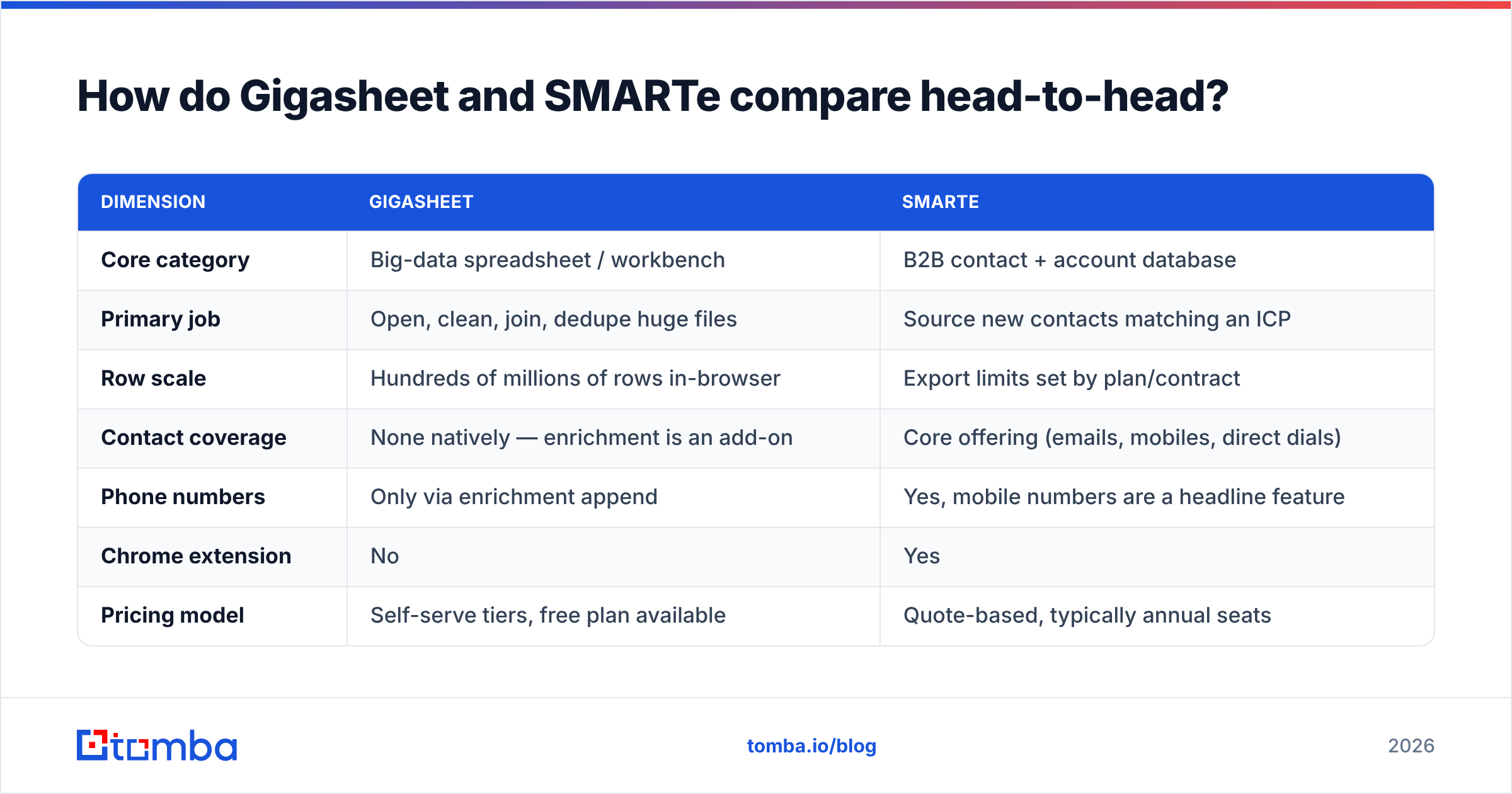
| Dimension | Gigasheet | SMARTe |
|---|---|---|
| Core category | Big-data spreadsheet / workbench | B2B contact + account database |
| Primary job | Open, clean, join, dedupe huge files | Source new contacts matching an ICP |
| Row scale | Hundreds of millions of rows in-browser | Export limits set by plan/contract |
| Contact coverage | None natively — enrichment is an add-on | Core offering (emails, mobiles, direct dials) |
| Phone numbers | Only via enrichment append | Yes, mobile numbers are a headline feature |
| Chrome extension | No | Yes |
| Pricing model | Self-serve tiers, free plan available | Quote-based, typically annual seats |
| Pricing transparency | Published on site | Not published — demo required |
| Best for | RevOps, data teams, list hygiene | SDR teams, outbound prospecting |
| Learning curve | Low if you know spreadsheets | Low — search-and-export UI |
| API access | Available on higher tiers | Available, contract-dependent |
Read that table as a routing decision, not a scoreboard. A RevOps lead deduping four acquired CRMs will get nothing from SMARTe. An SDR team with an empty pipeline will get nothing from Gigasheet.

Which problem does each tool actually solve?#
Here's the honest split, framed as five jobs GTM teams actually have:
"My export won't open." Gigasheet. A 6 GB CSV of web analytics, CRM history, or scraped firmographics opens in a browser tab. Excel caps at 1,048,576 rows; Google Sheets caps far lower. This is Gigasheet's whole reason to exist and nothing in SMARTe touches it.
"I need contacts at 2,000 accounts I've never touched." SMARTe. You're buying coverage — a pre-built index with mobile numbers attached. Building that yourself from scratch is a quarter of work.
"My CRM has 400,000 rows and I don't know how many are duplicates." Gigasheet. Fuzzy-match, group, and collapse duplicates without a data engineer. Then verify what survives before it goes back into the CRM.
"I have names and companies, but no emails." Neither, ideally. This is a per-lookup problem, and a dedicated email finder solves it at a fraction of a seat-license cost, because you pay for the specific rows you need rather than a database subscription.
"My bounce rate is 9% and my domain is getting throttled." Neither. Databases and spreadsheets both hand you stale rows. You need an email verifier in the pipeline before send, regardless of which of these two tools sourced the data.
Most teams that end up unhappy with either product bought it for job 4 or 5 — the jobs neither tool was designed around.
What does each one cost in 2026?#
This is where the comparison gets uncomfortable, because only one of them will tell you.
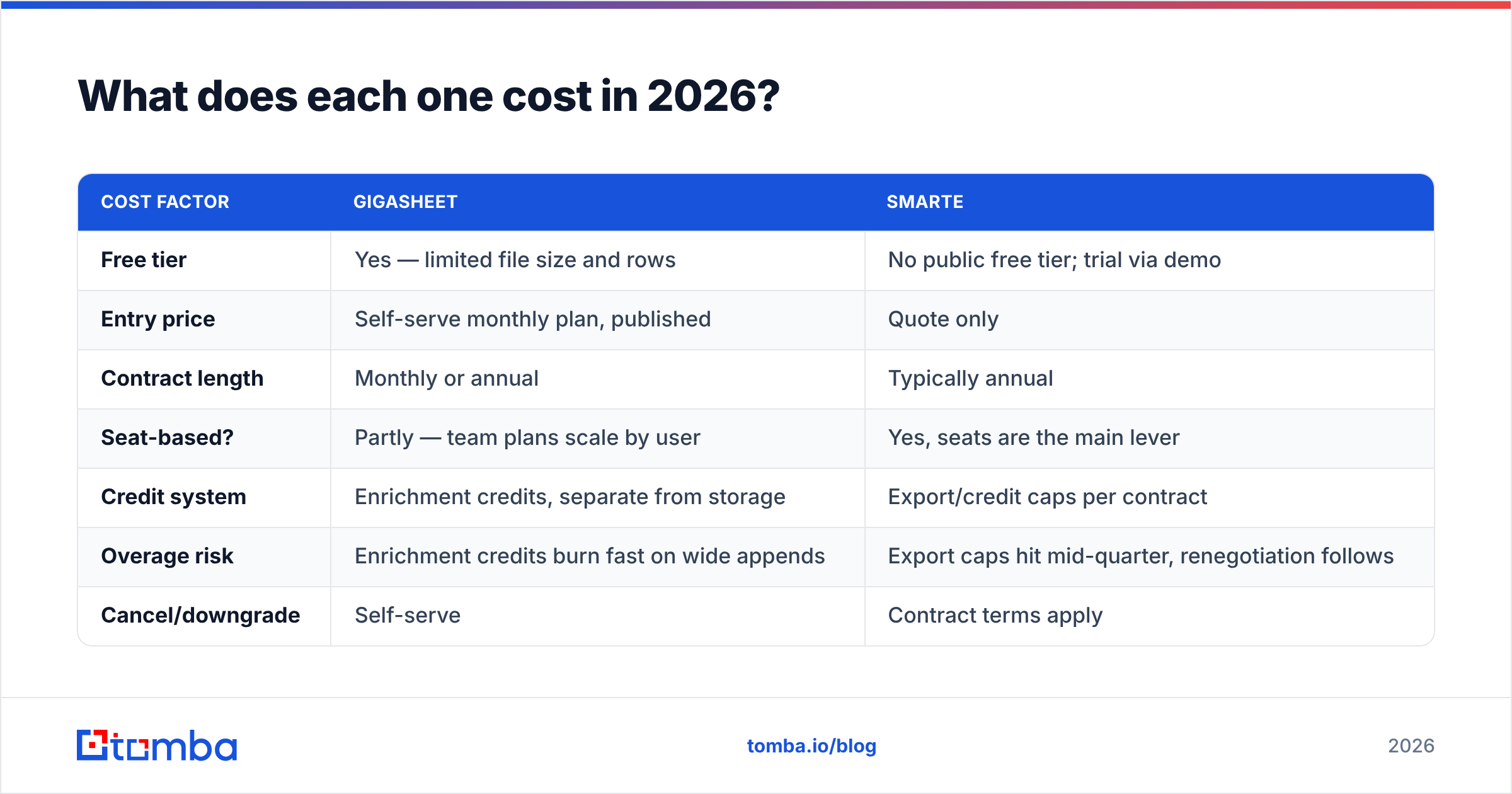
| Cost factor | Gigasheet | SMARTe |
|---|---|---|
| Free tier | Yes — limited file size and rows | No public free tier; trial via demo |
| Entry price | Self-serve monthly plan, published | Quote only |
| Contract length | Monthly or annual | Typically annual |
| Seat-based? | Partly — team plans scale by user | Yes, seats are the main lever |
| Credit system | Enrichment credits, separate from storage | Export/credit caps per contract |
| Overage risk | Enrichment credits burn fast on wide appends | Export caps hit mid-quarter, renegotiation follows |
| Cancel/downgrade | Self-serve | Contract terms apply |
Two practical warnings, both from the same failure pattern.
With Gigasheet, the trap is enriching an entire file because it's one click. Append twelve fields across 200,000 rows and your credit balance evaporates on rows you were never going to contact. Filter to the segment you'll actually work first, then enrich.
With SMARTe — and every quote-based data vendor — the trap is the annual commitment sized to your optimistic Q1 plan. If your SDR headcount drops or your ICP shifts, you're carrying seats and export caps you don't use. Always check current terms on the vendor's own page and read verified reviews on G2 for renewal experiences before signing.

Which has better data quality?#
Different question for each, because they source data differently.
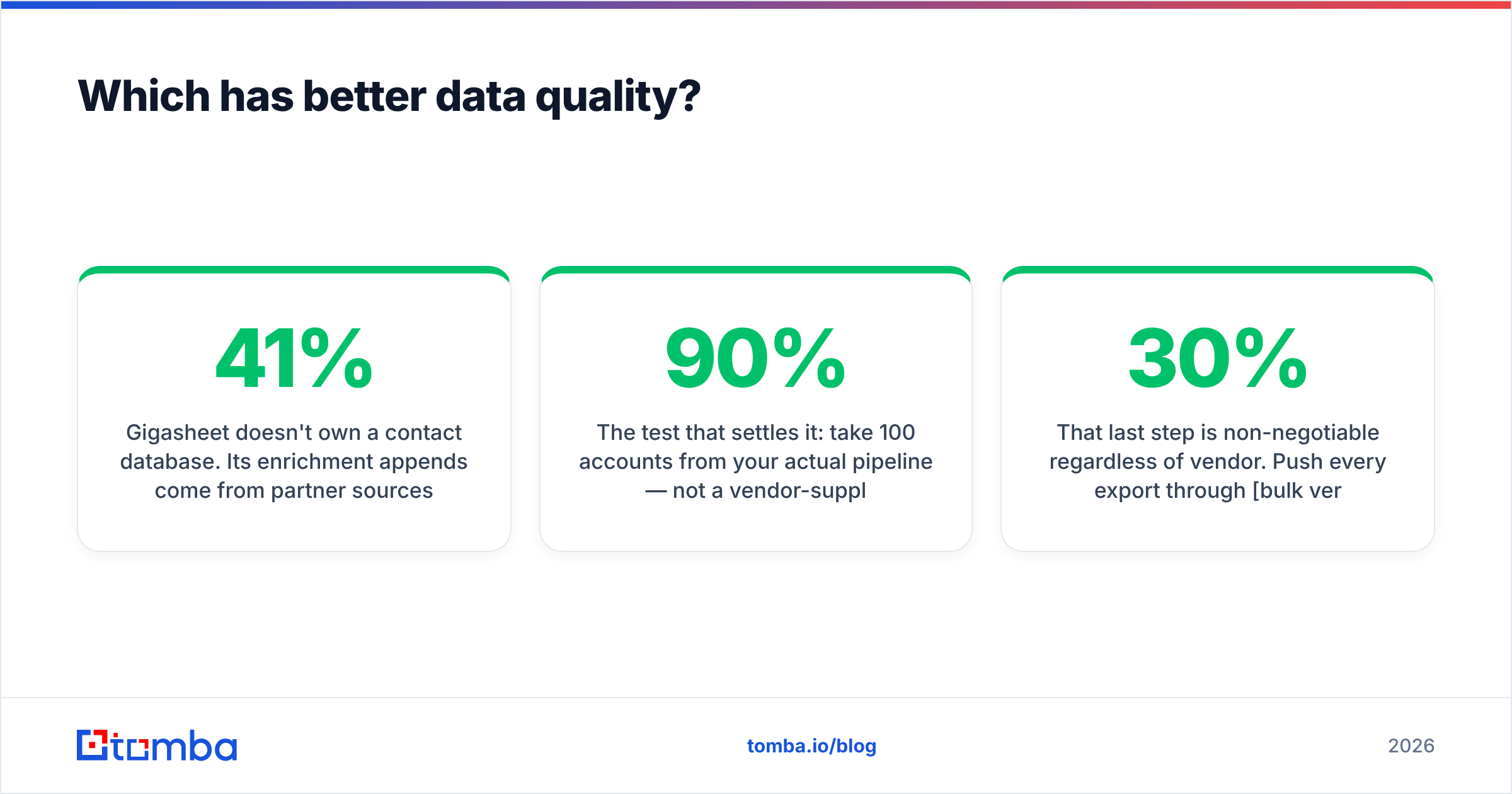
Gigasheet doesn't own a contact database. Its enrichment appends come from partner sources, which means quality is inherited, not controlled. The upside: you can see and audit every row side by side, at scale, which is exactly what a spreadsheet-shaped tool is good at. If a provider's coverage is 41% on your ICP, Gigasheet will show you that in about ninety seconds — most tools won't.
SMARTe owns and maintains its index. Its differentiators are mobile-number coverage and compliance handling for EU/APAC contacts, which matters if your outbound crosses borders. Coverage skews toward mid-market and enterprise tech; long-tail SMBs, agencies, and non-US regional businesses thin out, which is true of essentially every contact database.
The test that settles it: take 100 accounts from your actual pipeline — not a vendor-supplied sample — and run them through any trial. Measure three things: match rate (how many rows returned a contact), bounce rate after verification, and cost per usable contact. A 90% match rate with 20% invalid emails is worse than a 65% match rate that's clean.
That last step is non-negotiable regardless of vendor. Push every export through bulk verification before it reaches a sequencer. Databases decay at roughly 25-30% per year as people change jobs, and no vendor re-verifies every record on the day you export it.
When should you pick Gigasheet?#
Choose Gigasheet when the bottleneck is file handling, not sourcing:
- You're merging data after an acquisition or CRM migration. Joining 2M-row exports without spinning up a warehouse is exactly the use case.
- You run list hygiene for a marketing team. Dedupe, suppression-list subtraction, and segment splits are trivial here and painful in Sheets.
- You buy data from multiple vendors and need to compare them. Load two providers' outputs side by side and measure overlap and gaps directly.
- You have analysts but no SQL access. It's the closest thing to a warehouse that a non-engineer can drive.
- You're processing scraped or logged data that never fits in a normal spreadsheet.
Skip it if your files are under a million rows. Google Sheets plus a data enrichment step handles that for free and your team already knows it.
When should you pick SMARTe?#
Choose SMARTe when the bottleneck is coverage:
- You need mobile numbers, not just emails. Cold calling and multi-channel sequences live or die on direct dials, and dedicated finders skew email-first.
- You sell into EU or APAC and need documented compliance handling on personal data.
- Your reps prospect inside the browser and a Chrome extension meaningfully reduces friction versus a batch workflow.
- You want account-level filtering — technographics, headcount bands, funding — as the starting point rather than a list you already have.
Skip it if you're a small team with an unpredictable volume curve. Annual seat contracts punish teams whose needs change quarterly, and that's the single most common complaint about quote-based data platforms in general.
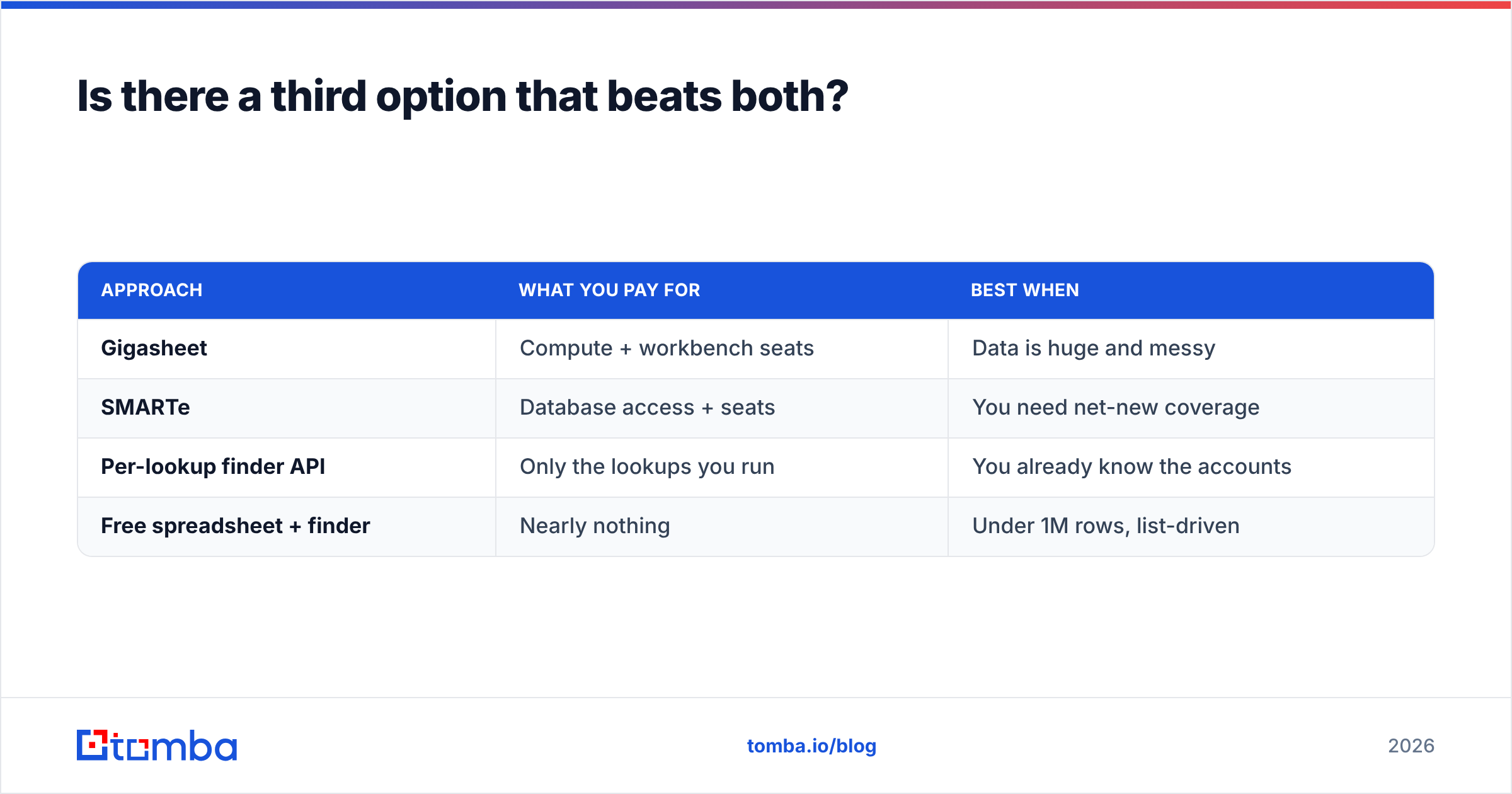
Is there a third option that beats both?#
For the specific job of "turn a name and a domain into a verified work email," yes — and it's cheaper than either.
Neither Gigasheet nor SMARTe is priced for per-lookup work. Gigasheet charges for the workbench; SMARTe charges for the index. If your actual need is contacts at accounts you've already identified — from a conference list, a funding announcement, a website visitor log, a partner referral — you're paying for infrastructure you don't need.
| Approach | What you pay for | Best when |
|---|---|---|
| Gigasheet | Compute + workbench seats | Data is huge and messy |
| SMARTe | Database access + seats | You need net-new coverage |
| Per-lookup finder API | Only the lookups you run | You already know the accounts |
| Free spreadsheet + finder | Nearly nothing | Under 1M rows, list-driven |
A per-lookup approach also sidesteps the coverage ceiling. Databases can only return records they already hold. An email finder resolves patterns against a live domain, which means it can return a contact at a 12-person company that no index bothered to crawl. For US-heavy enterprise ICPs, a database wins on speed. For long-tail, international, or newly-founded accounts, live resolution wins on coverage.
Cost matters too. Tomba pricing starts with a free tier at 25 searches per month, then $49/mo for Starter, $99/mo for Growth, and $249/mo for Pro — no demo call, no annual commitment, no seat minimum. Compare that to a quote-based platform where the entry point is usually five figures annually and you can see why hybrid stacks have become the default.
How do you combine all three into one workflow?#
The teams getting the most out of this category don't pick one. They layer:
- Source — pull ICP-matched accounts from a database like SMARTe when you need net-new coverage, especially for mobile numbers.
- Consolidate — dump every source into Gigasheet, join on domain, dedupe, and see your true unique-account count.
- Fill gaps — run the rows with missing or low-confidence emails through an email finder API so you're only paying for the holes, not the whole file.
- Verify — bulk-verify everything before it touches a sequencer. Kill catch-alls, roles, and invalids.
- Sync — push the clean set to your CRM with source attribution, so next quarter you can measure which layer actually produced pipeline.
That fifth step is the one most teams skip, and it's the one that tells you whether to renew anything at all. If 70% of your closed-won came from live email resolution on accounts your database never held, that's your renewal conversation right there.
The verdict#
Gigasheet wins if your data is already large and messy and you need to make sense of it without engineering help. SMARTe wins if you need net-new contacts with mobile numbers and you sell into regions where compliance handling matters. They are complements far more often than substitutes, and any listicle that ranks one above the other is comparing a wrench to a hammer.
But if what you actually need is verified work emails for accounts you've already identified — the most common job in B2B outbound — you don't need either platform's full price tag.
Start with the Tomba Email Finder. Run 25 searches free, test it against your real account list, and measure cost per usable contact instead of cost per seat. If the numbers beat what you're paying now, you just found your third layer.
Related guides#
Ready to find emails that actually work?
Join 150,000+ professionals who stopped guessing and started sending. Free credits on signup — no credit card required.
Get the Tomba newsletter
Practical outbound tactics and product updates — once every two weeks.
About the author