Global Database vs Wiza: Which B2B Data Tool Wins in 2026?
Global Database sells company-level intelligence. Wiza turns LinkedIn lists into verified emails. They solve different problems — here is which one your outbound team actually needs, and what each really costs.
Global Database vs Wiza is a common shortlist. The two tools do not do the same job, though. One maps companies. The other finds people and their work emails. Here is how the split works, what each really costs, and a third option that often beats both.
TL;DR
- They are not really competitors. Global Database is a company-level data platform. It covers firmographics, financials, credit data, and tech signals. Wiza is a LinkedIn-first contact extractor. It turns Sales Navigator lists into verified emails and phone numbers.
- Pick Global Database if your ICP is defined by company traits — revenue band, filing history, industry code, ownership. You need account research before you need contacts.
- Pick Wiza if your SDRs already live in LinkedIn Sales Navigator. The bottleneck there is turning saved lists into emails you can send to.
- The pricing models differ a lot. Global Database sells seats and scoped database access. Wiza charges per valid credit, with a small free allowance. Spreadsheet comparisons break fast.
- If you only need the email layer, a finder plus verifier stack is usually cheaper than either. Tomba starts at $49/mo with 25 free searches monthly, and it plugs into both via API.
What is Global Database and who uses it?#
Global Database is a UK-based B2B data provider. It sells access to structured company records: firmographics, registry and filing data, financial indicators, tech installs, and the contacts tied to those companies. Its buyers are analysts, credit teams, market researchers, and enterprise sales teams. They need to answer "which companies match this profile?" long before they ask "who do I email?"
The platform is built around databases you subscribe to — by country, by industry, by data type. There is also an API for pushing records into your own systems. That structure drives the price. What you pay depends on which slices of the database your contract covers.
Where it shines:
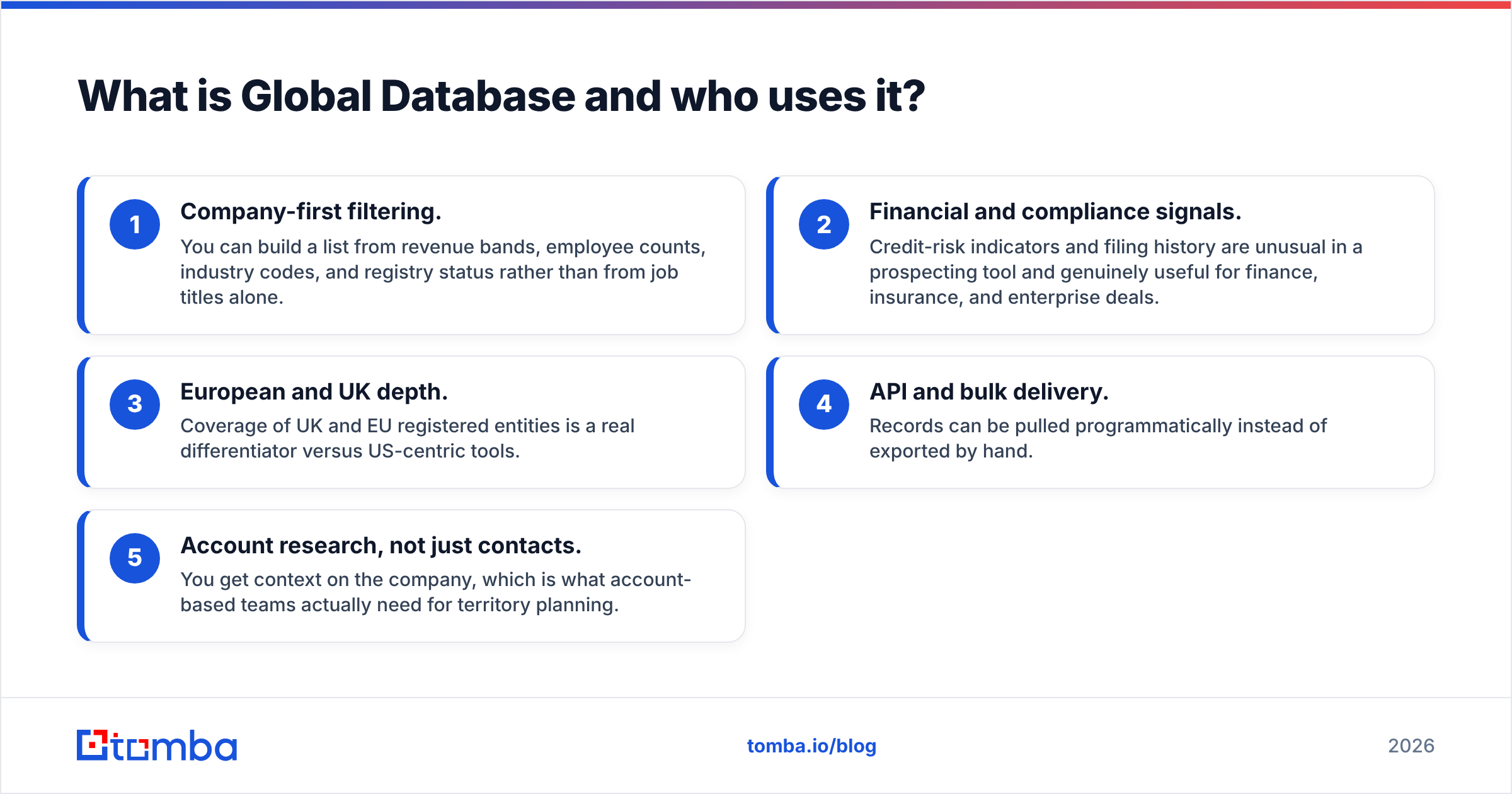
- Company-first filtering. Build a list from revenue bands, employee counts, industry codes, and registry status. Job titles are optional.
- Financial and compliance signals. Credit-risk scores and filing history are rare in a prospecting tool. They are genuinely useful for finance, insurance, and enterprise deals.
- European and UK depth. UK and EU registry coverage is a real edge over US-centric tools.
- API and bulk delivery. Pull records by code instead of exporting them by hand.
- Account research, not just contacts. You get context on the company. That is what account-based teams need for territory planning.
What is Wiza and who uses it?#
Wiza works at the opposite end of the funnel. It is built around LinkedIn. Run a search in Sales Navigator, then point Wiza at it with the Chrome extension. It exports the profiles with work emails, personal emails, and phone numbers attached. It verifies emails during the export. On the credit model, you pay for valid results, not for every row it tried.
That workflow is why SDR teams and recruiters like Wiza. The list already exists in a rep's head — "VP Engineering, 200–1,000 employees, US, hiring". Sales Navigator is where that filter lives. Wiza is the bridge from the filter to a sendable CSV or a CRM record.
Where it shines:
- No learning curve if you already use Sales Navigator. There is no new taxonomy to learn.
- Fresh person data. It reads live profiles, so job-change lag is shorter than in a static database.
- Verification built in. You are not exporting raw guesses and paying a second vendor to clean them.
- CRM push. Direct integrations cut out the CSV shuffle.
Global Database vs Wiza: how do they compare head-to-head?#
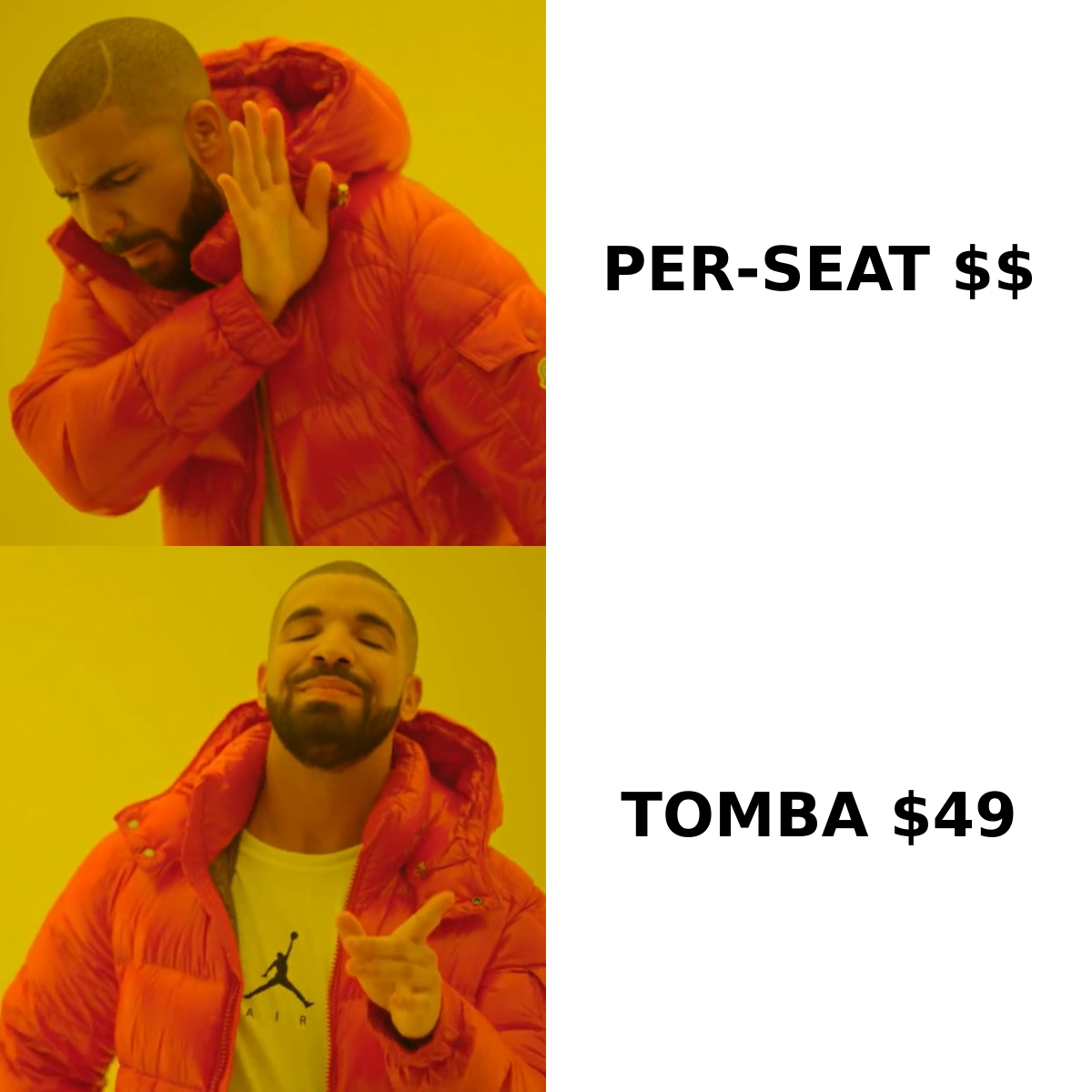
Here is the honest side-by-side. Treat the pricing rows as directional. Both vendors quote by contract shape. Confirm current numbers on their own pages before you budget.
| Dimension | Global Database | Wiza |
|---|---|---|
| Primary unit of data | Company record | Person record from LinkedIn |
| Core workflow | Search database → filter by firmographics → export | Build Sales Navigator list → export with emails |
| Best-fit user | Analysts, RevOps, credit/risk, ABM planners | SDRs, recruiters, founder-led sales |
| Email verification | Included on contact records, quality varies by region | Verified during export; credit model favours valid results |
| Phone numbers | Company switchboards plus some direct dials | Direct dials and mobiles as a paid add-on |
| Geographic strength | UK and EU registry depth | US and English-speaking markets (LinkedIn density) |
| Financial/credit data | Yes — a genuine differentiator | No |
| Free entry point | Demo/trial, sales-led | Small monthly free credit allowance |
| Pricing model | Subscription, scoped by database and seats | Credit packs, monthly or annual |
| API access | Yes, contract-dependent | Yes |
| Biggest weakness | Contact-level freshness and title granularity | Blind outside LinkedIn; no company intelligence |

Here is the pattern to take from that table. Global Database answers "which accounts". Wiza answers "which inbox". Teams that buy one and expect it to do the other job are the ones who write angry G2 reviews. Read the category reviews on G2 with that lens first. Most one-star reviews of either tool are really scope mismatches.
Which one has more accurate email data?#
Accuracy is the question everyone asks. Almost nobody defines it. Three separate numbers hide inside it:
- Coverage or hit rate — of 1,000 target contacts, how many come back with any email at all?
- Validity — of the emails returned, how many actually accept mail?
- Freshness — how many still belong to that person at that company today?
Wiza tends to win on freshness. It reads a live profile at export time. If someone changed jobs last month, the profile usually shows it. Global Database tends to win on entity accuracy: the company is real, registered, and filed correctly. But contact rows in any static database decay by roughly 2–3% per month. That compounds fast on a list you bought in January and mailed in June.
Do not trust either vendor's coverage claims without your own test. Run the same 200-row control list through every tool you are weighing. Then re-check the output with an independent email verifier before you count the hit rate. Accuracy measured by the vendor's own verifier is a closed loop.

One more accuracy trap: catch-all domains. Many enterprise domains accept every address at the SMTP layer. A naive verifier then marks everything "valid". If a tool reports 95% deliverable on a list of enterprise accounts, it is probably counting catch-alls as wins. A dedicated catch-all verifier is the only way to tell real mailboxes from domains that swallow anything.
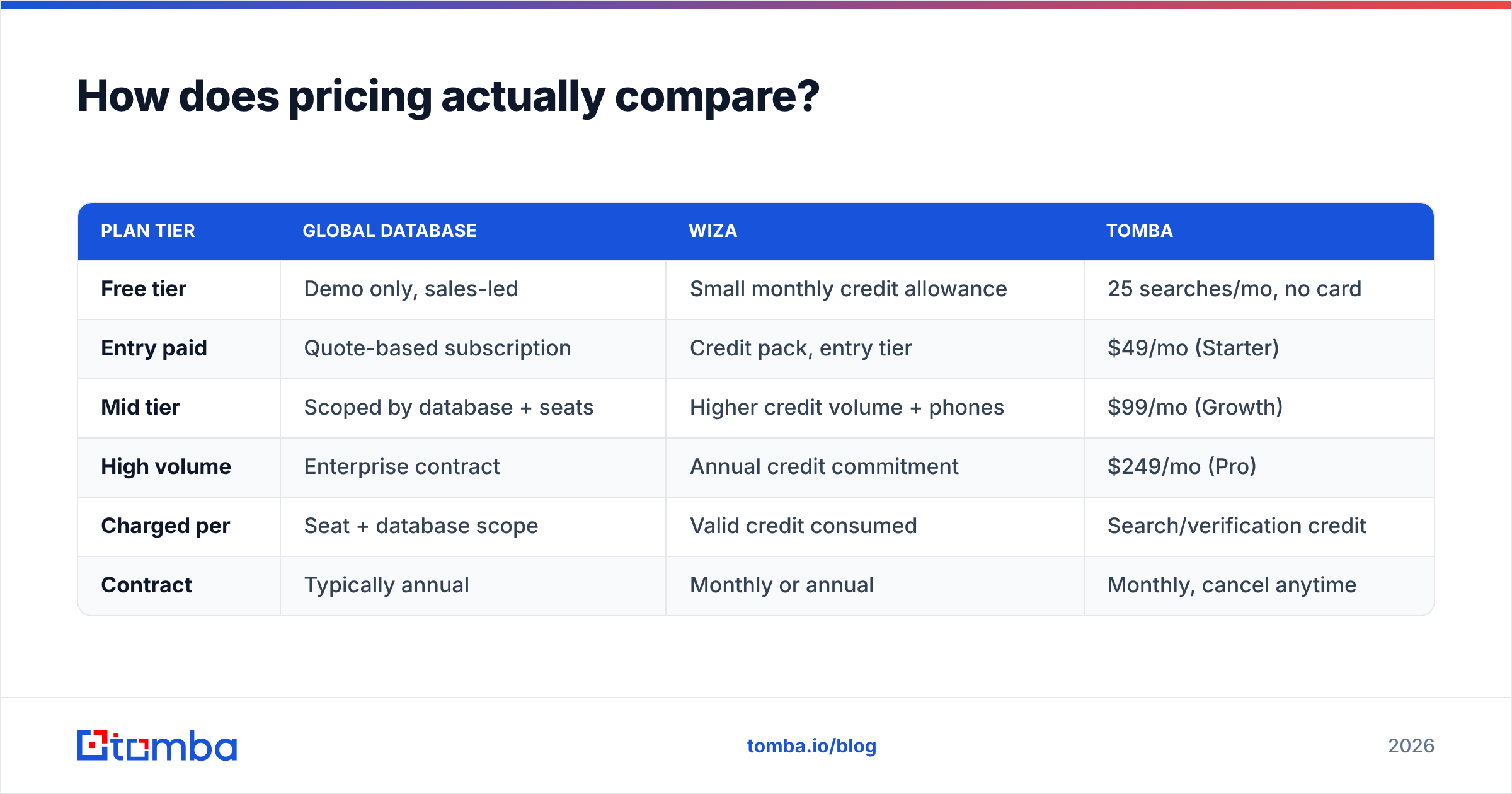
How does pricing actually compare?#
| Plan tier | Global Database | Wiza | Tomba |
|---|---|---|---|
| Free tier | Demo only, sales-led | Small monthly credit allowance | 25 searches/mo, no card |
| Entry paid | Quote-based subscription | Credit pack, entry tier | $49/mo (Starter) |
| Mid tier | Scoped by database + seats | Higher credit volume + phones | $99/mo (Growth) |
| High volume | Enterprise contract | Annual credit commitment | $249/mo (Pro) |
| Charged per | Seat + database scope | Valid credit consumed | Search/verification credit |
| Contract | Typically annual | Monthly or annual | Monthly, cancel anytime |
Two structural differences drive most of the Global Database vs Wiza cost gap.
Seats versus credits. Global Database's seat model punishes teams where many people need occasional access. The tenth analyst who logs in twice a quarter costs the same as your full-time researcher. Wiza's credit model punishes the opposite pattern. Two SDRs burning 5,000 credits a month cost more than ten light users.
Scope creep in database contracts. With Global Database, "we also need France" is a contract amendment, not a settings toggle. The same goes for "we also need tech-install data". Budget for that conversation if your ICP is likely to widen mid-year.
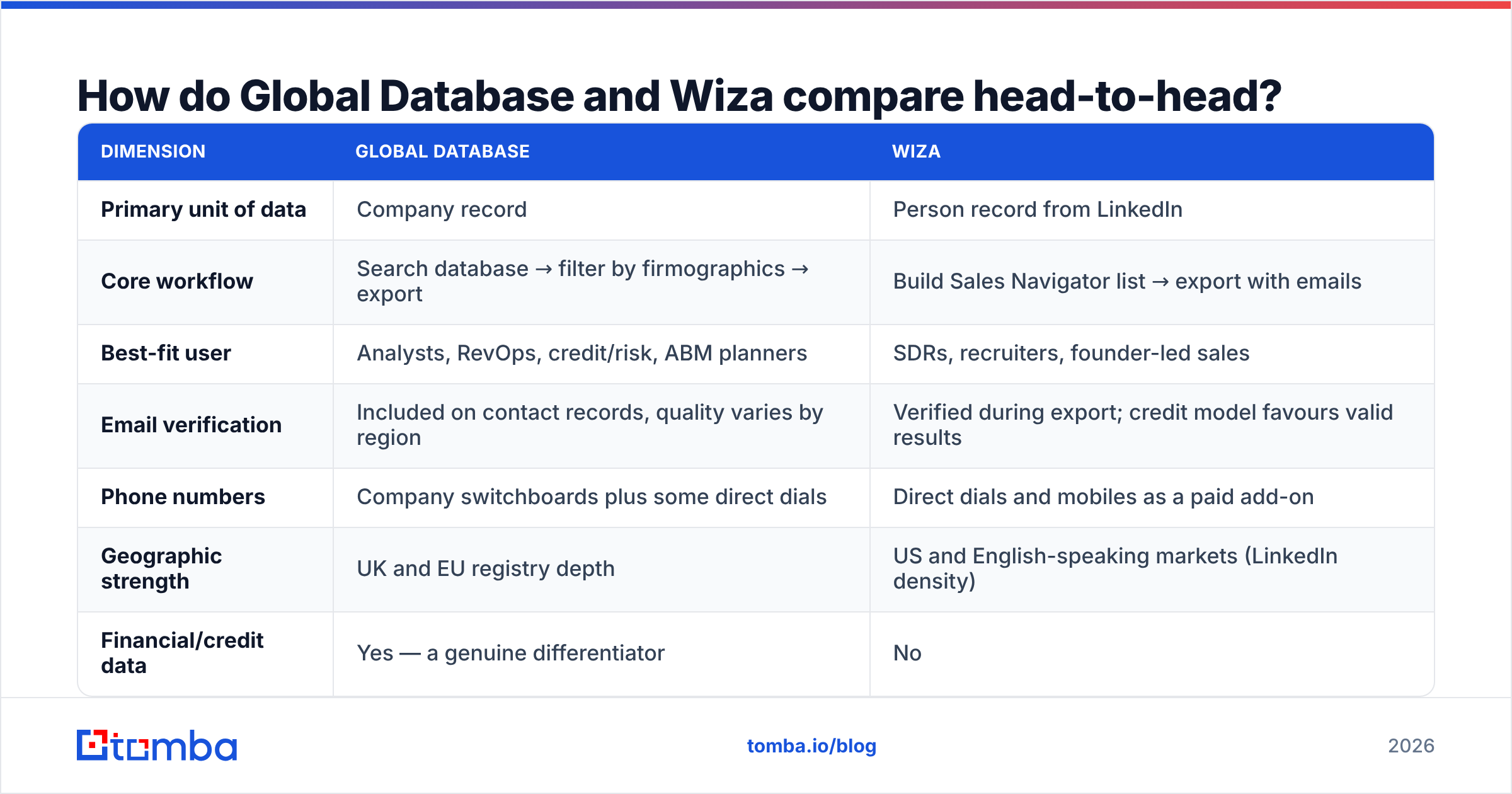
Want a fixed, published price to anchor talks against? Tomba pricing is public: Free (25 searches/mo), Starter $49/mo, Growth $99/mo, Pro $249/mo, Enterprise custom. If a vendor quotes 6x that for the same email-finding job, ask what the extra 5x buys.

Which tool fits which team?#
- Enterprise ABM with a 300-account list: Global Database. You need company and financial context per account far more than you need 10,000 emails. Contacts can come from a cheaper layer.
- Two-SDR startup doing 500 sends a week: Wiza. The list already lives in Sales Navigator. Per-valid-credit billing keeps waste low.
- Recruiting agency sourcing candidates: Wiza. Personal emails and mobiles from live profiles are the whole product.
- Credit, risk, or finance selling in the UK or EU: Global Database. No LinkedIn extractor touches filing history.
- Product-led team enriching signups automatically: Neither, alone. You want an API-first data enrichment layer that fires on signup. A seat-based UI or a Chrome extension will not do that job.
- Anyone whose real problem is "we have 4,000 names and no emails": Skip both. That is a bulk email finder job. Paying database or extraction prices for it is overspending.
Where do both tools fall short?#
Global Database's contact layer is the weak link. The company records are strong. The people attached to them age like any static database. If your outreach depends on reaching a named person this quarter, re-verify before every campaign.
Wiza is blind outside LinkedIn. Some ICPs are thin on LinkedIn: trades, manufacturing SMBs, much of Japan and Southern Europe, most public-sector buyers. A LinkedIn-first tool will report low coverage there, and you may wrongly decide the market is small. It also inherits LinkedIn's title chaos. "Head of Growth" and "VP Marketing" may be the same buyer, and no filter fixes that for you.
Both bill you for workflows you may not need. Global Database bundles data you might never open. Wiza bundles extraction you might not need if your list comes from your CRM or a webinar export. In both cases, the one thing you actually want is a verified work email for a known name at a known domain. You can buy that alone for a fraction of the price.
Neither replaces sending discipline. Data quality sets your ceiling. Sender reputation sets your floor. A perfect list on a cold domain with no SPF alignment still lands in spam. Check your SPF record and warm up properly before you blame the data.
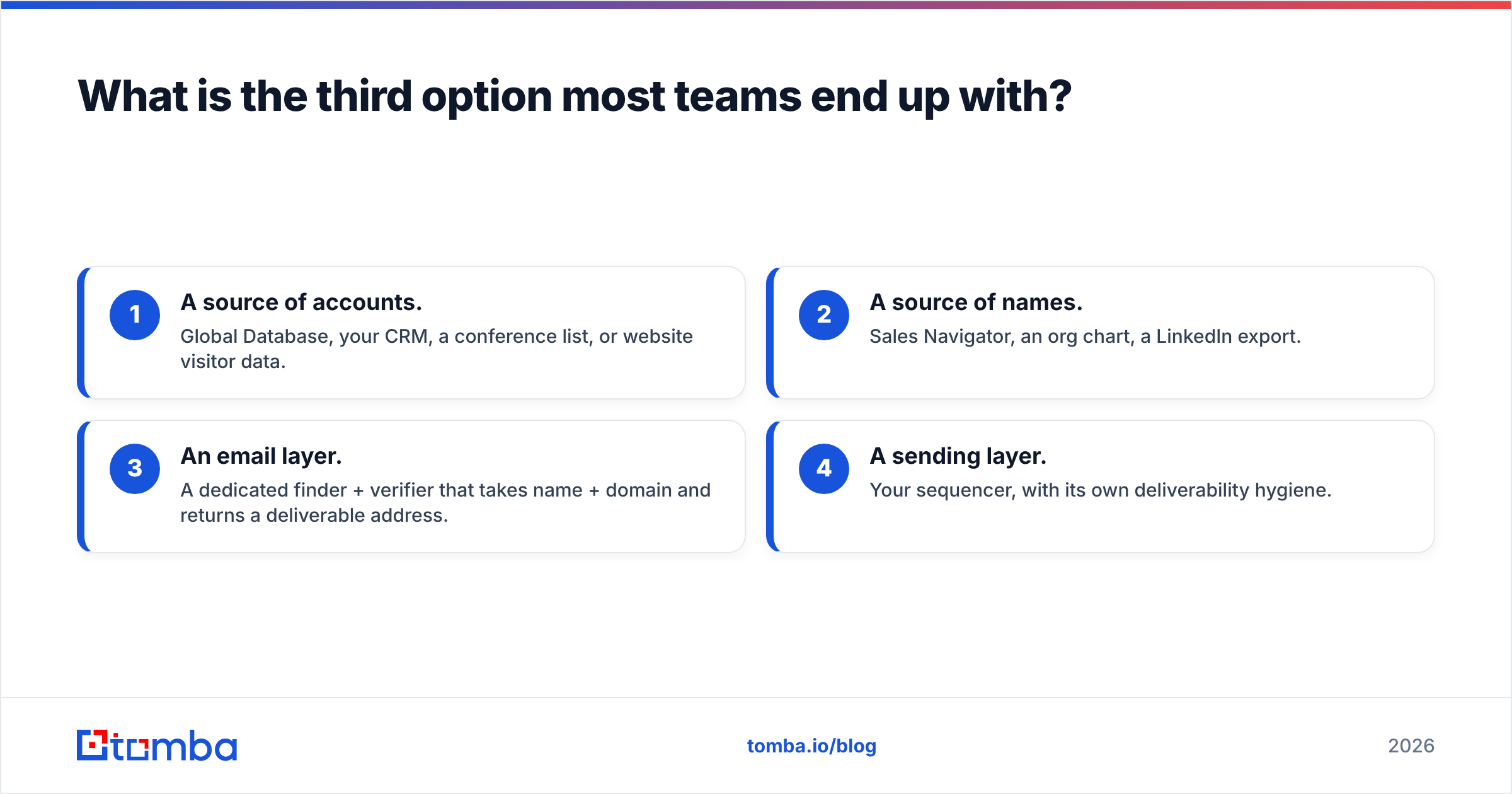
What is the third option most teams end up with?#
The common end state is not "Global Database or Wiza". It is a thin stack:
- A source of accounts. Global Database, your CRM, a conference list, or website visitor data.
- A source of names. Sales Navigator, an org chart, a LinkedIn export.
- An email layer. A finder and verifier that takes a name plus a domain and returns a deliverable address.
- A sending layer. Your sequencer, with its own deliverability hygiene.
Splitting step 3 out is where the savings are. It has the clearest unit economics and the most competition. It is also the easiest step to test: same input list, same control group, count the bounces.
For that layer, run the email finder against a control list. Push the results through verification. Then compare bounce rates against whatever your current tool produced. If you are automating it, the Tomba API handles find-and-verify in one call. That is the shape most RevOps teams want anyway — no seats to license, no extension to install on every rep's browser.
Frequently asked questions#
Is Wiza a Global Database alternative? Not really. They overlap only on "a contact record exists". Swap Global Database for Wiza and you lose financial and registry data. Swap Wiza for Global Database and your SDRs lose the Sales Navigator workflow.
Which is cheaper? Wiza is cheaper to start and easier to cap. Credits are visible and monthly. Global Database is usually a bigger annual commitment. Total cost depends on volume shape. Heavy per-rep usage flips the math toward seat pricing.
Do either of them guarantee deliverability? No. Be wary of any vendor that implies otherwise. They can promise syntax and, to a degree, SMTP acceptance. Inbox placement depends on your domain, your warmup, and your copy.
Can I use both? Yes, and mid-market teams often do. Global Database picks the accounts. A per-contact tool handles the email layer. Just make sure you are not paying two vendors to verify the same address twice.
The bottom line#
The Global Database vs Wiza choice comes down to one question. Buy Global Database when the hard part is which companies. Buy Wiza when the hard part is which person, and what is their email. Buy neither if the hard part is just emails at scale. That is the cheapest, most competitive layer in the stack, and you should pay accordingly.
If that last case is you, start with Tomba Email Finder. The free tier gives you 25 searches a month with no card. That is enough to test hit rate and bounce rate against whatever you pay for today. If the numbers hold, Starter is $49/mo. If they don't, you have lost nothing but an afternoon.
Related guides#
Ready to find emails that actually work?
Join 150,000+ professionals who stopped guessing and started sending. Free credits on signup — no credit card required.
Get the Tomba newsletter
Practical outbound tactics and product updates — once every two weeks.
About the author