GlockApps Pricing 2026: Reviews, Pros and Cons, Verdict
A neutral breakdown of GlockApps pricing, seat and test limits, real user reviews, and where a spam-testing tool stops helping — plus what to run alongside it.
TL;DR
- GlockApps is a deliverability diagnostics tool: seed-list inbox placement tests, DMARC/SPF/DKIM monitoring, blacklist alerts, and (on higher tiers) automated recurring tests.
- Entry pricing sits around $59/month for the smallest paid tier, with mid-tiers near $99/month and enterprise plans running several hundred per month. Annual billing knocks roughly 20–30% off.
- The real cost driver is not the sticker price — it is seats, saved reports, test volume, and how many sending domains you monitor. Teams routinely outgrow the entry plan in month two.
- Reviewers consistently praise the depth of the placement reports and the DMARC dashboard, and consistently complain about UI density, credit burn, and support latency.
- Seed testing tells you where mail lands with test inboxes. It cannot tell you your list is full of dead addresses. Pair it with real verification before you blame the tool.
What is GlockApps and what does it actually do?#
GlockApps is a deliverability testing platform, not a sending platform. Think of it as a blood panel for your email program: it does not treat anything, it tells you what is wrong so you can go treat it.
You send a campaign to a seed list of real mailboxes GlockApps controls across Gmail, Outlook, Yahoo, Zoho, corporate Microsoft 365 tenants, and a spread of regional providers. The platform then reports where each message landed — Inbox, Promotions, Spam, or nowhere at all — plus authentication results, spam-filter scores, blacklist status, and content-level flags.
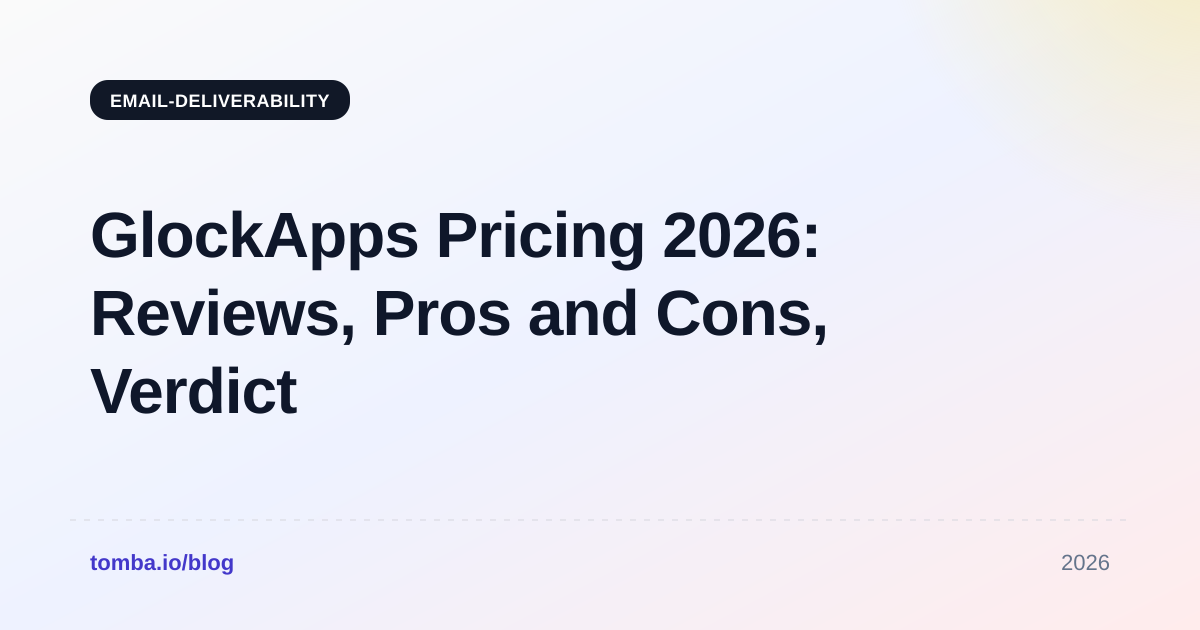
The product family breaks into four pieces:
- Inbox Insight (spam testing) — the flagship. Send to a seed list, get a placement breakdown by provider with header-level authentication detail and SpamAssassin-style content scoring.
- DMARC Analytics — aggregate and forensic DMARC report parsing, so you can see which sources are sending as your domain and whether they pass alignment. This is the piece most teams underrate.
- Uptime and blacklist monitoring — continuous checks against major DNSBLs, with alerts when one of your IPs or domains gets listed.
- Bounce and reputation tracking — inbound bounce categorization plus IP/domain reputation signals over time.
For the underlying concepts, see the primer on email deliverability and sender reputation — GlockApps assumes you already know what an SPF alignment failure means, and its reports are close to unreadable if you do not.
The official product pages live at glockapps.com, and pricing there is the only number that is authoritative on any given day.
How much does GlockApps cost in 2026?#
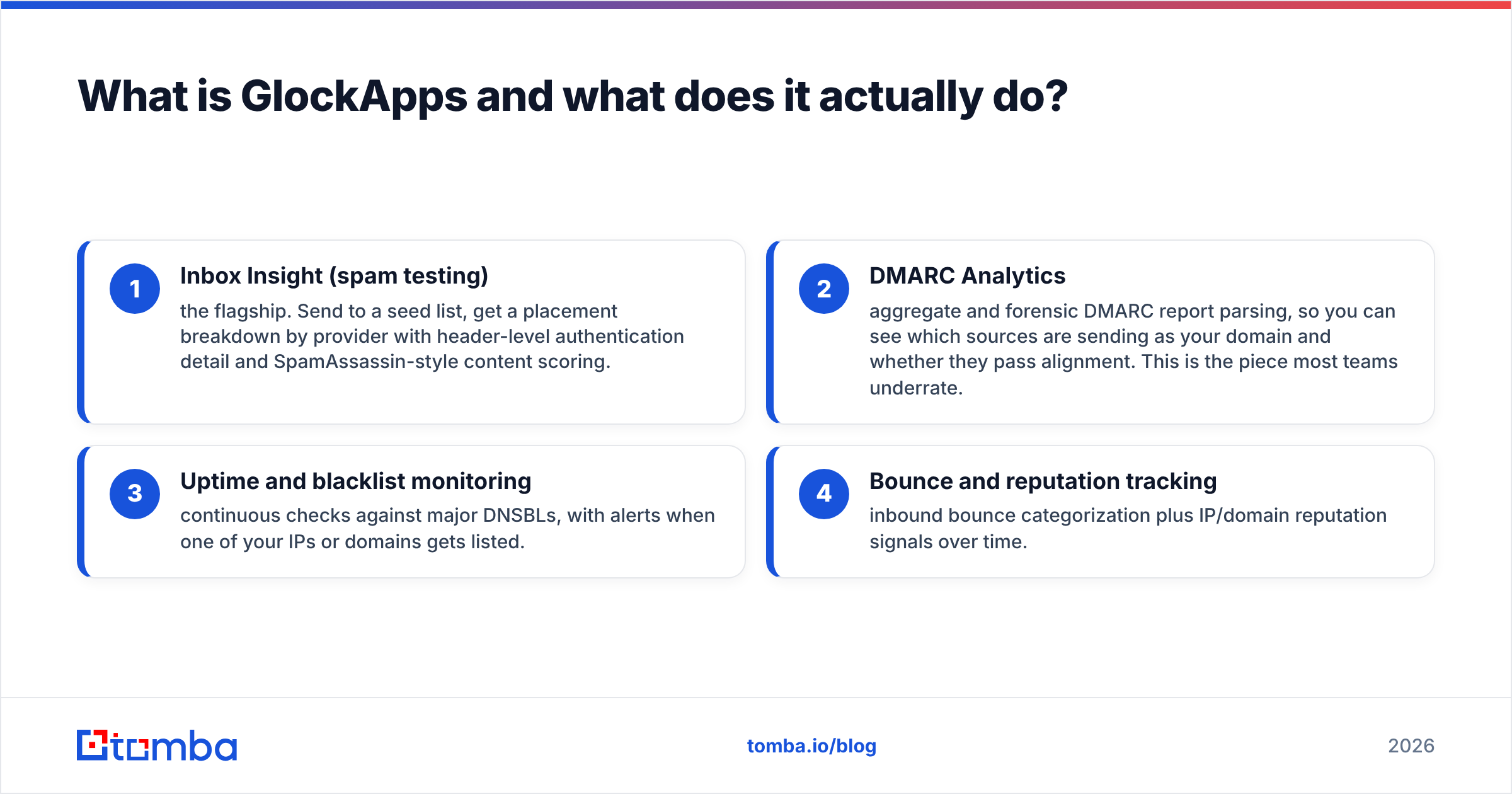
Here is the shape of the pricing, current as of this writing. Vendors reshuffle tiers frequently, so treat this as a planning model rather than a quote.
| Tier | Ballpark monthly | Ballpark annual (per mo) | Typical seats | Best for |
|---|---|---|---|---|
| Free / trial | $0 | $0 | 1 | 2–3 one-off spam tests to see if you have a problem |
| Essential | ~$59/mo | ~$45/mo | 1 | Solo founder or one sender domain |
| Growth | ~$99/mo | ~$79/mo | 2–3 | Agencies and small outbound teams, 2–5 domains |
| Enterprise / Custom | ~$359+/mo | Negotiated | 5+ | Multi-brand ESPs, high send volume, API access |
Three things about that table matter more than the numbers themselves.
Credits, not tests. GlockApps meters usage in tests or credits per month, and one "test" means one send to one seed list. If you are running an A/B on two subject lines across three domains, that is six tests, not one. Teams doing genuine iteration burn through entry-tier allowances in the first week and then either upgrade mid-cycle or stop testing — which defeats the point.
Seats are the quiet upsell. The entry plan is effectively single-user. The moment a second person on your team needs to pull a report without borrowing your login, you are on the mid-tier. For agencies, this is not a nice-to-have; it is the plan you were always going to buy.
Annual lock-in is where the discount lives. The 20–30% annual saving is real, but deliverability tooling is the category people churn out of fastest once a crisis is resolved. Buy monthly for the first quarter, prove you use it every week, then convert.

What do you actually get on each plan?#
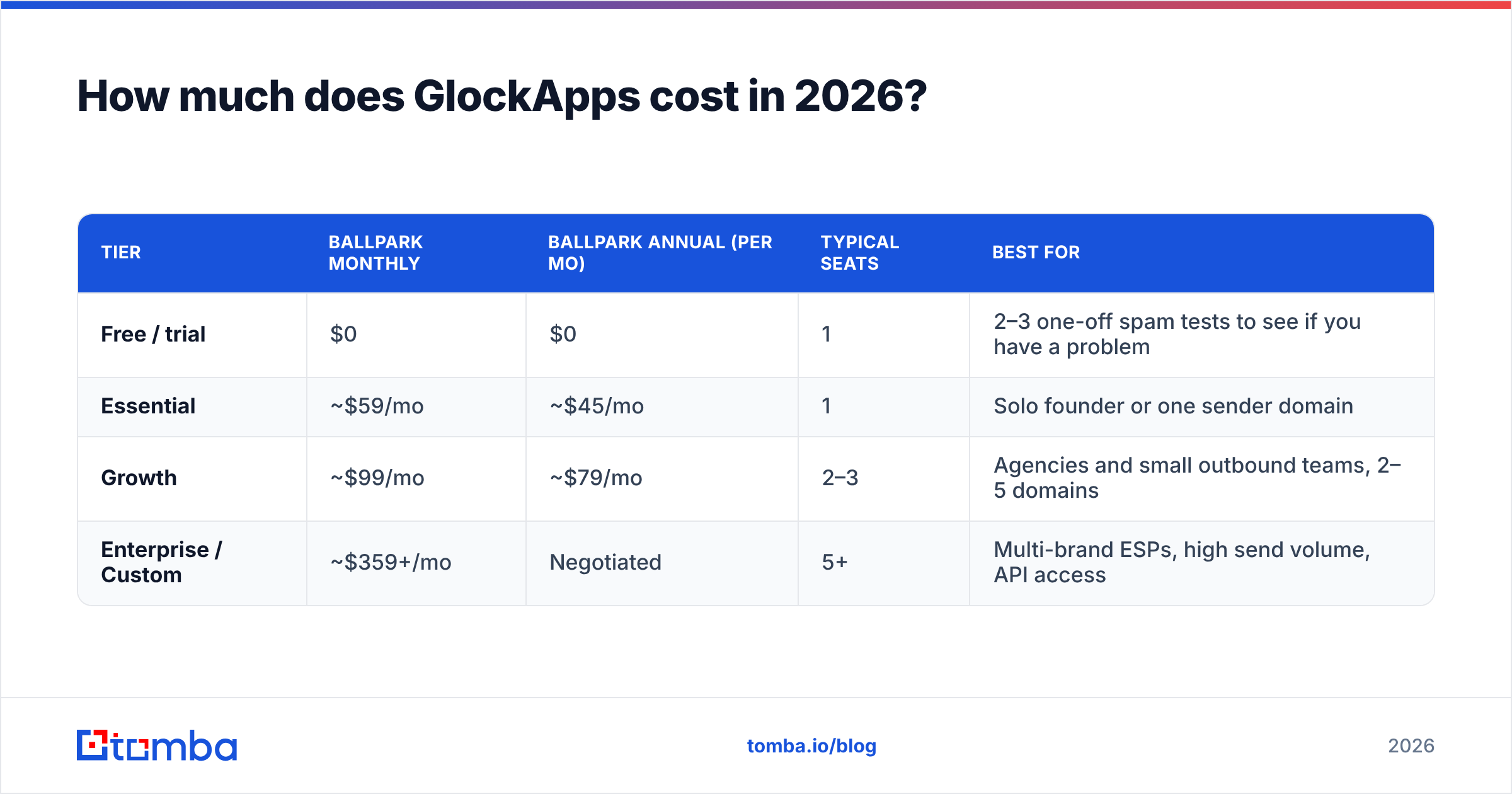
Strip out marketing language and the tier differences come down to five levers:
- Seed list size and coverage — lower tiers use a smaller seed set. Fewer seeds means noisier placement percentages. A 10% spam rate measured across 20 seeds is a very different confidence level than the same number across 90.
- Automated recurring tests — the ability to schedule a placement test every hour or every day, rather than clicking Run manually, is gated to mid and upper tiers. This is the single most useful feature for anyone actively warming domains.
- DMARC volume — aggregate report processing is usually capped by monthly message volume covered. Big senders hit this ceiling before they hit the test ceiling.
- API and integrations — programmatic test triggering and webhook alerts typically require the top tier. If you want deliverability checks inside CI or inside your sending platform, budget for it.
- Report retention — how far back you can look at historical placement. Trend data is the actual product here; a 30-day window makes it hard to prove a fix worked.
If your use case is "I need to know once whether my cold email is hitting spam," the free tier plus a manual check answers that. If your use case is "I need to prove to a client that placement improved over eight weeks," you need retention and scheduling, which means mid-tier minimum.
What are the pros of GlockApps?#
The placement reports are genuinely deep. You get per-provider results with full headers, authentication verdicts, and the specific spam-filter rules that fired. Most competitors show you a red/green summary; GlockApps shows you the receipt. For a technical deliverability consultant, that difference is the whole purchase decision.
DMARC analytics are strong for the price. Standalone DMARC platforms often start higher than GlockApps charges for its entire suite. If you were going to buy DMARC monitoring anyway, the bundled economics are good.
Provider breadth is above average. Coverage extends beyond the big three into regional and corporate destinations, which matters if you sell into Europe, Japan, or Russia-adjacent markets where local providers hold real share.
Alerting is fast. Blacklist and uptime notifications arrive quickly enough to act on, and the Slack/webhook routing on higher plans means the alert reaches the person who can fix it.
It is vendor-neutral. GlockApps does not sell you sending infrastructure, so it has no incentive to tell you your ESP is fine. Tools bundled inside a sending platform always have that conflict.
What are the cons of GlockApps?#
The interface is dense. Reviewers describe it as powerful but unfriendly. There is no gentle onboarding path; you land in a dashboard with a dozen modules and no clear "start here." Budget a couple of hours of ramp-up, or a call with support.
Credit burn is faster than expected. This is the most common complaint in public reviews across G2 and similar directories: people plan for a certain number of tests, then discover that meaningful iteration multiplies that count.
Seed-list testing has structural limits. Seed mailboxes have no engagement history. They never open, never reply, never move a message out of spam. Real recipients do all three, and modern filters at Gmail and Microsoft weight engagement heavily. That means placement results skew pessimistic for warm audiences and optimistic for cold ones. GlockApps is honest about this; users often are not.
Support response times vary. Multiple reviews mention slow ticket turnaround on lower tiers. If deliverability is business-critical for you, price in the tier that includes priority support.
No fix layer. GlockApps diagnoses. It does not warm your domain, rewrite your copy, or clean your list. You will end up buying at least one more tool, which changes the total cost of ownership calculation substantially.
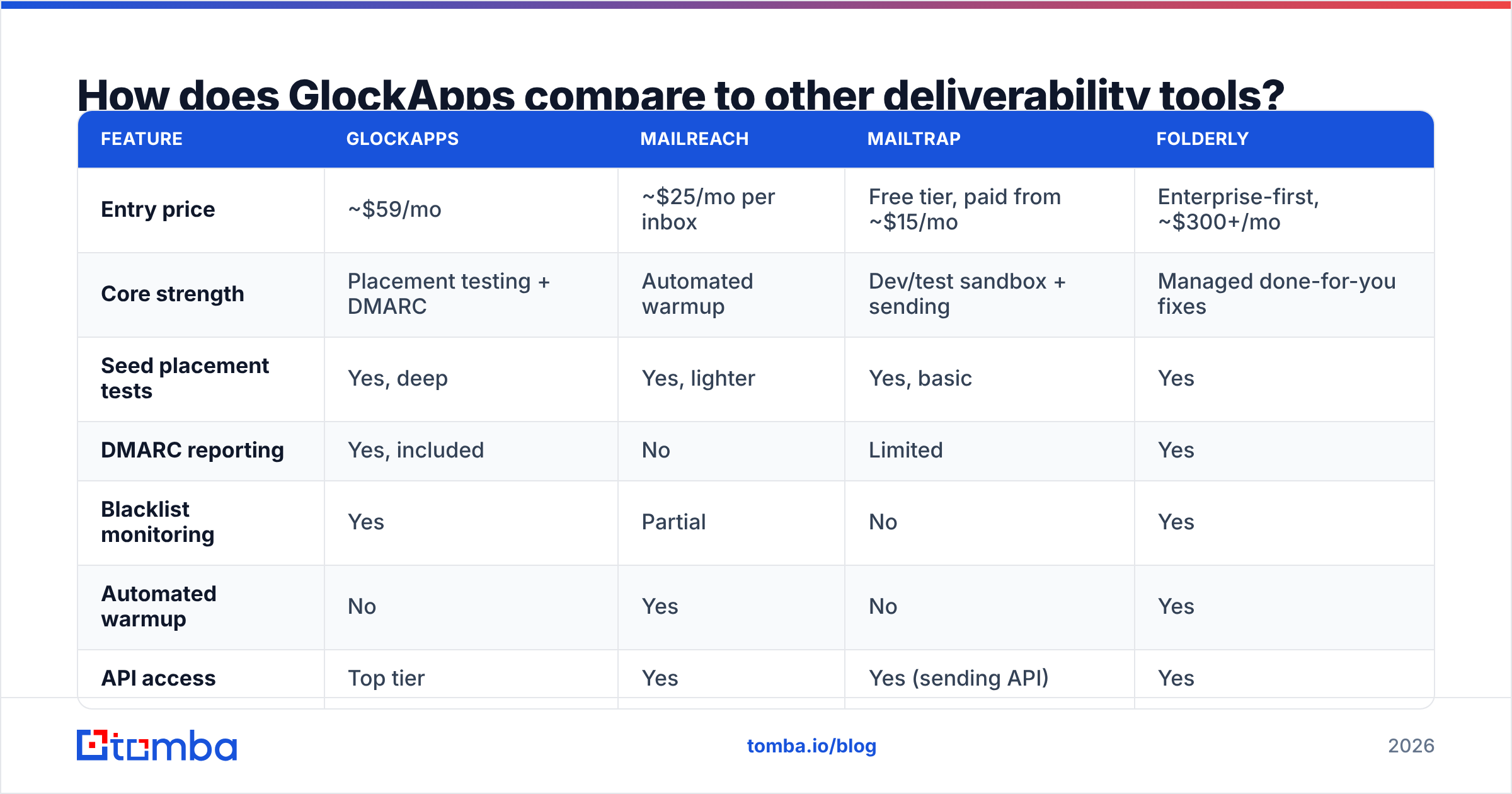
How does GlockApps compare to other deliverability tools?#
| Feature | GlockApps | MailReach | Mailtrap | Folderly |
|---|---|---|---|---|
| Entry price | ~$59/mo | ~$25/mo per inbox | Free tier, paid from ~$15/mo | Enterprise-first, ~$300+/mo |
| Core strength | Placement testing + DMARC | Automated warmup | Dev/test sandbox + sending | Managed done-for-you fixes |
| Seed placement tests | Yes, deep | Yes, lighter | Yes, basic | Yes |
| DMARC reporting | Yes, included | No | Limited | Yes |
| Blacklist monitoring | Yes | Partial | No | Yes |
| Automated warmup | No | Yes | No | Yes |
| API access | Top tier | Yes | Yes (sending API) | Yes |
| Best for | Diagnosing why mail fails | Keeping inboxes warm | Developers testing templates | Teams outsourcing the whole problem |
The honest read: these are not substitutes. GlockApps and MailReach solve different halves of the same problem, and plenty of outbound teams pay for both. Folderly is the "make it someone else's job" option at roughly five times the cost. Mailtrap is a developer tool that happens to include placement checks.
If you are picking one, pick based on whether your bottleneck is knowing or doing. GlockApps is a knowing tool.
What do GlockApps reviews actually say?#
Aggregate sentiment across review sites lands in the 4.2–4.6 range, which is solidly positive for a technical B2B tool. The pattern in the text is consistent:
- Power users love it. Deliverability consultants, ESP operators, and lifecycle marketers who read headers for a living rate it highly and rarely churn.
- Casual users bounce. Founders who bought it to answer one question find it overbuilt and hard to navigate, then cancel after a month or two.
- Pricing complaints cluster around limits, not the base rate. Almost nobody says $59 is too much for what the tool does. Plenty say the included test count runs out too fast.
- Accuracy debates come down to methodology. Users who compare seed results against their own real-world open data sometimes see divergence. That is expected behavior for seed testing, not a defect — but it surprises people.
Read reviews with that segmentation in mind. If you are the first group, the price is a rounding error. If you are the second, the free tier plus a one-off audit may be all you need.
What does GlockApps not fix — and what should you run alongside it?#
Here is the failure mode nobody puts on a pricing page: a team buys deliverability tooling, runs tests for six weeks, tunes SPF/DKIM/DMARC to perfection, and still sees terrible results — because 22% of their list was invalid from the day they imported it.
Hard bounces are the fastest way to torch a sending reputation. Google's own Postmaster Tools documentation is blunt about this: high invalid-recipient rates degrade domain reputation, and no amount of authentication hygiene compensates. GlockApps will faithfully report that your authentication is perfect while your bounce rate quietly kills you.
Run these three things in parallel with any placement-testing subscription:
- List verification before every send. Run the file through an email verifier and drop anything that fails. On cold or aged lists, also handle catch-all domains explicitly with a catch-all verifier rather than guessing.
- Sourcing that produces valid addresses in the first place. Verification is remediation. Pulling contacts from a source that returns verified, pattern-confirmed addresses means fewer to remediate. A domain search against a target company beats scraping a list and hoping.
- Deduplication and suppression discipline. Duplicate sends to the same person across two sequences read as spam behavior to filters and to humans. Clean the file, then test placement.
Do those three, then spend on placement testing. The order matters — a deliverability tool pointed at a dirty list generates expensive, accurate reports about a problem you could have solved for a fraction of the cost.
Is GlockApps worth it in 2026?#
Buy it if: you send at meaningful volume, you have someone technical who will read the reports weekly, you manage multiple sending domains, or you need DMARC monitoring anyway. At roughly $99/month for the mid-tier, it is cheap relative to one lost month of pipeline.
Skip it if: you send under a few thousand emails a month from a single domain, you have no one to action the findings, or you have not yet verified your list. In that order.
Start free, upgrade deliberately. Run the free tests. If the results show a real placement problem you cannot explain, the paid tier pays for itself. If they show clean inbox placement, your problem is targeting or copy, and no deliverability tool fixes either.
The tool is good. The category is narrower than its marketing suggests. Match the spend to the actual bottleneck.
Fix the input before you audit the output. Most "deliverability problems" are data problems wearing a costume — invalid addresses, guessed patterns, and stale contacts that bounce on contact. Start with the Tomba Email Finder to source verified, pattern-confirmed business addresses from any domain, so the list you test against is one worth testing. The free tier covers 25 searches a month, and paid plans start at $49/month — see Tomba pricing for the full breakdown.
Related guides#
Ready to find emails that actually work?
Join 150,000+ professionals who stopped guessing and started sending. Free credits on signup — no credit card required.
Get the Tomba newsletter
Practical outbound tactics and product updates — once every two weeks.
About the author