Gmail Finder Online: How to Find Anyone's Gmail in 2026
Most free Gmail finders return guesses, not verified inboxes. Here's how online Gmail finders actually work, which ones hold up on personal @gmail.com addresses, and how to verify before you send.
Looking for a gmail finder online? Start here. This guide covers what these tools can find, what they cannot, and how to check an address before you hit send.
TL;DR
A gmail finder online does two very different jobs. One is finding a personal
@gmail.comaddress. The other is finding a work address hosted on Google Workspace. The second job scales. The first one mostly does not.Google turned off open SMTP checks for
gmail.comyears ago. Any tool that claims 99% confidence on a raw@gmail.comguess is selling a pattern match, not a real inbox.Free permutators spit out 12 to 20 guesses per person. Send to all of them and you will burn your sending domain.
Here is the workflow that holds up. Find the company domain, run a domain search, verify, and fall back to personal Gmail only when the role really lives there. Think freelancers, creators, and solo founders.
Budget honestly. Expect 40 to 65% hit rates on personal Gmail, and 85 to 95% on Workspace business addresses.
What is a gmail finder online?#
A gmail finder online is a web tool. You give it what you know about a person: a name, a company, a domain, a LinkedIn URL, sometimes just a username. It returns the address most likely to reach them, with gmail.com as the target domain or the mail host behind it.
That last part matters more than any feature list. Two very different problems hide under one search term.
Personal Gmail. Think
firstname.lastname@gmail.comorjsmith1987@gmail.com. A human picked it, often years ago. No company logic sits behind it.Google Workspace business email. Think
jane@acme.com, where Acme's MX records point atgoogle.com. It looks like any other work email. Gmail is just the delivery layer.
Case 2 is a normal email finder problem. Firms use set patterns, and you can find those patterns in public sources. Case 1 is closer to guessing a password. Tools that blur the two in their ads are the ones that let you down at the 200-lead mark.
How does a gmail finder online work under the hood?#
Four methods, usually stacked. Knowing which one produced your result tells you how much to trust it.
Pattern inference. The tool already has 40 confirmed addresses at Acme. It reads the
first.last@acme.compattern, applies it to your target, and returns a candidate. Strong for Workspace domains. Useless for personal Gmail, since no pattern sits behind a 2009 signup.Crawled and licensed data. Public web pages, git commits, speaker lists, WHOIS records, press releases, papers. This is the one method that surfaces real personal
@gmail.comaddresses. It works because the person published the address somewhere.Permutation plus checks. Build every likely combo (
jane@,janesmith@,j.smith@), then try to rule out the wrong ones. Gmail breaks that second step.Reverse lookup. Start from something you already know: a LinkedIn profile, a phone number, another email. Then pivot to the Gmail address. A reverse email lookup runs the other way when you hold an address and need the person.
For personal Gmail, rank them like this. Method 2 wins. Method 4 is a fair second. Methods 1 and 3 are guesses with a badge stapled on.
Why is personal Gmail so hard to verify?#
Google built it that way.
A normal check opens an SMTP chat with the mail server. It asks, in effect, "does this mailbox exist?" with an RCPT TO command. Most servers answer straight. Google's public MX servers for gmail.com do not. They accept almost everything up front and decide later. That kills the check. It works like a front desk that says "sure, leave it with me" for every name you ask about, real staffer or not.
What that means in practice:
No clean valid or invalid answer. A verifier can check syntax. It can check MX records. It can screen against known-bad lists. It cannot confirm the mailbox is there.
Confidence scores turn into odds. A "92%" on a
@gmail.comaddress tells you how often that address showed up in observed data. It is not a live mailbox check.Bounce risk moves to send time. You find out when you send, and your sender reputation pays for it.
Google Workspace domains behave in another way. Many are set up as catch-all, which brings its own problem. A catch-all verifier leans on softer signals instead: past engagement, pattern matches, and proof from more than one source. A catch-all domain says yes to every address by design.
So plan for this. Treat any personal Gmail address as unverified until it replies. Send to it in a small, separate batch. Use a domain you can afford to risk. Never mix it into your main campaign.
Which gmail finder online should you use in 2026?#
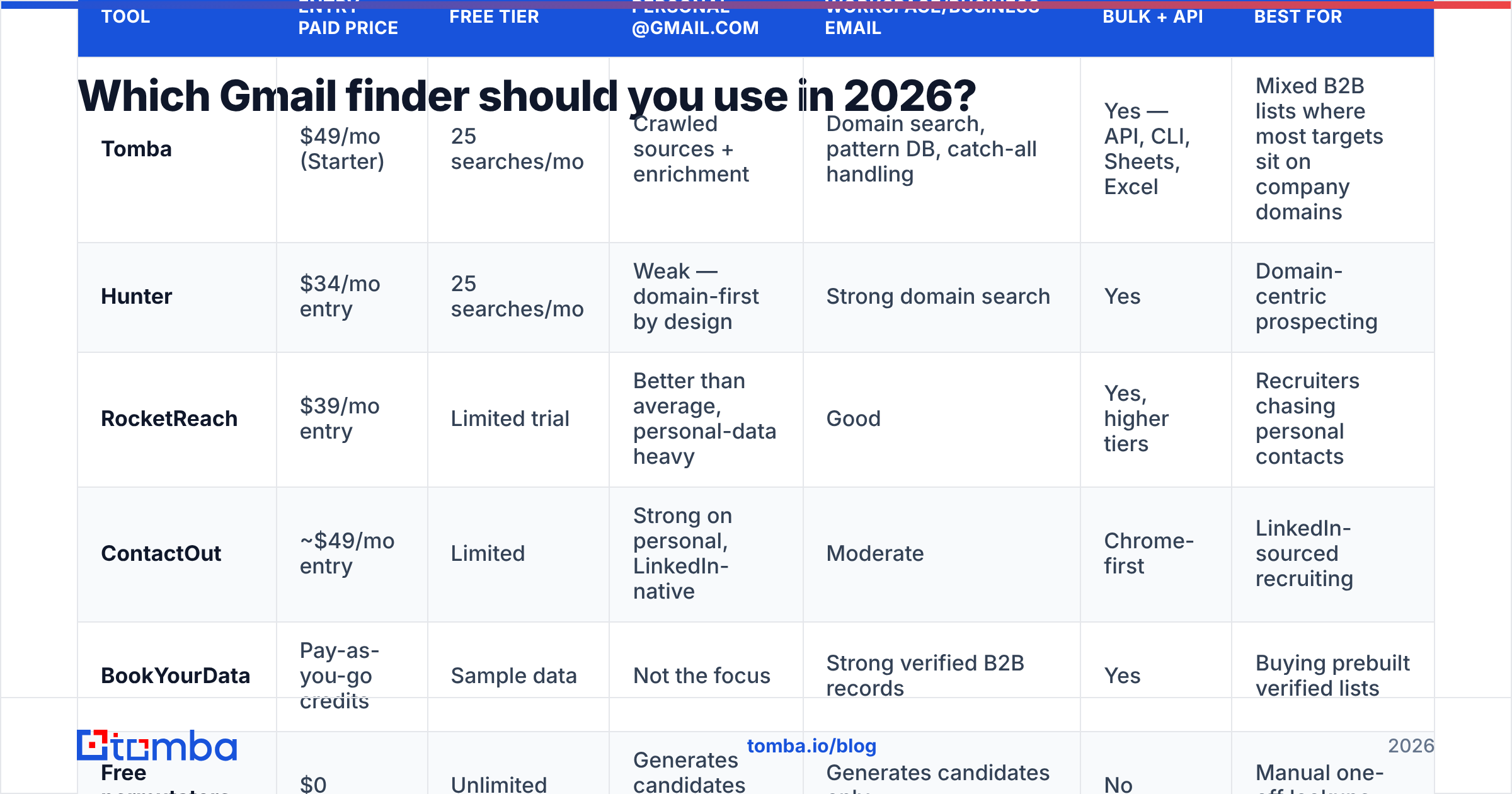
Here is how the main categories compare on the things that decide outcomes. Prices are entry paid tiers as published by each vendor at time of writing. Check the current pages before you buy.
| Tool | Entry paid price | Free tier | Personal @gmail.com | Workspace/business email | Bulk + API | Best for |
|---|---|---|---|---|---|---|
| Tomba | $49/mo (Starter) | 25 searches/mo | Crawled sources + enrichment | Domain search, pattern DB, catch-all handling | Yes — API, CLI, Sheets, Excel | Mixed B2B lists where most targets sit on company domains |
| Hunter | $34/mo entry | 25 searches/mo | Weak — domain-first by design | Strong domain search | Yes | Domain-centric prospecting |
| RocketReach | $39/mo entry | Limited trial | Better than average, personal-data heavy | Good | Yes, higher tiers | Recruiters chasing personal contacts |
| ContactOut | ~$49/mo entry | Limited | Strong on personal, LinkedIn-native | Moderate | Chrome-first | LinkedIn-sourced recruiting |
| BookYourData | Pay-as-you-go credits | Sample data | Not the focus | Strong verified B2B records | Yes | Buying prebuilt verified lists |
| Free permutators | $0 | Unlimited | Generates candidates only | Generates candidates only | No | Manual one-off lookups |
Two notes. First, no tool here can verify a personal @gmail.com mailbox at the SMTP layer. None can. The real gap is sourcing depth, not verification magic. Second, BookYourData and similar list vendors solve a nearby problem well. If you need verified business contacts in bulk, and Gmail hosting does not matter, buying a curated list beats thousands of single lookups.
Is your list mostly business domains? Run a domain search first. It will clear most of the list before you touch any gmail finder online. See Tomba pricing for how credits map to searches across Free, Starter ($49/mo), Growth ($99/mo), and Pro ($249/mo).
What is the right workflow for finding a Gmail address?#
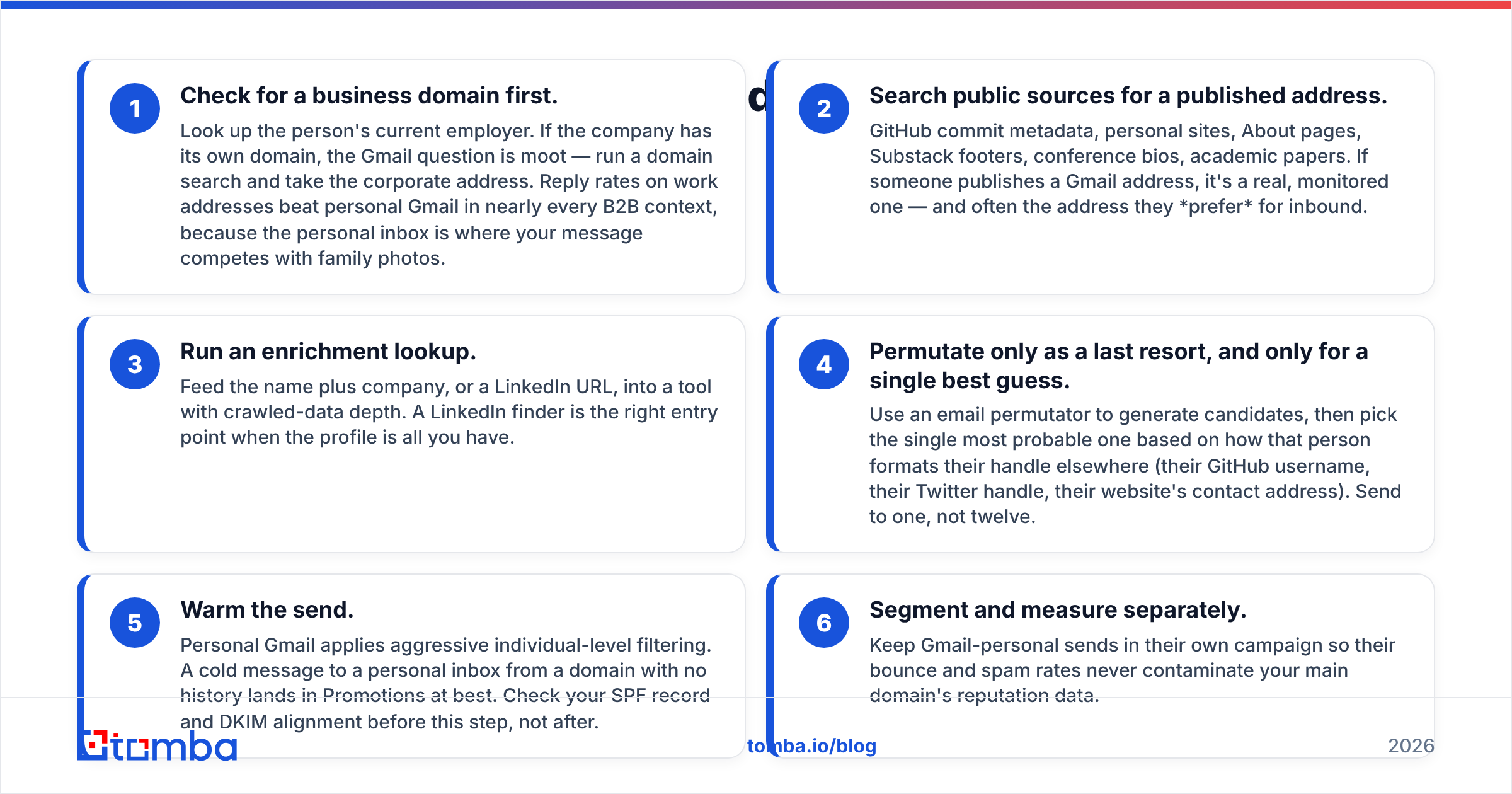
Run it as a waterfall. Each step is cheaper and more exact than the one below it. Stop as soon as you get a hit.
Check for a business domain first. Look up the person's employer. Does the firm have its own domain? Then the Gmail question is moot. Run a domain search and take the work address. Reply rates on work addresses beat personal Gmail in most B2B cases, because your note competes with family photos in a personal inbox.
Search public sources. Try GitHub commit data, personal sites, About pages, Substack footers, event bios, and papers. If someone publishes a Gmail address, it is real and watched. It is often the address they prefer for inbound.
Run an enrichment lookup. Feed the name plus company, or a LinkedIn URL, into a tool with deep crawled data. A LinkedIn finder is the right start when the profile is all you have.
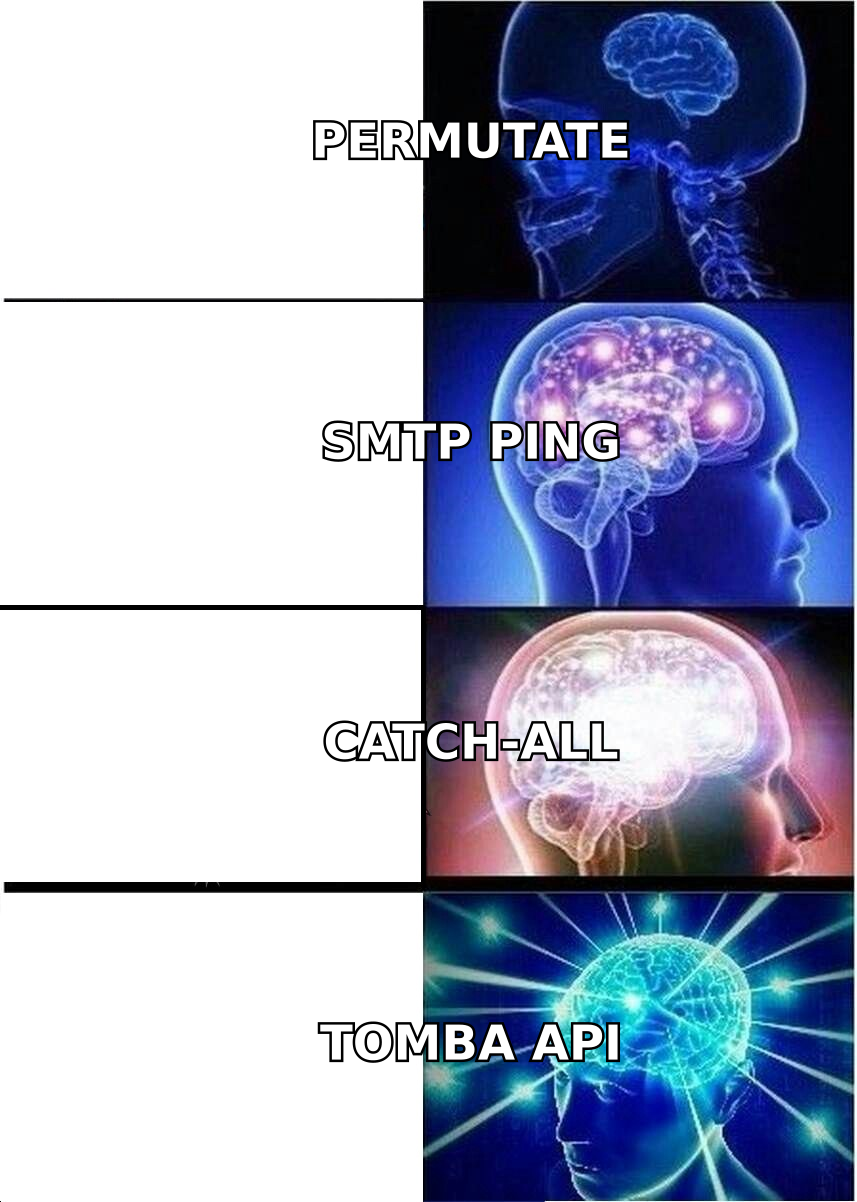
Permutate last, and only for one guess. Use an email permutator to build the list. Then pick the single best candidate. Base it on how that person writes their handle elsewhere: their GitHub name, their X handle, the contact address on their site. Send to one, not twelve.
Warm the send. Personal Gmail filters hard at the user level. A cold note from a domain with no history lands in Promotions at best. Check your SPF record and DKIM setup before this step, not after.
Split and measure. Keep personal Gmail sends in their own campaign. That way their bounce and spam rates never dirty the data for your main domain.
Step 4 is the one people flip. They start with the permutator, since it is free and fast. Then they spend a month asking why their email deliverability fell apart.
What does a free gmail finder online give you?#
Something real, but smaller than the landing pages suggest. Here is the honest split.
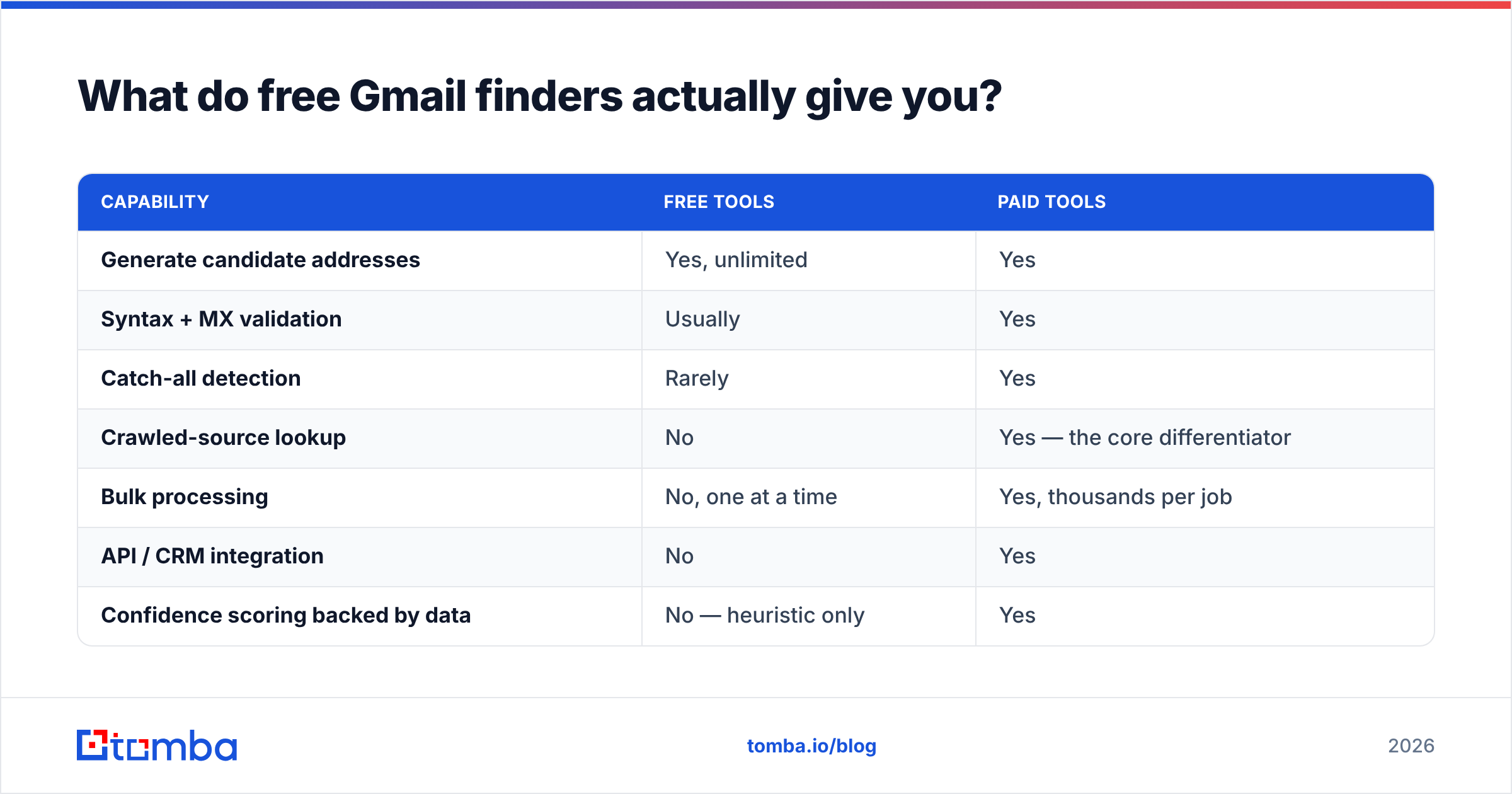
| Capability | Free tools | Paid tools |
|---|---|---|
| Generate candidate addresses | Yes, unlimited | Yes |
| Syntax + MX validation | Usually | Yes |
| Catch-all detection | Rarely | Yes |
| Crawled-source lookup | No | Yes — the core differentiator |
| Bulk processing | No, one at a time | Yes, thousands per job |
| API / CRM integration | No | Yes |
| Confidence scoring backed by data | No — heuristic only | Yes |
| Monthly volume | Manual, ~10–30 realistically | 500–10,000+ |
The math is simple. Need five addresses this quarter? A free permutator plus a free email checker is genuinely enough. Do not buy a plan for that. Need 500? The manual step alone costs more in your own hours than any paid tier. And you will still ship a list with a double-digit bounce rate.
One quirk of Gmail matters here. first.last@gmail.com and firstlast@gmail.com reach the same inbox, because Gmail ignores dots in the local part. It also ignores anything after a +. So "12 unique candidates" may really be four mailboxes. Use a Gmail alias checker to fold the copies together first. Do it before you count your list, and before you send one person four copies of the same pitch.
How accurate is a gmail finder online?#
Set your hopes by segment, not by the vendor's headline number.
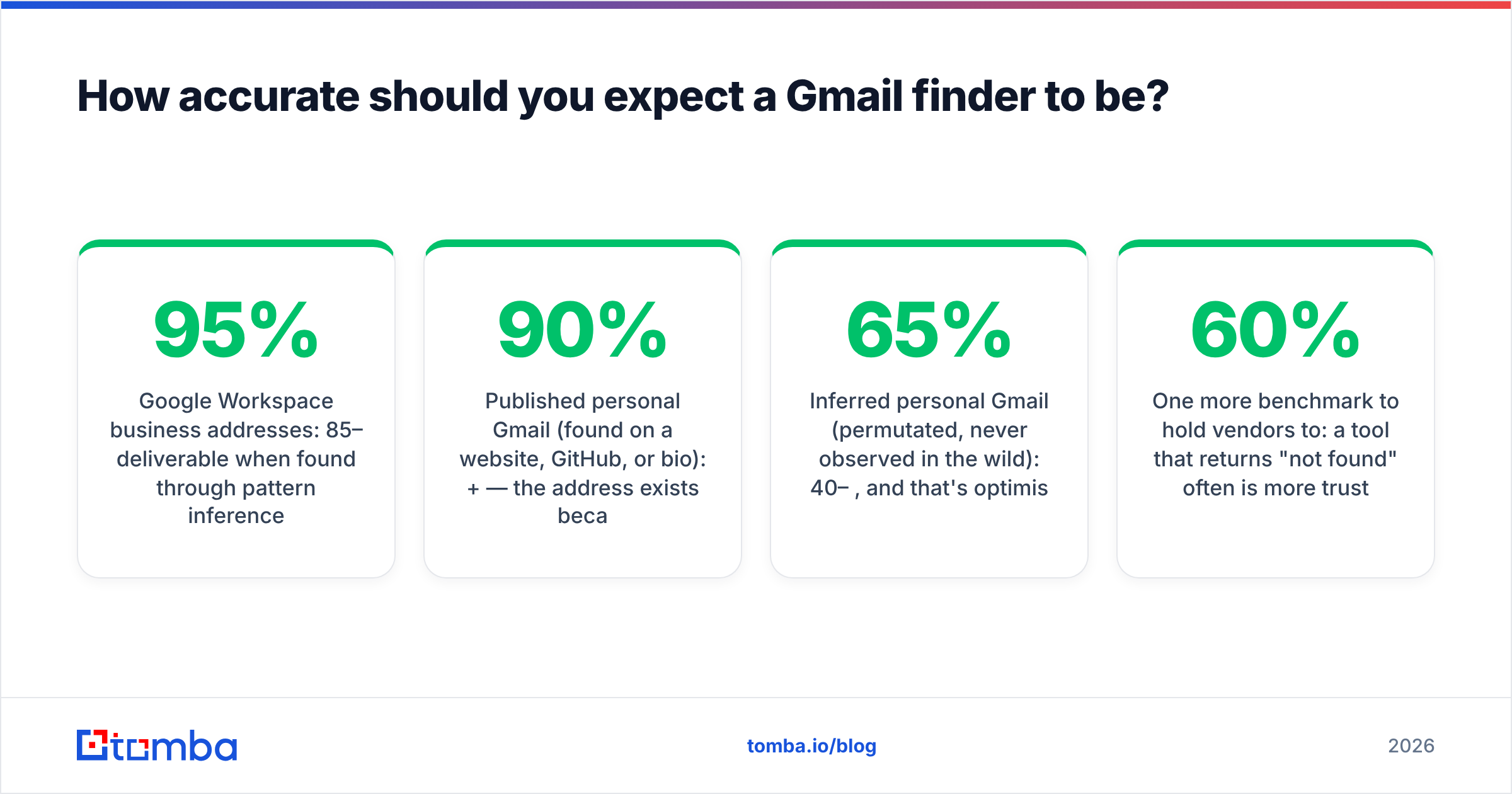
Google Workspace business addresses: 85 to 95% deliverable when found by pattern plus checks. This case is solved.
Published personal Gmail (found on a site, GitHub, or bio): 90% or better. The address exists because someone chose to publish it.
Guessed personal Gmail (permutated, never seen in the wild): 40 to 65%, and that is the kind view. Naming habits on personal accounts are random, so the spread is wide.
Catch-all Workspace domains: the mail will be accepted. Whether a human reads it is another question. Treat as medium confidence and cap volume.
Vendors quote the first two numbers. They let you assume those hold for the third. When you test a tool, use 50 contacts from your segment. Count real bounces after a real send. Ignore the confidence column on the dashboard. G2's email finder category helps you spot repeat complaints across reviews, but it cannot tell you how a tool does on your ICP. Only a live test does that.
Hold vendors to one more bar. A tool that says "not found" often is safer than one that always returns something. A 60% hit rate with 95% precision beats a 95% hit rate that guesses on the last 35%. The guesses cost you more than the misses do. Google's own sender guidelines set a hard 0.3% spam-complaint ceiling for bulk senders, and guessed addresses are what push you past it.
When should you skip Gmail?#
Skip the personal-Gmail hunt when any of these is true.
The target has a work email. Prefer it every time. Better replies, better delivery, cleaner compliance story.
You send at volume. Personal inboxes filter the hardest. Volume plus personal Gmail equals spam folder.
You work under GDPR. Personal addresses carry a heavier duty than role-based work ones. A
@gmail.comaddress for a private person reads as personal data under a stricter view thansales@acme.com.A phone number exists. For senior targets, a phone finder lookup often converts better than any email path.
Go after personal Gmail when the person is their Gmail address. That means solo consultants, creators, indie developers, freelancers, early founders with no domain yet, and academics who have used one address for fifteen years. For them it is not a fallback. It is the main channel.
FAQ#
Can any tool promise a Gmail address is valid?
No. Google's mail servers do not expose mailbox existence at the SMTP layer for gmail.com. So no verifier can return a hard yes. Good tools offer a softer proof: the address showed up in several independent public sources.
Is a gmail finder online legal to use? Finding a public business email is legal in most places. Sending to it is where the rules bite. GDPR, CAN-SPAM, CASL, and PECR each set their own terms. Personal addresses carry more risk than business ones.
What is the difference between a Gmail finder and an email verifier? A finder produces candidate addresses. An email verifier checks whether a known address can receive mail. Run them in that order, always.
Why do I get several results for one person? Because permutation returns everything plausible. Gmail's dot rule then makes many of them the same inbox. Pick one. Sending to several spellings of one name is a known spam signal.
Where should you start?#
Start where the hit rate is high and the risk is low. Resolve the business domain before you chase the personal inbox. Run your list through Tomba's Email Finder to catch every Workspace address first. Free gives you 25 searches a month, so you can test accuracy on your own ICP before you commit. Starter at $49/mo covers most solo and small-team volume. What is left after that pass is your true personal-Gmail segment. It will be small, and it is worth research by hand rather than a blast of permutations.
Related guides#
Ready to find emails that actually work?
Join 150,000+ professionals who stopped guessing and started sending. Free credits on signup — no credit card required.
Get the Tomba newsletter
Practical outbound tactics and product updates — once every two weeks.
About the author