GMass vs LeadEngineAI: Which Cold Email Stack Wins in 2026
GMass sends from Gmail. LeadEngineAI builds the list and writes the sequence. They solve different halves of the same problem — here's how to pick, and what neither one fixes.
TL;DR
- GMass is a sender, not a lead source. It bolts a mail-merge and sequencing engine onto Gmail. You bring the list; it handles the send, the follow-ups, and the reporting inside your inbox.
- LeadEngineAI sits on the other side of the workflow — it belongs to the newer "AI lead engine" category that builds a target list from an ICP description, enriches it, and drafts the outreach for you.
- They are not really substitutes. Comparing them head-to-head only makes sense if you're deciding where to spend your next $100/month: on better sending mechanics or on better list-building.
- Neither one fixes bad data. GMass will happily send to a list that's 22% invalid, and an AI engine that scrapes without verification will hand you that list. Verification is a separate job.
- Best-fit rule: small team already living in Gmail with a list in hand → GMass. Team with no list and no researcher → an AI lead engine, plus a verifier. Most teams end up running both, or replacing the "engine" half with a dedicated finder and a real sequencer.
What are GMass and LeadEngineAI?#
They occupy opposite ends of the outbound pipeline, which is exactly why people keep comparing them and coming away confused.
GMass is a Chrome extension and Google Workspace add-on that turns Gmail into a cold-email platform. You compose in the Gmail UI, pull recipients from a Google Sheet, use {FirstName}-style merge tags, and GMass schedules the send, throttles it, tracks opens and clicks, and fires automatic follow-ups to non-repliers. It has been around since 2015 and is one of the few tools in the space that never asked you to leave your inbox. Their official site is the source of truth for current limits and plans, and it carries a large public review footprint on G2 if you want unfiltered user commentary.
LeadEngineAI is representative of the 2024–2026 wave of AI-first prospecting platforms: you describe your ideal customer in plain language ("Series A fintechs in the UK, 20–200 headcount, hiring a Head of Sales"), the system assembles a contact list, enriches it, and drafts personalized first-touch copy. Where GMass assumes the list exists, this category assumes it doesn't.
So the honest framing of gmass vs leadengineai isn't "which is better." It's "which half of my outbound problem is currently broken?"
How does GMass actually work?#
GMass's whole design thesis is that your Gmail account is already a warm, reputable sending identity, so you should use it rather than route through a third-party SMTP relay.
Practically, that means:
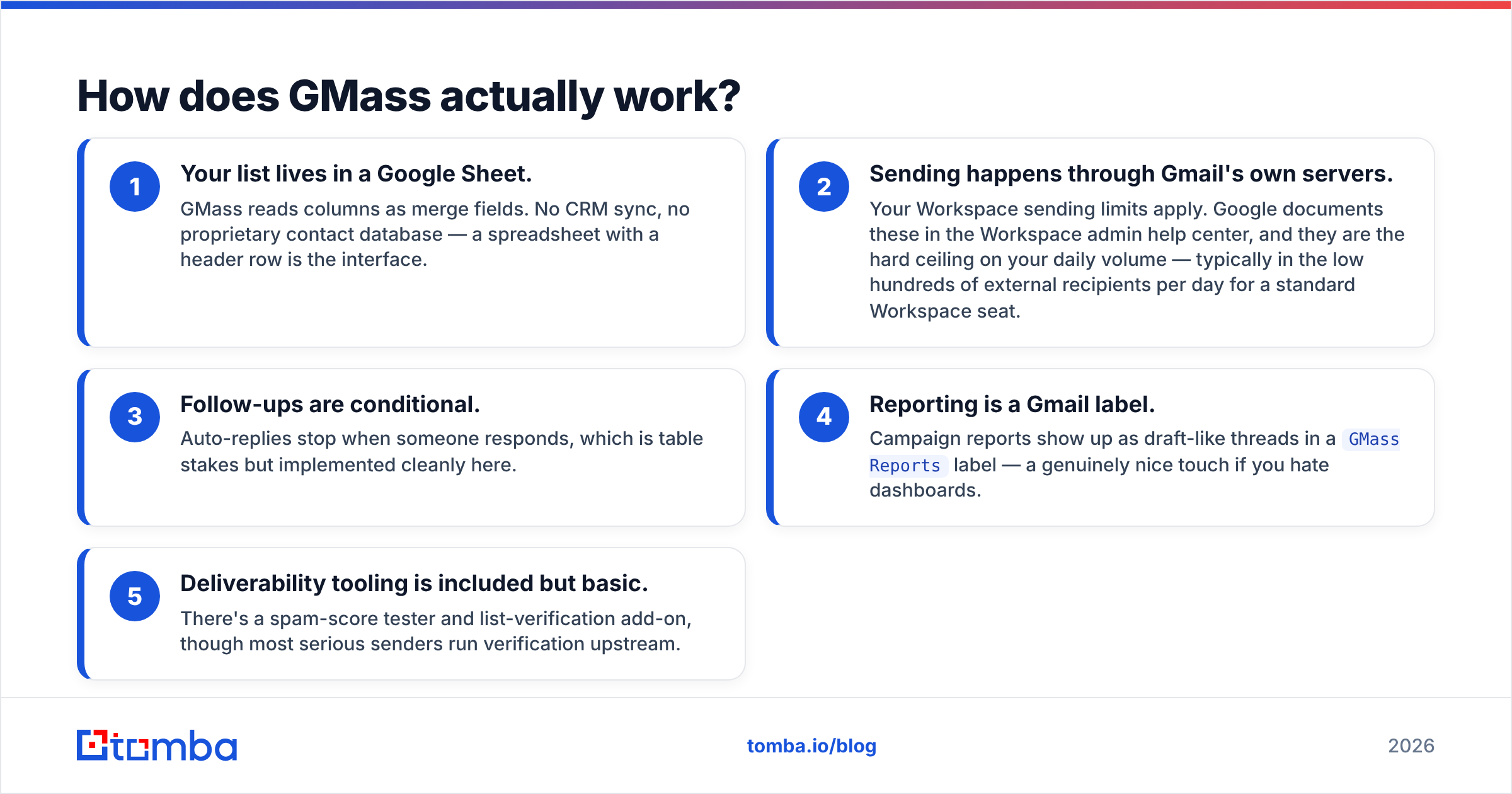
- Your list lives in a Google Sheet. GMass reads columns as merge fields. No CRM sync, no proprietary contact database — a spreadsheet with a header row is the interface.
- Sending happens through Gmail's own servers. Your Workspace sending limits apply. Google documents these in the Workspace admin help center, and they are the hard ceiling on your daily volume — typically in the low hundreds of external recipients per day for a standard Workspace seat.
- Follow-ups are conditional. Auto-replies stop when someone responds, which is table stakes but implemented cleanly here.
- Reporting is a Gmail label. Campaign reports show up as draft-like threads in a
GMass Reportslabel — a genuinely nice touch if you hate dashboards. - Deliverability tooling is included but basic. There's a spam-score tester and list-verification add-on, though most serious senders run verification upstream.
The tradeoff is obvious once you scale. GMass is exceptional for one to five inboxes and painful past twenty. There's no native multi-inbox rotation the way a purpose-built cold-email platform handles it, and Google's per-account limits mean growth requires buying more Workspace seats, not a bigger software plan.

What does LeadEngineAI do differently?#
It attacks the part GMass ignores entirely: who you email.
An AI lead engine typically bundles four jobs that used to require four tools — ICP definition, list building, enrichment, and copy generation. You get from "we should target RevOps leaders at mid-market SaaS" to a populated sequence without opening a spreadsheet. For a two-person startup with no SDR and no researcher, that compression is worth real money.
The catch is one that applies to every product in this category, not just this one: the quality of the output is entirely a function of the underlying data layer, and that layer is usually rented. Most AI lead engines license or scrape a contact database rather than operating their own crawling and verification infrastructure. When you get a 30% bounce rate, the AI didn't fail — the data source did.
Two things to verify before you commit budget to any tool in this category:
- Where do the emails come from, and are they verified at the moment of export? Verified-at-ingest is not the same as verified-at-send. B2B contact data decays roughly 2–3% per month as people change jobs.
- What's the catch-all policy? A large share of corporate domains accept all mail at the SMTP layer, which means a naive verifier marks them "valid" and you find out the truth when the message silently disappears. A dedicated catch-all verifier is the only way to resolve those, and most bundled AI tools skip the step.
Because LeadEngineAI's public documentation and pricing have shifted more than once, treat any numbers you read in third-party roundups — including the directional ones below — as needing confirmation on the vendor's own pricing page before you buy.
GMass vs LeadEngineAI: how do they compare feature by feature?#
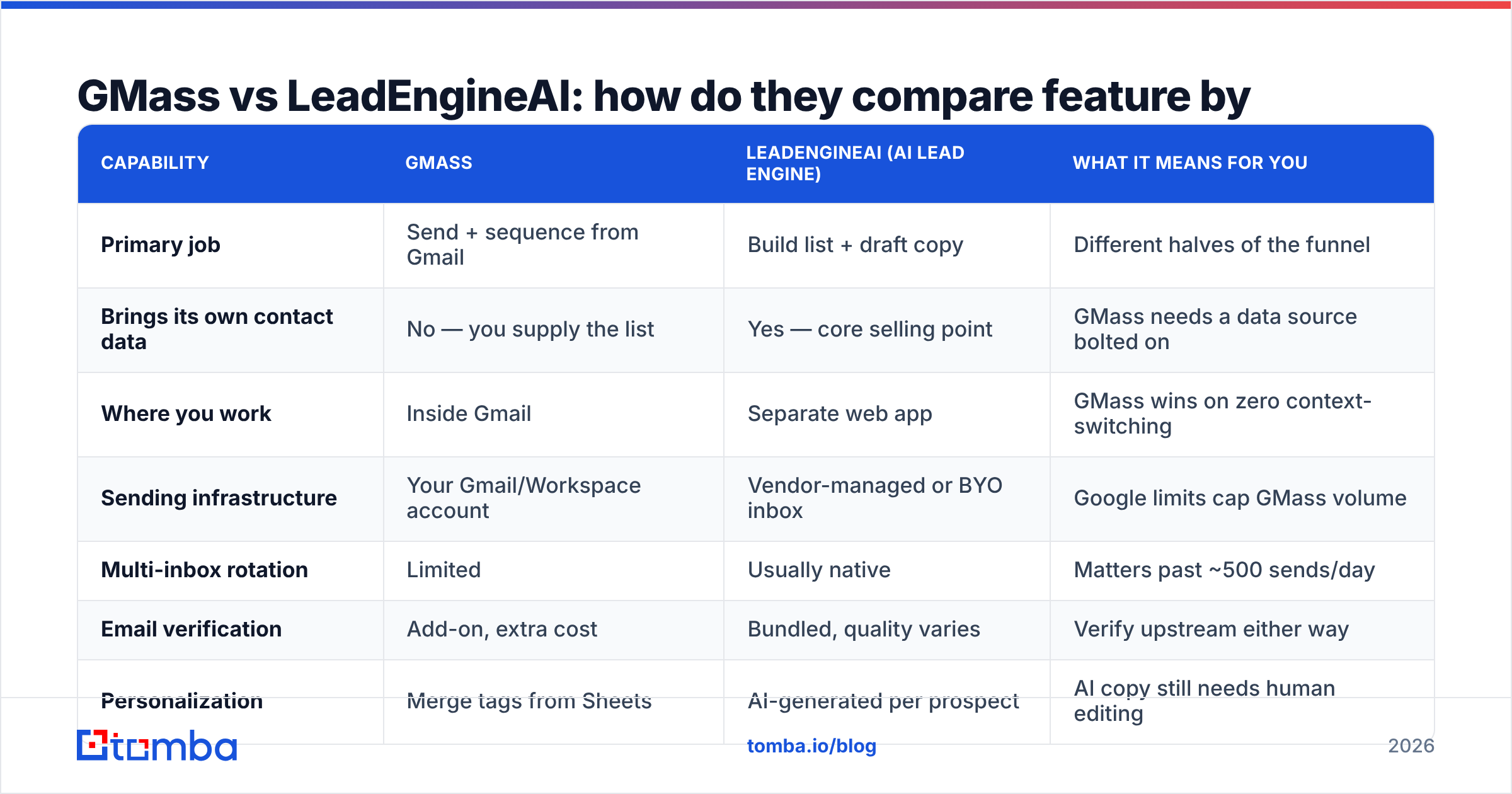
| Capability | GMass | LeadEngineAI (AI lead engine) | What it means for you |
|---|---|---|---|
| Primary job | Send + sequence from Gmail | Build list + draft copy | Different halves of the funnel |
| Brings its own contact data | No — you supply the list | Yes — core selling point | GMass needs a data source bolted on |
| Where you work | Inside Gmail | Separate web app | GMass wins on zero context-switching |
| Sending infrastructure | Your Gmail/Workspace account | Vendor-managed or BYO inbox | Google limits cap GMass volume |
| Multi-inbox rotation | Limited | Usually native | Matters past ~500 sends/day |
| Email verification | Add-on, extra cost | Bundled, quality varies | Verify upstream either way |
| Personalization | Merge tags from Sheets | AI-generated per prospect | AI copy still needs human editing |
| CRM sync | Via Zapier | Usually native | Check HubSpot/Salesforce depth |
| Learning curve | Very low | Moderate | GMass is same-day usable |
| Best team size | 1–10 inboxes | 5+ SDRs | Scale is the deciding axis |
The row that decides most evaluations is the second one. If you already have a reliable way to source contacts — a bulk email finder, an exported CRM segment, an event attendee list — then GMass covers everything else for a fraction of the cost of a full engine. If you don't, GMass is a car with no fuel.
Which one is better for deliverability?#
Neither tool is the deciding factor. Your domain setup and your list hygiene are.
That said, the architectures create different risk profiles:
- GMass inherits Gmail's reputation. Sending through Google's infrastructure from a properly authenticated Workspace domain is, all else equal, a strong starting position. The risk is that you're burning your primary business inbox — the one your customers reply to. Blowing up that domain's sender reputation with a bad cold campaign is an expensive mistake to unwind.
- AI lead engines usually push you toward secondary domains. That's the correct pattern for volume outbound: buy lookalike domains, warm them, rotate, and keep the primary clean. But it also means you're now managing DNS, warmup schedules, and inbox placement across a fleet.
The variable that actually moves the needle in both cases is bounce rate. Mailbox providers treat a hard-bounce spike as the clearest possible signal that you're working from a purchased or stale list. Keeping bounces under 2–3% is the single highest-leverage deliverability action available to you, and it happens before either tool touches the campaign. Run every list through an email verifier at export time, not at import time — the gap between those two moments is where decay lives.
What do GMass and LeadEngineAI cost?#
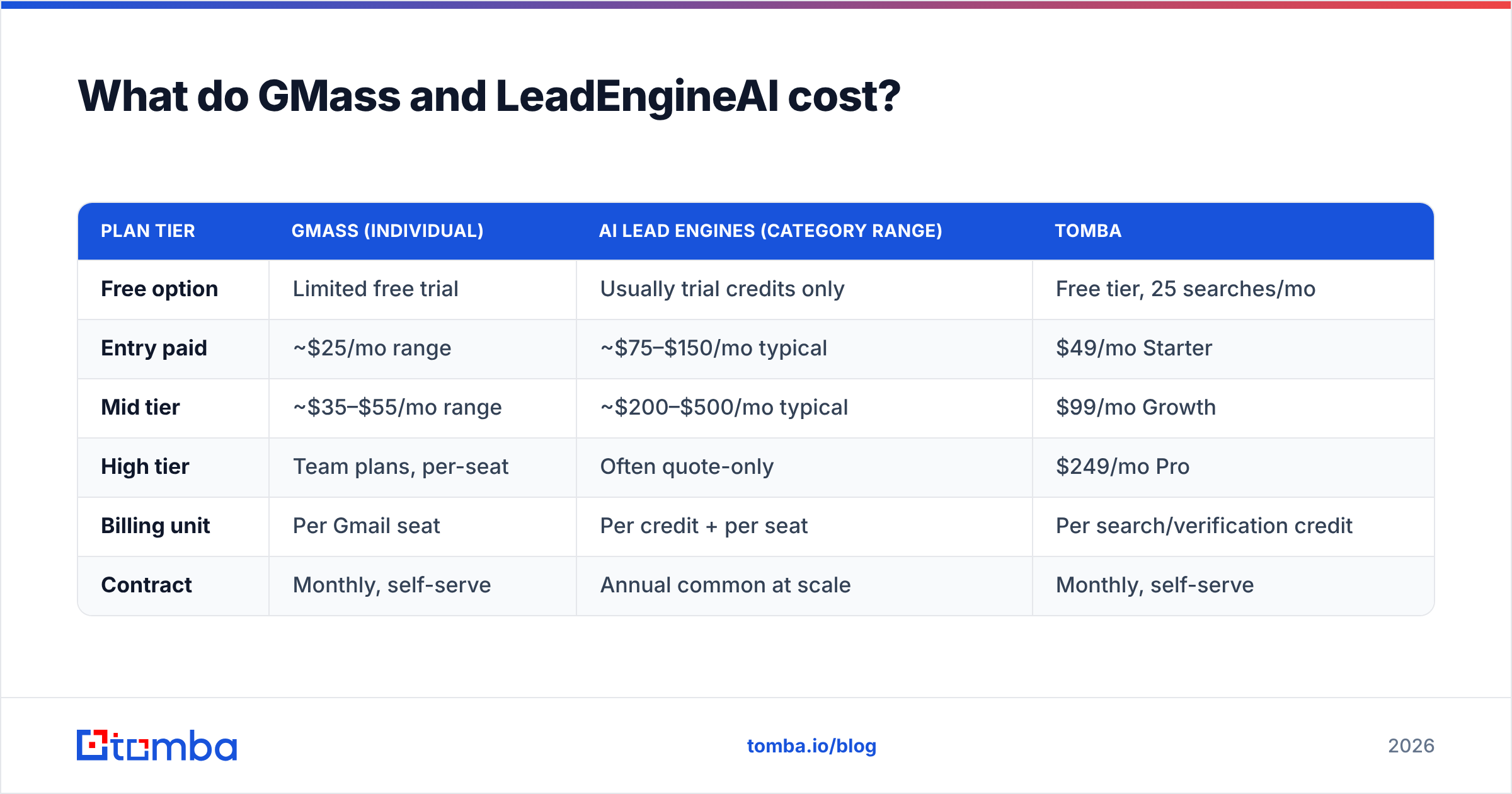
Pricing is where the comparison gets genuinely lopsided, and where you should be most skeptical of any number you read in a listicle — including this one. Verify on the vendor pages before you commit.
| Plan tier | GMass (individual) | AI lead engines (category range) | Tomba |
|---|---|---|---|
| Free option | Limited free trial | Usually trial credits only | Free tier, 25 searches/mo |
| Entry paid | ~$25/mo range | ~$75–$150/mo typical | $49/mo Starter |
| Mid tier | ~$35–$55/mo range | ~$200–$500/mo typical | $99/mo Growth |
| High tier | Team plans, per-seat | Often quote-only | $249/mo Pro |
| Billing unit | Per Gmail seat | Per credit + per seat | Per search/verification credit |
| Contract | Monthly, self-serve | Annual common at scale | Monthly, self-serve |
The pattern holds across the category: senders are cheap, data is expensive. GMass costs about what a single lunch costs because sending email is a solved commodity problem. Contact data costs 5–10x more because maintaining it requires continuous crawling, cross-referencing, and SMTP validation at scale. Anyone selling you "AI-powered leads" at sender pricing is reselling a stale database.
That's also the argument for unbundling. Instead of one vendor charging engine prices for a mediocre data layer plus a mediocre sequencer, you can pair a dedicated data provider with a dedicated sender. A domain search to map an account's contacts, a verification pass, then GMass to send — the combined monthly cost usually lands well under a single AI engine seat, and each component is best-in-class. See Tomba pricing for how the data half of that stack prices out.
Worth noting: some teams in this space also run BookYourData for pay-as-you-go list purchases when they need a one-off vertical list rather than an ongoing subscription. It's a legitimate approach for campaign-based work, and it composes fine with GMass on the sending side.
Which should you actually pick?#
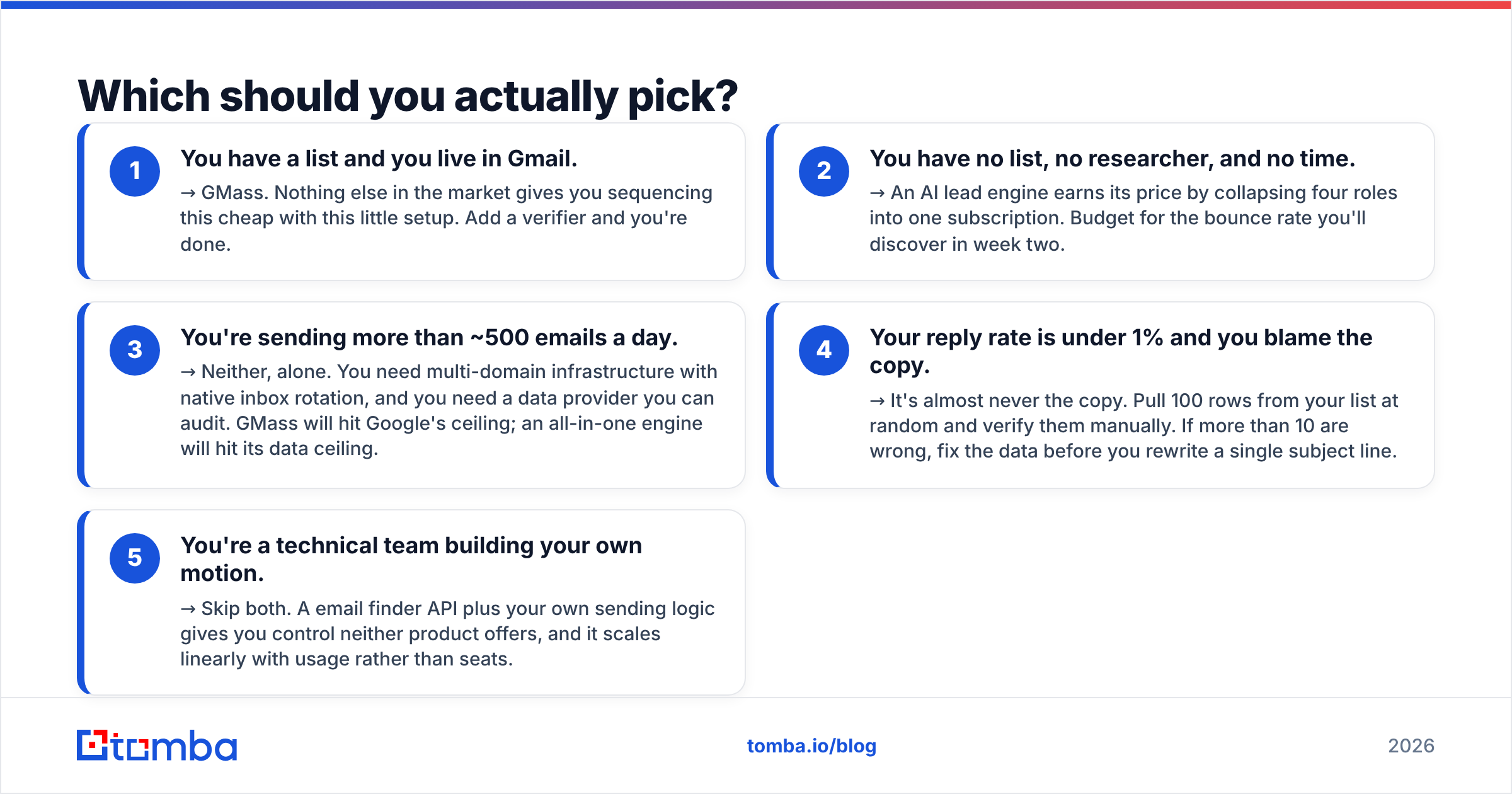
Run through these in order. The first one that matches is your answer.
- You have a list and you live in Gmail. → GMass. Nothing else in the market gives you sequencing this cheap with this little setup. Add a verifier and you're done.
- You have no list, no researcher, and no time. → An AI lead engine earns its price by collapsing four roles into one subscription. Budget for the bounce rate you'll discover in week two.
- You're sending more than ~500 emails a day. → Neither, alone. You need multi-domain infrastructure with native inbox rotation, and you need a data provider you can audit. GMass will hit Google's ceiling; an all-in-one engine will hit its data ceiling.
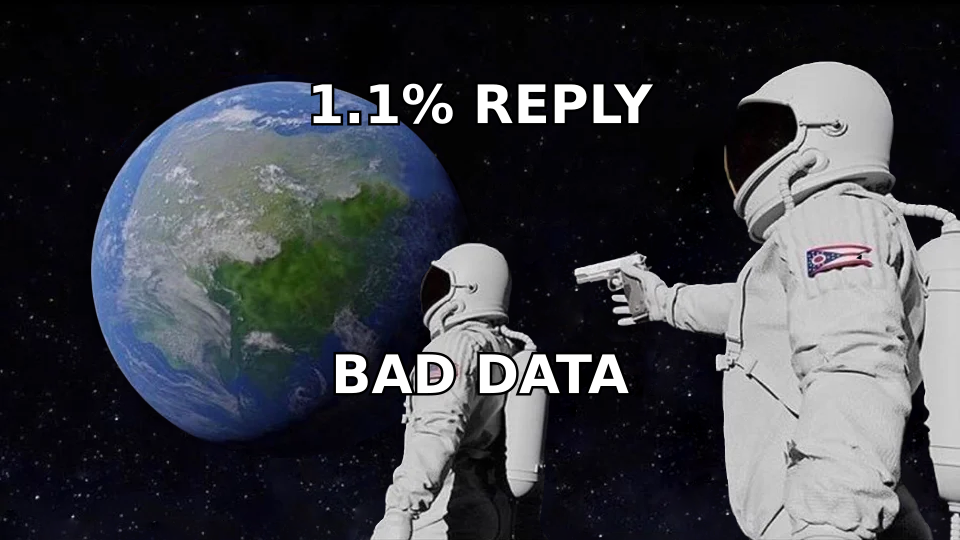
- Your reply rate is under 1% and you blame the copy. → It's almost never the copy. Pull 100 rows from your list at random and verify them manually. If more than 10 are wrong, fix the data before you rewrite a single subject line.
- You're a technical team building your own motion. → Skip both. A email finder API plus your own sending logic gives you control neither product offers, and it scales linearly with usage rather than seats.
Frequently asked questions#
Can GMass replace a lead generation tool? No. GMass has no contact database. It reads from a Google Sheet. You still need something to populate that sheet — a finder, a database export, or a manual research process.
Can an AI lead engine replace GMass? Usually yes, functionally — most bundle a sequencer. Whether it replaces it well depends on whether you value inbox-native workflow. Teams that love GMass tend to love it specifically because it isn't another dashboard.
Do I need email verification if my tool says the emails are verified? Yes, if the verification date is older than a few weeks. B2B email decay is continuous. Verifying at export time is the standard that actually protects your bounce rate.
What about catch-all domains? They're the blind spot in nearly every bundled verifier. If a meaningful share of your target accounts run catch-all servers — common in enterprise and in EU markets — resolve them with a dedicated tool rather than guessing.
Which is better for agencies sending on behalf of clients? Neither GMass nor a single-tenant AI engine handles agency multi-tenancy elegantly. Look at purpose-built agency platforms, and source data separately so you're not re-buying the same contacts per client.
The part both tools leave to you#
Whichever side of gmass vs leadengineai you land on, you own the data quality problem. A sender can't validate what it's given. An AI engine validates only as well as the database it licenses.
If you want the data layer to be the strong part of your stack rather than the weak one, start with the Tomba Email Finder — search by domain, name, or company, get SMTP-checked results with confidence scores, and export straight into whatever you're sending with. The free tier gives you 25 searches a month to test accuracy against contacts you can independently confirm, which is exactly how you should evaluate any data vendor before wiring it into a campaign.
Related guides#
Ready to find emails that actually work?
Join 150,000+ professionals who stopped guessing and started sending. Free credits on signup — no credit card required.
Get the Tomba newsletter
Practical outbound tactics and product updates — once every two weeks.
About the author