GMass vs Woodpecker (2026): Which Cold Email Tool Wins?
GMass lives inside Gmail for $25/mo. Woodpecker runs multi-inbox sequences with deliverability guardrails. We break down pricing, sending limits, deliverability, and who each one actually fits.
TL;DR
- GMass is a Gmail extension. It turns your inbox into a mail-merge and drip machine for $25/mo (Standard), and its ceiling is your Google Workspace sending limit — roughly 2,000 recipients/day.
- Woodpecker is a standalone cold email platform starting around $29/mo per slot, built for multi-inbox rotation, deliverability guardrails, and agency-style client separation.
- Pick GMass if you send from one or two Gmail accounts, live in the Gmail UI, and want the cheapest path to personalized bulk sending.
- Pick Woodpecker if you run 3+ inboxes, need conditional multi-step sequences, native CRM sync, and reply detection that survives volume.
- Neither tool finds or verifies contacts. Both punish you for a bad list — pair either with a dedicated email finder and email verifier before your first send.
What is GMass and what is Woodpecker?#
They solve overlapping problems from opposite directions.
GMass is a Chrome extension that bolts onto Gmail. You compose in the normal Gmail window, pull recipients from a Google Sheet, insert merge tags, and hit a modified Send button. Follow-ups, open tracking, and reply detection all happen inside Gmail. There is no separate app to learn — your sent folder is your campaign log. It was built by a solo founder and still ships that way: fast, opinionated, cheap.
Woodpecker is a full sales automation platform. You connect one or more mailboxes (Gmail, Outlook, or generic SMTP/IMAP), build sequences in a dedicated campaign builder, and let Woodpecker handle throttling, warm-up, inbox rotation, and reply classification. It was designed from the start for agencies and outbound teams running many campaigns across many identities.
The practical difference: GMass borrows Gmail's infrastructure. Woodpecker builds its own layer on top of whatever mailbox you plug in.
Placeholder: GMass compose window inside Gmail showing merge tags and the GMass send button.
How do GMass and Woodpecker compare on price and features?#
Prices below are list prices as of early 2026 — always check the vendor pages, since both adjust tiers regularly.
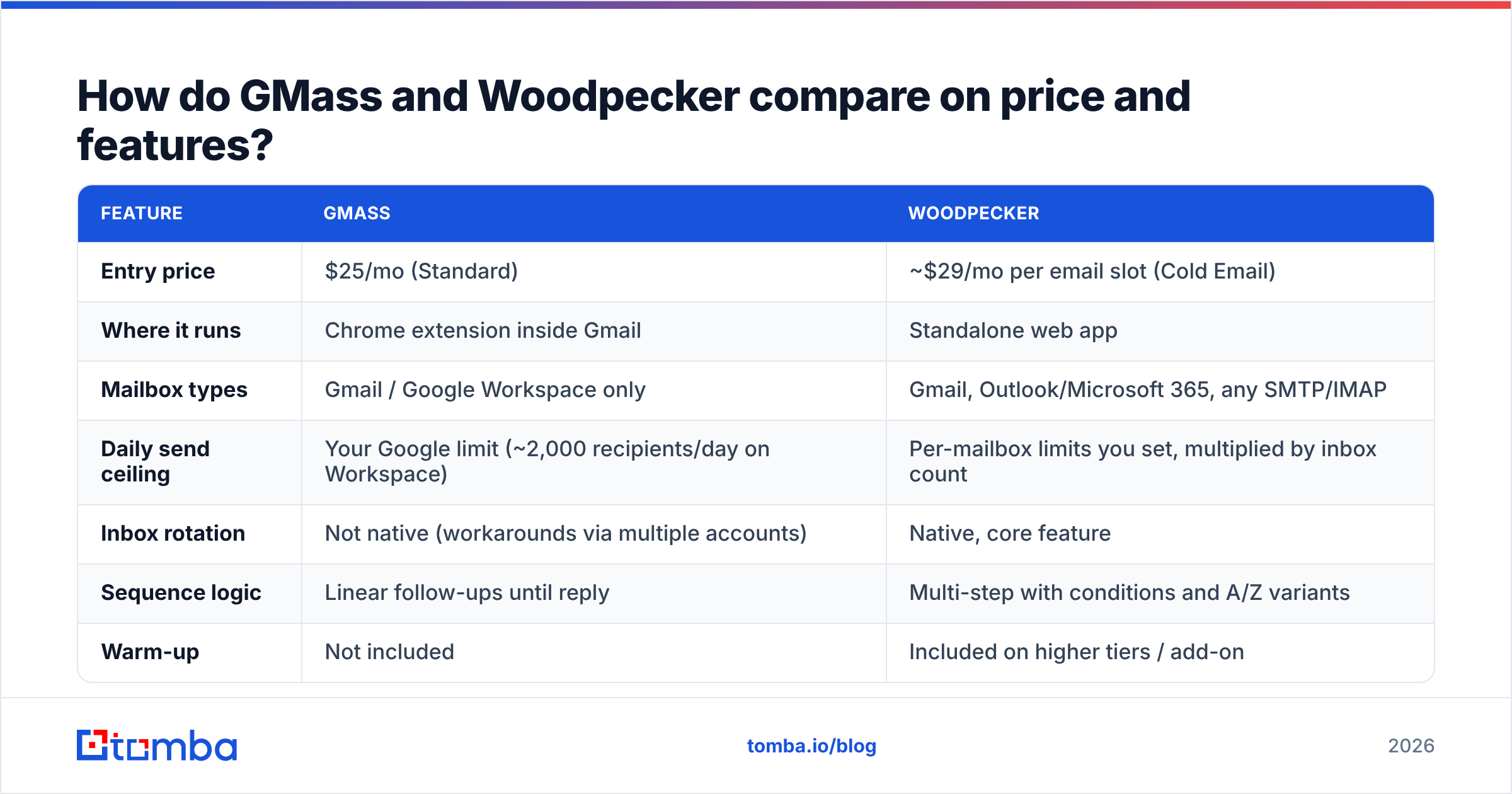
| Feature | GMass | Woodpecker |
|---|---|---|
| Entry price | $25/mo (Standard) | ~$29/mo per email slot (Cold Email) |
| Where it runs | Chrome extension inside Gmail | Standalone web app |
| Mailbox types | Gmail / Google Workspace only | Gmail, Outlook/Microsoft 365, any SMTP/IMAP |
| Daily send ceiling | Your Google limit (~2,000 recipients/day on Workspace) | Per-mailbox limits you set, multiplied by inbox count |
| Inbox rotation | Not native (workarounds via multiple accounts) | Native, core feature |
| Sequence logic | Linear follow-ups until reply | Multi-step with conditions and A/Z variants |
| Warm-up | Not included | Included on higher tiers / add-on |
| Reply detection | Gmail thread-based | Dedicated reply classification (interested / not / OOO) |
| CRM integrations | Zapier, Sheets, webhooks | Native HubSpot, Pipedrive, Salesforce + API |
| Agency / client separation | Manual | Built-in workspaces and white-label reporting |
| Free tier | 50 emails/day, forever | 7-day trial |
| Best for | Solo founders, one-inbox senders | Agencies, 3+ inbox outbound teams |
The pricing gap looks small at the entry point and widens fast. GMass charges per Gmail account. Woodpecker charges per email slot — so a three-inbox setup is roughly three slots. If you plan to scale to 8–10 inboxes for volume, model both at your target inbox count, not at one.
Which one has better deliverability?#
Neither tool "has" better deliverability. Deliverability is mostly your list, your domain setup, and your volume ramp — the tool only decides how much rope you get.
That said, the architectures push you in different directions:
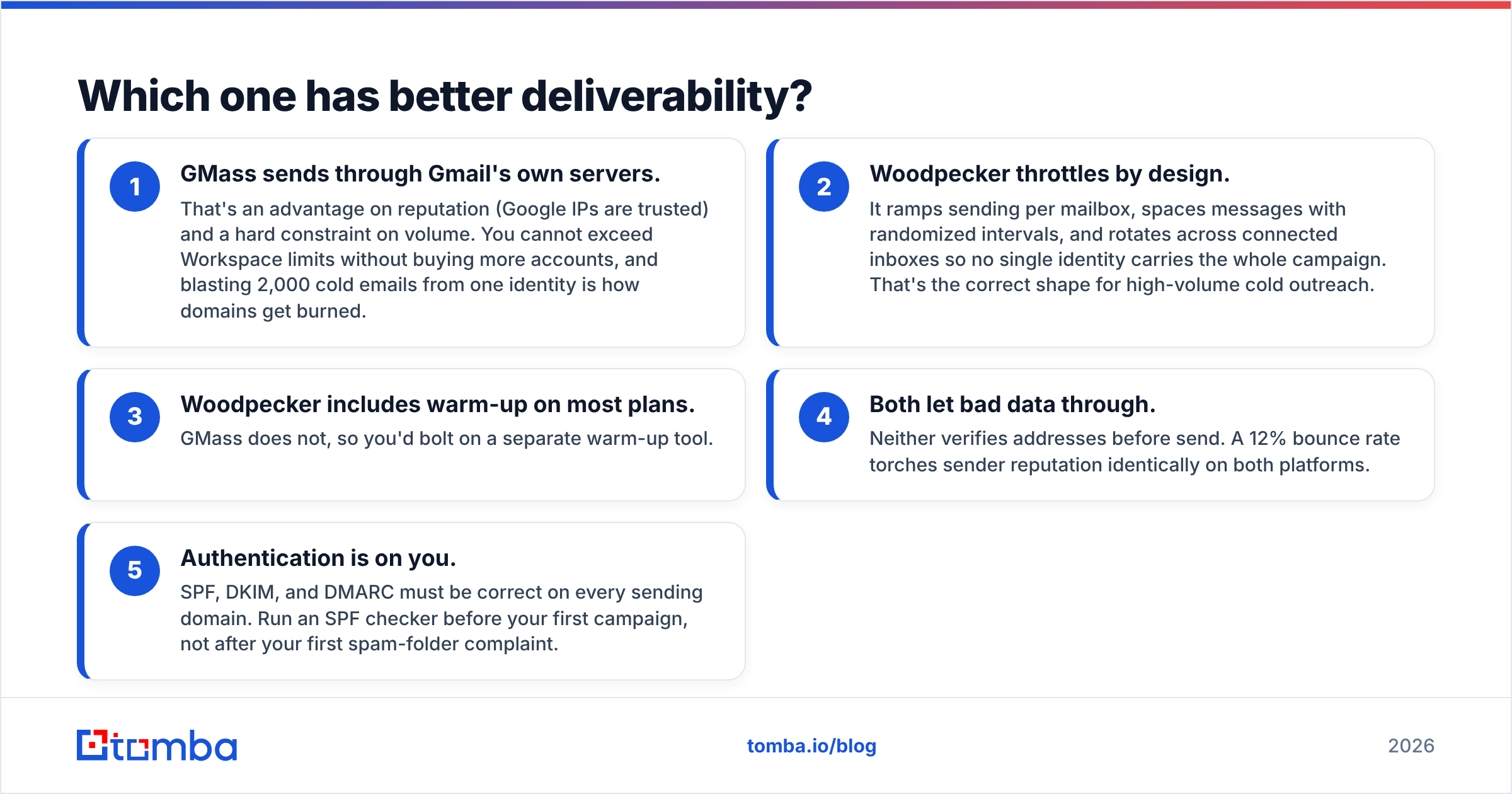
- GMass sends through Gmail's own servers. That's an advantage on reputation (Google IPs are trusted) and a hard constraint on volume. You cannot exceed Workspace limits without buying more accounts, and blasting 2,000 cold emails from one identity is how domains get burned.
- Woodpecker throttles by design. It ramps sending per mailbox, spaces messages with randomized intervals, and rotates across connected inboxes so no single identity carries the whole campaign. That's the correct shape for high-volume cold outreach.
- Woodpecker includes warm-up on most plans. GMass does not, so you'd bolt on a separate warm-up tool.
- Both let bad data through. Neither verifies addresses before send. A 12% bounce rate torches sender reputation identically on both platforms.
- Authentication is on you. SPF, DKIM, and DMARC must be correct on every sending domain. Run an SPF checker before your first campaign, not after your first spam-folder complaint.
Google and Yahoo's bulk-sender requirements — spelled out in Google's sender guidelines — made this non-negotiable: authenticated domains, one-click unsubscribe, and a spam complaint rate under 0.3%. Both tools support the mechanics. Only your list hygiene keeps you under the complaint threshold.
The single highest-leverage move for either platform is cleaning the list first. Bounces are the fastest way to lose email deliverability, and they're entirely preventable.
Placeholder: Google Postmaster Tools reputation graph showing domain reputation across a 30-day ramp.
Is GMass better than Woodpecker for solo senders?#
Yes, in most cases — and it's not close on cost.
If you're a founder emailing 200 prospects a week from you@yourcompany.com, GMass wins on friction. You already know the interface. There's no campaign builder to learn, no separate login, no mailbox connection step that breaks when Google rotates OAuth tokens. You paste your list into a Sheet, write the email you'd write anyway, add {FirstName}, and send.
GMass's other quiet advantage: because everything lives in Gmail, replies land in threads you already monitor. No syncing, no "did the platform catch that reply?" anxiety. For a one-person outbound motion, that's real.
Where it breaks down:
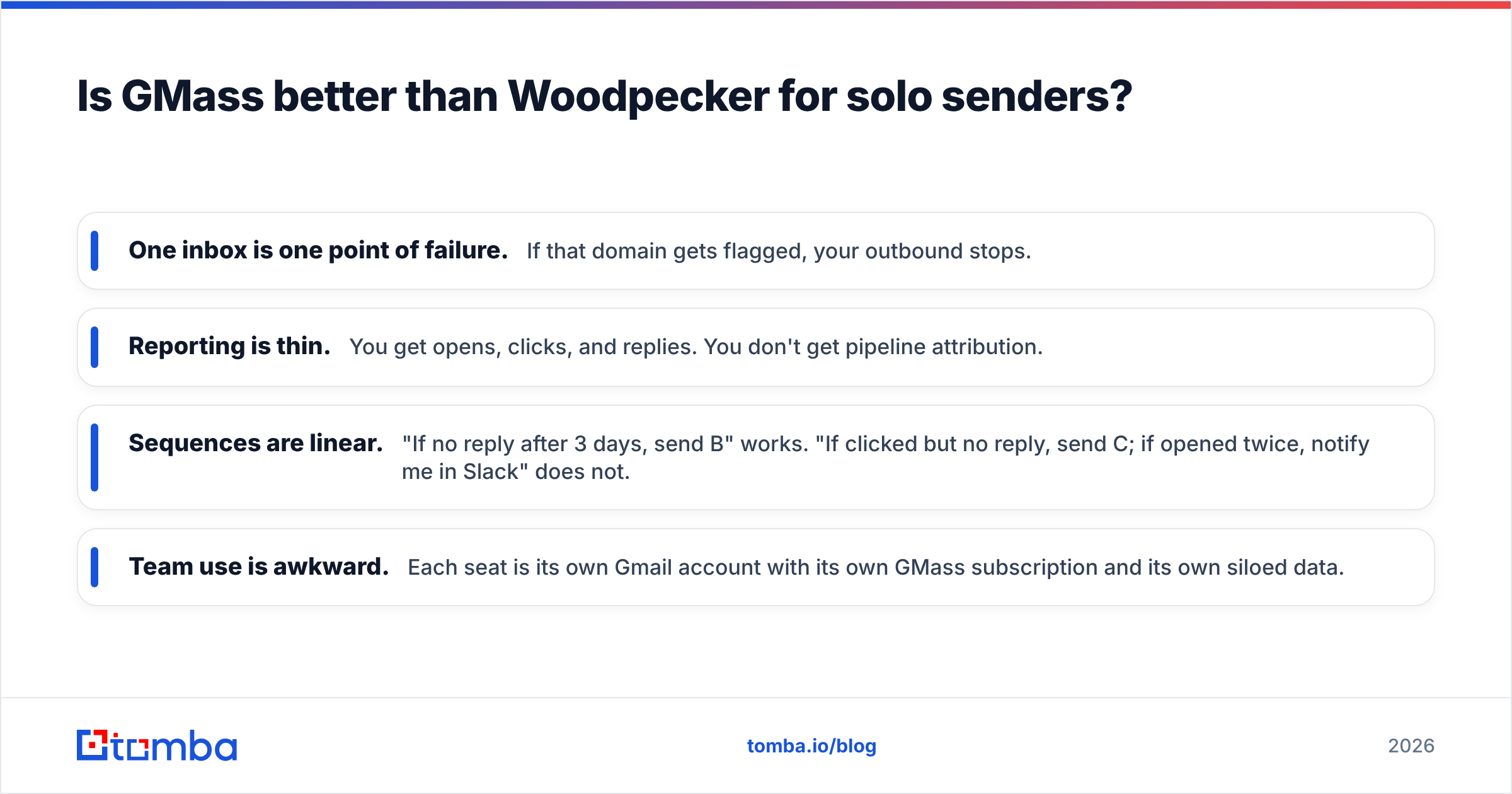
- One inbox is one point of failure. If that domain gets flagged, your outbound stops.
- Reporting is thin. You get opens, clicks, and replies. You don't get pipeline attribution.
- Sequences are linear. "If no reply after 3 days, send B" works. "If clicked but no reply, send C; if opened twice, notify me in Slack" does not.
- Team use is awkward. Each seat is its own Gmail account with its own GMass subscription and its own siloed data.
When is Woodpecker the right call?#
When outbound is a system, not a side task.
Woodpecker earns its price the moment you cross three thresholds:
- Multiple inboxes. Rotation across 3–10 mailboxes is the standard architecture for anything past ~150 emails/day, and Woodpecker treats it as a first-class feature instead of a workaround.
- Multiple clients or brands. Agencies need separated workspaces, per-client reporting, and the ability to hand a dashboard to a client without exposing everyone else's campaigns.
- CRM as source of truth. Native HubSpot and Pipedrive sync means replies, statuses, and activity land in the CRM without a Zapier chain that silently fails on a Tuesday.
Woodpecker also handles the boring-but-critical stuff better: duplicate detection across campaigns (so two reps don't email the same prospect), if-campaign conditions, blocklists at domain level, and reply classification that tags "not interested" separately from "out of office."
The trade-off is overhead. There's a real learning curve, a per-slot cost that compounds, and a workflow that lives outside Gmail. For a solo sender, that's a tax with no return.
What do both tools NOT do?#
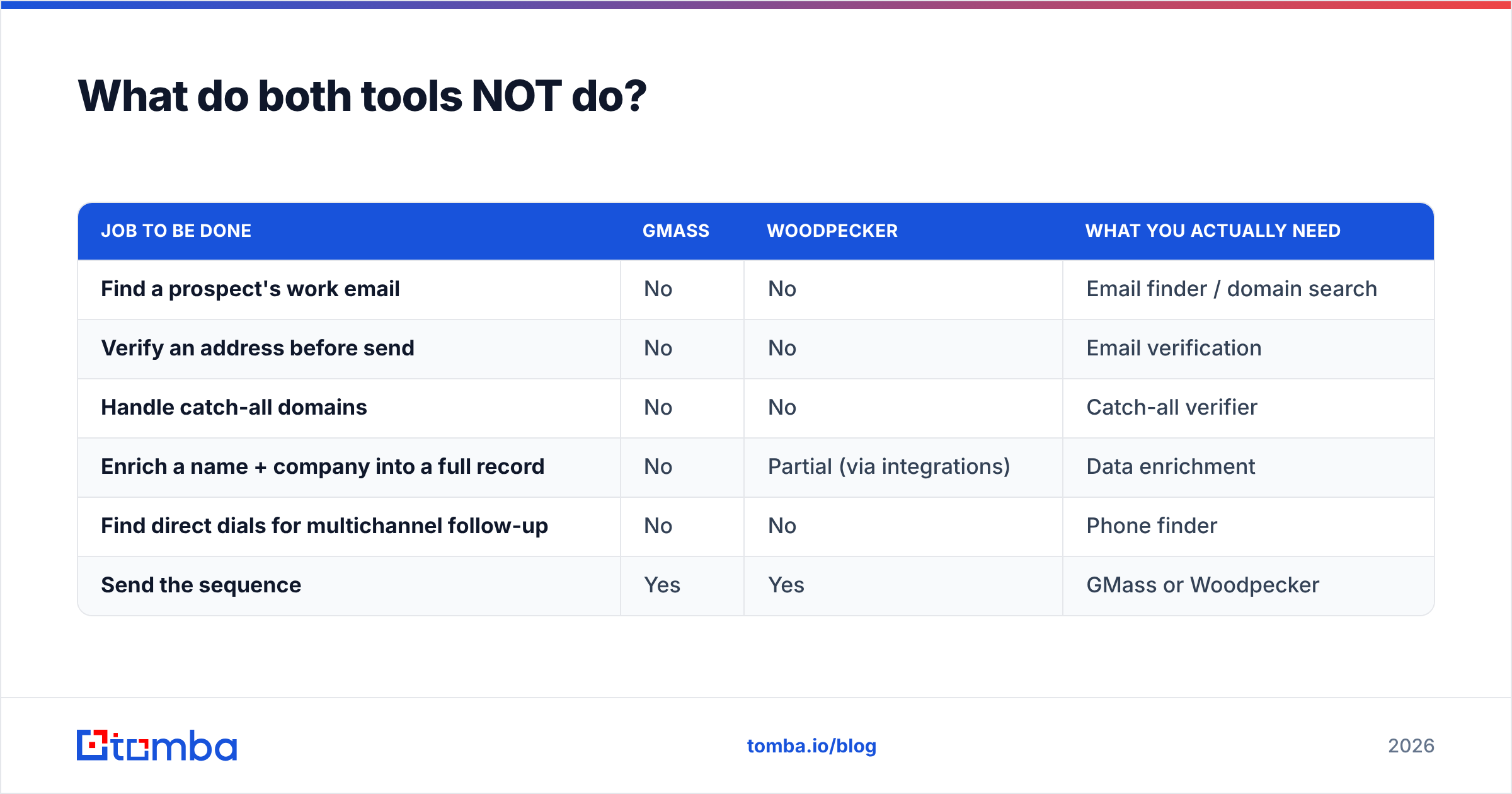
Neither one gets you contacts. This is the gap most teams discover after they've paid for a sending tool and have nothing to send to.
| Job to be done | GMass | Woodpecker | What you actually need |
|---|---|---|---|
| Find a prospect's work email | No | No | Email finder / domain search |
| Verify an address before send | No | No | Email verification |
| Handle catch-all domains | No | No | Catch-all verifier |
| Enrich a name + company into a full record | No | Partial (via integrations) | Data enrichment |
| Find direct dials for multichannel follow-up | No | No | Phone finder |
| Send the sequence | Yes | Yes | GMass or Woodpecker |
That table is the honest split. Sending tools send. Data tools supply. Confusing the two is why campaigns launch with 30% invalid addresses and stall at a 0.4% response rate.
The workflow that actually works looks like this:
- Build the target list — job titles, company size, technology, geography. Define it before you touch any tool.
- Find the addresses — run domain-level lookups to pull verified contacts at each target account, rather than guessing patterns.
- Verify everything — drop invalids, quarantine risky and catch-all addresses, keep only what's safe to send.
- Enrich for personalization — role, seniority, and company context are what make line one of the email non-generic.
- Load into GMass or Woodpecker — and only now start writing the sequence.
Tomba covers steps 2 through 4. Tomba pricing starts with a free tier at 25 searches/mo, then Starter at $49/mo, Growth at $99/mo, and Pro at $249/mo — so a small team can validate the workflow before committing budget. Larger lists run through the bulk email finder, and engineering teams wire it directly via the Tomba API.
If you'd rather buy a pre-built list than assemble one, verified-data providers like BookYourData sell contact records with accuracy guarantees — a reasonable option when you need volume fast and don't have a discovery motion in place. Either way, the data step happens before the sending step.
How should you decide?#
Run this in order and stop at the first "yes."
Choose GMass if:
- You send from exactly one or two Google Workspace accounts.
- Your volume stays under ~500 emails/day.
- You want your outbound in the same place as your regular email.
- Budget matters more than reporting depth.
- Your follow-up logic is "email again in 4 days unless they reply."
Choose Woodpecker if:
- You'll run three or more sending inboxes.
- You manage outbound for multiple clients or brands.
- You need HubSpot, Pipedrive, or Salesforce sync without middleware.
- Reply classification and duplicate protection across campaigns matter.
- You have someone who owns outbound as a job, not a Friday task.
Choose neither yet if:
- You don't have a verified list. Fix that first — a sending tool amplifies whatever list quality you feed it, in both directions.
For a broader field check, both tools carry hundreds of reviews on G2, and it's worth reading the one-star reviews specifically: they cluster around deliverability complaints on GMass (usually user-caused volume spikes) and pricing/UI friction on Woodpecker.
What about the alternatives?#
The GMass vs Woodpecker frame is narrower than most buyers realize. Adjacent options worth a look:
- Instantly — built for high-volume multi-inbox sending with an included warm-up network. Heavier on volume, lighter on CRM depth. See our take on Instantly alternatives.
- Saleshandy — closer to Woodpecker in shape, often cheaper per slot. Compare via Saleshandy alternatives.
- Reply.io — multichannel (email + LinkedIn + calls) if you want sequences that aren't email-only. See Reply.io alternatives.
- Plain Gmail + a spreadsheet — genuinely fine under 50 sends/week. Don't buy tooling for a problem you don't have yet.
Most teams over-buy sending capacity and under-buy data quality. The reverse allocation almost always produces better numbers: a clean 500-contact list beats a dirty 5,000-contact list on replies, on bounce rate, and on how long your domain survives.
The verdict#
GMass for solo senders and small volumes. Woodpecker for teams, agencies, and multi-inbox operations. GMass is the better $25 you'll spend if Gmail is your whole world. Woodpecker is the better system if outbound has an owner, a budget, and a target number.
But whichever you pick, the sending tool isn't your bottleneck — your contact data is. Bounces, spam traps, and stale addresses do more damage to a campaign than any feature gap between these two platforms.
Start there. Use Tomba Email Finder to pull verified, deliverable work emails at your target accounts — by domain, by name, or in bulk — then load a clean list into GMass or Woodpecker and let the sequence do its job. Free tier gives you 25 searches to test the difference before you spend anything.
Related guides#
Ready to find emails that actually work?
Join 150,000+ professionals who stopped guessing and started sending. Free credits on signup — no credit card required.
Get the Tomba newsletter
Practical outbound tactics and product updates — once every two weeks.
About the author