Gojiberry AI Pricing, Reviews, Pros and Cons (2026 Guide)
Gojiberry AI sells intent-based LinkedIn outreach for $99/mo. Here is what that price actually buys, what 14 G2 reviewers really said, and the three limits that decide whether it fits your stack.
TL;DR#
- Gojiberry AI pricing is simple to the point of being blunt: one public paid tier at $99/month (Pro), plus a Custom/Enterprise quote. Some third-party directories still list an "Elite" tier around $249/mo — treat that as historical or channel-specific until the vendor's own page confirms it.
- It is an intent-first AI SDR, not a database. It watches social signals (mostly LinkedIn engagement, job changes, post activity), scores who looks warm, writes the message, and sends from your LinkedIn seat.
- Reviews are strong but thin. ~4.9/5 on G2 from roughly 14 reviews. Directionally positive, statistically meaningless. Early-adopter cohorts always over-index.
- The biggest structural limit is channel: outreach runs through LinkedIn. If your ICP is not active on LinkedIn, or you need email follow-up for the 60-70% who ignore connection requests, you need a second tool.
- Best-fit buyer: a founder or 1-3 person sales team selling to LinkedIn-native buyers who wants intent + copy + sending in one $99 subscription. Worst-fit buyer: anyone who needs volume, verified email, or multi-channel sequencing.
What is Gojiberry AI, and who is it actually for?#
Gojiberry AI is an AI sales agent that flips the usual outbound order of operations. Instead of "build a list, then blast it," it starts from behaviour: who commented on a relevant post, who changed jobs, who followed a competitor, who engaged with content in your category. It then filters that pool against your ICP, drafts a personalised opener, and sends the connection request or DM from your own LinkedIn account.
That positioning matters for how you read the price. You are not paying for records. You are paying for a filter plus a writer plus a sender.
The category it competes in — AI SDR / signal-based lead generation — got crowded fast between 2024 and 2026. Most entrants land in one of three buckets:
- Database-first tools — you pay for volume of contacts and rely on your own targeting logic. Cheap per record, expensive in wasted sends.
- Signal-first tools — you pay for the filter. Fewer prospects, higher relevance, and Gojiberry AI sits squarely here.
- Sequencer-first tools — you pay for the sending infrastructure and deliverability layer, and bring your own data.
Gojiberry bundles 2 and part of 3, and skips 1 almost entirely. That single design choice explains nearly every pro and con below.
How does Gojiberry AI pricing actually work?#
At the time of writing, the public pricing page shows two options: Pro at $99/month and Custom (talk to sales). There is a trial, but the vendor does not publish duration, credit limits, or whether a card is required — assume it is short and assume they ask.
Here is what the $99 tier is documented to include, and where the ambiguity sits:
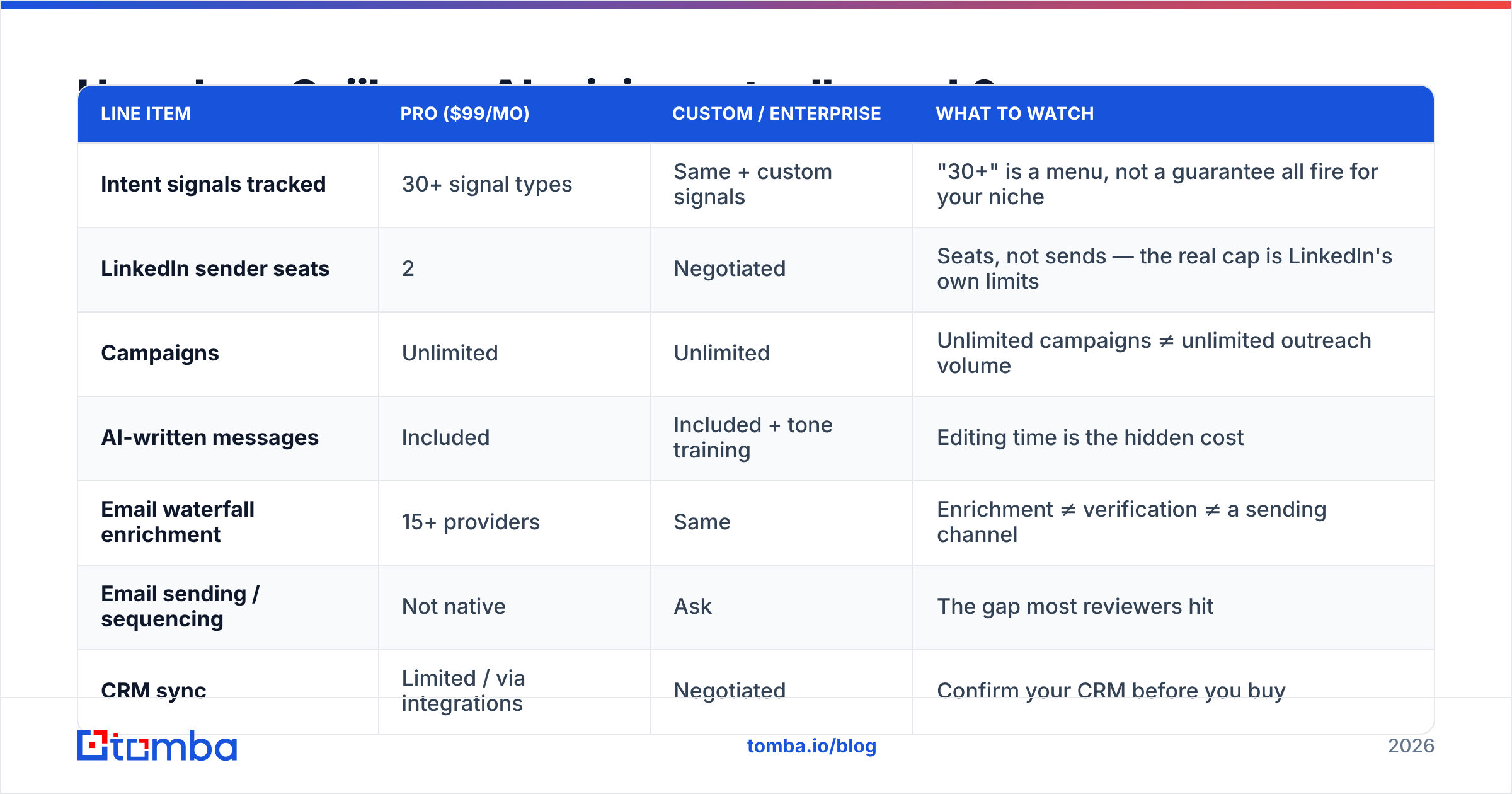
| Line item | Pro ($99/mo) | Custom / Enterprise | What to watch |
|---|---|---|---|
| Intent signals tracked | 30+ signal types | Same + custom signals | "30+" is a menu, not a guarantee all fire for your niche |
| LinkedIn sender seats | 2 | Negotiated | Seats, not sends — the real cap is LinkedIn's own limits |
| Campaigns | Unlimited | Unlimited | Unlimited campaigns ≠ unlimited outreach volume |
| AI-written messages | Included | Included + tone training | Editing time is the hidden cost |
| Email waterfall enrichment | 15+ providers | Same | Enrichment ≠ verification ≠ a sending channel |
| Email sending / sequencing | Not native | Ask | The gap most reviewers hit |
| CRM sync | Limited / via integrations | Negotiated | Confirm your CRM before you buy |
| Contract | Monthly | Annual typical | Custom quotes tend to start well above $99 |
Two things deserve a flag.
First, "2 LinkedIn senders" is the actual pricing unit. Not credits, not contacts. Your ceiling is whatever LinkedIn tolerates per account — realistically 15-25 connection requests a day per seat if you want to keep the account healthy. Two seats at ~20/day is roughly 800 touches a month. At $99, that is about $0.12 per touch, which is cheap if the targeting works and expensive if it doesn't.
Second, the email waterfall is enrichment, not outreach. Gojiberry can append an email address using multiple providers, which is genuinely useful. But appending an address and proving it will land are different jobs. If you plan to route those appended addresses into a cold email tool, you still want an independent email verifier in between — waterfall outputs are pooled from providers of varying freshness, and bounce rates above 3% will damage your sending domain regardless of who sourced the record.
What do real Gojiberry AI reviews say?#
The G2 listing sits near 4.9/5 across roughly 14 reviews. Read that number correctly: 14 reviews is a founder-led cohort, not a market verdict. Products at that review count almost always score 4.7+, and the score drifts down as the long tail of unhappy mid-market buyers arrives. Use the content of the reviews, not the average.
Here is what actually repeats across G2, independent review blogs, and community threads:
- Relevance over volume is the consistent praise. Reviewers describe conversations that start warm because the prospect just did something — posted, moved roles, engaged with a competitor. Reply rates get compared favourably to spray-and-pray sequences. This is the product working as designed.
- Setup effort is low. Multiple reviewers note they were sending within a day. For a solo founder, that is a real differentiator against enterprise-grade platforms that need a RevOps hire to configure.
- The AI copy is a solid first draft, not a final one. Praised as "sounds human," but experienced sellers still report editing. Budget 20-40 seconds per message if you care about your reply rate.
- LinkedIn-only outreach is the number one complaint. The recurring story: connection request goes unaccepted, and there is no native way to follow up by email. Users end up exporting and rebuilding the same prospect in a second tool.
- Coverage collapses for offline ICPs. Trades, manufacturing, local services, government, much of APAC and LATAM mid-market — if your buyer does not post on LinkedIn, there is no signal to detect, and an intent-first tool has nothing to work with.
- Support gets good marks. Small-vendor advantage: you often get a founder on the call. That also means roadmap requests move fast, and that the company is small enough that you should ask about funding and longevity before signing annual.
What are the pros and cons of Gojiberry AI?#
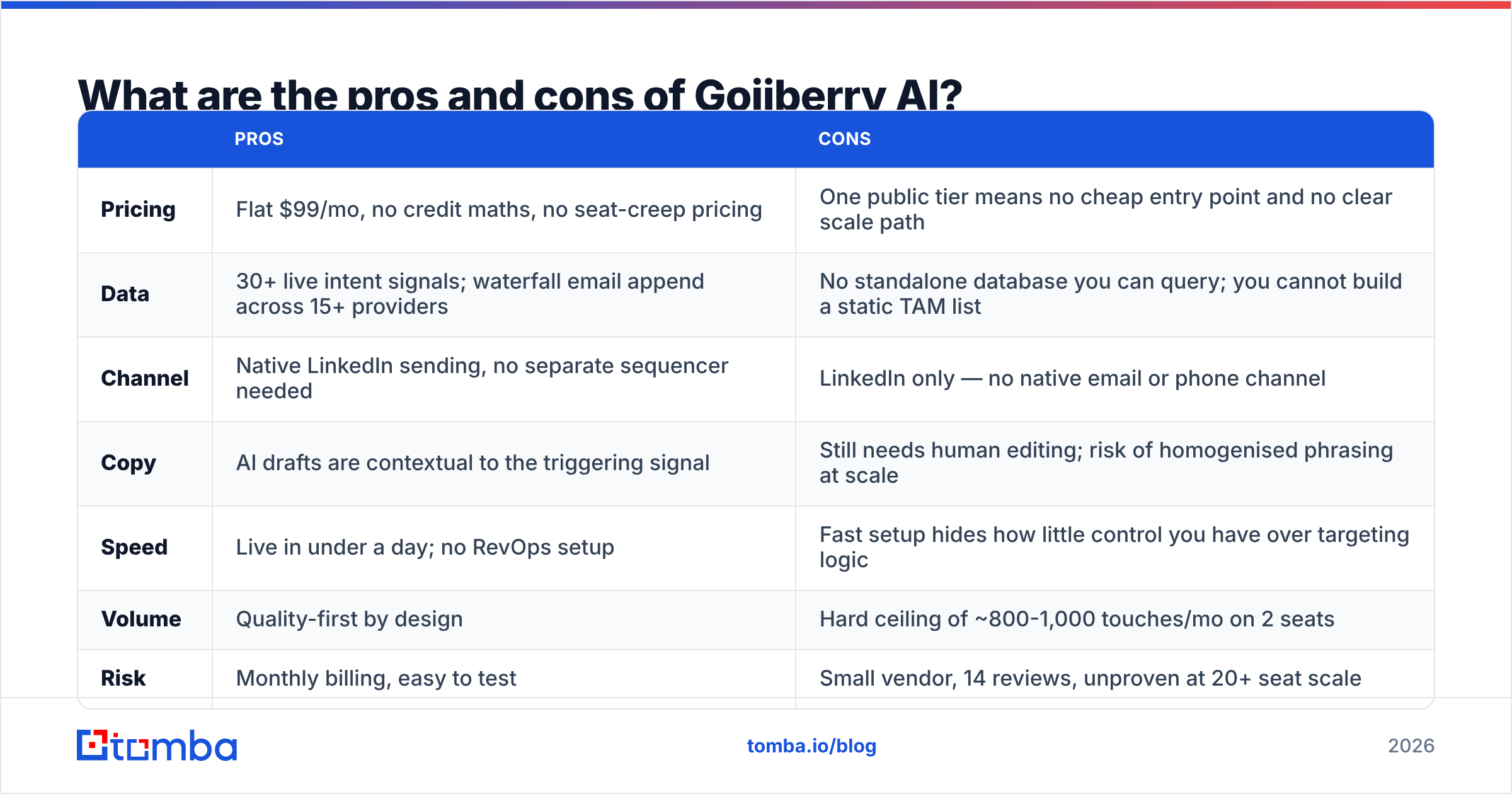
| Pros | Cons | |
|---|---|---|
| Pricing | Flat $99/mo, no credit maths, no seat-creep pricing | One public tier means no cheap entry point and no clear scale path |
| Data | 30+ live intent signals; waterfall email append across 15+ providers | No standalone database you can query; you cannot build a static TAM list |
| Channel | Native LinkedIn sending, no separate sequencer needed | LinkedIn only — no native email or phone channel |
| Copy | AI drafts are contextual to the triggering signal | Still needs human editing; risk of homogenised phrasing at scale |
| Speed | Live in under a day; no RevOps setup | Fast setup hides how little control you have over targeting logic |
| Volume | Quality-first by design | Hard ceiling of ~800-1,000 touches/mo on 2 seats |
| Risk | Monthly billing, easy to test | Small vendor, 14 reviews, unproven at 20+ seat scale |
| Compliance | Uses your own LinkedIn seat (no shady scraping infra) | Automated LinkedIn activity always carries account-restriction risk |
The honest summary: Gojiberry AI is a good $99 product with one structural hole. The hole is not a bug — it is the direct consequence of choosing LinkedIn as the only outbound rail.
What are the hidden costs of Gojiberry AI?#
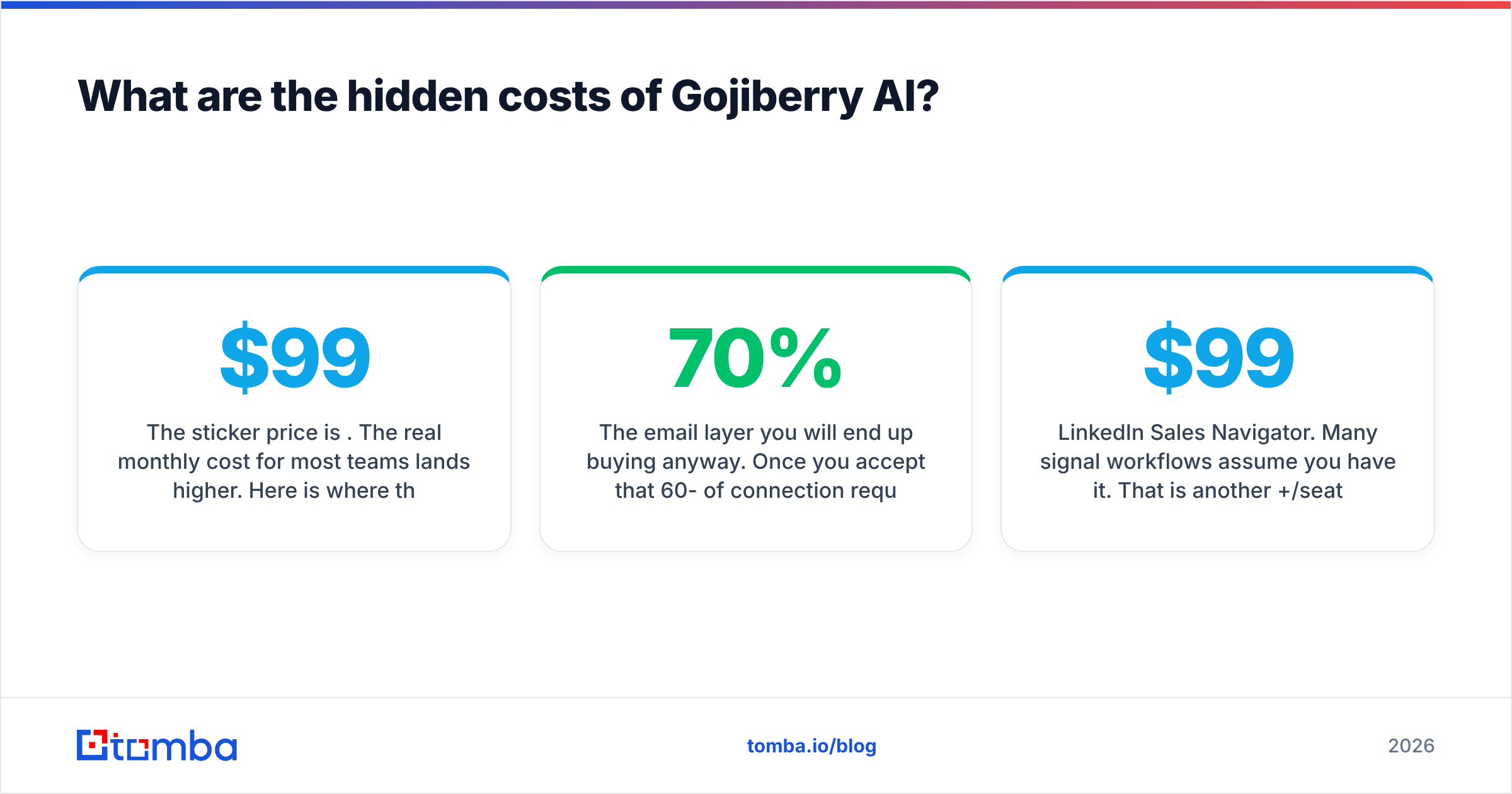
The sticker price is $99. The real monthly cost for most teams lands higher. Here is where the delta comes from:
- The email layer you will end up buying anyway. Once you accept that 60-70% of connection requests go unanswered, you need email follow-up. That means a data source, verification, and a sender. Budget $50-150/mo on top.
- LinkedIn Sales Navigator. Many signal workflows assume you have it. That is another $99+/seat/month.
- Editing time. At 800 messages/month and 30 seconds of review each, that is ~7 hours. Price it at your SDR's loaded rate and it dwarfs the subscription.
- The rebuild tax. Exporting prospects out of Gojiberry into another tool means re-matching names to companies to emails. Doing that manually is the single most expensive habit in outbound.
- Account risk. A restricted LinkedIn account costs you the channel, the seat, and the pipeline in it. Not a line item, but it is a real expected cost at scale.
Is Gojiberry AI worth it versus the alternatives?#
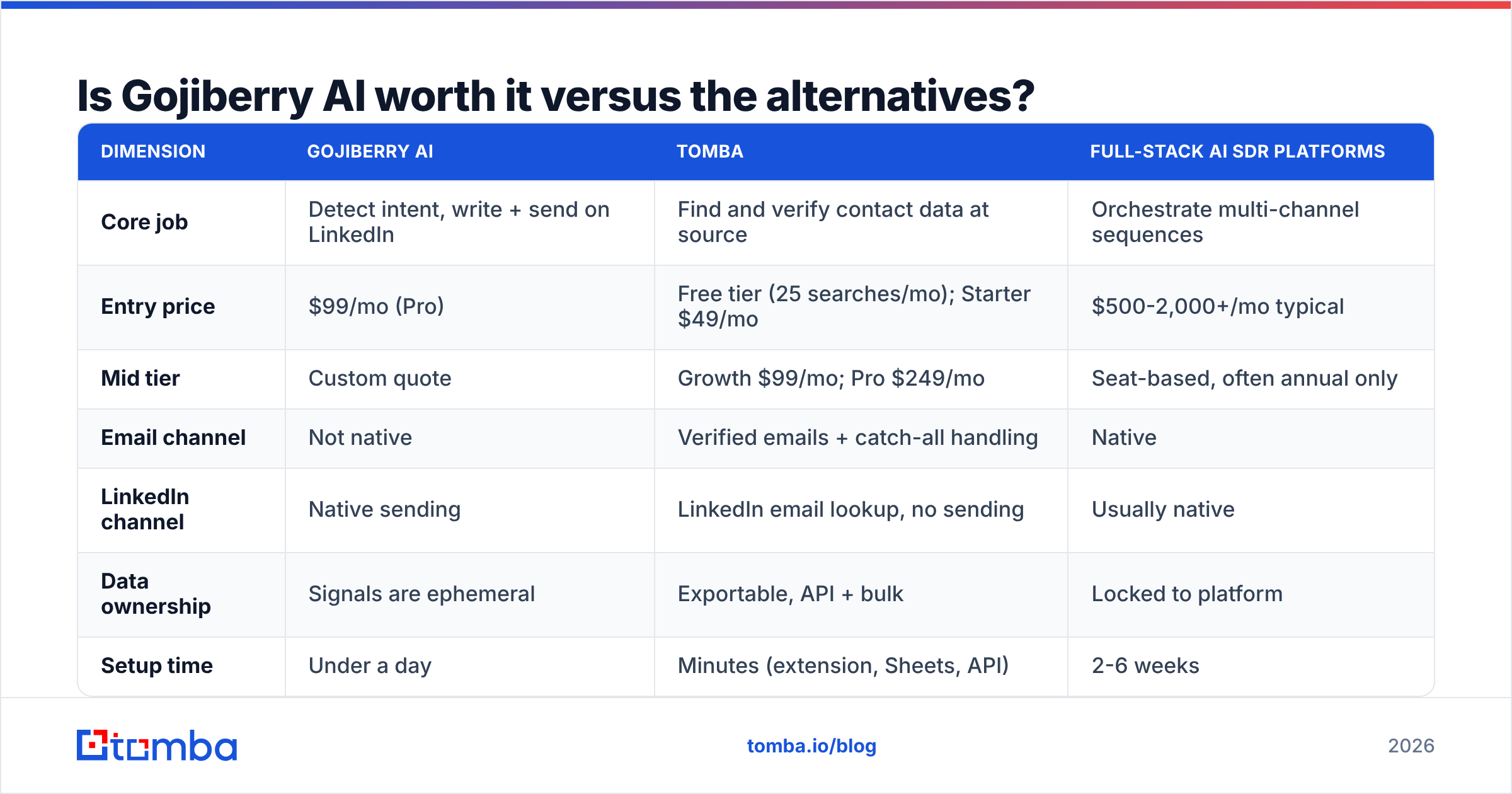
Compare on job-to-be-done, not on feature checklists. Three tools that "do outbound" can be solving completely different problems.
| Dimension | Gojiberry AI | Tomba | Full-stack AI SDR platforms |
|---|---|---|---|
| Core job | Detect intent, write + send on LinkedIn | Find and verify contact data at source | Orchestrate multi-channel sequences |
| Entry price | $99/mo (Pro) | Free tier (25 searches/mo); Starter $49/mo | $500-2,000+/mo typical |
| Mid tier | Custom quote | Growth $99/mo; Pro $249/mo | Seat-based, often annual only |
| Email channel | Not native | Verified emails + catch-all handling | Native |
| LinkedIn channel | Native sending | LinkedIn email lookup, no sending | Usually native |
| Data ownership | Signals are ephemeral | Exportable, API + bulk | Locked to platform |
| Setup time | Under a day | Minutes (extension, Sheets, API) | 2-6 weeks |
| Best for | Solo founders with LinkedIn-native ICPs | Any team that needs deliverable addresses | 10+ rep orgs with RevOps |
The useful reframe: Gojiberry and a data provider are complements, not substitutes. Gojiberry tells you who is warm right now. It does not reliably tell you how to reach them outside LinkedIn. A dedicated email finder closes that second gap for a fraction of the cost — Tomba's Starter plan is $49/mo, and the free tier gives you 25 searches to test match rates against your own ICP before you commit. Full Tomba pricing runs Free → Starter $49 → Growth $99 → Pro $249 → Enterprise.
For a specific, common workflow: pull the warm prospect out of Gojiberry, run the person + company through a LinkedIn finder to recover the work email, verify it, then follow up by email 4-6 days after the unaccepted connection request. That two-tool stack costs $148/mo and covers both rails. A single full-stack platform that does the same thing starts around $600.
Who should buy Gojiberry AI — and who should skip it?#
Buy it if:
- You are a founder or 1-3 person team selling software, agency services, or consulting to people who genuinely post on LinkedIn.
- Your deal size justifies 800 highly-targeted touches a month rather than 8,000 generic ones.
- You have no RevOps resource and need something live this week.
- You are willing to pair it with a data tool for email follow-up.
Skip it if:
- Your ICP is operations, finance, field, trades, healthcare admin, or public sector — the signal density is too low.
- You need more than ~1,000 monthly touches.
- Email is your primary channel. In that case the money belongs in data quality and deliverability, not in signal detection.
- You need auditable data lineage for compliance. Ephemeral signals are hard to document.
- You are buying for a team of 10+. Ask for the Custom quote and benchmark it hard — at that size, per-seat economics change the answer completely.
How should you test it before you commit?#
Run a two-week controlled trial, not a vibe check:
- Week 1, targeting only. Let it surface prospects. Do not send. Manually score 50 surfaced contacts against your ICP. If fewer than 30 are genuinely in-profile, the signal layer is not tuned for your niche and no amount of good copy fixes that.
- Week 2, send with edits. Track connection-accept rate and reply rate separately. Accept rate tells you whether the intent signal was real. Reply rate tells you whether the copy was.
- In parallel, measure the email gap. Take the same 50 contacts, run them through a domain search and verification pass, and record your match rate. That number tells you exactly how much of the unaccepted-request pool you can recover by email — and whether the two-tool stack is worth building.
- Then do the arithmetic. Cost per booked meeting, not cost per seat. If Gojiberry produces meetings under your blended CAC target, the $99 is irrelevant. If it doesn't, no discount saves it.
The verdict#
Gojiberry AI is a genuinely good narrow product priced honestly. At $99/month for intent detection, AI copy, and native LinkedIn sending, it is one of the better-value entries in the AI SDR category — provided your buyers live on LinkedIn and you are content with quality-over-volume. The 4.9/5 rating is real but early; the LinkedIn-only constraint is the thing that will actually determine whether you renew in month four.
What it will not do is give you a durable, exportable, multi-channel contact asset. That is a different job, and it is a cheaper one.
Close the email gap first. Before you add another sending platform, make sure you can reach every warm prospect you already identified. Tomba Email Finder finds and verifies professional email addresses by name, company, or domain — with a free tier of 25 searches a month and paid plans from $49. Run your last 100 unaccepted LinkedIn requests through it, see how many you can recover by email, and let that number decide what you buy next.
Related guides#
Ready to find emails that actually work?
Join 150,000+ professionals who stopped guessing and started sending. Free credits on signup — no credit card required.
Get the Tomba newsletter
Practical outbound tactics and product updates — once every two weeks.
About the author