7 Best Gold Vision CRM Alternatives for B2B Teams in 2026
Gold-Vision is a solid UK mid-market CRM, but it is not the right fit for every revenue team. Here are seven alternatives compared on price, automation depth, data quality, and migration effort.
TL;DR
- Gold-Vision is a strong UK mid-market CRM. It bundles sales, marketing, and events into one licence.
- Teams look for gold vision crm alternatives when they need deeper workflows, a bigger app store, or a lower seat price.
- Want the widest ecosystem? Pick HubSpot. Want a simple pipeline? Pick Pipedrive. Want the lowest cost per feature? Pick Zoho CRM.
- UK buyers who want a like-for-like swap should look at Capsule CRM and Spotler CRM first.
- Most teams under-budget the move. Plan for data cleanup, not just licences. Dirty contact records sink more re-platforms than missing features do.
- The CRM you pick matters less than the data you feed it. A CRM cannot fix records it never gets.
What is Gold-Vision CRM and who is it built for?#
Gold-Vision is a CRM built by Esteiro Business Solutions. This UK firm has shipped the product since the early 2000s. It aims at mid-market B2B firms with 20 to 500 staff. Typical buyers work in manufacturing, professional services, finance, and education.
Its strength is breadth in one licence. Most CRMs sell the sales pipeline as the core. They then charge extra for marketing. Gold-Vision bundles sales, marketing, support tickets, project tracking, and a very strong events module. Say you run conferences, webinars, or trade shows as a main demand channel. That events module is then hard to match. Most rivals need a second vendor to do the same job.
It also runs on-premise as well as in the cloud. That still matters to buyers with strict data rules in the UK and EU.
So why do teams search for gold vision crm alternatives? Four reasons come up again and again.
- App ecosystem. Gold-Vision links to Outlook, Microsoft 365, Sage, and Xero. But its marketplace is far smaller than HubSpot's or Salesforce's. If your stack is odd, you will pay for custom API work.
- Workflow ceiling. Rules and alerts are fine for a mid-market tool. But some teams need branch logic, lead routing by intent, or AI forecasts. Those teams hit a wall.
- Price fit. Per-user pricing with add-on modules feels fair at 15 seats. It stings at 80. It stings most when half those seats only read data.
- Hiring. You can hire a HubSpot admin in a week. Finding someone who knows Gold-Vision takes longer. That raises your true cost of ownership.
None of these are flaws. They are fit problems. A tool can be wrong for you and still be a good tool.
How should you evaluate a CRM replacement?#
Agree on what you are buying before you compare logos. Most failed moves start with a feature checklist. Score each of the gold vision crm alternatives on the six points below instead.
Start with money and data:
- Cost at your real seat count. Model the price at 18 months of growth. Include the tier you will be pushed into for features you already need. A $29 plan that needs the $79 tier for custom reports is a $79 plan.
- Data model. Can you build custom objects for what you sell? Think sites, assets, contracts, renewals. Or must you bend it all into Contact, Company, and Deal?
- Workflow depth. Ask for a live demo of your worst manual task. If the vendor cannot build it on the call, it becomes a paid project.
Then check the plumbing:
- Integrations. Native link, third-party connector, or "we have an API"? Those are three very different costs. Read the marketplace first. Then check G2 for complaints about that exact connector.
- Data quality going in. A CRM is a filing cabinet. Its output is only as good as its input. Plug a verified email finder and data enrichment layer into the top of the funnel. That beats importing scraped lists on any platform.
- Exit cost. Can you export it all without paying for help? That means history, custom fields, and files. Ask before you sign, not after.
Which Gold Vision CRM alternatives are worth shortlisting in 2026?#
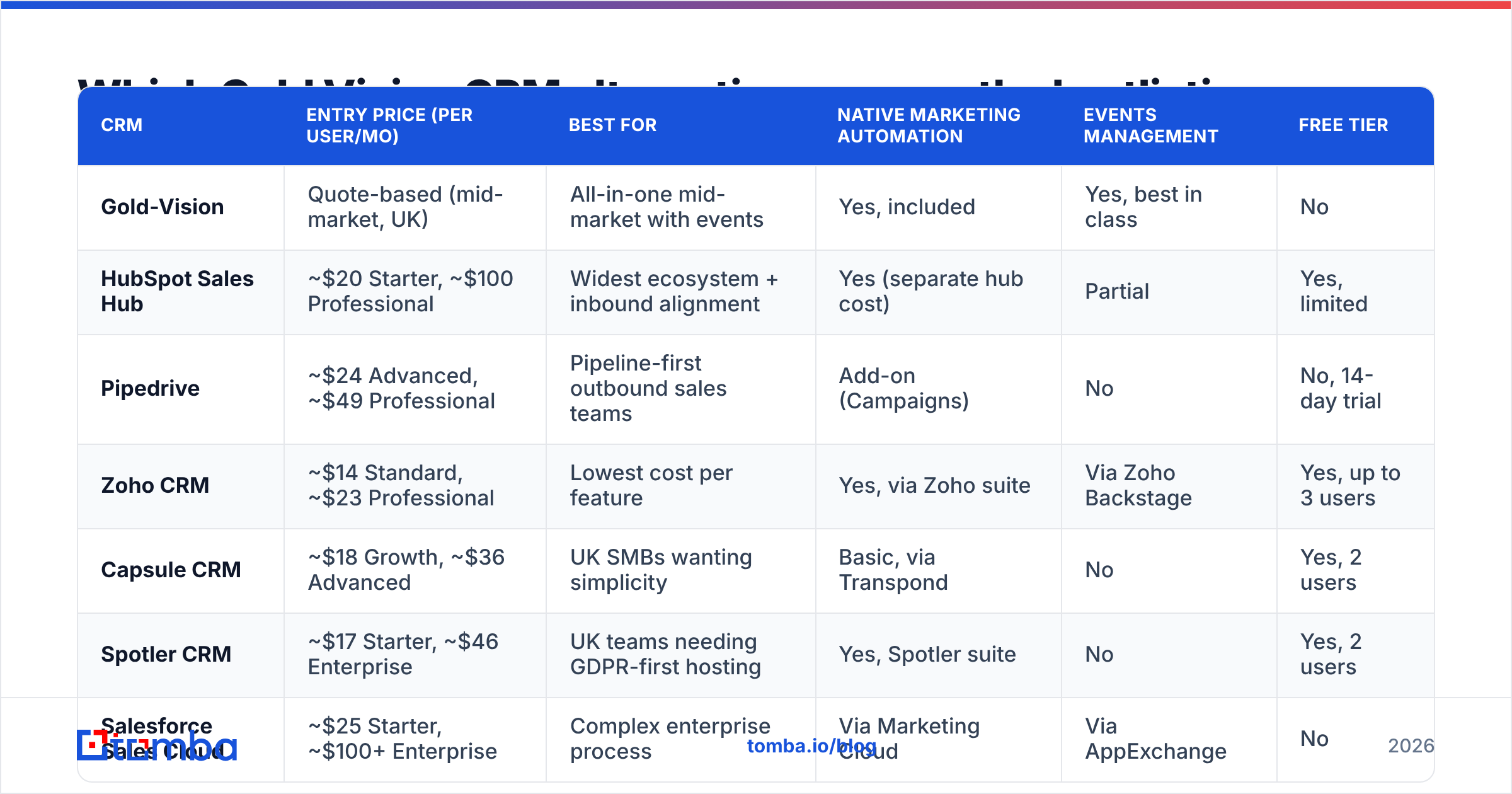
Here is the comparison table. Prices are list prices, billed yearly, in each vendor's main currency. Always confirm live pricing. CRM vendors repackage tiers often.
| CRM | Entry price (per user/mo) | Best for | Native marketing automation | Events management | Free tier |
|---|---|---|---|---|---|
| Gold-Vision | Quote-based (mid-market, UK) | All-in-one mid-market with events | Yes, included | Yes, best in class | No |
| HubSpot Sales Hub | ~$20 Starter, ~$100 Professional | Widest ecosystem + inbound alignment | Yes (separate hub cost) | Partial | Yes, limited |
| Pipedrive | ~$24 Advanced, ~$49 Professional | Pipeline-first outbound sales teams | Add-on (Campaigns) | No | No, 14-day trial |
| Zoho CRM | ~$14 Standard, ~$23 Professional | Lowest cost per feature | Yes, via Zoho suite | Via Zoho Backstage | Yes, up to 3 users |
| Capsule CRM | ~$18 Growth, ~$36 Advanced | UK SMBs wanting simplicity | Basic, via Transpond | No | Yes, 2 users |
| Spotler CRM | ~$17 Starter, ~$46 Enterprise | UK teams needing GDPR-first hosting | Yes, Spotler suite | No | Yes, 2 users |
| Salesforce Sales Cloud | ~$25 Starter, ~$100+ Enterprise | Complex enterprise process | Via Marketing Cloud | Via AppExchange | No |
| monday CRM | ~$12 Basic, ~$28 Pro | Teams that live in project boards | Limited | Via boards | Yes, 2 seats |
1. HubSpot Sales Hub — best for ecosystem and go-to-market alignment#
HubSpot is the default pick, and for good reason. The free CRM layer is usable on its own. The upgrade path is clear. The App Marketplace holds well over a thousand apps. That kills most "we will need custom dev" talks.
It beats Gold-Vision on reports, sequences, and AI email drafts. Your marketing team likely knows the screens already. It loses on price. Costs climb fast once you add Marketing Hub Professional. Contact-tier pricing also punishes big databases. Model it at your real contact volume first.
If you pick HubSpot, pipe verified contacts in on autopilot. Do not paste CSV files by hand. Tomba's HubSpot integration covers that side.
2. Pipedrive — best for outbound-heavy pipeline teams#
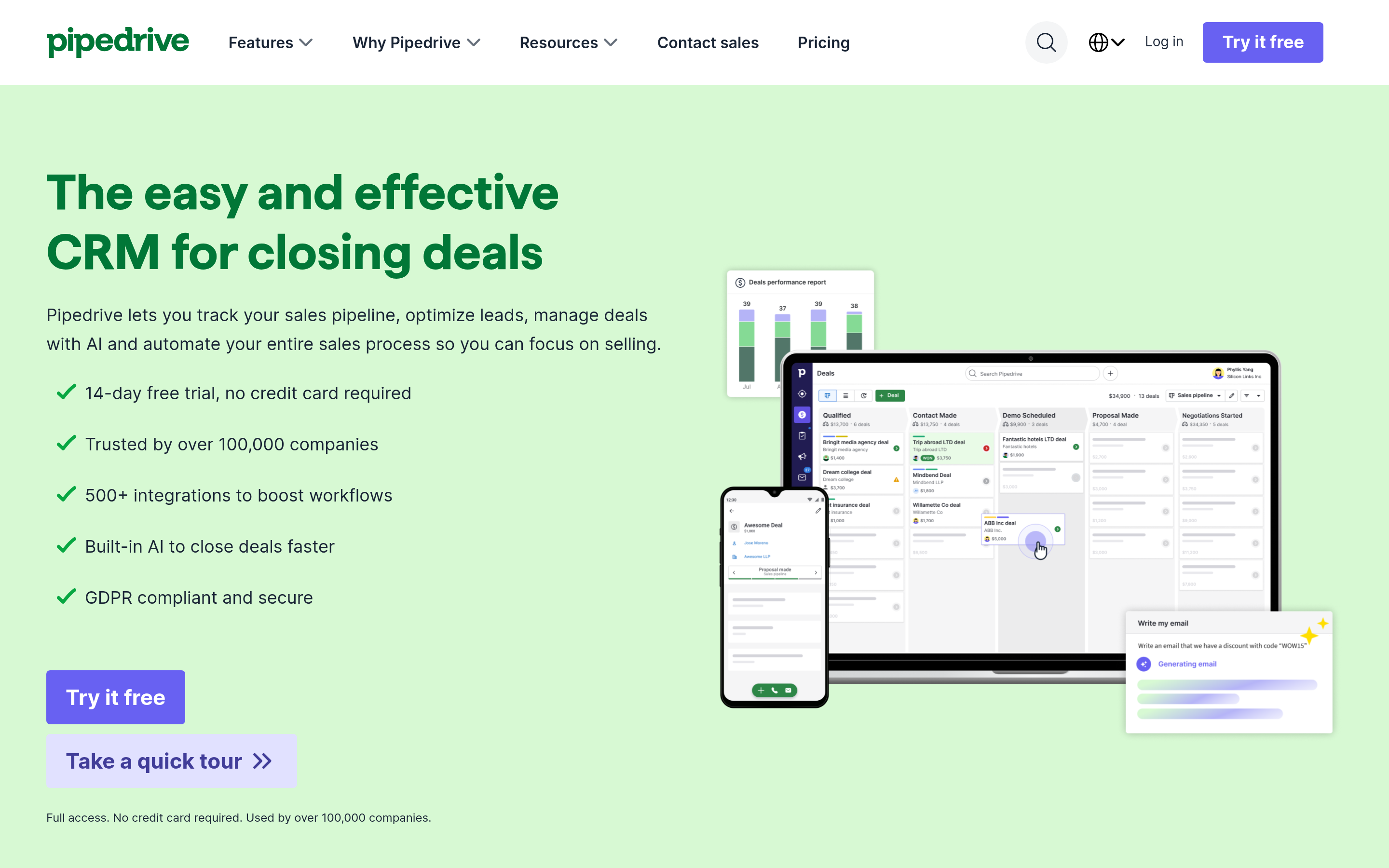
Pipedrive is narrow on purpose. It does one thing: visual deal pipelines. It does that with less clutter than anything else here. Reps adopt it fast because there is little to learn.
Next to Gold-Vision, you give up support tickets, projects, and events. You gain speed and a much lower seat price. Pick it if your motion is simple. An SDR books the meeting, an AE closes the deal, repeat. You will buy marketing tools apart from it.
3. Zoho CRM — best cost-to-capability ratio#
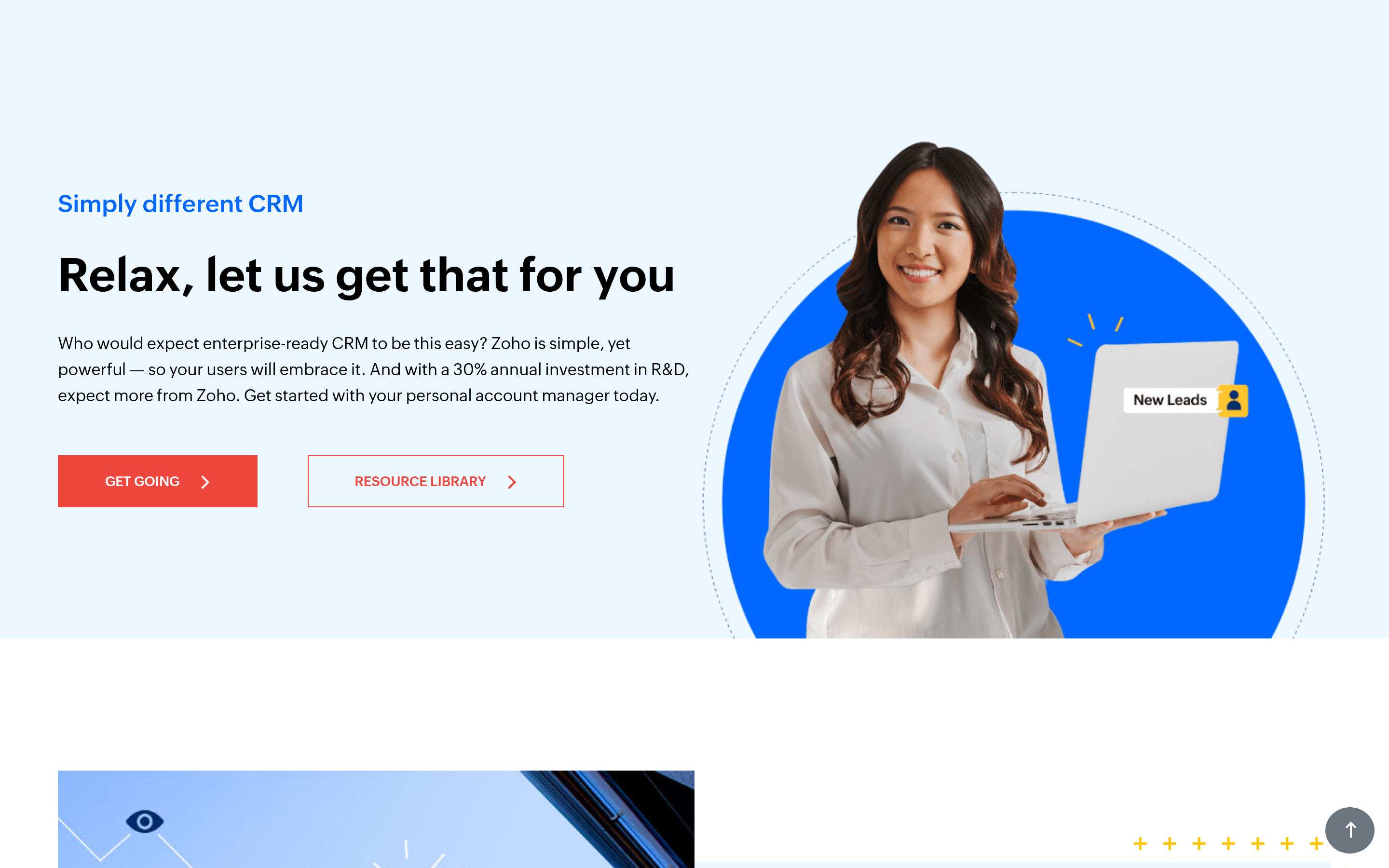
Zoho CRM Professional does most of what a mid-market team needs. It costs about a quarter of the Salesforce price. Custom modules, blueprint automation, and a solid mobile app are all included. Of all the gold vision crm alternatives here, it packs the most feature per pound.
The trade-off is polish and support speed. Reviewers on Capterra flag both. If your team is technical and short on budget, take the trade. If your reps quit any tool that feels clunky, skip it.
4. Capsule CRM — best like-for-like UK swap for smaller teams#
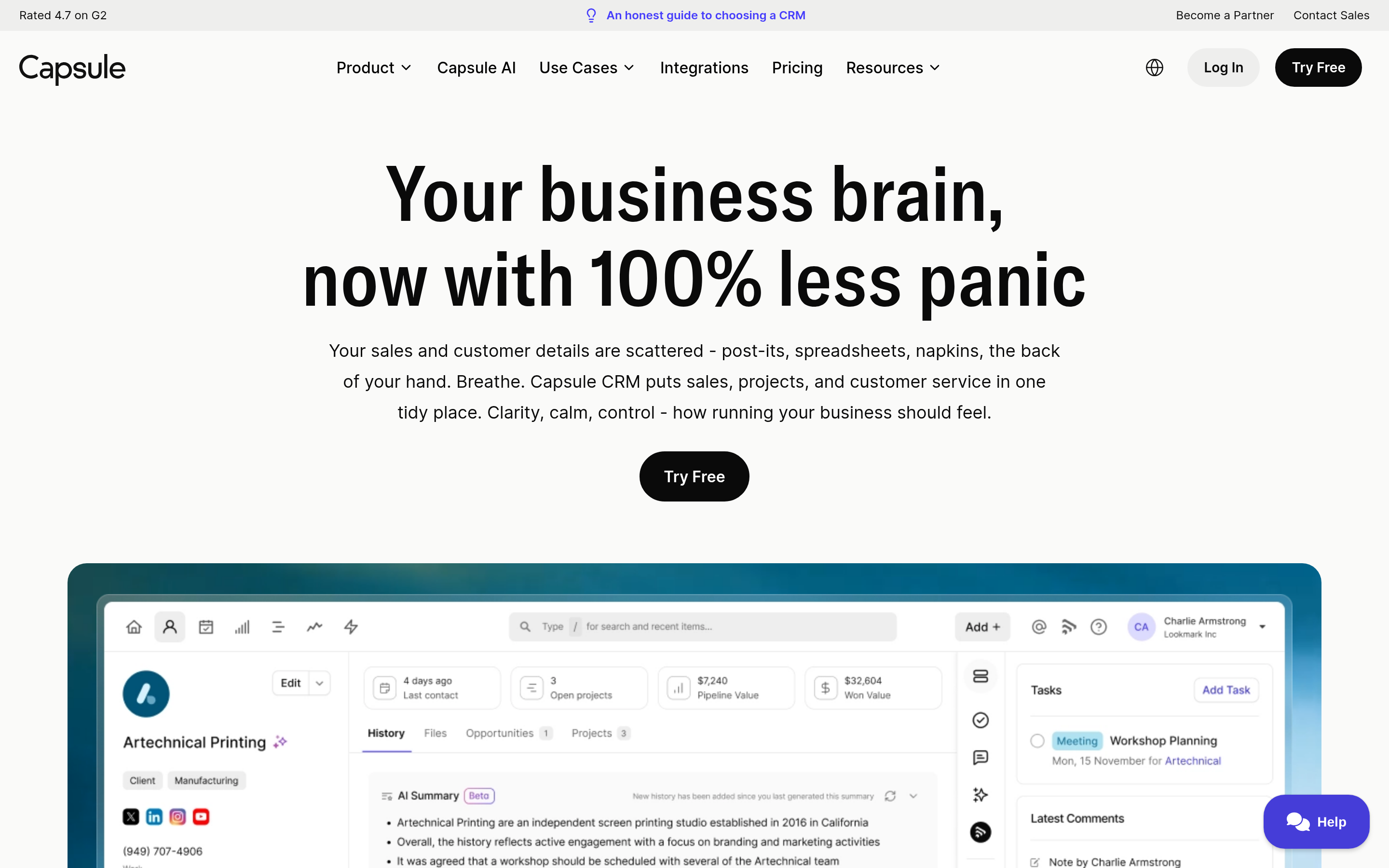
Capsule is UK-built, plain, and priced for teams under 50 seats. You get contacts, pipeline, tasks, and simple workflow rules. Nothing exotic. Say your Gold-Vision use has shrunk to contacts plus deals. Capsule then gives you 80% of the value for far less money.
You do not get events or a support desk. Budget for extra tools if you need them.
5. Spotler CRM — best for GDPR-conscious UK B2B#
Spotler CRM used to be Really Simple Systems. It keeps data in EU and UK data centres. It also sits inside the wider Spotler marketing suite. You get CRM, email marketing, and web tracking with a clear data story. Among the gold vision crm alternatives here, it is the closest match to Gold-Vision's bundled shape.
It is weaker on events and project tracking. It is easier to run and cheaper per seat.
6. Salesforce Sales Cloud — best for genuine enterprise complexity#
Do you have many business units, territory tiers, CPQ needs, and an ops team? Then you end up on Salesforce. Nothing else models that much complexity as well.
Be honest about whether you have it. Buying Salesforce for 20 reps is how firms pay six figures for a contact list. The admin load is real and it never goes away.
7. monday CRM — best when sales and delivery share one workspace#
Does your company already run projects on monday.com? Then the CRM product closes the gap between "deal closed" and "work starts." Boards, rules, and dashboards are shared. Sales depth is thinner. Sequences, dialler links, and forecasts lag the tools above.

Is switching CRMs actually worth it?#
Sometimes. Run this test first.
Switch if: you pay for modules nobody opens. Or your reps keep a shadow spreadsheet. Or the integration you need has been "on the roadmap" for two years. Or your renewal quote jumped more than 20% with nothing new in the box.
Do not switch if: the real problem is data quality, adoption, or process. Move a bad process to a new platform and you get the same bad process on a new invoice. Many "we need a new CRM" projects are data hygiene projects in a costume.
Here is the hard maths. Say 25% of your records hold stale or invalid email addresses. Your sequences bounce. Your sender score drops. Your reps stop trusting the database. Adoption falls. None of the gold vision crm alternatives on this list fix that. Run your database through an email verifier before you migrate. It costs less than one month of the new licence. It also moves the needle more than the platform swap does.
What does a CRM migration actually cost?#
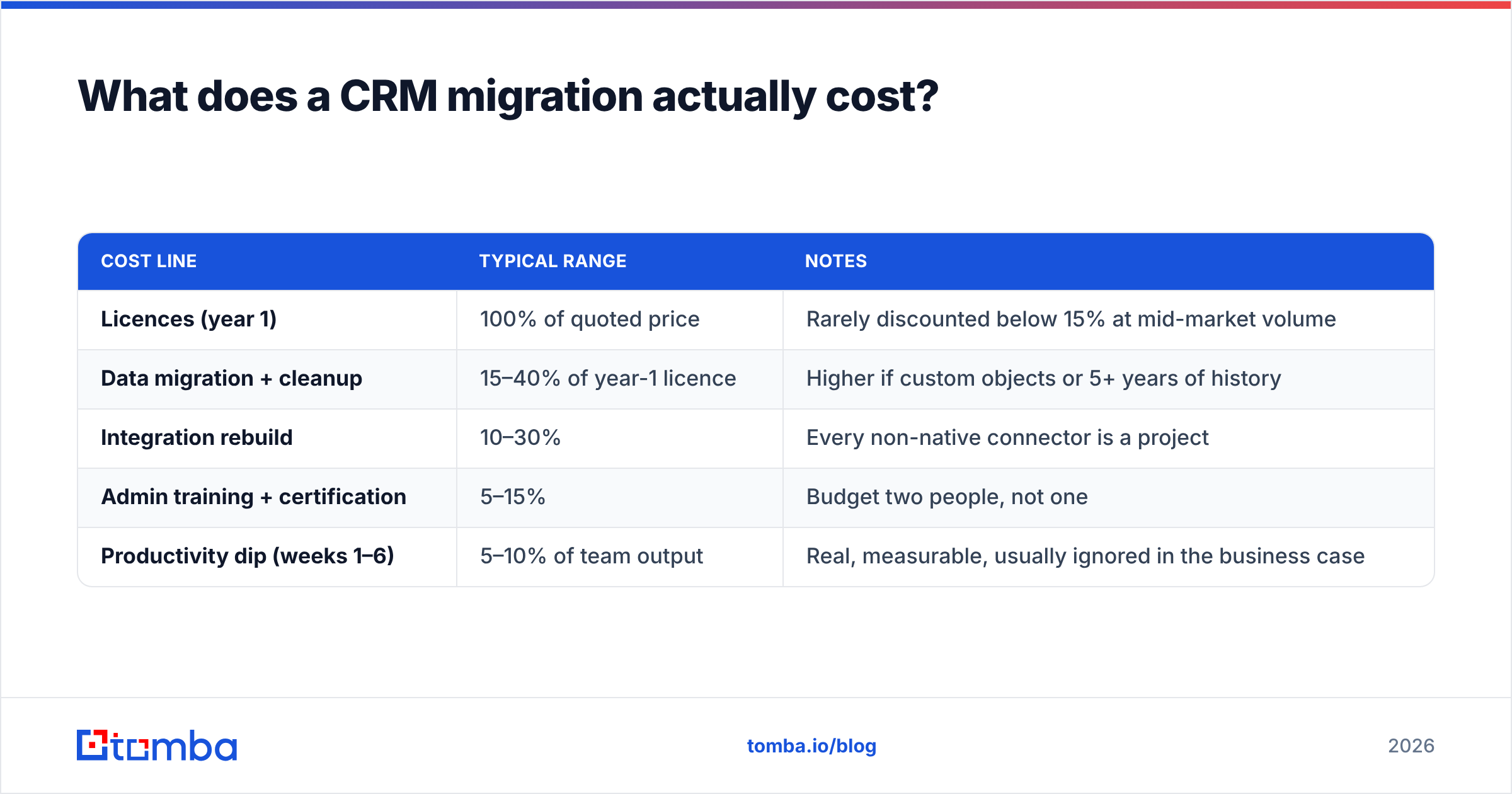
Licences are the number you see. These are the ones that surprise people.
| Cost line | Typical range | Notes |
|---|---|---|
| Licences (year 1) | 100% of quoted price | Rarely discounted below 15% at mid-market volume |
| Data migration + cleanup | 15–40% of year-1 licence | Higher if custom objects or 5+ years of history |
| Integration rebuild | 10–30% | Every non-native connector is a project |
| Admin training + certification | 5–15% | Budget two people, not one |
| Productivity dip (weeks 1–6) | 5–10% of team output | Real, measurable, usually ignored in the business case |
Plan for 1.4x to 1.9x the first-year licence fee, all in. Say the new platform saves 20% on licences. You will not break even inside two years.
How do you keep the new CRM clean from day one?#
Three rules, applied from the first import.
Verify before you import. A move is the one moment when your whole database runs through a single pipe. Check every address at that point. Fixing hygiene later, inside a live CRM, is much harder.
Enrich as records are created. Leads arrive from forms, lists, and manual entry. Fill in job title, company size, domain, and phone on autopilot. Manual entry is the top cause of CRM decay. Reps will not do it well, whatever your enablement deck claims.
Set a decay schedule. B2B contact data goes stale at 25% to 30% a year from job moves alone. Re-check active segments each quarter. That is the line between a CRM and an archive. For catch-all domains, use a catch-all verifier. It stops you from binning good contacts or mailing dead ones.
Which alternative should you pick?#
Short answers, by situation. These are the gold vision crm alternatives that fit each case.
- You need one system and events matter — stay on Gold-Vision. Nothing here replaces its events module cleanly.
- You want the widest ecosystem and marketing alignment — HubSpot.
- You want reps to use it tomorrow — Pipedrive.
- You are short on budget and technical enough — Zoho CRM.
- You are a UK SMB wanting a simpler, cheaper swap — Capsule or Spotler CRM.
- You have real enterprise process and an ops team — Salesforce.
- Sales and delivery need one shared workspace — monday CRM.
Feed whichever CRM you choose with data worth storing#
The CRM debate matters less than buying committees think. Teams that hit pipeline targets are not the ones with the best platform. They are the ones whose records are correct, complete, and current.
That is where Tomba fits, whichever of these gold vision crm alternatives you pick. Use the Tomba Email Finder to source verified work emails by domain, name, or company. Push them into your CRM through native integrations or the API. Start free with 25 searches a month. Then move to Starter at $49/mo, Growth at $99/mo, or Pro at $249/mo as volume grows. Full Tomba pricing is public, with no seat-based surprises.
Pick the CRM that fits your process. Then make sure what goes into it is real.
Related guides#
Ready to find emails that actually work?
Join 150,000+ professionals who stopped guessing and started sending. Free credits on signup — no credit card required.
Get the Tomba newsletter
Practical outbound tactics and product updates — once every two weeks.
About the author