GoldMine vs Salesforce (2026): Which CRM Actually Fits?
GoldMine sells a one-time license and on-premise control. Salesforce sells a platform you rent forever. Here is the honest cost, data, and fit breakdown for 2026.
TL;DR
- GoldMine is a perpetual-license CRM you can still self-host. You buy it once, run it on your own server or a hosted VPS, and pay only for upgrades and support. Cheapest total cost for small teams that never change their process.
- Salesforce is a rented platform. Higher per-seat cost, but you get an app ecosystem, automation, AI features, and an integration surface nothing else matches.
- The real decision is not features — it is who controls the data and who maintains the system. GoldMine puts both on you. Salesforce takes both off your plate for a monthly fee.
- Budget reality: a 10-seat GoldMine deployment can run under $6,000 in year one. The same team on Salesforce Sales Cloud Enterprise runs roughly $19,800/year, before add-ons.
- Neither tool fills your pipeline. Both are storage. You still need verified contact data going in, which is where an email finder sits upstream of whichever CRM you pick.
What is GoldMine and who still uses it?#
GoldMine is one of the oldest CRMs still shipping. It launched in 1990, predating Salesforce by nine years, and it has survived through a specific value proposition: you own your install.
The product line splits into three deployment options — GoldMine Premium (on-premise perpetual license), GoldMine Connect (web access layer), and GoldMine Cloud (vendor-hosted subscription). The on-premise version is the one people actually buy GoldMine for. You pay a one-time license per user, install it on a Windows server with a SQL Server backend, and it is yours. No renewal cliff, no seat audits, no vendor deprecating a feature you depend on.
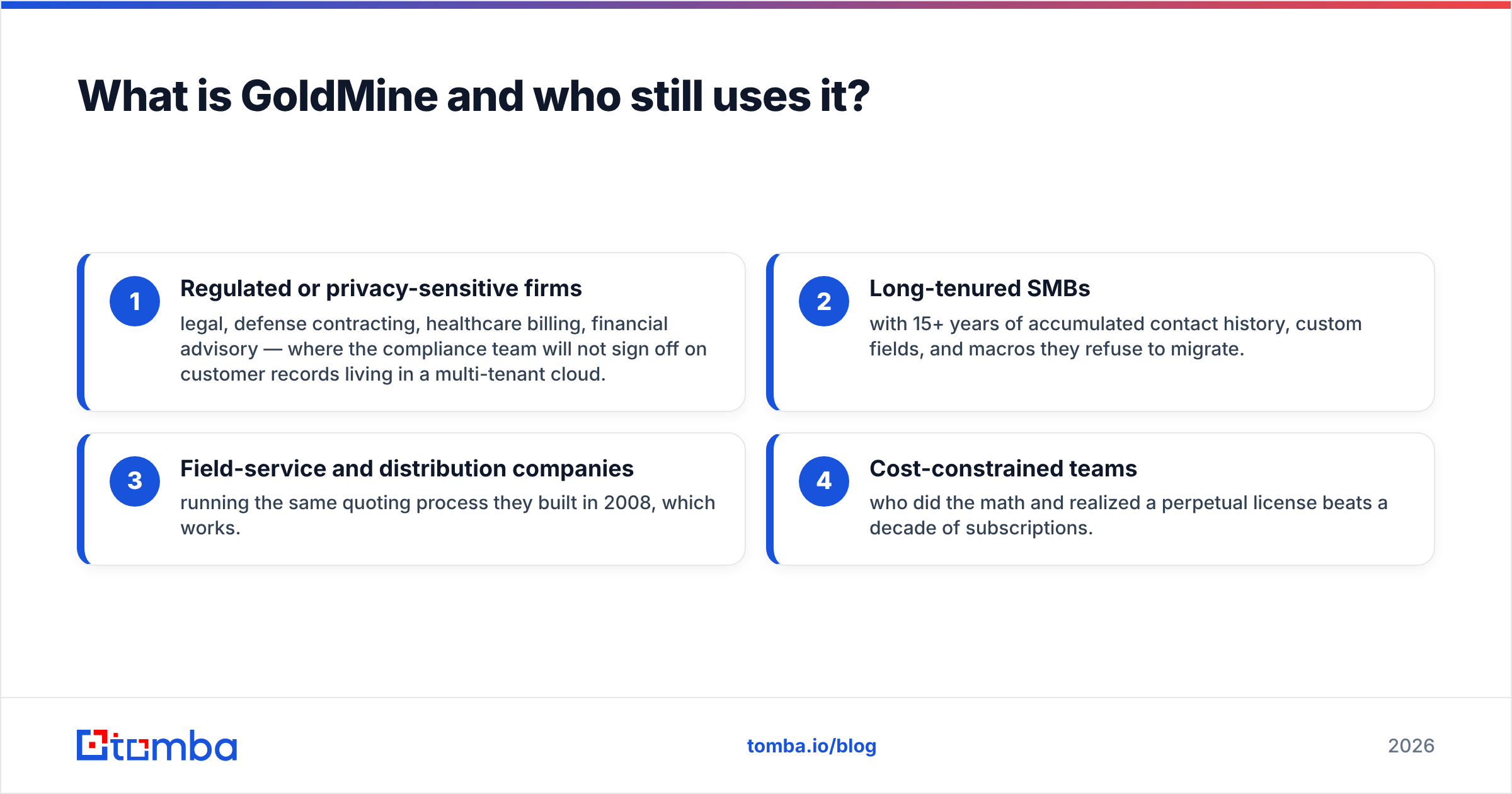
The typical GoldMine buyer in 2026 falls into one of four buckets:
- Regulated or privacy-sensitive firms — legal, defense contracting, healthcare billing, financial advisory — where the compliance team will not sign off on customer records living in a multi-tenant cloud.
- Long-tenured SMBs with 15+ years of accumulated contact history, custom fields, and macros they refuse to migrate.
- Field-service and distribution companies running the same quoting process they built in 2008, which works.
- Cost-constrained teams who did the math and realized a perpetual license beats a decade of subscriptions.
That is not a shrinking-market apology. It is a real, defensible niche. What GoldMine is not is a growth-stage SaaS company's CRM. If your revenue motion involves product-led signups, usage-based scoring, or a marketing team running lifecycle campaigns, GoldMine will fight you.
What is Salesforce and what are you actually buying?#
Salesforce is not a CRM. It is a platform that ships with a CRM on top. That distinction drives every cost and complexity difference in this comparison.
When you buy Sales Cloud, you get the contact and opportunity management layer. But the reason companies stay is everything around it: Flow for automation, the AppExchange with thousands of prebuilt integrations, Apex for custom logic, Experience Cloud for portals, and Einstein/Agentforce for AI-assisted forecasting and summarization. Nothing else in the CRM category has that breadth.
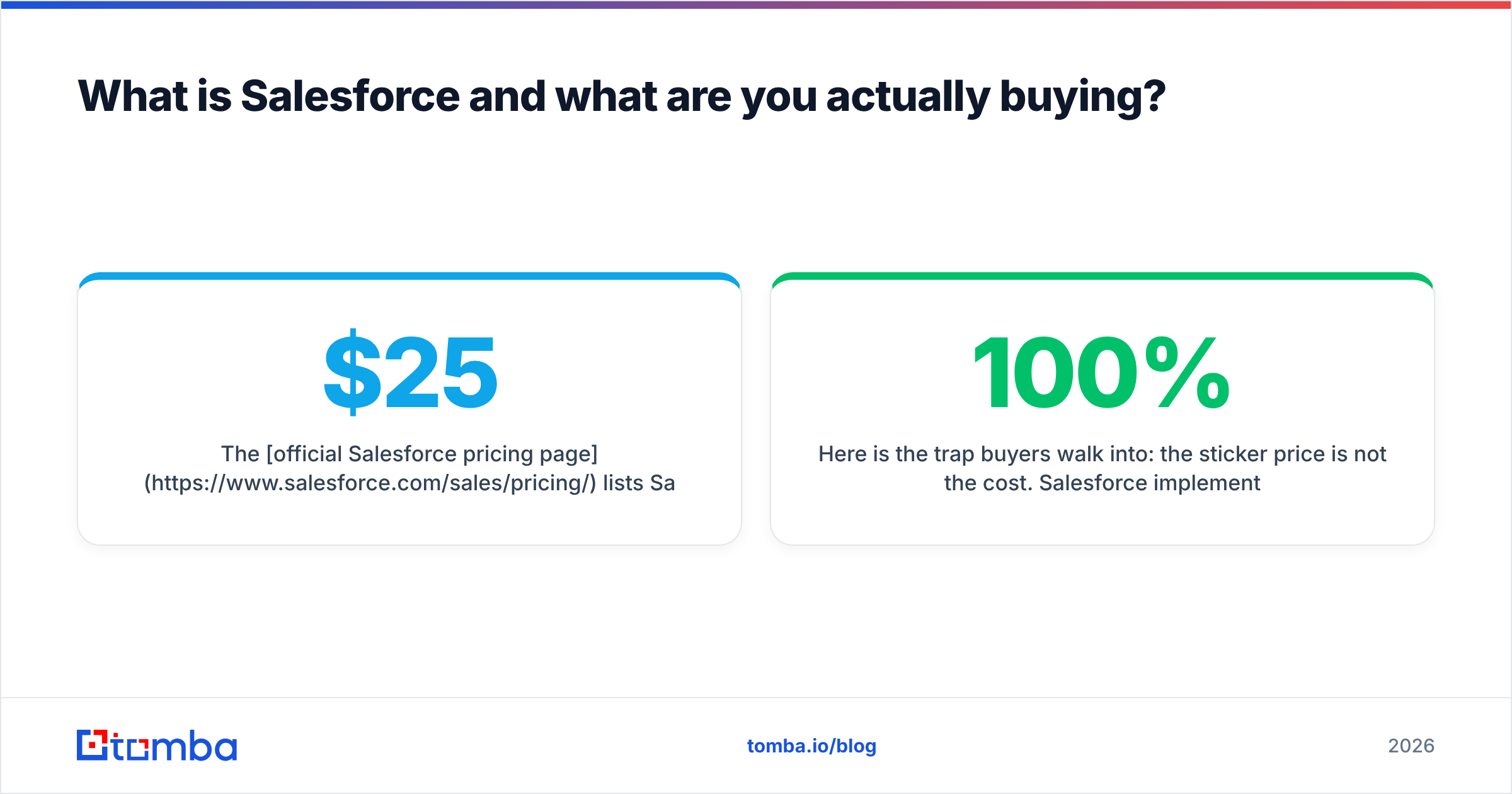
The official Salesforce pricing page lists Sales Cloud tiers starting at $25/user/month (Starter) and rising through Pro Suite, Enterprise ($165/user/month), and Unlimited ($330/user/month). Enterprise is where most real B2B teams land, because that is the first tier with full workflow automation, API access, and territory management.
Here is the trap buyers walk into: the sticker price is not the cost. Salesforce implementations routinely add 30–100% on top of licenses for the first year through admin time, consultant fees, data migration, and add-ons that turn out to be mandatory for your use case (Sales Engagement, CPQ, extra API calls, sandbox environments).
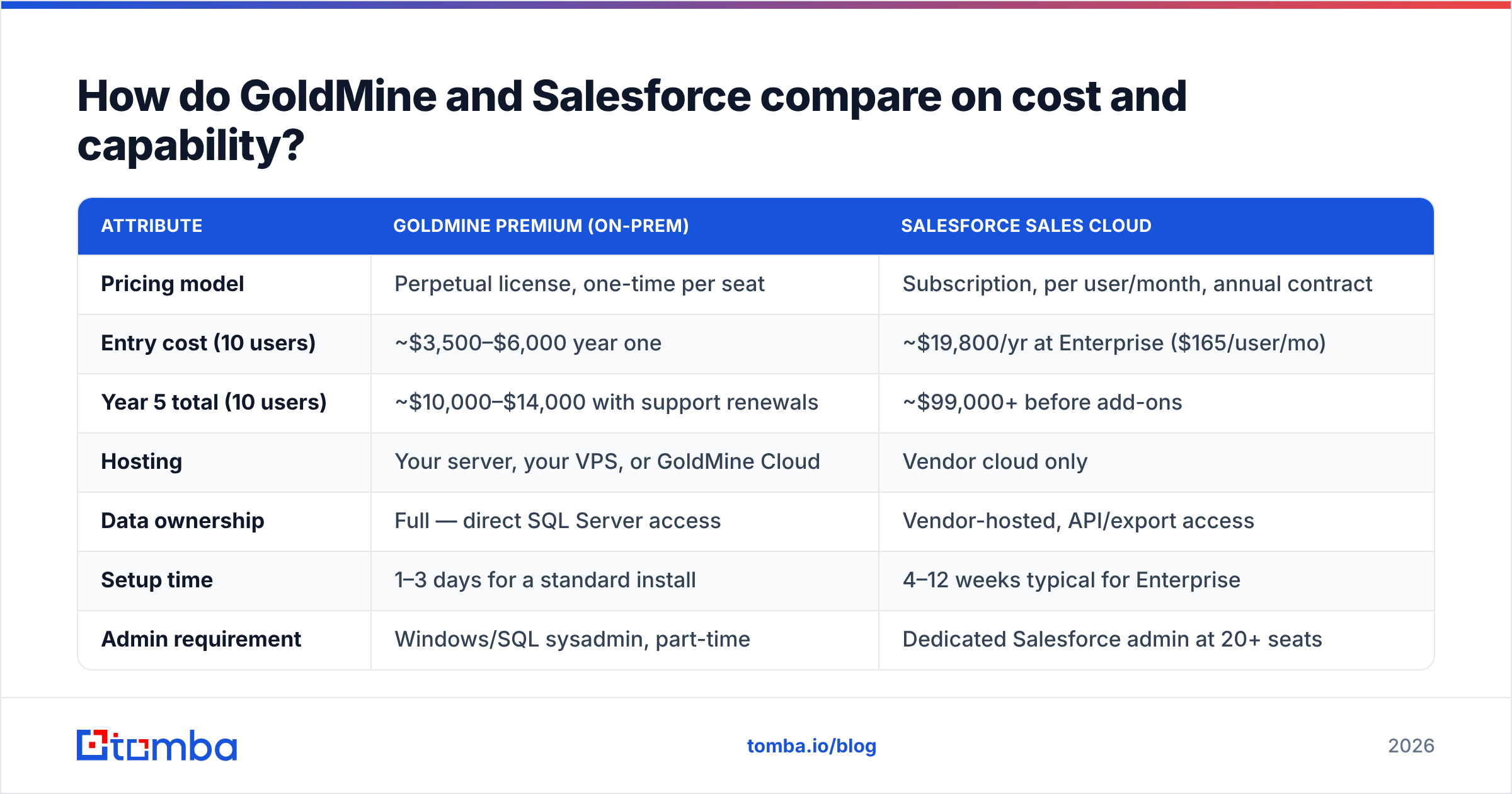
How do GoldMine and Salesforce compare on cost and capability?#
| Attribute | GoldMine Premium (on-prem) | Salesforce Sales Cloud |
|---|---|---|
| Pricing model | Perpetual license, one-time per seat | Subscription, per user/month, annual contract |
| Entry cost (10 users) | ~$3,500–$6,000 year one | ~$19,800/yr at Enterprise ($165/user/mo) |
| Year 5 total (10 users) | ~$10,000–$14,000 with support renewals | ~$99,000+ before add-ons |
| Hosting | Your server, your VPS, or GoldMine Cloud | Vendor cloud only |
| Data ownership | Full — direct SQL Server access | Vendor-hosted, API/export access |
| Setup time | 1–3 days for a standard install | 4–12 weeks typical for Enterprise |
| Admin requirement | Windows/SQL sysadmin, part-time | Dedicated Salesforce admin at 20+ seats |
| Automation | Basic workflow rules, macros | Flow Builder, Apex, event-driven orchestration |
| Native integrations | Limited (Outlook, QuickBooks, Zapier via connectors) | 4,000+ AppExchange listings |
| AI features | Minimal | Einstein/Agentforce across the suite |
| Mobile | GoldMine Connect web app | Full native iOS/Android |
| Best for | 5–50 seats, stable process, compliance needs | 20–5,000+ seats, complex or changing process |
The pattern in that table is consistent: GoldMine wins on cost and control, Salesforce wins on capability and ecosystem. There is no row where one is universally better — every advantage carries a matching cost.
Is GoldMine cheaper than Salesforce over five years?#
Yes, substantially — but only if your process stays stable and you already have IT capacity.
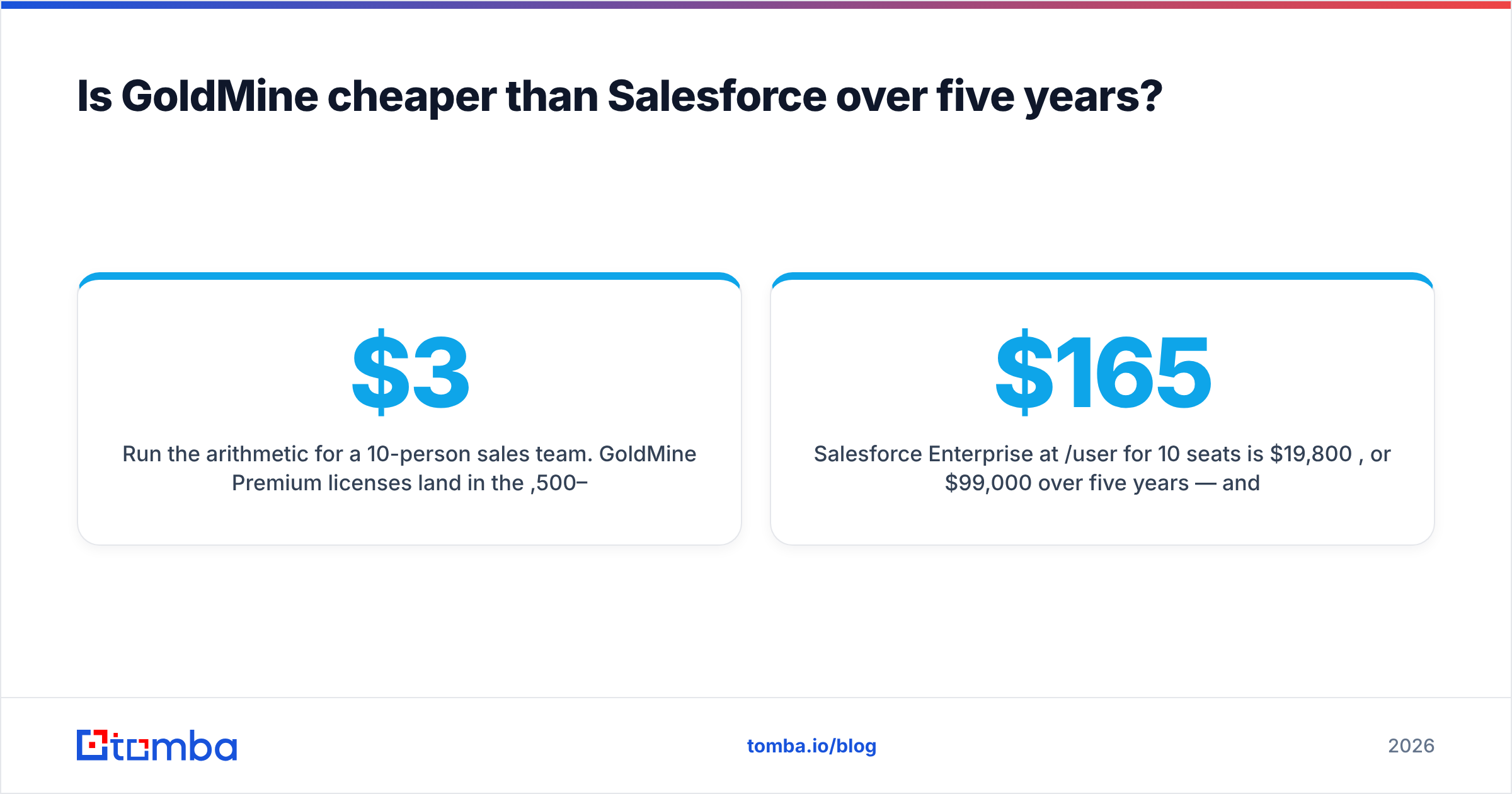
Run the arithmetic for a 10-person sales team. GoldMine Premium licenses land in the $3,500–$6,000 range depending on reseller and edition, plus an optional annual maintenance plan usually priced at 20–25% of license value. Add a Windows server (or a $60/month VPS) and SQL Server Standard if you do not already have a license. Five-year total: roughly $10,000–$14,000.
Salesforce Enterprise at $165/user/month for 10 seats is $19,800 per year, or $99,000 over five years — and that assumes zero price increases, zero add-ons, and zero headcount growth. Salesforce has raised list prices multiple times in the past decade. Add Sales Engagement, a CPQ module, or a data-enrichment add-on and the five-year figure clears $130,000 easily.
So GoldMine is roughly 7–10x cheaper on paper. The honest counterweight is what that gap buys you:
- Salesforce absorbs maintenance. Backups, patching, uptime, and disaster recovery are the vendor's problem. On GoldMine, they are yours. One botched SQL restore erases the savings.
- Salesforce scales without a project. Adding 40 reps is a billing change. On GoldMine, it is a licensing purchase plus a server capacity conversation.
- Salesforce integrates by default. If your stack includes Marketo, Gong, Outreach, ZoomInfo, or a modern data warehouse, connectors already exist. GoldMine integrations often mean middleware or custom work.
- Salesforce has a talent pool. According to G2's CRM category data, Salesforce holds the largest reviewer base in the segment — which translates directly into how easy it is to hire someone who already knows the system.
If your team is stable at 10 seats and your process has not meaningfully changed since 2019, GoldMine's math is genuinely hard to argue with. If you expect to double headcount or your GTM motion is still being invented, the "expensive" option is the cheaper one.
Which CRM should you choose for your team size?#
Rather than a feature checklist, match the deployment to the constraint that actually binds you:
- Under 10 seats, fixed process, no dedicated IT — Neither. You want something like HubSpot's free tier or Pipedrive. GoldMine assumes sysadmin capability you do not have; Salesforce Enterprise is overkill you will not use.
- 10–50 seats, compliance-driven, has IT staff — GoldMine. Data residency, perpetual licensing, and direct database access are precisely the arguments that win here.
- 10–50 seats, fast-growing, marketing-integrated — Salesforce, or an intermediate like HubSpot Sales Hub. The integration surface pays for itself once you have three or more revenue tools that need to talk.
- 50–500 seats, multi-team, territory-managed — Salesforce. Territory management, forecast hierarchies, and permission granularity at this scale are not optional, and GoldMine does not seriously compete here.
- 500+ seats, enterprise, custom apps — Salesforce or Microsoft Dynamics 365. This is a platform decision, not a CRM decision.
- Existing GoldMine install, considering migration — Audit first. Migration costs (data cleanup, retraining, workflow rebuilds) frequently exceed three years of Salesforce licenses. If GoldMine still works, the burning-platform argument may not exist.
What do both CRMs fail to solve?#
Data quality. Neither GoldMine nor Salesforce generates contacts — they store what you put in, and both degrade at roughly the same rate.
B2B contact data decays at approximately 25–30% per year as people change jobs, companies rebrand, and domains consolidate. That decay hits an expensive Salesforce org exactly as hard as a cheap GoldMine install. A $99,000 five-year CRM investment sitting on a database where a third of the emails bounce is not a CRM problem — it is a sourcing and hygiene problem.
This is the layer most buyers underinvest in while arguing about license fees. Three specific gaps:
- Acquisition. Neither tool finds prospect emails for you. Salesforce sells Data Cloud and third-party enrichment; GoldMine expects you to import. Either way you need a source. A domain search that returns every public email pattern at a target company fills that gap regardless of which CRM receives the rows.
- Verification. Importing unverified addresses into either system poisons your sender reputation and inflates your seat-based costs by storing dead records. Running an email verifier pass before import is the single highest-ROI hygiene step available.
- Ongoing enrichment. Records go stale in place. A quarterly data enrichment refresh against your existing CRM base recovers more pipeline than most feature upgrades.
How do you keep either CRM clean?#
A practical, tool-agnostic workflow that works on both platforms:
Step 1 — Source outside the CRM. Build target lists in a spreadsheet or a dedicated finder tool first. Do not use your CRM as a scratchpad; every junk record you create there is a record you will pay to store and clean later.
Step 2 — Verify before import. Run every address through verification. Discard hard bounces, flag catch-all domains for separate handling, and keep only what passes. A catch-all verifier matters here because catch-all domains pass basic SMTP checks while still bouncing in production.
Step 3 — Import with a source field. Both GoldMine and Salesforce support custom fields. Tag every record with where it came from and when. Six months later this is the only way to know which source is producing revenue.
Step 4 — Schedule a decay sweep. Quarterly, export contacts older than 12 months, re-verify in bulk, and update or archive. Bulk verification makes this a 20-minute job instead of a week.
Step 5 — Automate the entry point. Both CRMs support API-driven creation. Wiring a finder API into your intake flow means new records arrive verified instead of getting cleaned retroactively. The Tomba API and its HubSpot and Salesforce integrations exist for exactly this pattern.
This workflow costs less than the license difference between the two CRMs and affects revenue more than any feature on the comparison table.
What is the verdict on GoldMine vs Salesforce in 2026?#
Choose GoldMine if you have fewer than 50 seats, a process that has not fundamentally changed in five years, in-house IT capable of running Windows Server and SQL Server, and a compliance or budget constraint that makes cloud hosting a non-starter. The perpetual license is a legitimately good deal, and dismissing GoldMine as legacy software ignores the buyers for whom it is still the correct answer.
Choose Salesforce if you are growing, if your revenue stack has more than three tools that need to share data, if you need automation beyond simple rules, or if you would rather pay a subscription than staff a sysadmin. The premium is real, but so is what it buys.
Choose neither if you are under 10 people with no IT and no compliance constraint — start with something lighter and migrate when the pain is concrete.
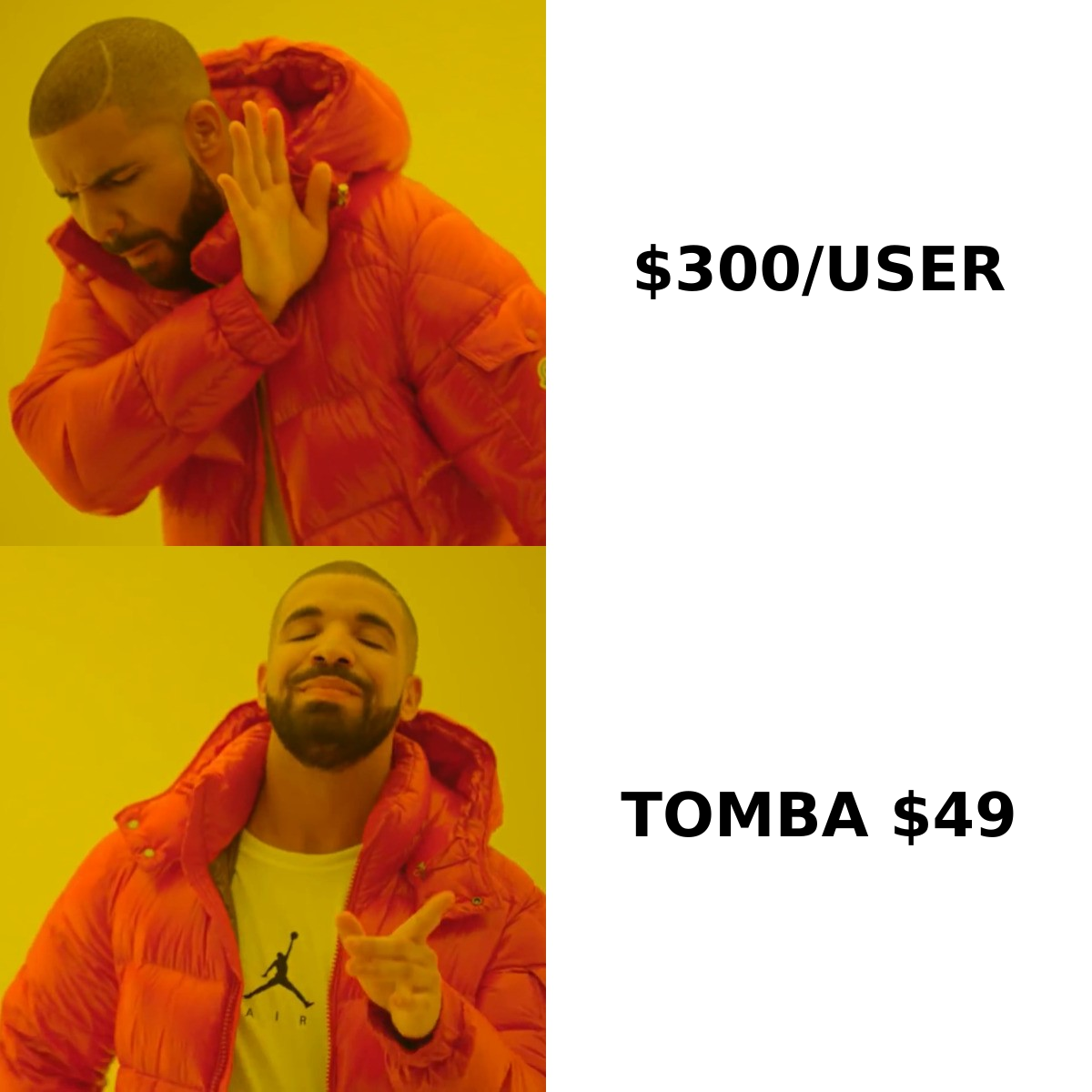
What is not in dispute: whichever database you pick, it is worth exactly as much as the contact data inside it. Start your pipeline with verified addresses using the Tomba Email Finder — find emails by domain, name, or company, verify them before they touch your CRM, and stop paying per-seat prices to store records that bounce. The free tier gives you 25 searches a month to test it against your own target accounts, with paid plans starting at $49/mo.
Related guides#
Ready to find emails that actually work?
Join 150,000+ professionals who stopped guessing and started sending. Free credits on signup — no credit card required.
Get the Tomba newsletter
Practical outbound tactics and product updates — once every two weeks.
About the author