Good Email Openers: 25 First Lines That Get Replies in 2026
Your first line decides whether the rest of your email gets read. Here are 25 tested email openers, the four that consistently fail, and a framework for picking the right one per segment.
TL;DR
- The opener's only job is to buy the second line. It is not where you pitch, qualify, or introduce yourself.
- Openers that reference something the recipient did — shipped, hired, posted, moved — beat openers that reference something you did.
- "I hope this email finds you well," "My name is X and I work at Y," and "Quick question" are the three highest-frequency, lowest-performing openers in B2B outbound. Cut them.
- Personalization only compounds if the email lands. A great first line to a stale or unverified address is a bounce with extra steps.
- Match opener type to research depth: deep-research openers for tier-1 accounts, segment-level openers for tier-2, category openers for tier-3 volume.
What Makes an Email Opener "Good" in 2026?#
A good email opener earns the next sentence. That's the whole job.
Most reps write openers as if the reader has already agreed to read. They haven't. In a preview pane, your recipient sees the sender name, the subject line, and roughly the first 60–90 characters of the body. That preview is the real ad for your email. If it starts with "I hope this email finds you well," you've spent your entire preview budget on a phrase that carries zero information.
Three properties separate openers that work from openers that fill space:
- They're about the reader, not you. The subject of the first sentence should be the recipient, their company, or their market — never your company name.
- They're falsifiable. A specific, checkable claim ("you moved billing in-house last quarter") signals real research. A vague compliment ("love what you're building") signals a template.
- They set up a question the body answers. The opener creates a small gap; the next two sentences close it. That's the mechanism behind curiosity — not tricks, just structure.
There's a fourth property nobody writes about: the opener has to survive being read on a phone in three seconds. If your first line runs 40 words and contains two subordinate clauses, it doesn't matter how well researched it is.
Which Email Openers Actually Get Replies?#
Below are 25 openers grouped by the research effort they require. Effort is the honest axis — a "trigger event" opener is excellent and takes eight minutes per prospect, which means it doesn't scale to a 2,000-contact list. Pick the tier your volume supports.
Tier 1 — Trigger-based (5–10 min research, best for named accounts)
- "Saw {{Company}} opened the Austin office in March — congrats. Curious how you're handling {pain} for the new team."
- "You posted about deprecating {tool} last week. What replaced it?"
- "Noticed you're hiring three SDRs. Usually that means {implication} — is that the case here?"
- "Your Q3 filing flagged {metric} as a priority. That's the exact number we move for {peer company}."
- "{Competitor} just launched {feature}. Wondering whether that changed your roadmap for {area}."
Tier 2 — Segment-based (research once per segment, reuse across 50–200 contacts)
- "Most {role}s at {company size} Series B companies tell me {specific pain}. Is that your read too?"
- "Three {industry} teams told me this month that {problem} is their #1 blocker. Curious whether you'd rank it the same."
- "You're the second {role} I've talked to this week using {tool} alongside {other tool} — that combo usually breaks at {scale point}."
- "Quick context: we work with {peer 1}, {peer 2}, and {peer 3}. All three had the same problem with {area}."
- "Teams your size usually hit a wall around {number} — did you?"
Tier 3 — Direct/value-first (no per-contact research, scales to volume)
- "One question and I'll get out of your inbox: are you still handling {process} manually?"
- "I built a {resource} for {role}s. Want it? No pitch attached."
- "This is a cold email — I'll be quick."
- "Here's the number that made me write to you: {stat}."
- "You can ignore this if {disqualifying condition}. If not, one line below is worth 20 seconds."
Tier 4 — Referral, reply-bait, and re-engagement
- "{Name} suggested I reach out — she said you own {area}."
- "Wrong person? Point me at whoever owns {area} and I'll leave you alone."
- "We spoke in {month}. You said {objection}. That's fixed now."
- "Closing your file — should I?"
- "I emailed you in April about {topic}. Bad timing or bad idea?"
Tier 5 — Contrarian and observational
- "Your pricing page says {claim}. Your docs say {other thing}. Which is right?"
- "Unpopular opinion: {counterintuitive claim about their space}. Curious if you'd push back."
- "I tried to sign up for {product} yesterday and got stuck at {step}."
- "Most {role}s I email about this say {common objection}. Here's why I think it's wrong."
- "Nobody asked for this teardown of your {asset}, but here it is anyway."
Openers 21 and 23 carry risk. Only send them if the observation is true and you deliver it without smugness. A wrong "gotcha" opener costs you the account permanently.
What Are the Worst Email Openers — and Why Do They Fail?#
Four openers appear in the majority of cold emails and underperform almost everywhere.
"I hope this email finds you well." It's not offensive — it's invisible. It occupies the preview pane, says nothing, and marks the email as templated before the reader hits the second line. The cost isn't rudeness; it's the wasted first impression.
"My name is {name} and I'm the {title} at {company}." Your signature already says this. Leading with your own identity inverts the attention hierarchy: you're asking the reader to care about you before you've given them a reason to.
"Quick question." It was effective around 2016. It's now so overused that many readers pattern-match it to spam instantly. Worse, it's usually a lie — the "quick question" is followed by 200 words and a calendar link.
"I know you're busy, so I'll keep this short." Then keep it short. Announcing brevity consumes the brevity. Meta-commentary about your own email is always cuttable.
There's a common thread: all four are social throat-clearing. They're what you say when you're nervous about interrupting someone. Cut them and the email gets sharper by default.
How Do Opener Types Compare?#
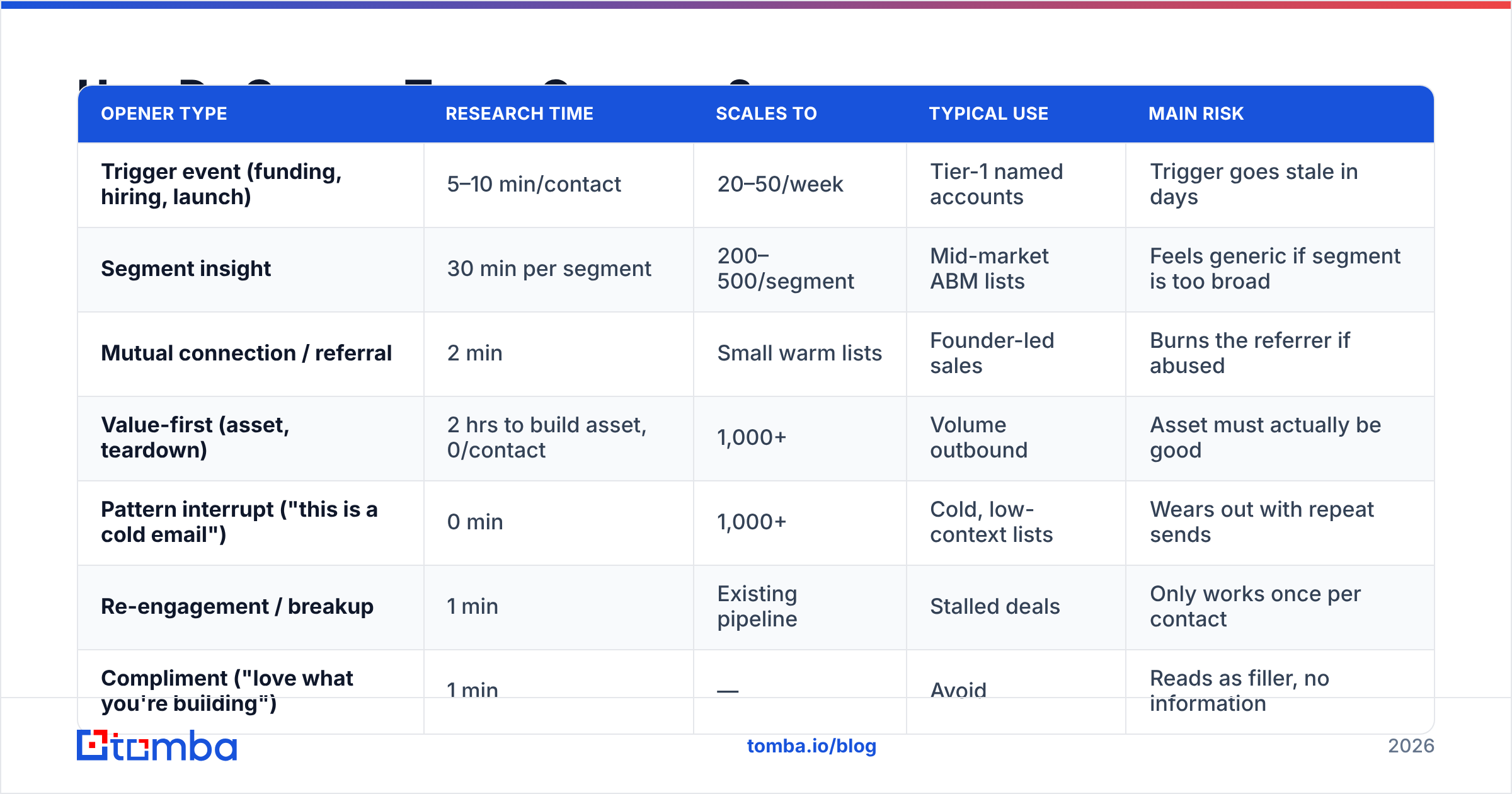
| Opener type | Research time | Scales to | Typical use | Main risk |
|---|---|---|---|---|
| Trigger event (funding, hiring, launch) | 5–10 min/contact | 20–50/week | Tier-1 named accounts | Trigger goes stale in days |
| Segment insight | 30 min per segment | 200–500/segment | Mid-market ABM lists | Feels generic if segment is too broad |
| Mutual connection / referral | 2 min | Small warm lists | Founder-led sales | Burns the referrer if abused |
| Value-first (asset, teardown) | 2 hrs to build asset, 0/contact | 1,000+ | Volume outbound | Asset must actually be good |
| Pattern interrupt ("this is a cold email") | 0 min | 1,000+ | Cold, low-context lists | Wears out with repeat sends |
| Re-engagement / breakup | 1 min | Existing pipeline | Stalled deals | Only works once per contact |
| Compliment ("love what you're building") | 1 min | — | Avoid | Reads as filler, no information |
The practical takeaway: you should be running two or three of these simultaneously, tiered by account value. Sending trigger-based openers to your whole list is not diligence — it's a bottleneck that caps you at 40 emails a week. Sending pattern-interrupt openers to your top 20 accounts is under-investment. Tier the list, then match.
How Do You Personalize an Opener Without Spending 10 Minutes Per Prospect?#
The trick is moving personalization up a level — from person to segment.
A person-level opener requires you to read one prospect's LinkedIn, podcast appearance, and company blog. A segment-level opener requires you to understand one category of buyer deeply, then write a first line that's true for all 200 of them and false for everyone else. The second scales; the first doesn't.
Practical method:
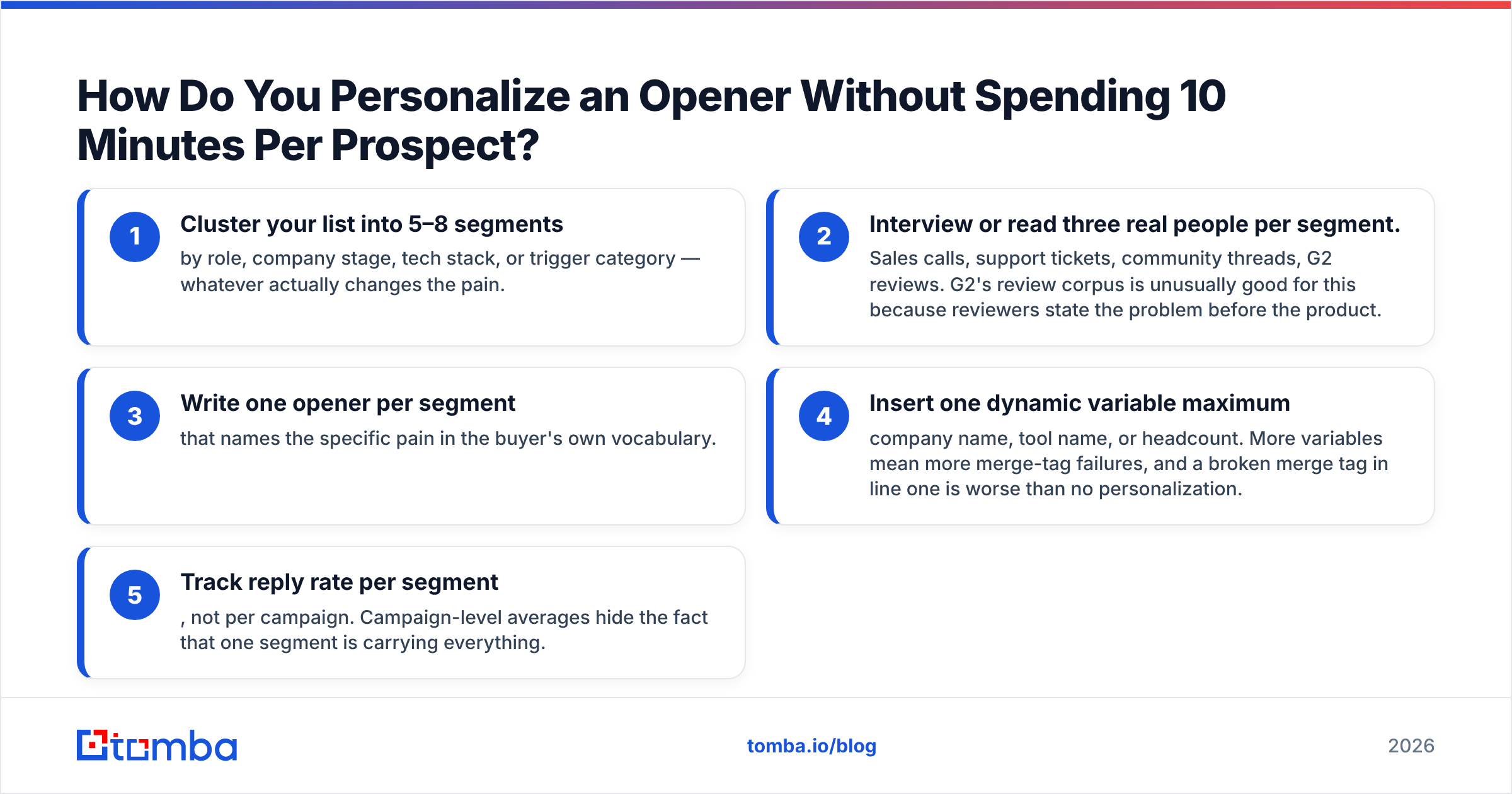
- Cluster your list into 5–8 segments by role, company stage, tech stack, or trigger category — whatever actually changes the pain.
- Interview or read three real people per segment. Sales calls, support tickets, community threads, G2 reviews. G2's review corpus is unusually good for this because reviewers state the problem before the product.
- Write one opener per segment that names the specific pain in the buyer's own vocabulary.
- Insert one dynamic variable maximum — company name, tool name, or headcount. More variables mean more merge-tag failures, and a broken merge tag in line one is worse than no personalization.
- Track reply rate per segment, not per campaign. Campaign-level averages hide the fact that one segment is carrying everything.
Merge-tag failures deserve special attention. "Hi {{first_name}}," rendering literally is the single most damaging thing that can happen in an opener — it proves the email is bulk-sent. Clean your fields before send, and use a bulk email finder that returns structured first/last name fields rather than scraping full-name strings you have to split yourself.
Does the Opener Matter If the Email Never Lands?#
No. And this is where most opener advice quietly falls apart.
You can write the best first line of your career and still get a 0% reply rate, because the message went to spam or bounced on send. The order of operations matters:
- Deliverable infrastructure — authenticated domain, warmed mailbox, sane sending volume.
- Valid, verified recipients — bounces above roughly 3% start damaging sender reputation, which then damages every subsequent send regardless of copy quality.
- Then copy — subject line, opener, body, CTA.
Steps 1 and 2 are gates. Step 3 is optimization. Optimizing past a closed gate produces nothing.
This is also why "personalization" and "list hygiene" aren't competing priorities — they're sequential ones. A verified list of 400 with segment-level openers outperforms an unverified list of 4,000 with deep personalization, because the second list never fully arrives. Run addresses through an email verifier before the campaign, not after the bounces come in. If a chunk of your list sits on catch-all domains, a catch-all verifier will tell you which of those are worth sending to instead of guessing.
Microsoft and Google both tightened bulk-sender requirements over the past two years; Google's bulk sender guidelines are the canonical reference for what's now mandatory rather than optional. Read them once, fix your setup, then go back to writing.
How Should You Test Your Openers?#
Test one variable at a time, and give each test enough volume to mean something.
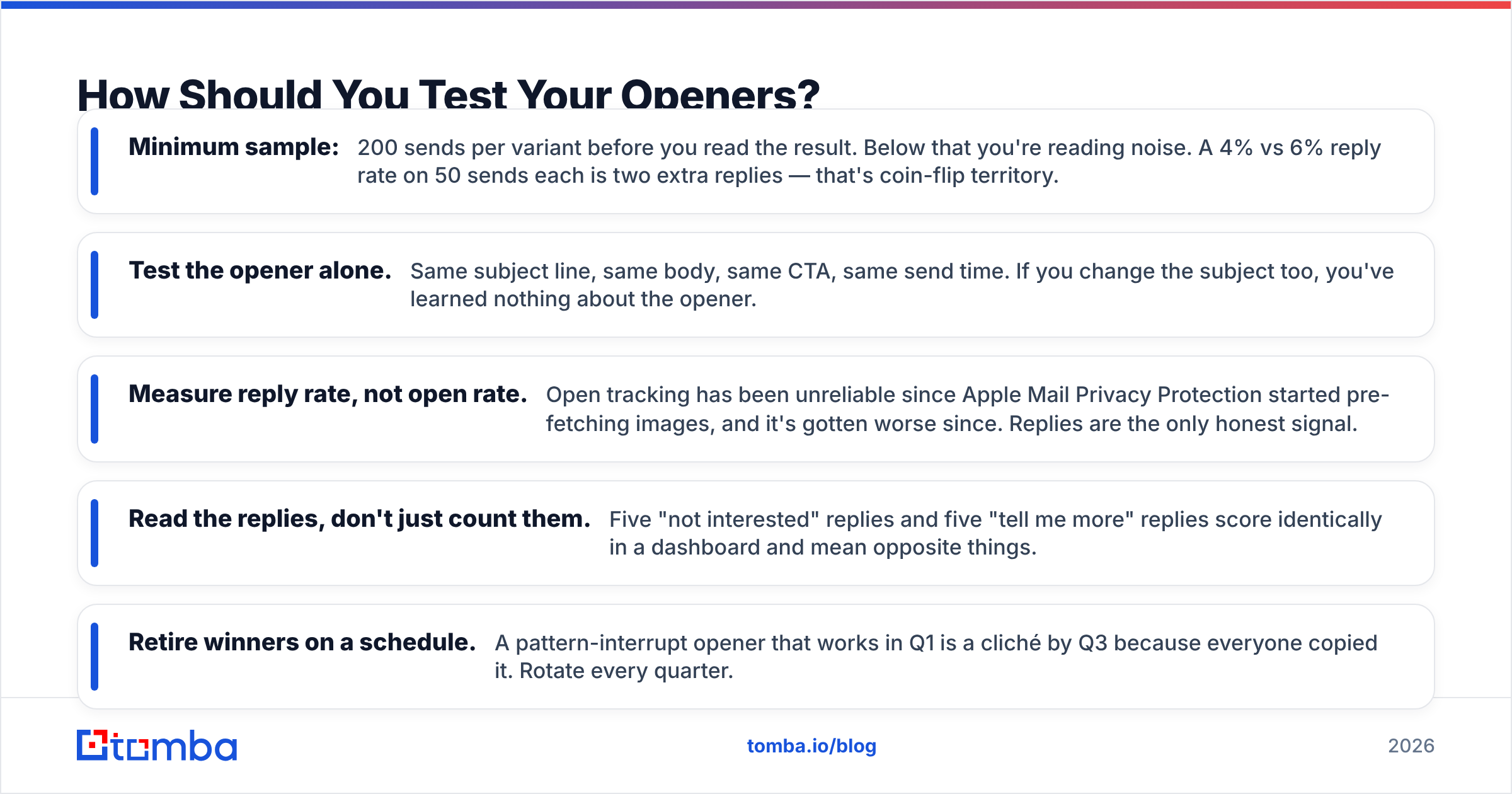
- Minimum sample: 200 sends per variant before you read the result. Below that you're reading noise. A 4% vs 6% reply rate on 50 sends each is two extra replies — that's coin-flip territory.
- Test the opener alone. Same subject line, same body, same CTA, same send time. If you change the subject too, you've learned nothing about the opener.
- Measure reply rate, not open rate. Open tracking has been unreliable since Apple Mail Privacy Protection started pre-fetching images, and it's gotten worse since. Replies are the only honest signal.
- Read the replies, don't just count them. Five "not interested" replies and five "tell me more" replies score identically in a dashboard and mean opposite things.
- Retire winners on a schedule. A pattern-interrupt opener that works in Q1 is a cliché by Q3 because everyone copied it. Rotate every quarter.
One underrated test: send the same opener to two segments. If reply rate diverges sharply, the opener isn't good or bad — it's segment-specific, and you've just learned something more valuable than a winning line.
For a starting library rather than a blank page, our cold email templates include full sequences you can strip down to just the first line, and the subject line tester helps make sure the subject and opener aren't repeating each other — a common and costly overlap.
What Does a Good Opener Look Like in a Full Email?#
Openers don't live alone. Here's a complete short email where the first line does its job and then gets out of the way:
Subject: your Austin office
Saw you opened the Austin office in March — congrats.
Most teams that add a second location hit a wall on territory routing about 60 days in. Leads get assigned to whoever's closest on the org chart, not whoever's closest to the account.
We fixed exactly that for {peer company} last quarter. Worth a 15-minute call, or is routing already sorted?
— {name}
Four sentences. The opener is nine words and does three things: proves research, establishes recency, and sets up the pain in sentence two. Note that the CTA offers an exit ("or is routing already sorted?"). Giving the reader an easy "no" reliably lifts reply rate, because it lowers the cost of responding at all.
Compare that to the same email opened with "I hope this email finds you well. My name is {name} and I'm the AE at {company}." Identical body, and it reads like a different — worse — email.
Where Do You Get the Data to Personalize At Scale?#
Openers referencing hiring, funding, tooling, or location changes need a data layer underneath them. Manually checking 300 companies' careers pages is not a strategy.
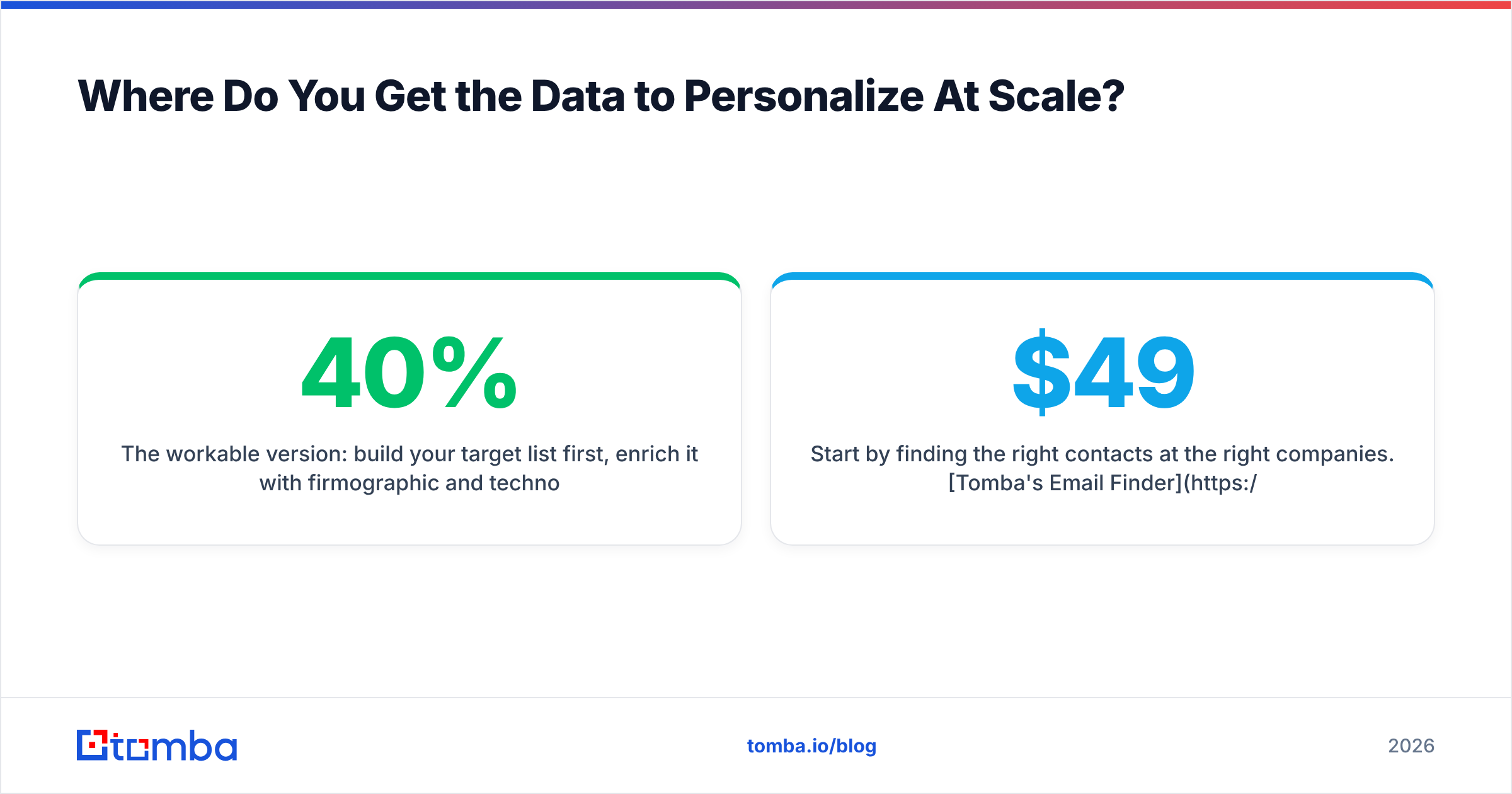
The workable version: build your target list first, enrich it with firmographic and technographic signals, then write openers against the signals that appear most often. If 40% of your list is hiring for a role that implies your pain, that's a segment — write one opener for it.
Start by finding the right contacts at the right companies. Tomba's Email Finder resolves verified professional addresses from a name and domain, with domain search for mapping out every reachable contact at a target account and data enrichment for the role, seniority, and company attributes your openers key off. The free tier covers 25 searches a month if you want to test the data quality against your own accounts before committing; paid plans start at $49/month on Starter, with Growth at $99/month for teams running real volume — full Tomba pricing is public.
Write the opener that earns the second line. Then make sure it actually arrives.
Related guides#
Ready to find emails that actually work?
Join 150,000+ professionals who stopped guessing and started sending. Free credits on signup — no credit card required.
Get the Tomba newsletter
Practical outbound tactics and product updates — once every two weeks.
About the author