Google Email Lookup Free: How to Find Emails Without Paying
Google can surface a work email in about 90 seconds if you know the right search operators. Here are the exact strings, the free tools that fill the gaps, and where manual lookup stops paying off.
TL;DR
- Google email lookup free still works, but only for people who leave a public footprint: conference speakers, authors, open-source maintainers, small-business owners, and anyone whose company publishes staff pages.
- Four operator patterns do 80% of the work:
site:+"@domain.com","name" + "email",filetype:pdf "@domain.com", andintext:"firstname.lastname@". - Google will not index most corporate inboxes. For those you need pattern inference plus SMTP verification — which is where a free tier on a dedicated finder beats manual searching.
- Expect roughly 20–40% hit rate on manual Google lookups versus 65–85% on a purpose-built email finder, and budget 3–6 minutes per contact manually.
- Free is fine up to about 25 contacts a month. Past that, the math flips: your time costs more than a $49/mo plan.
What does "Google email lookup free" actually mean?#
Three different things, and people conflate them constantly.
1. Searching Google for a published email address. You use search operators to find a page where someone already wrote the address in plain text. This is genuinely free and genuinely legal — you are reading public web pages. It works when the address exists somewhere indexed.
2. Looking up who owns a Gmail address. Reverse direction: you have jsmith8842@gmail.com and want a name. Google itself gives you almost nothing here; Google's own products deliberately do not expose this. You are stuck with a plain query on the address string, plus Google account profile photos surfaced through Google Chat or Contacts if you share a Workspace.
3. Using a free tool that queries Google-indexed data on your behalf. Free tiers on email finders, Chrome extensions, and browser scrapers. Free as in limited, not free as in unlimited.
This guide covers all three, but spends most of its time on the first, because that is what actually returns results.
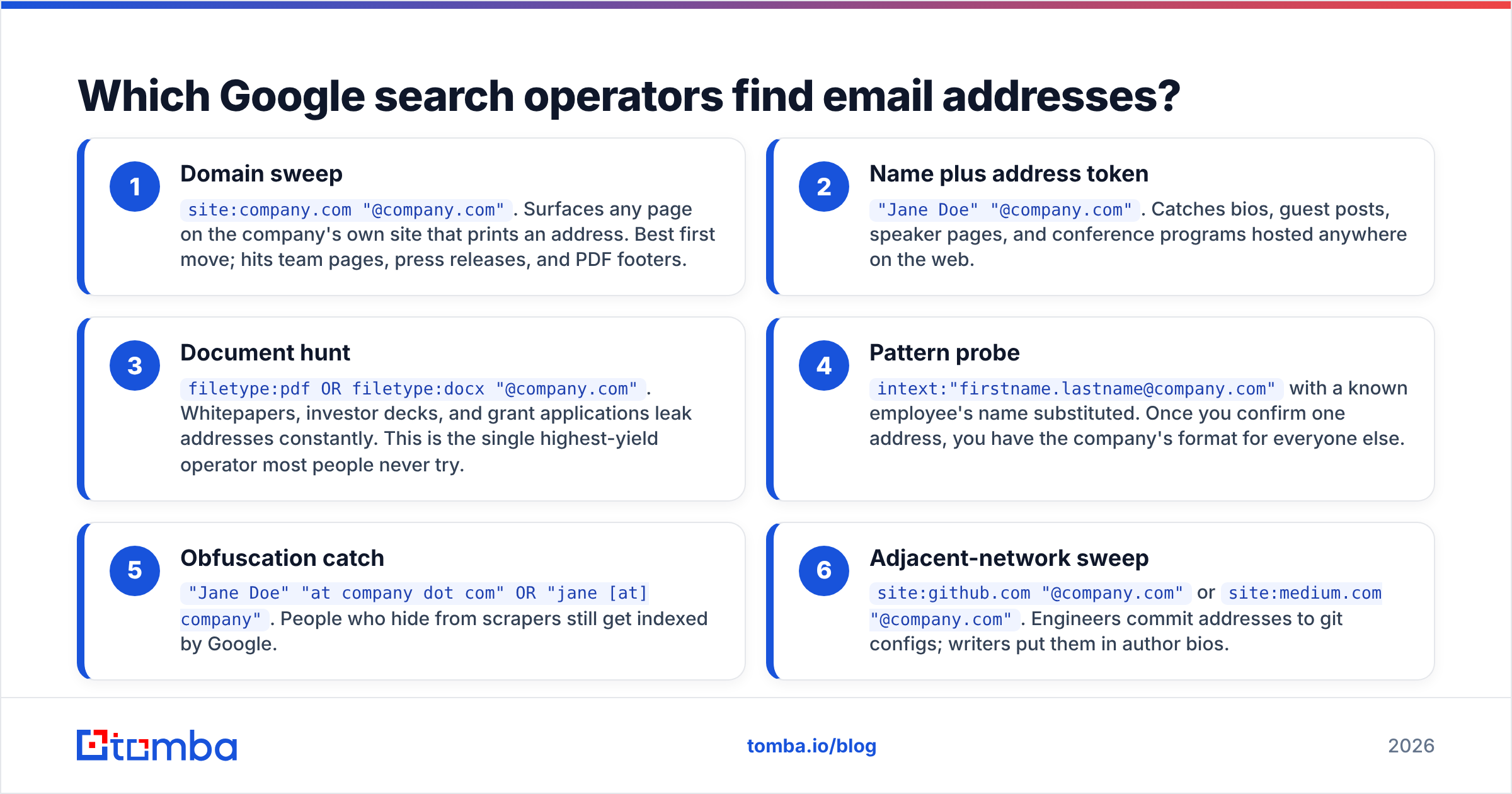
Which Google search operators find email addresses?#
Start with these. Copy them, swap the placeholders, and run them in order — each one narrows differently.
- Domain sweep —
site:company.com "@company.com". Surfaces any page on the company's own site that prints an address. Best first move; hits team pages, press releases, and PDF footers. - Name plus address token —
"Jane Doe" "@company.com". Catches bios, guest posts, speaker pages, and conference programs hosted anywhere on the web. - Document hunt —
filetype:pdf OR filetype:docx "@company.com". Whitepapers, investor decks, and grant applications leak addresses constantly. This is the single highest-yield operator most people never try. - Pattern probe —
intext:"firstname.lastname@company.com"with a known employee's name substituted. Once you confirm one address, you have the company's format for everyone else. - Obfuscation catch —
"Jane Doe" "at company dot com" OR "jane [at] company". People who hide from scrapers still get indexed by Google. - Adjacent-network sweep —
site:github.com "@company.com"orsite:medium.com "@company.com". Engineers commit addresses to git configs; writers put them in author bios.
Two habits make these dramatically more effective. First, wrap the domain in quotes — unquoted, Google treats @company.com as noise. Second, add -jobs -careers -support to strip the generic inboxes that dominate results.

How accurate is manual Google lookup versus a dedicated finder?#
Honest answer: manual Google lookup is precise but has terrible recall. When Google finds an address, that address is usually real — someone published it. The problem is that Google finds an address for maybe one in four B2B contacts, and almost never for mid-level employees at companies over 200 people.
Dedicated finders solve recall differently. They combine crawled public sources with pattern inference ({first}.{last}@, {f}{last}@, and about a dozen others), then confirm the guess with an SMTP handshake against the mail server. That last step is what a Google search can never do — Google tells you a string exists on a page, not whether the mailbox accepts mail today.
Two practical failure modes worth knowing:
- Stale addresses. A PDF from 2019 lists
jane@company.com. Jane left in 2022. Google has no expiry logic. Run anything you scrape through an email verifier before you send. - Catch-all domains. Roughly a third of B2B domains accept mail to any address, so SMTP verification returns "accepted" for garbage. A catch-all verifier applies additional signals rather than trusting the handshake.

Which free email lookup methods actually work in 2026?#
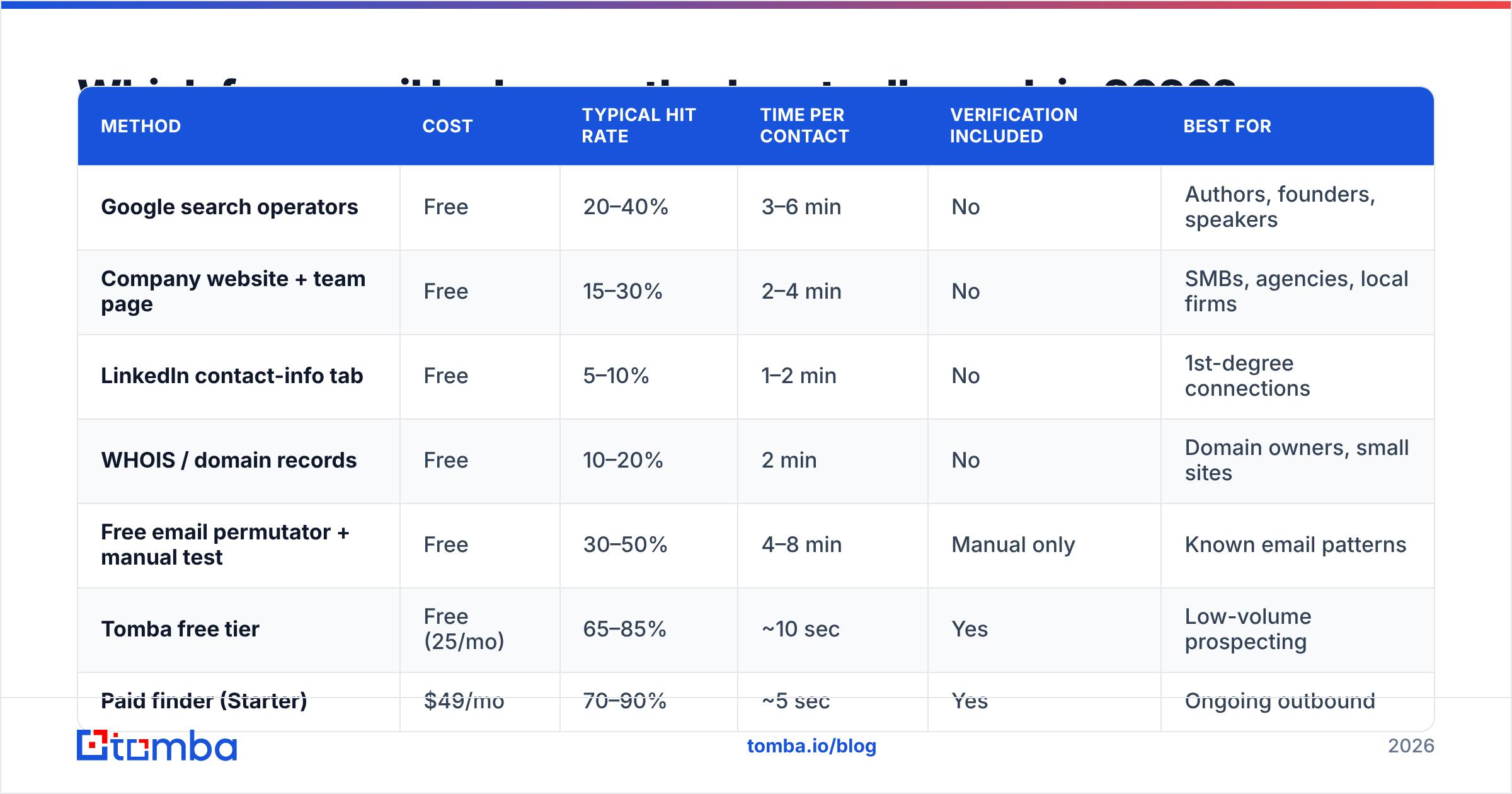
Here is the honest scoreboard across the methods people actually use.
| Method | Cost | Typical hit rate | Time per contact | Verification included | Best for |
|---|---|---|---|---|---|
| Google search operators | Free | 20–40% | 3–6 min | No | Authors, founders, speakers |
| Company website + team page | Free | 15–30% | 2–4 min | No | SMBs, agencies, local firms |
| LinkedIn contact-info tab | Free | 5–10% | 1–2 min | No | 1st-degree connections |
| WHOIS / domain records | Free | 10–20% | 2 min | No | Domain owners, small sites |
| Free email permutator + manual test | Free | 30–50% | 4–8 min | Manual only | Known email patterns |
| Tomba free tier | Free (25/mo) | 65–85% | ~10 sec | Yes | Low-volume prospecting |
| Paid finder (Starter) | $49/mo | 70–90% | ~5 sec | Yes | Ongoing outbound |
The row that surprises people is the permutator. If you already know a company uses first.last@, generating candidates with an email permutator and testing them costs nothing and beats blind Google searching. The catch is the testing step — sending test emails to guess addresses damages your sender reputation fast, so verify programmatically instead.
Can you do a reverse Google email lookup for free?#
Partly. Paste the full address into Google in quotes — "jsmith8842@gmail.com" — and you will occasionally hit a forum post, a resume, a GitHub commit, or a leaked directory. That is the entire free reverse-lookup surface Google gives you.
What does not work, despite what a lot of pages claim:
- Google does not expose Gmail account holder names to non-contacts. It never has.
- "Reverse Gmail lookup" sites mostly resell breach data or return nothing. Many are pure lead capture for a paid upsell.
- Google Contacts only shows profile data for people inside your Workspace organization.
The workable version is a real reverse email lookup that queries a maintained B2B dataset rather than an index of web pages. For personal Gmail addresses with no professional footprint, though, expect low coverage from any vendor — that data is genuinely thin, and any tool promising 90% coverage on consumer Gmail is overstating it.
When should you stop using Google and pay for a tool?#
Run the arithmetic once and the answer settles.
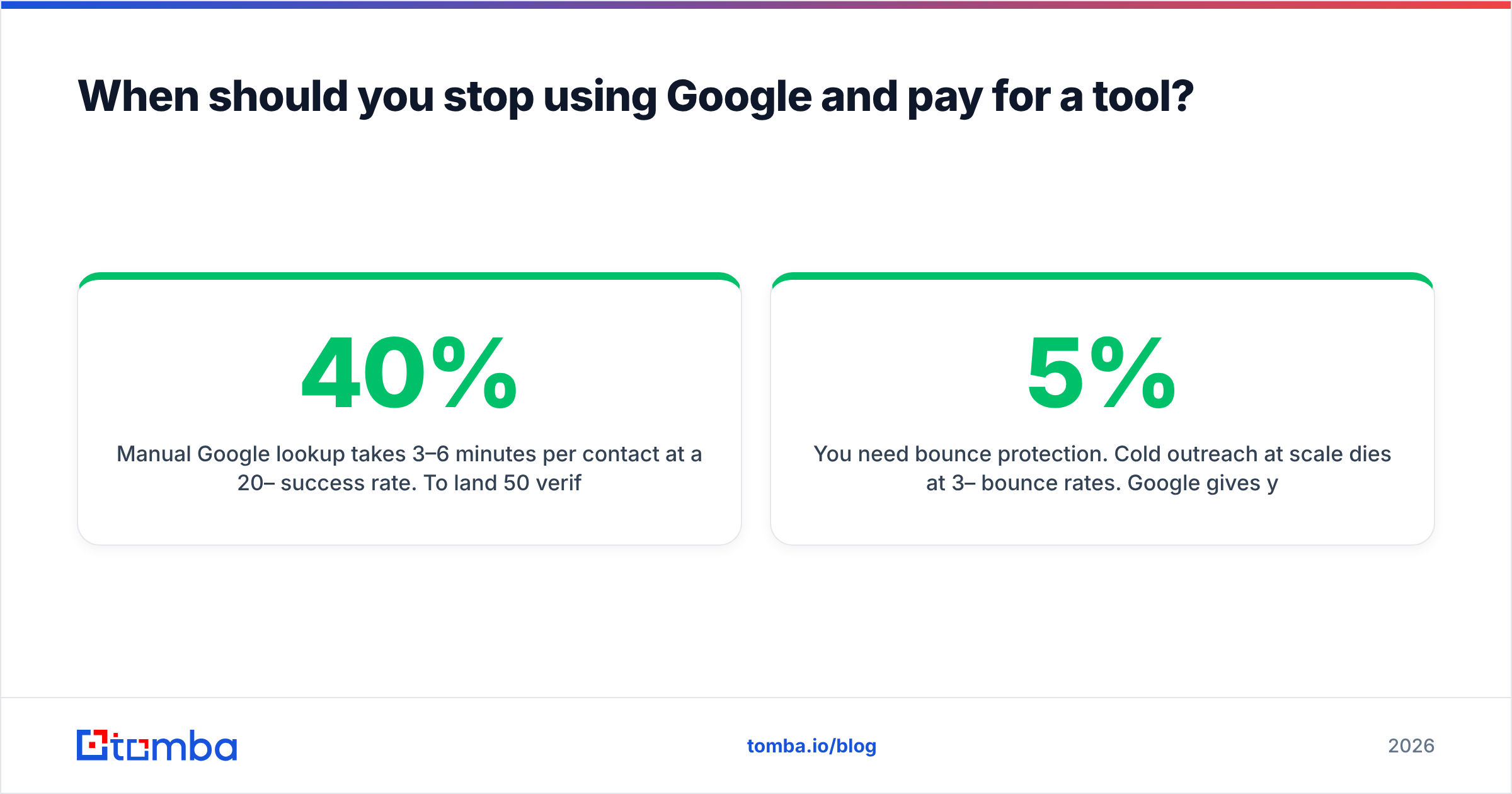
Manual Google lookup takes 3–6 minutes per contact at a 20–40% success rate. To land 50 verified emails you need roughly 150 attempts, at 4 minutes each, which is 10 hours. Even at a modest $30/hour internal cost, that is $300 of labor for 50 contacts — versus $49/mo for a plan that returns them in an afternoon with verification attached.
The crossover point sits around 25 contacts per month. Below that, Google plus a free tier is completely rational and you should not pay anyone. Above it, manual lookup is a false economy.
Three other triggers matter more than raw volume:
- You need bounce protection. Cold outreach at scale dies at 3–5% bounce rates. Google gives you zero verification signal. See how email deliverability degrades once bounces stack up.
- You need repeatability. A CSV of 400 accounts is not a Google-operator job. That is a bulk email finder job.
- You need it inside a workflow. If the lookup has to fire from your CRM or a script, you need an API, not a search box.

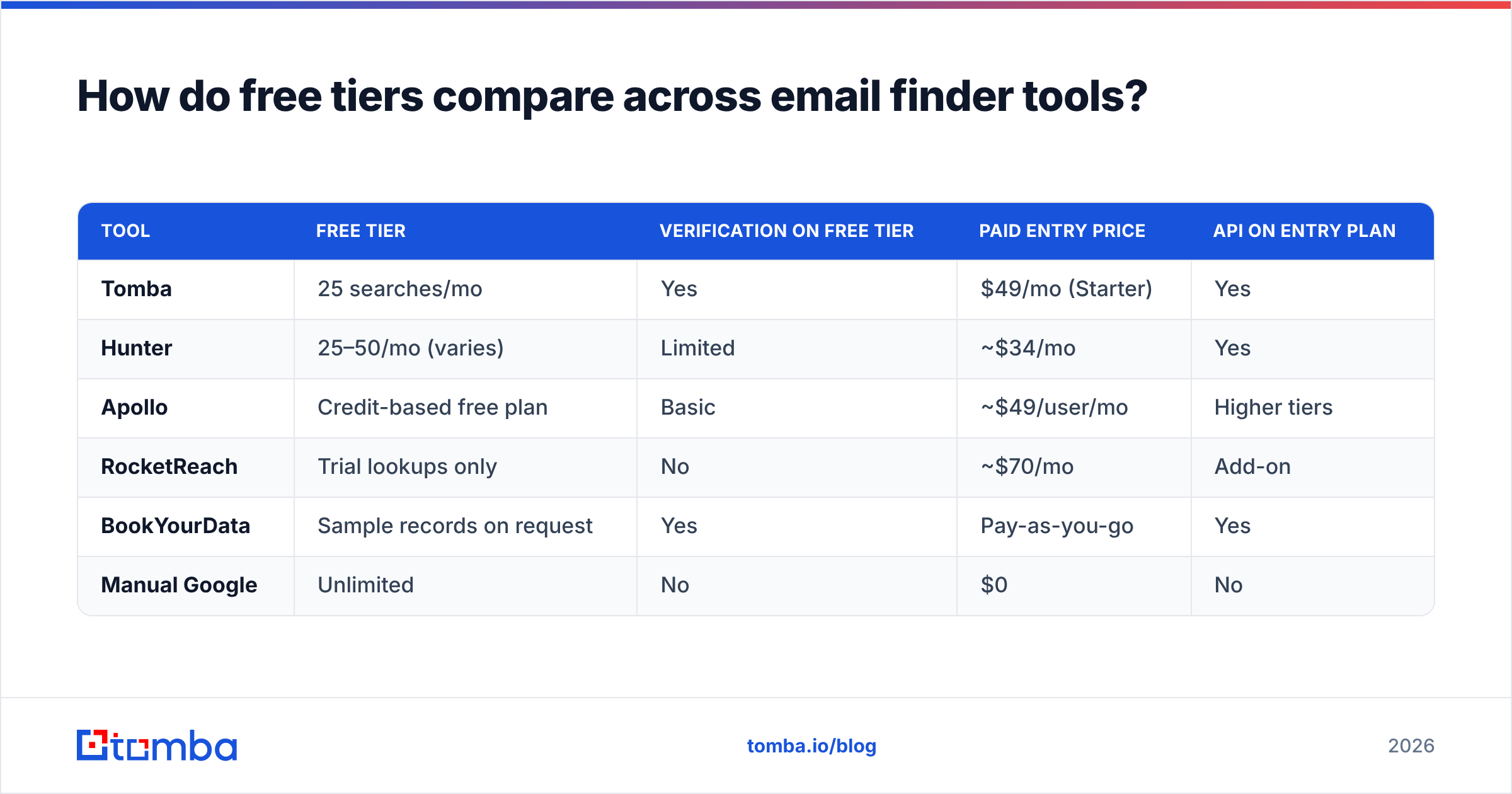
How do free tiers compare across email finder tools?#
Most vendors offer something free. The differences are in credit count, whether verification is bundled, and whether the free tier is usable or purely a demo.
| Tool | Free tier | Verification on free tier | Paid entry price | API on entry plan |
|---|---|---|---|---|
| Tomba | 25 searches/mo | Yes | $49/mo (Starter) | Yes |
| Hunter | 25–50/mo (varies) | Limited | ~$34/mo | Yes |
| Apollo | Credit-based free plan | Basic | ~$49/user/mo | Higher tiers |
| RocketReach | Trial lookups only | No | ~$70/mo | Add-on |
| BookYourData | Sample records on request | Yes | Pay-as-you-go | Yes |
| Manual Google | Unlimited | No | $0 | No |

A few notes on reading this table honestly. Hunter's free tier is the closest direct analogue to Tomba's and both are fine for light use. Apollo bundles sequencing, so you are comparing a database plus an outreach suite against a focused finder — different products, different value. BookYourData sells verified list data rather than per-lookup search, which suits teams who want a delivered dataset instead of a search interface; it is a genuinely different buying motion and worth a look if that matches how you work. Pricing tiers on all of these shift; check current Tomba pricing and each vendor's own page — Hunter and Apollo both publish theirs — before you commit.
For side-by-side reviews from buyers rather than vendors, G2's email-finder category is a reasonable sanity check on which tools people actually renew.
What is the fastest free workflow for finding one email?#
If you only need a handful of addresses, this sequence takes about 90 seconds each and skips the dead ends.
- Confirm the domain. Search the company name, grab the real domain from the site (not a redirect or a parked variant).
- Sweep the site.
site:domain.com "@domain.com" -careers -support. If a team page exists, you may be done here. - Establish the pattern. Find any one employee address. That gives you the format for the whole company —
j.doe@,jane.doe@,jdoe@. - Generate the candidate. Apply the confirmed pattern to your target's name. A company email pattern check does this in one step.
- Verify before sending. Never send to an unverified guess. Run it through a free email checker first.
- Log it. Store the address with its source and date. Addresses decay 20–30% a year; you want to know when to recheck.
Skip step 5 and everything upstream is wasted — a bounced first-touch email teaches the receiving mail server that you send to bad addresses, and that lesson persists.
What are the legal and ethical limits?#
Finding a publicly published business email is legal in most jurisdictions. Scraping at scale, ignoring opt-outs, and emailing EU residents without a lawful basis are separate questions with different answers.
Practical guardrails that keep you out of trouble:
- B2B addresses, business purpose. GDPR's legitimate-interest basis covers relevant B2B outreach in most EU states, but you must honor opt-outs immediately and identify yourself clearly.
- CAN-SPAM (US) requires a real physical address, a working unsubscribe, and no deceptive subject lines. It does not require prior consent.
- Do not scrape LinkedIn against its terms. Use exports and integrations that the platform supports.
- Respect robots.txt and rate limits if you build anything automated. Vendor APIs exist precisely so you do not have to hammer sites yourself.
The Wikipedia overview of email harvesting is a decent primer on where the line between research and harvesting historically sat, and why some of it is now explicitly regulated.
Where does free stop being worth it?#
Free Google lookup is a skill worth having. It costs nothing, it works surprisingly well for founders and authors and anyone with a public profile, and it teaches you how company email patterns actually behave — which makes you better at evaluating tools later.
But it does not scale, it has no verification layer, and it silently hands you stale data with no warning. Those three limits are structural, not fixable with better operators.
The sane setup for most teams: use Google operators for one-off, high-value lookups where you want to read the source page anyway, and use a finder with a free tier for everything routine. When routine passes 25 lookups a month, upgrade — the labor math stops being close.
Start with the free tier. The Tomba Email Finder gives you 25 searches a month at no cost, with verification included, so you can benchmark it against your own Google-operator results on contacts you already have. If the hit rate justifies it, Starter is $49/mo; if it does not, you have lost nothing but ten minutes. That is the only comparison that matters — your list, your industry, your results.
Related guides#
Ready to find emails that actually work?
Join 150,000+ professionals who stopped guessing and started sending. Free credits on signup — no credit card required.
Get the Tomba newsletter
Practical outbound tactics and product updates — once every two weeks.
About the author