Google Maps Email Extractor Pricing, Reviews, Pros and Cons
Google Maps extractors promise thousands of local leads for pocket change. Here is what the tools actually cost per usable email, what reviewers complain about, and where the model breaks down.
TL;DR
- Google Maps email extractors are cheap per record (roughly $2–$5 per 1,000 places) but expensive per usable email, because only a minority of listings expose a contact address anywhere on their site.
- Published entry pricing in early 2026 clusters around free-to-$49/mo for scraper platforms, with pay-as-you-go credit models on top. The real cost driver is the enrichment and verification you bolt on afterward.
- Reviews split hard: operators running local SMB campaigns love the volume; anyone selling to mid-market complains about generic
info@inboxes, stale listings, and bounce rates north of 20%. - Google Maps has no email field. Every "email extractor" is really a website crawler wearing a Maps costume — which is exactly why hit rates vary so much between vendors.
- The workable stack is: scrape listings for domains, then run a real domain search and email verification pass to get named, deliverable contacts.
What is a Google Maps email extractor?#
A Google Maps email extractor is a scraper that queries Maps for a category plus a location ("dentists in Austin"), pulls the public listing fields, follows each business website, and regex-hunts for email addresses on the pages it finds.
Think of it like a phone book that only prints the address and the front door. The extractor drives to every address, walks in, and copies whatever is taped to the reception desk. Some desks have a card. Most do not.
That distinction matters more than any pricing page, because Google Maps itself does not store an email field. What you actually get from the Maps layer is:
- Business name — reliable, refreshed often.
- Website URL — present on roughly 60–70% of listings in dense commercial categories, far less for micro-businesses.
- Phone number — high coverage, usually the switchboard.
- Address, category, hours, rating, review count — reliable and genuinely useful for scoring.
- Social profile links — inconsistent, scraped from the site rather than Maps.
- Email — derived, never native. Coverage depends entirely on the crawler behind the tool.
Everything downstream of point 6 is where vendors differentiate and where the reviews get spicy.

How much does a Google Maps email extractor cost in 2026?#
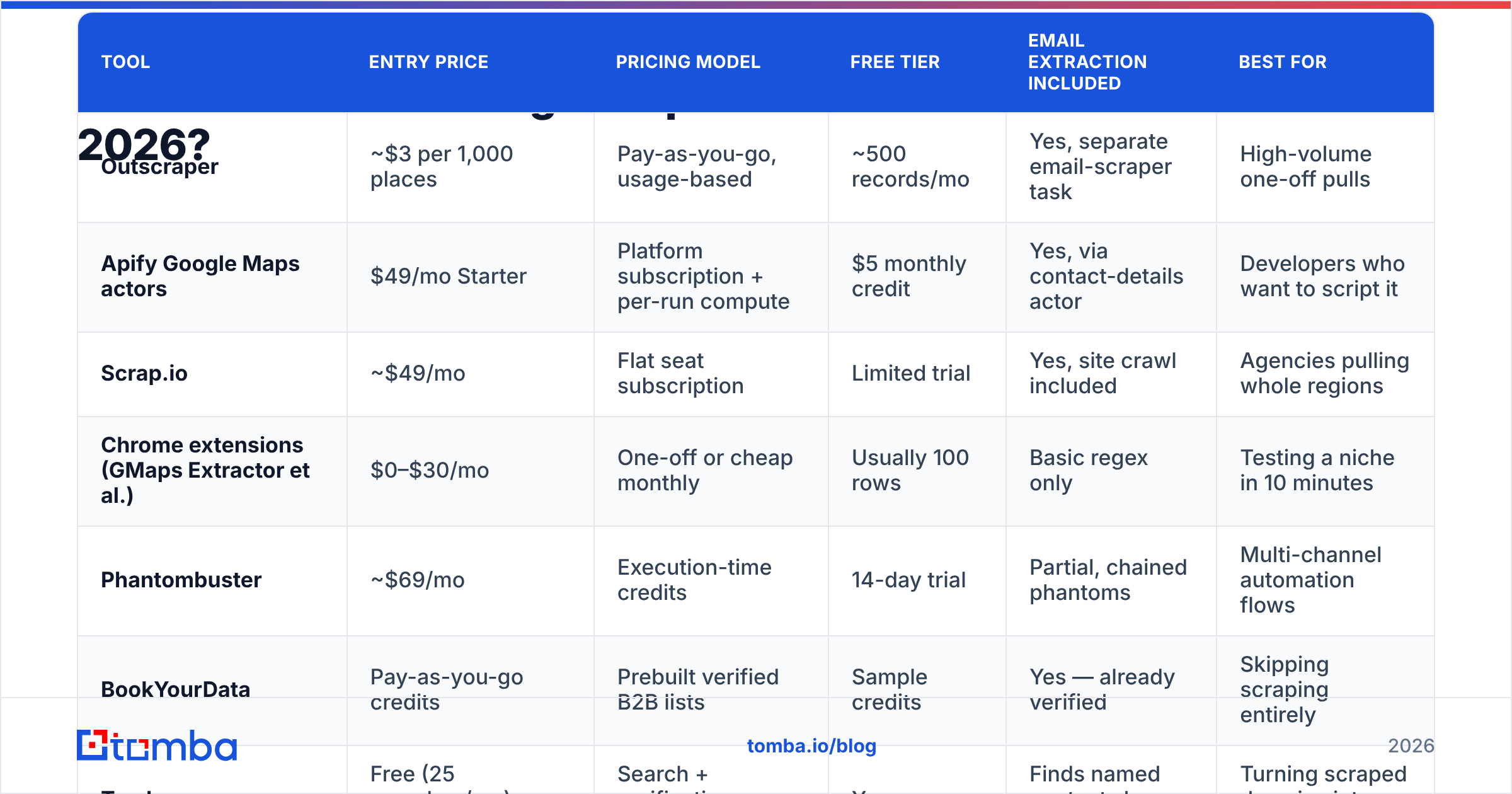
Below are the publicly listed entry points for the tools people actually shortlist. Prices move — confirm on the vendor page before you buy — but the shape of each pricing model is stable and that is the part worth studying.
| Tool | Entry price | Pricing model | Free tier | Email extraction included | Best for |
|---|---|---|---|---|---|
| Outscraper | ~$3 per 1,000 places | Pay-as-you-go, usage-based | ~500 records/mo | Yes, separate email-scraper task | High-volume one-off pulls |
| Apify Google Maps actors | $49/mo Starter | Platform subscription + per-run compute | $5 monthly credit | Yes, via contact-details actor | Developers who want to script it |
| Scrap.io | ~$49/mo | Flat seat subscription | Limited trial | Yes, site crawl included | Agencies pulling whole regions |
| Chrome extensions (GMaps Extractor et al.) | $0–$30/mo | One-off or cheap monthly | Usually 100 rows | Basic regex only | Testing a niche in 10 minutes |
| Phantombuster | ~$69/mo | Execution-time credits | 14-day trial | Partial, chained phantoms | Multi-channel automation flows |
| BookYourData | Pay-as-you-go credits | Prebuilt verified B2B lists | Sample credits | Yes — already verified | Skipping scraping entirely |
| Tomba | Free (25 searches/mo), $49/mo Starter | Search + verification credits | Yes | Finds named contacts by domain | Turning scraped domains into people |
Two pricing models are competing here, and they fail in different ways.
Usage-based scrapers (Outscraper, Apify) look absurdly cheap. Three dollars for a thousand records reads like a rounding error. But you pay per record returned, not per record that helps you. Pull 1,000 plumbers, get ~650 with websites, get ~280 with any email on the page, get ~190 that are generic mailboxes, and you have paid $3 for roughly 90 addresses attached to an actual human — before you have verified a single one.
Seat subscriptions (Scrap.io, Phantombuster) charge you whether you scrape or not, which is fine at agency volume and terrible if you run two campaigns a quarter.
Verified list vendors like BookYourData invert the model: you pay meaningfully more per contact, but the contact is already validated and role-tagged, so your cost-per-usable-record is often lower than a scrape-plus-cleanup pipeline. For teams without engineering time to spend, that trade is frequently the right one.
What does one usable lead actually cost?#
Run the arithmetic on a 1,000-listing scrape in a typical local services category:
| Stage | Volume remaining | Cumulative cost |
|---|---|---|
| Listings scraped | 1,000 | $3 |
| Listings with a website | ~650 | $3 |
| Sites where a crawler found any email | ~280 | $5 (email task) |
| Non-generic, named addresses | ~90 | $5 |
| Passing verification as deliverable | ~75 | ~$6 |
Roughly 8 cents per deliverable, named contact — genuinely good, if and only if your offer works on micro-businesses. The moment you need a decision-maker's direct address at a 50-person company, that funnel collapses, because such a person's email never appears on the website in the first place.
Why do Google Maps extractors miss so many emails?#
Because the email was never in Maps, and often never on the site.
Four failure modes account for nearly every complaint in review threads:
- Contact-form-only sites. A large share of modern SMB sites replaced the mailto link with a form widget. The crawler sees no address and returns nothing. Nothing is wrong with the tool; the data simply is not there.
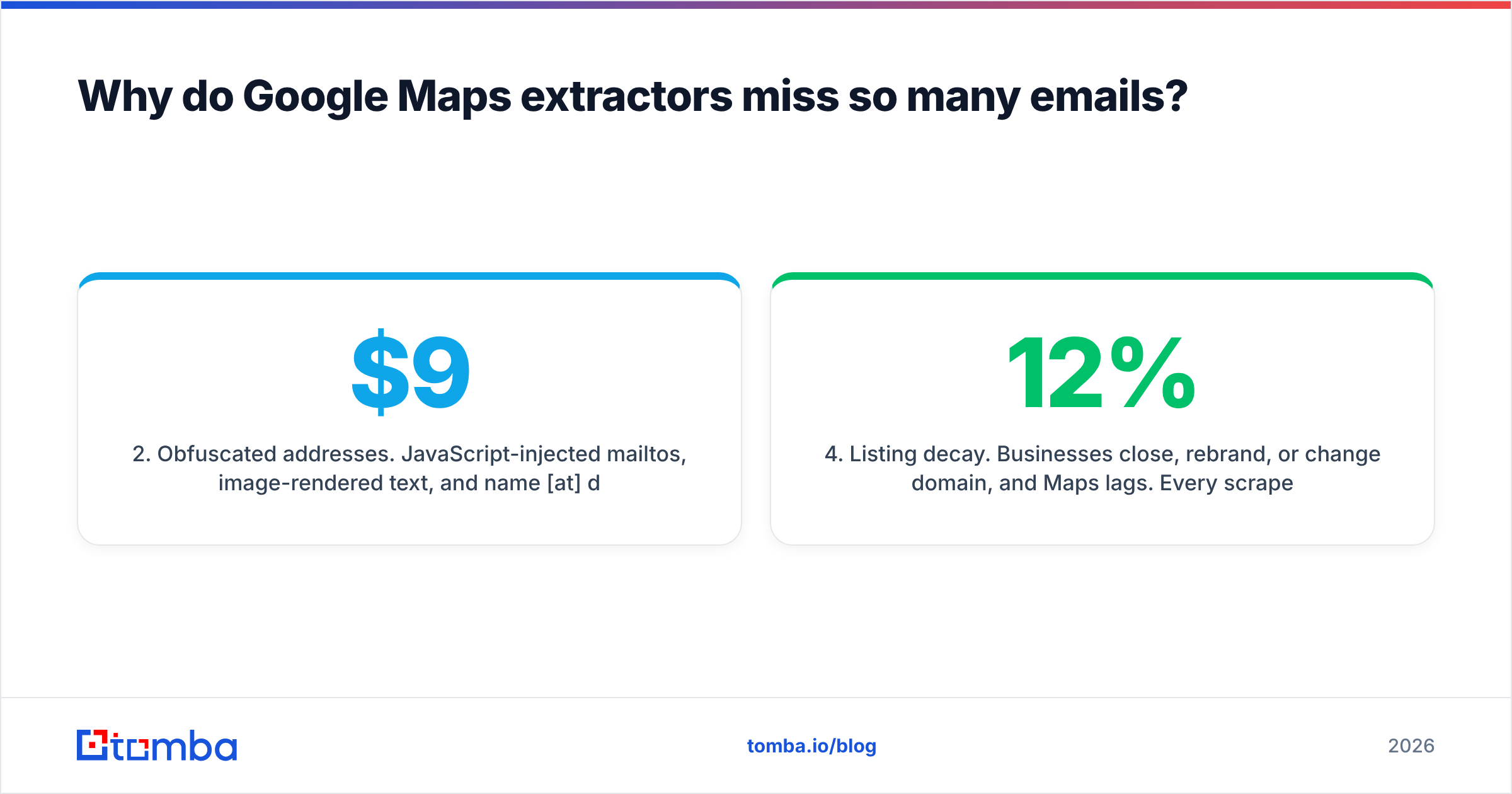
- Obfuscated addresses. JavaScript-injected mailtos, image-rendered text, and
name [at] domain [dot] comformatting defeat simple regex crawlers. Better tools render the page; cheap extensions do not. This is the single largest quality gap between a $9 extension and a $49 platform. - Generic mailboxes.
info@,contact@,hello@,bookings@. They are deliverable, but they land in a shared inbox that a receptionist triages. Reply rates on these are a fraction of a named address. - Listing decay. Businesses close, rebrand, or change domain, and Maps lags. Every scraped file has a stale tail — usually 5–12% depending on the category — that shows up later as hard bounces.
That last one is why bounce complaints dominate reviews. A scraped list is not verified data; it is observed text. Sending to it directly is how new domains get burned. Any scraped file needs a bulk verification pass before it touches a sending domain, and honestly that step is non-negotiable in 2026 with how aggressively mailbox providers score unknown senders.
What do reviews actually say about these tools?#
Aggregating public feedback across G2, Capterra, and vendor communities, the sentiment splits cleanly by buyer type rather than by tool.
What reviewers praise consistently:
- Speed to a first list. Ten minutes from signup to a CSV of 500 local businesses is real, and no other data source matches it for hyper-local coverage.
- Firmographic richness. Ratings, review counts, hours, and photo counts make excellent qualification signals. A 4.7-star dentist with 300 reviews is a different prospect from a 3.1-star one with 11.
- Category coverage of the long tail. Traditional B2B databases under-index tiny local operators. Maps does not.
- Price transparency on the pay-as-you-go platforms.
What reviewers complain about consistently:
- Email fill rate below expectations. Marketing implies "emails included"; buyers discover the realistic number is 20–35% of listings and mostly generic.
- Bounce rates in the 15–25% range when the file is mailed raw.
- Support and reliability on the cheap end. Chrome extensions break whenever Google changes its DOM, sometimes for weeks.
- No named contacts. Nobody's
first.last@comes out of a Maps scrape unless the site has a team page. - Compliance anxiety. Reviewers in the EU repeatedly flag uncertainty about scraping and GDPR-lawful basis.
The pattern is clear: extractors are rated well by people who wanted businesses and rated badly by people who wanted people.
What are the pros and cons of Google Maps email extraction?#
Pros
- Cheapest local-business coverage available. No B2B database comes close on independent restaurants, clinics, contractors, or salons.
- Geographic precision. You can scope by radius, city, or postcode — which standard B2B databases handle poorly.
- Built-in intent proxies. Review velocity, rating trends, and "claimed listing" status are free qualification signals.
- Non-recurring cost is possible. Usage-based vendors let you spend $12 and stop.
Cons
- Emails are inferred, not sourced. Every address is a crawl artifact with no confidence score attached.
- Generic-mailbox skew drags reply rates down by roughly half versus named contacts, in most operators' own testing.
- Zero seniority data. You cannot filter for owner, practice manager, or marketing lead.
- Verification is mandatory and billed separately, so the sticker price understates true cost by 30–60%.
- Terms-of-service and privacy exposure. Automated collection sits in contested territory; see the general overview of web scraping law for how unsettled it remains.
Is scraping Google Maps legal?#
Short answer: scraping public listing data is widely practiced and broadly tolerated, but it is not blessed by Google's terms of service, and the email portion carries the real risk.
Three separate questions get muddled together:
- Contract. Google's ToS prohibit automated access outside its APIs. That is a contractual matter between you and Google — typically enforced with rate limits and blocks rather than lawsuits.
- Privacy law. A business's generic
info@is usually not personal data.sarah.jones@clinic.comis. Under GDPR you need a lawful basis and a documented legitimate-interest assessment; under CAN-SPAM you need accurate headers and a working opt-out. - Sending law. Several jurisdictions (Canada's CASL, most of the EU) require consent or a demonstrable existing relationship for B2B email. Scraping does not create either.
Practical guardrail: use scraped data to identify companies, then source and verify individual contacts through a provider that documents where its data comes from. That gives you an auditable trail rather than "a script found it on a page."
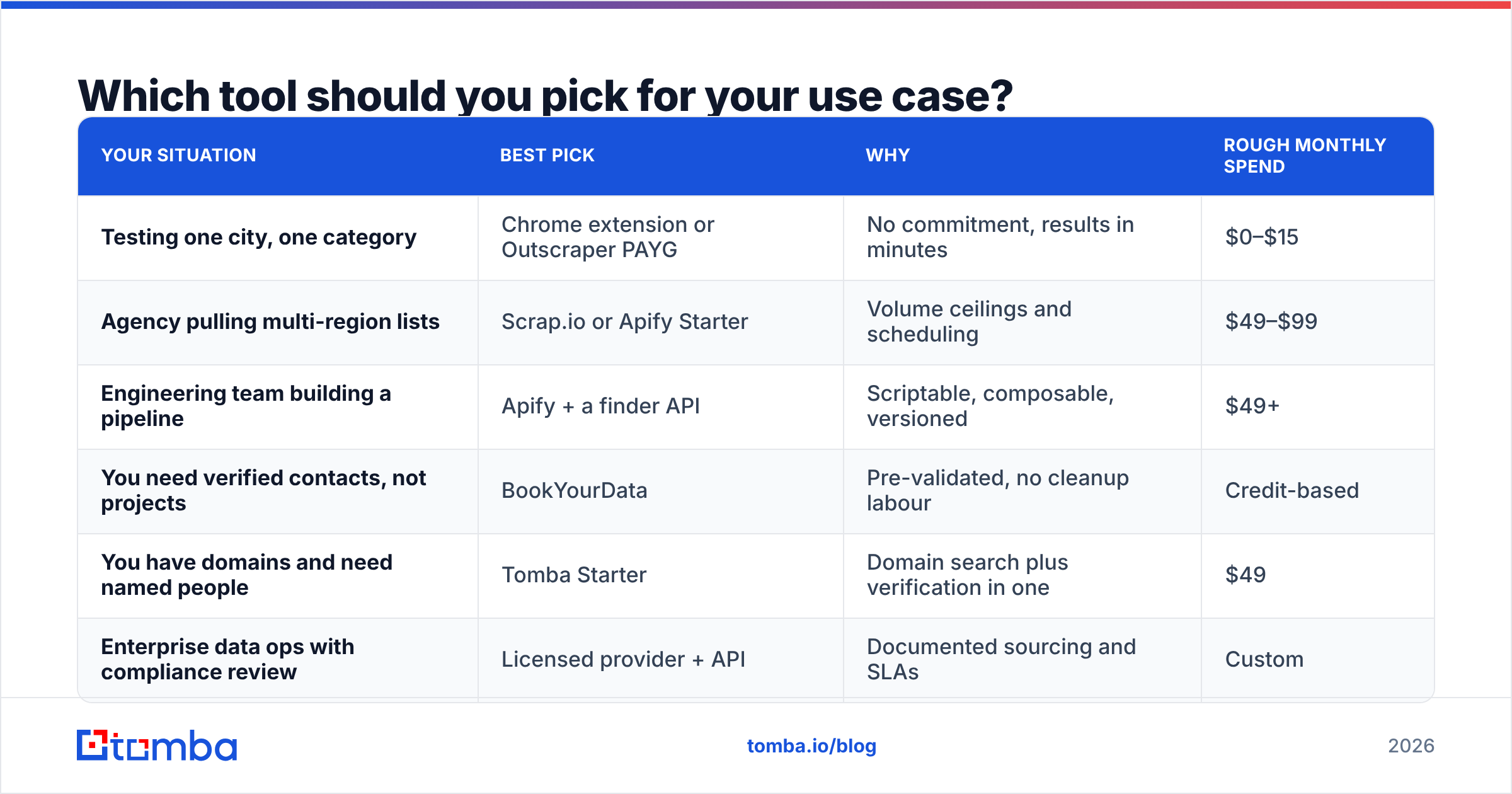
Which tool should you pick for your use case?#
| Your situation | Best pick | Why | Rough monthly spend |
|---|---|---|---|
| Testing one city, one category | Chrome extension or Outscraper PAYG | No commitment, results in minutes | $0–$15 |
| Agency pulling multi-region lists | Scrap.io or Apify Starter | Volume ceilings and scheduling | $49–$99 |
| Engineering team building a pipeline | Apify + a finder API | Scriptable, composable, versioned | $49+ |
| You need verified contacts, not projects | BookYourData | Pre-validated, no cleanup labour | Credit-based |
| You have domains and need named people | Tomba Starter | Domain search plus verification in one | $49 |
| Enterprise data ops with compliance review | Licensed provider + API | Documented sourcing and SLAs | Custom |
How do you turn a scraped Maps list into contacts worth emailing?#
The extractor is step one of five. Skipping the rest is what produces the bounce horror stories.
- Scrape for domains, not emails. Configure the extractor to maximise website coverage and ignore its email column entirely. The domain is the durable asset.
- Deduplicate and normalise. Franchise locations share one domain; strip
www, drop parked domains, and collapse duplicates before you spend a credit on them. - Run domain search per company. A proper finder returns named staff with role labels and confidence scores instead of whatever regex found. This is where a generic list becomes a targeted one.
- Verify every address. SMTP checks, catch-all detection, and syntax validation. Discard anything unverifiable — do not "send and see."
- Segment by mailbox type. Named contacts get personalised sequences; surviving generic mailboxes get a shorter, offer-forward message and lower send priority.
Teams that run all five steps typically report deliverability in the high nineties and reply rates two to three times what raw scraped files produce. The extra cost is a few cents per contact. The alternative cost is a burned sending domain, which takes months to rebuild.
What is the honest verdict on Google Maps email extractor pricing?#
They are correctly priced for what they are — cheap business discovery, not contact data.
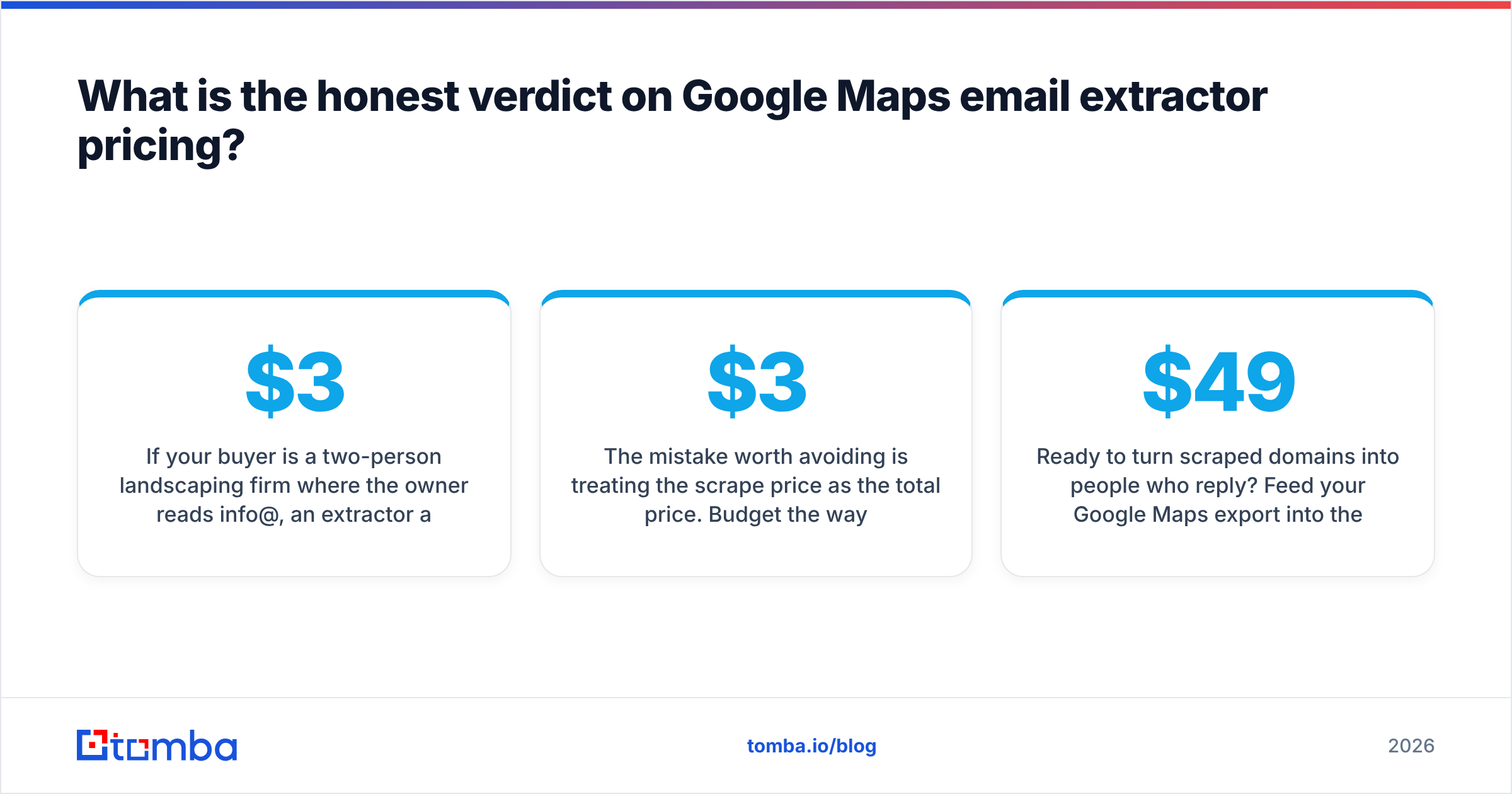
If your buyer is a two-person landscaping firm where the owner reads info@, an extractor at $3 per 1,000 records is unbeatable value and you should stop reading. If your buyer is a marketing manager at a 40-location dental group, the extractor gives you the company list and nothing else, and the money belongs in the enrichment layer instead.
The mistake worth avoiding is treating the scrape price as the total price. Budget the way you would for raw materials: the $3 buys ore, not steel.
Ready to turn scraped domains into people who reply? Feed your Google Maps export into the Tomba Email Finder and get named, role-labelled, verification-scored addresses instead of a column of info@ guesses. Start free with 25 searches a month, or move to Starter at $49/mo when a campaign proves out — no scraping infrastructure to babysit, and every address comes with a confidence score you can actually defend to a compliance reviewer.
Related guides#
Ready to find emails that actually work?
Join 150,000+ professionals who stopped guessing and started sending. Free credits on signup — no credit card required.
Get the Tomba newsletter
Practical outbound tactics and product updates — once every two weeks.
About the author