Google Postmaster Tools Domain Reputation: 2026 Guide
Your domain reputation in Google Postmaster Tools decides whether cold email lands in Primary or Spam. Here is how the score is calculated, what actually moves it, and how to fix a Low or Bad rating.

TL;DR
- Google Postmaster Tools reports domain reputation on a four-step scale — High, Medium, Low, Bad — and that label is the single best predictor of whether your cold email reaches the Primary tab at Gmail.
- The score is dominated by user-reported spam rate. Keep it under 0.10% (Google's stated threshold is 0.30%, but 0.10% is the safe operating band) or the rating slides.
- Domain reputation outweighs IP reputation for almost every B2B sender. On shared infrastructure like Google Workspace or Microsoft 365, the IP column will often be blank or irrelevant — the domain is what carries your history.
- You need roughly 100–200 messages/day to Gmail addresses before Postmaster shows data at all. Below that volume the dashboard stays empty, which is why most small senders see nothing.
- Recovery from Bad takes 2–6 weeks of clean sending. There is no reset button, no support ticket, and no amount of warmup tooling that outruns a dirty list.
What is Google Postmaster Tools domain reputation?#
Google Postmaster Tools is a free dashboard from Google that shows how Gmail's filters currently judge mail from your sending domain. Think of it as a credit score for your envelope: Gmail has been watching how recipients react to your mail for months, and the reputation label is the summary of that file.
The tool reports two separate reputations:
- Domain reputation — tied to the domain in your DKIM signature and visible
From:address. This is the score that follows you across sending platforms. - IP reputation — tied to the sending IP. Meaningful only if you send from dedicated IPs at real volume.
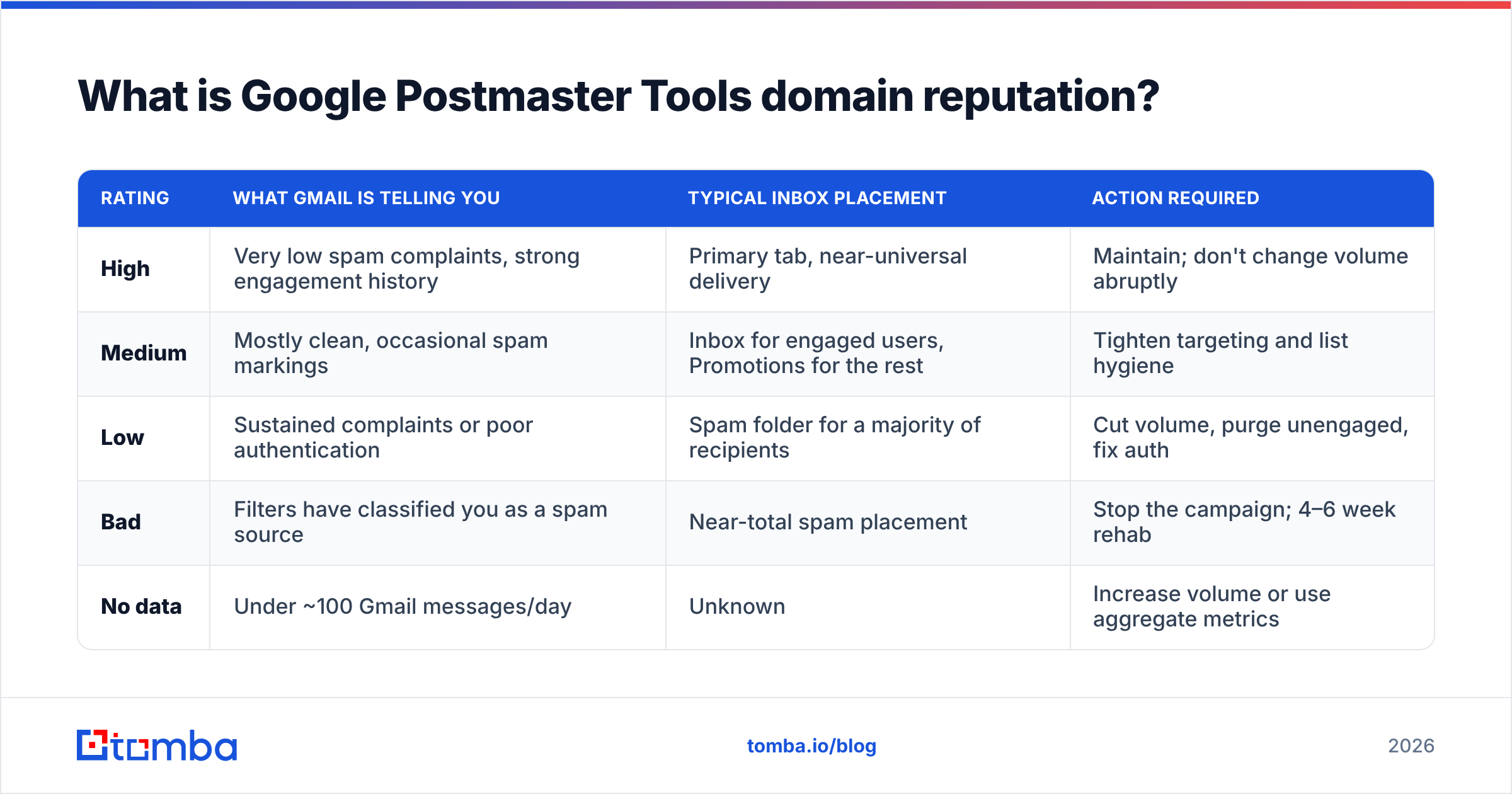
Both use the same four-step scale:
| Rating | What Gmail is telling you | Typical inbox placement | Action required |
|---|---|---|---|
| High | Very low spam complaints, strong engagement history | Primary tab, near-universal delivery | Maintain; don't change volume abruptly |
| Medium | Mostly clean, occasional spam markings | Inbox for engaged users, Promotions for the rest | Tighten targeting and list hygiene |
| Low | Sustained complaints or poor authentication | Spam folder for a majority of recipients | Cut volume, purge unengaged, fix auth |
| Bad | Filters have classified you as a spam source | Near-total spam placement | Stop the campaign; 4–6 week rehab |
| No data | Under ~100 Gmail messages/day | Unknown | Increase volume or use aggregate metrics |
The critical detail most senders miss: there is no "Good" between Medium and High. Medium sounds acceptable and is not. A Medium domain is already losing meaningful inbox share, and it is the last stop before Low.
How does Gmail actually calculate the score?#
Google has never published the exact formula, and anyone who claims otherwise is selling something. But the inputs are documented in Google's own sender guidelines and confirmed by years of aggregate sender data. In rough order of weight:
- User-reported spam rate. Recipients clicking "Report spam" is the heaviest signal by an order of magnitude. Google's published ceiling is 0.30%; treat 0.10% as your alarm line and 0.30% as the fire.
- Authentication pass rate. SPF, DKIM, and DMARC alignment. Since February 2024, bulk senders to Gmail must have DMARC in place — a missing or failing record is not a soft penalty anymore.
- Engagement signals. Opens, replies, moves out of spam, adding you to contacts. Positive interaction is what pulls a Medium domain back up.
- Bounce and unknown-user rate. Hitting dead mailboxes signals a scraped or stale list. This is where most cold outreach quietly poisons itself.
- Spam-trap hits. Recycled addresses that Google has converted into traps. One hit is noise; a pattern is a verdict.
- Volume consistency. Going from 200/day to 4,000/day overnight looks like a compromised account, regardless of content quality.
Notice what is not on that list: subject lines, emoji, the word "free," or how many links you used. Content filtering exists, but it is a rounding error next to complaint rate. Senders spend hours running copy through a spam checker while shipping a list with 12% invalid addresses — the copy was never the problem.
The bounce-rate trap#
Bounce rate deserves its own note because it is the most fixable input on the list. Every message to a nonexistent mailbox tells Gmail you did not verify your data. In cold outreach, unverified lists routinely run 8–15% invalid. At 1,000 sends/day that is 80–150 hard bounces daily — a signal Gmail reads as list purchasing.
Running addresses through an email verifier before the first send drops that to under 2%. It is the single highest-leverage change most senders can make, and it costs less than the sending platform.
Is domain reputation more important than IP reputation?#
For B2B senders, yes — decisively.
If you send through Google Workspace, Microsoft 365, or a shared-IP ESP, your IP is pooled with thousands of other tenants. You have no control over it and Gmail knows that, so it weights the domain heavily. Postmaster will frequently show a healthy IP reputation while your domain sits at Low, and the domain is what determines placement.
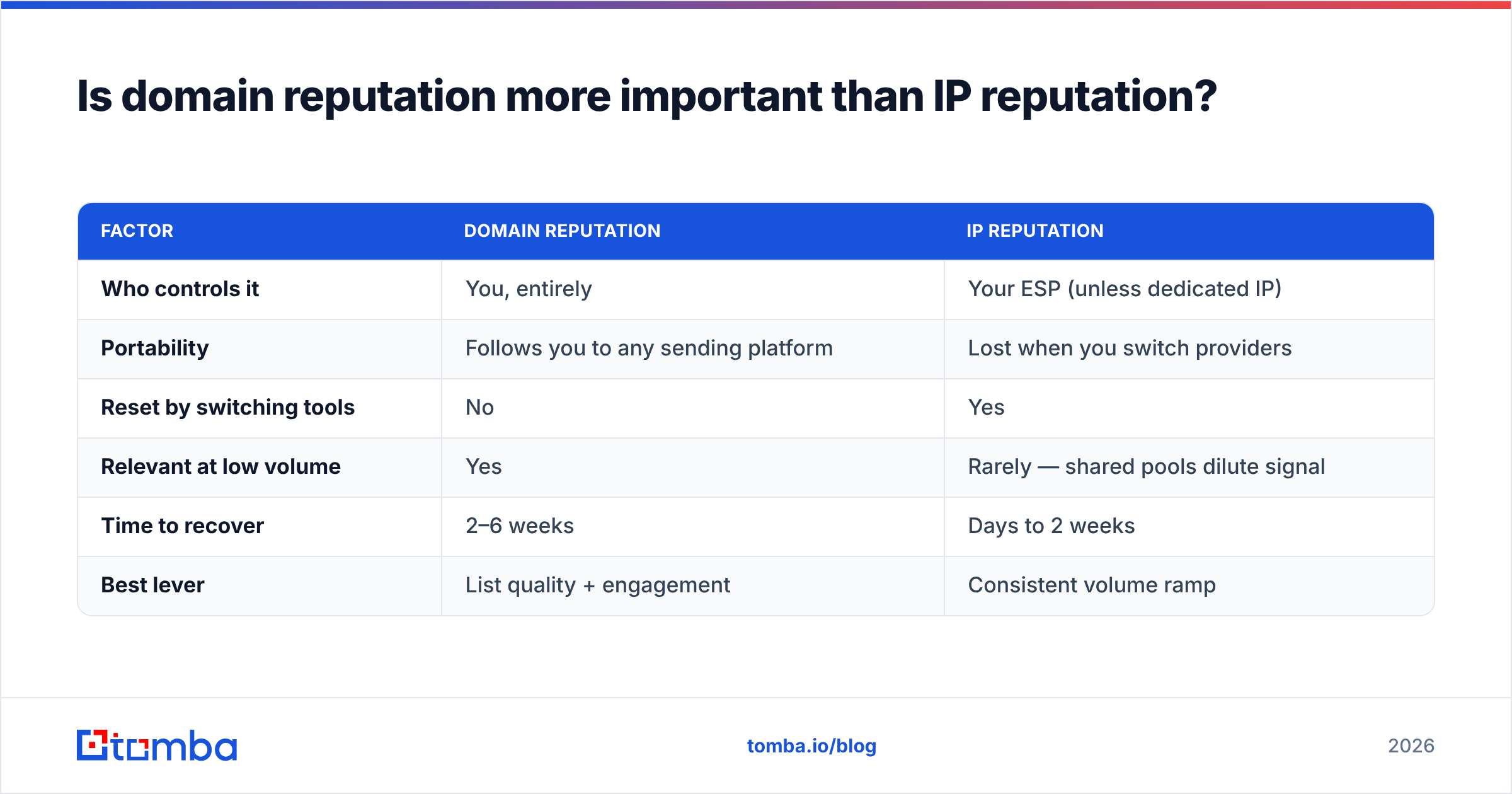
| Factor | Domain reputation | IP reputation |
|---|---|---|
| Who controls it | You, entirely | Your ESP (unless dedicated IP) |
| Portability | Follows you to any sending platform | Lost when you switch providers |
| Reset by switching tools | No | Yes |
| Relevant at low volume | Yes | Rarely — shared pools dilute signal |
| Time to recover | 2–6 weeks | Days to 2 weeks |
| Best lever | List quality + engagement | Consistent volume ramp |
The practical consequence: you cannot escape a bad domain reputation by changing sending tools. Moving from one platform to another swaps your IP and leaves the domain history intact. The only real escape hatch is a fresh sending domain, which resets you to zero history and a mandatory warmup period.
Which is why serious outbound teams separate their primary domain from their sending domains. Send cold outreach from get-yourcompany.com or yourcompany-mail.com, never from the domain that carries your transactional mail, your invoices, and your password resets. Burning the corporate domain is an unrecoverable mistake.
How do you read the Postmaster dashboard correctly?#
Verify your domain first — add the TXT record Google gives you at postmaster.google.com, wait for propagation, then wait another 48–72 hours for data to appear. Then read the panels in this order:
- Spam Rate — the leading indicator. It moves before reputation does. A spike here today becomes a rating downgrade next week.
- Domain Reputation — the lagging summary. It changes slowly and stubbornly.
- Authentication — SPF, DKIM, and DMARC pass percentages. Anything under 98% means a misconfiguration somewhere in your sending stack. Confirm your record with an SPF checker before blaming anything else.
- Delivery Errors — categorized rejections. "Suspected spam" and "rate limited" tell you two very different stories.
- Encryption — TLS coverage. Should be at or near 100%; if not, your relay is misconfigured.
Two data-reading rules that save a lot of misdiagnosis:
- Spam rate is calculated on messages delivered to the inbox, not messages sent. As your mail moves to the spam folder, complaints stop being recorded — so a falling spam rate during a reputation collapse is not good news. It means fewer people are seeing your mail at all.
- Postmaster only reports on Gmail and Google Workspace recipients. If your list is 20% Gmail, this dashboard describes one-fifth of your sending reality. Pair it with your ESP's own numbers.
What does a recovery plan look like?#
Assume 30 days. There is no faster path, and every "reputation repair service" that promises one is either doing this same work or doing nothing.
Days 1–3: Stop and diagnose. Pause all cold campaigns on the affected domain. Not "reduce" — stop. Pull the last 30 days of send data and calculate your real bounce rate, complaint rate, and reply rate per campaign. Identify which list or sequence caused the drop. It is almost always one specific import.
Days 4–7: Clean everything.
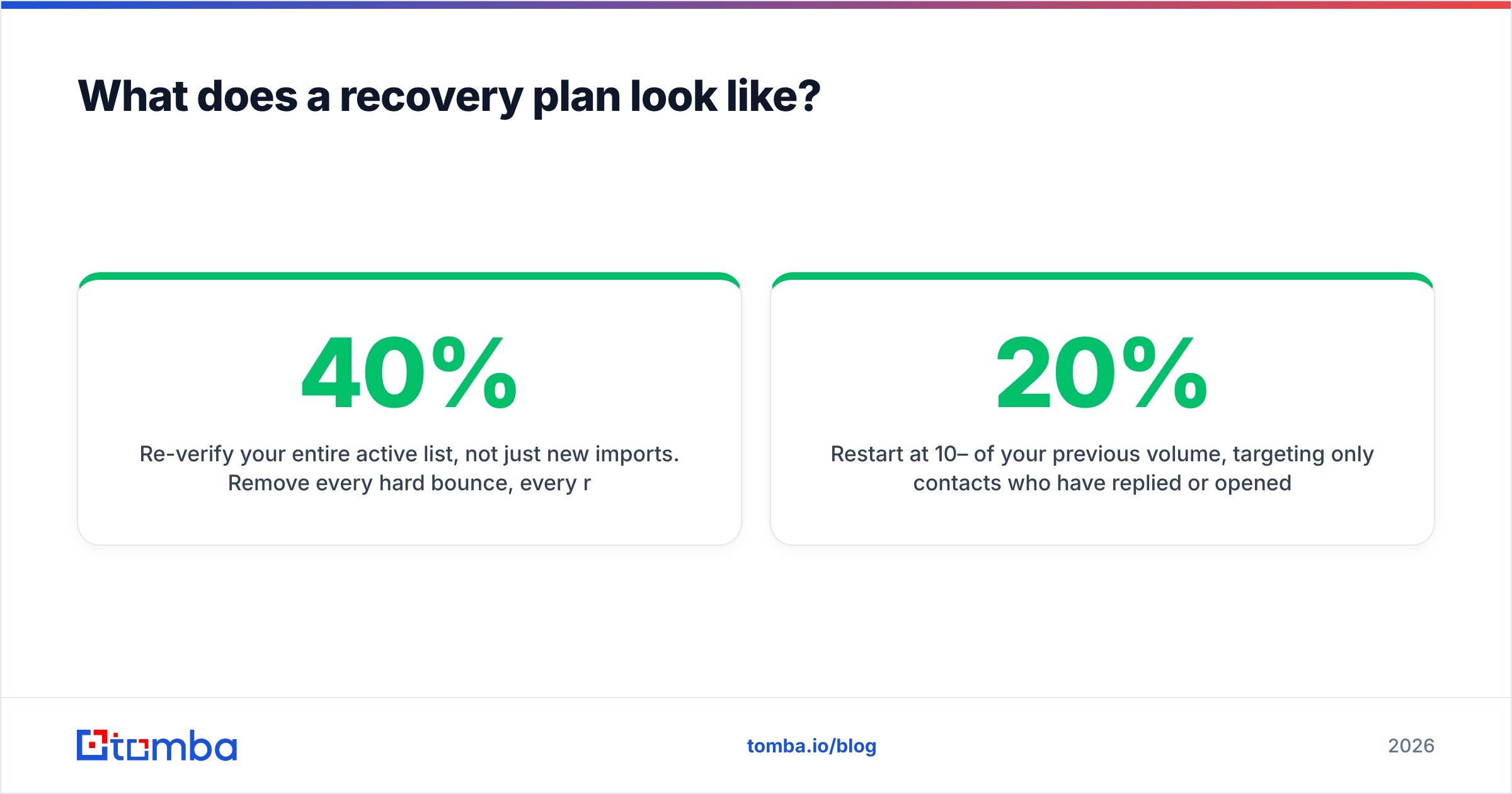
Re-verify your entire active list, not just new imports. Remove every hard bounce, every role account (info@, sales@, support@), and every contact with zero opens across 5+ sends. Handle catch-all domains separately — they accept everything at SMTP time and tell you nothing, so use a dedicated catch-all verifier rather than guessing. Expect to delete 20–40% of your database. That is the point.
Days 8–10: Fix authentication.
SPF record with fewer than 10 DNS lookups. DKIM signing on every sending stream, 2048-bit. DMARC at p=none with an rua address so you actually receive reports, then move to p=quarantine once the reports are clean. Verify with a test send to a Gmail address and inspect the headers — all three must read PASS.
Days 11–30: Ramp slowly on engaged contacts only. Restart at 10–20% of your previous volume, targeting only contacts who have replied or opened multiple times. Grow by roughly 20% per week. Ask a question in every message — replies are the strongest positive engagement signal Gmail measures. If spam rate stays under 0.10% for two consecutive weeks, keep climbing.

What does not work: buying warmup seats to inflate fake opens (Google has been discounting seed-list behavior for years), rotating through dozens of throwaway domains, blaming your ESP, or opening a support ticket. Postmaster is a reporting tool. Nobody at Google will adjust your score.
Which metrics should you monitor weekly?#
Set a recurring 15-minute review. These are the numbers that matter and the thresholds that should trigger action:
- Spam rate — Target under 0.05%. Investigate at 0.10%. Pause at 0.30%.
- Domain reputation — Target High. Medium is a warning, not a pass. Low means stop.
- DMARC pass rate — Target 100%. Anything under 98% is a configuration bug, not variance.
- Hard bounce rate — Target under 2%. Over 3% means your verification step is failing or your data source is stale.
- Reply rate — Target above 3% for cold outbound. This is your best proxy for whether targeting is real or spray-and-pray.
- Unsubscribe rate — Target under 0.5%. Rising unsubscribes with flat complaints is actually a healthy sign: people are using the exit you gave them instead of the spam button.
The last point is worth expanding. A visible one-click unsubscribe (RFC 8058 List-Unsubscribe-Post, now required for bulk senders) converts would-be spam complaints into harmless opt-outs. Every unsubscribe you make easy is a complaint you did not receive. Hiding the link to protect list size is the single most self-defeating tactic in cold email.
How does list quality connect to reputation?#
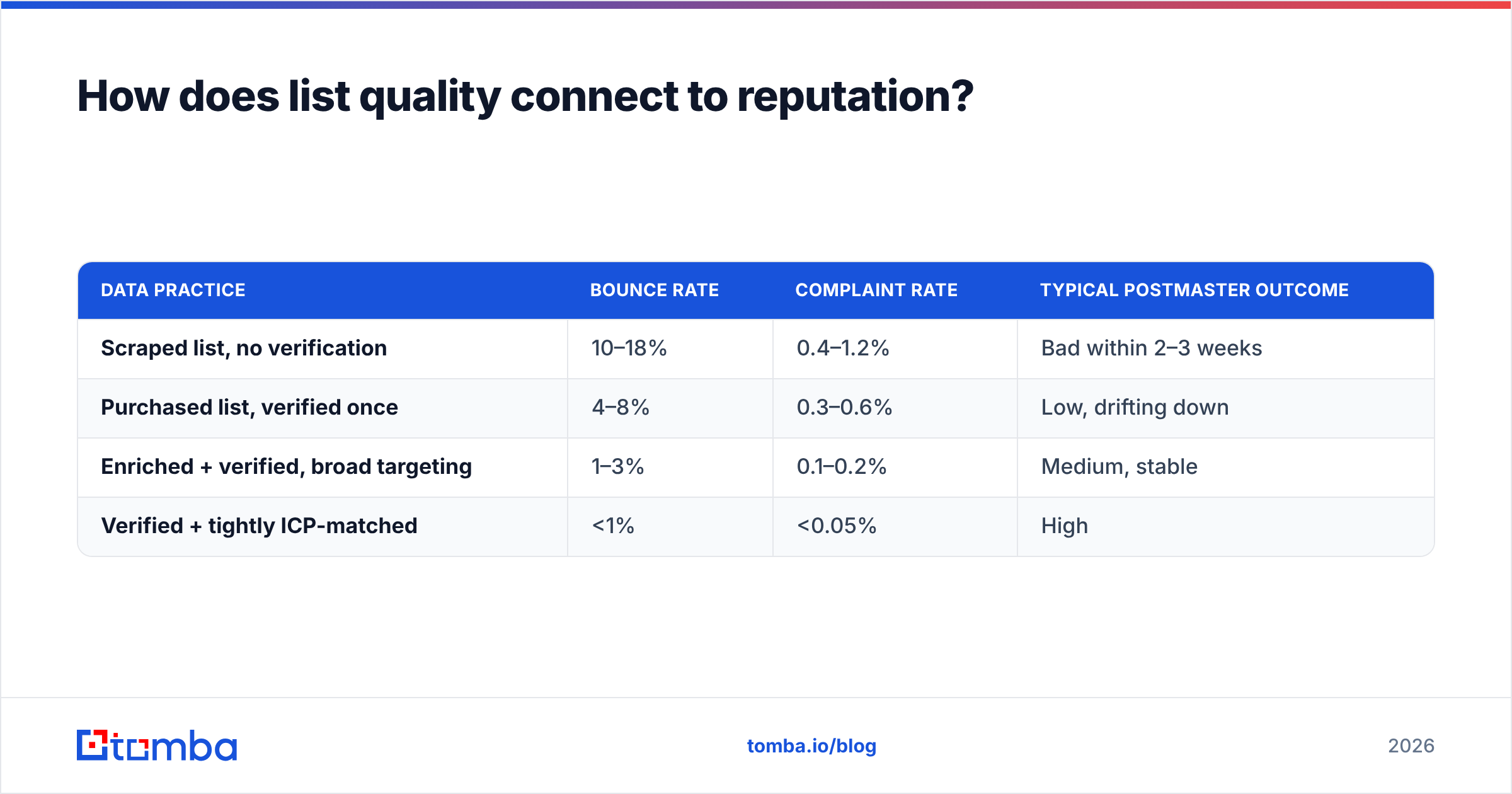
Directly and unavoidably. Every reputation input traces back to one question: are you emailing people who exist and want to hear from you?
| Data practice | Bounce rate | Complaint rate | Typical Postmaster outcome |
|---|---|---|---|
| Scraped list, no verification | 10–18% | 0.4–1.2% | Bad within 2–3 weeks |
| Purchased list, verified once | 4–8% | 0.3–0.6% | Low, drifting down |
| Enriched + verified, broad targeting | 1–3% | 0.1–0.2% | Medium, stable |
| Verified + tightly ICP-matched | <1% | <0.05% | High |
The gap between row three and row four is not a tooling difference — it is a targeting difference. Verification protects you from bounces; relevance protects you from complaints. You need both.
This is where sourcing matters more than sending. Finding a contact through a domain search on a company you have actually qualified produces a fundamentally different reputation outcome than exporting 50,000 rows from a database and hoping. Tomba pricing starts with a free tier at 25 searches/month, then Starter at $49/mo and Growth at $99/mo — cheap insurance against a burned domain, which costs weeks of pipeline to replace.
Peers in this space handle it differently and well. BookYourData sells pre-verified B2B contacts with a bounce guarantee, which suits teams that would rather buy validated data than build a sourcing workflow. Either path works; sending to unverified data does not.
What if Postmaster shows no data?#
The most common support question, and it usually is not a bug.
- Volume too low. You need roughly 100–200 messages/day to Gmail recipients before Google will render a chart. Many legitimate senders never cross this line.
- DKIM not aligned. If your DKIM
d=domain differs from the domain you verified in Postmaster, you are looking at the wrong dashboard. Verify the DKIM domain instead. - Too recent. Data appears 2–3 days after verification, and reputation charts need more history than spam-rate charts.
- Wrong recipient mix. Postmaster covers Gmail and Google Workspace only. A list that is heavily Outlook or corporate Exchange will show sparse Gmail data no matter your total volume.
If you are stuck below the threshold, use proxies: your ESP's bounce and complaint reports, DMARC aggregate reports (which do cover all receivers), and manual seed testing across a handful of real Gmail accounts. Also cross-check whether your sending IP or domain appears on public lists with a blacklist checker — a listing at Spamhaus or SURBL will suppress delivery regardless of what Postmaster says.
What should you do this week?#
Three concrete actions, in order:
- Verify your sending domain in Postmaster today if you have not. It is a DNS TXT record and ten minutes. You cannot manage what you cannot see, and the data only starts accumulating once you are registered.
- Audit your active list before your next send. Run a bulk verification pass, strip role accounts and long-term non-openers, and separate catch-all domains into their own risk bucket.
- Set a spam-rate alarm at 0.10%. Check weekly. The rating lags the complaint rate by days to weeks — the spam-rate graph is where you catch problems while they are still cheap to fix.
Domain reputation is not something you fix once. It is a running average of every decision you make about who to contact and how often. Teams with High reputation are not using secret infrastructure; they send less mail to better-qualified, verified contacts, and they make it easy to opt out.
If the root cause in your account is bad data — and for most cold-outbound teams it is — start upstream of the sending problem. The Tomba Email Finder sources verified professional addresses by domain, name, or company, so the contacts entering your sequences are real mailboxes belonging to people you meant to reach. Fewer bounces, fewer complaints, and a Postmaster dashboard that stops being a source of anxiety. The free tier covers 25 searches a month if you want to test the accuracy against your current list before committing.
Related guides#
Ready to find emails that actually work?
Join 150,000+ professionals who stopped guessing and started sending. Free credits on signup — no credit card required.
Get the Tomba newsletter
Practical outbound tactics and product updates — once every two weeks.
About the author