Google Sheets Sales Tracker: Build One That Actually Works
A free Google Sheets sales tracker can run a real pipeline — until it can't. Here's the exact tab structure, formulas, and the revenue point where a CRM wins.

TL;DR
- A Google Sheets sales tracker works fine up to roughly 3 reps and ~300 open opportunities. Past that, manual data entry and broken formulas cost more than a CRM seat.
- The four tabs you actually need:
Leads,Pipeline,Activity,Dashboard. Everything else is decoration. - Stage-weighted forecasting in Sheets takes one
SUMPRODUCTformula. Most teams skip it and then wonder why the forecast is wrong. - The real failure point is not the spreadsheet — it's the contact data going into it. Bad emails make every downstream metric meaningless.
- Enrich the lead row automatically (email, domain, phone) instead of copy-pasting from LinkedIn. That single change removes most of the manual work people blame Sheets for.
What is a Google Sheets sales tracker?#
A Google Sheets sales tracker is a spreadsheet that stores your leads, opportunities, activities, and outcomes in one place so you can answer three questions without guessing: what's in the pipeline, what's moving, and what closed.
Think of it like a paper ledger for a small shop. It works perfectly until you hire a second cashier and both of you write in it at once. That's the whole story of Sheets as a CRM in one sentence.
The version most teams build looks like this:
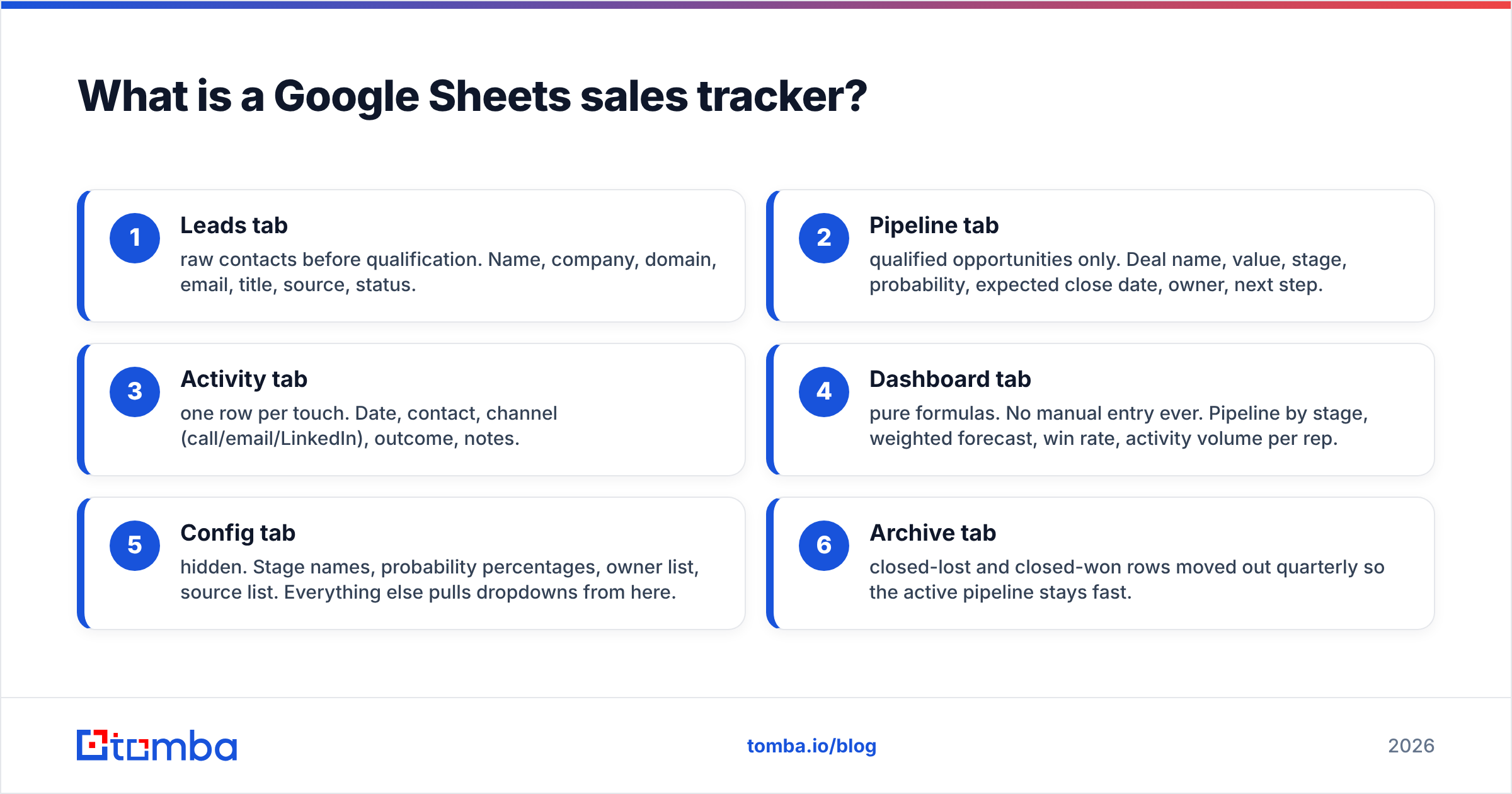
- Leads tab — raw contacts before qualification. Name, company, domain, email, title, source, status.
- Pipeline tab — qualified opportunities only. Deal name, value, stage, probability, expected close date, owner, next step.
- Activity tab — one row per touch. Date, contact, channel (call/email/LinkedIn), outcome, notes.
- Dashboard tab — pure formulas. No manual entry ever. Pipeline by stage, weighted forecast, win rate, activity volume per rep.
- Config tab — hidden. Stage names, probability percentages, owner list, source list. Everything else pulls dropdowns from here.
- Archive tab — closed-lost and closed-won rows moved out quarterly so the active pipeline stays fast.
The Config tab is the one people skip and the one that saves you. When stage names live in a single column, you change "Demo" to "Discovery Call" once and every dropdown, formula, and chart follows. When they're typed by hand, you end up with "Demo", "demo", and "Demo " (trailing space) counted as three different stages.
Which formulas make a sales tracker actually useful?#
Four formulas do 90% of the work. Everything else is styling.
Weighted pipeline forecast. This is the number your manager cares about:
=SUMPRODUCT((Pipeline!F2:F1000="Open")*Pipeline!C2:C1000*Pipeline!E2:E1000)Column C is deal value, column E is stage probability (pulled from Config with a VLOOKUP so nobody types 0.65 by hand), column F is the open/closed flag.
Win rate by rep:
=COUNTIFS(Pipeline!G:G,$A2,Pipeline!F:F,"Won")/COUNTIFS(Pipeline!G:G,$A2,Pipeline!F:F,"<>Open")Note the "<>Open" denominator. Dividing won deals by all deals including open ones is the most common mistake in homemade trackers, and it makes your win rate look worse than it is every single quarter.
Days in stage — the leak detector:
=IF(F2="Open", TODAY()-D2, "")Conditional-format anything over 21 days red. Deals rot silently; this makes rot visible.
Deduplication check before you import anything:
=COUNTIF(A:A,A2)>1Run it on the email column, not the company name. Two reps working the same person is worse than two rows for the same company.

Is a Google Sheets sales tracker better than a CRM?#
Depends entirely on headcount and deal volume. Here's the honest breakdown.
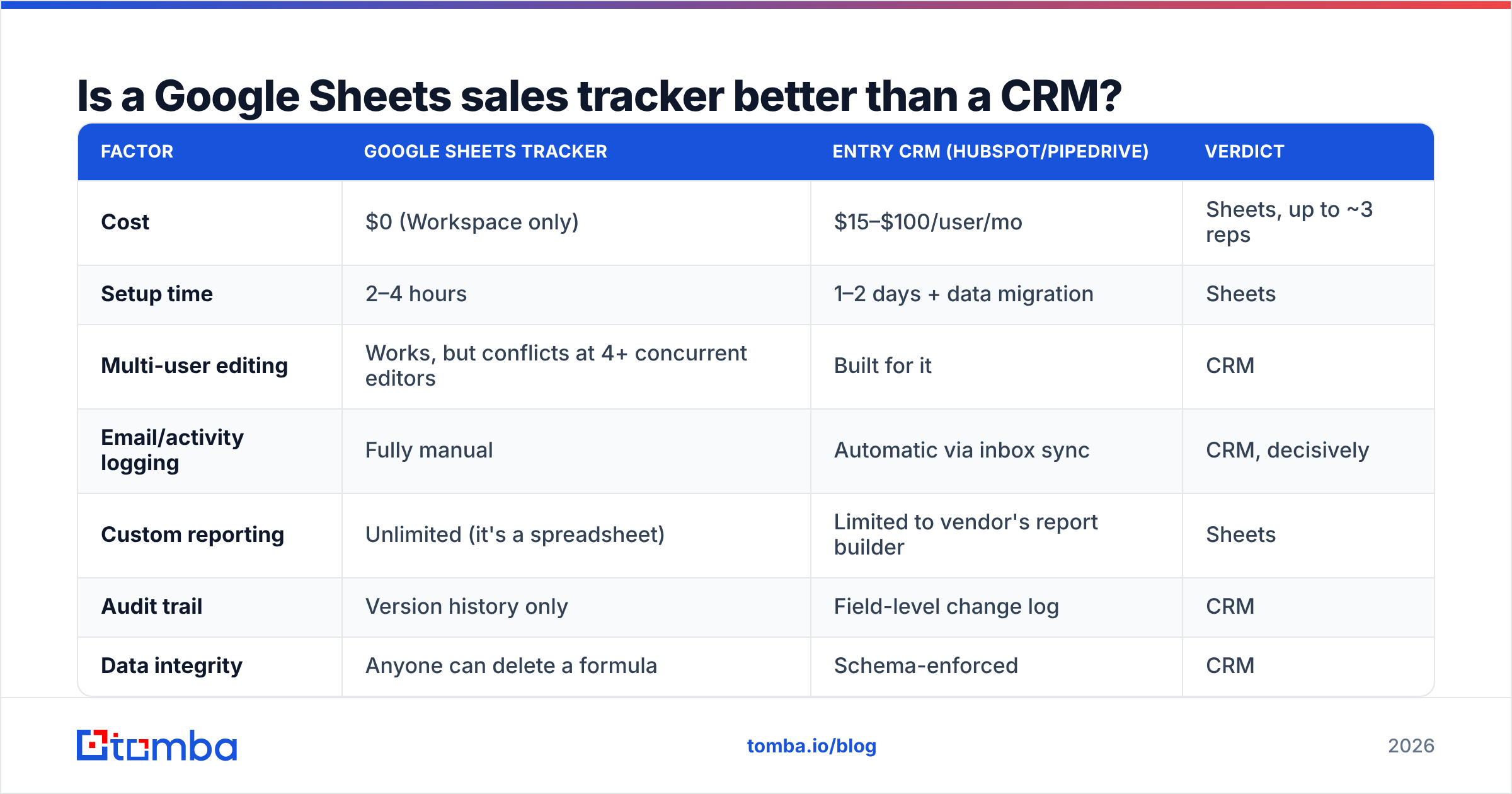
| Factor | Google Sheets tracker | Entry CRM (HubSpot/Pipedrive) | Verdict |
|---|---|---|---|
| Cost | $0 (Workspace only) | $15–$100/user/mo | Sheets, up to ~3 reps |
| Setup time | 2–4 hours | 1–2 days + data migration | Sheets |
| Multi-user editing | Works, but conflicts at 4+ concurrent editors | Built for it | CRM |
| Email/activity logging | Fully manual | Automatic via inbox sync | CRM, decisively |
| Custom reporting | Unlimited (it's a spreadsheet) | Limited to vendor's report builder | Sheets |
| Audit trail | Version history only | Field-level change log | CRM |
| Data integrity | Anyone can delete a formula | Schema-enforced | CRM |
| Automation/sequences | Apps Script (you maintain it) | Native | CRM |
| Scale ceiling | ~5,000 rows before lag | Millions | CRM |
| Learning curve | Zero — everyone knows Sheets | 1–2 weeks adoption | Sheets |
The switching signal is not revenue. It's the first time two reps disagree about who owns an account and neither can prove it. A spreadsheet's version history can technically answer that, but nobody digs through it. That moment costs you a deal, and a CRM seat costs $30. Do the math.
Until then, Sheets is genuinely fine. G2's CRM category lists hundreds of tools, and most early teams buy one 18 months before they need it, then use 8% of it.
How do you keep the lead data clean?#
This is where most trackers die, and it has nothing to do with Google Sheets.
A tracker is only as good as the contact rows feeding it. If 30% of your emails bounce, your reply-rate column is fiction, your activity counts are inflated, and your sender reputation degrades until even the valid addresses stop landing. You end up "fixing" the spreadsheet when the actual problem is upstream.
Three rules:
- Never paste an email you didn't verify. Guessed patterns (
first.last@) are right maybe 60% of the time depending on the industry. Run every address through an email verifier before it touches the Leads tab. - Store the domain, not just the company name. "Acme" is ambiguous;
acme.iois a key. Domains let you dedupe, enrich, and join tabs reliably. - Enrich in place, not in a side quest. Tabbing to LinkedIn, copying a name, guessing an email, and pasting it back is roughly 90 seconds per lead. At 40 leads a day that's an hour of your week gone to clipboard work.
The last one is solvable directly inside the spreadsheet. Tomba's Sheets email finder add-on adds formula-level functions, so a lead row can fill itself: you enter first name, last name, and domain in columns A–C, and column D returns the verified professional email. For inbound rows where you only have a domain, domain search returns the contacts and role titles at that company in one call.
That turns your Leads tab from a data-entry chore into something closer to a query. It's the single highest-leverage change you can make to a homemade tracker.

What should the dashboard tab actually show?#
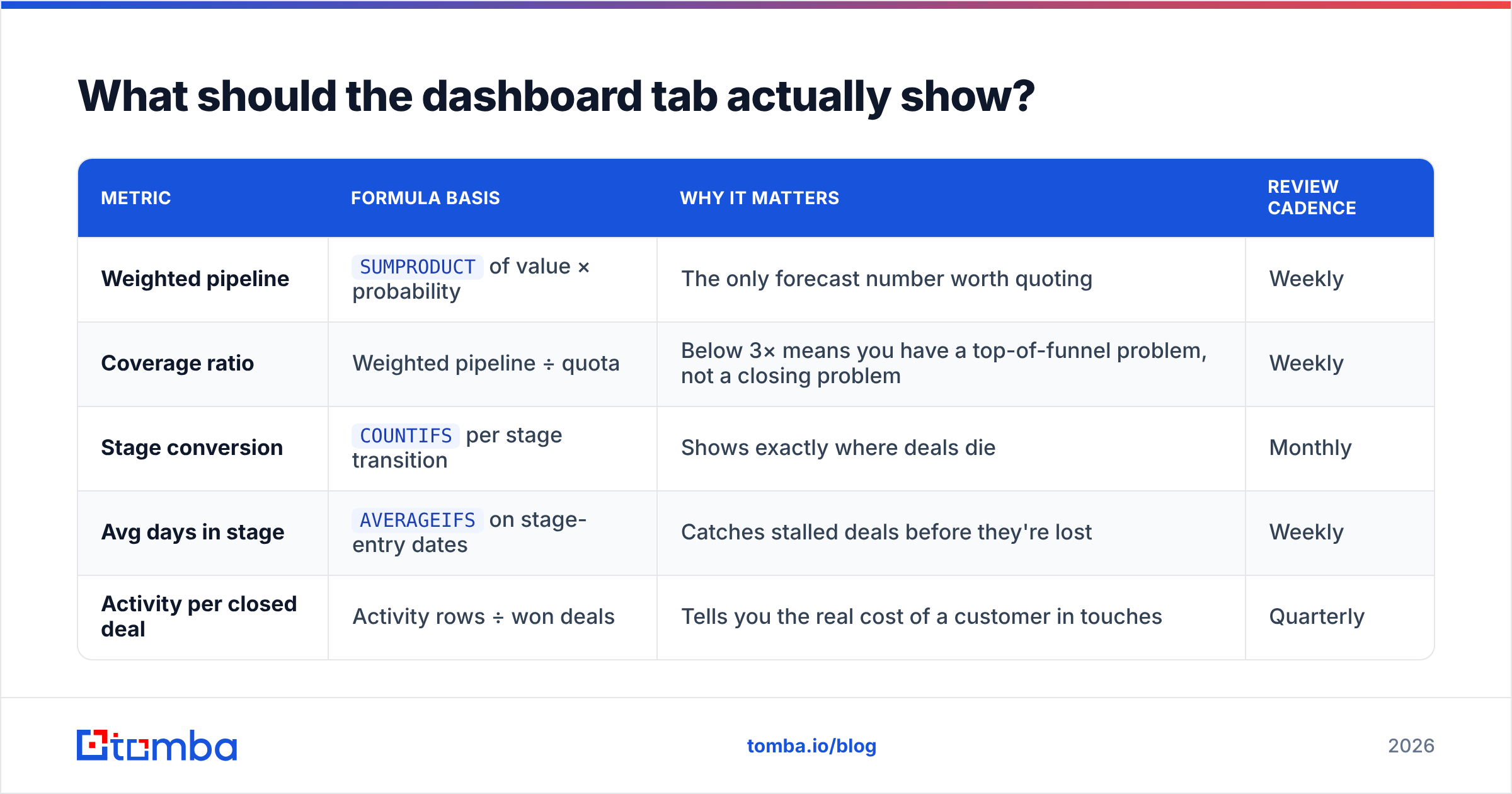
Five numbers. Not fifteen. A dashboard nobody reads is worse than no dashboard, because it creates the illusion of measurement.
| Metric | Formula basis | Why it matters | Review cadence |
|---|---|---|---|
| Weighted pipeline | SUMPRODUCT of value × probability |
The only forecast number worth quoting | Weekly |
| Coverage ratio | Weighted pipeline ÷ quota | Below 3× means you have a top-of-funnel problem, not a closing problem | Weekly |
| Stage conversion | COUNTIFS per stage transition |
Shows exactly where deals die | Monthly |
| Avg days in stage | AVERAGEIFS on stage-entry dates |
Catches stalled deals before they're lost | Weekly |
| Activity per closed deal | Activity rows ÷ won deals | Tells you the real cost of a customer in touches | Quarterly |
Coverage ratio is the underrated one. If a rep carries a $200K quarterly quota and $400K of weighted pipeline, they're at 2× coverage and almost certainly going to miss — most B2B teams need 3–4× depending on their response rate and average sales cycle. Sheets computes this in one cell. Plenty of expensive CRMs make you build a custom report for it.
Add sparklines with =SPARKLINE(range) next to each metric. Trend beats snapshot every time, and it costs you one formula.
How do you handle multiple reps without chaos?#
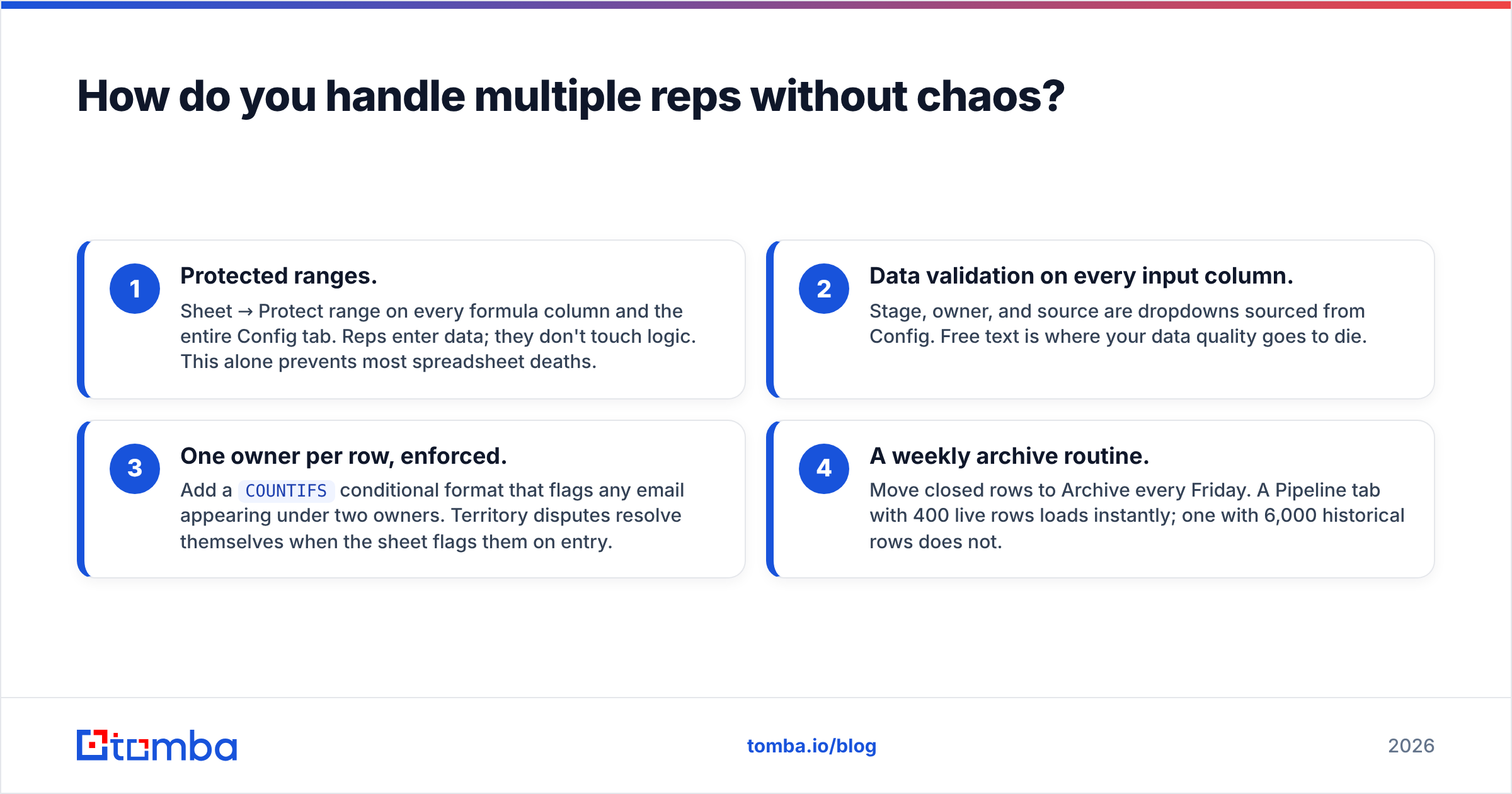
Four guardrails, in order of importance:
- Protected ranges. Sheet → Protect range on every formula column and the entire Config tab. Reps enter data; they don't touch logic. This alone prevents most spreadsheet deaths.
- Data validation on every input column. Stage, owner, and source are dropdowns sourced from Config. Free text is where your data quality goes to die.
- One owner per row, enforced. Add a
COUNTIFSconditional format that flags any email appearing under two owners. Territory disputes resolve themselves when the sheet flags them on entry. - A weekly archive routine. Move closed rows to Archive every Friday. A Pipeline tab with 400 live rows loads instantly; one with 6,000 historical rows does not.
If you need genuine real-time collaboration across five or more reps, you've hit the ceiling. That's not a failure of your setup — it's the correct time to graduate. HubSpot's free CRM tier is the standard landing spot, and the migration is straightforward if your columns already map cleanly to contact, company, deal, and activity objects. Structure your tabs that way from day one and future-you does an afternoon of work instead of a week.
How do you feed the tracker without manual prospecting?#
Your tracker's value is capped by how fast qualified rows enter it. Three practical inputs:
- Bulk list building. Upload a CSV of target companies, get back verified contacts with titles and emails. Tomba's bulk email finder processes lists in one pass instead of row-by-row lookups, which matters when you're building a 500-account territory.
- Browser capture. A Chrome extension that pulls the verified email while you're already on a company page removes the tab-switching entirely. The lead lands in your list, not your clipboard.
- API automation. If you're comfortable with Apps Script, the Tomba API can enrich rows on edit — a rep types a domain, the script fills email, title, and phone in the background. About 30 lines of code and your tracker starts behaving like a CRM.
On cost: verification and enrichment credits are the real budget line, not the spreadsheet. Tomba's free tier covers 25 searches a month for testing the workflow, Starter runs $49/mo, and Growth is $99/mo — check current Tomba pricing for tier limits. Compare that to a CRM seat plus a separate data provider and the Sheets-plus-enrichment stack stays cheaper well past the point most people assume.
Peers worth knowing about: BookYourData is a solid option if you'd rather buy a pre-built, pay-as-you-go list than build one contact at a time, and it exports cleanly into a Sheets tracker. Different shape of the same job — list purchase versus on-demand lookup — and which fits depends on whether your ICP is stable or shifting.
When should you stop using a spreadsheet?#
Five signals. Two or more means it's time.
- Concurrent editing conflicts happen weekly. Sheets handles simultaneous editors, but not simultaneous editors who each have opinions about row 47.
- You've written more than 200 lines of Apps Script. At that point you're maintaining software, unpaid, with no tests.
- Pipeline exceeds ~2,000 active rows. Recalculation lag makes the sheet unpleasant, and unpleasant tools go unused.
- You need email sync. Manually logging every sent message is the single biggest time sink in a spreadsheet CRM, and no formula fixes it.
- Someone asks "what changed on this deal last Tuesday?" and you can't answer in under two minutes.
None of these are about company size. A two-person team doing high-velocity transactional sales hits them faster than a five-person team selling enterprise deals with six-month cycles. Watch the signals, not the headcount.
Getting started without the busywork#
Build the four tabs, lock the formulas, source your dropdowns from Config, and put a real weighted forecast on the dashboard. That's an afternoon of work and it will outperform a badly-adopted CRM for a long time.
Then fix the input side, because that's where the hours actually go. Stop guessing email addresses and pasting them into column D by hand. Use the Tomba Email Finder to turn a name and a domain into a verified professional email — inside Sheets, via the API, or in bulk — and let your tracker spend its time tracking instead of waiting on data entry. Start on the free tier, run 25 lookups against your current lead list, and compare the bounce rate to what you're getting today. The gap usually settles the argument.
Related guides#
Ready to find emails that actually work?
Join 150,000+ professionals who stopped guessing and started sending. Free credits on signup — no credit card required.
Get the Tomba newsletter
Practical outbound tactics and product updates — once every two weeks.
About the author