Growbots Pros and Cons: An Honest 2026 Review for Outbound Teams
Growbots bundles a B2B contact database, email sending, and AI scheduling into one subscription. Here is where that bundle pays off in 2026 — and where it quietly costs you deliverability and budget.
TL;DR#
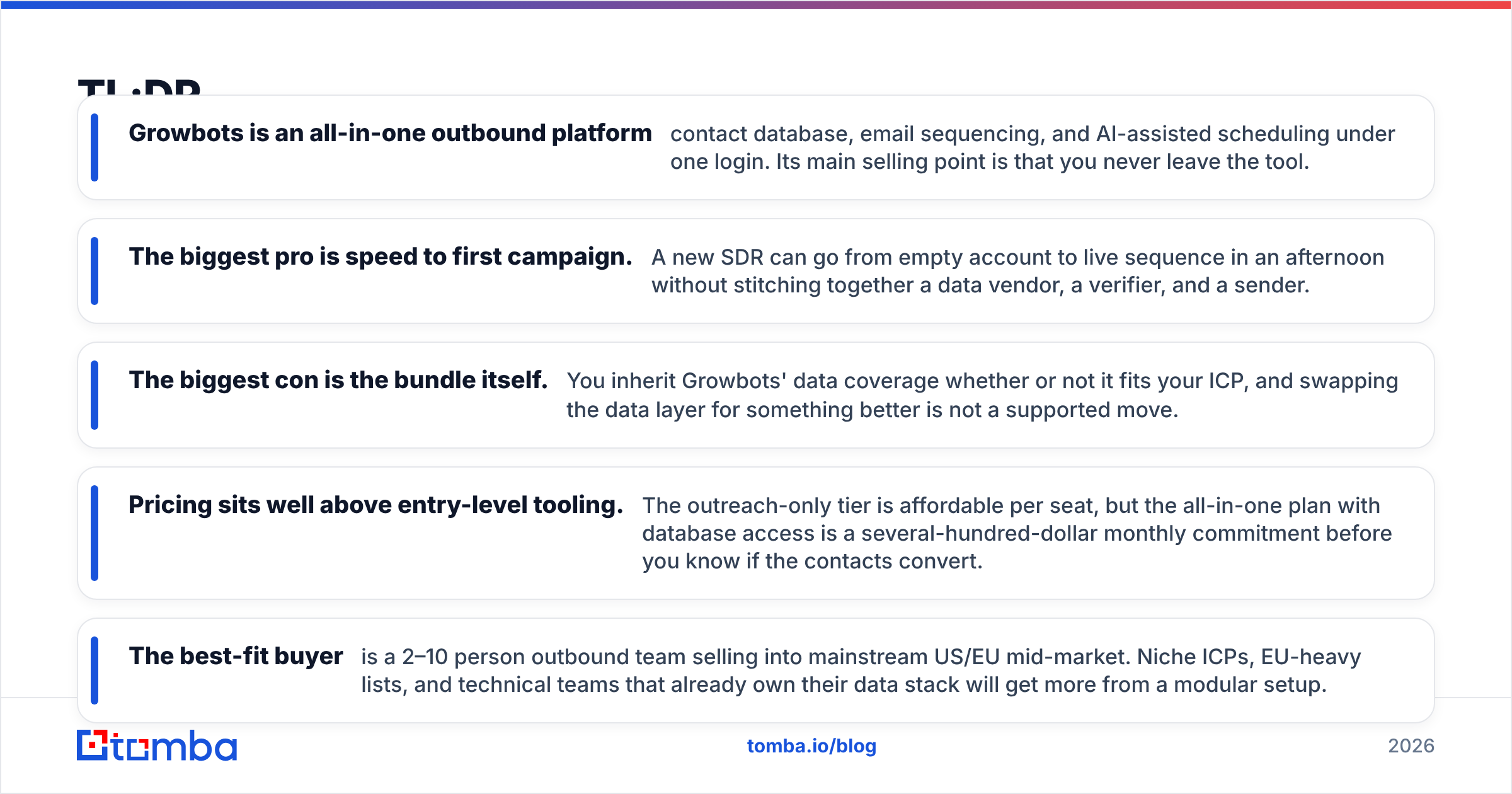
- Growbots is an all-in-one outbound platform — contact database, email sequencing, and AI-assisted scheduling under one login. Its main selling point is that you never leave the tool.
- The biggest pro is speed to first campaign. A new SDR can go from empty account to live sequence in an afternoon without stitching together a data vendor, a verifier, and a sender.
- The biggest con is the bundle itself. You inherit Growbots' data coverage whether or not it fits your ICP, and swapping the data layer for something better is not a supported move.
- Pricing sits well above entry-level tooling. The outreach-only tier is affordable per seat, but the all-in-one plan with database access is a several-hundred-dollar monthly commitment before you know if the contacts convert.
- The best-fit buyer is a 2–10 person outbound team selling into mainstream US/EU mid-market. Niche ICPs, EU-heavy lists, and technical teams that already own their data stack will get more from a modular setup.
What is Growbots, and who is it built for?#
Growbots is an outbound sales automation platform that combines a B2B contact database with an email sequencer. Instead of buying leads in one tool, verifying them in a second, and sending from a third, you build a target list inside Growbots using filters like industry, headcount, geography, and job title, then push those contacts straight into a multi-step email sequence.
The company has been in market since the mid-2010s and positions itself as an "outbound in a box" product — see the official Growbots site for their current positioning. The pitch is aimed squarely at teams who do not have a RevOps function: founders running their own outbound, small SDR pods, and agencies managing a handful of client campaigns.
That framing matters, because it explains both halves of the Growbots pros and cons ledger. Everything good about the product comes from consolidation. Everything frustrating about it comes from the same place.
How does Growbots actually work?#
The workflow is deliberately linear. Understanding the five steps tells you exactly where the platform is strong and where it leans on assumptions you may not share.
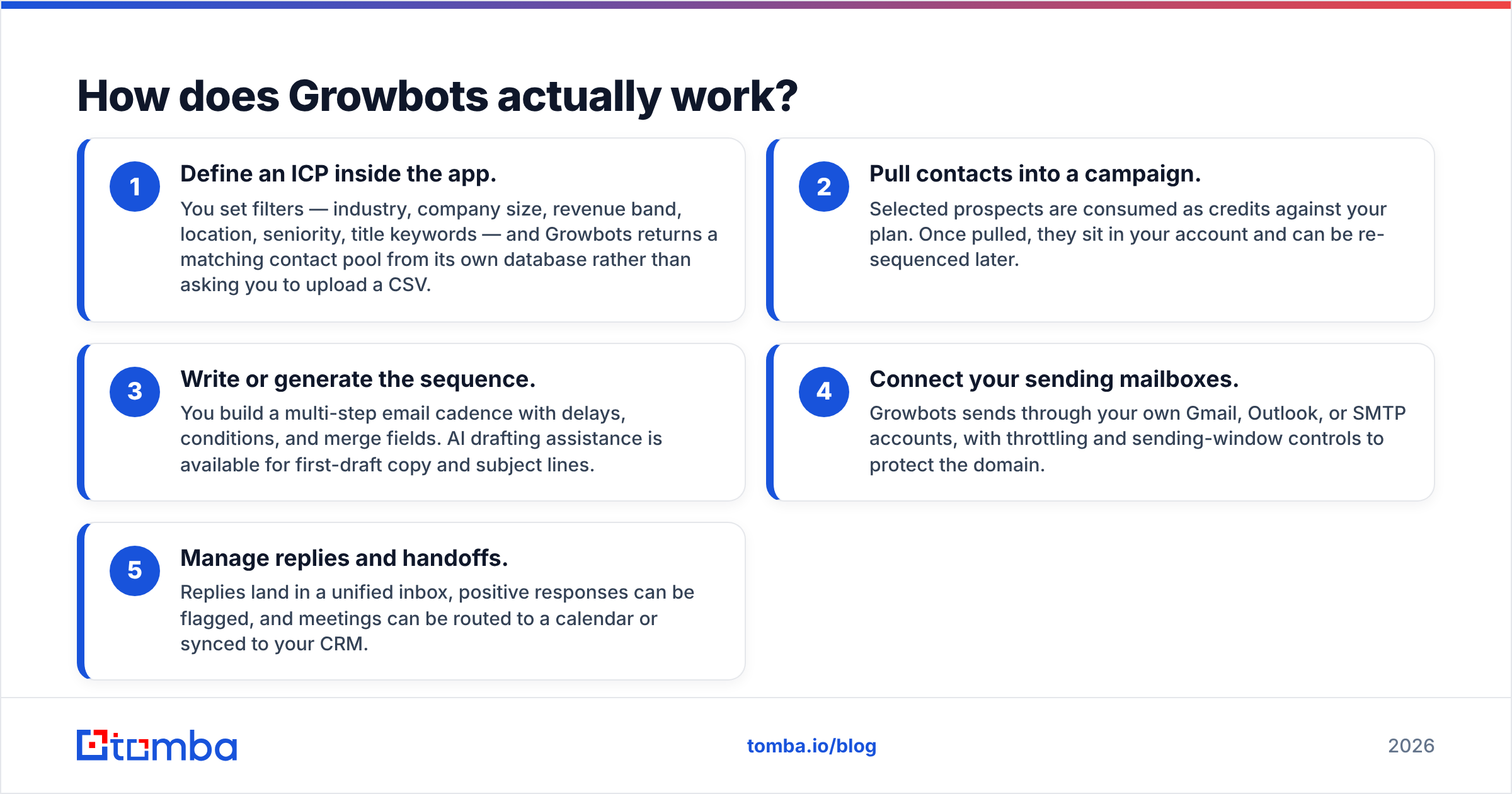
- Define an ICP inside the app. You set filters — industry, company size, revenue band, location, seniority, title keywords — and Growbots returns a matching contact pool from its own database rather than asking you to upload a CSV.
- Pull contacts into a campaign. Selected prospects are consumed as credits against your plan. Once pulled, they sit in your account and can be re-sequenced later.
- Write or generate the sequence. You build a multi-step email cadence with delays, conditions, and merge fields. AI drafting assistance is available for first-draft copy and subject lines.
- Connect your sending mailboxes. Growbots sends through your own Gmail, Outlook, or SMTP accounts, with throttling and sending-window controls to protect the domain.
- Manage replies and handoffs. Replies land in a unified inbox, positive responses can be flagged, and meetings can be routed to a calendar or synced to your CRM.
Nothing in that loop is unusual for 2026. What is unusual is that step 1 and step 3 live in the same subscription — most competitors force you to buy those layers separately.

What are the biggest pros of Growbots?#
Time to first campaign is genuinely fast. If you have never run outbound before, the gap between signing up and sending is measured in hours, not weeks. There is no API key juggling, no CSV mapping, no "which verifier should I use" decision. For a founder testing whether outbound works at all, that compression is worth real money.
One vendor, one invoice, one support thread. Procurement and finance teams do not care about your stack elegance. A single line item that covers data plus sending is easier to approve and easier to cancel than four tools that each renew on a different date.
Sending hygiene is built in, not bolted on. Throttling, warm-up-aware ramping, sending windows, and per-mailbox limits are default behaviors rather than settings you have to discover. Given that Google and Yahoo bulk-sender requirements now punish sloppy senders hard — the Gmail sender guidelines spell out the authentication and spam-rate thresholds — having guardrails on by default prevents a category of self-inflicted damage.
Concierge-style onboarding. Growbots has historically leaned on hands-on setup help, and reviewers on G2 consistently call out the support experience as a differentiator versus purely self-serve competitors. If your team's real bottleneck is knowing what to send rather than which tool to buy, that support has value.
Reply management is decent for the price band. The unified inbox, sentiment flags, and simple task routing cover what a small team needs. You are not getting Outreach-grade forecasting, but you are also not paying Outreach-grade prices.
What are the real cons of Growbots?#
You are married to their data. This is the central trade-off. If Growbots' database covers your ICP well, everything is fine. If you sell to EU manufacturing firms under 50 employees, or to a niche vertical with poor firmographic tagging, coverage thins out fast and there is no clean way to substitute a better source. In a modular stack, you swap the data vendor and keep everything else. Here, the data is the platform.
Credit consumption is opaque until you are inside it. Pulling contacts burns credits whether or not the contact is deliverable. Teams that build broad lists first and qualify later can exhaust a month's allocation in a week, then face the choice between an upgrade and a pause.
Verification is a black box. Growbots does validate addresses, but you do not see the reasoning: catch-all status, role-account flags, MX behavior, or the confidence score behind each address. When your bounce rate climbs, you have no instrumentation to diagnose it. Running a separate email verifier pass before launch is the standard workaround — and yes, that partially defeats the all-in-one premise.
Catch-all domains are the recurring complaint. A large share of mid-market and enterprise domains accept every address at the SMTP layer, so any provider that reports them as "valid" is guessing. Without a dedicated catch-all verifier step, catch-all contacts inflate your list size and then quietly damage your sender reputation.
Limited ceiling for technical teams. API depth, custom enrichment fields, and pipeline-style automation are thin compared to purpose-built data platforms. If your workflow is "trigger on a website signal, enrich, score, route," you will hit walls.
Pricing scales in steps, not slices. The jump from the outreach-only tier to the all-in-one plan is large. There is no comfortable middle for a solo operator who wants database access but not a full seat allocation.

What does Growbots cost in 2026?#
Published pricing has historically had two commercial shapes: an outreach-only plan billed per user in roughly the $49/user/month range, and an all-in-one plan bundling database access that lands in the low hundreds per month, with a Pro/custom tier above it. Vendors change tiers frequently — treat these as directional and confirm on the current pricing page before you budget.
The important thing is not the number, it is the shape. You commit to data access monthly whether or not that month's list performs.
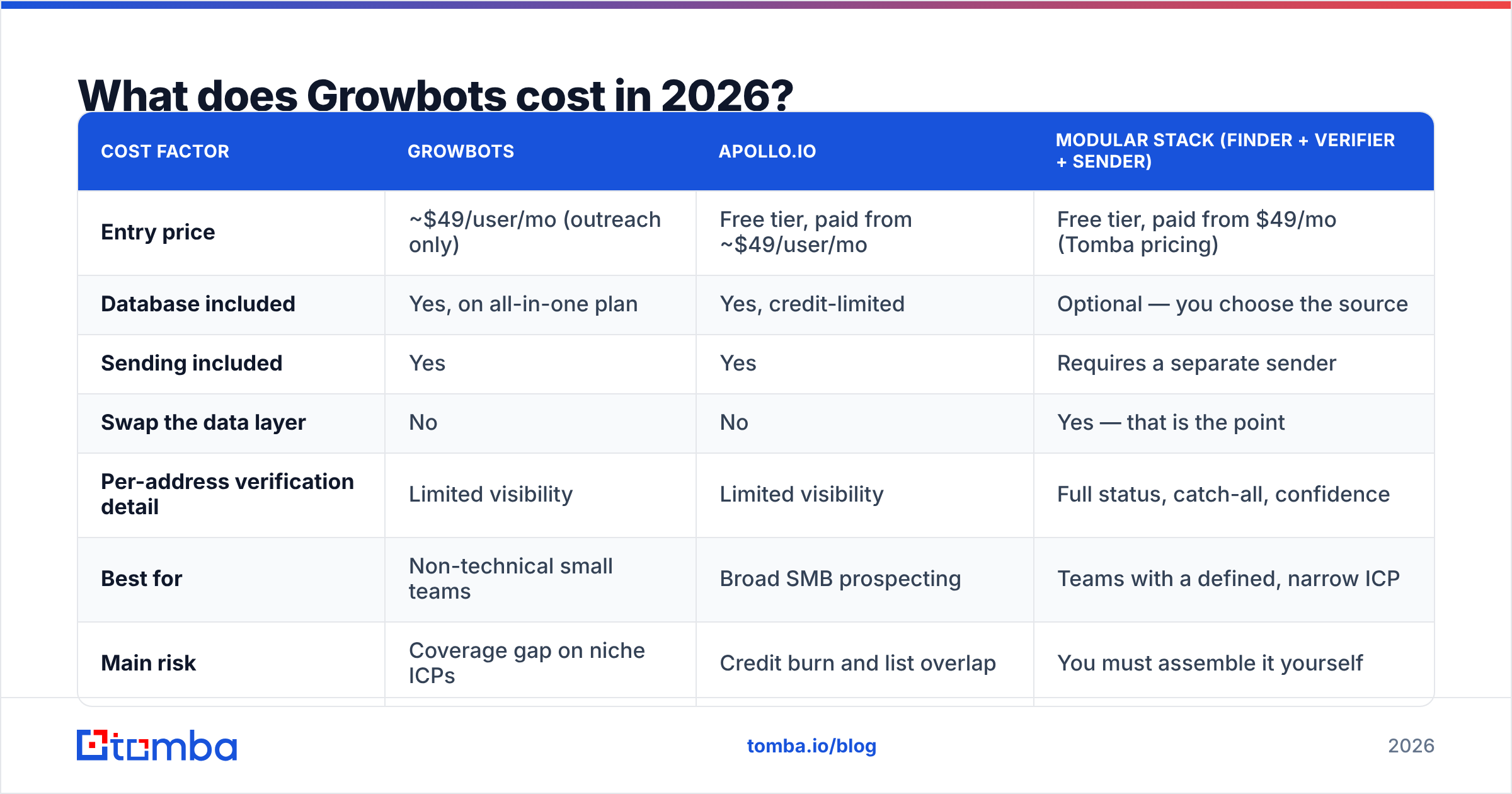
| Cost factor | Growbots | Apollo.io | Modular stack (finder + verifier + sender) |
|---|---|---|---|
| Entry price | ~$49/user/mo (outreach only) | Free tier, paid from ~$49/user/mo | Free tier, paid from $49/mo (Tomba pricing) |
| Database included | Yes, on all-in-one plan | Yes, credit-limited | Optional — you choose the source |
| Sending included | Yes | Yes | Requires a separate sender |
| Swap the data layer | No | No | Yes — that is the point |
| Per-address verification detail | Limited visibility | Limited visibility | Full status, catch-all, confidence |
| Best for | Non-technical small teams | Broad SMB prospecting | Teams with a defined, narrow ICP |
| Main risk | Coverage gap on niche ICPs | Credit burn and list overlap | You must assemble it yourself |
How does Growbots compare to the alternatives?#
Think of it as three buying philosophies rather than three products.
The bundle (Growbots, Apollo, Amplemarket). You accept the vendor's data in exchange for one workflow. Best when speed matters more than precision and your ICP is mainstream.
The prebuilt list (BookYourData and similar). You buy a filtered, verified list outright and load it into whatever sender you already run. This is a strong option when you know your ICP cold and want to control exactly what enters your sequences — no monthly database rental, no credit anxiety, and you own the file.
The modular stack (finder + verifier + sequencer). You pick a source for addresses, a separate verification pass, and a sender you trust. More setup, but each layer is replaceable the moment it underperforms. Teams running a bulk email finder against a scraped account list, verifying, then sending through a dedicated tool fall into this camp.
There is no universally correct answer. There is only the question of whether your ICP is common enough that a general database covers it.
Is Growbots' data accurate enough to send on?#
Accurate enough for mainstream US and Western European mid-market titles. Less reliable for small companies, non-English-speaking regions, recently changed roles, and heavily gated industries.
Here is the practical test, and it takes one afternoon:
- Pull 200 contacts that match your real ICP, not a broad approximation.
- Export them and run an independent verification pass. Look specifically at the catch-all and role-account rates, not just the headline valid percentage.
- Spot-check 20 records manually against LinkedIn or the company site for title and employment currency.
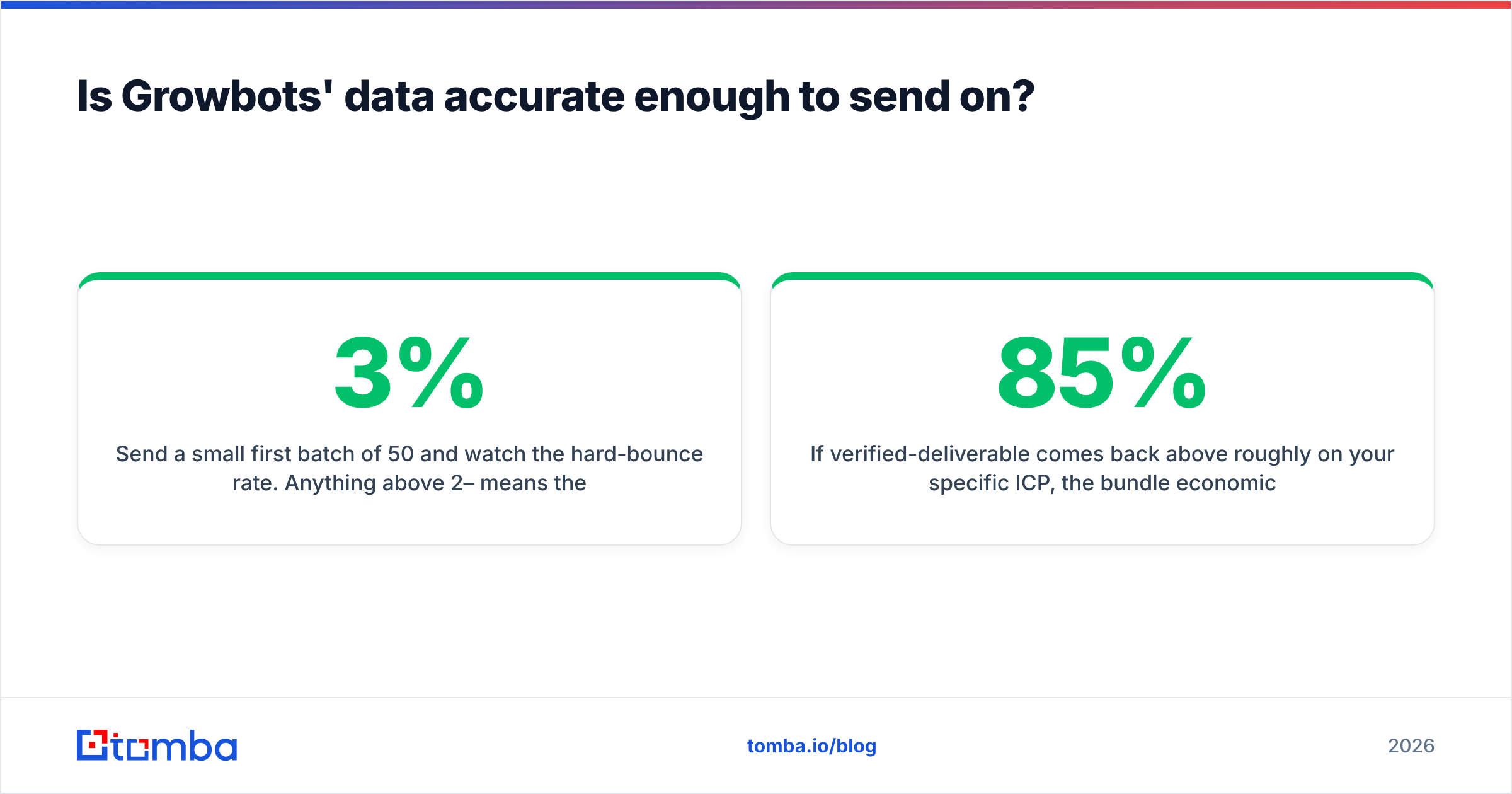
- Send a small first batch of 50 and watch the hard-bounce rate. Anything above 2–3% means the list is not send-ready.
If verified-deliverable comes back above roughly 85% on your specific ICP, the bundle economics work. If it comes back at 60–70%, you are paying database prices for a list you will have to clean anyway — at which point a dedicated email finder plus verification is cheaper and more transparent.
One nuance worth stating plainly: no provider can truthfully report a catch-all domain as "valid." Any tool that does is rounding up. Judging vendors on how honestly they label uncertainty is a better signal than comparing marketing accuracy claims.
Who should buy Growbots — and who should skip it?#
Buy it if:
- You are a founder or a 2–10 person team with no RevOps support and no existing data contracts.
- Your ICP is mainstream: US or EU, 50–1,000 employees, recognizable job titles.
- You value one throat to choke over stack flexibility.
- You want onboarding help, not just documentation.
Skip it if:
- Your ICP is niche, regional, or defined by signals a firmographic filter cannot express.
- You already own a data source you trust and only need sending.
- You need API-first workflows, custom enrichment fields, or CRM-triggered automation.
- Your list volume is high enough that per-contact data cost dominates your CAC — in that case, decoupling data from sending almost always wins.
The middle path most teams end up on: keep a lightweight sender you like, source addresses from a dedicated finder, and run an explicit verification and contact enrichment step before anything enters a sequence. It is more setup on day one and less firefighting on day thirty.
What is the honest verdict on the Growbots pros and cons?#
Growbots solves a real problem — the cold-start problem — and it solves it well. The cost of that solution is optionality. You trade the ability to upgrade any single layer of your outbound stack for the convenience of never having to think about the layers at all.
That trade is correct for a lot of teams in their first year of outbound. It becomes expensive the moment your ICP sharpens, your volume grows, or your bounce rate starts telling you something the dashboard will not explain.
The failure mode to avoid is subscribing for twelve months on the strength of a demo list. Run the 200-contact test above before you commit. The data either covers your market or it does not, and one afternoon of verification will tell you which.
If your bottleneck is finding accurate, verified addresses for a specific set of target accounts — not learning outbound from scratch — start with a dedicated finder instead of a bundle. The Tomba Email Finder returns addresses by domain, name, or company with visible confidence scoring and source attribution, includes a free tier of 25 searches per month to test coverage on your own ICP, and starts at $49/month when you scale up. Verify your first list before you rent a database for a year.
Related guides#
Ready to find emails that actually work?
Join 150,000+ professionals who stopped guessing and started sending. Free credits on signup — no credit card required.
Get the Tomba newsletter
Practical outbound tactics and product updates — once every two weeks.
About the author