GrowMeOrganic vs Power Almanac: Which B2B Data Tool Wins?
One scrapes LinkedIn and the open web for any B2B persona. The other sells a hand-built directory of US local government officials. They are not really competitors — and picking wrong costs you a quarter.
TL;DR
- These two tools barely overlap. GrowMeOrganic is a broad B2B prospecting suite (LinkedIn scraping, email finding, cold email sending). Power Almanac is a narrow, hand-researched database of US local government officials — mayors, city managers, clerks, council members.
- Pick GrowMeOrganic if you sell to private-sector companies and want one seat that scrapes, finds, and sends.
- Pick Power Almanac if your ICP literally is a municipality and you need coverage of ~40,000 US local governments that no scraper reproduces reliably.
- Neither is a great verification layer. Both hand you addresses; neither is built to keep a large list clean over time. That is where a dedicated finder/verifier API earns its keep.
- Cost shape differs completely: GrowMeOrganic is a monthly SaaS seat, Power Almanac is priced closer to a data license. Compare cost-per-usable contact, not cost-per-record.
What are GrowMeOrganic and Power Almanac, actually?#
They get compared because both appear on "B2B lead database" listicles. That is the only thing they share.
GrowMeOrganic is an all-in-one prospecting platform aimed at agencies, recruiters, and small sales teams. You install a Chrome extension, scrape LinkedIn Sales Navigator or Google Maps results, let the tool guess and verify work emails, then push those contacts into a built-in cold email sequencer. The pitch is "one subscription instead of five." It is popular with lean teams who do not want to stitch together a scraper, an enrichment vendor, and a sending tool.
Power Almanac is something else entirely: a research-built directory of elected and appointed officials across roughly 40,000 US municipalities, townships, and counties. Records include title, department, mailing address, phone, and — for a large share of records — a direct email. The data is compiled and re-verified by human researchers on a recurring cycle rather than scraped. You buy a filtered list (by state, population band, job title, government type) and export it.
Put plainly: GrowMeOrganic helps you reach the VP of Marketing at a 200-person SaaS company. Power Almanac helps you reach the Public Works Director of Sandusky, Ohio. If you are choosing between them, one of those two sentences describes your ICP and the other does not.

How do the two data models differ?#
The distinction that matters is how a record comes into existence. It predicts freshness, coverage, bounce rate, and what happens when the record is wrong.
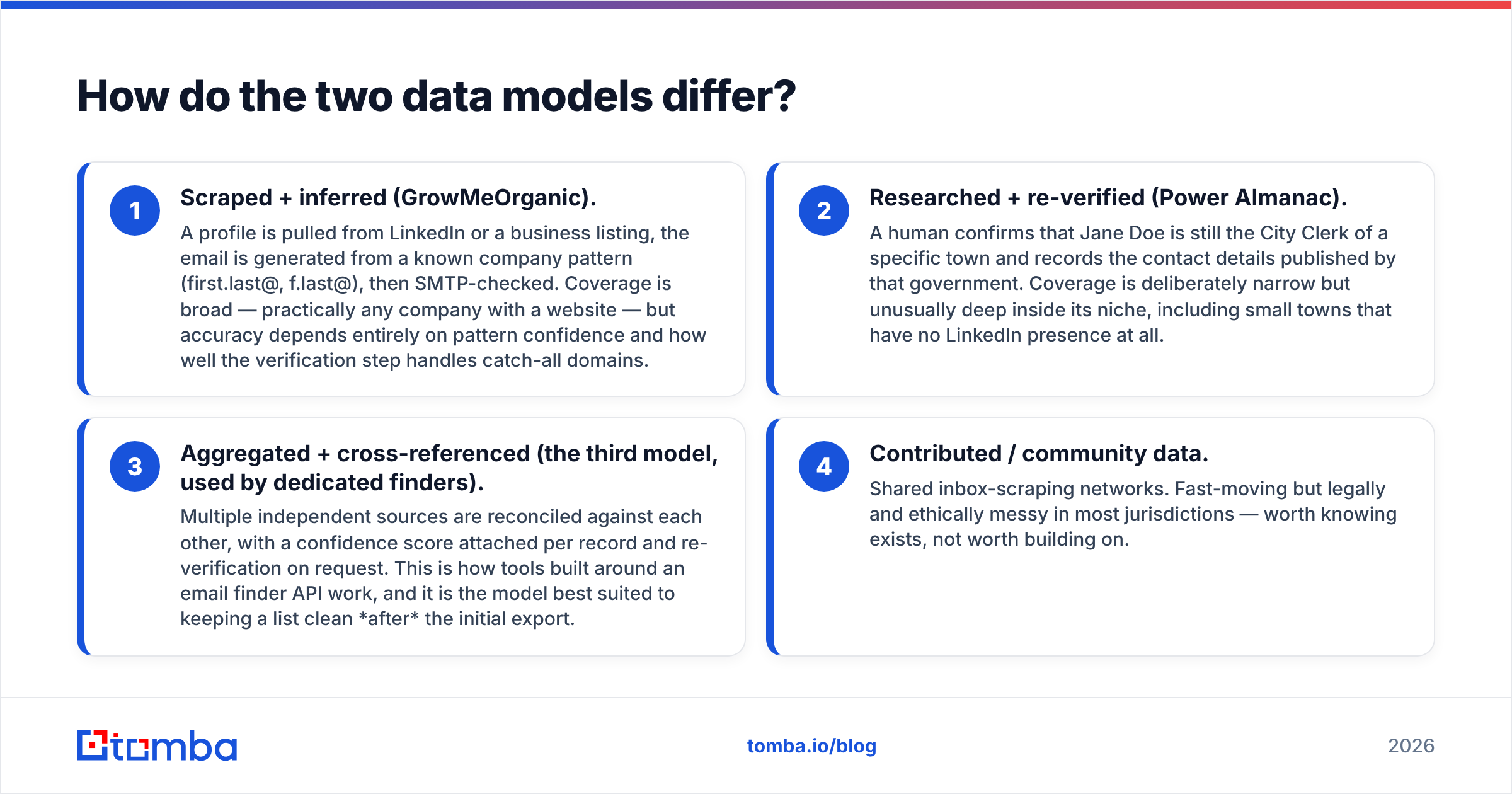
- Scraped + inferred (GrowMeOrganic). A profile is pulled from LinkedIn or a business listing, the email is generated from a known company pattern (first.last@, f.last@), then SMTP-checked. Coverage is broad — practically any company with a website — but accuracy depends entirely on pattern confidence and how well the verification step handles catch-all domains.
- Researched + re-verified (Power Almanac). A human confirms that Jane Doe is still the City Clerk of a specific town and records the contact details published by that government. Coverage is deliberately narrow but unusually deep inside its niche, including small towns that have no LinkedIn presence at all.
- Aggregated + cross-referenced (the third model, used by dedicated finders). Multiple independent sources are reconciled against each other, with a confidence score attached per record and re-verification on request. This is how tools built around an email finder API work, and it is the model best suited to keeping a list clean after the initial export.
- Contributed / community data. Shared inbox-scraping networks. Fast-moving but legally and ethically messy in most jurisdictions — worth knowing exists, not worth building on.
Why does this matter for your budget? Because scraped data decays fastest on job changes, researched data decays fastest on election cycles, and neither vendor refunds you for bounces you discover three weeks later.
GrowMeOrganic vs Power Almanac: how do they compare head to head?#
Pricing for both vendors moves, and Power Almanac in particular quotes based on list size and license terms. Treat the figures below as shape, not gospel — check both vendor sites before you buy.
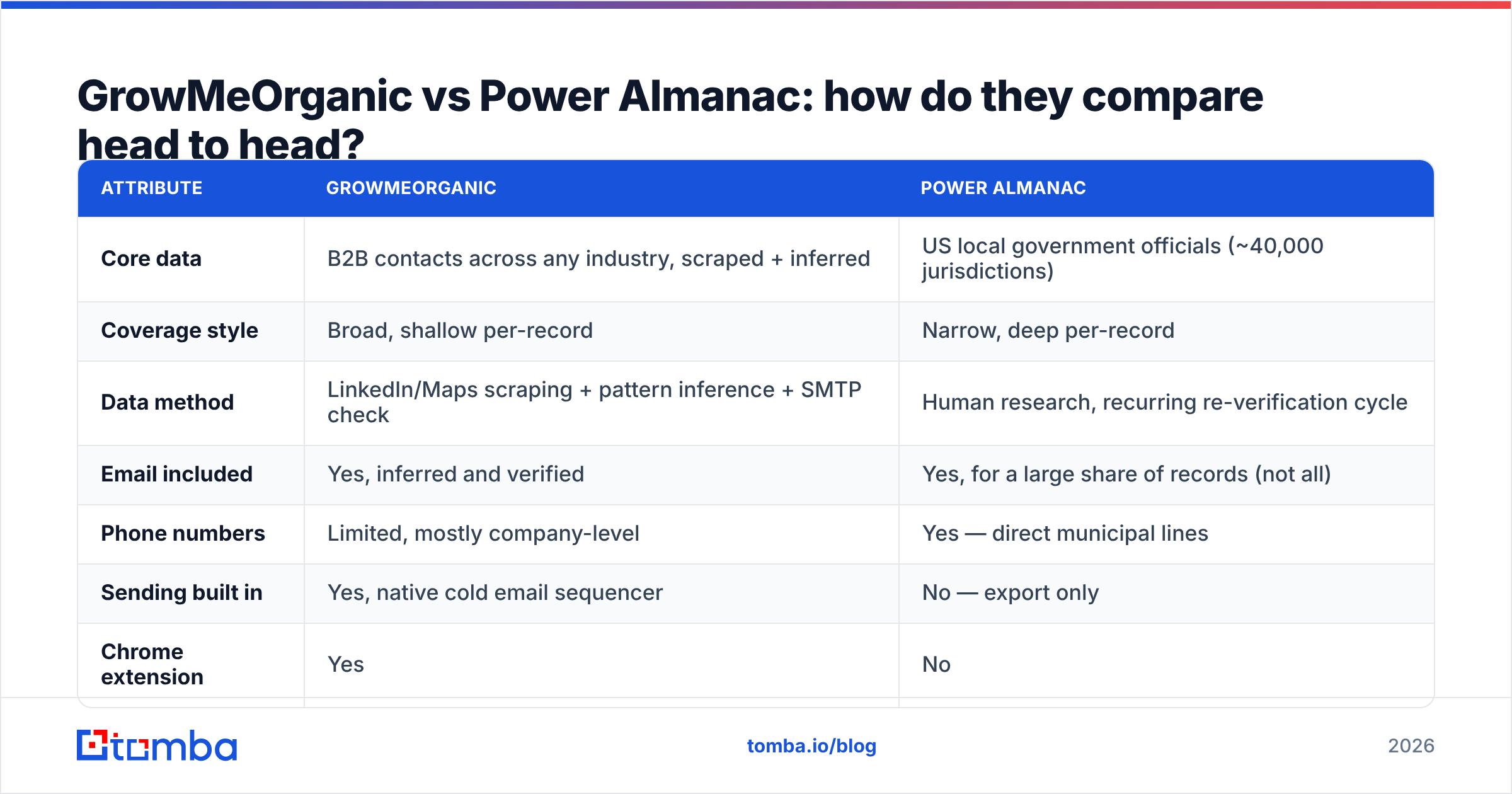
| Attribute | GrowMeOrganic | Power Almanac |
|---|---|---|
| Core data | B2B contacts across any industry, scraped + inferred | US local government officials (~40,000 jurisdictions) |
| Coverage style | Broad, shallow per-record | Narrow, deep per-record |
| Data method | LinkedIn/Maps scraping + pattern inference + SMTP check | Human research, recurring re-verification cycle |
| Email included | Yes, inferred and verified | Yes, for a large share of records (not all) |
| Phone numbers | Limited, mostly company-level | Yes — direct municipal lines |
| Sending built in | Yes, native cold email sequencer | No — export only |
| Chrome extension | Yes | No |
| Pricing shape | Monthly/annual SaaS seat, credit-limited | List purchase / data license, priced by record volume |
| Entry cost | Roughly $39–$79 per month depending on billing term | Quoted; typically a per-record or annual license |
| API access | Limited | Limited |
| Best for | Agencies, recruiters, SMB SaaS outbound | GovTech, civic SaaS, public-sector suppliers |
| Worst for | Public-sector ICPs | Anything outside US local government |
The table hides one asymmetry worth stating out loud: GrowMeOrganic is a workflow, Power Almanac is a file. GrowMeOrganic wants to be the place you work every day. Power Almanac wants to hand you a CSV and get out of the way. If you already run Instantly, Smartlead, or a CRM-native sequencer, half of what you pay GrowMeOrganic for is redundant.
Which one has better data accuracy?#
Neither answer is flattering, and both are defensible in context.
GrowMeOrganic's accuracy is pattern-dependent. On a mid-size company with a clean, consistent email convention and a non-catch-all MX record, inference plus SMTP check is genuinely reliable. On a catch-all domain — where the server accepts everything, so verification returns "unknown" — you are guessing with extra steps. Independent reviews on G2 repeatedly flag the same two things: excellent value for the price, inconsistent hit rates on smaller or non-Western companies. That is exactly what you would predict from a pattern-inference engine.
Power Almanac's accuracy is cycle-dependent. A researched municipal record is very accurate the week after it is checked and progressively less accurate as elections, retirements, and reorganisations accumulate. Local government has high turnover in elected roles and low turnover in appointed ones, so a Power Almanac list ages unevenly: your Public Works Directors stay valid far longer than your council members.
The practical consequence is identical for both: whatever you export, verify before you send. Running a fresh export through an email verifier before it touches your sending domain costs a fraction of a cent per record and protects the asset that actually determines your results — your sender reputation. If a meaningful share of your list sits on catch-all domains (very common with .gov and .us municipal domains), a dedicated catch-all verifier is the only thing that will separate real mailboxes from accept-all noise.
Is GrowMeOrganic worth it in 2026?#
For a specific buyer, yes — and that buyer is smaller than the marketing suggests.
It works well when:
- You are a solo founder, agency, or two-person sales team and consolidating four tools into one seat genuinely saves you money and admin time.
- Your prospecting starts on LinkedIn Sales Navigator and the scraping step is the bottleneck.
- Your volumes are modest — a few thousand contacts a month, not tens of thousands.
- You accept a middling hit rate because the price per credit is low enough that misses do not hurt.
It works badly when:
- You need API-first enrichment inside your own product or data warehouse. The API story is thin compared with purpose-built providers.
- Deliverability is the constraint. Bundled senders on shared infrastructure give you less control than a dedicated sending stack.
- Your ICP is non-US, public sector, or otherwise underrepresented on LinkedIn.
- You need auditable data provenance for compliance reasons. Scraped data with inferred emails is a harder conversation with your legal team than licensed data.
If you land in the second list, the honest move is to unbundle: keep a sequencer you trust, and buy contact data from a provider whose entire business is contact data. The bulk email finder approach — upload a company or name list, get back verified addresses with confidence scores, push into whatever sender you already use — costs less than an all-in-one seat once you are past the beginner tier, and it does not lock your sending into someone else's IP pool.
Is Power Almanac worth it for public-sector outbound?#
If you sell to cities, counties, or townships: yes, and it is close to unreplaceable.
Try assembling this data yourself. A town of 4,000 people in rural Missouri has one part-time clerk, a website last redesigned in 2011, and no LinkedIn presence whatsoever. There is no scraper output to buy. There is no Sales Navigator filter for "City Manager, population under 10,000." The only ways to get that record are to pay a researcher or to pay Power Almanac, and Power Almanac has already amortised the cost across every other GovTech buyer.
The caveats are real, though:
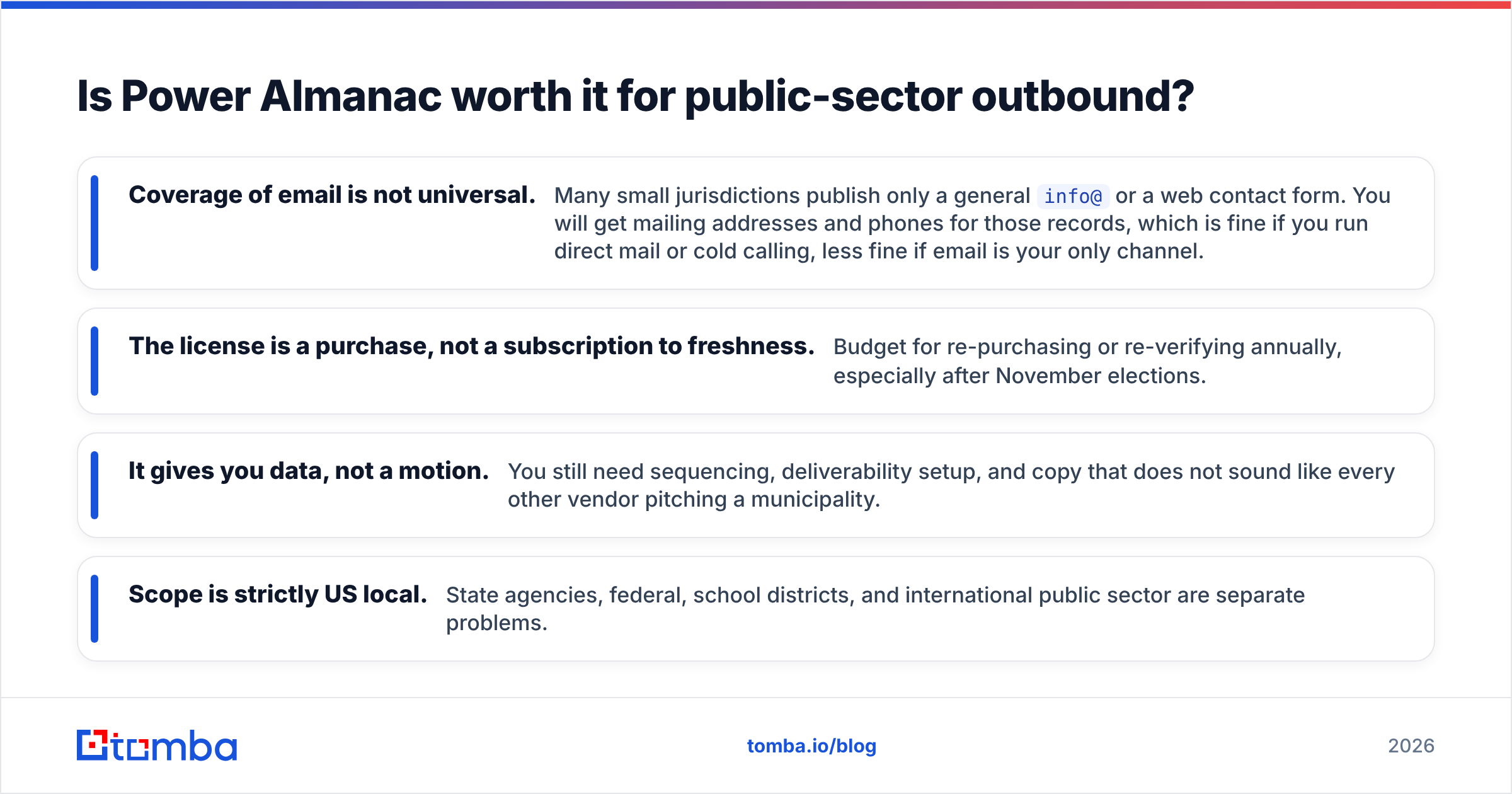
- Coverage of email is not universal. Many small jurisdictions publish only a general
info@or a web contact form. You will get mailing addresses and phones for those records, which is fine if you run direct mail or cold calling, less fine if email is your only channel. - The license is a purchase, not a subscription to freshness. Budget for re-purchasing or re-verifying annually, especially after November elections.
- It gives you data, not a motion. You still need sequencing, deliverability setup, and copy that does not sound like every other vendor pitching a municipality.
- Scope is strictly US local. State agencies, federal, school districts, and international public sector are separate problems.
For teams whose ICP includes both government and private-sector accounts — a civic SaaS company selling to cities and to the engineering firms that serve them — you will end up running two data sources anyway. That is not a failure of either tool; it is the correct architecture.
What should you actually buy?#
Here is the decision in four lines:
- ICP is private-sector companies, small team, want everything in one place → GrowMeOrganic, and set expectations on hit rate.
- ICP is US municipalities → Power Almanac for the base list, plus a verifier before you send.
- ICP is mixed, or you need data inside your own systems → skip both bundles; buy a finder/verifier API and keep your sending stack separate.
- You already have a company list and just need contacts at those companies → a domain search pass is faster and cheaper than either product.
That last case is the most common one in practice, and it is the one both vendors handle least gracefully. Most teams do not need "a database." They need the twelve right people at the four hundred accounts they already picked. Buying a broad database to solve a narrow enrichment problem is how outbound budgets quietly disappear.
How do you keep whichever list you buy from rotting?#
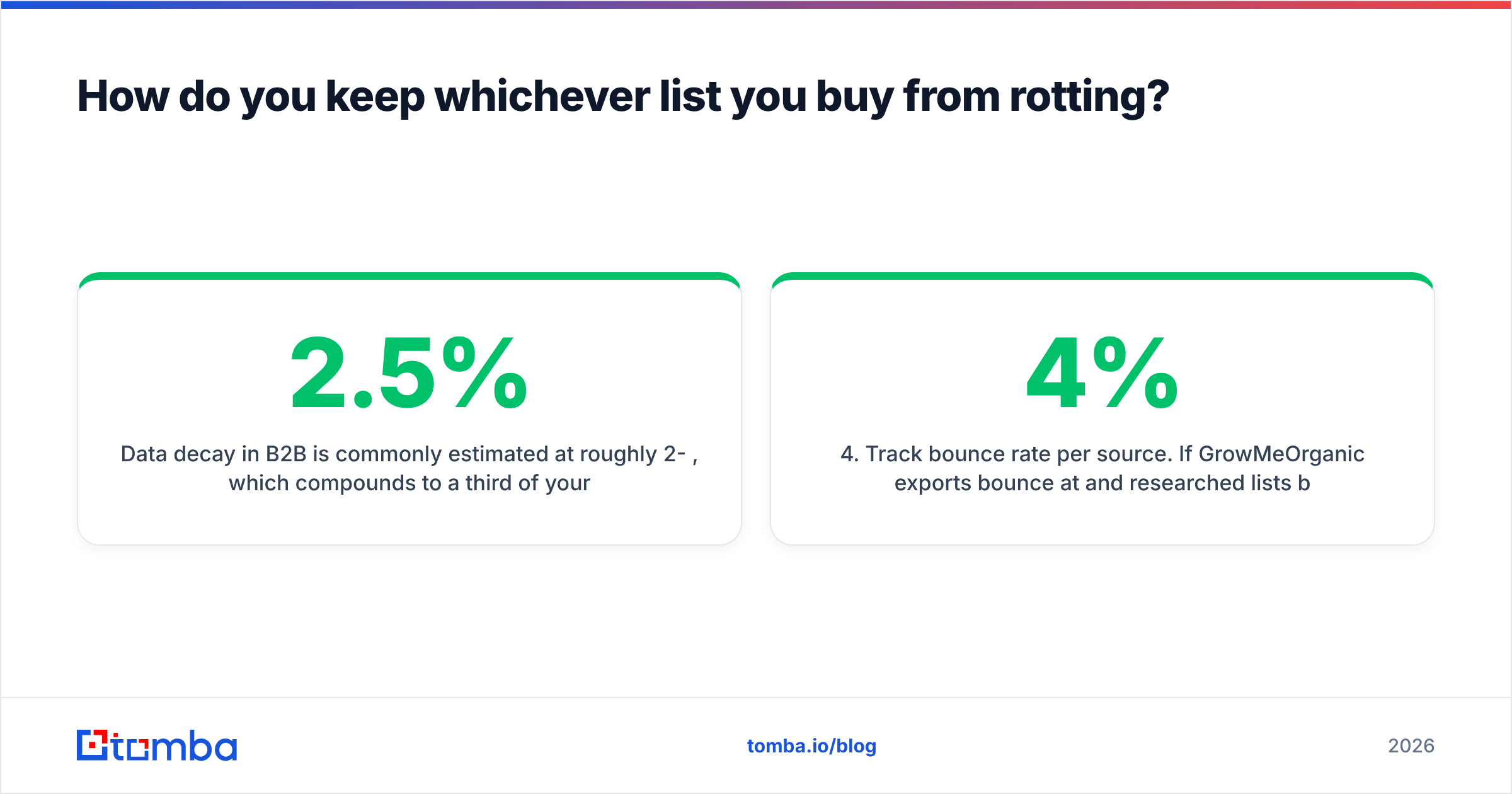
Data decay in B2B is commonly estimated at roughly 2-2.5% per month, which compounds to a third of your list per year. Two habits fix most of it:
- Verify at send time, not at purchase time. A record verified in March and mailed in July is an unverified record. Re-run the segment the day before the campaign.
- Split catch-all domains into their own track. Do not mix them into your main sends. Warm them separately or route them to a channel that does not risk your reputation.
- Re-enrich on trigger, not on schedule. Job change, funding round, domain change — those are the moments a record breaks.
- Track bounce rate per source. If GrowMeOrganic exports bounce at 4% and researched lists bounce at 1.5%, you now know what each source is really costing you.
None of that requires a new platform. It requires an enrichment and verification layer sitting between whatever you bought and whatever you send with — which is precisely the gap both GrowMeOrganic and Power Almanac leave open.
The bottom line#
GrowMeOrganic and Power Almanac are not rivals; they are answers to different questions. GrowMeOrganic buys you breadth and a bundled workflow at a low monthly price, with accuracy that varies by domain. Power Almanac buys you depth in a niche nobody else covers properly, with data quality that depends on how recently it was checked. Choose by ICP first, workflow second, price third — that order rarely fails.
Whichever you pick, the verification layer is yours to own. Start with Tomba Email Finder: search by domain, name, or company, get confidence-scored results, and verify catch-all domains before a single message leaves your sending domain. The free tier gives you 25 searches a month to test hit rates against your own list, and paid plans start at $49/mo — see Tomba pricing for the full breakdown. Run a hundred of your existing contacts through it and compare the bounce rate against whatever you exported last quarter. The number will tell you which tool you actually need.
Related guides#
Ready to find emails that actually work?
Join 150,000+ professionals who stopped guessing and started sending. Free credits on signup — no credit card required.
Get the Tomba newsletter
Practical outbound tactics and product updates — once every two weeks.
About the author