HitHorizons vs Wiza: Which B2B Data Tool Fits Your Team?
HitHorizons sells registry-grade company records. Wiza sells LinkedIn-sourced contact records. They barely overlap — and picking the wrong one wastes a quarter. Here's the honest breakdown.
TL;DR
- They are not really competitors. HitHorizons is a company (firmographic) database built on official business registries. Wiza is a contact database built on LinkedIn profiles. One tells you which company, the other tells you which person and how to reach them.
- Pick HitHorizons if you need legally-sourced European company records — registration numbers, legal form, revenue bands, industry codes — for market sizing, TAM modelling, KYC, or account list building.
- Pick Wiza if you already live in LinkedIn Sales Navigator and want to turn a saved search into a CSV of verified work emails and mobile numbers.
- Neither is a full outbound stack. HitHorizons gives you almost no personal contact data. Wiza gives you almost no registry-grade firmographics and is priced per user.
- The cheapest working combo for most teams is a company-data source plus a dedicated email finder with verification built in, rather than paying twice for overlapping seats.
What is HitHorizons, and what is it actually for?#
HitHorizons is a company information platform. Its dataset comes from official national business registers across Europe, consolidated into a single searchable index covering tens of millions of legal entities, plus a wider global layer.
What you get per company record is registry-shaped, not sales-shaped:
- Legal name, trading name, and registration number
- Legal form and status (active, dissolved, in liquidation)
- Registered address and country
- Industry classification (NACE / SIC-style codes)
- Revenue and employee bands where the register publishes them
- Corporate hierarchy hints — parent and subsidiary relationships
- A proprietary ranking score that lets you sort companies by relative size within an industry or country
That last point matters more than it sounds. If you are building a target account list for the DACH region and need "manufacturing companies in Bavaria with 50–250 employees that filed accounts in the last two years," registry data answers that cleanly. Scraped or crowdsourced datasets usually cannot, because they inherit whatever a marketer typed into a company profile years ago.
HitHorizons exposes this through a web search interface, downloadable reports, and an API. It is used as much by compliance, credit, and research teams as by sales — which shapes the whole product. There is no sequencer, no Chrome extension for LinkedIn, no "add to campaign" button.
The blunt limitation: HitHorizons will hand you a company. It will not hand you the VP of Operations' email address. For that you need a separate layer.
What is Wiza, and what does it actually do?#
Wiza sits at the opposite end. It is a LinkedIn-native prospecting tool, best known for one specific job: take a LinkedIn or Sales Navigator search — or a saved list — and export it as a spreadsheet of people with work emails, personal emails, and phone numbers attached.
The core surfaces are:
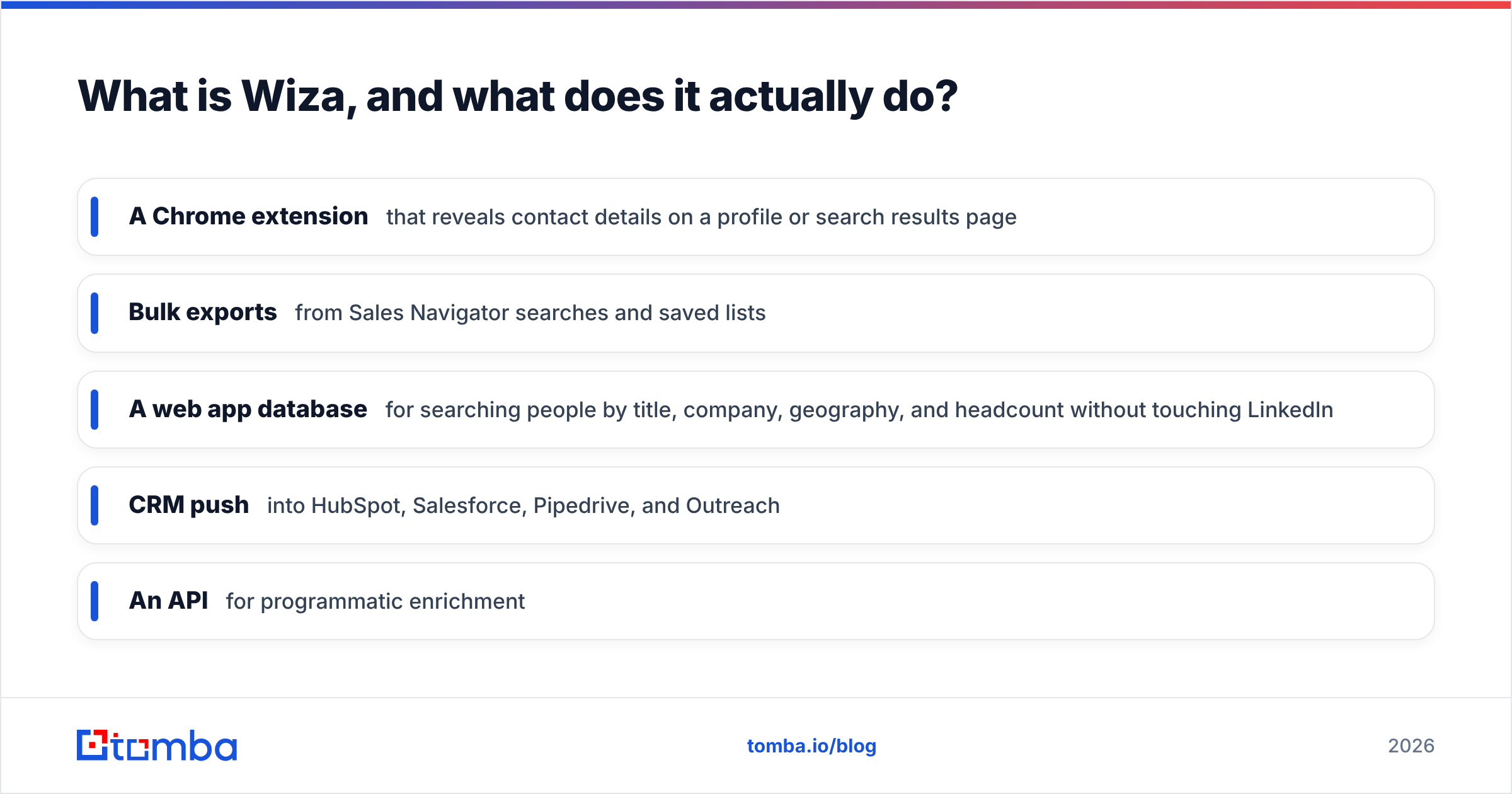
- A Chrome extension that reveals contact details on a profile or search results page
- Bulk exports from Sales Navigator searches and saved lists
- A web app database for searching people by title, company, geography, and headcount without touching LinkedIn
- CRM push into HubSpot, Salesforce, Pipedrive, and Outreach
- An API for programmatic enrichment
Wiza's pitch is real-time verification: rather than serving a stale row from a warehouse, it attempts to source and validate the email at request time, and only charges for results it considers valid. That model genuinely reduces the "I paid for 1,000 records and 400 bounced" problem that plagues static databases.
The trade-offs are equally real. Wiza is priced per seat, credits do not always roll over, and — like every LinkedIn-derived tool — it inherits LinkedIn's blind spots. Companies with weak LinkedIn presence (a lot of European SMEs, family manufacturers, public-sector suppliers) are thin or missing. Job titles reflect what people say they do, not what a register says the entity is.
HitHorizons vs Wiza: how do they compare head-to-head?#
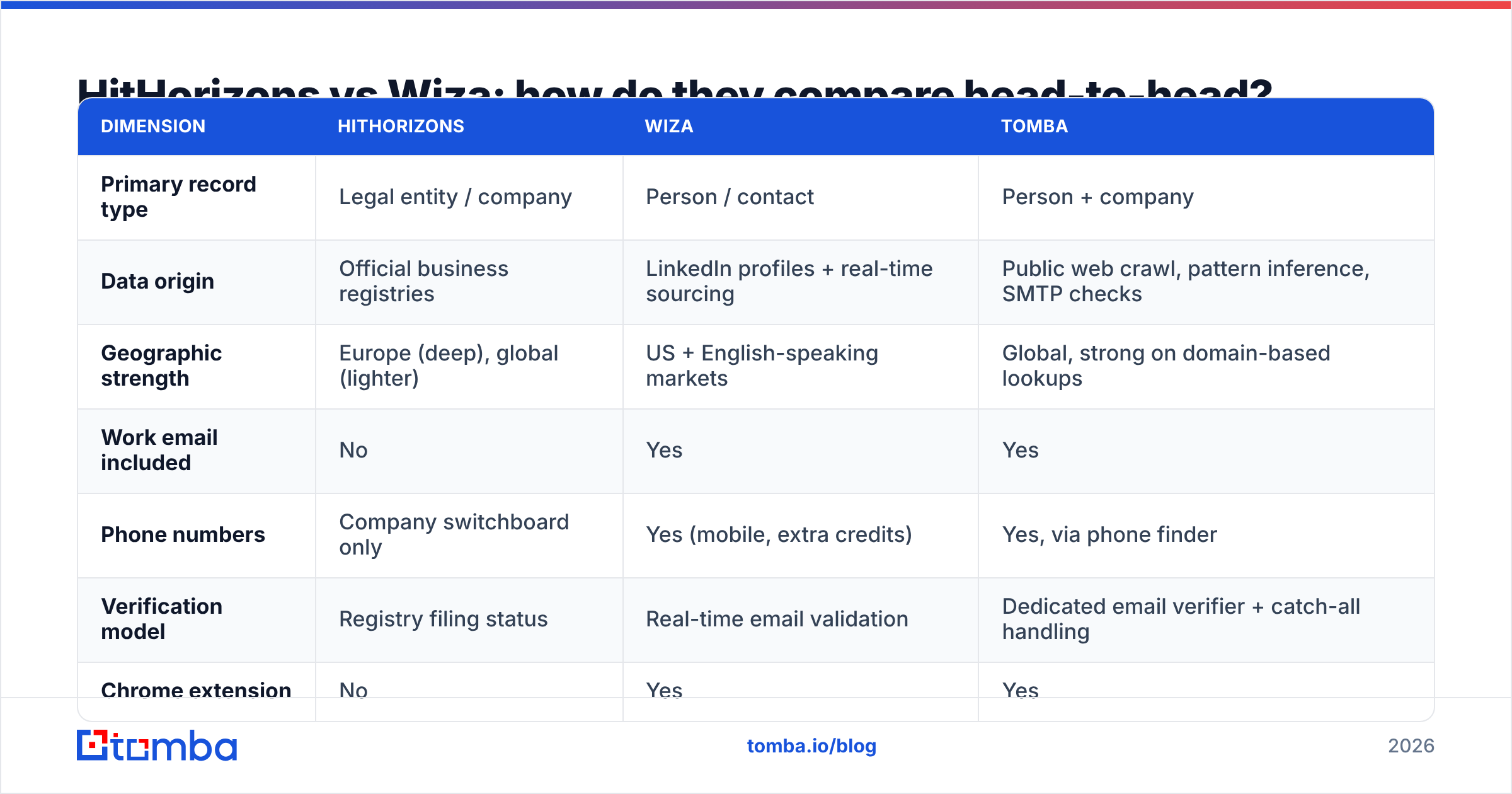
| Dimension | HitHorizons | Wiza | Tomba |
|---|---|---|---|
| Primary record type | Legal entity / company | Person / contact | Person + company |
| Data origin | Official business registries | LinkedIn profiles + real-time sourcing | Public web crawl, pattern inference, SMTP checks |
| Geographic strength | Europe (deep), global (lighter) | US + English-speaking markets | Global, strong on domain-based lookups |
| Work email included | No | Yes | Yes |
| Phone numbers | Company switchboard only | Yes (mobile, extra credits) | Yes, via phone finder |
| Verification model | Registry filing status | Real-time email validation | Dedicated email verifier + catch-all handling |
| Chrome extension | No | Yes | Yes |
| Bulk workflow | CSV / report download, API | Sales Navigator export | Bulk email finder, API, Sheets add-on |
| Seat model | Account-based | Per user | Credits shared across the workspace |
| Best-known use case | Market sizing, KYC, TAM | LinkedIn list → CSV of emails | Domain → all verified emails |
| Entry price | Free search, paid credit packs | Free tier, then per-seat monthly | Free 25 searches, then $49/mo |
Pricing and packaging change frequently on all three products — confirm the current numbers on each vendor's own pricing page before you commit budget.
The table makes the real answer obvious: the question "HitHorizons vs Wiza" usually means someone has misdiagnosed their problem. If your list is missing companies, Wiza will not fix it. If your list is missing people, HitHorizons will not fix it.
Which data problem do you actually have?#
Work through these in order. Most teams stall on exactly one.
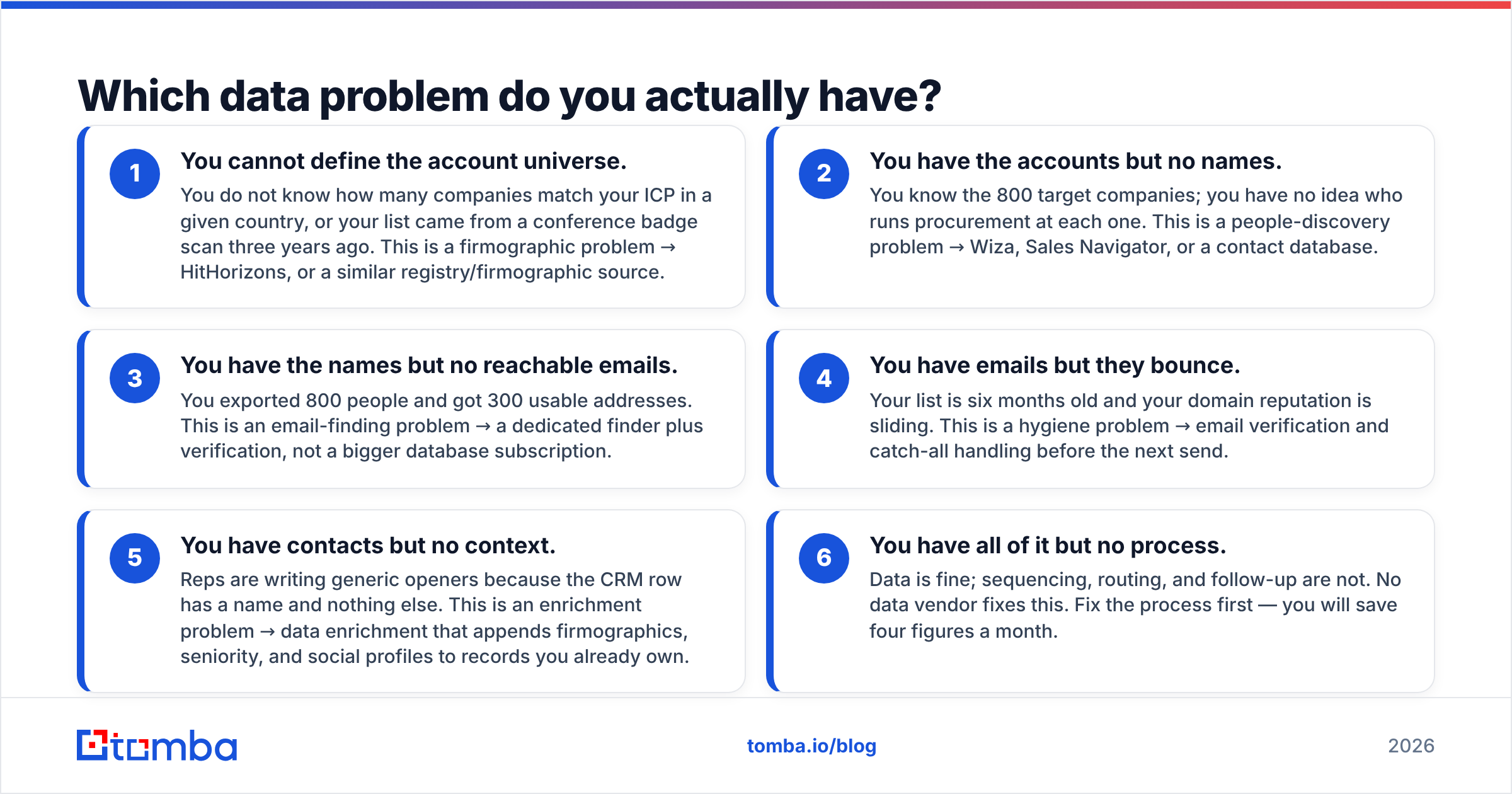
- You cannot define the account universe. You do not know how many companies match your ICP in a given country, or your list came from a conference badge scan three years ago. This is a firmographic problem → HitHorizons, or a similar registry/firmographic source.
- You have the accounts but no names. You know the 800 target companies; you have no idea who runs procurement at each one. This is a people-discovery problem → Wiza, Sales Navigator, or a contact database.
- You have the names but no reachable emails. You exported 800 people and got 300 usable addresses. This is an email-finding problem → a dedicated finder plus verification, not a bigger database subscription.
- You have emails but they bounce. Your list is six months old and your domain reputation is sliding. This is a hygiene problem → email verification and catch-all handling before the next send.
- You have contacts but no context. Reps are writing generic openers because the CRM row has a name and nothing else. This is an enrichment problem → data enrichment that appends firmographics, seniority, and social profiles to records you already own.
- You have all of it but no process. Data is fine; sequencing, routing, and follow-up are not. No data vendor fixes this. Fix the process first — you will save four figures a month.
Buying HitHorizons for problem 3, or Wiza for problem 1, is the most common and most expensive mistake in this category.
How do pricing and credits really compare?#
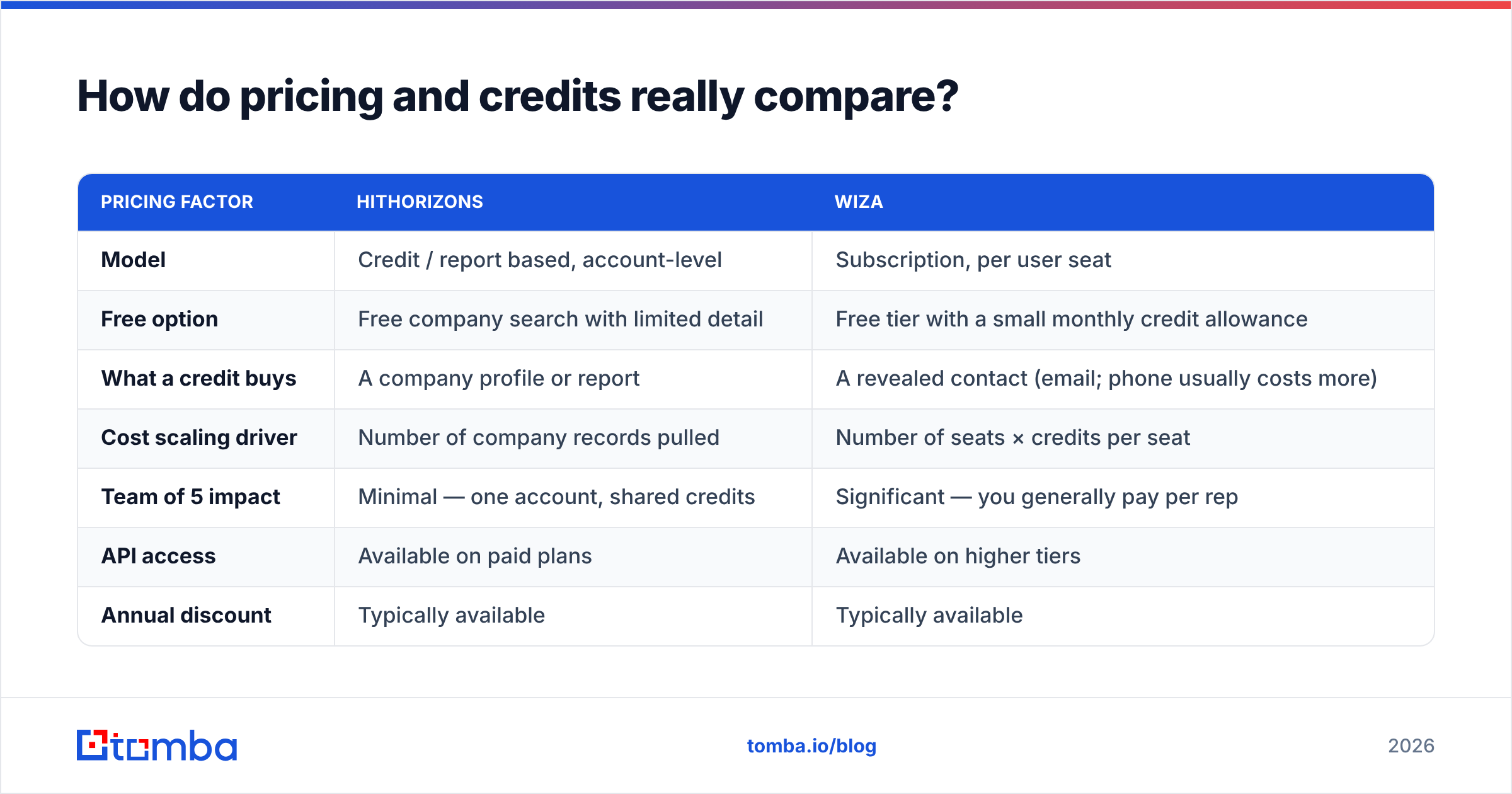
The two products use structurally different commercial models, which makes list-price comparison misleading.
| Pricing factor | HitHorizons | Wiza |
|---|---|---|
| Model | Credit / report based, account-level | Subscription, per user seat |
| Free option | Free company search with limited detail | Free tier with a small monthly credit allowance |
| What a credit buys | A company profile or report | A revealed contact (email; phone usually costs more) |
| Cost scaling driver | Number of company records pulled | Number of seats × credits per seat |
| Team of 5 impact | Minimal — one account, shared credits | Significant — you generally pay per rep |
| API access | Available on paid plans | Available on higher tiers |
| Annual discount | Typically available | Typically available |
The seat model is the thing to model carefully. A five-person SDR team on a per-seat tool can cost several times what the same team pays for a shared-credit tool, even when total record volume is identical. If credits are the constraint, a shared pool is almost always cheaper. If individual reps need a browser extension open all day, per-seat may be worth it.
For reference, Tomba pricing runs Free (25 searches/month), Starter at $49/mo, Growth at $99/mo, Pro at $249/mo, and custom Enterprise — with credits pooled at the workspace level rather than per user. That structure sits between the two: cheaper than seat-based prospecting tools for teams, and far more contact-focused than a registry database.
Which one is more accurate?#
Accuracy means different things here, and comparing the two on a single number is meaningless.
HitHorizons accuracy is a function of registry freshness. A company's legal name, registration number, and status are as accurate as data gets in B2B — they come from the source of truth. The lag is filing lag: revenue figures can be 12–24 months behind because that is how often companies file. So "is this entity real and active?" is answered with near-certainty; "what is their revenue this quarter?" is an estimate.
Wiza accuracy is a function of LinkedIn freshness plus real-time validation. Because it validates at request time and generally does not charge for results it cannot verify, deliverability on returned emails tends to be strong. The gap is coverage, not correctness — profiles that are private, dormant, or non-existent produce no result at all, and job changes surface only when the person updates their profile.
Two practical consequences:
- Do not use registry revenue bands as a hard qualification gate without a sanity check. Filing lag will misclassify fast-growing companies.
- Do not assume a "no result" from a LinkedIn-derived tool means the person is unreachable. It frequently means the company's email pattern exists but the profile does not. A domain search against the company domain often surfaces the contact anyway, along with the pattern used across the org.
That second point is where a lot of recovered pipeline hides. Running unresolved rows through a pattern-based finder typically lifts total match rate meaningfully on European and SMB-heavy lists — exactly the segments where LinkedIn coverage is thinnest.
Where does each tool fall short?#
HitHorizons weak spots
- No personal contact data — you will need a second tool regardless
- No outbound workflow: no sequencing, no CRM-native experience, no browser extension
- Coverage and field depth vary by country because registers vary by country
- Interface is research-oriented; reps who live in a CRM will not adopt it
Wiza weak spots
- Per-seat pricing punishes larger teams
- Coverage inherits LinkedIn's geographic and industry skew
- Company-level data is descriptive, not registry-grade — poor fit for compliance or credit use
- Credit expiry and phone-credit surcharges complicate budgeting
- Heavy Sales Navigator dependence means your workflow is coupled to another subscription
Neither list is disqualifying. They are just the reason most serious GTM teams end up running two or three data sources and reconciling them, rather than betting the quarter on one vendor. Independent review sites like G2 are useful here for spotting which complaints are chronic versus one-off — read the two- and three-star reviews, not the five-star ones.
Can you replace both with something simpler?#
Partially, and it depends on your motion.
If your outbound is domain-first — you know the companies, you need the people — a dedicated email finder covers most of the ground both tools cover, at lower cost. You feed it a domain, it returns the contacts it has plus the org's email pattern, verifies each address, and hands the result to your CRM. No Sales Navigator seat, no registry subscription.
If your outbound is market-first — you are entering a new country, sizing a segment, or filtering by legal criteria — you genuinely need registry data, and HitHorizons is a reasonable buy. Pair it with a contact layer rather than expecting it to do both jobs.
If your outbound is person-first — you find individuals on LinkedIn and work them one at a time — Wiza's extension is a good fit, and per-seat cost is easier to justify because each rep is genuinely using it daily. If seat cost is the blocker, look at a Wiza alternative with workspace-pooled credits before you cut headcount off the tool.
A pragmatic stack for a five-person team looks like: a firmographic source for list definition (registry data if you sell into Europe), a finder-plus-verifier for contact resolution, and your CRM as the system of record. That is two data line items, not three, and the finder layer is the one that determines whether anything actually lands in an inbox.
What should you do next?#
Start by auditing where your last 1,000 prospects died. If most of them never made it onto the list, you have a company-data gap and HitHorizons is worth a trial. If they made the list but had no reachable address, you have a contact-data gap — and that is the cheaper problem to fix.
For the contact gap specifically, run a sample of 100 target domains through the Tomba Email Finder on the free tier before you buy anything. You will see the match rate, the verification status of every address, and the email pattern for each company in one pass — enough evidence to know whether you need a per-seat LinkedIn tool at all, or just a better finder feeding the list you already have.
Related guides#
Ready to find emails that actually work?
Join 150,000+ professionals who stopped guessing and started sending. Free credits on signup — no credit card required.
Get the Tomba newsletter
Practical outbound tactics and product updates — once every two weeks.
About the author