How Does Email Verification Work? A 2026 Technical Guide
Email verification is four checks stacked in order: syntax, DNS, mailbox, and risk scoring. Here is exactly what happens at each stage, why catch-all domains break the chain, and how to read the results.
TL;DR
- Email verification runs four checks in sequence: syntax parsing, DNS/MX lookup, SMTP mailbox probe, and risk scoring. Each one is cheap to run and each one kills a different failure mode.
- The SMTP handshake is the only step that talks to the receiving mail server. It uses
RCPT TOwithout ever sending a message — that is why a verified address never gets a "test" email. - Catch-all domains accept every address at the SMTP layer, so the mailbox probe returns "accepted" even for
asdkjh@company.com. This is where most verification tools quietly guess. - Role addresses (
info@,sales@), disposable domains, and spam traps are caught by list-based risk scoring, not by SMTP. - Verifying before you send is the single highest-leverage deliverability action available: bounce rate below 2% keeps you out of the filtering penalty box at Google and Microsoft.
What is email verification, actually?#
Email verification is the process of confirming that a mailbox exists and can receive mail — without sending anything to it.
The everyday analogy: it is the difference between mailing a letter and hoping, versus walking to the building, checking the street exists, checking the building exists, and asking the doorman whether the name on your envelope lives there. You never hand over the letter. You just ask.
Technically, verification is a pipeline of independent checks. Each returns a signal; a scoring layer combines them into a verdict — usually valid, invalid, accept-all, unknown, or risky. Most people assume it is one thing (a regex, or "pinging the server"). It is four things, and the confidence of the final answer depends entirely on which of the four actually completed.
Here is the full sequence.
How does email verification work step by step?#
- Syntax validation — Parse the address against RFC 5322. Checks the local part, the
@, the domain, illegal characters, doubled dots, length limits (64 chars local, 254 total). Rejects roughly 3-5% of a typical scraped list instantly. Costs nothing, catches typos likejohn@@acme.com. - Domain and MX record lookup — Query DNS for the domain's MX records. No MX record means no mail server means no possible delivery. This also catches dead domains, parked domains, and the misspellings that survive syntax checks (
gmial.comparses fine but has no useful MX for your purposes — actually it does resolve, which is why step 4 matters). - SMTP mailbox probe — Open a TCP connection to the highest-priority MX host on port 25, issue
HELO/EHLO, thenMAIL FROM, thenRCPT TO:<target@domain.com>. Read the response code. A250means the server accepts mail for that recipient. A550means no such user. Then sendQUIT— the message body is never transmitted. - Catch-all detection — Before trusting step 3, probe a deliberately fake address at the same domain (
x7f2q9zz@domain.com). If the server also returns250, the domain is accept-all and step 3 told you nothing about this specific mailbox. - Risk and reputation scoring — Cross-reference the address against disposable-domain lists (Mailinator, 10minutemail), role-account patterns, known spam traps, complainer lists, and historical bounce data. An address can be perfectly deliverable and still be a terrible idea to email.
- Verdict assembly — Combine the signals into a status plus a confidence score. Good tools expose the underlying signals; weak tools return a green checkmark and hide the fact that step 3 timed out.

What do the SMTP response codes actually mean?#
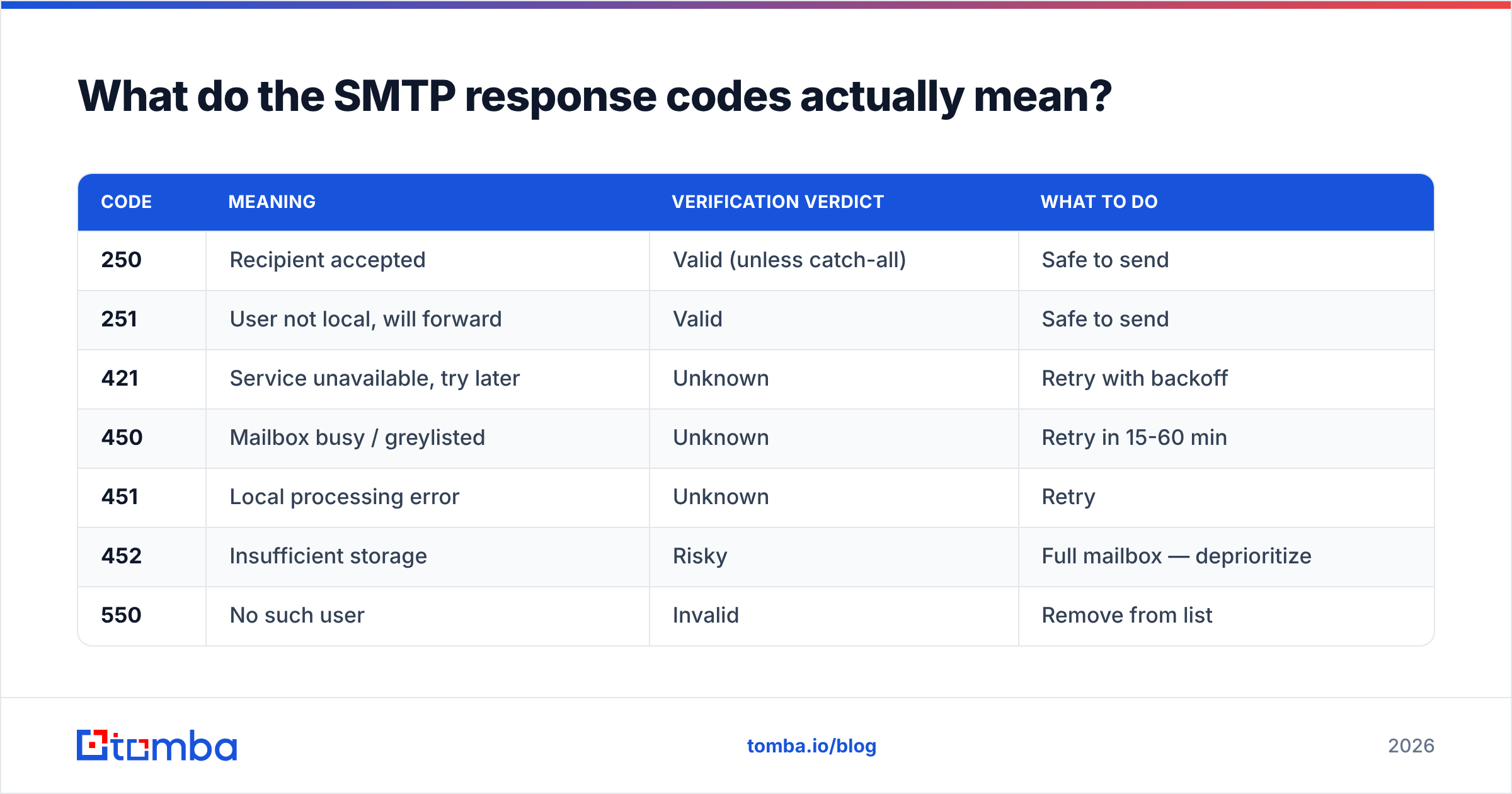
The mailbox probe is where the real information lives, and its output is a raw SMTP status code. Reading them yourself removes most of the mystery from any verification report.
| Code | Meaning | Verification verdict | What to do |
|---|---|---|---|
| 250 | Recipient accepted | Valid (unless catch-all) | Safe to send |
| 251 | User not local, will forward | Valid | Safe to send |
| 421 | Service unavailable, try later | Unknown | Retry with backoff |
| 450 | Mailbox busy / greylisted | Unknown | Retry in 15-60 min |
| 451 | Local processing error | Unknown | Retry |
| 452 | Insufficient storage | Risky | Full mailbox — deprioritize |
| 550 | No such user | Invalid | Remove from list |
| 551 | User not local, no forwarding | Invalid | Remove |
| 553 | Mailbox name not allowed | Invalid | Remove |
Two subtleties that trip people up. First, greylisting: many servers deliberately return a 4xx on first contact from an unknown sender and only accept on retry. A verifier that does not retry will label a perfectly good address unknown. Second, rate limiting: Microsoft 365 and Google Workspace throttle aggressive RCPT TO probing from a single IP. Verification providers rotate IP pools for this reason; a DIY script from your office IP will get blocked within a few hundred queries and start returning garbage.
Why do catch-all domains break email verification?#
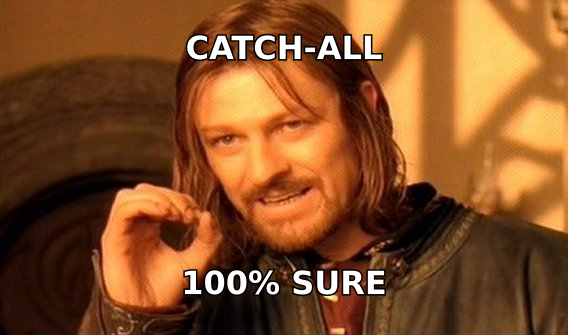
Because a catch-all domain answers 250 to everything, the mailbox probe stops carrying information.
Around 15-20% of business domains run accept-all configurations — common with Microsoft Exchange setups, agencies, and any company that would rather route unknown mail to a shared inbox than bounce it. When a verifier hits one, it has three honest options: label the address accept-all, label it unknown, or apply secondary evidence.
Secondary evidence is what separates serious providers. It includes:
- Pattern confirmation — Does the address match the company's dominant format? If 340 known-good addresses at
acme.comarefirst.last@, thenj.smith@acme.comis suspect. - Source corroboration — Has this exact string been observed in a public source (a GitHub commit, a press release byline, an SEC filing)? Tomba exposes this through its data sources so you can see where an address was found rather than trusting a score.
- Engagement history — Has the address bounced or replied on any prior campaign in the provider's aggregate data?
- Cross-provider signals — Some catch-all domains still leak per-mailbox differences in response timing or in the exact greeting string.
A catch-all verifier that applies these will hand back a graded probability instead of a shrug. That distinction matters more than headline accuracy numbers, because catch-alls are precisely the segment where headline numbers are computed on the easy addresses and quietly exclude the hard ones.

How accurate is email verification, and what limits it?#
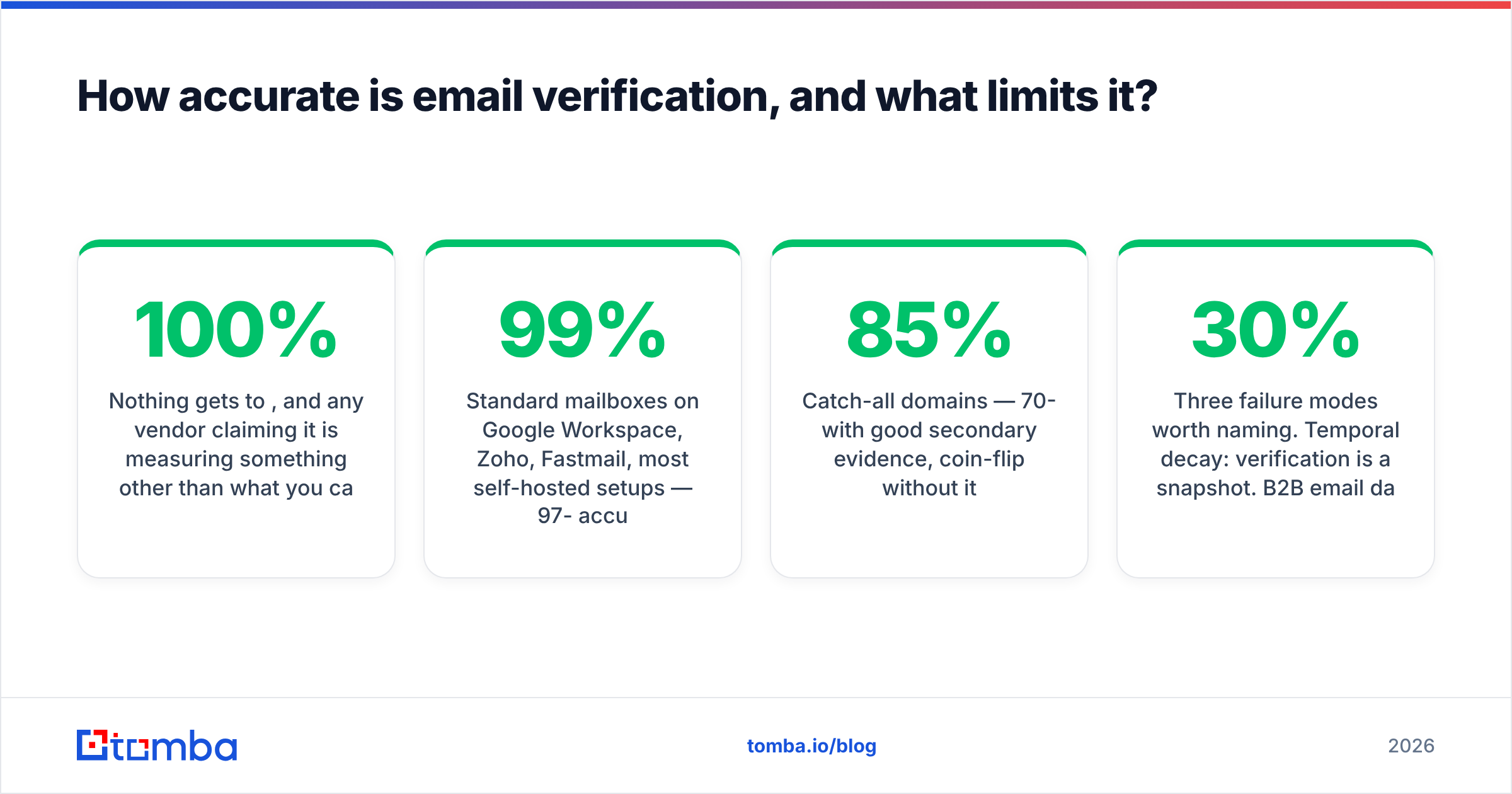
Nothing gets to 100%, and any vendor claiming it is measuring something other than what you care about.
Realistic ceilings, by segment:
- Standard mailboxes on Google Workspace, Zoho, Fastmail, most self-hosted setups — 97-99% accurate. The SMTP layer answers honestly.
- Microsoft 365 tenants — Lower and falling. Microsoft has progressively hardened
RCPT TOresponses, and many tenants now return250for everything at the edge, effectively behaving like catch-alls. Expect graded probabilities, not certainty. - Catch-all domains — 70-85% with good secondary evidence, coin-flip without it.
- Free consumer providers (Gmail, Yahoo, Outlook.com) — High accuracy on existence, near-zero signal on whether the person still reads it.
Three failure modes worth naming. Temporal decay: verification is a snapshot. B2B email data rots at roughly 22-30% per year as people change jobs, so a list verified in January is materially worse by September. Spam traps: a recycled trap is a real, deliverable mailbox that a provider repurposed to catch senders using stale lists — SMTP says 250, and hitting it damages your sender reputation badly. Soft-accept servers: some gateways accept everything and bounce asynchronously hours later, so your bounce shows up after the campaign has already sent.
How do the main verification approaches compare?#
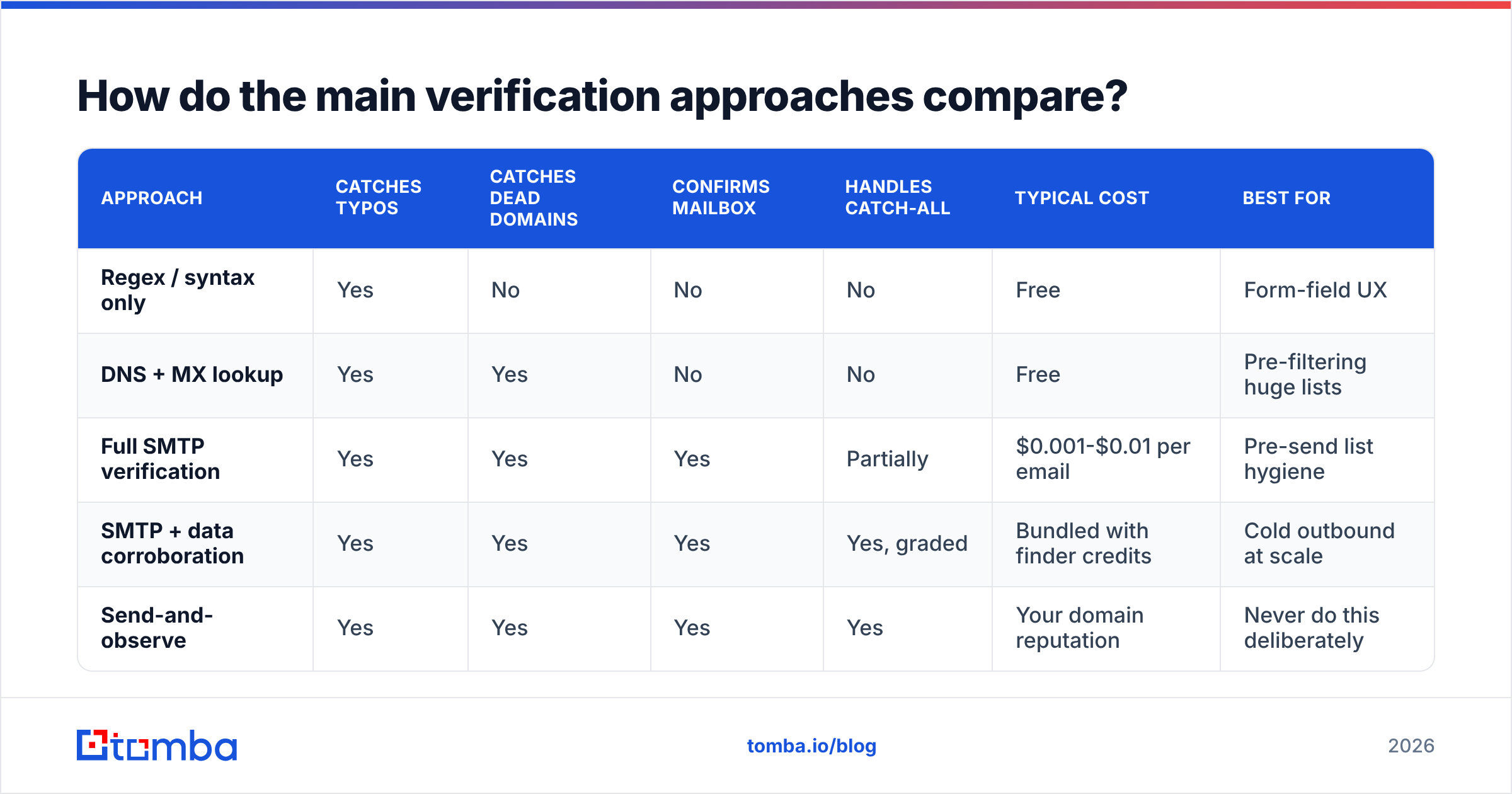
Four ways to answer "is this address real," with very different cost and reliability profiles.
| Approach | Catches typos | Catches dead domains | Confirms mailbox | Handles catch-all | Typical cost | Best for |
|---|---|---|---|---|---|---|
| Regex / syntax only | Yes | No | No | No | Free | Form-field UX |
| DNS + MX lookup | Yes | Yes | No | No | Free | Pre-filtering huge lists |
| Full SMTP verification | Yes | Yes | Yes | Partially | $0.001-$0.01 per email | Pre-send list hygiene |
| SMTP + data corroboration | Yes | Yes | Yes | Yes, graded | Bundled with finder credits | Cold outbound at scale |
| Send-and-observe | Yes | Yes | Yes | Yes | Your domain reputation | Never do this deliberately |
Where the tooling landscape sits in 2026: dedicated verifiers (ZeroBounce, NeverBounce, Bouncer) do step 1-5 well and stop there. Data providers like BookYourData sell pre-verified contact lists with verification baked into the purchase, which suits teams that want a finished list rather than a pipeline. Finder-plus-verifier platforms — Tomba, Hunter, Findymail — verify at the moment of discovery, so the address never enters your CRM unverified in the first place. Compare pricing structures on G2 before committing to annual credits; per-credit costs vary by an order of magnitude for functionally similar output.

Can you verify emails yourself without a tool?#
Yes, for a handful of addresses. No, for a list.
The manual SMTP conversation looks like this. Find the MX host with dig MX acme.com +short, then telnet mail.acme.com 25 and type:
EHLO yourdomain.com
MAIL FROM: <you@yourdomain.com>
RCPT TO: <target@acme.com>
QUIT
The response to RCPT TO is your answer. Do this ten times and you will understand verification better than most people who buy it. Do it a thousand times from one IP and you will be blocklisted, your office network will start having mail problems, and your results will degrade into 4xx noise.
The practical middle ground is a hosted tool for volume and a free email checker for one-offs. For programmatic work, an email verification API handles IP rotation, retry-on-greylist, and catch-all logic that would take weeks to build and maintain yourself. Port 25 is also blocked outbound by most cloud providers (AWS, GCP, Azure all restrict it by default), which quietly kills the DIY approach for anyone building on modern infrastructure.
When should you verify — and how often?#
Verification is not a one-time cleanup. Build it into three moments:
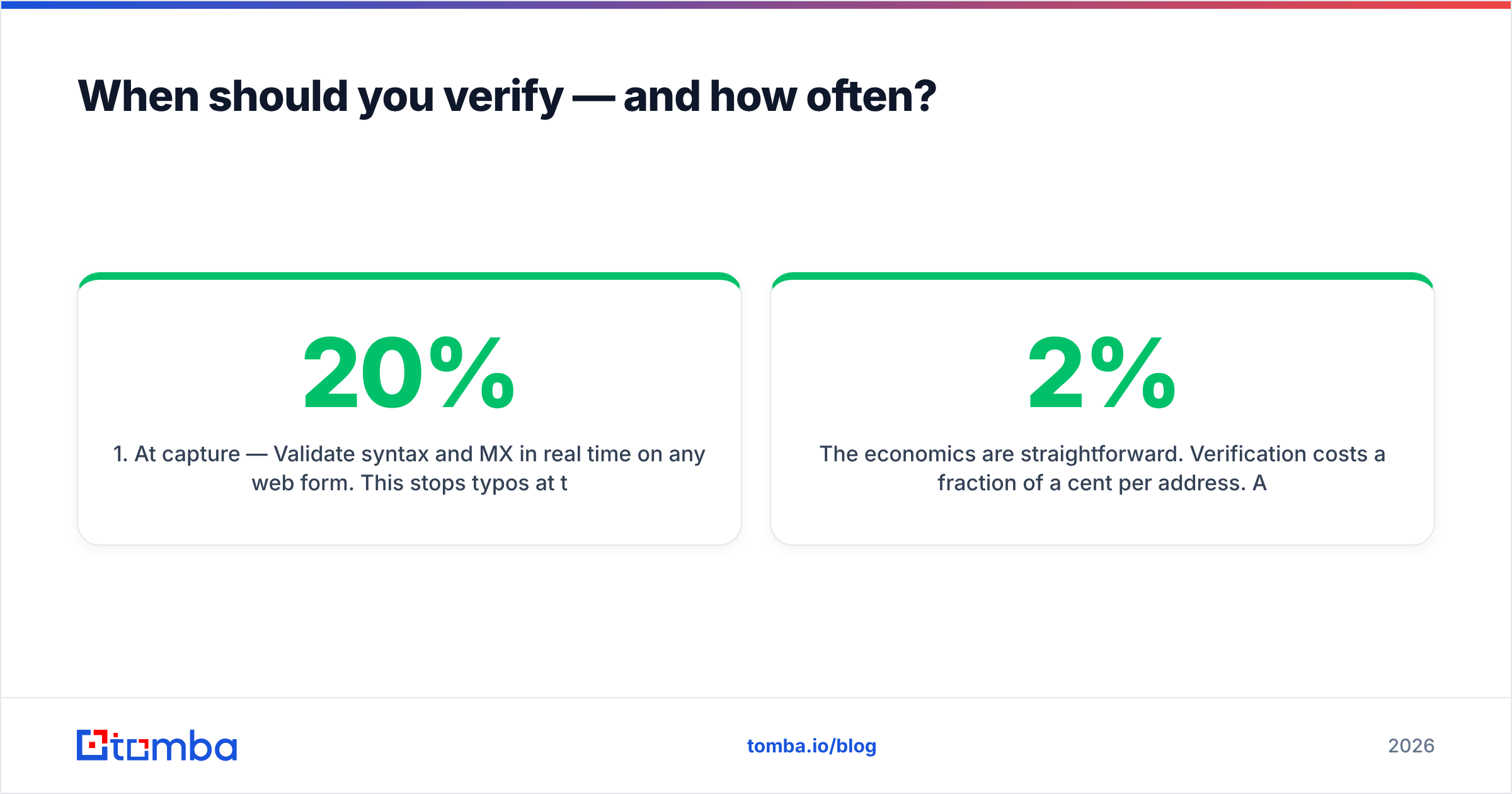
- At capture — Validate syntax and MX in real time on any web form. This stops typos at the source, where correcting them costs nothing. Roughly 20% of form-entered emails contain an error on first attempt.
- At list build — Verify every address the moment it enters your CRM or sequencer, before it can be sent to. If you use a bulk email finder, verification should be part of the same job, not a separate step you forget.
- On a decay schedule — Re-verify any address older than 90 days before including it in a new campaign. For lists over a year old, re-verify everything or discard it; the labor of cleaning a two-year-old list rarely beats rebuilding it.
The economics are straightforward. Verification costs a fraction of a cent per address. A bounce rate above 2% triggers throttling at the major inbox providers, above 5% risks domain-level blocking, and the recovery from a damaged sending domain takes weeks of reduced volume. Google and Microsoft both formalized bulk-sender requirements in 2024 that made this explicit — the Google bulk sender guidelines spell out the thresholds directly. Verification is the cheapest insurance in the outbound stack, and it is the one most teams skip because bounces feel like a cost of doing business rather than a self-inflicted wound.
One more thing worth internalizing: verification protects email deliverability, but it does not create it. A perfectly verified list sent from a domain with no SPF alignment, no DKIM signing, and no warmup will still land in spam. Verification removes one failure mode. It does not remove the others.
What does a good verification result look like?#
A useful verifier returns more than a status string. Look for a response that includes the SMTP code received, whether the domain is accept-all, whether the address is a role account, whether the domain is disposable, a confidence score, and — ideally — the sources where the address was observed.
If your provider returns only valid / invalid, you cannot distinguish "confirmed by SMTP" from "guessed on a catch-all," and those two results have wildly different risk. Ask for the raw signals. Any provider that will not expose them is asking you to trust a number you cannot audit.
Start verifying before you send#
If you are finding and verifying in two separate tools, you are paying twice and losing the corroboration signal that makes catch-all handling work. Tomba's Email Finder runs discovery and verification in one pass — every address returns with its SMTP status, catch-all flag, confidence score, and the public sources it was found in, so you can see the evidence instead of trusting a checkmark. The free tier includes 25 searches per month, Starter is $49/mo, and Growth is $99/mo; full Tomba pricing is on the site. Run your next list through it before your sequencer ever touches it.
Related guides#
Ready to find emails that actually work?
Join 150,000+ professionals who stopped guessing and started sending. Free credits on signup — no credit card required.
Get the Tomba newsletter
Practical outbound tactics and product updates — once every two weeks.
About the author