How To Ask Availability For A Meeting: Scripts That Work
Most meeting requests die because they ask for time instead of offering it. Here are the exact scripts, timing rules, and follow-up cadence that turn availability asks into booked calls.
TL;DR
- Never ask "when are you free?" — it hands the recipient a scheduling job. Offer two concrete slots plus a booking link and reply rates jump.
- Put the ask in the last line of the email, keep the whole message under 90 words, and make the time zone explicit.
- Tuesday–Thursday, 8–10am local time is still the highest-response send window for meeting requests in B2B.
- Two follow-ups, spaced 3 and 7 days out, recover roughly a third of the meetings you'd otherwise lose to silence.
- None of this matters if the email bounces. Verify the address before you write the script.
Why do most meeting requests get ignored?#
Because they outsource work. "Let me know what works for you" sounds polite, but it forces the recipient to open their calendar, scan five days, translate time zones, and compose a reply. That's four minutes of cognitive labor for a stranger's benefit. Most people postpone it, and postponed replies become never.
The fix is a reversal: you do the work, they do one click. Think of it like handing someone a pen already uncapped instead of asking them to find one. Every friction point you remove from the ask is a percentage point of reply rate you get back.
There's a second failure mode that has nothing to do with copy. If you're reaching out cold, a meaningful share of your "ignored" requests were never delivered — wrong address, stale role, catch-all domain that silently discards. Before you obsess over phrasing, make sure the message is landing. Running your list through an email verifier takes minutes and removes the most expensive variable from the experiment.
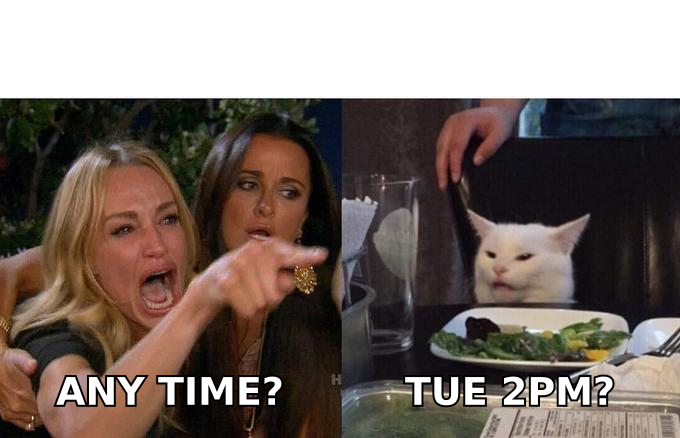
What are the four ways to ask for availability?#
There are only four structural approaches, and they perform very differently depending on how warm the relationship is.
| Approach | What it looks like | Best for | Typical reply behavior |
|---|---|---|---|
| Open-ended ask | "What does your week look like?" | Existing clients, close colleagues | Slowest — recipient does the scheduling work |
| Two-slot offer | "Tuesday 2pm or Thursday 10am ET?" | Cold and warm outbound | Fastest for first meetings |
| Booking link | "Grab any slot here: [link]" | Inbound leads, post-demo follow-ups | Strong with warm leads, cold with strangers |
| Hybrid (slots + link) | Two named slots, link as fallback | Almost everything in B2B | Highest overall — gives choice without work |
The hybrid wins for one reason: a naked booking link from someone you've never met reads as presumptuous, and a naked open question reads as lazy. Naming two slots signals you've thought about their time; the link catches the people for whom neither slot works.
Rules that apply to all four:
- State the time zone every single time. "2pm ET" not "2pm". Half of B2B meetings that no-show were booked in the wrong zone.
- Name a duration. "15 minutes" converts better than an unbounded "chat" because it caps the perceived risk.
- Put the ask last. Context first, ask in the final line, so the reader's eye lands on the action.
- Offer slots at least 48 hours out. Tomorrow-morning asks read as either desperate or oblivious to how calendars work.
- Never offer more than three options. Choice past three becomes a decision to postpone.
- Give an escape hatch. "If neither works, reply with a window and I'll fit around you" costs one line and recovers replies you'd never see otherwise.
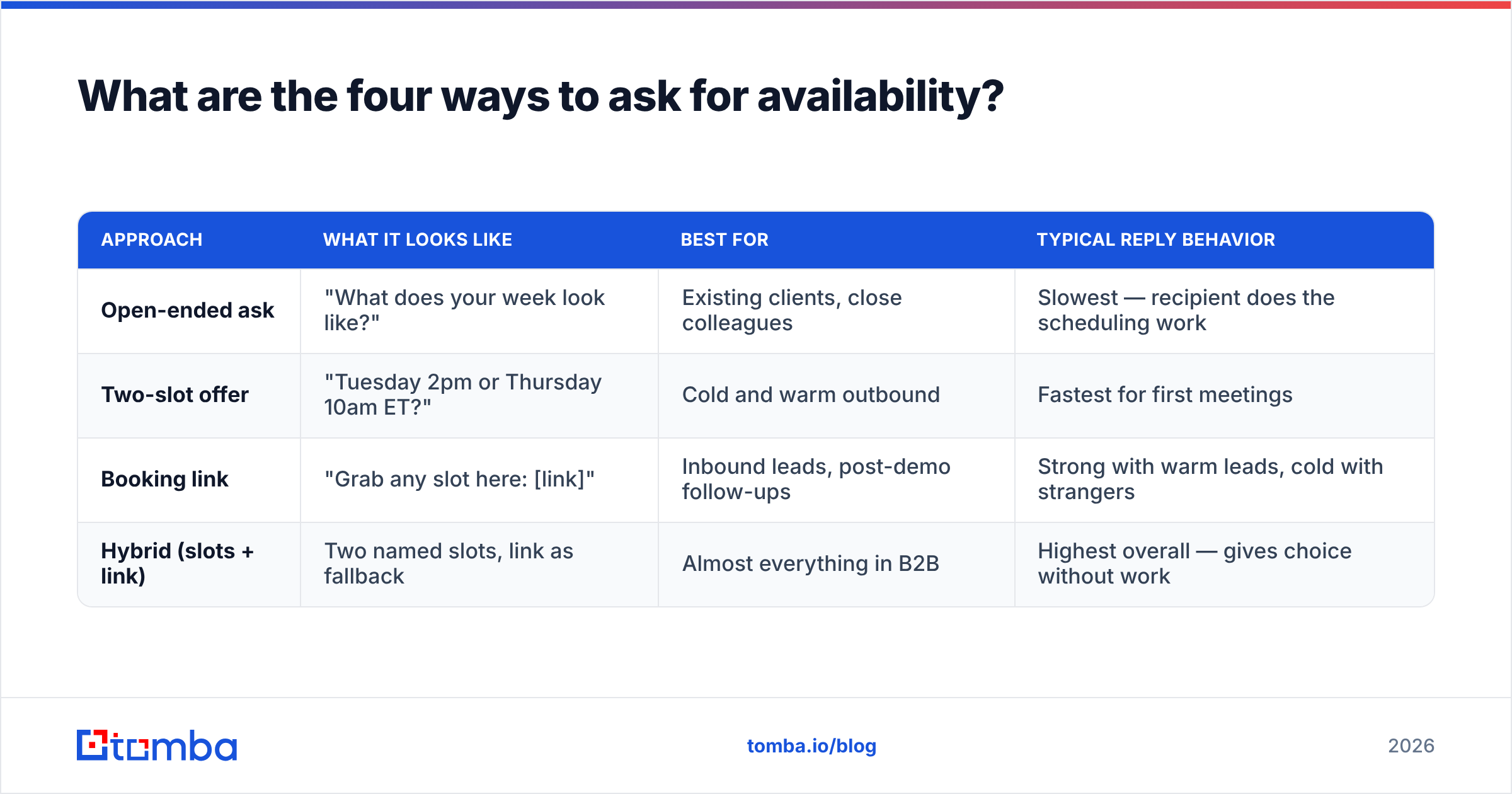
How do you ask availability for a meeting in a cold email?#
Cold is the hardest case: no relationship, no obligation to reply, and a reader whose default is delete. Keep it under 90 words and lead with a reason that's about them.
Script 1 — The two-slot cold ask
Subject: 15 minutes on {specific problem}?
Hi {First name},
Saw {specific trigger — funding round, new hire, product launch}. Teams at that stage usually hit {specific problem} within a quarter.
We helped {similar company} cut {metric} by {number}. Worth 15 minutes to see if the same applies to you?
Tuesday 2pm ET or Thursday 10am ET — either works on my end. If neither does, my calendar's here: {link}.
{Your name}
Script 2 — The permission ask (softer, for senior titles)
Hi {First name},
Quick one — are you the right person to talk to about {area}?
If so, I'd like 15 minutes to walk through how {similar company} handled {problem}. If not, a pointer to whoever owns it would help a lot.
{Your name}
Script 2 deliberately doesn't propose a time. With VP-and-above titles, asking for the meeting and the time in the same breath from a cold start often reads as too much, too fast. Get the "yes, that's me" first, then send slots.
Script 3 — The reply-to-a-trigger ask
Hi {First name},
Congrats on {launch/round/award}. The {specific detail} in the announcement stood out — most teams skip that.
We work with {segment} on exactly that stage of the problem. Open to 20 minutes next week? Wednesday 11am or Friday 9am, both ET.
{Your name}
Personalization here isn't a nice-to-have. HubSpot's research on sales email benchmarks has consistently found that specificity in the opening line correlates with materially higher reply rates than templated praise. "Congrats on the round" is templated. "The bit about shipping the migration tool before the API" is not.
What about warm and internal meeting requests?#
Warm asks fail differently. The recipient already knows you, so the risk isn't rejection — it's drift. Your request sits in a pile of things they intend to get to.
Script 4 — Warm re-engagement
Hi {First name},
We spoke in {month} about {topic} — you mentioned revisiting after {milestone}. Since that's landed, worth picking it back up?
Tuesday or Wednesday afternoon both work. Say the word and I'll send an invite.
{Your name}
Script 5 — Internal cross-team ask
Hi {First name},
Need 20 minutes on {project} — specifically {decision that needs making} so {team} isn't blocked past {date}.
Dropped a hold on your calendar for Thursday 3pm. Move it freely if that's bad.
The calendar-hold move is the strongest internal pattern that exists, and it's underused. Booking tentatively and giving explicit permission to move it inverts the default: silence now means yes instead of no.
Script 6 — Post-demo next step
Hi {First name},
Thanks for the time today. Next step we agreed: get {stakeholder} on a 30-minute technical walkthrough.
I've held Tuesday 1pm and Thursday 11am ET. Which is easier to get {stakeholder} into?
Script 7 — The final follow-up
Hi {First name},
Haven't heard back, so I'll assume the timing's off. Closing this out.
If {problem} moves up the list this quarter, reply to this thread and I'll pick it straight up.
Script 7 works because it removes pressure entirely. A surprising share of booked meetings come from this exact email — not from the four that preceded it.
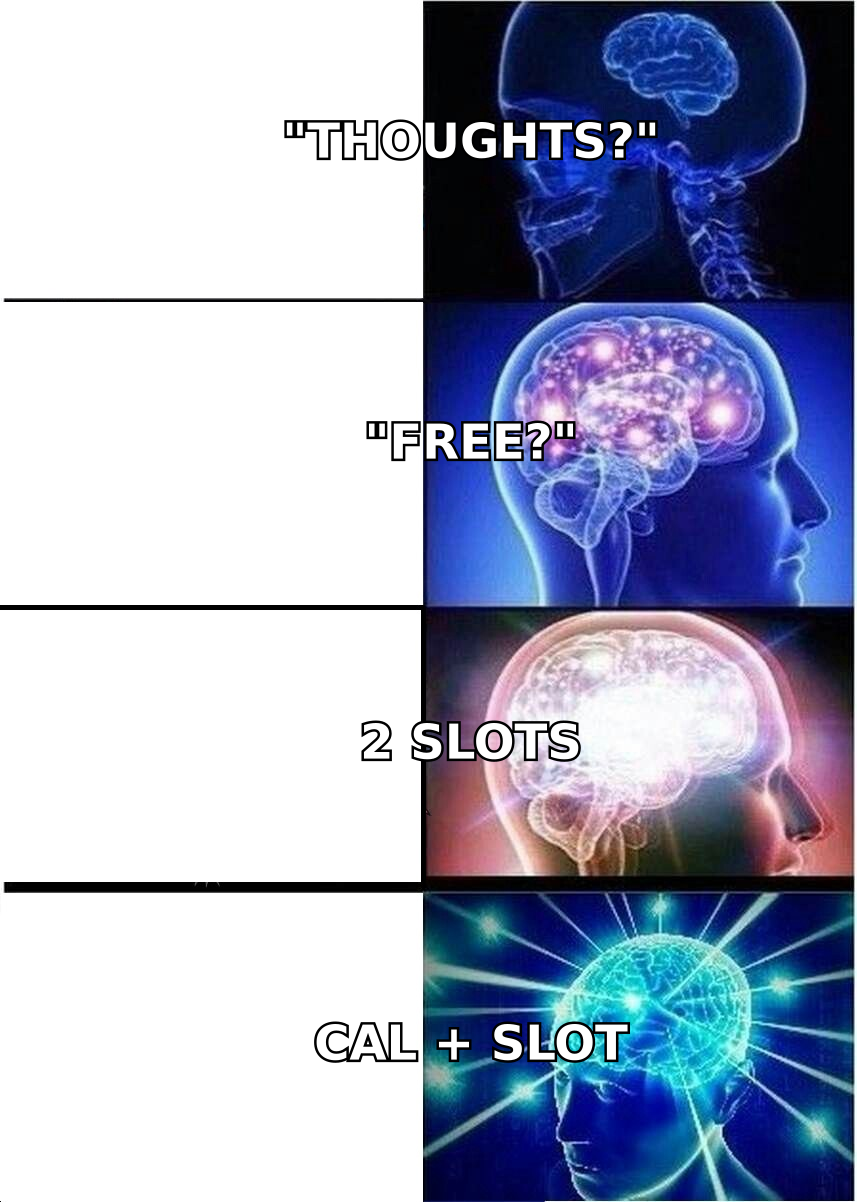
When should you send a meeting request?#
Timing moves reply rates less than copy does, but it's free to get right.
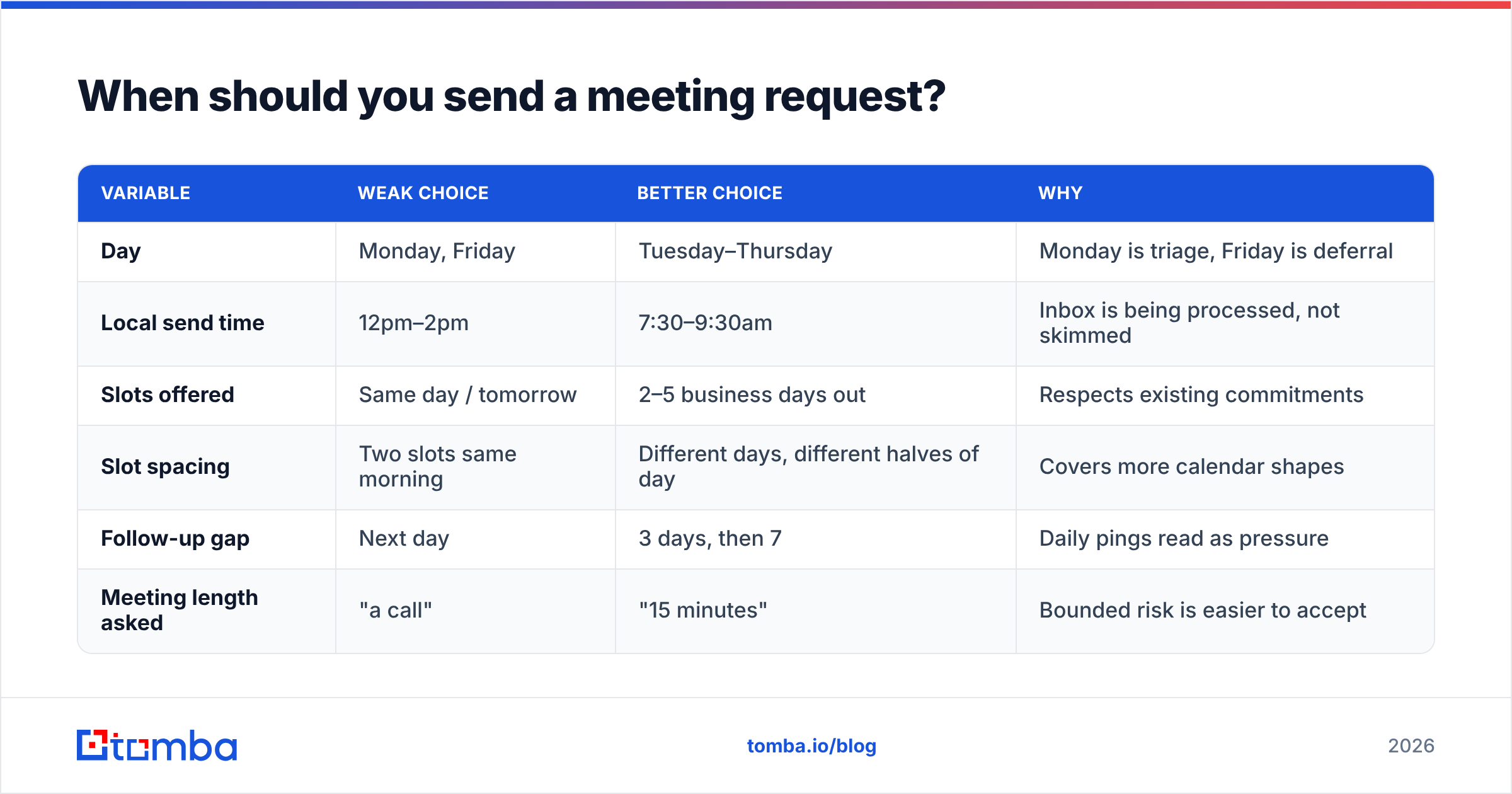
| Variable | Weak choice | Better choice | Why |
|---|---|---|---|
| Day | Monday, Friday | Tuesday–Thursday | Monday is triage, Friday is deferral |
| Local send time | 12pm–2pm | 7:30–9:30am | Inbox is being processed, not skimmed |
| Slots offered | Same day / tomorrow | 2–5 business days out | Respects existing commitments |
| Slot spacing | Two slots same morning | Different days, different halves of day | Covers more calendar shapes |
| Follow-up gap | Next day | 3 days, then 7 | Daily pings read as pressure |
| Meeting length asked | "a call" | "15 minutes" | Bounded risk is easier to accept |
Two practical notes. First, send in the recipient's time zone, not yours — a 9am ask that lands at 4am reads as spam by the time they wake. Second, resist stacking follow-ups. Three touches total is the ceiling for a cold availability ask before you're actively damaging your sender reputation and your brand.
How do you follow up without being annoying?#
Change the ask each time. Repeating "just checking in" three times teaches the recipient that ignoring you has no cost.
Follow-up 1 (day 3): Add value, not pressure. Send one relevant artifact — a benchmark, a short case study, a competitor teardown — and restate the two slots. New information justifies the second email.
Follow-up 2 (day 10): Shrink the ask. If 15 minutes didn't land, try "would a two-line async answer be easier?" You'll lose some meetings to email threads, but a live thread beats silence, and threads convert to calls later.
Follow-up 3 (day 21): Script 7 above. Close the loop, leave the door open, stop.
Across the sequence, watch reply rate rather than open rate. Open tracking has been unreliable since Apple's Mail Privacy Protection changed how images load, and response rate is the only metric that maps to booked meetings anyway.
What tools make the ask easier?#
Three categories matter, and they solve genuinely different problems.
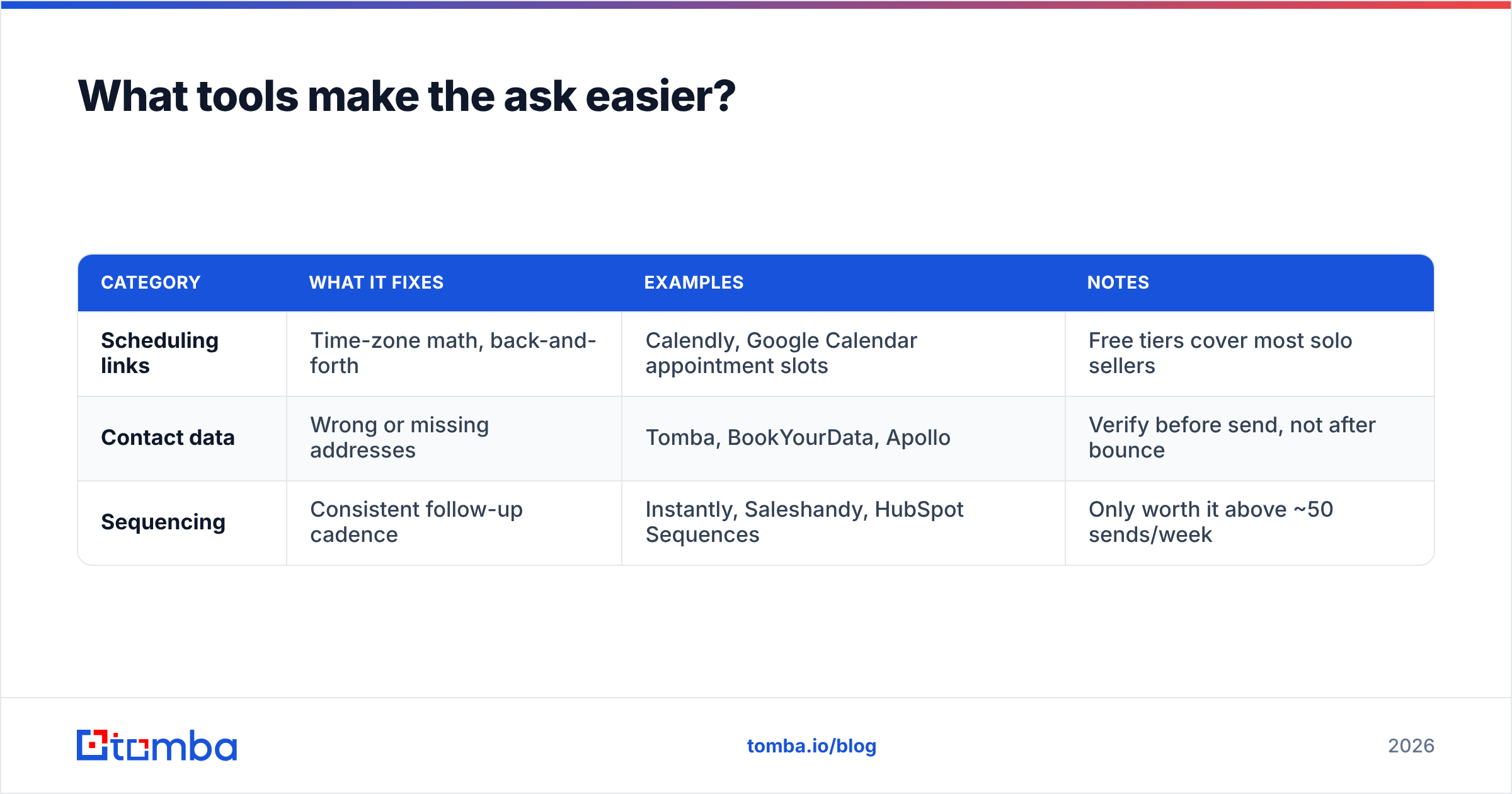
| Category | What it fixes | Examples | Notes |
|---|---|---|---|
| Scheduling links | Time-zone math, back-and-forth | Calendly, Google Calendar appointment slots | Free tiers cover most solo sellers |
| Contact data | Wrong or missing addresses | Tomba, BookYourData, Apollo | Verify before send, not after bounce |
| Sequencing | Consistent follow-up cadence | Instantly, Saleshandy, HubSpot Sequences | Only worth it above ~50 sends/week |
On the data side, the decision is usually between a prepaid contact database and a live lookup tool. BookYourData sells verified contacts on a pay-as-you-go basis, which suits teams that want a defined list without a subscription. Tomba works the other way: you look up addresses in real time by domain or name and verify them at the point of use. Tomba pricing runs a free tier at 25 searches per month, Starter at $49/mo, Growth at $99/mo, and Pro at $249/mo, with an Enterprise tier for custom volume. Both models are defensible — the question is whether your list is static or your prospecting is continuous.
Whichever you pick, one habit matters more than the tool: check the address before the ask. A perfectly written two-slot request sent to a former employee's inbox is a wasted hour, and a bounced send hurts every legitimate email you send that week. If you're building lists from company sites, domain search pulls the addressable contacts at a domain along with the pattern the company uses, so your ask reaches a person rather than a mail server error.
What mistakes kill meeting requests?#
- Asking for "a quick chat" with no agenda. Name the outcome. "15 minutes to see whether {approach} fits your stack" is a reason; "a quick chat" is an obligation.
- Burying the ask in paragraph two. The last line is where the eye lands. Put the question there and nowhere else.
- Offering five time slots. More options means more deliberation, and deliberation means tomorrow, which means never.
- Sending from a domain with no authentication. If your SPF and DKIM records are broken, your beautifully written ask goes to spam. Check your SPF record before you scale sends.
- Using a subject line that promises more than the body delivers. "Re: our conversation" when there was no conversation gets you opened once and blocked forever.
- Ignoring reply signals. "Not right now" means follow up in a quarter, not in three days. Tag it and move on.
- Forgetting the escape hatch. One sentence — "if neither works, send me a window" — regularly recovers meetings from people who wanted to say yes to a different time.
How do you measure whether your ask is working?#
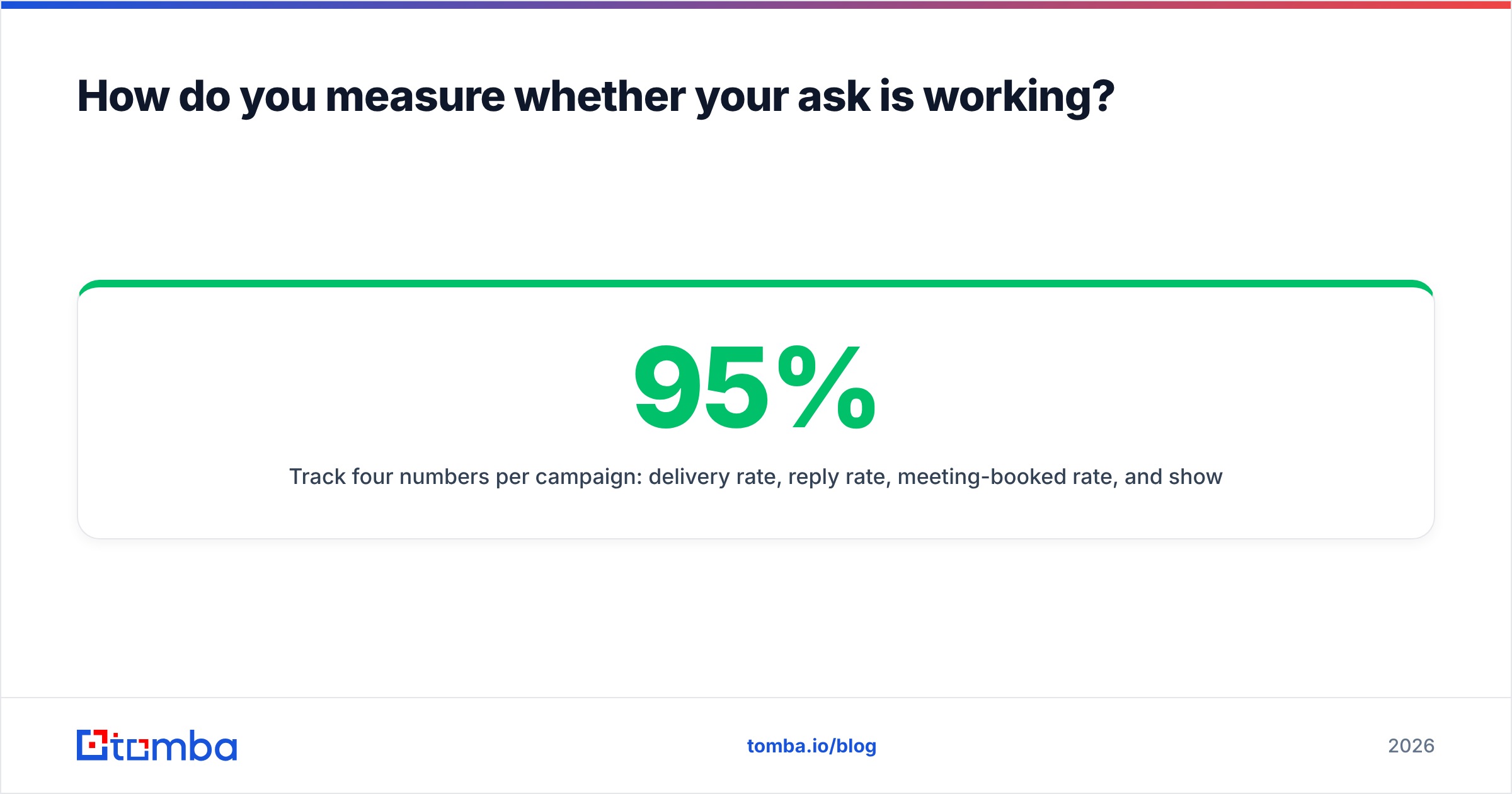
Track four numbers per campaign: delivery rate, reply rate, meeting-booked rate, and show rate. Delivery below 95% is a data problem, not a copy problem — fix the list first. Reply rate below 3% on cold outbound with good delivery is a targeting or offer problem. Meetings booked well under replies received means your slots or your scheduling flow are creating friction. A show rate under 70% almost always traces back to time-zone confusion or slots booked more than two weeks out.
Test one variable at a time. Change the slot structure for two weeks, hold everything else constant, and compare. Changing subject line, opener, and ask simultaneously tells you nothing about which one moved the number.
Ready to send asks that actually land?#
The best script in this post is worthless against an address that bounces. Start where the leverage is: find the right person, confirm the address is live, then send a two-slot ask with a fallback link.
Tomba's Email Finder locates professional email addresses by name, domain, or company, and verifies them before you send — so your carefully written availability ask reaches an inbox instead of a bounce log. The free tier gives you 25 searches a month to test it against your own prospect list before committing to a plan.
Related guides#
Ready to find emails that actually work?
Join 150,000+ professionals who stopped guessing and started sending. Free credits on signup — no credit card required.
Get the Tomba newsletter
Practical outbound tactics and product updates — once every two weeks.
About the author