How To Ask For The Right Point Of Contact In Email
Referral emails asking "who handles this?" get replies when cold pitches don't. Here are the templates, timing rules, and research steps that turn a wrong contact into a warm intro.
TL;DR
- Asking "who is the right person for this?" outperforms a cold pitch to the wrong person because it costs the reader five seconds instead of a meeting.
- Keep the referral request under 90 words, name the specific problem, and make forwarding the easiest possible action.
- Send it to someone adjacent to the decision — an ops manager, a marketing coordinator, a recruiter — not to
info@and not to the CEO of a 4,000-person company. - Do 60 seconds of research first. A domain search or LinkedIn check often removes the need to ask at all.
- Always follow up once, 4-5 business days later, with a single sentence and no guilt.
Why does asking for a point of contact work better than pitching?#
Because you are asking for a forward, not a decision.
A cold pitch demands that the reader evaluate your product, judge their own budget, and commit calendar time — all from a stranger. A referral request demands one thing: type a name. Psychologically it is closer to being asked for directions than being sold to, and people answer directions.
There is a second reason, and it is the one most reps miss. When someone inside the company forwards your email, your message arrives with internal social proof attached. The recipient sees a colleague's name in the thread. That single change moves you out of the cold-email bucket and into the "someone here thought this was relevant" bucket, which is a completely different reply-rate universe.
The catch: the ask has to be genuinely cheap. If your "quick question" email is 400 words of value proposition followed by "…so who handles this?", you have written a pitch wearing a costume. Readers detect it instantly and it converts worse than an honest pitch would have.

What does a good point-of-contact email actually look like?#
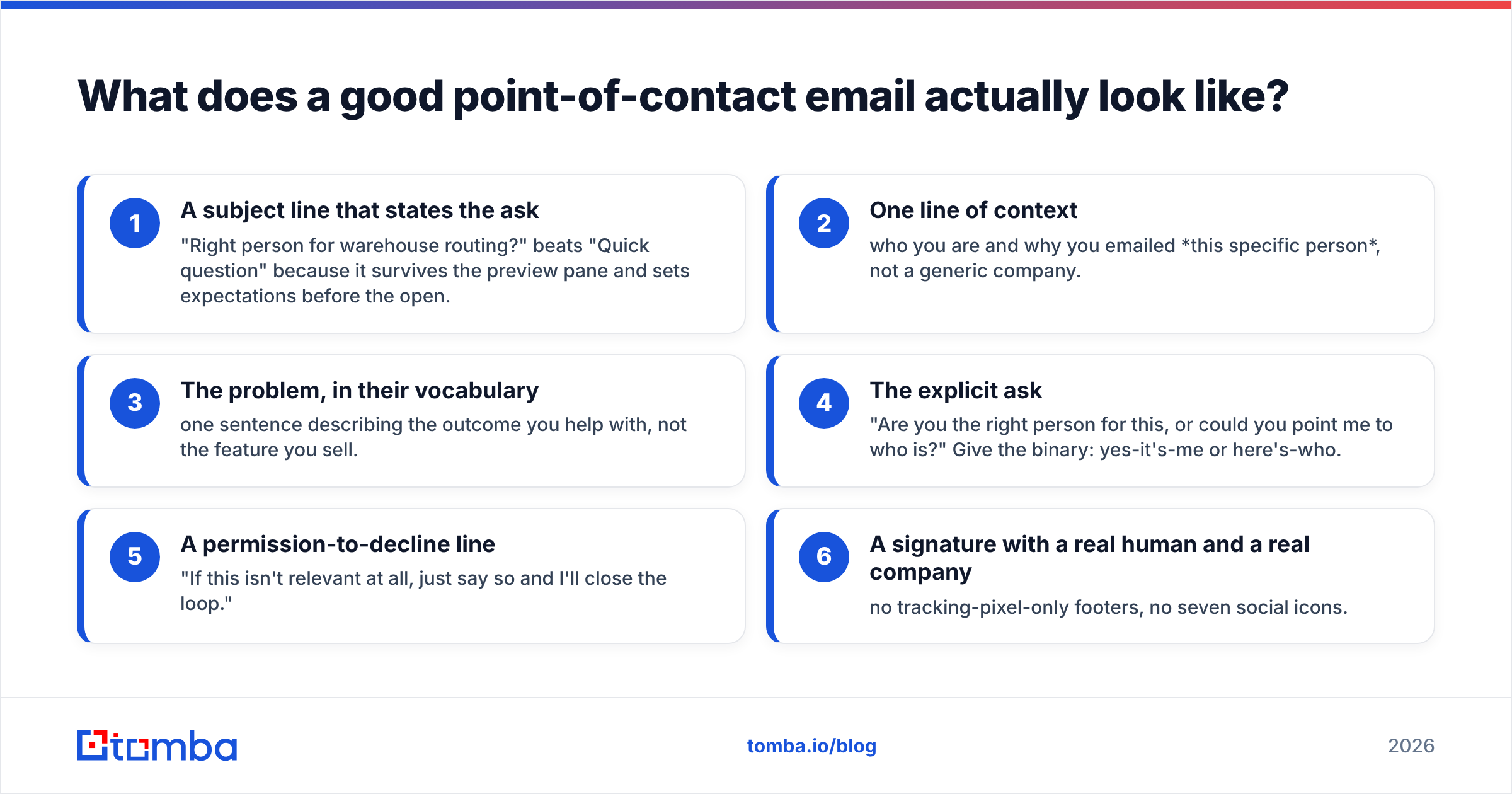
Six parts, in this order. Nothing else belongs in the email.
- A subject line that states the ask — "Right person for warehouse routing?" beats "Quick question" because it survives the preview pane and sets expectations before the open.
- One line of context — who you are and why you emailed this specific person, not a generic company.
- The problem, in their vocabulary — one sentence describing the outcome you help with, not the feature you sell.
- The explicit ask — "Are you the right person for this, or could you point me to who is?" Give the binary: yes-it's-me or here's-who.
- A permission-to-decline line — "If this isn't relevant at all, just say so and I'll close the loop."
- A signature with a real human and a real company — no tracking-pixel-only footers, no seven social icons.
Word count target: 60-90. If you cross 120 you have added something that belongs in the second email.
Here is the base template:
Subject: Right person for [specific process]?
Hi [First name],
I saw you run [team/function] at [Company] — figured you'd know who owns this.
We help [similar company type] cut [specific, measurable pain] without [common objection]. [One-company proof point: "Northwind dropped their bounce rate from 14% to 3% in six weeks."]
Are you the right person to talk to about this, or is there someone better on your team?
Either way, thanks — happy to stay out of your inbox if it's not relevant.
[Name]
Notice what is absent: no calendar link, no deck, no "just circling back," no three bullet points of features. The only conversion event you want is a name.
Which variation should you send for each scenario?#
The template changes shape depending on who you reached and why. Six variants cover almost every real situation.
1. You emailed a plausible-but-wrong person.
"Hi Dana — I emailed you because you run RevOps and this touches your stack, but I suspect procurement owns the actual decision. Who should I be talking to about vendor security reviews?"
2. Your contact left the company (bounce or auto-reply).
"Hi — Marco's address bounced. He was my contact for the API integration project. Who picked up that work after he left?"
This one has the highest hit rate of any variant because you are solving a problem the company already knows it has.
3. You are working up from a junior contact.
"Thanks Priya — that's helpful. Before I take this further, who signs off on tooling budget over $10k? I'd rather loop them in now than surprise them later."
4. You are working down from an executive.
Keep it to two sentences. Executives forward or delete in under four seconds.
"Hi Ellen — we cut onboarding time ~30% for three companies your size. Who on your team owns that today?"
5. You are following a trigger event (funding, hire, product launch).
"Congrats on the Series B. Teams usually rebuild their data stack around this stage — who's leading that at Acme?"
6. You are asking an existing customer or partner for an internal referral.
"You mentioned the EMEA team hit the same problem. Would you be comfortable introducing me, or should I reach out cold and mention your name?"
Always offer the "or should I reach out cold" escape hatch. It removes the awkwardness of declining and, in practice, it makes people more likely to make the intro.
How do you find the right person before you have to ask?#
Asking is the fallback, not the first move. Do the research pass first — it takes about a minute and it changes the email you send.
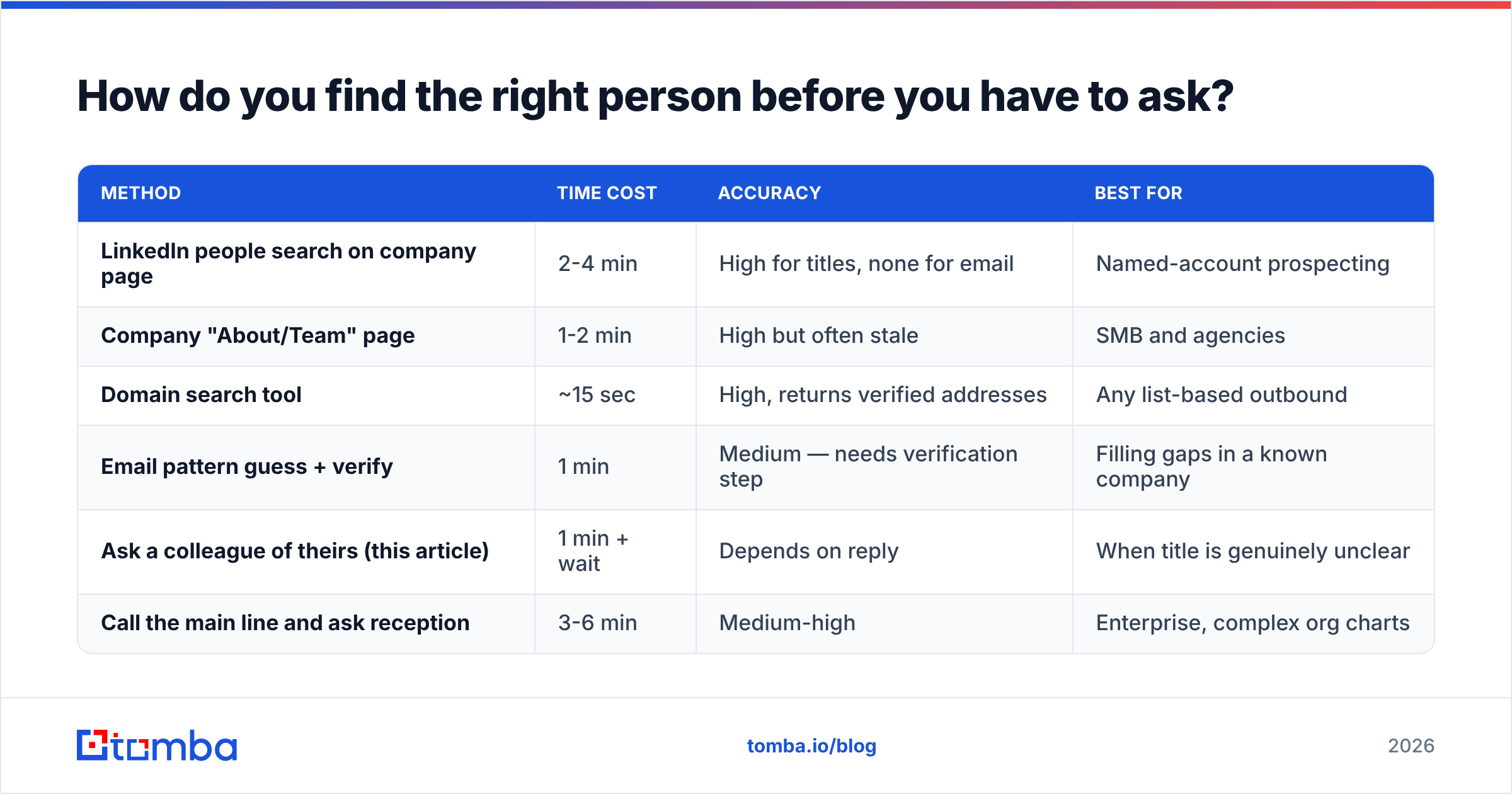
The escalation ladder, cheapest to most expensive:
| Method | Time cost | Accuracy | Best for |
|---|---|---|---|
| LinkedIn people search on company page | 2-4 min | High for titles, none for email | Named-account prospecting |
| Company "About/Team" page | 1-2 min | High but often stale | SMB and agencies |
| Domain search tool | ~15 sec | High, returns verified addresses | Any list-based outbound |
| Email pattern guess + verify | 1 min | Medium — needs verification step | Filling gaps in a known company |
| Ask a colleague of theirs (this article) | 1 min + wait | Depends on reply | When title is genuinely unclear |
| Call the main line and ask reception | 3-6 min | Medium-high | Enterprise, complex org charts |
In practice you combine two: identify the human on LinkedIn, then resolve the address. A domain search returns the company's known addresses and role patterns in one query, and the email verifier tells you whether the address you found still routes to a live mailbox — which is exactly what prevents the bounce that forces the "who replaced Marco?" email in the first place.
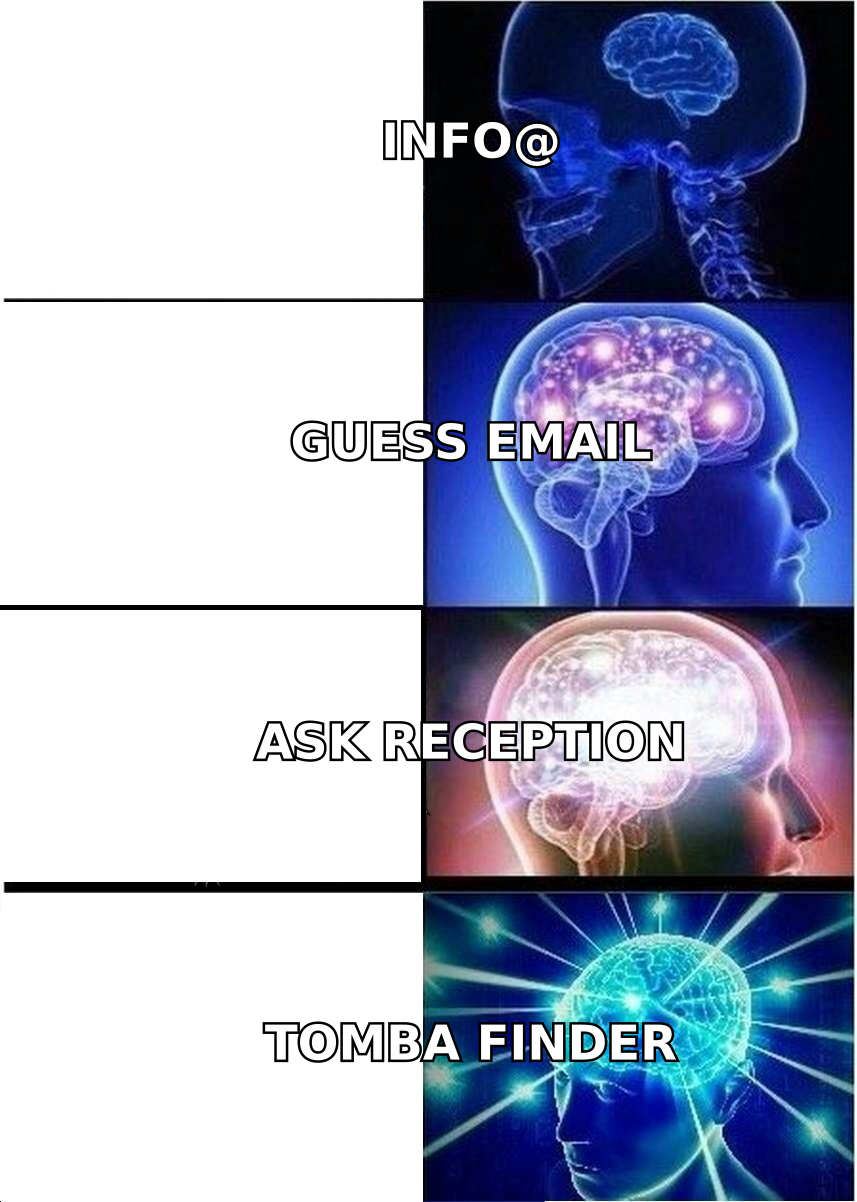
If you do end up guessing a format, verify before you send. Guessed-and-unverified addresses are the single largest driver of hard bounces in outbound, and hard bounces are what damage sender reputation long after the campaign ends.
What are the mistakes that kill referral requests?#
Emailing the CEO of a large company. At 20 employees, the CEO knows who owns everything. At 2,000, your email is one of 300 that day and you look like you did no homework. Match seniority to company size: for enterprise, target a manager or director one level below the likely owner and ask upward.
Using info@, hello@, or contact@. Shared inboxes are triaged by someone whose job is to filter you out. If a role address is genuinely your only option, write to the human who monitors it — "whoever handles partnerships, could you forward this?" — and keep it to three sentences.
Making the ask ambiguous. "Let me know if this is relevant" is not an ask. "Who owns X?" is.
Asking twice in the same thread. If they replied with a name, do not go back and ask for a second name. Take the referral, thank them, move.
Forwarding without permission. When someone gives you a name, do not CC the referrer into your next email unless they offered. You borrowed their credibility once; spending it twice without asking is how you lose the relationship.
No follow-up. Roughly a third of referral names arrive on the second email, not the first. One follow-up, 4-5 business days later, two sentences:
"Hi Dana — following up on the note below. If someone else on your team owns vendor reviews, a name is all I need and I'll take it from there."
Then stop. A third ask converts almost nothing and costs you the account for a year.
How should you handle the reply once you get the name?#
Move fast and mention the referrer in the first line — that is the entire value of what you just earned.
Subject: Dana suggested I reach out — warehouse routing
Hi Sam,
Dana Whitfield mentioned you own routing at Acme and suggested I get in touch.
[Two sentences of relevance — the same pain point, now aimed at the actual owner.]
Worth 15 minutes next week, or should I send over the one-pager first?
Three rules for this email:
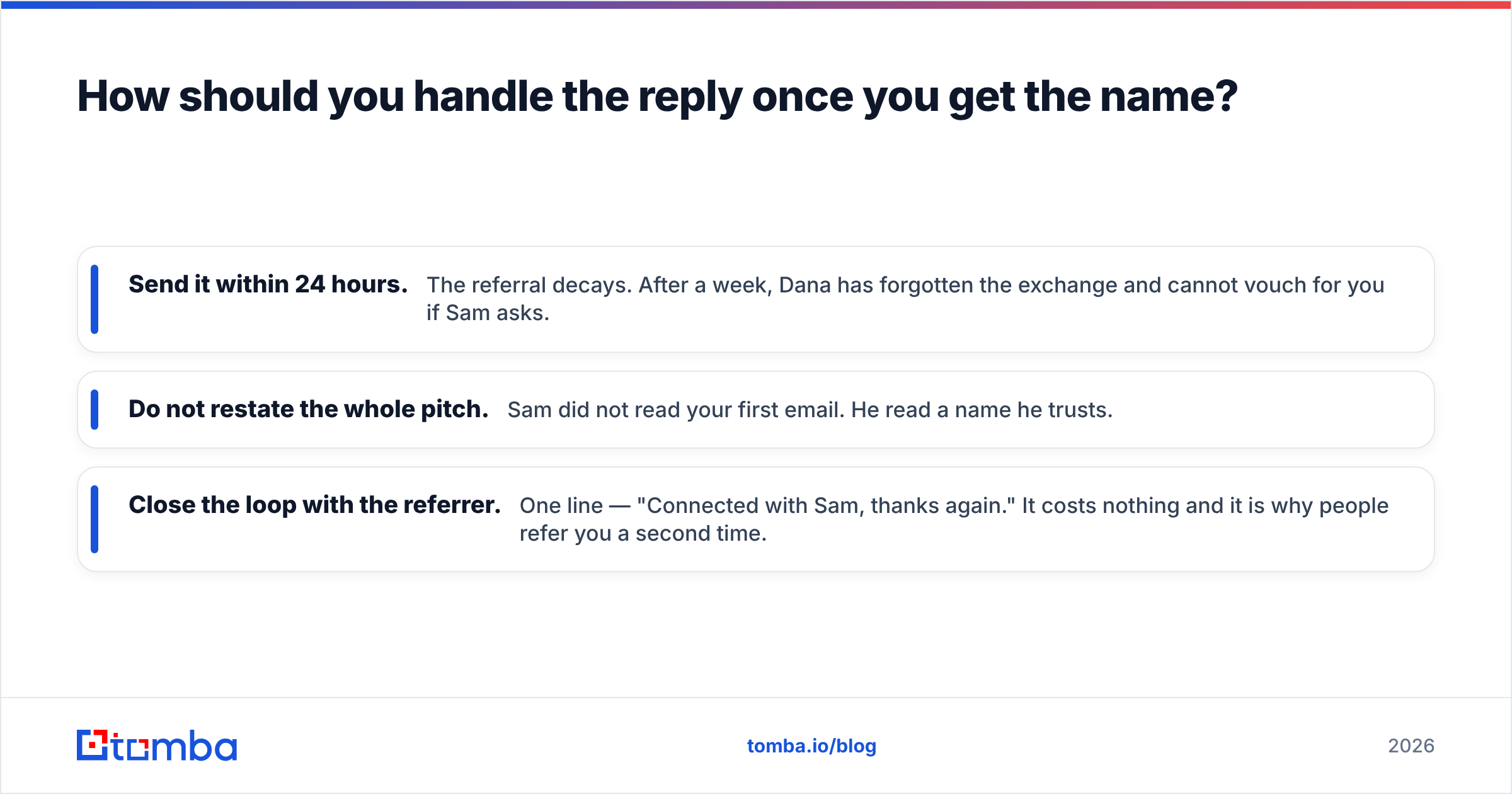
- Send it within 24 hours. The referral decays. After a week, Dana has forgotten the exchange and cannot vouch for you if Sam asks.
- Do not restate the whole pitch. Sam did not read your first email. He read a name he trusts.
- Close the loop with the referrer. One line — "Connected with Sam, thanks again." It costs nothing and it is why people refer you a second time.
If the referred contact's address is not obvious from the reply, resolve it rather than guess. The email finder takes a first name, last name, and company domain and returns the verified address with a confidence score, which is faster and safer than the permutation-and-pray approach.
How do you scale this without sounding like a robot?#
The tension is real: the referral ask works because it feels human, and volume is what makes it break.
Three constraints keep it working at scale.
Constraint one — one variable that proves you looked. Not the company name (mail merge does that). Something a human had to see: a recent hire, a specific job posting, a line from their careers page, a product they shipped. One is enough. Two starts to feel like surveillance.
Constraint two — segment by scenario, not by industry. The six variants above matter more than vertical-specific copy. A bounce-recovery email to a fintech and a bounce-recovery email to a logistics company can share 90% of their text. A bounce-recovery email and a trigger-event email cannot.
Constraint three — cap daily volume per domain. More than three or four referral asks into the same company in a week and you are no longer researching, you are spamming an org chart. Internal Slack messages about "this guy keeps emailing us" travel faster than any sequence.
For teams running this at list scale, the operational bottleneck is usually data, not copy. Bulk email finding resolves a list of names-plus-domains in one pass so your reps spend their time on the one personal variable rather than on hunting addresses. Industry benchmarking from G2 and HubSpot's sales research consistently shows that reply rates track research depth far more closely than they track send volume — which is the whole argument for spending your minutes on the variable and automating the lookup.
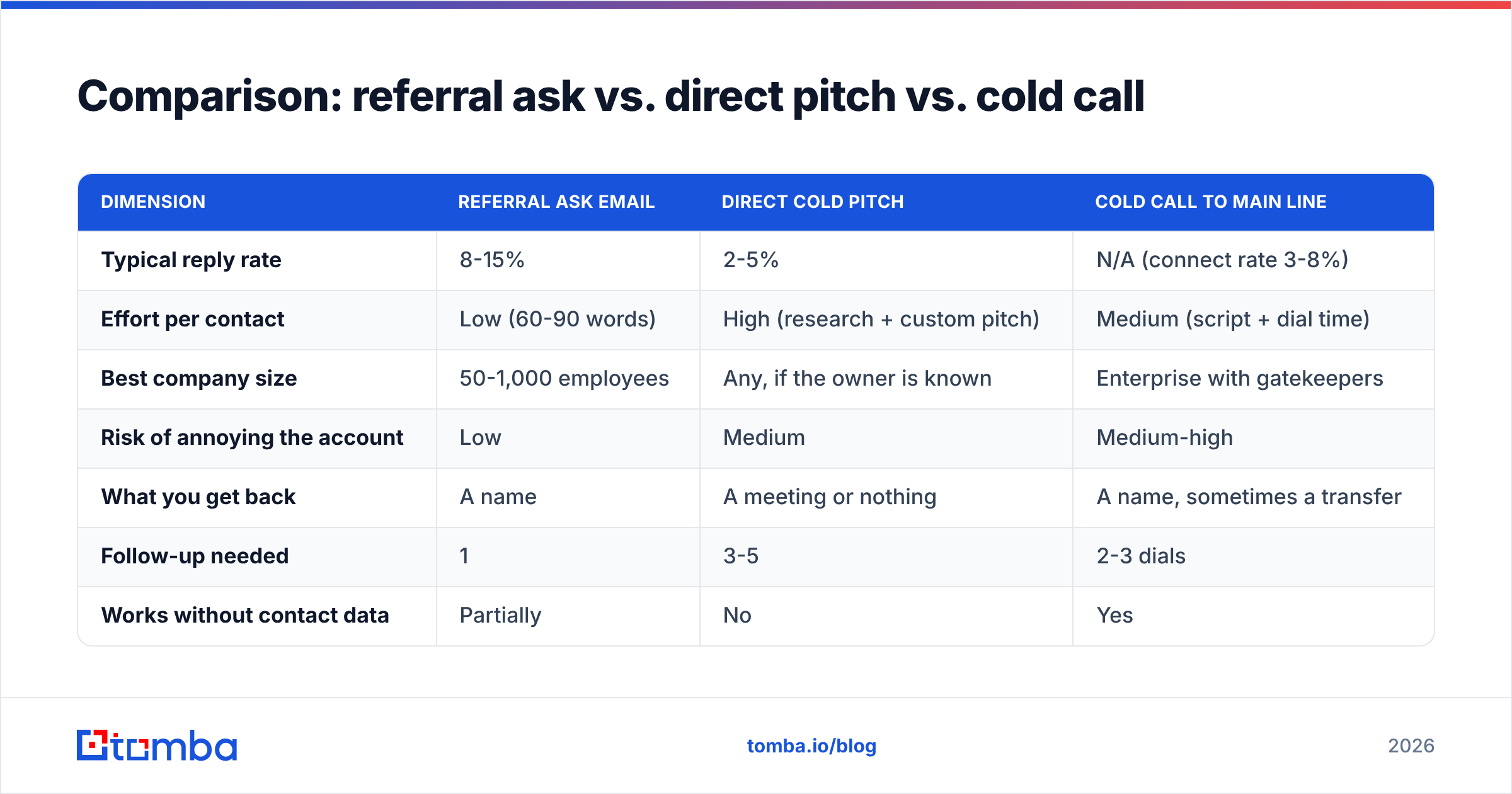
Comparison: referral ask vs. direct pitch vs. cold call#
| Dimension | Referral ask email | Direct cold pitch | Cold call to main line |
|---|---|---|---|
| Typical reply rate | 8-15% | 2-5% | N/A (connect rate 3-8%) |
| Effort per contact | Low (60-90 words) | High (research + custom pitch) | Medium (script + dial time) |
| Best company size | 50-1,000 employees | Any, if the owner is known | Enterprise with gatekeepers |
| Risk of annoying the account | Low | Medium | Medium-high |
| What you get back | A name | A meeting or nothing | A name, sometimes a transfer |
| Follow-up needed | 1 | 3-5 | 2-3 dials |
| Works without contact data | Partially | No | Yes |
The honest read: the referral ask is not a replacement for a good pitch. It is what you do when you cannot confidently identify the owner — and the correct long-term move is to reduce how often that happens by improving your data, not by writing better "who handles this?" emails.
Frequently asked questions#
How long should I wait before following up? Four to five business days. Sooner reads as pressure; later and the context is gone.
Should I ask for a point of contact on LinkedIn instead? It works, but the reply is usually slower and shorter. Use LinkedIn to identify, email to ask. If you do both, space them by three days and never send identical text on both channels.
What if they reply "we're not interested"? Take it. Do not counter with "just curious who would be." That converts a neutral no into a blocked domain.
Is it worth asking a receptionist? Yes, for enterprise. Ask for the department, not the person: "Who runs procurement for the West region?" Departments get answered; names get screened.
Do I mention that someone referred me even if it was lukewarm? Only if they said a name. "Dana suggested I reach out" must be literally true — a rep who stretches this once gets caught and burns the account permanently.
Where to go from here#
Asking for a point of contact is a good fallback and a bad default. Every hour your reps spend writing "who handles this?" emails is an hour they are not spending on the person who actually signs.
Close the gap at the data layer first. Run the company through Tomba Email Finder with the name and domain, verify the result, and send directly to the owner. The free tier covers 25 searches a month so you can test it against a handful of accounts you already know the answers for; paid plans start at $49/month on Starter and $99/month on Growth if the numbers hold up. Check current Tomba pricing for the full breakdown.
Use the referral ask when the org chart is genuinely opaque. Use real contact data every other time.
Related guides#
Ready to find emails that actually work?
Join 150,000+ professionals who stopped guessing and started sending. Free credits on signup — no credit card required.
Get the Tomba newsletter
Practical outbound tactics and product updates — once every two weeks.
About the author