How to Ask Someone for Their Email: 9 Scripts That Work
Here's how to ask someone for their email without the awkward pause: nine tested scripts for events, LinkedIn, referrals, and calls — plus when to skip the ask and just find the address yourself.
TL;DR
- The ask fails when it's a favor. It works when it's a delivery: name the thing you're sending, then ask where to send it.
- Context sets the script. An event handshake, a LinkedIn thread, a warm referral, and a live call each need different phrasing and different timing.
- Never ask twice for the same address. If someone gave you a card, a Calendly link, or a LinkedIn profile, you already have enough to resolve it.
- For cold prospects who never agreed to anything, asking is the wrong move entirely — you look for the address, verify it, and send something worth reading.
- One rule beats all the scripts: give them a reason the email exists that benefits them, not you.
Learning how to ask someone for their email is oddly hard for such a small request. You've had a good conversation. The moment is closing. Then the ask lands like a toll booth: before you go, can I get your email? Half the time you get a hesitant "sure," a misheard spelling, and a typo'd address that bounces two days later.
The fix isn't confidence. It's framing. Below are the scripts that work, grouped by the situation you're actually in. There's also an honest section on when the ask is the wrong tool and you should just find the address instead.
Why does asking for an email feel so awkward?#
Because most people ask for permission to take something, not permission to give something.
Think of it like asking a neighbor for their spare key versus asking where to leave a package. The first request needs justification and trust. The second is logistics — the value is already established, you're just solving delivery. Same information, completely different emotional weight.
Compare the two openings:
- Taking: "Can I get your email so I can follow up?" — Follow up about what? You've asked them to accept unspecified future obligations.
- Delivering: "I'll send you that pricing breakdown we talked about — what's the best address?" — The email now has a job. Refusing it means refusing the thing they just said they wanted.
The second version also does something quiet and useful: it presumes the send. You're not asking whether to email, you're asking where. That's not a trick. You're just removing a decision they already made ten seconds earlier, when they said "that sounds useful."
Research on B2B buying behavior backs the instinct. Gartner's B2B buying research has found that buyers do most of their research on their own. They also treat unsolicited seller contact as friction. Give them a reason your email is part of that research, and the address is cheap. Fail to, and it's an intrusion they're pre-emptively blocking.
How to ask someone for their email in person#
In-person asks have one big advantage: they're hard to ignore. They also have one problem. You're transcribing a spoken address, and that's where most errors enter.
At a conference or event. Wait until the conversation has produced something concrete you can send.
"You mentioned the SOC 2 thing — we published a checklist on that last month. Want me to send it over? What's the best email?"
Then say it back: "So that's r-a-c-h-e-l at northbound dot i-o?" The read-back is not optional. Conference floors are loud, and half of B2B domains have a silent hyphen in them.
When they hand you a card. Don't ask at all. You have it. Asking anyway signals you weren't paying attention.
After a meeting or demo. Anchor to a deliverable and a timeline.
"I'll get you the integration doc and the two customer references by Thursday. Best address for those — the one on your calendar invite, or a different one?"
The either/or is doing real work here. It's much easier to answer than an open question. It also surfaces the "actually, use my personal one" case that otherwise leaves your email unread in a shared inbox.
Cold, in a hallway, with no prior context. Don't ask for email. Ask for a next step: "Are you around tomorrow? I'd rather show you than describe it." Email pulled from a thirty-second cold hallway chat almost never converts, and it burns the interaction.
How to ask someone for their email on LinkedIn#
This is where most people fumble. LinkedIn culture punishes the direct ask. "Can I get your email?" as a second message reads like a script, and it usually is.
Three approaches that hold up:
- Trade value first, ask second. Send the useful thing in LinkedIn — a short teardown, a relevant benchmark, an answer to a question they posted. Then: "I've got the full version as a PDF, which LinkedIn will mangle. Want me to email it?"
- Ask them to send, not to give. "Shoot me a note at [your address] and I'll reply with the whole thing." Now they've initiated. Their reply is welcome by definition, and your future emails land in a thread they started.
- Use the calendar as the handoff. If the conversation is going well, book the call. Their email arrives automatically with the invite. This is the highest-conversion path, and almost nobody uses it deliberately.
What to avoid: the "I'd love to send you something, what's your email?" message with no specified something. It's the LinkedIn equivalent of a stranger holding out a bag. See our notes on LinkedIn outreach for the broader sequencing.
If the person's profile is public and you're doing B2B outreach rather than relationship-building, there's a faster path. The LinkedIn finder resolves a profile URL to a work address directly, so you skip the two-message dance entirely.
Which approach fits which situation?#
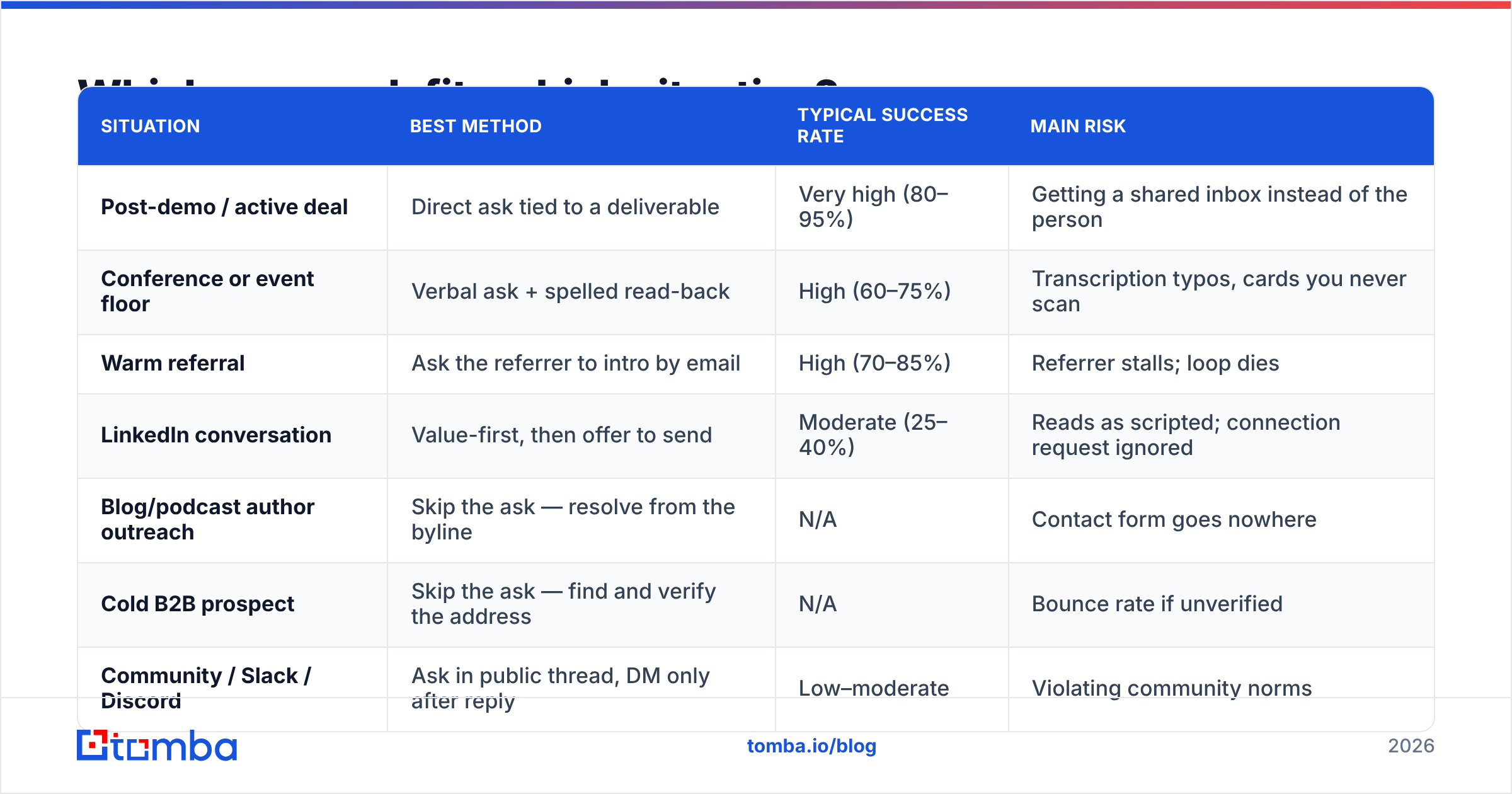
Match the method to the relationship, not to whatever you're most comfortable doing.
| Situation | Best method | Typical success rate | Main risk |
|---|---|---|---|
| Post-demo / active deal | Direct ask tied to a deliverable | Very high (80–95%) | Getting a shared inbox instead of the person |
| Conference or event floor | Verbal ask + spelled read-back | High (60–75%) | Transcription typos, cards you never scan |
| Warm referral | Ask the referrer to intro by email | High (70–85%) | Referrer stalls; loop dies |
| LinkedIn conversation | Value-first, then offer to send | Moderate (25–40%) | Reads as scripted; connection request ignored |
| Blog/podcast author outreach | Skip the ask — resolve from the byline | N/A | Contact form goes nowhere |
| Cold B2B prospect | Skip the ask — find and verify the address | N/A | Bounce rate if unverified |
| Community / Slack / Discord | Ask in public thread, DM only after reply | Low–moderate | Violating community norms |
Two rows in that table say "skip the ask," and they cover most B2B prospecting volume. That's not a dodge. It's the actual answer for cold outreach, and it's worth being explicit about why.
When should you stop asking and just find the address?#
When there's no relationship to preserve, asking is strictly worse than finding.
Here's the logic. A cold ask costs you an interaction and usually fails. If it works, you've spent your one piece of goodwill on a string of text instead of on saying something interesting. And the address is usually discoverable anyway. Most B2B companies use one of five or six predictable patterns, and those patterns show up in press releases, GitHub commits, conference speaker lists, and company sites.
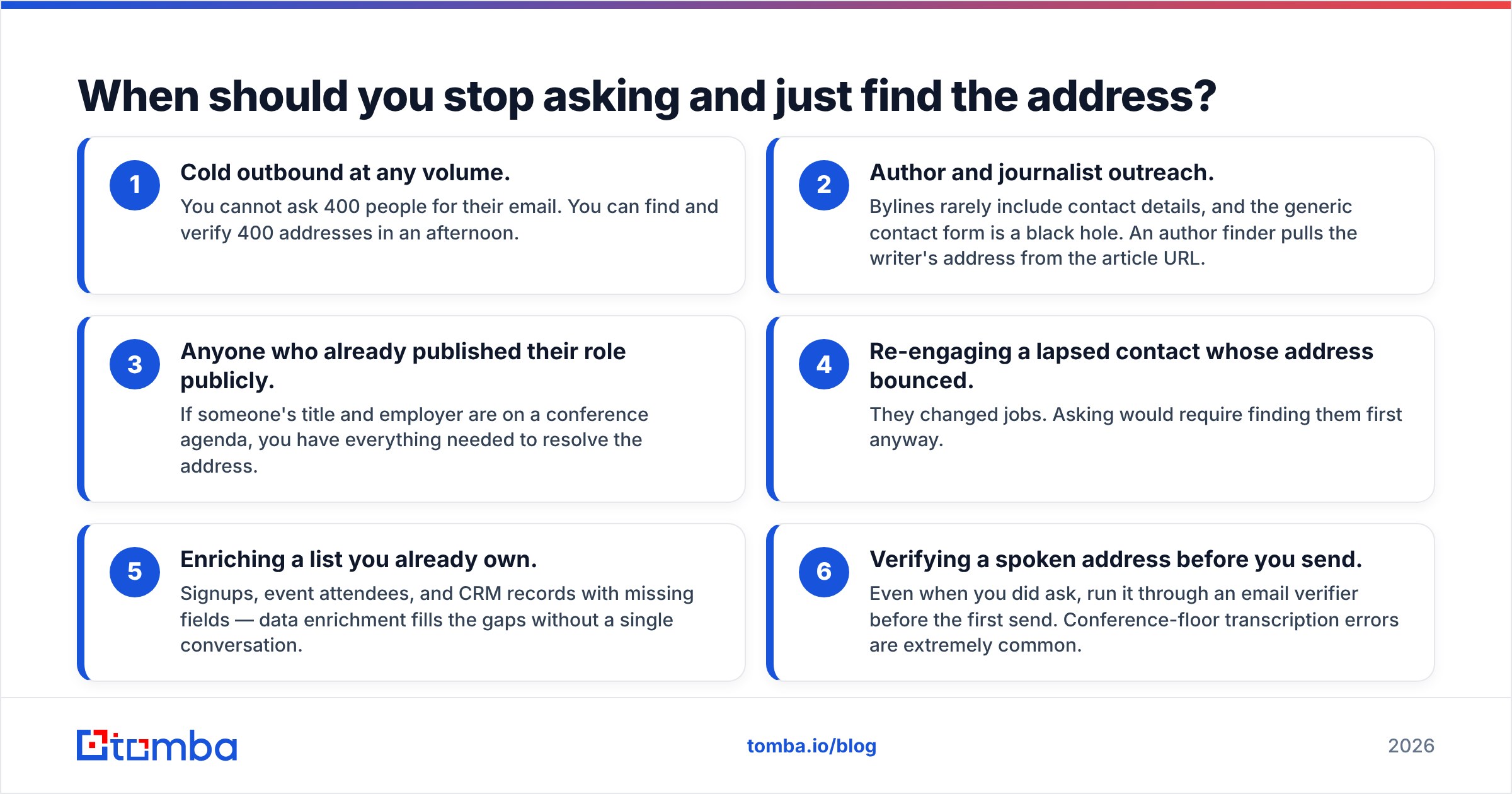
The situations where finding beats asking:
- Cold outbound at any volume. You cannot ask 400 people for their email. You can find and verify 400 addresses in an afternoon.
- Author and journalist outreach. Bylines rarely include contact details, and the generic contact form is a black hole. An author finder pulls the writer's address from the article URL.
- Anyone who already published their role publicly. If someone's title and employer are on a conference agenda, you have everything you need to resolve the address.
- Re-engaging a lapsed contact whose address bounced. They changed jobs. Asking would require finding them first anyway.
- Enriching a list you already own. Signups, event attendees, and CRM records with missing fields — data enrichment fills the gaps without a single conversation.
- Verifying a spoken address before you send. Even when you did ask, run it through an email verifier before the first send. Conference-floor typos are extremely common.
That last point matters more than people expect. Google and Yahoo now put hard spam-rate thresholds on bulk senders, documented in Google's sender guidelines. Bounces from typo'd addresses eat directly into sender reputation. An address someone told you at a noisy booth is not a verified address.
How do the finding tools actually compare?#
If you're going the find-and-verify route, two things separate the tools. How they handle patterns they haven't seen, and whether verification is bundled or billed separately.
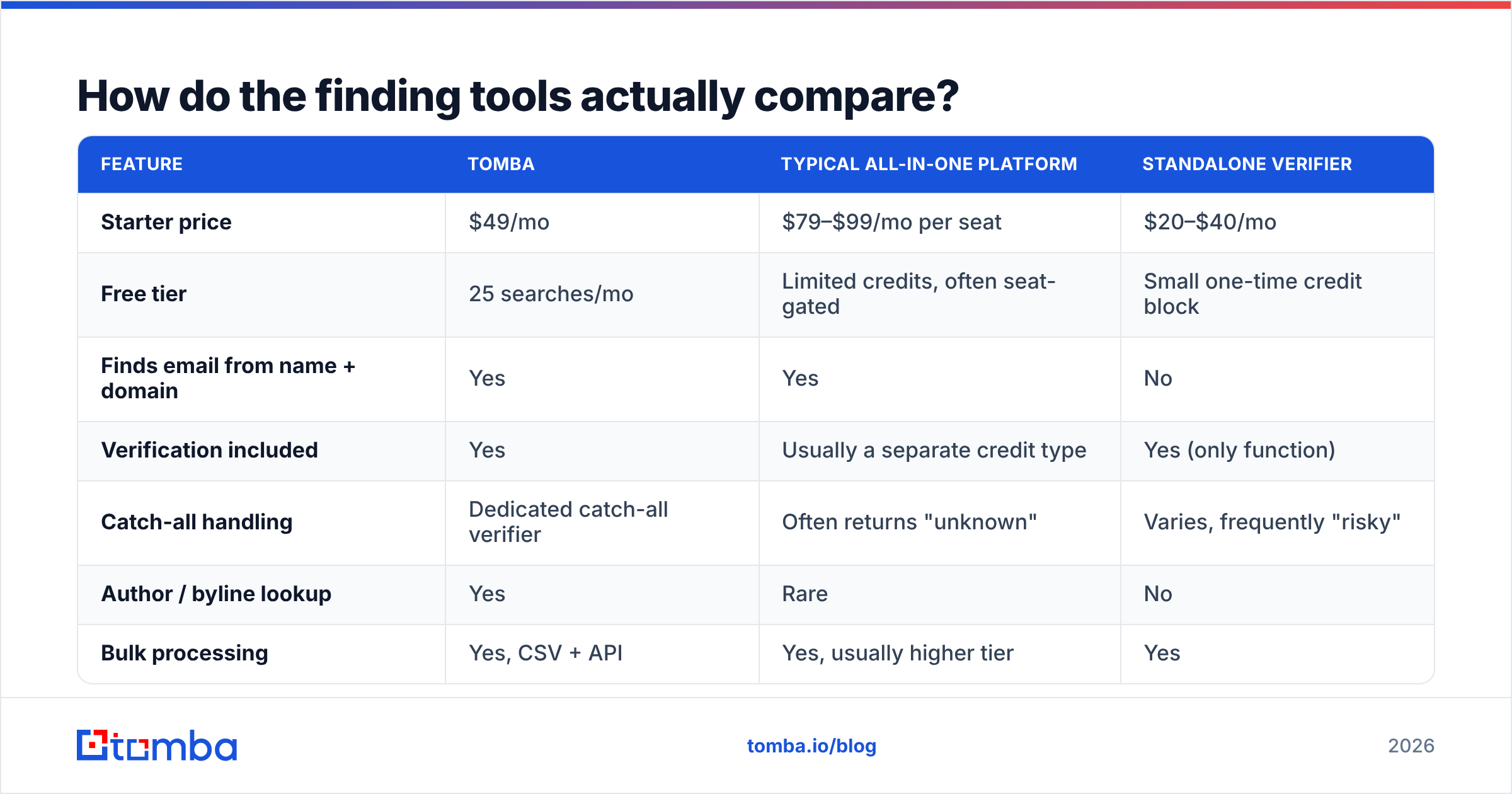
| Feature | Tomba | Typical all-in-one platform | Standalone verifier |
|---|---|---|---|
| Starter price | $49/mo | $79–$99/mo per seat | $20–$40/mo |
| Free tier | 25 searches/mo | Limited credits, often seat-gated | Small one-time credit block |
| Finds email from name + domain | Yes | Yes | No |
| Verification included | Yes | Usually a separate credit type | Yes (only function) |
| Catch-all handling | Dedicated catch-all verifier | Often returns "unknown" | Varies, frequently "risky" |
| Author / byline lookup | Yes | Rare | No |
| Bulk processing | Yes, CSV + API | Yes, usually higher tier | Yes |
| Sheets / Excel add-on | Yes | Sometimes | Rare |
The catch-all row is the one worth reading twice. Many enterprise domains accept mail to any address. Naive verification returns "unknown," so you either send blind or discard a real lead. A catch-all verifier resolves those instead of shrugging at them.
Compare the field yourself on G2's lead intelligence category before committing. The tools shift position more often than the marketing suggests. Peers like BookYourData also serve a different use case — pre-built list purchase rather than per-lookup resolution — so pick based on whether you want a static list or live lookups. Full Tomba pricing is public if you want the exact tier breakdown.
What phrasing kills the ask?#
Some patterns fail reliably enough to name.
"Do you mind if I get your email?" — You've invited "yes, I mind." Never phrase the ask as a yes/no question about permission.
"What's your email so I can add you to our newsletter?" — Honest, and that's the problem. Nobody wants a newsletter. They want a specific thing. Name the specific thing.
"Can I send you some information?" — "Some information" is the vaguest possible promise. Say what it is: "the two-page comparison," "the migration checklist," "the recording."
Asking before you've said anything interesting. The ask is priced by the conversation before it. Thirty seconds of small talk buys nothing.
Asking twice in the same thread. If they dodged once, they've answered. Asking again turns a soft no into a hard one, and a hard one into a block.
Sending without confirming spelling. "I'll just guess" is how you end up with a bounce and a damaged domain reputation. You also can't re-reach the person, because you never got the address.
How do you make the ask convert more often?#
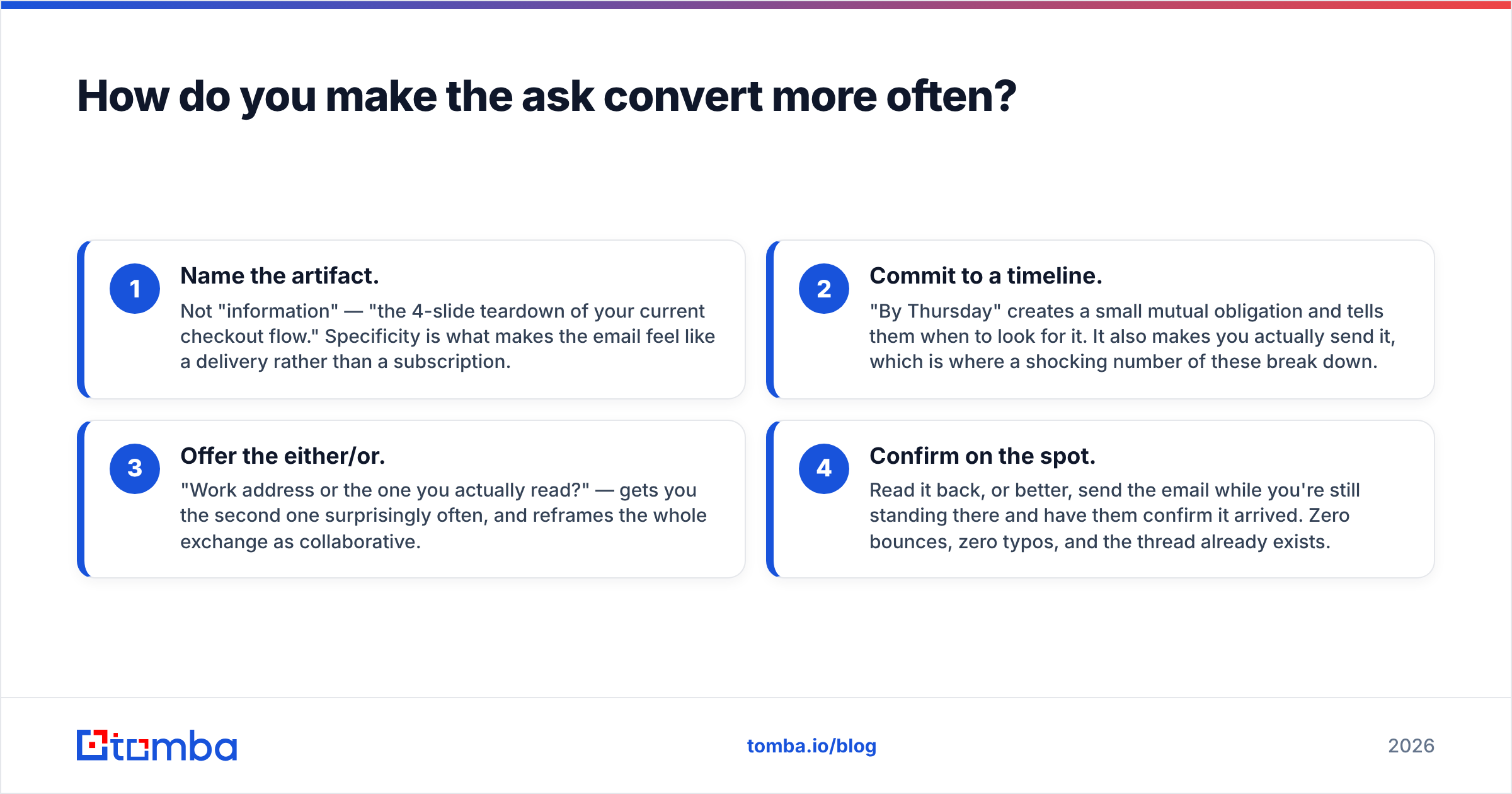
Four mechanics, roughly in order of impact:
- Name the artifact. Not "information" — "the 4-slide teardown of your current checkout flow." Specificity makes the email feel like a delivery rather than a subscription.
- Commit to a timeline. "By Thursday" creates a small mutual obligation and tells them when to look for it. It also makes you actually send it, which is where a shocking number of these break down.
- Offer the either/or. "Work address or the one you actually read?" gets you the second one surprisingly often. It also reframes the exchange as collaborative.
- Confirm on the spot. Read it back. Better yet, send the email while you're still standing there and have them confirm it arrived. Zero bounces, zero typos, and the thread already exists.
That last one is underrated. Sending immediately, in front of them, turns a promise into a finished transaction. It also removes every failure mode between the ask and the inbox.
What about GDPR and consent?#
Getting an address is not the same as getting consent to market to it. The distinction is legally real in the EU and UK.
Short version: under GDPR, B2B outreach to a business address can rest on legitimate interest. But you need relevance to the person's professional role, a clear statement of who you are, and a working opt-out in every message. Someone handing you an address at a booth is not blanket consent to enroll them in a twelve-step nurture sequence. The ICO's guidance on direct marketing is the clearest public reference if you send into the UK.
In practice: send the thing you promised, make the next step obvious, and let them opt into more. That's also just what works.
Where should you start?#
If you only remember one thing about how to ask someone for their email, use the delivery frame. Name the artifact, give a deadline, read the address back, and send it before you walk away. That covers events, demos, referrals, and most LinkedIn threads.
If you're building a pipeline — dozens or hundreds of contacts a week — the ask doesn't scale and shouldn't. Resolve the addresses from what's already public, verify before sending, and spend your goodwill on the message instead of the logistics.
That's where Tomba's Email Finder fits. Give it a name and a company domain, and it returns the verified work address with confidence scoring and the sources behind it. You get 25 free searches a month to test whether the addresses hold up against your own list, then $49/mo on Starter when you're ready to run volume. Verification is built in rather than billed as a separate credit type, so the address you export is the address that lands.
Ask well when you're face to face. Find and verify when you're not.
Related guides#
Ready to find emails that actually work?
Join 150,000+ professionals who stopped guessing and started sending. Free credits on signup — no credit card required.
Get the Tomba newsletter
Practical outbound tactics and product updates — once every two weeks.
About the author