How To Ask Someone's Availability In Email: Examples
Copy-paste templates, timing rules, and a subject-line formula for asking availability in email — plus the mistakes that push your meeting request to next quarter.
TL;DR
- Asking for availability fails when you outsource the work. "Let me know what works" makes the recipient build your calendar for you — offer two or three specific slots instead.
- The highest-reply structure is four lines: context, reason, two time options, one-click fallback link. Under 90 words.
- Timezone-stamp everything. "Tuesday 2pm ET" removes a round trip that costs you 24 hours on average.
- Send to a verified address. A perfect availability email to a bounced inbox is a 0% reply rate, and bounces damage your sender reputation.
- Different relationships need different asks: a warm client gets a direct slot offer, a cold prospect gets a low-commitment 15-minute frame, an executive gets a scheduling-assistant CC.
You send a polite note asking when someone is free. Three days pass. You follow up. They reply "sorry, swamped — how about sometime next week?" and now you are two emails deep with nothing on the calendar.
The problem is almost never politeness. It is that most availability requests ask the recipient to do cognitive work: open their calendar, scan for gaps, guess your timezone, guess how long the meeting runs, and compose a reply. Every one of those steps is a place where the email gets archived instead of answered.
This post shows you the exact phrasing, structure, and templates that get a same-day yes — plus how to pick the right variant for the relationship you actually have.
What is the right structure for an availability email?#
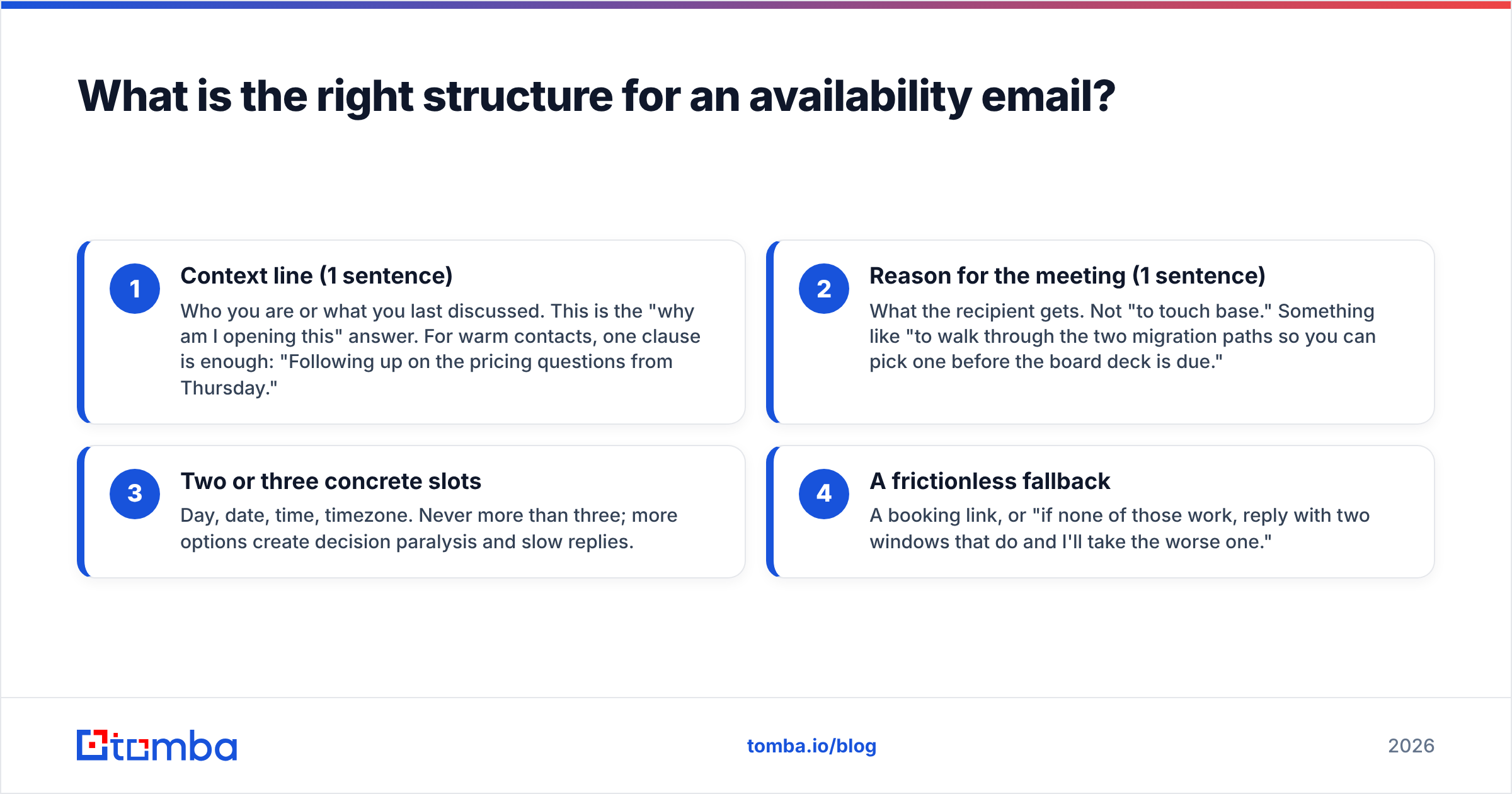
Every availability email that converts has the same four parts. Change the words, keep the skeleton.
- Context line (1 sentence) — Who you are or what you last discussed. This is the "why am I opening this" answer. For warm contacts, one clause is enough: "Following up on the pricing questions from Thursday."
- Reason for the meeting (1 sentence) — What the recipient gets. Not "to touch base." Something like "to walk through the two migration paths so you can pick one before the board deck is due."
- Two or three concrete slots — Day, date, time, timezone. Never more than three; more options create decision paralysis and slow replies.
- A frictionless fallback — A booking link, or "if none of those work, reply with two windows that do and I'll take the worse one."
That fourth part matters more than people expect. It gives the recipient an escape hatch that still ends in a booked meeting instead of an open loop.
The word count target is 60–90. Anything longer and the slots get buried below the fold on mobile, which is where roughly half of B2B email is now opened according to HubSpot's email marketing research.
How do you ask for availability without sounding pushy?#
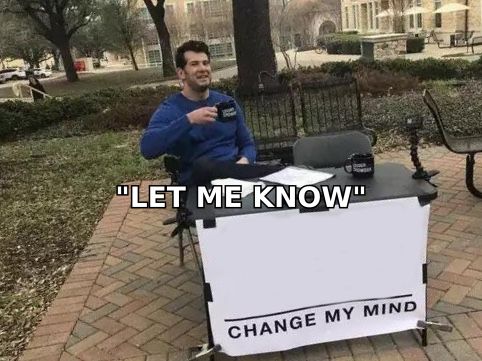
The fear of sounding pushy is what produces the vague ask in the first place. But vagueness is not politeness — it is a transfer of labor. Offering specific times is the courteous move, because it means the recipient can answer with one word.
Three phrasing swaps that keep warmth while removing ambiguity:
- Instead of "Let me know when you're free" → write "Would Tuesday 10am or Thursday 3pm ET work? Happy to shift if neither does."
- Instead of "Do you have time for a quick chat?" → write "Do you have 15 minutes Wednesday afternoon to review the two options?"
- Instead of "Whenever is convenient for you" → write "I've left Thursday morning open on my end — any window there works."
Notice that each rewrite keeps a deference signal ("happy to shift," "any window there works") while still doing the scheduling work. Politeness lives in the qualifier, not in the vagueness.
The other pushiness lever is meeting length. A 15-minute ask reads as respectful; a 60-minute ask from a stranger reads as entitled. Start short. You can always extend a call that is going well.
What are the best templates for asking someone's availability?#
Here are nine templates covering the situations you will actually hit. Swap the bracketed parts.
1. Warm follow-up with a known contact
Subject: Two times for the migration walkthrough
Hi [Name] — following up on Thursday's call. I put together the two migration paths we discussed.
Would Tuesday 10:00am or Wednesday 2:00pm ET work for a 20-minute walkthrough? If neither fits, [booking link] has my open slots.
[Your name]
2. Cold outreach, first meeting
Subject: 15 minutes on [specific problem]?
Hi [Name], I saw [specific trigger — funding round, job post, product launch]. We help [similar company type] cut [metric] by [outcome].
Worth 15 minutes Thursday or Friday morning ET to see if it applies to [Company]? If not, no hard feelings — I'll close the loop.
[Your name]
3. Asking an executive (assistant-aware)
Subject: 20 min with [Exec name] re: [topic] — scheduling
Hi [Name], copying [assistant] in case it's easier to route through them.
I'm looking for 20 minutes in the next two weeks to cover [topic]. Any morning slot Tue–Thu ET works on my side, and I'll fit whatever's easiest.
[Your name]
4. Rescheduling something you cancelled
Subject: My apologies — rebooking our Tuesday call
Hi [Name], sorry for the last-minute change on my end. Fully my fault.
Same 30 minutes, same agenda: does Thursday 11:00am or Friday 9:30am ET work? I'll hold both until you reply.
[Your name]
5. Group scheduling (3+ attendees)
Subject: Finding 45 min for the [project] kickoff
Hi all — I need 45 minutes with the four of us before [deadline].
Three options, all ET: Mon 1:00pm, Tue 3:00pm, Thu 10:00am. Reply with every option that works and I'll pick the winner Friday.
[Your name]
6. Second follow-up after silence
Subject: Re: Two times for the migration walkthrough
Hi [Name], bumping this in case it got buried.
Still happy to do the walkthrough — is the timing wrong, or is this not a priority this quarter? Either answer is genuinely useful.
[Your name]
7. Candidate or recruiting outreach
Subject: 20 min to talk about the [Role] role at [Company]?
Hi [Name], your work on [specific project] lines up closely with a [Role] opening we have.
Would a 20-minute intro call work Tuesday after 4pm or Thursday before 11am ET? Happy to do evenings if the workday is packed.
[Your name]
8. Asking a partner or vendor
Subject: Quarterly review — two dates
Hi [Name], time for the Q[N] review.
I've penciled Wednesday the 14th at 2:00pm and Thursday the 15th at 10:00am ET. Confirm whichever, and I'll send the agenda 48 hours ahead.
[Your name]
9. The one-line ask (existing relationship, high trust)
Subject: Thursday 3?
Free Thursday 3pm ET for 15 minutes on the renewal terms? — [Your name]
Template 9 outperforms everything else with people who already know you. Length signals distance; short signals familiarity.
Which template fits which relationship?#
Picking the wrong register is the second-most-common failure after vagueness. A cold prospect who gets template 9 thinks you emailed the wrong person. Here is the mapping.
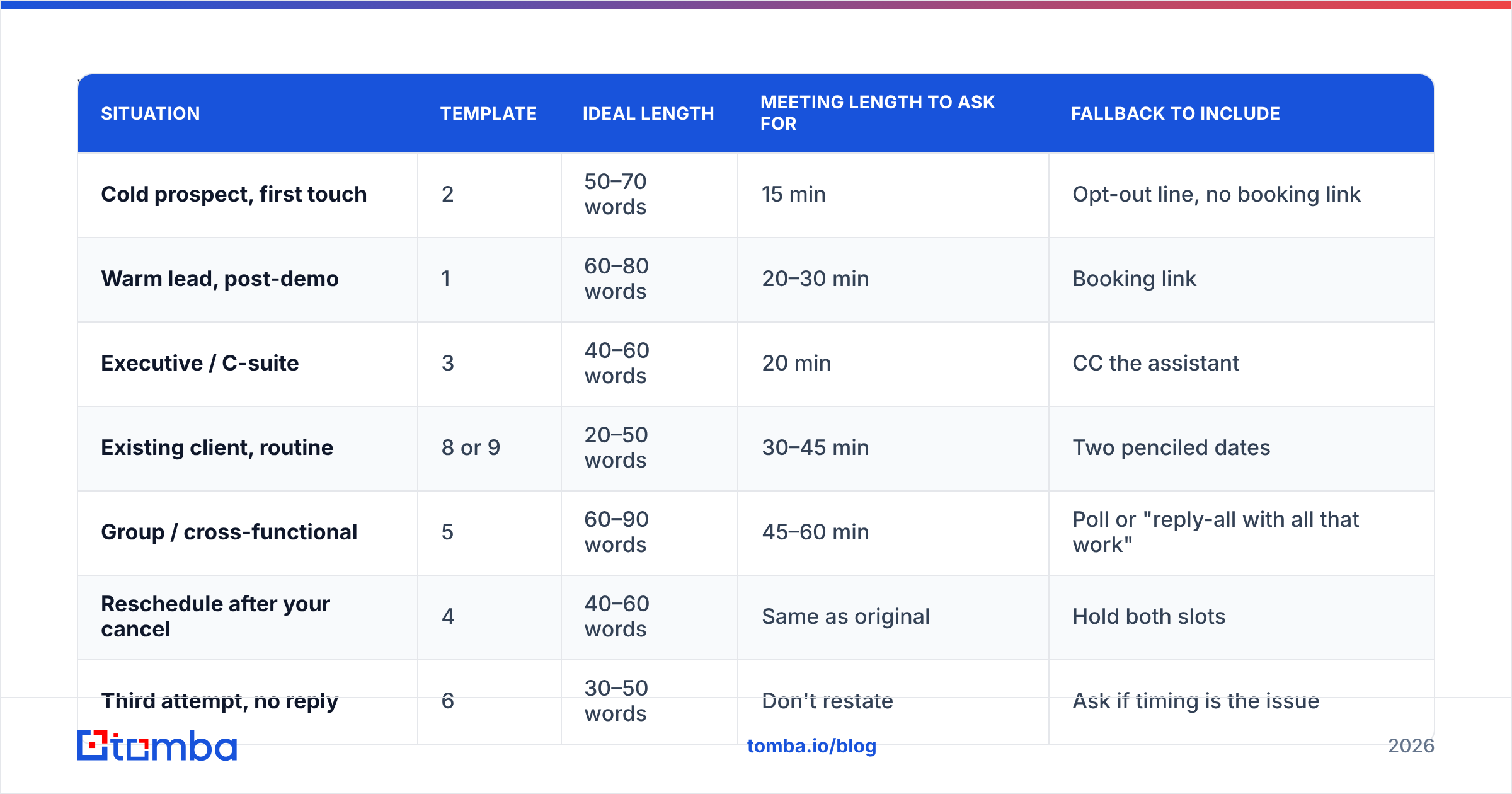
| Situation | Template | Ideal length | Meeting length to ask for | Fallback to include |
|---|---|---|---|---|
| Cold prospect, first touch | 2 | 50–70 words | 15 min | Opt-out line, no booking link |
| Warm lead, post-demo | 1 | 60–80 words | 20–30 min | Booking link |
| Executive / C-suite | 3 | 40–60 words | 20 min | CC the assistant |
| Existing client, routine | 8 or 9 | 20–50 words | 30–45 min | Two penciled dates |
| Group / cross-functional | 5 | 60–90 words | 45–60 min | Poll or "reply-all with all that work" |
| Reschedule after your cancel | 4 | 40–60 words | Same as original | Hold both slots |
| Third attempt, no reply | 6 | 30–50 words | Don't restate | Ask if timing is the issue |
The pattern in that table: the closer the relationship, the shorter the email and the more presumptive the slot offer. With strangers you earn the right to a slot; with clients you already have it.
When should you send an availability request?#
Timing shifts reply rates more than word choice does. Three rules that hold up across most B2B inboxes:
- Send Tuesday through Thursday, 7–9am recipient time. Monday mornings are triage; Friday afternoons are write-offs. The pre-9am window means your email is near the top when they first open the inbox.
- Offer slots 2–5 business days out. Tomorrow is too aggressive for anyone who plans. Three weeks out feels non-urgent and gets deferred indefinitely.
- Follow up on day 3, not day 1. A next-day bump reads as anxious. Day 3 reads as organized. Cap it at two follow-ups on a scheduling thread.
One more that people skip: check whether the recipient's company is in a blackout period. Emailing a finance team for availability during close week, or a retail team in late November, gets you a polite no regardless of how good the email is.

Why do availability emails go unanswered?#
Assume the email was good. There are still four silent killers.
It never arrived. This is the one nobody checks. If the address is guessed, stale, or the person changed jobs, your beautifully structured request bounced or landed in a catch-all void. Run addresses through an email verifier before a scheduling push, and use a catch-all verifier for domains that accept everything — those are the addresses that silently swallow mail. Bounce rates above 2% start dragging your domain reputation, which then buries the next email too.
It landed in Promotions or spam. Scheduling emails with tracking pixels, three links, and an HTML signature get filtered. Strip the email to plain text with at most one link when you are asking for time. Check your setup with an SPF checker if replies have dried up across the board — email deliverability problems look exactly like disinterest from your side of the screen.
The subject line hid the ask. "Quick question" and "Touching base" get skimmed past. Put the ask in the subject: "Thursday 2pm for 15 min?" tells the recipient the decision before they open.
You asked the wrong person. Individual contributors often cannot commit calendar time for a group. If you need three stakeholders in a room, ask the person with authority to convene them, not the friendliest person on the team.
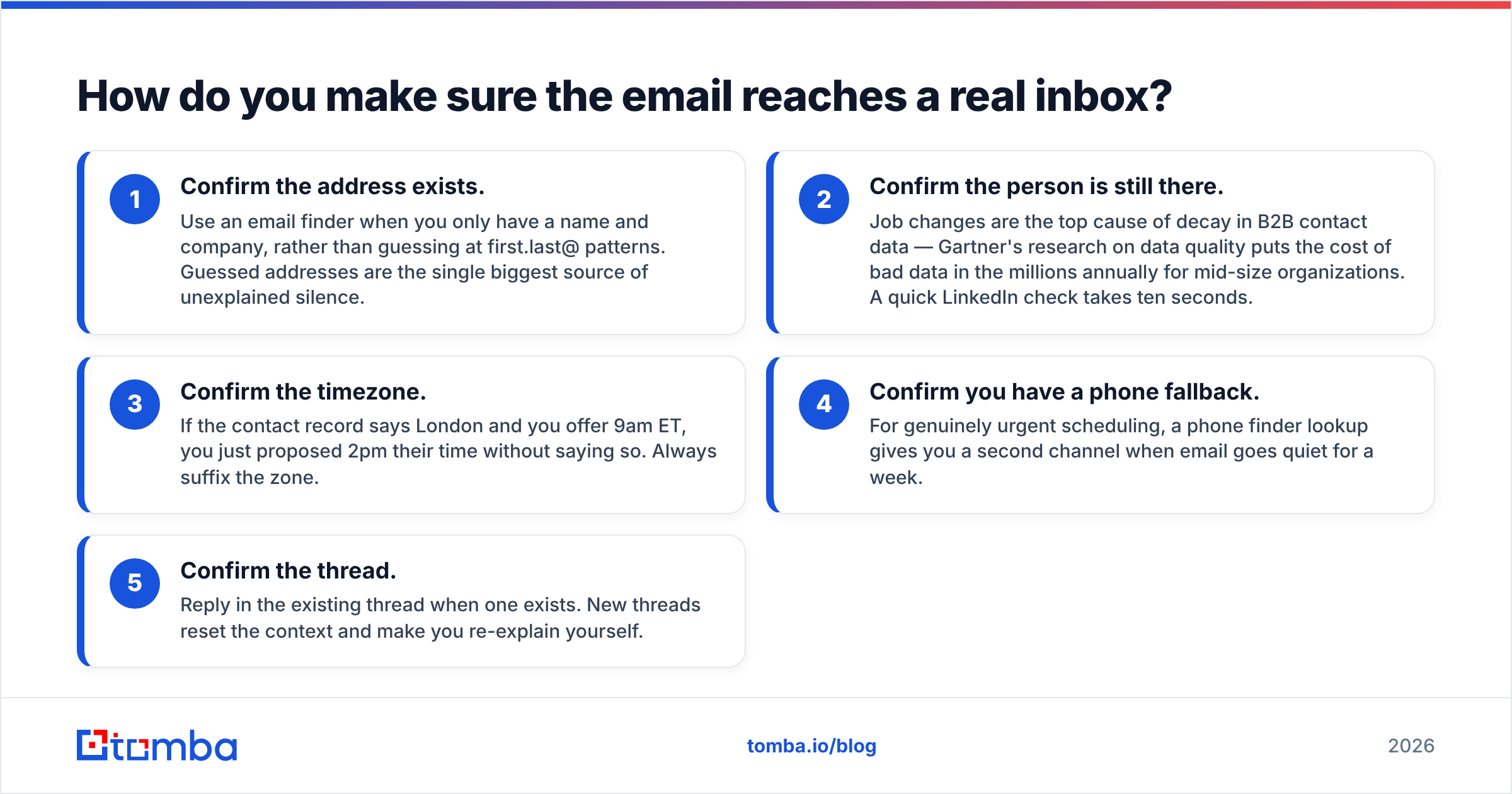
How do you make sure the email reaches a real inbox?#
Availability emails have an unusual property: they are usually the highest-value email in a thread, and they are usually sent to a single person. There is no volume to absorb a bad address.
A practical pre-send checklist:
- Confirm the address exists. Use an email finder when you only have a name and company, rather than guessing at first.last@ patterns. Guessed addresses are the single biggest source of unexplained silence.
- Confirm the person is still there. Job changes are the top cause of decay in B2B contact data — Gartner's research on data quality puts the cost of bad data in the millions annually for mid-size organizations. A quick LinkedIn check takes ten seconds.
- Confirm the timezone. If the contact record says London and you offer 9am ET, you just proposed 2pm their time without saying so. Always suffix the zone.
- Confirm you have a phone fallback. For genuinely urgent scheduling, a phone finder lookup gives you a second channel when email goes quiet for a week.
- Confirm the thread. Reply in the existing thread when one exists. New threads reset the context and make you re-explain yourself.
For teams doing this at scale — say, an SDR booking 40 meetings a month — the verification step should be automated rather than manual. Running lists through a bulk email finder before a scheduling sprint costs minutes and removes the entire category of "did it even arrive" from your postmortems.
What subject lines work for availability requests?#
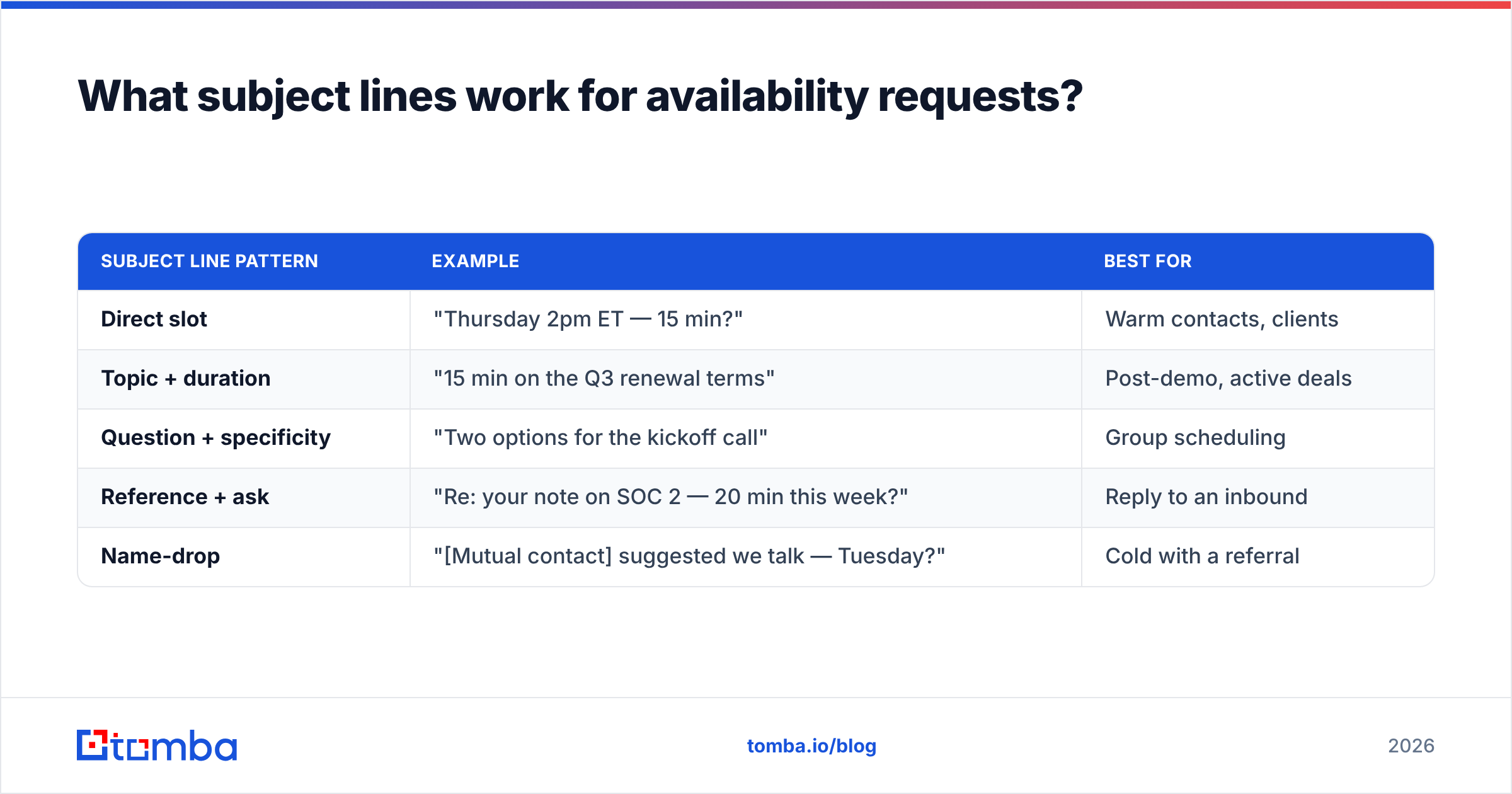
Your subject line has one job: make the ask visible without opening. Formulas that work:
| Subject line pattern | Example | Best for |
|---|---|---|
| Direct slot | "Thursday 2pm ET — 15 min?" | Warm contacts, clients |
| Topic + duration | "15 min on the Q3 renewal terms" | Post-demo, active deals |
| Question + specificity | "Two options for the kickoff call" | Group scheduling |
| Reference + ask | "Re: your note on SOC 2 — 20 min this week?" | Reply to an inbound |
| Name-drop | "[Mutual contact] suggested we talk — Tuesday?" | Cold with a referral |
Avoid: "Quick question," "Following up," "Checking in," "Touching base." They are invisible because every rep sends them. If you want to pressure-test variants before sending, a subject line tester will flag length and spam-trigger issues in a few seconds.
Keep subjects under 45 characters so they survive mobile truncation, and never put the timezone in the subject if it costs you the ask — put the ask first, the zone in the body.
What should you do after they reply?#
Half the scheduling failures happen after the yes. Someone confirms Thursday 2pm, nobody sends an invite, and Thursday 2pm arrives with two people in different places.
- Send the calendar invite within 10 minutes of the confirmation. Not the same day — ten minutes. The invite is the actual commitment; the email was just negotiation.
- Put the agenda in the invite body, not in a follow-up email. Three bullets is enough.
- Include the dial-in in the location field, so nobody hunts for it at 1:59.
- Send a one-line reminder 24 hours out for external meetings only. Internal reminders read as micromanagement.
If they propose a different time, accept it without renegotiating unless it is genuinely impossible. Counter-proposing a counter-proposal is how a two-email thread becomes a six-email thread.
Ready to send availability requests that actually land?#
The best-worded meeting request in the world does nothing if the address is wrong. Before your next scheduling push, run your contact list through Tomba Email Finder — find verified professional addresses by name and domain, confirm them before you send, and stop attributing bounced emails to busy prospects. The free tier gives you 25 searches a month to test it, and paid plans start at $49/mo on the Starter tier; full Tomba pricing is on the site. Get the address right, then let these templates do the rest.
Related guides#
Ready to find emails that actually work?
Join 150,000+ professionals who stopped guessing and started sending. Free credits on signup — no credit card required.
Get the Tomba newsletter
Practical outbound tactics and product updates — once every two weeks.
About the author