How to Audit Sales Tech Stack Spend in 2026: A 7-Step Guide
Most revenue teams pay for 12+ tools and actively use five. Here is a 7-step sales tech stack audit that surfaces dead seats, overlapping data vendors, and the line items you can cut this quarter.
TL;DR — how to audit sales tech stack spend, in five lines:
- The average B2B revenue team pays for 10–15 sales tools. It gets real daily use out of four or five. That gap is your audit target.
- A usable audit has seven steps: inventory, cost normalization, usage pull, overlap mapping, workflow tracing, scoring, and a cut/keep/consolidate call.
- Data vendors are where the waste piles up. Three tools that all sell contact records are the most common duplicate spend in a mid-market stack.
- Score every tool on four axes — usage, unique value, data quality, and integration depth — instead of arguing about it in a meeting.
- Budget one focused week, not a quarter. Anything longer and the stack changes underneath you.
What is a sales tech stack audit?#
A sales tech stack audit is a structured review of every tool your revenue team pays for. You check what each tool does, who opens it, and whether something you already own delivers the same result.
Think of it like cleaning out a garage. You did not buy junk on purpose. You bought a tool for one job and used it for that job. Then you bought a slightly different tool for the next job. Now there are four ratchet sets on three shelves. Nobody made a bad call. The pile is the problem.
The technical version: build a full register of contracts, seat counts, renewal dates, and per-seat cost. Join it against login and API-call data. Then map each tool to the pipeline step it serves, and look for tools serving the same step.
Most teams skip this work because it feels like a finance chore. It is not. Knowing how to audit sales tech stack spend buys you faster reps, cleaner CRM data, and fewer places where a lead can go to die.
Why does a sales stack bloat in the first place?#
Four forces, and none of them are incompetence.
- Point-solution purchasing. A rep hits a wall — no mobile numbers, no warm domain — and expenses a $49/mo tool. Twenty of those and you have a shadow stack nobody tracks.
- The pilot that never ended. A three-seat trial converts to an annual contract because cancelling needs an owner. Nobody owns it.
- Vendors expanding into each other. The email-finder you bought in 2023 now sells sequences. The sequencer you bought in 2024 now sells contact data. Your two separate tools quietly became competitors.
- Headcount churn. A rep leaves and their seats stay live. Seat-based SaaS never deprovisions itself.
Gartner's research on sales technology finds the same thing year after year: seller adoption, not capability, caps stack ROI. Their sales technology coverage has the framing. The practical version: a tool nobody opens has an ROI of zero, whatever the feature list says.
How to audit sales tech stack tools in 7 steps#
Here is the sequence. Run it in order — step 4 means nothing without step 3.
- Build the inventory. Pull every SaaS charge from your corporate cards, AP system, and any expense tool. Do not rely on memory or a wiki. Finance data is the only complete source. Expect two to four tools nobody in RevOps knew about.
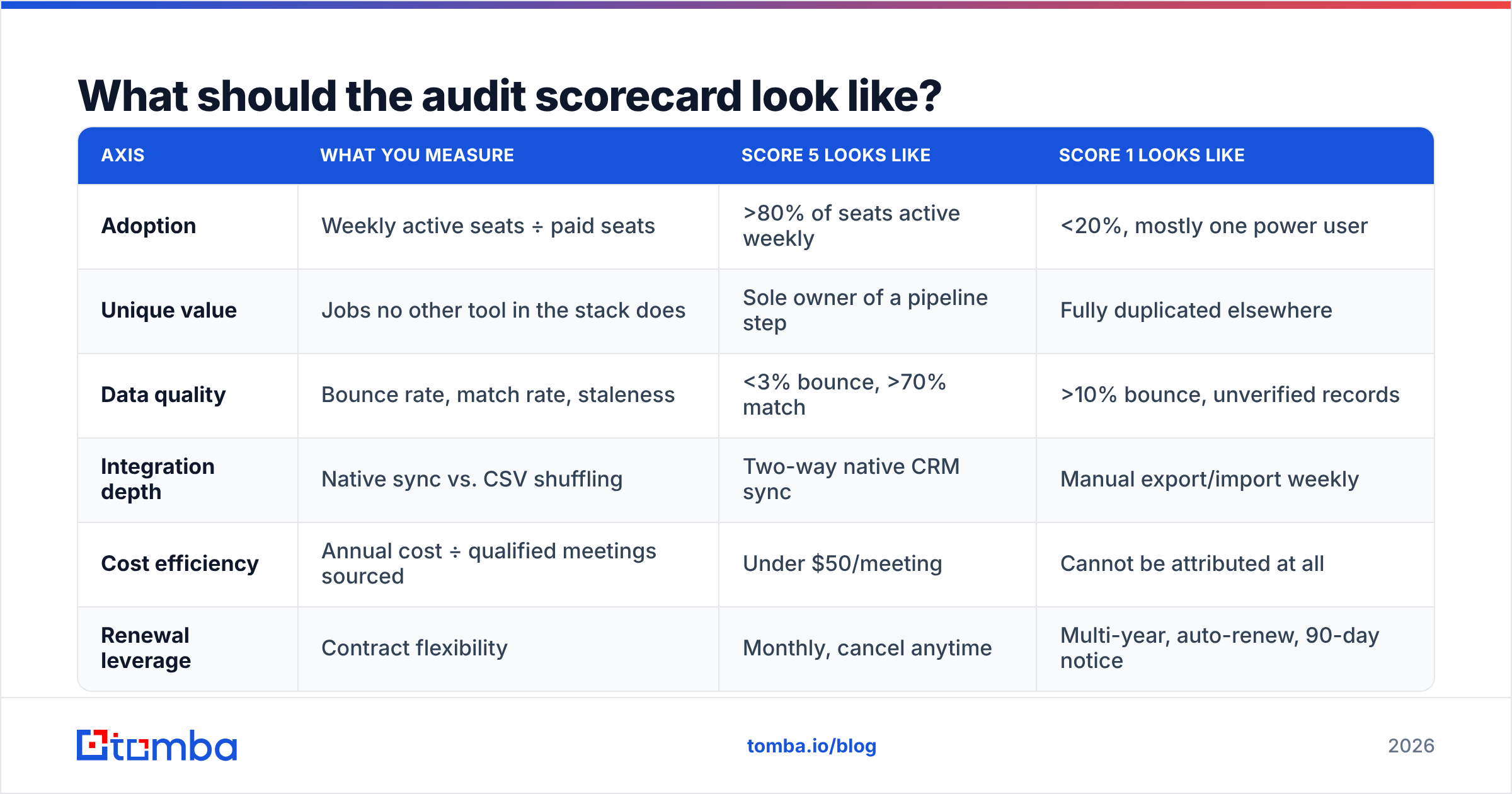
- Normalize the cost. Convert everything to annual cost per active seat. A $99/mo tool with 3 real users costs more per head than a $1,200/mo platform with 40. Include overage charges and credit top-ups. Those hide 20–30% of real spend on data tools.
- Pull actual usage. Login counts, API calls, records created, sequences sent, credits consumed. Most vendors show this in an admin panel; some need a CSM ask. Under one login per week per seat is a dead seat.
- Map the overlaps. For each pipeline step — sourcing, enriching, verifying, sequencing, calling, tracking, forecasting — list every tool that touches it. Any step with three or more tools is a consolidation candidate.
The first four steps give you facts. The last three turn those facts into a decision.
- Trace one real workflow end to end. Have a rep share their screen on a normal Monday. Watch where they copy and paste between tabs. Manual data movement between two tools is the clearest sign of a bad integration or a spare tool.
- Score everything. Use the rubric below so the call is not a popularity contest.
- Decide: cut, keep, or consolidate. Give each decision an owner and a renewal date. Undecided means keep, and keep means paying.
What should the audit scorecard look like?#
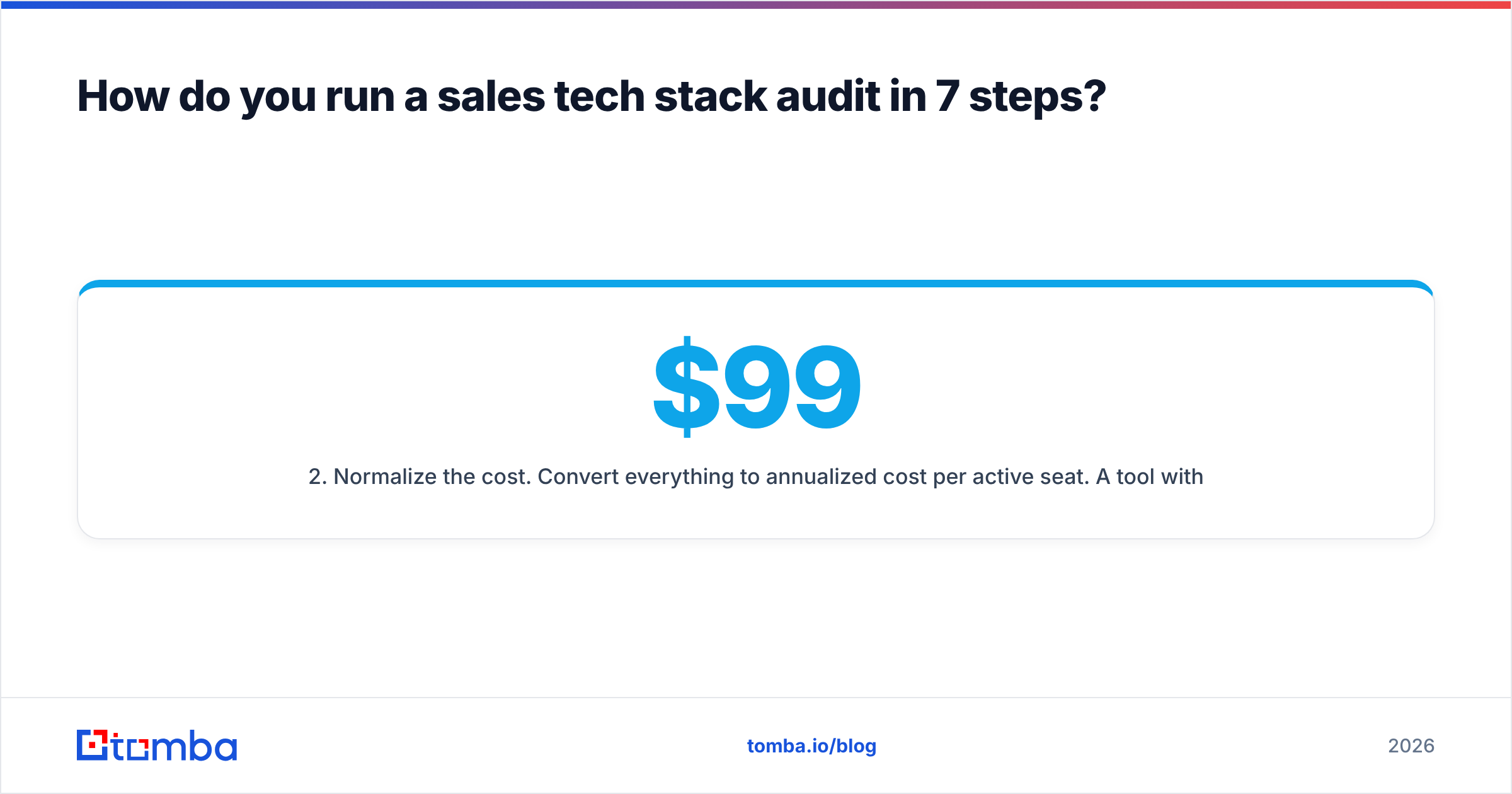
Score each tool 1–5 on four axes. Anything below 12 total goes on the chopping block; below 8 is an immediate cut.
| Axis | What you measure | Score 5 looks like | Score 1 looks like |
|---|---|---|---|
| Adoption | Weekly active seats ÷ paid seats | >80% of seats active weekly | <20%, mostly one power user |
| Unique value | Jobs no other tool in the stack does | Sole owner of a pipeline step | Fully duplicated elsewhere |
| Data quality | Bounce rate, match rate, staleness | <3% bounce, >70% match | >10% bounce, unverified records |
| Integration depth | Native sync vs. CSV shuffling | Two-way native CRM sync | Manual export/import weekly |
| Cost efficiency | Annual cost ÷ qualified meetings sourced | Under $50/meeting | Cannot be attributed at all |
| Renewal leverage | Contract flexibility | Monthly, cancel anytime | Multi-year, auto-renew, 90-day notice |
Two axes surprise people: data quality and renewal leverage. A data vendor with a 12% bounce rate is not a cheap tool that needs work. It is damaging your sender reputation. That costs you replies across every other tool in the stack. And a tool locked into a 36-month auto-renew is not a choice you get to make this quarter. Audit it early enough to hit the notice window.
Where does the duplicate spend usually hide?#
In the data layer. Almost always.
A typical mid-market stack has a sales engagement platform that bundles a contact database, a standalone prospecting tool, a dedicated email verifier, and a Chrome extension a couple of reps pay for themselves. That is four vendors selling overlapping records, billed four ways — seats, credits, exports, and a per-record enrichment fee.
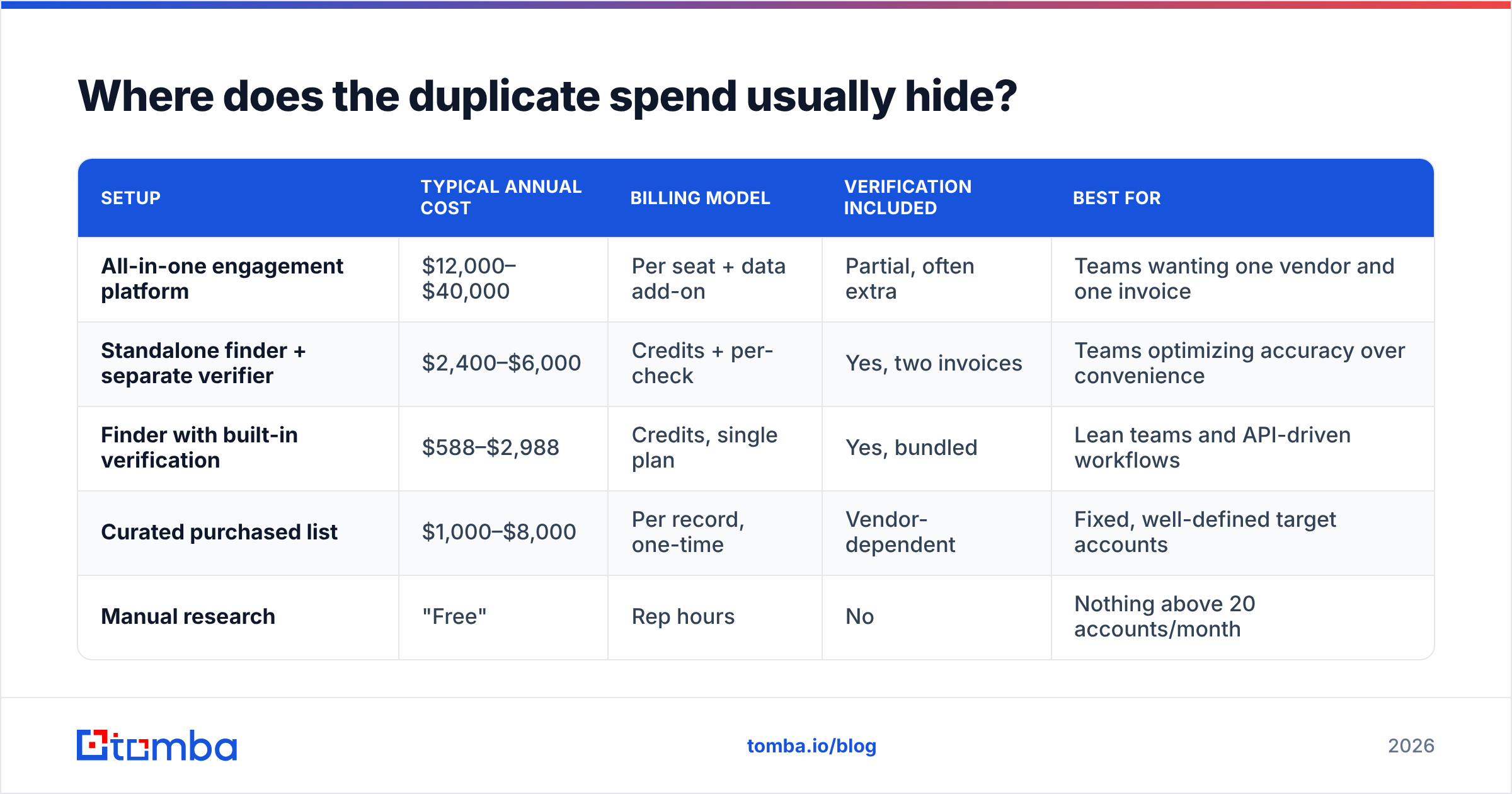
Here is how the common setups compare on the axis that matters: cost per usable, verified contact.
| Setup | Typical annual cost | Billing model | Verification included | Best for |
|---|---|---|---|---|
| All-in-one engagement platform | $12,000–$40,000 | Per seat + data add-on | Partial, often extra | Teams wanting one vendor and one invoice |
| Standalone finder + separate verifier | $2,400–$6,000 | Credits + per-check | Yes, two invoices | Teams optimizing accuracy over convenience |
| Finder with built-in verification | $588–$2,988 | Credits, single plan | Yes, bundled | Lean teams and API-driven workflows |
| Curated purchased list | $1,000–$8,000 | Per record, one-time | Vendor-dependent | Fixed, well-defined target accounts |
| Manual research | "Free" | Rep hours | No | Nothing above 20 accounts/month |
Two honest notes on that table. First, the all-in-one platforms are not overpriced for what they do. If you use the sequencing, dialer, and reporting, bundling is rational. The waste shows up when you bought the platform for sequencing and pay the data add-on out of inertia.
Second, a purchased-list vendor like BookYourData solves a different problem than a finder API. You buy a defined, pre-verified set instead of querying on demand. Both are legitimate. Owning both, for the same territory, is not.
For the on-demand side, a credit-based email finder with email verification in the same plan removes a whole vendor from the diagram. Tomba pricing starts free at 25 searches/month, with Starter at $49/mo, Growth at $99/mo, and Pro at $249/mo. That is the range where the fourth row of your overlap map disappears rather than shrinks.
How do you measure data quality during the audit?#
Run a blind bake-off. Do not take vendor-published accuracy numbers at face value, even the flattering ones.
Take 200 contacts you know are valid — closed-won accounts, current customers, people who have replied to you. Strip the emails. Feed the names and domains to each data vendor in your stack. Then measure three things:
- Match rate. What share came back with any result? A low match rate on your ICP means you are paying for a database built for someone else's market.
- Accuracy. Of the results returned, how many match the known-good email exactly? This is the number that matters.
- Catch-all handling. How does each vendor label addresses at catch-all domains? A vendor that returns "valid" for every catch-all is guessing. One that flags them honestly — the way a dedicated catch-all verifier does — lets you route those to a lower-risk sending pool.
Then check the cost of being wrong. Bounces above 2–3% hurt inbox placement, and the damage spreads past the campaign that caused it. HubSpot's email deliverability guidance covers the mechanics. In audit terms: a cheap data vendor with a bad bounce rate has a negative ROI, because it taxes every other tool downstream.

If two vendors score within a few points on match and accuracy, you do not need both. Keep the one with the better API and cleaner integrations, and cut the other at renewal.
What do you actually cut, and what do you keep?#
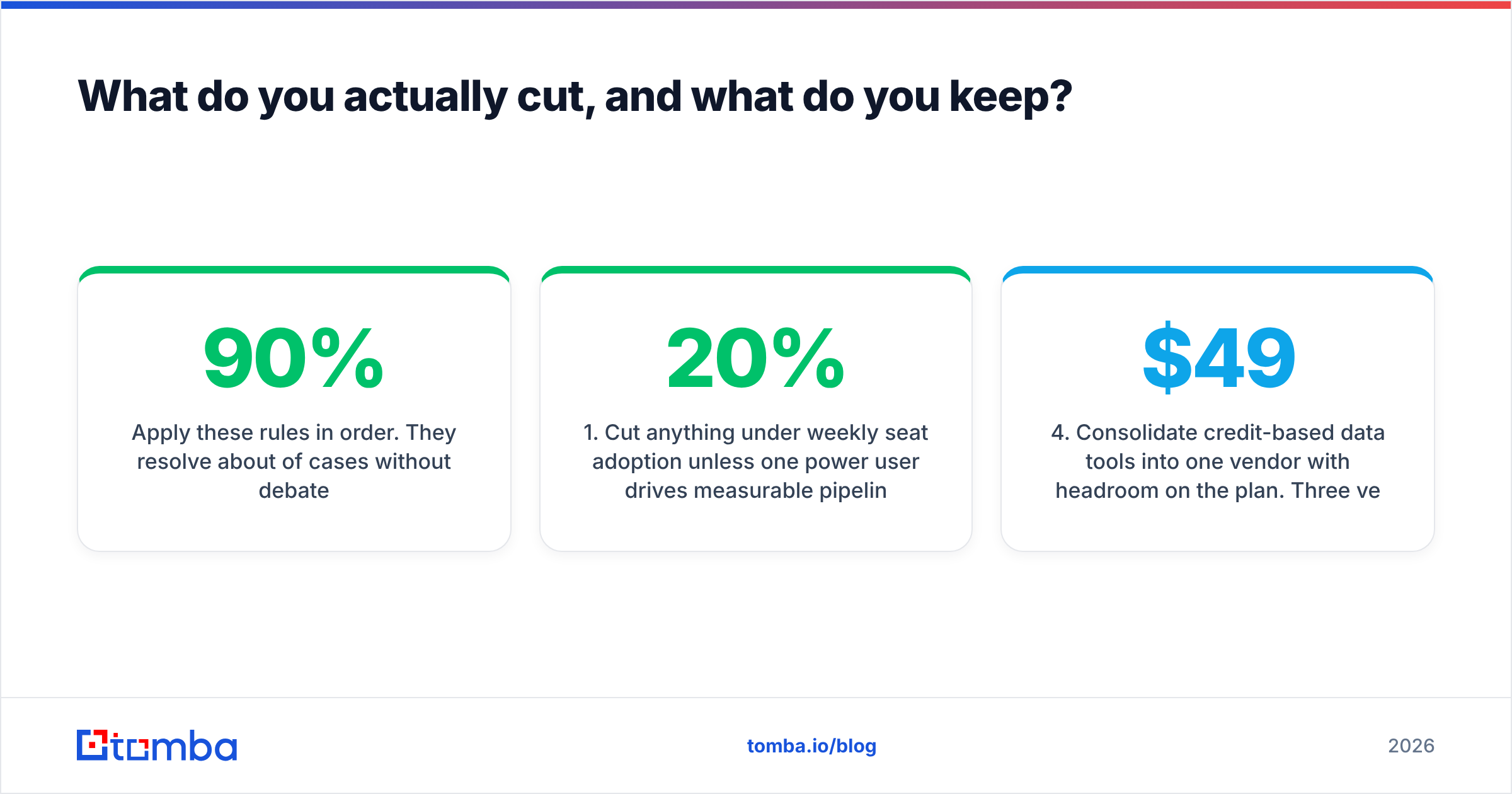
Apply these rules in order. They settle about 90% of cases without debate.
- Cut anything under 20% weekly seat adoption unless one power user drives real pipeline with it. Then cut it to a single seat instead.
- Cut the second-best tool in any duplicated category. Not the cheapest — the second-best on the scorecard. Cheap and inaccurate is the worst quadrant.
- Keep anything with deep two-way CRM sync, even at a middling score. Ripping out a tool that writes to your CRM creates data debt that costs more than the license.
Those three rules clear the duplicates. The next three keep you from breaking something that works.
- Consolidate credit-based data tools into one vendor with headroom on the plan. Three vendors at $49/mo each is worse than one at $99/mo with more credits and one API to maintain.
- Never cut two tools in the same workflow in the same month. You will not know which change moved the metric.
- Re-audit the cuts at 60 days. If nobody asked for the tool back, the cut held. If three people did, you removed a real dependency. Reverse it without ego.
One caution on consolidation: an all-in-one is only cheaper if you use most of it. Check G2's sales tools category for how peers at your size actually set things up. Review volume by segment is a fair proxy for what survives contact with real teams.
How often should you re-run the audit?#
Once you know how to audit sales tech stack tools, re-run the full seven steps twice a year. Do two cheap checks monthly: new charges on the corporate card, and seat counts against current headcount.
Attach the full audit to your two largest renewal dates, not the calendar quarter. Audit in March when your biggest contract renews in November and you have no leverage. The findings go stale before you can act on them.
Keep a live one-page register: tool, owner, cost, renewal date, notice period, pipeline step, last audit score. That one document turns the next audit from a two-week dig into a two-day update. It also lets a RevOps lead answer "what do we pay for X?" in seconds rather than days.
What does a clean stack look like after the audit?#
Fewer tools, clearer ownership, and one place where contact data enters the system. The target shape for most teams under 50 reps:
- One CRM as the system of record. Non-negotiable.
- One engagement platform for sequencing and tracking.
- One data source for finding and verifying contacts, with API access so enrichment happens on write instead of in a weekly CSV ritual.
- One conversation or call tool, if you sell by phone.
- A small number of point solutions for genuinely unique jobs — website visitor identification, signal tracking, whatever your motion needs.
Everything else should justify itself at every renewal. That is the whole discipline. Not austerity — just refusing to pay twice for the same thing.
If your audit lands where most do, the consolidation happens in the data layer: several vendors doing partly overlapping contact work, billed in ways you cannot compare. Tomba's Email Finder is built for that slot. Find, verify, and enrich from one credit pool, with a REST API, Chrome extension, and native CRM connectors. The data lands where it belongs without a manual export step. Start on the free tier with 25 searches a month. Run it head-to-head against what you pay for today, and let the match-rate numbers decide the renewal instead of the sunk cost.
Related guides#
Ready to find emails that actually work?
Join 150,000+ professionals who stopped guessing and started sending. Free credits on signup — no credit card required.
Get the Tomba newsletter
Practical outbound tactics and product updates — once every two weeks.
About the author