How to Check if an Email Address Is Correct: 5 Proven Methods
Syntax, DNS, MX, SMTP, catch-all: five layers decide whether an email address is actually correct. Here is how to check one address in seconds, and 50,000 without wrecking your sender reputation.
TL;DR
- "Correct" is five separate questions: valid syntax, real domain, MX records present, mailbox exists, and mailbox actually accepts mail. Most people only check the first one.
- A regex or a browser form check catches typos. It tells you nothing about whether anyone reads that inbox.
- SMTP verification (a handshake with the receiving mail server, without sending a message) is the only method that gets you near certainty on standard domains.
- Catch-all domains — roughly 15-20% of B2B domains — accept everything at the SMTP layer, so they need pattern confidence scoring instead of a yes/no answer.
- For one address, a free checker takes 10 seconds. For a list, use bulk verification and drop anything below ~95% confidence before it touches your sending domain.
What does "correct" actually mean for an email address?#
Most people asking how to check if an email address is correct are really asking three different questions at once: is it typed right, does the mailbox exist, and will my message land. Those are separate checks with separate failure modes.
Think of it like checking a street address. Correct formatting means the address follows the postal template. A real street means the city and road exist. A real mailbox means someone lives at number 42. And "accepts mail" means the resident hasn't put a lock on the box. An address can pass three of those and still bounce.
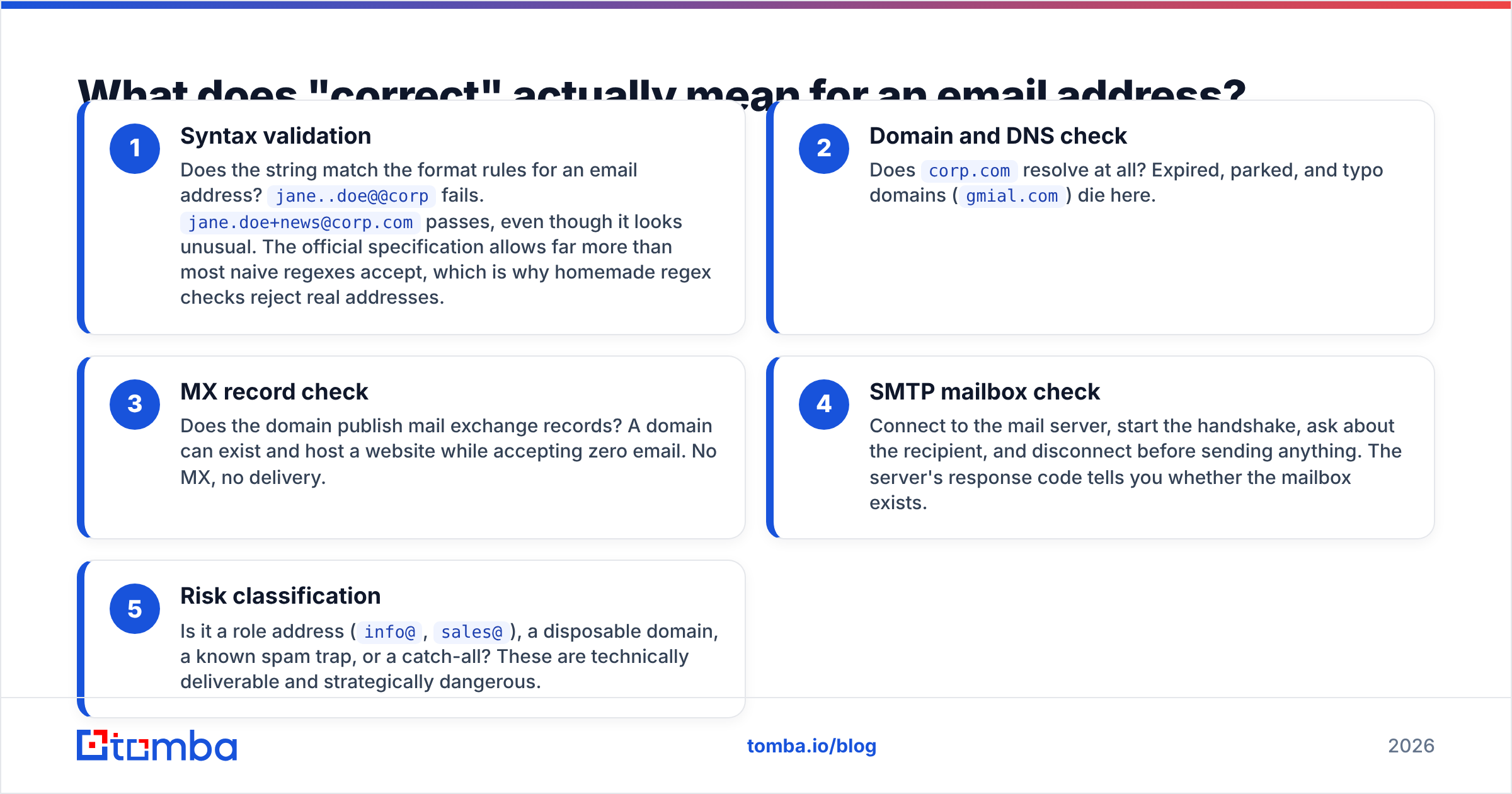
Here are the five layers, in the order any serious verification runs them:
- Syntax validation — Does the string match the format rules for an email address?
jane..doe@@corpfails.jane.doe+news@corp.compasses, even though it looks unusual. The official specification allows far more than most naive regexes accept, which is why homemade regex checks reject real addresses. - Domain and DNS check — Does
corp.comresolve at all? Expired, parked, and typo domains (gmial.com) die here. - MX record check — Does the domain publish mail exchange records? A domain can exist and host a website while accepting zero email. No MX, no delivery.
- SMTP mailbox check — Connect to the mail server, start the handshake, ask about the recipient, and disconnect before sending anything. The server's response code tells you whether the mailbox exists.
- Risk classification — Is it a role address (
info@,sales@), a disposable domain, a known spam trap, or a catch-all? These are technically deliverable and strategically dangerous.
A checker that only does layer 1 will happily approve ceo@company-that-shut-down-in-2019.com. That is the gap that costs you bounce rate.
How do you check a single email address by hand?#
You can do a surprising amount without any tool, and it takes about two minutes.
Step 1 — Read it out loud. Sounds trivial. Roughly a third of bad addresses in a hand-built list are transcription errors: rn instead of m, a missing dot, .co instead of .com, a trailing space copied from a spreadsheet cell.
Step 2 — Check the domain in a browser. Load the domain. If it 404s, parks, or redirects to a registrar sales page, stop. If it loads a live site, check whether the company still exists — an acquired company often keeps the site up for a year after migrating all mail to the acquirer's domain.
Step 3 — Check the MX records. On macOS or Linux:
dig MX company.com +shortIf nothing comes back, that domain does not receive email. Windows users can run nslookup -type=mx company.com.
Step 4 — Compare against the company's known pattern. If every other contact at that company is first.last@company.com and yours is flast@company.com, one of them is wrong. A company email pattern lookup settles it in seconds.
Step 5 — Run it through a verifier. This is the part you cannot do by hand, because opening an SMTP session from your laptop IP is both awkward and a fast way to get that IP throttled. A free email checker does the handshake from reputation-managed infrastructure and returns a status.

What you should never do: send a test email "just to see". A test send to a dead address puts a hard bounce on your sending domain's record, which is exactly the outcome you were trying to avoid. And a test send to a spam trap does considerably worse than that.
What is SMTP verification, and why does it fail on some domains?#
SMTP verification is a conversation the verifier has with the receiving mail server, stopped one step before the message body.
The verifier connects on port 25, identifies itself (HELO), states a sender (MAIL FROM), then names the recipient (RCPT TO: jane.doe@corp.com). The server answers with a code. 250 means the mailbox is accepted. 550 means no such user. The verifier then sends QUIT and never transmits a message. Nothing arrives in the recipient's inbox, and nothing shows in their spam folder.
That is the clean case. Three things break it:
- Catch-all (accept-all) configuration. The server is told to answer
250for every address at the domain, then sort it out internally. You get a "yes" that means nothing. Common on enterprise domains and on anything running certain Microsoft 365 configurations. - Greylisting and rate limits. Some servers return a temporary failure to unknown senders on first contact, expecting a retry. A verifier that treats a
4xxas "invalid" will silently discard good contacts. - Provider-level blocking. Major providers deliberately degrade or refuse verification handshakes to stop mailbox enumeration. Good verifiers fall back to provider-specific logic and historical response data rather than guessing.
This is the entire reason verification vendors differ in accuracy despite running the same protocol. The protocol is public. What is not public is the accumulated response history, the IP pool reputation, and the fallback logic for the domains where the handshake gives you nothing useful.

How do you handle catch-all domains?#
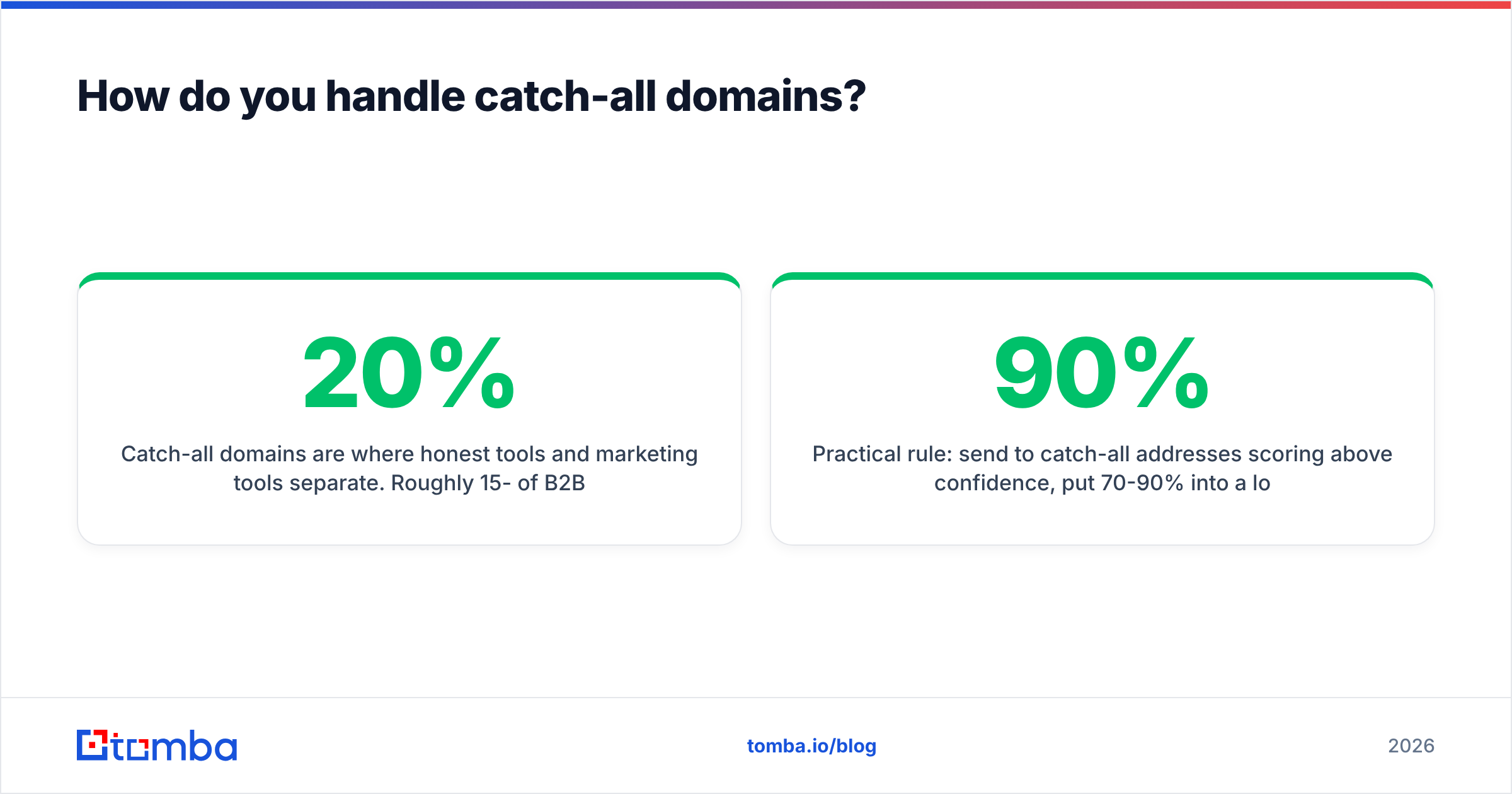
Catch-all domains are where honest tools and marketing tools separate. Roughly 15-20% of B2B domains are configured this way, and they skew toward larger companies — which means they are overrepresented in exactly the enterprise lists you care most about.
You have four options, in increasing order of sophistication:
- Discard them. Safe, and it can throw away a fifth of your addressable market.
- Send anyway and eat the bounces. Fast, and it damages sender reputation when the internal sort rejects the message after acceptance.
- Pattern-score them. If 40 known-good contacts at that domain use
first.last@, an address in that format is very likely real. If it is a one-off format, it probably isn't. - Use dedicated catch-all logic. A catch-all verifier combines pattern frequency, historical engagement signals, and provider-specific probes to produce a confidence percentage rather than a binary verdict.
Practical rule: send to catch-all addresses scoring above 90% confidence, put 70-90% into a low-volume secondary domain, and drop the rest. Segment them separately in your sending tool so you can see their bounce rate independently — if it climbs past 3%, tighten the threshold.
Which tools check email addresses best in 2026?#
Every verification vendor claims 98%+ accuracy. What actually differs is catch-all handling, how honest the "unknown" category is, and what you pay per check at your volume. Prices below are the published entry points as of early 2026 — always confirm on the vendor's own page before buying, since credit bundles change often.
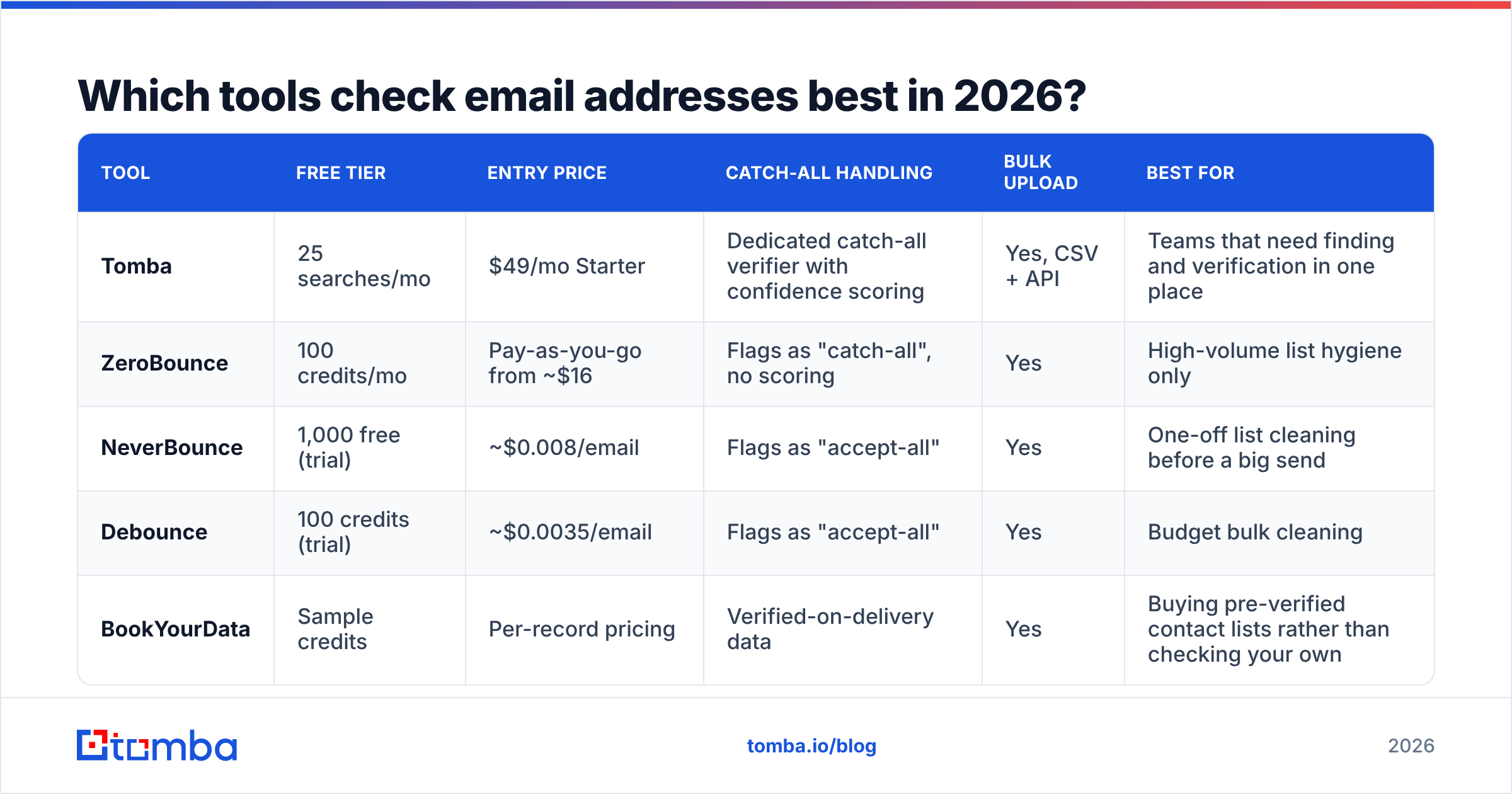
| Tool | Free tier | Entry price | Catch-all handling | Bulk upload | Best for |
|---|---|---|---|---|---|
| Tomba | 25 searches/mo | $49/mo Starter | Dedicated catch-all verifier with confidence scoring | Yes, CSV + API | Teams that need finding and verification in one place |
| ZeroBounce | 100 credits/mo | Pay-as-you-go from ~$16 | Flags as "catch-all", no scoring | Yes | High-volume list hygiene only |
| NeverBounce | 1,000 free (trial) | ~$0.008/email | Flags as "accept-all" | Yes | One-off list cleaning before a big send |
| Debounce | 100 credits (trial) | ~$0.0035/email | Flags as "accept-all" | Yes | Budget bulk cleaning |
| BookYourData | Sample credits | Per-record pricing | Verified-on-delivery data | Yes | Buying pre-verified contact lists rather than checking your own |

Two structural differences matter more than the price column.
First, finding versus checking. Pure verifiers only grade addresses you already have. If half your list is missing addresses entirely, a verifier does nothing for those rows — you need a domain search or enrichment step first, then verification. Running two vendors means two integrations, two credit pools, and two accuracy standards to reconcile.
Second, how "unknown" is reported. Some vendors compress unknowns into "valid" to keep their headline accuracy number attractive. Check the vendor's own documentation for the exact status list, and check independent reviews on G2 rather than the vendor's testimonial page. If a tool never returns "unknown", be suspicious — unknown is a real state of the world, and a tool that pretends otherwise is transferring the risk to your bounce rate.
If you want a pre-verified list rather than a verification workflow, providers like BookYourData sell contacts checked at delivery time, which is a genuinely different buying motion from paying per check on your own data.
How do you check thousands of addresses at once?#
Manual checking stops scaling at about 50 addresses. Past that, the workflow is:
- Deduplicate first. You pay per check. Paying twice for the same address is pure waste, and duplicate contacts create duplicate touches that make you look careless. A remove duplicates pass before upload usually shaves 5-15% off a scraped list.
- Strip the obvious junk. Role addresses,
noreply@, disposable domains, and anything with whitespace or non-ASCII noise from a bad CSV export. - Run bulk verification. Upload the CSV to a bulk verify job, or hit the API if this needs to be part of a pipeline. Expect 500-5,000 addresses per minute depending on tier and how many catch-all domains are in the mix.
- Split by status, not by score alone. Valid goes to your sequencer. Invalid goes to a suppression list — not the bin, because you want to avoid re-acquiring the same dead contact next quarter. Catch-all and unknown go to their own segment.
- Re-verify on a schedule. B2B email data decays roughly 22-30% per year through job changes alone. An address verified in January is materially less reliable in October. Re-verify anything older than 90 days before a major campaign.
For pipelines, an email verification API call at the point of capture is far cheaper than a quarterly cleanup. Verify at form submission, verify on CRM import, verify before sequence enrollment. Three cheap checks beat one expensive rescue operation.

What mistakes make verification results useless?#
Trusting a regex. Homemade validation patterns reject valid addresses (plus-addressing, new TLDs, apostrophes in names) and accept invalid ones. Every hour spent tuning a regex is an hour spent solving layer 1 of 5.
Verifying once and never again. Data decay is the single biggest source of bounces in mature databases. The list was clean. Then people changed jobs.
Treating "catch-all" as "valid". It is not a verdict, it is the absence of one. Segment it.
Ignoring role addresses. info@ and support@ verify as valid all day. They also go to shared inboxes with low engagement and a higher chance of being reported as spam, which drags down your email deliverability across every campaign.
Verifying but not fixing the source. If 30% of a list is bad, verification is a bandage. Find where the addresses came from — a scraper with no pattern validation, a trade-show badge scan, a form with no validation on submit — and fix the intake.
Sending test emails to check. Covered above, and worth repeating: hard bounces on your own sending domain are the exact cost you were trying to avoid.
How accurate can you realistically get?#
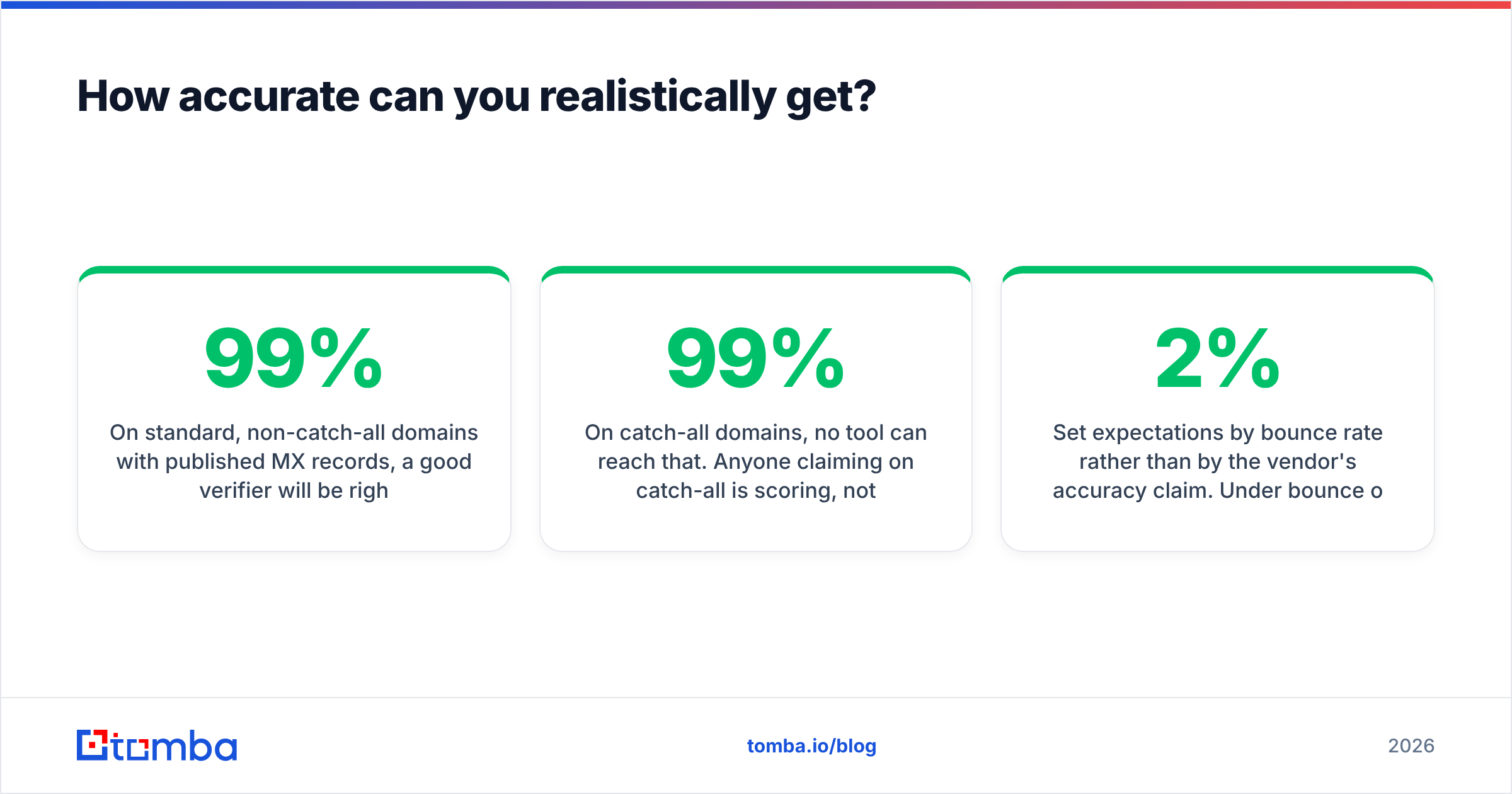
On standard, non-catch-all domains with published MX records, a good verifier will be right about 97-99% of the time. That residual 1-3% is servers that answer inconsistently, mailboxes deactivated between your check and your send, and greylisting noise.
On catch-all domains, no tool can reach that. Anyone claiming 99% on catch-all is scoring, not verifying — which is fine and useful, as long as they say so. Judge a vendor by how clearly it distinguishes the two cases.
Set expectations by bounce rate rather than by the vendor's accuracy claim. Under 2% bounce on a verified cold list is healthy. Between 2% and 5% means your verification threshold is too loose or your data is too old. Above 5%, stop sending and re-verify before mailbox providers start filtering you by default.
Where should you start?#
If you have one address to check, run it through a free checker and move on. If you have a list, verify it in bulk, segment the catch-alls, and put a re-verification job on a 90-day cycle.
If the real problem is that you have company names and job titles but no addresses at all, verification is the wrong first step — you need to find the addresses before you can grade them. The Tomba Email Finder does both in one pass: it locates the address from a domain and a name, then runs the full syntax, MX, SMTP, and catch-all stack before handing it back with a confidence score, so nothing enters your sequencer ungraded. The free tier covers 25 searches a month, and paid plans start at $49/mo — see Tomba pricing for the full breakdown. Start with 25 free searches against your worst list segment and compare the results to whatever you are using now.
Related guides#
// get started
Find, verify and enrich your first contacts today
Start on the free plan with 25 searches a month, then scale when your team is ready.
Free plan · No credit card required · GDPR & CCPA
// about the author