How to Choose a Sales Engagement Platform in 2026
Most teams pick a sales engagement platform on demo polish, then discover the real cost hides in seats, data credits, and migration. Here is the 7-step evaluation that avoids that.
TL;DR
- Pick the platform that matches your sending motion (high-volume outbound, multithreaded enterprise, or hybrid inbound follow-up) — not the one with the best demo.
- Sequencing and data are two different purchases. Bundled "all-in-one" credits are usually the most expensive contact data you will ever buy.
- Budget for the three costs vendors bury: per-seat minimums, annual-only billing, and CRM sync tiers that sit behind an upgrade.
- Run a 14-day paid pilot with real reps and real lists. Deliverability and data accuracy only show up under load.
- Score vendors on seven dimensions: motion fit, deliverability controls, CRM depth, data strategy, admin overhead, total cost, and exit cost.
Sales engagement platforms all look identical in a demo. Sequences on the left, a task queue in the middle, reply rates on a dashboard. Six months later the differences are brutal: one team is sending 4,000 personalized touches a week at a 42% open rate, and another is stuck rebuilding sequences because their CRM sync drops custom fields silently.
This guide walks the actual evaluation. No vendor is universally right — the answer changes based on how your team sells.
What is a sales engagement platform, and what is it not?#
A sales engagement platform (SEP) orchestrates multi-channel outreach — email, calls, LinkedIn, SMS — across sequences, then logs everything back into your CRM. Think of it as the kitchen expediter in a restaurant: it does not cook the food or take the order, it makes sure every dish leaves at the right moment for the right table.
What it is not:
- Not a CRM. It writes to Salesforce, HubSpot, or Pipedrive. It does not replace them. If a vendor pitches "replace your CRM," you are buying a lightweight CRM with worse reporting.
- Not a contact database. Many SEPs bundle contact data. Bundled data is a convenience feature, not an accuracy feature — see the data section below.
- Not a deliverability service. Warmup, domain rotation, and inbox placement are adjacent tools. Some SEPs include them; most gate them behind a higher tier.
- Not a replacement for a sales process. A platform amplifies whatever process you already run. Amplifying a bad one just burns your domain faster.
- Not a one-time purchase. Sequence libraries, snippet governance, and admin cleanup are ongoing headcount cost — usually 5-10 hours a week for a 20-rep team.
The category has consolidated hard since 2023. Outreach and Salesloft anchor the enterprise end, Apollo and Instantly dominate mid-market and SMB, and a long tail of specialists handle specific motions.
How do you match a platform to your sending motion?#
Start here, because everything else is downstream. There are three dominant motions and each one breaks a different category of tool.
High-volume outbound (100+ contacts/rep/day). You need inbox rotation, per-mailbox send caps, built-in warmup, and cheap seats. Enterprise SEPs price you out fast. Instantly, Smartlead, and Saleshandy live here.
Enterprise multithreaded (5-12 stakeholders per account, 90+ day cycles). You need account-level sequencing, buying-committee views, call recording, conversation intelligence, and deep Salesforce object mapping. Outreach and Salesloft earn their price here and nowhere else.
Hybrid inbound + outbound (PLG or marketing-fed). You need speed-to-lead routing, form-fill triggers, and a CRM-native feel. HubSpot Sales Hub and Apollo fit — the CRM proximity matters more than sequence sophistication.
Write down which one you are before you take a single demo. Teams that skip this step end up paying enterprise prices for an SMB motion, which is the single most common overspend in this category.
Which sales engagement platforms should you compare?#
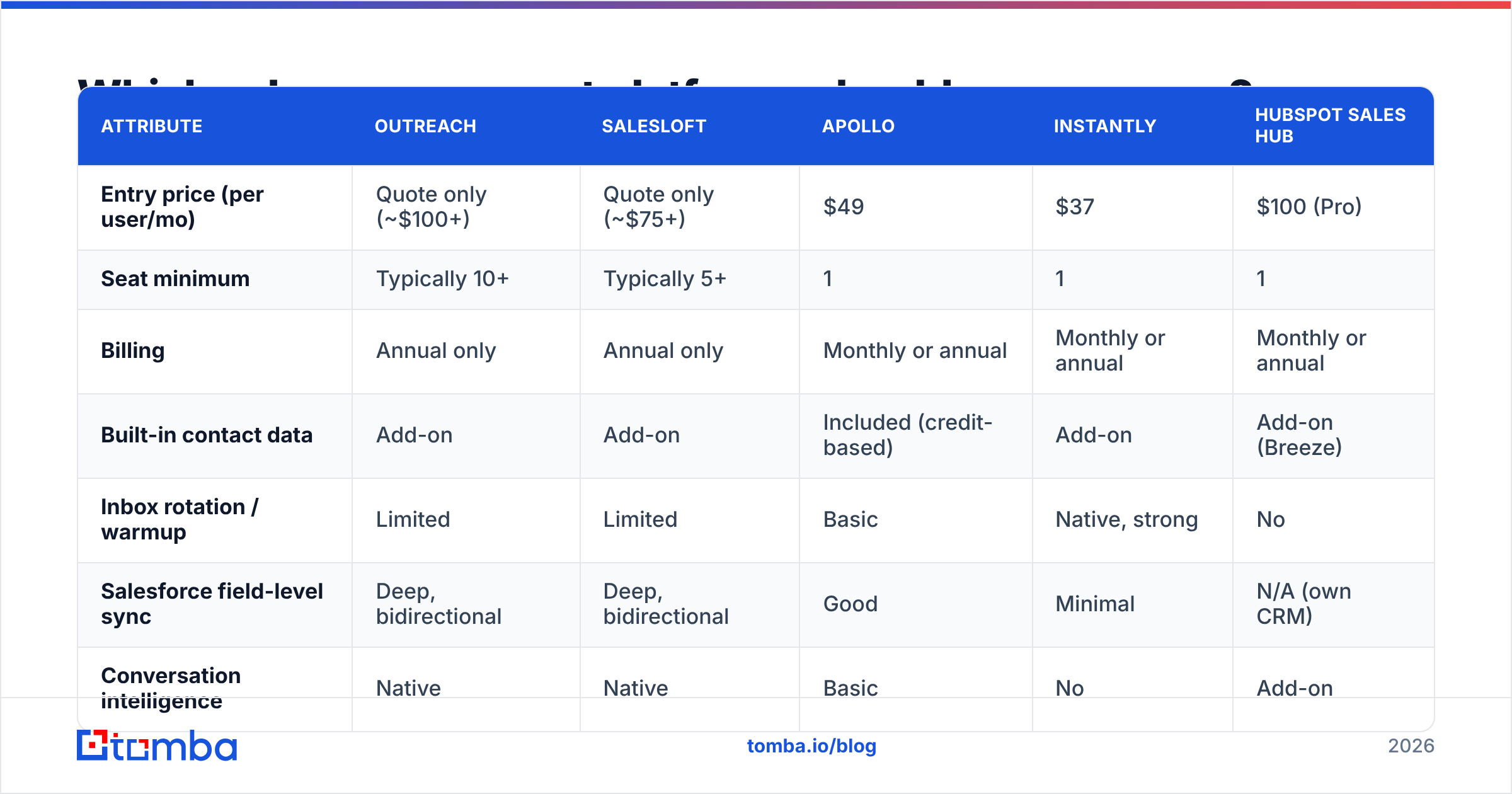
Here is how the main options stack up on the attributes that actually decide the purchase. Pricing reflects publicly listed 2026 rates; enterprise tiers are quote-only across the board.
| Attribute | Outreach | Salesloft | Apollo | Instantly | HubSpot Sales Hub |
|---|---|---|---|---|---|
| Entry price (per user/mo) | Quote only (~$100+) | Quote only (~$75+) | $49 | $37 | $100 (Pro) |
| Seat minimum | Typically 10+ | Typically 5+ | 1 | 1 | 1 |
| Billing | Annual only | Annual only | Monthly or annual | Monthly or annual | Monthly or annual |
| Built-in contact data | Add-on | Add-on | Included (credit-based) | Add-on | Add-on (Breeze) |
| Inbox rotation / warmup | Limited | Limited | Basic | Native, strong | No |
| Salesforce field-level sync | Deep, bidirectional | Deep, bidirectional | Good | Minimal | N/A (own CRM) |
| Conversation intelligence | Native | Native | Basic | No | Add-on |
| Best-fit motion | Enterprise multithreaded | Enterprise multithreaded | Mid-market hybrid | High-volume outbound | Inbound-led |
| Realistic year-1 cost, 10 reps | $18k-$35k | $14k-$28k | $6k-$12k | $4.4k-$9k | $12k-$20k |
The year-1 range is the number to argue about internally. List price times seats is never the real figure — implementation fees, data add-ons, and the CRM connector tier move it 30-60% higher on the enterprise end.
Independent buyer reviews on G2's sales engagement category are worth an hour of your time, specifically the 2- and 3-star reviews, which is where migration pain and support response times surface.
Should you buy data and sequencing from the same vendor?#
Usually not, and this is where most budgets leak.
Bundled contact data inside an engagement platform is priced as a retention hook, not as a data product. You get credits that expire monthly, sourced from a single provider, with no waterfall and no independent verification step. When a bundled record bounces, you have no recourse and no visibility into why.
Unbundling gives you three things:
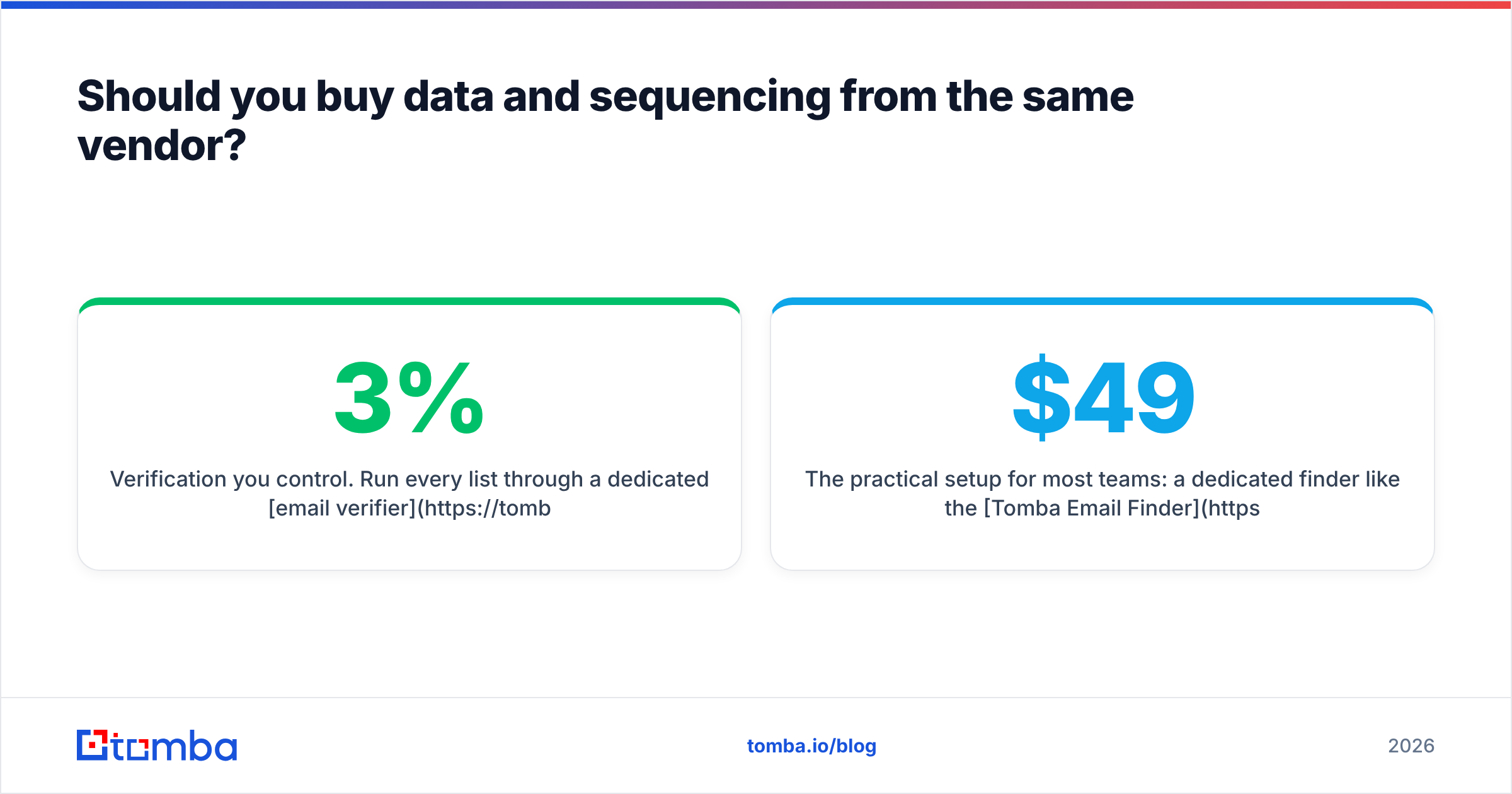
- Verification you control. Run every list through a dedicated email verifier before it enters a sequence. Bounce rate above 3% is where mailbox providers start throttling you.
- Source transparency. You can audit where a record came from. Tomba publishes its data sources — ask any bundled-data vendor for the same and watch the answer get vague.
- Portability. Your contact data lives in your CRM and your warehouse, not inside a sequencing tool you might churn from in 18 months.
The practical setup for most teams: a dedicated finder like the Tomba Email Finder or a domain search for account-based list building, pushed into whatever sequencer fits your motion. Tomba's Starter plan runs $49/mo, Growth is $99/mo, and Pro is $249/mo — full Tomba pricing is public, which is itself a useful contrast with quote-only vendors.
If you do keep data bundled, at minimum sample-test 200 records against an independent verifier before you commit to an annual contract.
How do you evaluate deliverability controls?#
Sequencing volume means nothing if the mail lands in spam. Ask vendors these five questions in writing:
- Do you support inbox rotation across multiple sending domains? High-volume teams need this. Enterprise SEPs often do not have it, because their customers send lower volume from a primary domain.
- What are the per-mailbox daily send caps, and are they configurable? A hard cap you cannot lower is as bad as no cap.
- Is warmup native, integrated, or absent? Native is best; a partner integration is fine; absent means another line item.
- Do you throttle automatically on bounce spikes? Automatic circuit breakers save domains. Manual ones do not.
- Which authentication records do you validate at setup? SPF, DKIM, and DMARC should all be checked before your first send. Google's bulk sender requirements have been enforced since 2024 and non-compliant senders get filtered regardless of platform.
Run your domain through an SPF checker before the pilot, not after. Half of the "the platform has bad deliverability" complaints in review sites are misconfigured DNS on the buyer's side.
Sender reputation is cumulative and slow to repair — the email deliverability fundamentals do not change because you switched sequencers.
What does the CRM integration actually need to do?#
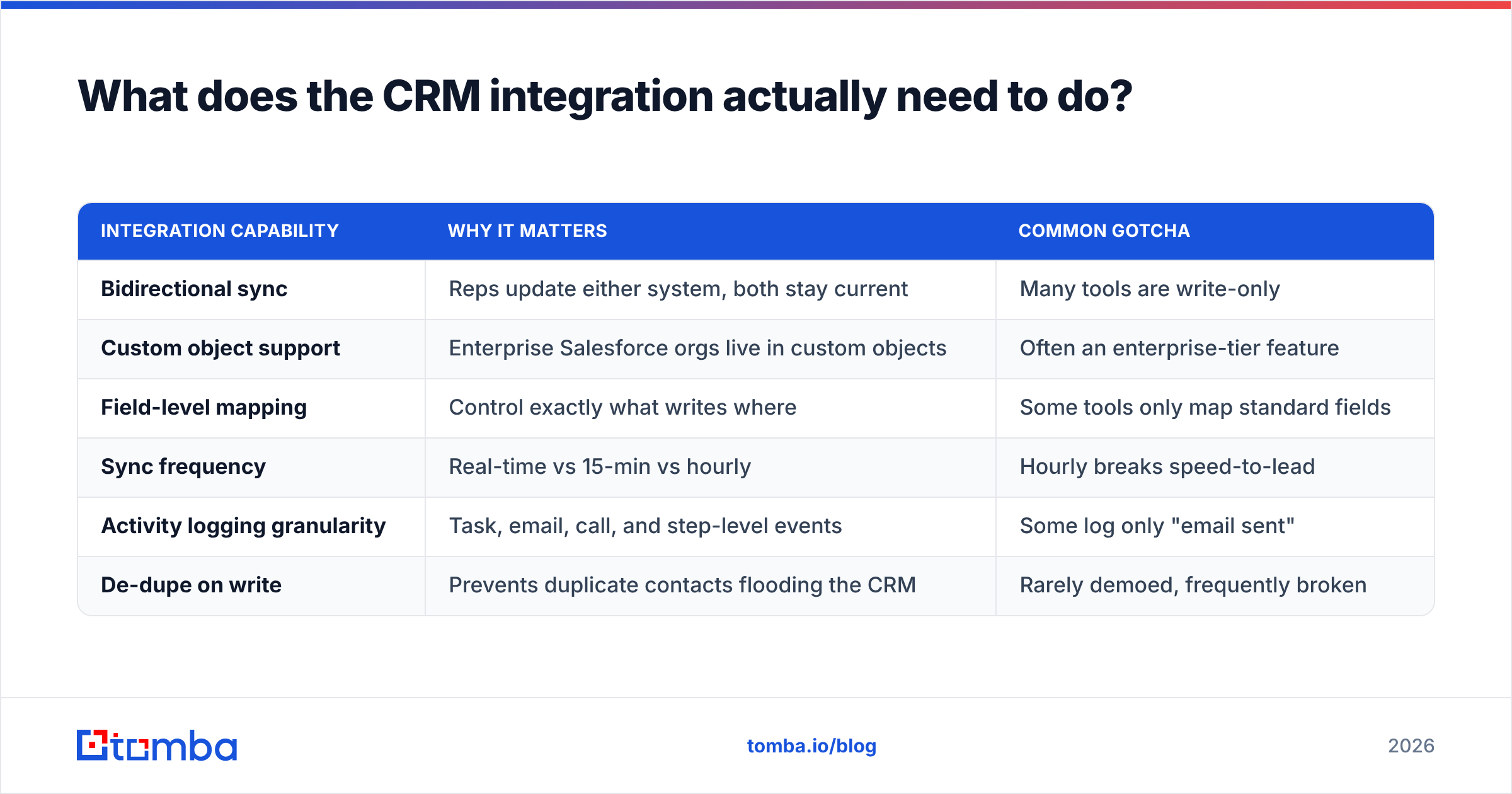
"Integrates with Salesforce" is a checkbox that hides enormous variance. Get specific:
| Integration capability | Why it matters | Common gotcha |
|---|---|---|
| Bidirectional sync | Reps update either system, both stay current | Many tools are write-only |
| Custom object support | Enterprise Salesforce orgs live in custom objects | Often an enterprise-tier feature |
| Field-level mapping | Control exactly what writes where | Some tools only map standard fields |
| Sync frequency | Real-time vs 15-min vs hourly | Hourly breaks speed-to-lead |
| Activity logging granularity | Task, email, call, and step-level events | Some log only "email sent" |
| De-dupe on write | Prevents duplicate contacts flooding the CRM | Rarely demoed, frequently broken |
Ask for a sandbox connection during the trial. If the vendor will not connect to your Salesforce sandbox before contract signature, that is a signal about how implementation will go.
What hidden costs should you budget for?#
The list price is the smallest number in the deal. Budget for:
- Seat minimums. Enterprise vendors commonly enforce 5-10 seat floors. A 4-rep team pays for 10.
- Annual-only billing. Outreach and Salesloft do not sell month-to-month. You are committing 12 months on a category with high churn.
- Implementation fees. $2,000-$10,000 for enterprise onboarding is standard and negotiable — it is the first thing to cut in a Q4 deal.
- Data credits. Overage pricing on bundled contact credits is where the margin lives. Model your actual monthly contact volume, then double it.
- Admin time. Sequence governance, snippet libraries, and reporting hygiene cost 5-10 hours a week at 20 reps. That is a fractional headcount nobody puts in the business case.
- Migration out. Ask before signing: can you export sequences, step content, and engagement history? Many vendors export contacts but not sequence structure, which means rebuilding from scratch when you leave.
That last one is the exit cost, and it is the most underweighted factor in the whole evaluation. A platform that is 20% better but locks your content is a worse purchase than a platform that is merely adequate and lets you leave cleanly.
How should you run the pilot?#
Two weeks, paid, with real reps. Free trials are configured to succeed; paid pilots reveal friction.
Week 1 — setup and data. Connect the CRM sandbox. Import one real segment of 500 contacts. Time how long the import-to-first-send path takes. Anything over two hours for an experienced ops person is a red flag.
Week 2 — send and measure. Run two sequences with three reps each. Track four numbers: bounce rate, open rate, reply rate, and how many times a rep asks ops for help. That last metric predicts adoption better than any feature comparison.
Then score every vendor on the same seven dimensions:
- Motion fit — does it match how you actually sell?
- Deliverability controls — rotation, caps, warmup, throttling
- CRM depth — bidirectional, custom objects, sync frequency
- Data strategy — bundled or unbundled, and can you audit the source
- Admin overhead — hours per week to keep it clean
- Total year-1 cost — seats, minimums, implementation, credits, overage
- Exit cost — what you can export and what you rebuild
Weight motion fit and total cost highest. Features you will not use in the first 90 days should be weighted near zero — every buyer over-indexes on the roadmap demo and under-indexes on whether reps will log in on a Tuesday.
For teams still building the list side of the motion, tools like the bulk email finder or a LinkedIn finder slot in ahead of whichever sequencer you pick, which keeps the two decisions independent. Worth noting: providers like BookYourData take a different, list-purchase approach that suits teams who want pre-built segments rather than on-demand lookup — a reasonable fit if your ICP is stable and you buy in batches.
Which platform is right for which team?#
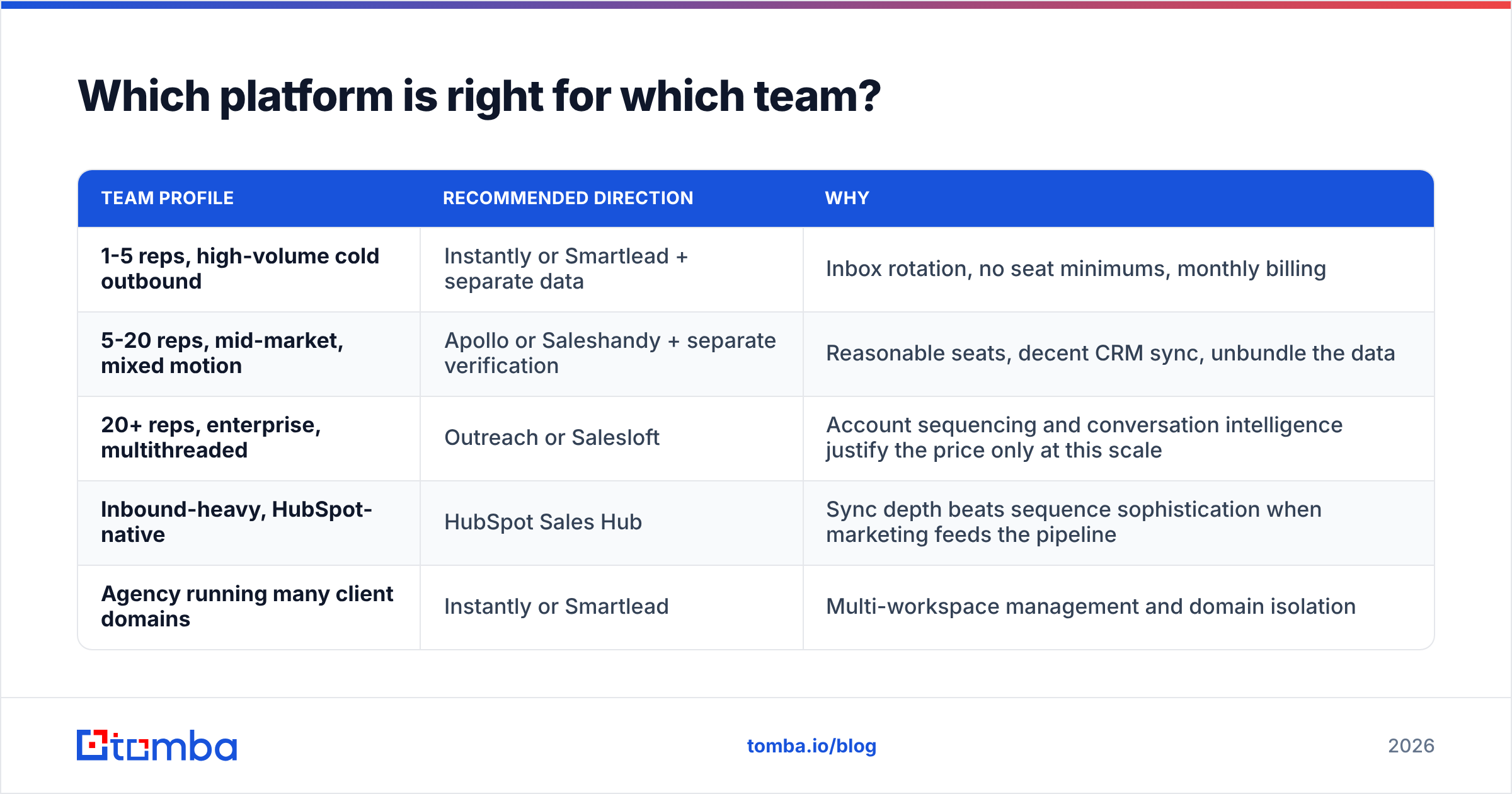
| Team profile | Recommended direction | Why |
|---|---|---|
| 1-5 reps, high-volume cold outbound | Instantly or Smartlead + separate data | Inbox rotation, no seat minimums, monthly billing |
| 5-20 reps, mid-market, mixed motion | Apollo or Saleshandy + separate verification | Reasonable seats, decent CRM sync, unbundle the data |
| 20+ reps, enterprise, multithreaded | Outreach or Salesloft | Account sequencing and conversation intelligence justify the price only at this scale |
| Inbound-heavy, HubSpot-native | HubSpot Sales Hub | Sync depth beats sequence sophistication when marketing feeds the pipeline |
| Agency running many client domains | Instantly or Smartlead | Multi-workspace management and domain isolation |
Note what is missing from every row: nobody should buy the enterprise tier "to grow into it." Annual contracts on a 12-month horizon in a category this fast-moving is how teams end up paying for shelfware. Buy for the next four quarters.
For the process side of this, Salesforce's guidance on sales engagement is a useful vendor-neutral-ish framing of what the workflow layer should own versus what belongs in the CRM.
What should you do next?#
Decide your motion, then unbundle the two purchases. Pick the sequencer that fits how your reps actually work, and buy contact data from a provider whose accuracy and sourcing you can audit independently.
That second half is where Tomba Email Finder fits. Find verified professional emails by domain, name, or company, verify them before they hit a sequence, and push them into whichever engagement platform you choose — no lock-in, no expiring credits inside a tool you might churn from. Start on the free tier at 25 searches a month, or move to Starter at $49/mo when your list volume justifies it. The sequencer decision gets easier when your data layer is not part of the negotiation.
Related guides#
// get started
Find, verify and enrich your first contacts today
Start on the free plan with 25 searches a month, then scale when your team is ready.
Free plan · No credit card required · GDPR & CCPA
// about the author