How to Find a Companys Tech Stack: 7 Methods That Work
Tech stack data tells you who to call, when, and what to say. Here are seven ways to uncover any company's tools — from free browser checks to API-scale enrichment — and how to turn that signal into pipeline.
Curious how to find a companys tech stack without paying a data vendor first? Seven methods work, and five of them are free. This guide walks through each one, from a 10-second page-source check to an API call that enriches thousands of domains at once.
TL;DR
- The fastest free method is viewing page source or running a website tech checker — you will identify 60–80% of a company's front-end, analytics, and marketing stack in under 30 seconds.
- Front-end detection misses the back office. DNS records (MX, SPF, TXT), job postings, and engineering blogs expose CRM, ERP, cloud, and data-warehouse choices that never touch the browser.
- Technographic data is only useful if you can act on it. Pair the stack signal with a verified contact and a message that references the tool by name.
- Free tools give you one-off answers. APIs and bulk enrichment give you a repeatable list — that is the difference between curiosity and pipeline.
- Never trust a single source. Confirm every stack claim with a second signal before you write a line of outreach.
Why does a company's tech stack matter for sales?#
Because it tells you whether they can buy from you at all.
Think of a tech stack like the contents of someone's kitchen. If you sell a pasta attachment for a KitchenAid mixer, you do not want to pitch someone who owns a Vitamix. Checking the counter first saves you both the conversation. Technographics work the same way. They tell you whether a prospect already runs the platform you plug into. They tell you whether a prospect runs a rival tool you can replace. And they hint at how mature the operation is.
Three concrete plays come out of good stack data:
- Integration fit. You sell a Salesforce-native app. Filtering your list to confirmed Salesforce accounts kills 60% of the wasted dials before you make them.
- Competitive displacement. They run a competitor. You now know the renewal pain, the migration cost, and the exact objection you will hear.
- Maturity scoring. A company running a CDP, a warehouse, and reverse ETL has budget and a data team. A company running only a website form does not.
Stack data is one of the strongest signals you can layer on a target list. Gartner groups it with intent data as a primary input for account priority. It also costs far less to collect than intent. Most of it sits in public HTML.

How to find a companys tech stack: the 7 fastest methods#
These are the seven checks that actually return answers, ordered from fastest to most thorough.
Start in the browser (methods 1–3):
- View page source (10 seconds, free). Hit Ctrl+U on any page and search for
.js,cdn, oranalytics. Script tags are a confession:js.hs-scripts.commeans HubSpot,cdn.segment.commeans Segment,static.klaviyo.commeans Klaviyo. - Run a website tech checker (30 seconds, free). A website tech stack scanner reads the DOM, headers, and cookies for you. It hands back a sorted list: CMS, analytics, ads, hosting, payments, chat.
- Check DNS and email records (2 minutes, free). MX records show Google Workspace vs Microsoft 365. SPF and TXT records leak marketing platforms, e-signature tools, and helpdesks that never render on the page.
Then dig where scanners cannot look (methods 4–5):
- Read job postings (5 minutes, free). The "requirements" block on an engineering or RevOps req is the most honest stack document a company publishes. "3+ years Snowflake, dbt, Looker" is a full data stack in one line.
- Mine the engineering blog and GitHub. Public repos,
package.jsonfiles, and conference talks expose back-end choices no scanner will ever see.
Then scale it (methods 6–7):
- Use a technographic database. Vendors crawl millions of domains, so you can filter by technology instead of checking sites one at a time.
- Call the API. Above a few hundred accounts, scripted lookups are the only sane path.
Methods 1–5 answer "what does this one company use?" Methods 6–7 answer "which companies use this?" — which is the question that builds a target list.
How do you read a page source for technology signals?#
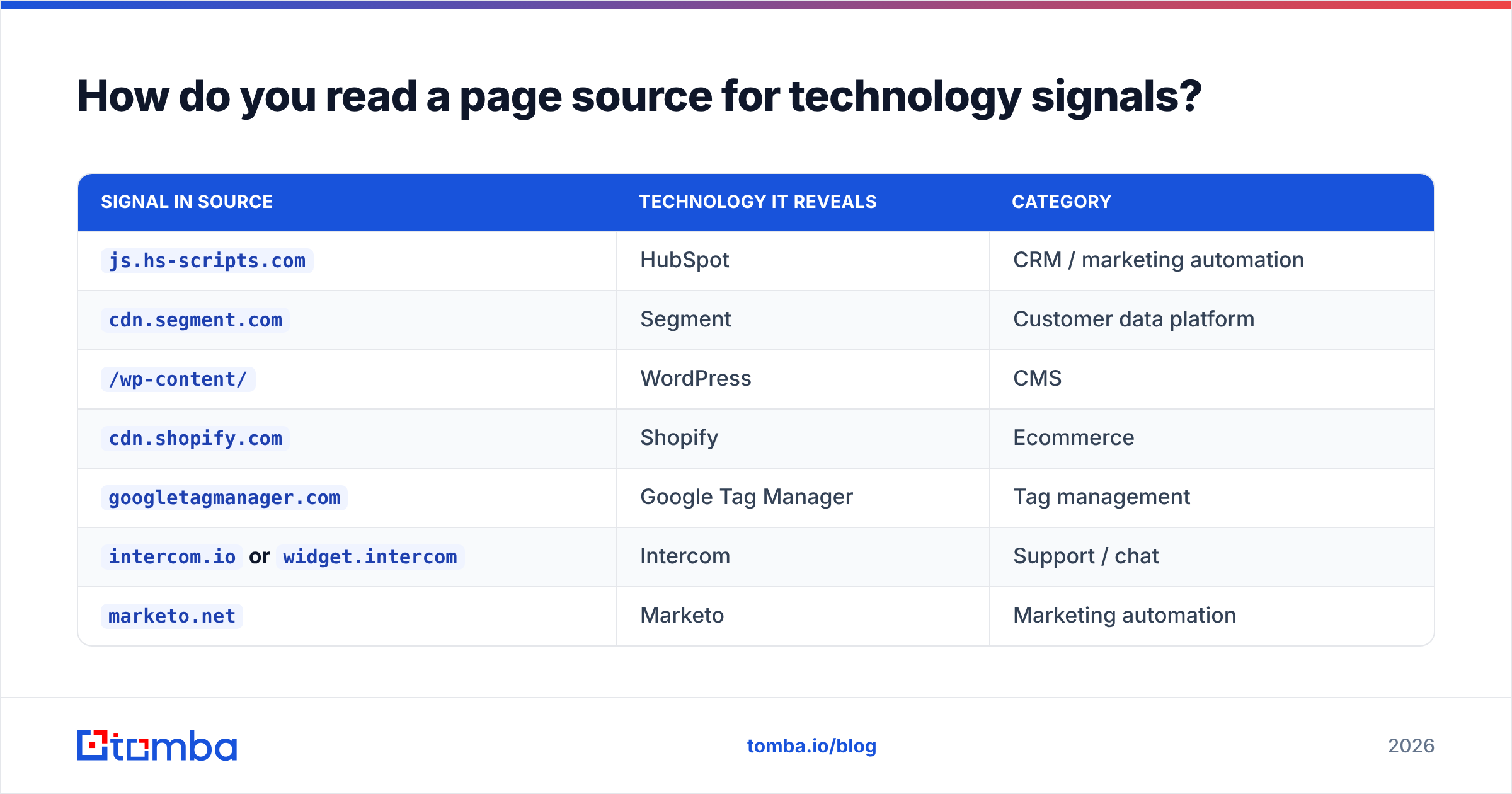
Open any prospect's homepage, press Ctrl+U (Cmd+Option+U on Mac), and Ctrl+F for these fingerprints:
| Signal in source | Technology it reveals | Category |
|---|---|---|
js.hs-scripts.com |
HubSpot | CRM / marketing automation |
cdn.segment.com |
Segment | Customer data platform |
/wp-content/ |
WordPress | CMS |
cdn.shopify.com |
Shopify | Ecommerce |
googletagmanager.com |
Google Tag Manager | Tag management |
intercom.io or widget.intercom |
Intercom | Support / chat |
marketo.net |
Marketo | Marketing automation |
js.stripe.com |
Stripe | Payments |
snap.licdn.com |
LinkedIn Insight Tag | Paid social / ABM |
Two more free checks worth thirty seconds each:
- Response headers.
Server:,X-Powered-By:, andCF-Ray:tell you hosting and CDN.CF-Raymeans Cloudflare, always. - Cookies. The cookie banner's vendor list is often a complete, legally-mandated inventory of every third-party script on the site. GDPR made compliance teams publish the stack for you.
A caveat: front-end detection has a systematic bias. It sees marketing tools brilliantly and back-office tools not at all. You will find their chat widget and miss their ERP every single time.
How do DNS records expose the invisible stack?#
DNS is where the back office leaks.
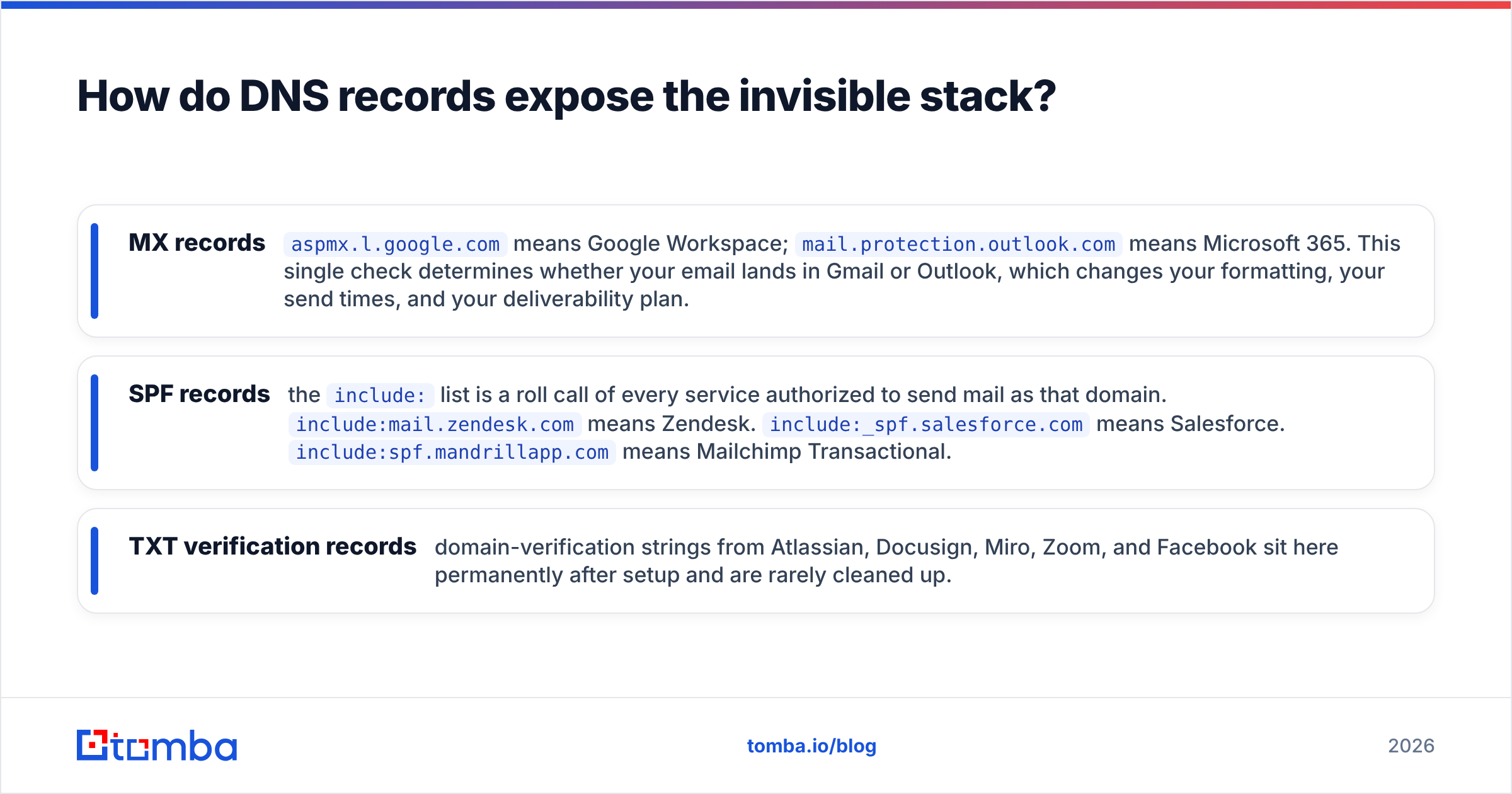
Run a DNS lookup on the prospect's domain and read three record types:
- MX records —
aspmx.l.google.commeans Google Workspace;mail.protection.outlook.commeans Microsoft 365. That one check tells you whether your email lands in Gmail or Outlook. It shapes your formatting, your send times, and your deliverability plan. - SPF records — the
include:list is a roll call of every service authorized to send mail as that domain.include:mail.zendesk.commeans Zendesk.include:_spf.salesforce.commeans Salesforce.include:spf.mandrillapp.commeans Mailchimp Transactional. - TXT verification records — domain-verification strings from Atlassian, Docusign, Miro, Zoom, and Facebook sit here permanently after setup and are rarely cleaned up.
Run the domain through an SPF checker to get the sending stack in one screen. This matters twice over if you plan to email that domain. Their mail provider and gateway set your email deliverability odds before you hit send.
[Screenshot placeholder: SPF record lookup output showing multiple include: entries for a mid-market SaaS domain, with Zendesk and Salesforce highlighted]
Which tech stack lookup tools should you use?#
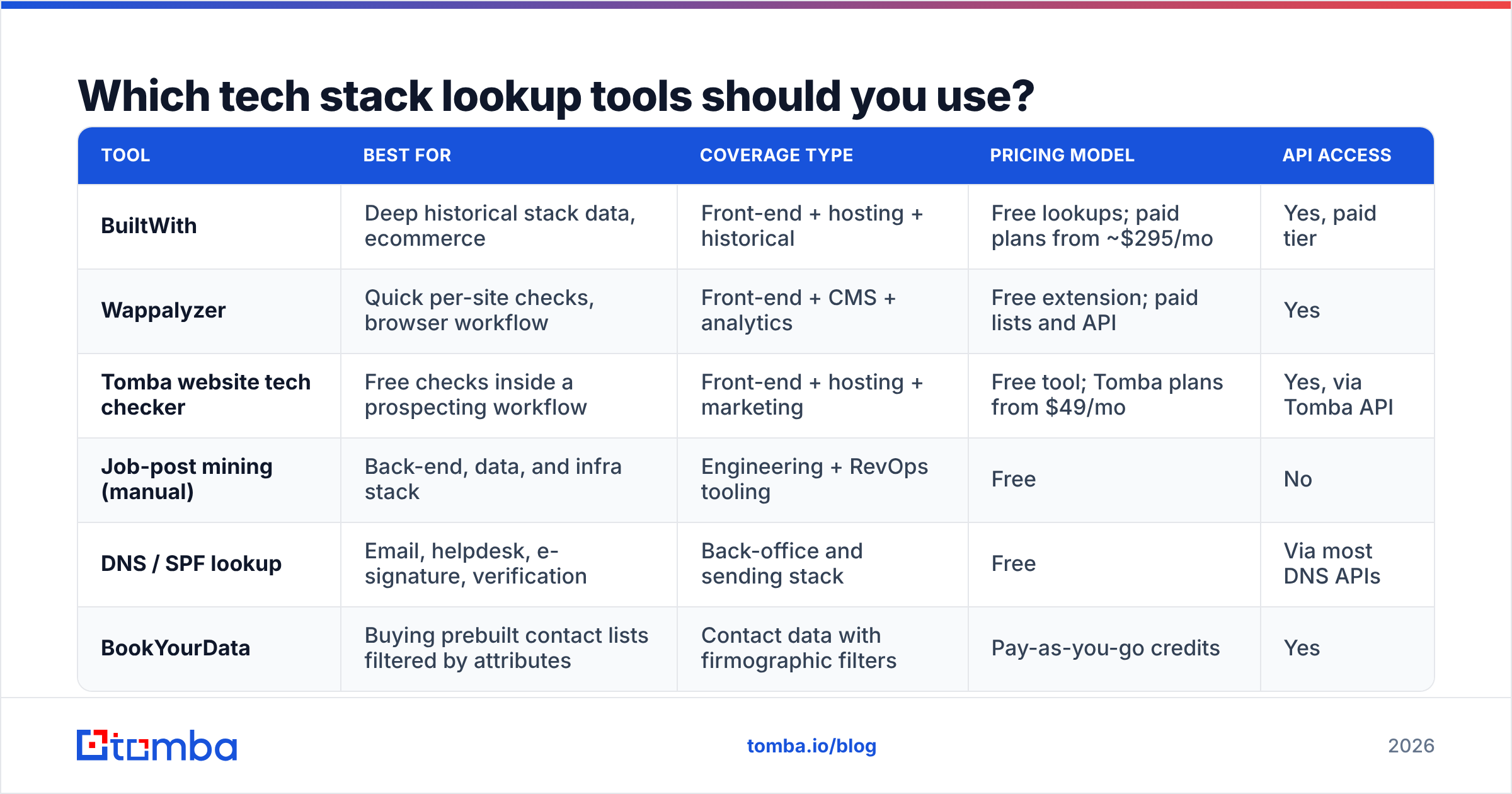
The market splits into three tiers: free one-off checkers, browser extensions, and technographic databases with API access. Here is how the main options compare.
| Tool | Best for | Coverage type | Pricing model | API access |
|---|---|---|---|---|
| BuiltWith | Deep historical stack data, ecommerce | Front-end + hosting + historical | Free lookups; paid plans from ~$295/mo | Yes, paid tier |
| Wappalyzer | Quick per-site checks, browser workflow | Front-end + CMS + analytics | Free extension; paid lists and API | Yes |
| Tomba website tech checker | Free checks inside a prospecting workflow | Front-end + hosting + marketing | Free tool; Tomba plans from $49/mo | Yes, via Tomba API |
| Job-post mining (manual) | Back-end, data, and infra stack | Engineering + RevOps tooling | Free | No |
| DNS / SPF lookup | Email, helpdesk, e-signature, verification | Back-office and sending stack | Free | Via most DNS APIs |
| BookYourData | Buying prebuilt contact lists filtered by attributes | Contact data with firmographic filters | Pay-as-you-go credits | Yes |
A few honest notes on the trade-offs:
BuiltWith has the deepest historical archive. You can see when a company switched to a tool, which is a superb trigger event. It is also the priciest option by a wide margin, and its free per-site lookups are rate-limited.
Wappalyzer is the default browser extension for a reason: it is fast, accurate on front-end tech, and the free tier covers ad-hoc research. Its technology lists (companies using X) sit behind paid plans.
BookYourData is a strong choice when you want a ready-made contact list filtered by firmographics rather than a technology crawl — different job, useful alongside stack detection rather than instead of it.
Manual job-post mining is unglamorous and unbeatable for back-end. No crawler will tell you a company runs NetSuite. A finance ops job req will.

How do you turn tech stack data into actual pipeline?#
Detection is the easy half. The conversion looks like this:
Step 1 — Build the technology filter. Decide the single technology that best predicts fit. Not five. One. "Runs HubSpot" is a list. "Runs HubSpot, Snowflake, Segment, and Looker" is an empty set.
Step 2 — Map the domains to people. A stack signal on a domain is worthless without a name attached. Run the domain through a domain search to pull the people at that company along with their role and email pattern, then narrow to the buyer persona who owns the tool you detected. RevOps owns the CRM. Marketing ops owns the automation platform. Neither reports to the other.
Step 3 — Verify before you send. Technographic lists go stale fast, and so do contact records. Run every address through an email verifier so a stale role change does not turn into a bounce. A hard bounce on a technographically-targeted list is the most expensive kind — you did the research and still burned the domain.
Step 4 — Reference the tool, not the category. Compare these two openers:
"We help companies improve their CRM data quality."
"Saw you're running HubSpot with Segment feeding it — most teams on that combo hit a dedupe problem around 50k contacts. Did that show up for you yet?"
The second one proves you did work. It also makes a falsifiable claim the prospect can correct, which is a far better reply trigger than a compliment. Your response rate on stack-referenced openers should meaningfully beat your generic control — measure it, do not assume it.
Step 5 — Watch for stack changes as triggers. A company that just added a new analytics tool is in buying mode. A company that just dropped one has budget freed up and a gap to fill. Historical stack data (BuiltWith's specialty) is where these triggers live.
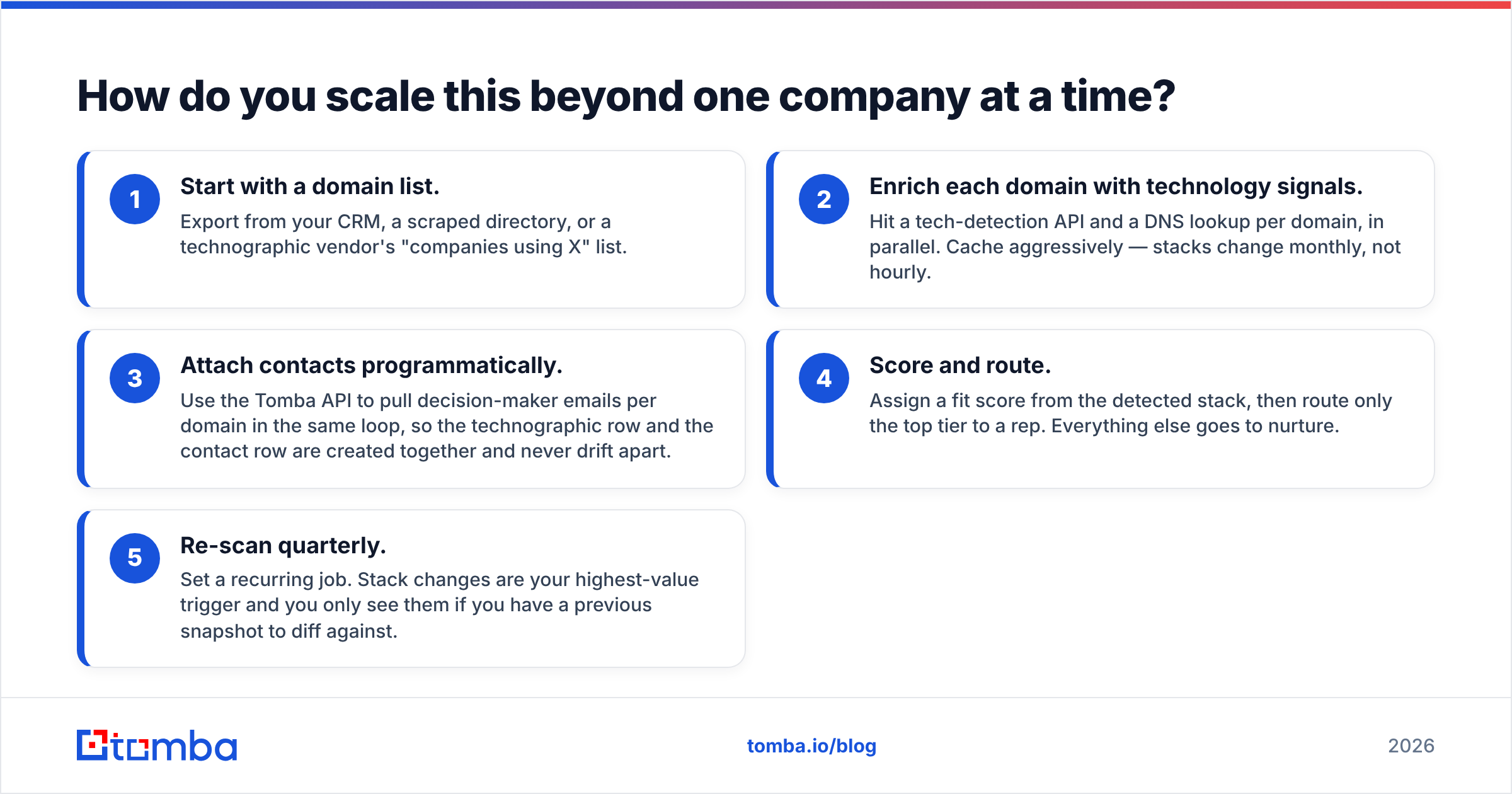
How do you scale this beyond one company at a time?#
Manual checks cap out around 20 domains an hour. Past that, script it.
The pattern that works:
- Start with a domain list. Export from your CRM, a scraped directory, or a technographic vendor's "companies using X" list.
- Enrich each domain with technology signals. Hit a tech-detection API and a DNS lookup per domain, in parallel. Cache aggressively — stacks change monthly, not hourly.
- Attach contacts programmatically. Use the Tomba API to pull decision-maker emails per domain in the same loop, so the technographic row and the contact row are created together and never drift apart.
- Score and route. Assign a fit score from the detected stack, then route only the top tier to a rep. Everything else goes to nurture.
- Re-scan quarterly. Set a recurring job. Stack changes are your highest-value trigger and you only see them if you have a previous snapshot to diff against.
If you would rather not write code, the same workflow runs in a spreadsheet: a Google Sheets add-on can pull emails per domain next to a column of tech-checker results, which is enough for lists in the low thousands.
One practical warning on volume: technographic detection is a crawl, and crawls get rate-limited. Respect robots.txt, throttle your requests, and use a vendor API rather than rolling your own scraper if you are working at any real scale. G2's sales-intelligence category lists the vendors that handle this compliantly.
What are the limits of tech stack data?#
Four failure modes to plan around:
- Detection lag. Crawled databases refresh on a cycle. A company that switched CRMs six weeks ago may still show the old one. Always confirm on a live page-source check before you cite a tool by name in an email.
- Subsidiary and agency noise. A marketing agency's scripts appear on every client site they built. You may attribute a tool to a company that never bought it.
- Trial and zombie installs. A script tag proves installation, not adoption or a paid contract. Plenty of Segment snippets sit dormant on sites whose owners cancelled a year ago.
- The back-office blind spot. Front-end scanners see roughly the marketing and analytics layer. ERP, HRIS, data warehouse, and finance tooling stay invisible. Only job posts, case studies, and vendor customer pages fill that gap.
The practical rule: two independent signals before you claim a company uses something in writing. Page source plus a job post. DNS plus a customer logo on the vendor's site. One signal is a hypothesis, not a fact — and getting it wrong in the first line of a cold email costs you the whole thread.
Where should you start?#
Now you know how to find a companys tech stack. Start with the free path: view source on ten target accounts, run each through a tech checker, and note which of your differentiators actually apply. That exercise usually reveals your ICP is narrower than your CRM says it is.
Then close the loop. Stack data without a contact is trivia. Once you know which companies run the platform you integrate with, run those domains through the Tomba Email Finder to get the decision-maker's verified address in the same pass. No exports, no stitching two tools together. The free tier gives you 25 searches a month to test the workflow on a sample list. Paid plans start at $49/mo when you are ready to run it across the whole territory. See Tomba pricing for the full breakdown.
Related guides#
// get started
Find, verify and enrich your first contacts today
Start on the free plan with 25 searches a month, then scale when your team is ready.
Free plan · No credit card required · GDPR & CCPA
// about the author