How to Find the Correct Email Address in 2026: 7 Methods
Guessing at an email address burns your sender reputation. Here are seven ways to find the correct email address for anyone, ranked by accuracy, speed, and cost — plus how to verify before you hit send.
TL;DR
- The fastest reliable path is pattern detection plus verification: identify the company's email format, generate the candidate, then confirm it with an SMTP-level check before sending.
- Manual methods (Google operators, LinkedIn, personal sites, GitHub commits) still work and cost nothing, but they take 3-10 minutes per contact and fail on large enterprises.
- Never send to an unverified guess. A single bad list at 8% bounce rate can drag your domain reputation down for weeks.
- Catch-all domains accept everything, so a "valid" result there means nothing without a catch-all-specific check.
- Budget roughly $0.01-$0.05 per verified email through a tool; manual research costs closer to $2-$4 in labor time.
Why is finding the correct email address so hard?#
Because most companies stopped publishing them. In 2010 you could pull a contact page and get firstname@company.com. In 2026, contact pages route to a form, info@ mailboxes are triaged by a bot, and the person you actually need has an address that follows one of roughly a dozen patterns you cannot see from outside.
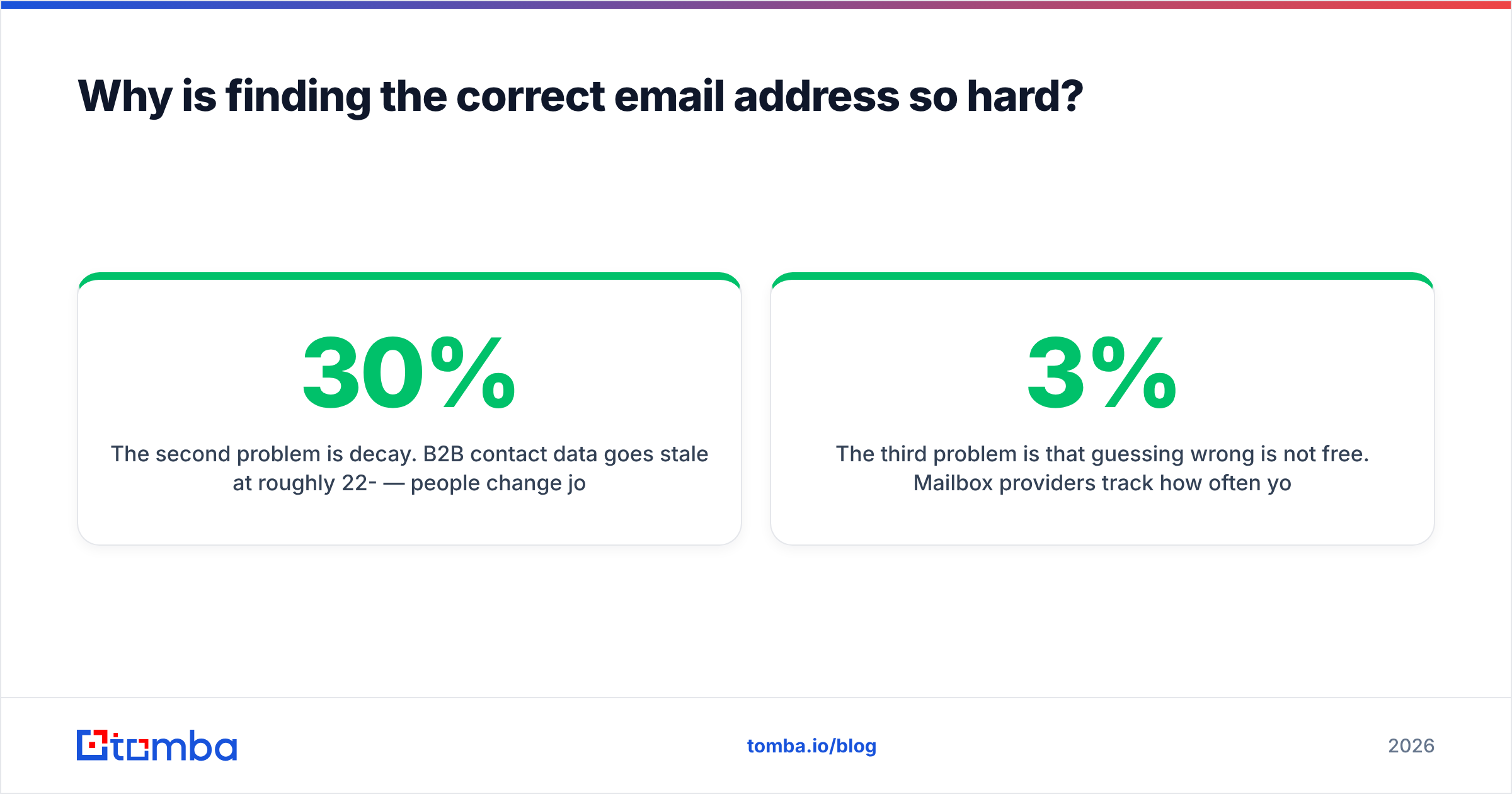
The second problem is decay. B2B contact data goes stale at roughly 22-30% per year — people change jobs, companies rebrand domains, and mailboxes get deprovisioned. An address that was correct eight months ago has a meaningful chance of bouncing today.
The third problem is that guessing wrong is not free. Mailbox providers track how often your domain sends to addresses that do not exist. Google's own Postmaster Tools documentation makes the point plainly: sending to invalid addresses is a spam signal. Cross roughly 3% hard bounces and you start seeing inbox placement drop; cross 8% and you are effectively shadow-banned until you rebuild reputation.
So "how to find the correct email address" is really two questions: how do you produce a candidate, and how do you prove it exists before you spend a send on it.
What are the main methods to find someone's email address?#
Here is the full menu, ordered from slowest-but-free to fastest-and-paid. Most people should combine two: one to source, one to verify.
- Google search operators — Free, works surprisingly often for founders and marketers. Search
site:company.com "@company.com"or"firstname lastname" email -site:linkedin.com. Also try"firstname" "@company.com"in quotes. Hit rate is maybe 20-30% for public-facing roles, near zero for enterprise ICs. - The company website itself — Check
/team,/about,/press, and the privacy policy (privacy contacts are often real humans). PDF case studies and press releases leak addresses constantly. - LinkedIn and social profiles — Some people list an address in their About section or contact card. Twitter/X bios, personal sites linked from LinkedIn, and Substack author pages are all worth 30 seconds.
- GitHub commit history — For any technical contact,
https://api.github.com/users/<username>/events/publicfrequently exposes the commit author email. This is one of the highest-accuracy free methods for engineers. - Email pattern inference — Find any one known address at the domain, derive the pattern, apply it to your target. If
sarah.chen@acme.comexists,mike.torres@acme.comis a strong bet. A company email pattern checker automates the derivation. - Domain search on a contact database — Query a domain and get back every known mailbox at that company with roles and confidence scores. This is domain search, and it is the fastest way to map an org.
- Email finder APIs — Pass first name, last name, and domain; get a verified address back in under a second. Best option at volume and the only realistic path if you are enriching more than 50 contacts.
What is the fastest way to find the correct email address?#
Pattern plus verification, in that order. Concretely:
Step 1 — Confirm the domain. Not the parent company, the actual sending domain. Acme Corp might own acme.com but run mail on acmegroup.com. Check the MX records or just look at any known employee address.
Step 2 — Derive the pattern. About 70% of B2B domains use one of four formats: first.last@, first@, flast@, or firstl@. If you can find one real address at the domain, you have the pattern for everyone.
Step 3 — Generate the candidate. Apply the pattern. If you are unsure between two patterns, an email permutator will produce the full candidate set.
Step 4 — Verify before sending. This is the step people skip and it is the only one that actually matters. Syntax check, MX record check, then an SMTP handshake against the mailbox without delivering a message. A good email verifier returns valid, invalid, catch-all, disposable, or unknown.
Step 5 — Handle the catch-all case. If the domain accepts every address, standard verification returns "accept all" and tells you nothing. You need a catch-all verifier that uses secondary signals — historical send data, pattern confidence, and cross-source corroboration — to give a real probability.
That whole loop takes under a minute with tooling. Done by hand it is 5-10 minutes and you still do not know if the address is live.

How accurate are email finder tools, really?#
Vendor-claimed accuracy and observed accuracy are different numbers, and you should treat marketing pages skeptically — including ours.
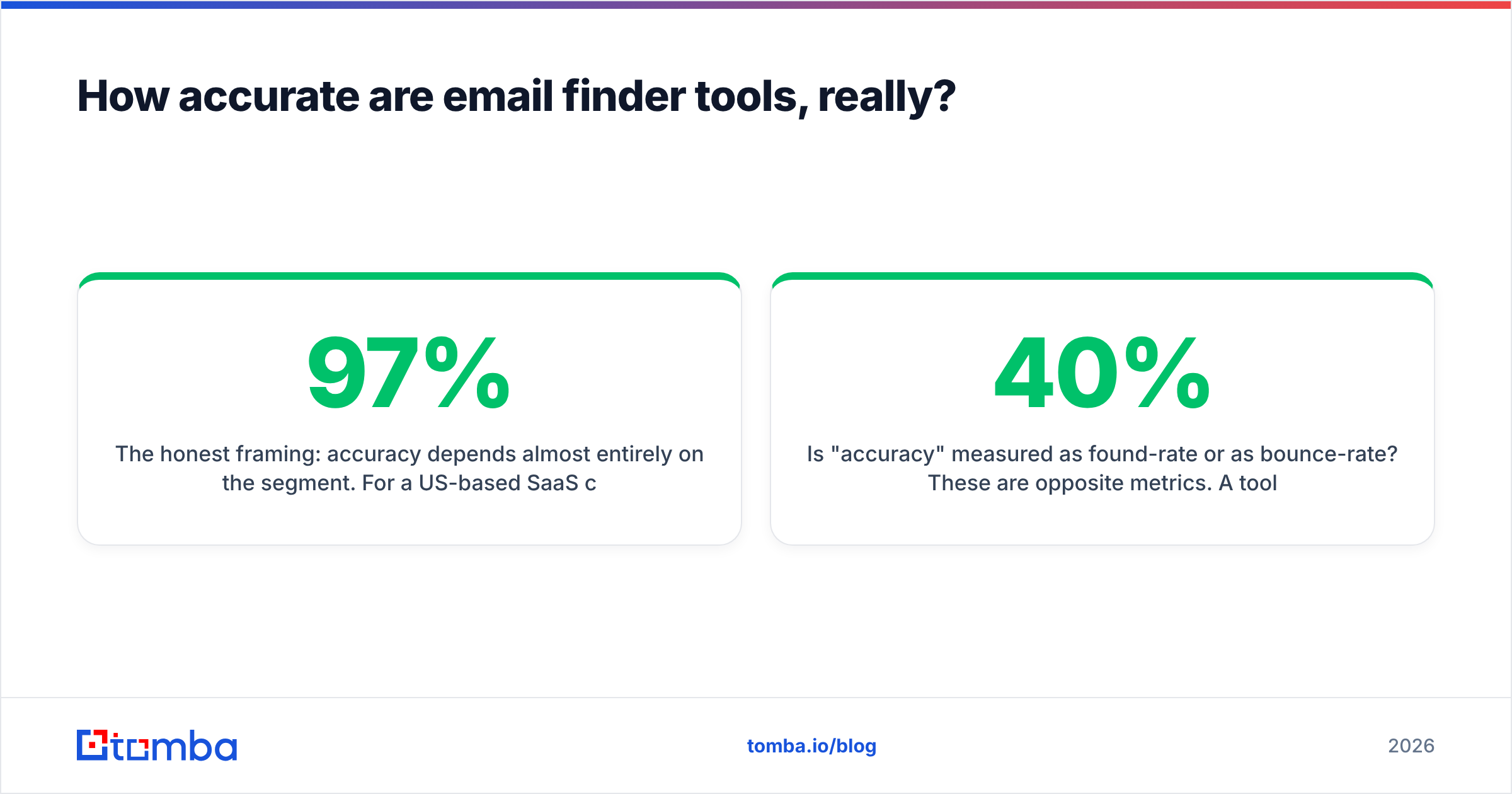
The honest framing: accuracy depends almost entirely on the segment. For a US-based SaaS company with 200-2,000 employees and a public LinkedIn presence, most credible tools land somewhere in the 90-97% deliverable range. For a 12-person agency in Portugal running Zoho on a custom domain, the same tools drop to 50-70% and return a lot of "unknown."
Three things to check before you trust a number:
- Does the tool charge for unknowns? Some vendors bill a credit for every lookup, including the ones that return nothing useful. Others only charge on a found result. Over 10,000 lookups that difference is real money.
- Is "accuracy" measured as found-rate or as bounce-rate? These are opposite metrics. A tool with 40% coverage and 99% deliverability is often more useful than one with 90% coverage and 12% bounces.
- Does it verify at time of retrieval or serve a cached record? Cached records from a 2024 crawl are how you end up emailing people who left the company. Tomba's data sources page describes how records are refreshed; check the equivalent page for any vendor you evaluate.
Run your own test. Take 100 contacts you already have verified addresses for, strip the emails, and run each tool blind. That is the only benchmark that reflects your actual ICP.
Which email finder tool should you use in 2026?#
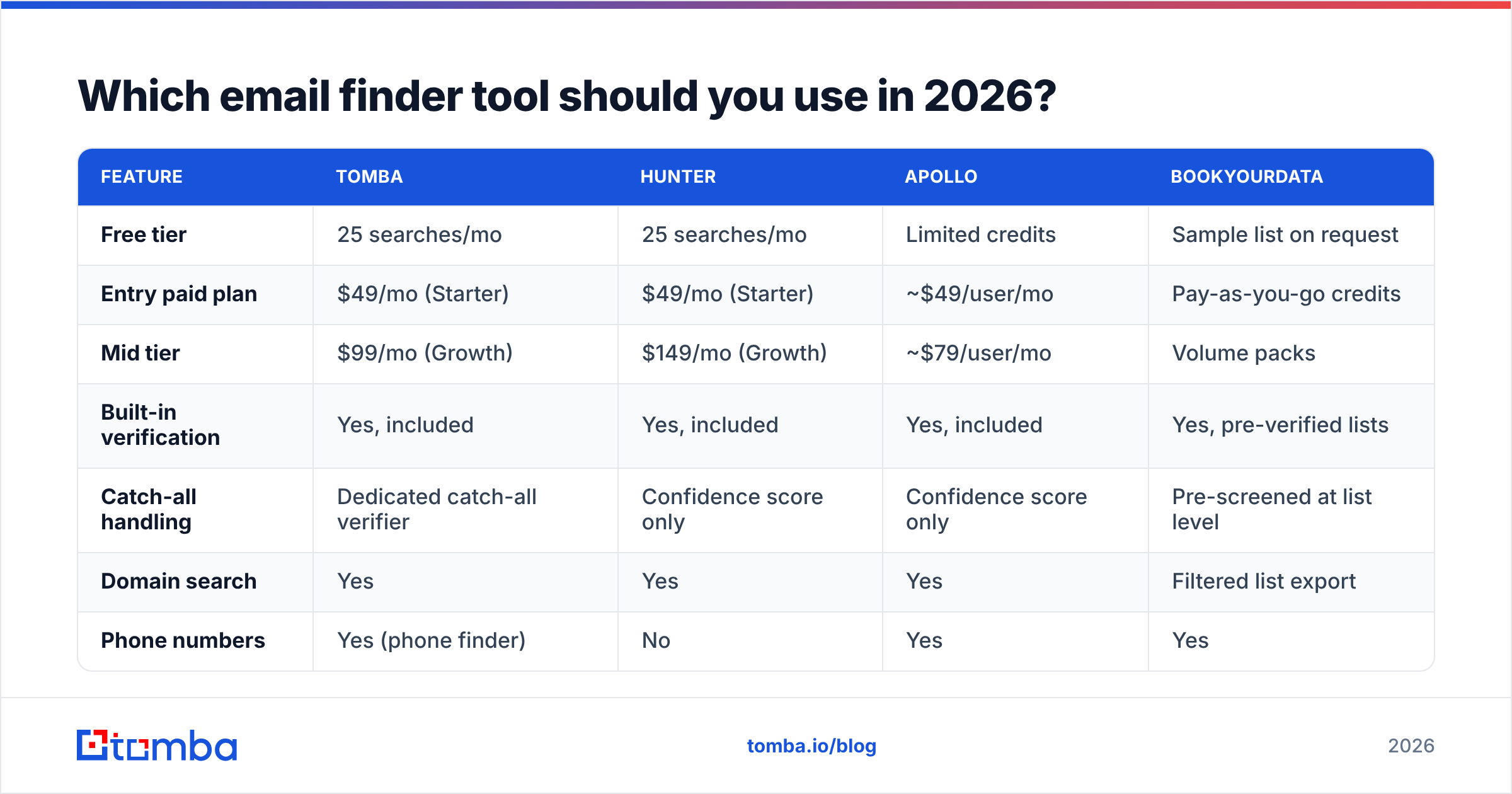
Here is how the main options compare on the dimensions that determine cost per usable contact.
| Feature | Tomba | Hunter | Apollo | BookYourData |
|---|---|---|---|---|
| Free tier | 25 searches/mo | 25 searches/mo | Limited credits | Sample list on request |
| Entry paid plan | $49/mo (Starter) | $49/mo (Starter) | ~$49/user/mo | Pay-as-you-go credits |
| Mid tier | $99/mo (Growth) | $149/mo (Growth) | ~$79/user/mo | Volume packs |
| Built-in verification | Yes, included | Yes, included | Yes, included | Yes, pre-verified lists |
| Catch-all handling | Dedicated catch-all verifier | Confidence score only | Confidence score only | Pre-screened at list level |
| Domain search | Yes | Yes | Yes | Filtered list export |
| Phone numbers | Yes (phone finder) | No | Yes | Yes |
| API access | All paid plans | All paid plans | Higher tiers | Available |
| Best for | Devs + SMB teams needing verified single lookups and API volume | Simple domain-level prospecting | All-in-one sales engagement | Buying pre-built targeted lists |
A few honest notes on that table. Apollo is a sequencer with a database attached, so if you want sending and finding in one place it is a reasonable single-vendor choice. BookYourData works differently from the rest — you buy a pre-verified, filtered list rather than doing lookups, which is genuinely better when you know your exact ICP filters and want volume without per-lookup friction. Hunter is the closest structural comparison to Tomba; the split usually comes down to pricing at the tier you land on and whether you need catch-all resolution or phone data. Check current Tomba pricing and the vendor's own page before committing, since tiers move.

How do you verify an email address before sending?#
Four layers, each catching something the previous one missed.
Syntax validation. Does it parse as a valid address per RFC 5322? Catches typos like john@gmail,com. Free, instant, catches maybe 2% of list problems.
Domain and MX check. Does the domain resolve, and does it have mail exchanger records? Catches dead domains and typo-squatted lookalikes (gmial.com). Also free and instant.
SMTP handshake. Connect to the mail server, issue RCPT TO, read the response code, disconnect without sending. A 250 means the mailbox exists. This is where real verification happens and where most of the 5-8% invalid rate gets caught.
Catch-all and role detection. Flag info@, sales@, support@ addresses — they exist, but they route to shared inboxes with terrible reply rates. And flag catch-all domains, where the SMTP handshake lies to you by accepting everything.
If you are checking one address, a free email checker handles it. If you have a CSV, run it through bulk verify before it ever touches your sending platform. The cost of verifying 5,000 addresses is trivially less than the cost of rehabilitating a burned domain.
One more thing worth doing: check your own sending setup while you are here. An SPF checker and a look at your sender reputation will tell you whether the correct address will even land, which is the other half of the problem.
What mistakes should you avoid when finding email addresses?#
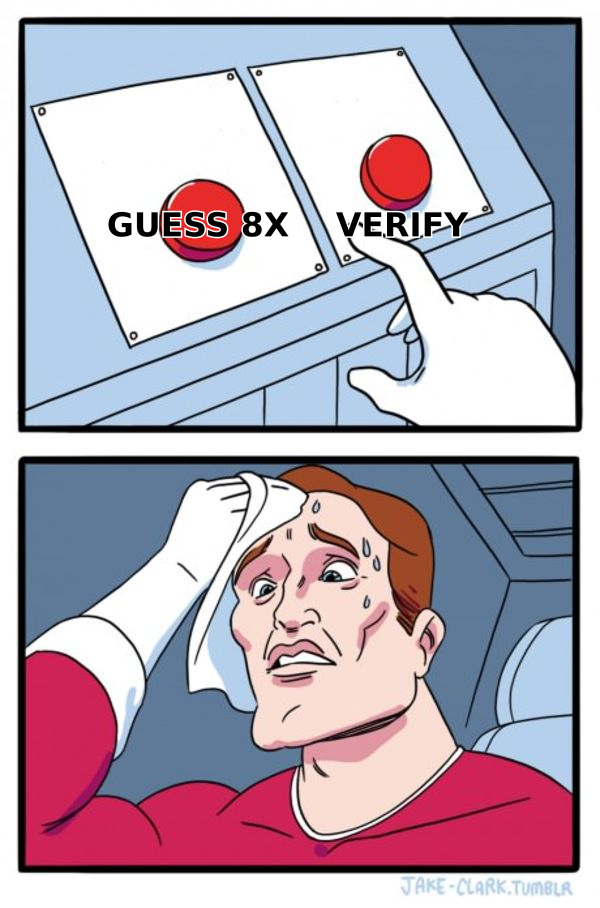
Sending to all permutations. The old "email all eight variants and see which sticks" trick is now a fast way to get flagged. Seven of those eight are hard bounces registered against your domain.
Trusting a single source. Cross-reference. If your finder returns an address and a Google search of that address returns zero results anywhere, treat the confidence score with suspicion.
Ignoring the timestamp. Ask when the record was last confirmed. Anything older than six months should be re-verified before use, especially in high-churn segments like startups and agencies.
Emailing role accounts and calling it prospecting. info@company.com is not a person. It converts at roughly a tenth of a named contact and it inflates your list size in a way that makes your metrics look worse than they are.
Scraping without regard to jurisdiction. GDPR and similar regimes govern how you can process personal data, including business emails in many EU contexts. The legitimate-interest basis exists but it is not a blank check. Gartner and other analyst firms have published extensively on B2B data compliance; read up before you build a list of 50,000 EU contacts.
Skipping enrichment. Once you have the address, pull job title, company size, and tech stack alongside it. Data enrichment turns a raw address into something you can actually personalize against, and personalization is what determines whether the correct address produces a reply.
How much should this cost you?#
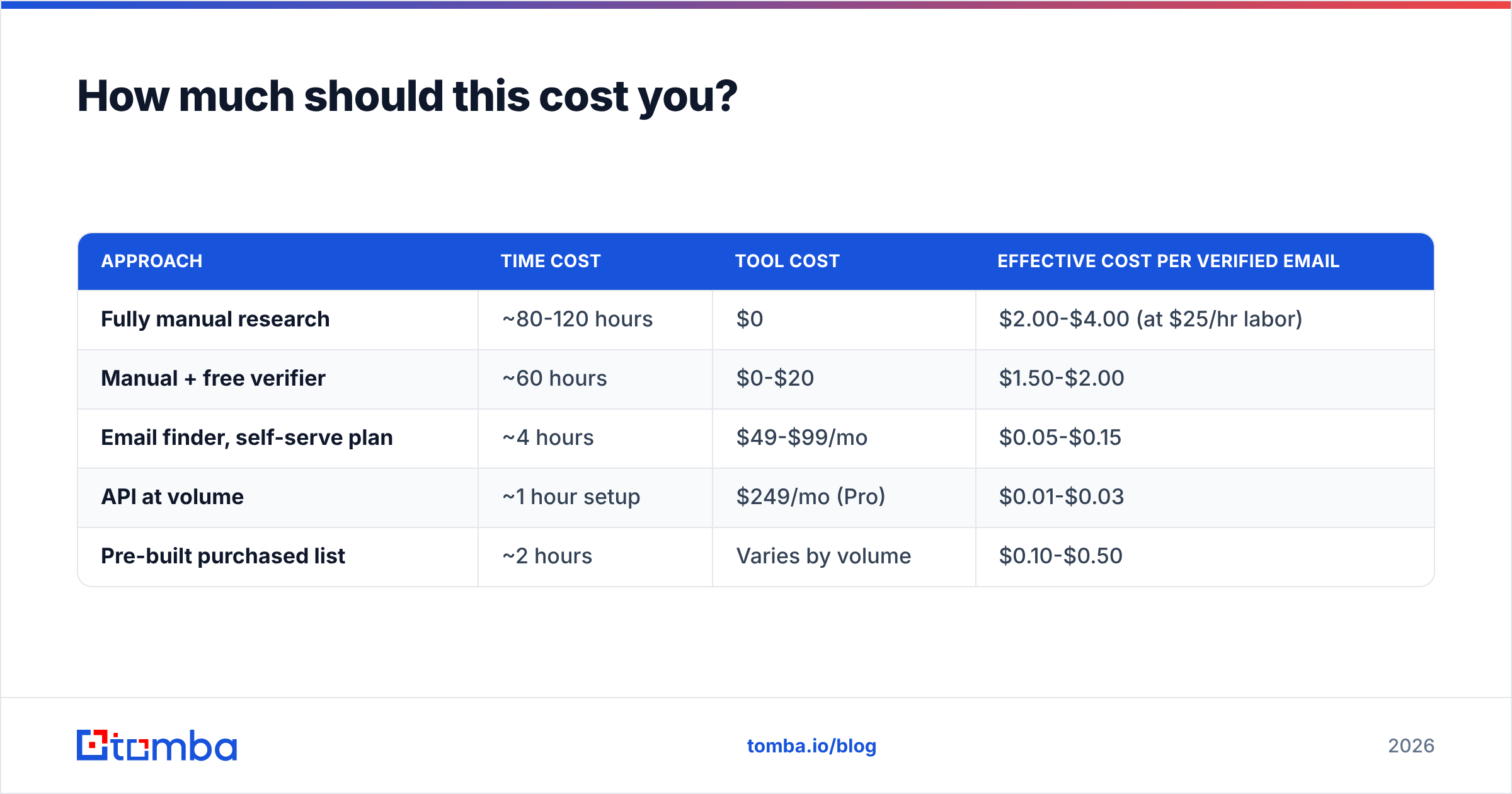
Rough economics for finding and verifying 1,000 correct addresses:
| Approach | Time cost | Tool cost | Effective cost per verified email |
|---|---|---|---|
| Fully manual research | ~80-120 hours | $0 | $2.00-$4.00 (at $25/hr labor) |
| Manual + free verifier | ~60 hours | $0-$20 | $1.50-$2.00 |
| Email finder, self-serve plan | ~4 hours | $49-$99/mo | $0.05-$0.15 |
| API at volume | ~1 hour setup | $249/mo (Pro) | $0.01-$0.03 |
| Pre-built purchased list | ~2 hours | Varies by volume | $0.10-$0.50 |
The crossover point is around 50-100 contacts per month. Below that, manual research is defensible. Above it, you are paying yourself $2 an address to do something a $49/mo tool does for five cents.
Getting started#
If you are looking up one address occasionally, start with the free tier — 25 searches a month, no card, enough to test whether the coverage holds up on your specific target accounts. Run the results against your known-good contacts first so you are evaluating on your ICP rather than a vendor's demo list.
If you are running outbound at any real volume, the workflow that holds up is: Tomba Email Finder to produce the candidate from name plus domain, the built-in verification to confirm it exists, catch-all resolution for the domains that lie, and the Tomba API or bulk email finder once you stop doing this one contact at a time. Starter runs $49/mo, Growth $99/mo, Pro $249/mo — pick based on monthly lookup volume, not feature checkboxes, since verification is included on every paid tier.
Find the address, prove it exists, then send. In that order, every time.
Related guides#
// get started
Find, verify and enrich your first contacts today
Start on the free plan with 25 searches a month, then scale when your team is ready.
Free plan · No credit card required · GDPR & CCPA
// about the author