How to Improve Cold Email Conversions: A 2026 Playbook
Reply rates are vanity. Conversions are revenue. Here are the seven levers that actually move cold email from opens to booked meetings — with benchmarks, tables, and a fix order.
You can improve cold email conversions without writing a single new subject line. Most of the lift sits upstream — in your data, your domain, and who you pick. Here is the order that works, and the numbers to judge it by.
TL;DR
- Cold email conversion is a chain: deliverable inbox → verified contact → relevant trigger → clear ask → persistent follow-up. Fix the earliest broken link first, not the copy.
- List quality moves conversions more than subject lines. A 12% bounce rate caps your ceiling no matter how good the pitch is.
- The single highest-ROI change for most teams in 2026: cut send volume by half and double the research depth per contact.
- Follow-up sequences of 4-6 touches produce roughly 2-3x the meetings of a single send — most replies land on touches 2 through 4.
- Measure positive reply rate and meetings booked per 100 verified contacts. Open rate has been unreliable since Apple Mail Privacy Protection.
What does "cold email conversion" actually mean?#
Conversion is not a reply. It is the specific action you asked for — a booked meeting, a demo request, a trial signup, a referral to the right person. Teams that optimize for replies end up with inboxes full of "not interested." The dashboard looks healthy. The pipeline stays empty.
Define your conversion metric before you touch anything else. The most useful one for outbound teams is meetings booked per 100 verified contacts. It normalizes across list size. It also punishes the two most common failure modes: bad data and bad targeting.
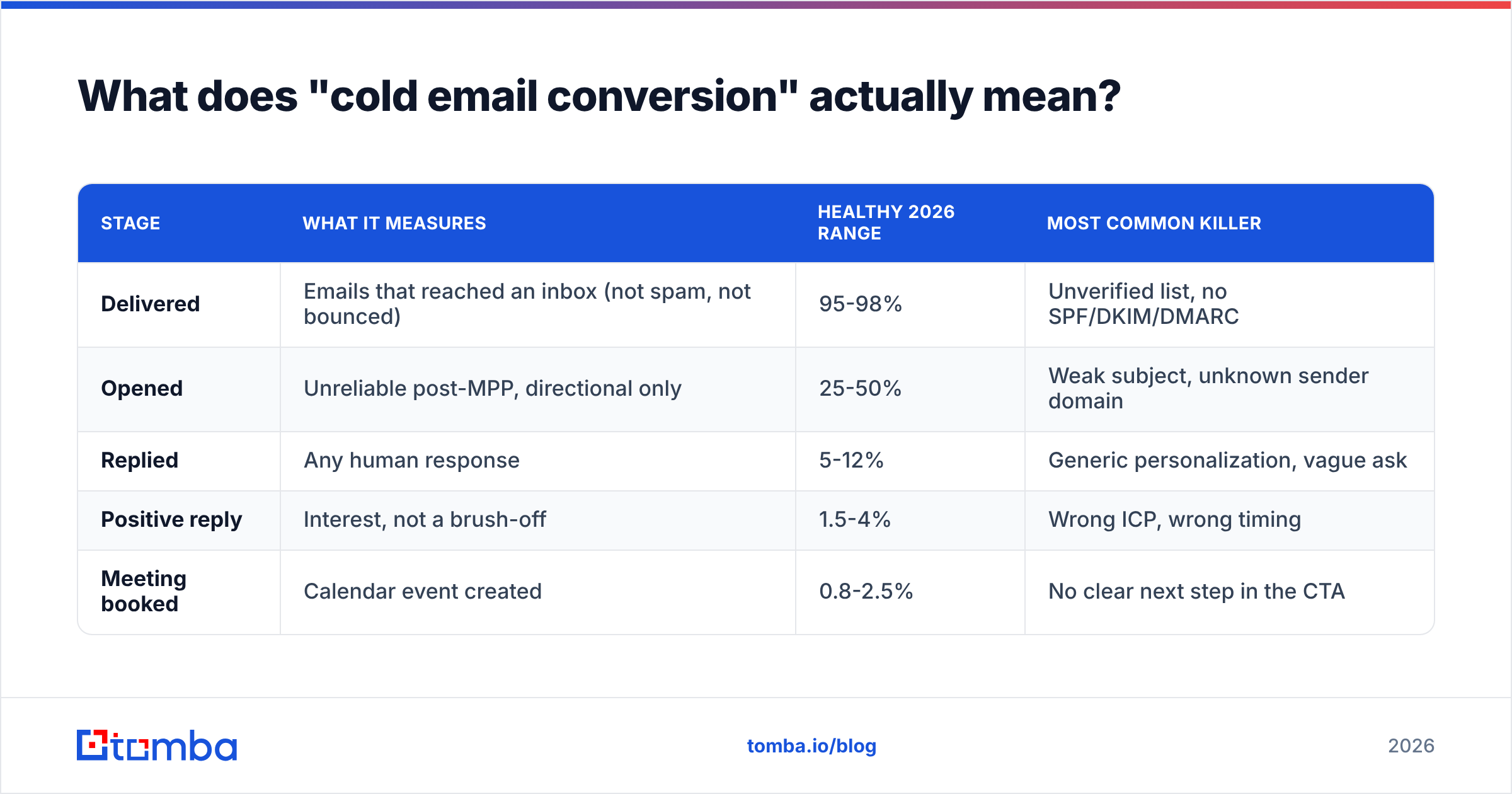
Here is what the funnel looks like when you break it down honestly:
| Stage | What it measures | Healthy 2026 range | Most common killer |
|---|---|---|---|
| Delivered | Emails that reached an inbox (not spam, not bounced) | 95-98% | Unverified list, no SPF/DKIM/DMARC |
| Opened | Unreliable post-MPP, directional only | 25-50% | Weak subject, unknown sender domain |
| Replied | Any human response | 5-12% | Generic personalization, vague ask |
| Positive reply | Interest, not a brush-off | 1.5-4% | Wrong ICP, wrong timing |
| Meeting booked | Calendar event created | 0.8-2.5% | No clear next step in the CTA |
If your delivered rate is 88%, nothing downstream matters. Fix in order.
Why does list quality beat copy every time?#
Because bad data does two kinds of damage, and only one is visible. The visible damage is the wasted send. The invisible damage is the reputation hit. Every hard bounce, spam trap, and role-account complaint tells Google and Microsoft that you are a low-quality sender. That penalty then hits the good addresses on your list, too.
A practical threshold: keep hard bounces under 2%. Above 3%, mailbox providers start throttling. Above 5%, you are actively burning the domain.
The fix is unglamorous. Before any campaign:
- Source contacts from a live-lookup provider, not a static scraped dump. Data decays roughly 2-3% per month as people change jobs.
- Verify every address through an email verifier — SMTP-level check, not just syntax and MX.
- Handle catch-all domains separately. A catch-all verifier gives you a confidence score instead of a coin flip; segment these into a lower-volume test batch.
- Deduplicate across sequences so the same person never gets two campaigns in the same month.
- Suppress competitors, current customers, and past opt-outs before upload, not after a complaint.
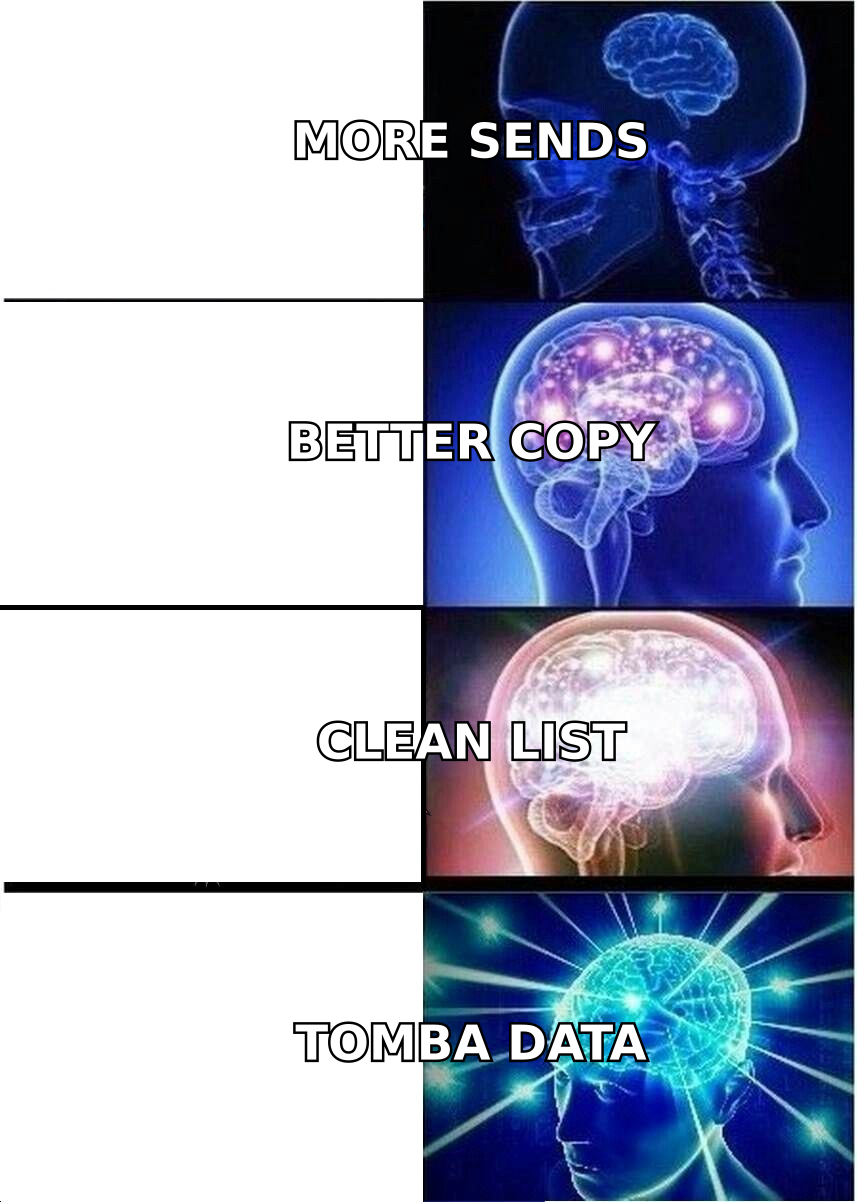
Teams that run this checklist typically see delivered rates climb from the high 80s to 96%+ within one campaign cycle. That alone can lift booked meetings by a third — with zero copy changes.
How do you find the right person instead of a plausible one?#
Most conversion loss happens at targeting, not writing. You emailed a plausible person: right company, right-ish title, wrong problem. They archive it in two seconds.
Three sourcing motions that consistently outperform buying a static list:
- Domain-first sourcing. Start with a shortlist of accounts that match your best closed-won customers, then run a domain search to pull every public contact and pattern at that company. You pick the person; you do not accept whoever the database happened to have.
- Trigger-first sourcing. Job change, funding round, new tooling on the site, a hiring post for a role your product replaces. A contact with a trigger converts at multiples of a contact without one.
- Content-first sourcing. If someone published on the exact problem you solve, they own it internally. An author finder turns a byline into a reachable address.
Layer signal on top of firmographics. "VP Marketing at a 200-person SaaS company" is a filter. "VP Marketing at a 200-person SaaS company who just posted a req for a demand gen manager" is a reason to email.
What actually belongs in a cold email that converts?#
Short answer: one relevant observation, one specific claim, one low-friction ask. Everything else is decoration.
The structural rules that hold up across industries:
- Under 120 words. Anything longer gets scanned, not read. Mobile is roughly half your opens.
- First line is about them, not you. Not "I hope this finds you well" and not "We're a leading platform for." Reference the trigger you found.
- One claim with a number. "Cut research time per lead from 6 minutes to 40 seconds" beats "streamline your workflow."
- A single CTA with the lowest possible friction. "Worth a quick look?" converts better than "Do you have 30 minutes Tuesday at 2pm?" for a first touch. Interest-based asks beat calendar-based asks on touch one; flip it on touch three.
- No attachments, no images, no tracking pixel on touch one. Each one adds spam-filter weight and, in the pixel's case, gives you a metric you cannot trust anyway.
- Plain-text formatting. HTML templates signal marketing blast. You want it to look like a colleague wrote it.
If you want a starting structure rather than a blank page, work from proven cold email templates and then rewrite every line so it fails a copy-paste search. Templates are scaffolding, not content.
Personalization tiers: what's worth the time?#
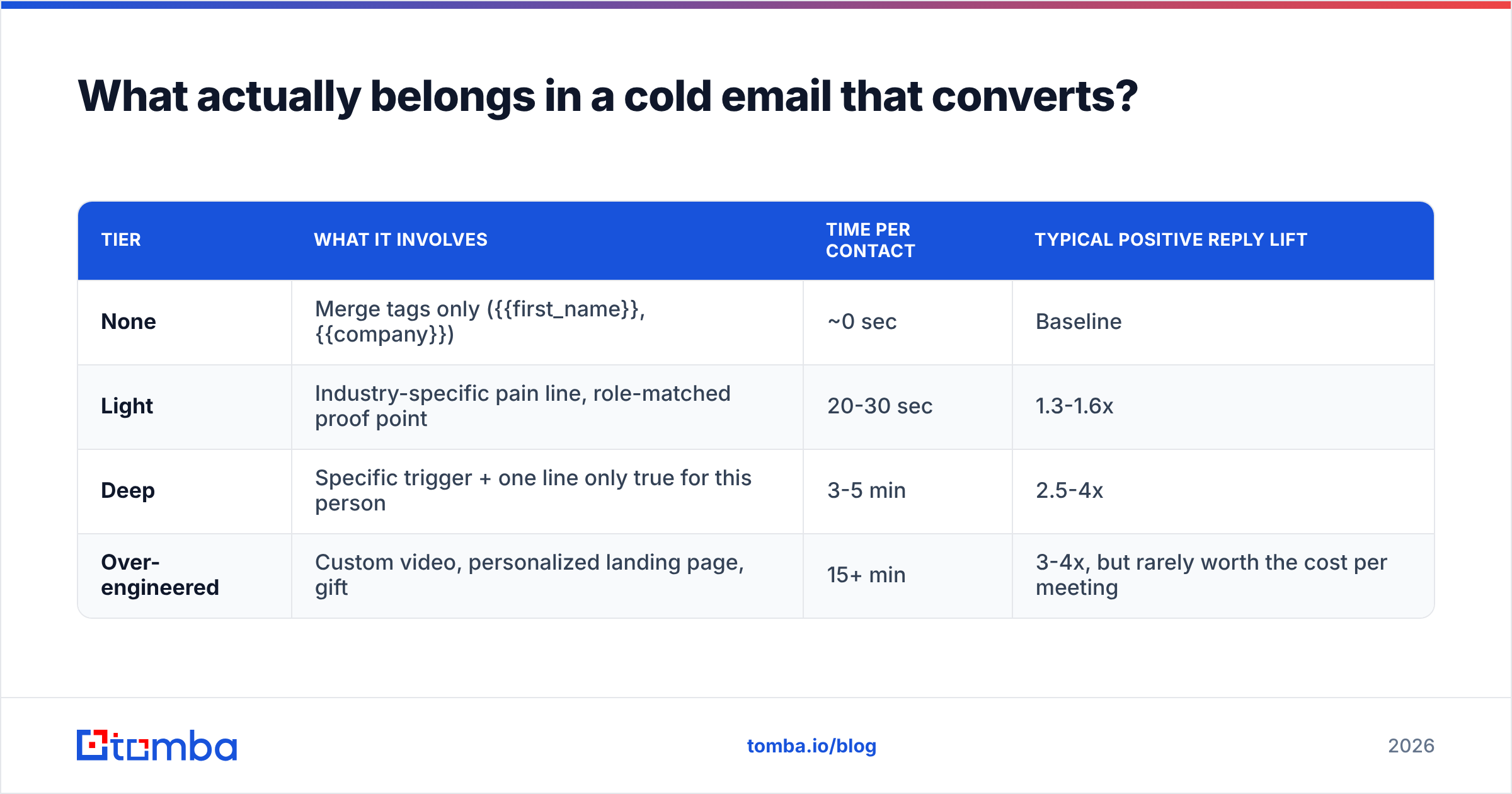
| Tier | What it involves | Time per contact | Typical positive reply lift |
|---|---|---|---|
| None | Merge tags only ({{first_name}}, {{company}}) | ~0 sec | Baseline |
| Light | Industry-specific pain line, role-matched proof point | 20-30 sec | 1.3-1.6x |
| Deep | Specific trigger + one line only true for this person | 3-5 min | 2.5-4x |
| Over-engineered | Custom video, personalized landing page, gift | 15+ min | 3-4x, but rarely worth the cost per meeting |
The sweet spot for most teams is deep personalization on a 200-contact list rather than light personalization on 2,000. Same total hours, meaningfully more meetings, and far less domain damage.
How much does follow-up really matter?#
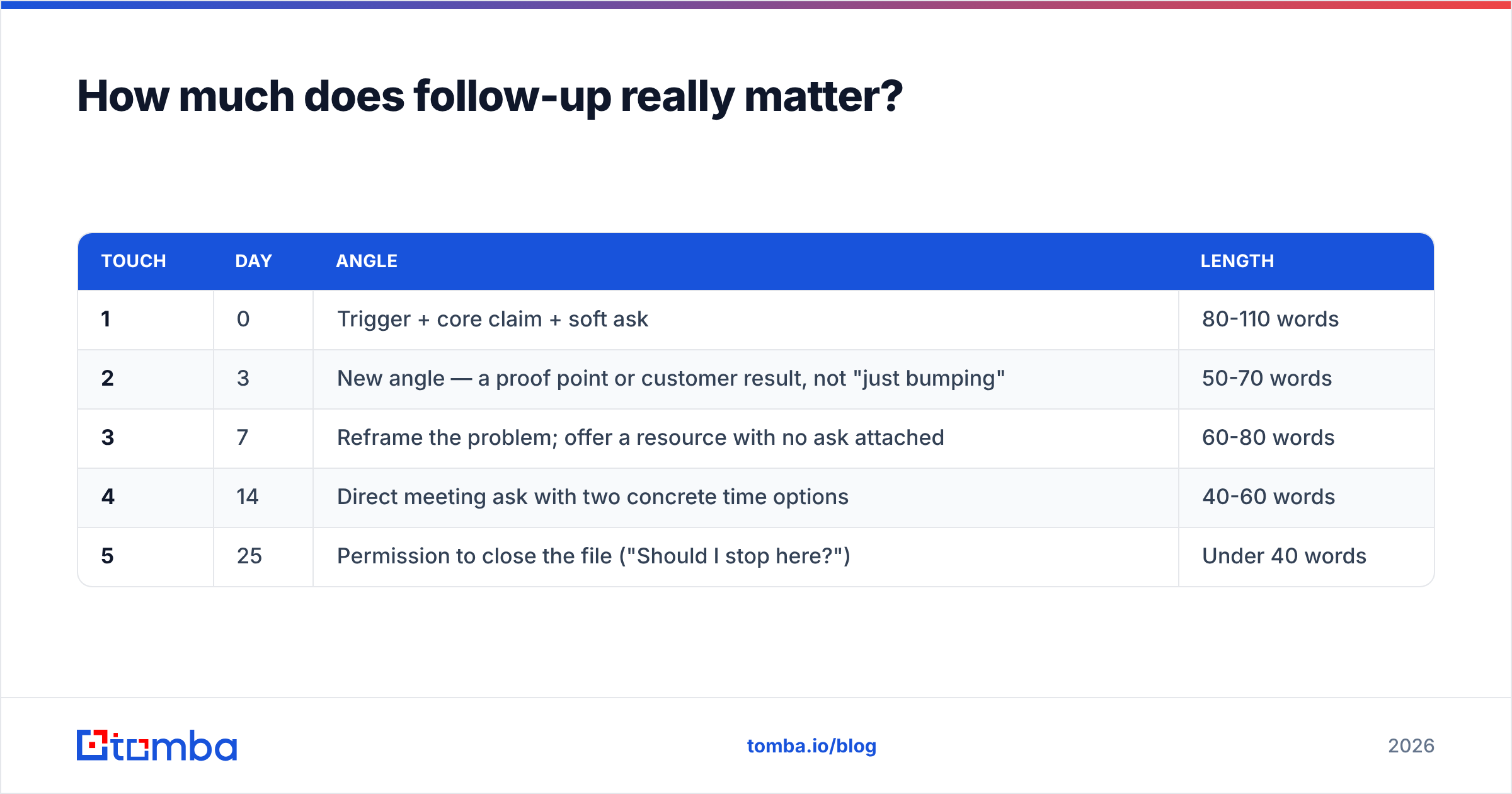
More than the first email. In most published outbound data, the majority of positive replies arrive on touch two or later. Sequences that stop at one or two touches leave the bulk of their pipeline unclaimed.
A follow-up cadence that respects the recipient and still gets answers:
| Touch | Day | Angle | Length |
|---|---|---|---|
| 1 | 0 | Trigger + core claim + soft ask | 80-110 words |
| 2 | 3 | New angle — a proof point or customer result, not "just bumping" | 50-70 words |
| 3 | 7 | Reframe the problem; offer a resource with no ask attached | 60-80 words |
| 4 | 14 | Direct meeting ask with two concrete time options | 40-60 words |
| 5 | 25 | Permission to close the file ("Should I stop here?") | Under 40 words |
Two rules separate good follow-up from spam. Every touch adds new information. And every touch could stand alone if the earlier ones were never read. "Bumping this to the top of your inbox" is not new information, and it reads as entitled.
The other half of follow-up is speed on the inbound side. If a prospect replies with interest and you take 19 hours, you have turned a warm reply into a cold one. Reply within the hour during business hours.
How do you keep emails out of spam so conversions can happen at all?#
Deliverability is not a copy problem, and it is not a one-time setup. Treat it as infrastructure with a maintenance schedule.
Start with the setup work you do once:
- Authenticate fully. SPF, DKIM, and a DMARC policy at minimum
p=nonewith reporting on, moving towardquarantine. Google and Yahoo's bulk sender requirements made this table stakes; run an SPF checker after any DNS change. Google's own Email sender guidelines are the canonical spec here. - Use a separate sending domain. Never burn your primary domain on outbound.
getcompany.comsending on behalf ofcompany.comkeeps the blast radius contained.
Then keep these habits running every week:
- Warm up gradually. New domain and mailbox: start at 10-15 sends/day, ramp ~20% weekly, cap at 30-50/day per mailbox. Scale by adding mailboxes, not by raising per-mailbox volume.
- Keep complaint rate under 0.3%. One-click unsubscribe in the header is required for bulk senders and, counterintuitively, protects conversions by routing annoyance away from the spam button.
- Monitor, don't assume. Check sender reputation and blacklist status weekly. Google Postmaster Tools shows your domain reputation on Gmail — the single largest inbox provider in B2B.

Suggested visual: a screenshot of your Google Postmaster Tools domain reputation graph over 90 days, annotated with the date you started verifying your list — the step change is usually visible within two weeks.
Which tools do what in the conversion stack?#
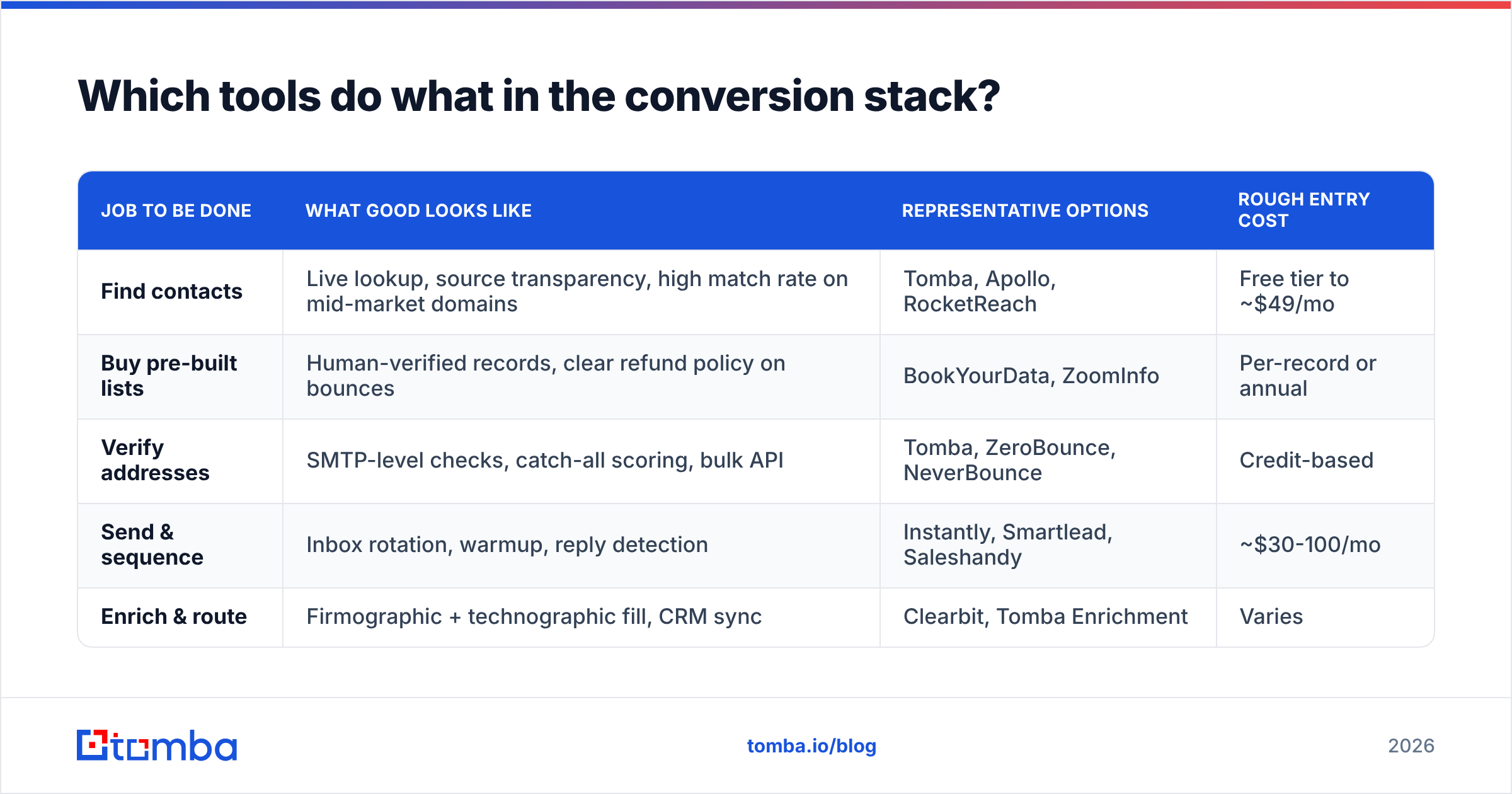
No single tool fixes conversions. Vendors that claim otherwise are selling you a category, not a solution. The stack breaks into three jobs: find the contact, verify it, send and sequence it.
| Job to be done | What good looks like | Representative options | Rough entry cost |
|---|---|---|---|
| Find contacts | Live lookup, source transparency, high match rate on mid-market domains | Tomba, Apollo, RocketReach | Free tier to ~$49/mo |
| Buy pre-built lists | Human-verified records, clear refund policy on bounces | BookYourData, ZoomInfo | Per-record or annual |
| Verify addresses | SMTP-level checks, catch-all scoring, bulk API | Tomba, ZeroBounce, NeverBounce | Credit-based |
| Send & sequence | Inbox rotation, warmup, reply detection | Instantly, Smartlead, Saleshandy | ~$30-100/mo |
| Enrich & route | Firmographic + technographic fill, CRM sync | Clearbit, Tomba Enrichment | Varies |
These categories overlap. Tomba pricing starts with a free tier at 25 searches/month, then Starter at $49/mo, Growth at $99/mo, and Pro at $249/mo. That covers finding, verification, and enrichment in one place.
BookYourData is a solid choice when you want a purchased, pre-verified list rather than building one account by account. Different motion, different moment in the workflow. Sending platforms like Instantly handle the mailbox side; they do not fix data quality, and they will happily send your bad list very efficiently.
Check independent review data before you commit. G2's sales intelligence category is the least-biased public comparison available. Read vendor-published benchmarks as marketing.
What should you fix first to improve cold email conversions?#
If your conversion rate is below 1% meetings per 100 verified contacts, work this sequence and re-measure after each step. Do not change two variables at once.
- Week 1 — Data. Verify your existing list. Remove role accounts (info@, sales@), catch-alls you cannot score, and anything older than 90 days. Expect delivered rate to move first.
- Week 2 — Infrastructure. Confirm SPF/DKIM/DMARC, move to a secondary domain if you have not, and check blacklists. This is a one-time cost with permanent returns.
- Week 3 — Targeting. Rebuild the list around a trigger rather than a title filter. Cut list size by half.
- Week 4 — Copy. Now, and only now, rewrite. Test one variable: the first line, or the CTA. Not both.
- Week 5 — Cadence. Extend from two touches to five. Add a new angle per touch.
- Week 6 — Speed. Instrument reply-response time and get it under 60 minutes in business hours.
Most teams discover the problem was solved in weeks 1-3 and their copy was fine all along.
What benchmarks should you hold yourself to in 2026?#
Use these as calibration, not targets. Your ICP, price point, and category maturity move all of them.
| Metric | Weak | Acceptable | Strong |
|---|---|---|---|
| Bounce rate | >5% | 2-3% | <1% |
| Reply rate | <3% | 5-8% | 10%+ |
| Positive reply rate | <1% | 1.5-3% | 4%+ |
| Meetings per 100 contacts | <0.5 | 1-2 | 3+ |
| Spam complaint rate | >0.3% | 0.1-0.3% | <0.05% |
Track response rate weekly, but judge campaigns on the bottom two rows. A campaign with an 11% reply rate and a 0.4% meeting rate has a targeting problem dressed up as a success.
Where do most teams still leave money?#
Three places, consistently.
Not re-engaging old non-responders. A contact who ignored you in March may have a new budget cycle in September. Re-verify and re-approach at six months with a genuinely new angle.
Ignoring the phone. The highest-converting outbound motion is still email plus a call on the same account within 48 hours. Pull B2B phone numbers for your top 20% of accounts and treat email as the opener, not the whole play.
Treating outbound as a volume problem. Every incremental send has a declining expected value and a rising reputation cost. The math flips faster than most teams believe. If you are sending 3,000 emails a week to book four meetings, you do not need 6,000 emails. You need a better 300.
Ready to fix the data layer first?#
Every play that will improve cold email conversions depends on one thing: reaching a real inbox that belongs to a real person who owns the problem you solve. That is a data problem before it is a copywriting problem.
Start with the Tomba Email Finder. Search by domain, name, or company, verify before you send, and export a list where the bounce rate does not cap your ceiling. The free tier gives you 25 searches a month, so you can test match rates against your own ICP before spending anything.
Run your next campaign on 200 verified, triggered contacts instead of 2,000 guesses. Then compare meetings booked. The number usually settles the argument.
Related guides#
// get started
Find, verify and enrich your first contacts today
Start on the free plan with 25 searches a month, then scale when your team is ready.
Free plan · No credit card required · GDPR & CCPA
// about the author