How to Mail Merge Email: A Practical 2026 Setup Guide
Mail merge still beats most sequencing tools for small, high-intent sends — if you set it up right. Here's the exact workflow, tool comparison, and the data prep step most people skip.
TL;DR
- Mail merge sends one personalized email per row of a spreadsheet — same body, different variables — from your own inbox, not a shared marketing IP.
- Gmail's native "multi-send" and Outlook's Word-based merge are free and fine for under ~100 recipients. Beyond that, a merge add-on or a proper sequencer earns its price.
- The failure point is almost never the merge tool. It's the list: missing first names, stale addresses, and unverified emails that turn a 2% bounce into a 12% one.
- Clean your data before you merge. Find and verify the addresses first, fill every merge variable, then send.
- Pick by volume and follow-up needs: Gmail multi-send (tiny, one-off), GMass/YAMM (mid-volume from Gmail), Instantly/Saleshandy (multi-inbox campaigns with replies threading).
What is a mail merge email, exactly?#
A mail merge is a form letter with holes in it. You write one template with placeholders — {{first_name}}, {{company}}, {{city}} — point it at a spreadsheet, and the tool stamps out one individual email per row, filling the holes from the columns.
The key difference from a marketing blast: each recipient gets a separate message addressed only to them. No visible CC list, no "Dear Valued Customer," no shared campaign footer. It goes out through your actual mailbox, which is why merges typically land in the primary tab more often than a Mailchimp broadcast for the same list.
Three components, always:
- The data source — a Google Sheet, Excel file, or CSV. One row per recipient, one column per variable.
- The template — the email body with placeholder tokens matching your column headers exactly.
- The merge engine — Gmail multi-send, Word + Outlook, a Sheets add-on, or a sequencing platform.
Get all three right and you can send 400 genuinely personalized emails in twenty minutes. Get the data source wrong and you send 400 emails opening with "Hi ,".
What do you need before you write a single line?#
Prep is the whole job. Here's the checklist that separates a merge that converts from one that torches your domain.
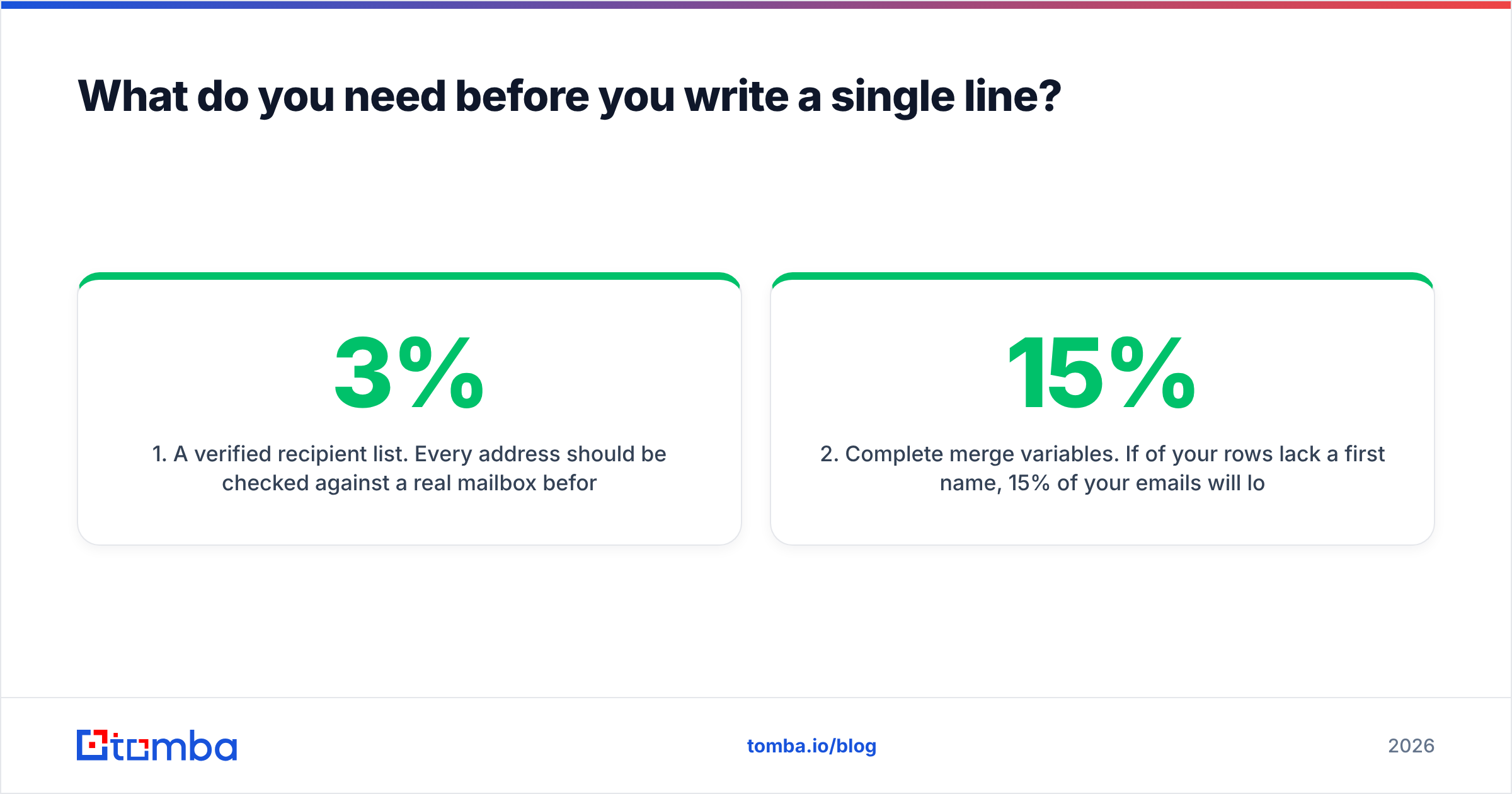
- A verified recipient list. Every address should be checked against a real mailbox before it enters the sheet. Bounces above 3% put your sender reputation at risk, and merges send fast enough that you'll hit that ceiling before you notice.
- Complete merge variables. If 15% of your rows lack a first name, 15% of your emails will look broken. Filter those rows out or write a fallback value.
- Consistent formatting. "john smith", "JOHN SMITH", and "John Smith" all render literally. Normalize capitalization in the sheet, not in your head.
- Authentication records in place. SPF, DKIM, and DMARC on the sending domain. Run an SPF checker before your first send — a merge amplifies whatever your deliverability baseline already is.
- A warmed sending inbox. A brand-new mailbox that suddenly emits 200 messages is a spam filter's favorite pattern. Ramp over two to three weeks.
- An unsubscribe path. Even a plain "reply STOP and I'll remove you" line. CAN-SPAM and GDPR both expect it, and it cuts complaint rates.
The list-building step is where most teams lose time. If you're starting from company names or LinkedIn profiles rather than a ready CSV, a bulk email finder will resolve domains to verified addresses in one pass instead of you hand-checking each one. Run the result through an email verifier before it touches your merge tool — catch-all domains especially, since those pass a naive syntax check and still bounce.
How do you mail merge email in Gmail?#
Gmail gives you two paths: the built-in multi-send feature, or an add-on layered on Google Sheets.
Native multi-send (Workspace only):
- Compose a new message in Gmail.
- Click the Use mail merge toggle in the To field (the person-with-plus icon).
- Add recipients directly, or paste from a sheet.
- Insert merge tags with
@— Gmail supports@firstname,@lastname,@fullname, and@email. - Set fallback values so blank cells don't render as empty strings.
- Send. Gmail delivers up to 1,500 merge recipients per day on paid Workspace tiers, 2,000 total messages.
The limitation is severity of the variable list. Four tokens, no custom columns, no follow-ups, no reply tracking. For a conference invite to 60 contacts, that's enough. For anything with a sequence, it isn't.
Sheets add-on route (YAMM, GMass, Mailmeteor):
- Build your sheet with one column per variable, headers in row one.
- Draft the email as a Gmail draft using
{{Header Name}}tokens that match your columns character for character. - Open the add-on from the Sheets extensions menu, pick the draft, map columns.
- Send a test to yourself. Always. Every token, every row type.
- Schedule or send. The add-on writes a status column back to the sheet so you can see what delivered.
This route unlocks unlimited custom variables, conditional content, open tracking, and — depending on the tool — automatic follow-ups on non-reply.
How do you mail merge email in Outlook and Word?#
Microsoft's version is older and clunkier, but it's free with any Office license and handles attachments natively.
- Save your list as an
.xlsxfile with headers in the first row. Close the file before continuing — Word can't read it while it's open in Excel. - In Word, go to Mailings → Start Mail Merge → E-mail Messages.
- Select Recipients → Use an Existing List, then point at your spreadsheet.
- Write your body. Insert variables with Insert Merge Field.
- Use Preview Results and arrow through at least ten records — this is where you catch the blank-cell rows.
- Finish & Merge → Send E-mail Messages. Choose the email column, write the subject line (static — Word won't merge into the subject without a workaround), pick HTML format.
Two known gotchas. First, Word strips a lot of HTML on send, so complex templates degrade. Second, Outlook's default rate limiting will queue large merges in the Outbox and dribble them out; keep Outlook open until the Outbox empties. Microsoft's own mail merge documentation covers the field-formatting edge cases if you need conditional text.
Which mail merge tool should you actually use?#
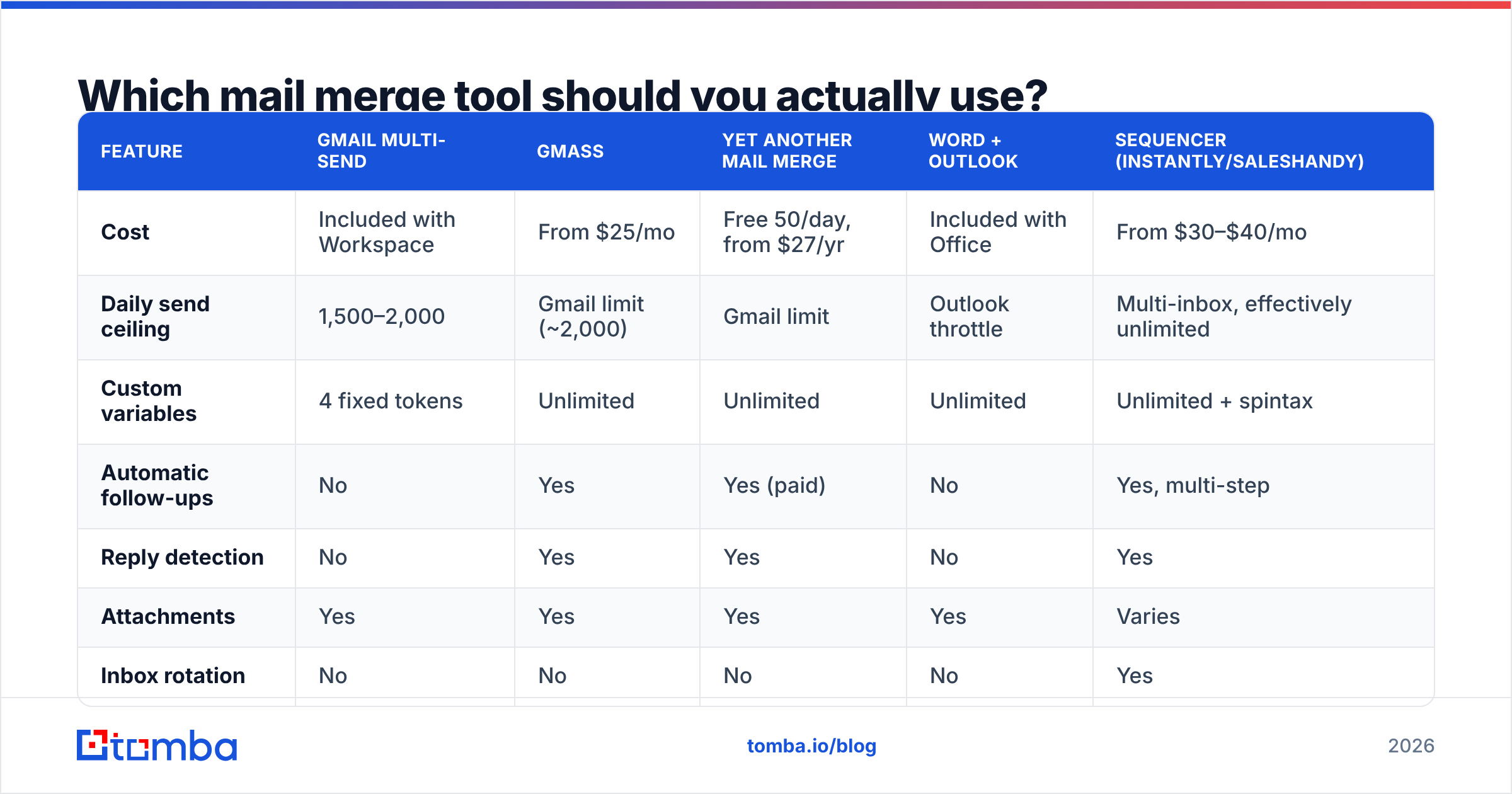
| Feature | Gmail multi-send | GMass | Yet Another Mail Merge | Word + Outlook | Sequencer (Instantly/Saleshandy) |
|---|---|---|---|---|---|
| Cost | Included with Workspace | From $25/mo | Free 50/day, from $27/yr | Included with Office | From $30–$40/mo |
| Daily send ceiling | 1,500–2,000 | Gmail limit (~2,000) | Gmail limit | Outlook throttle | Multi-inbox, effectively unlimited |
| Custom variables | 4 fixed tokens | Unlimited | Unlimited | Unlimited | Unlimited + spintax |
| Automatic follow-ups | No | Yes | Yes (paid) | No | Yes, multi-step |
| Reply detection | No | Yes | Yes | No | Yes |
| Attachments | Yes | Yes | Yes | Yes | Varies |
| Inbox rotation | No | No | No | No | Yes |
| Best for | One-off invites under 100 | Gmail power users | Budget Sheets workflows | Office-locked orgs | Ongoing outbound programs |
The honest read: if you send merges occasionally, don't buy a sequencer. Gmail multi-send or YAMM's free tier covers it. If merging is a weekly motion tied to pipeline, the sequencer's reply detection and inbox rotation pay for themselves the first time you avoid double-emailing someone who already responded. There's a fuller breakdown of the sending-platform trade-offs in our Instantly alternative comparison.
For pure list quality — not sending — the tooling is separate. Merge tools don't verify addresses; they merge whatever you hand them.
What does a good mail merge template look like?#
Personalization tokens are table stakes now. Everybody has {{first_name}}. The merges that get replies use variables that prove research happened.
Weak:
Hi {{first_name}}, I hope this email finds you well. I'm reaching out because {{company}} looks like a great fit for our solution.
Stronger:
Hi {{first_name}} — saw {{company}} just opened the {{city}} office. Most teams hitting that stage run into {{pain_point}} around month three. We solved that for {{similar_company}}; worth 15 minutes?
The second version needs four more columns in your sheet. That's the trade: better merges cost more data prep, not better copy. Build the columns you can populate at scale — funding stage, headcount band, tech stack, recent hire — and skip the ones that need manual research per row unless the list is under 50.
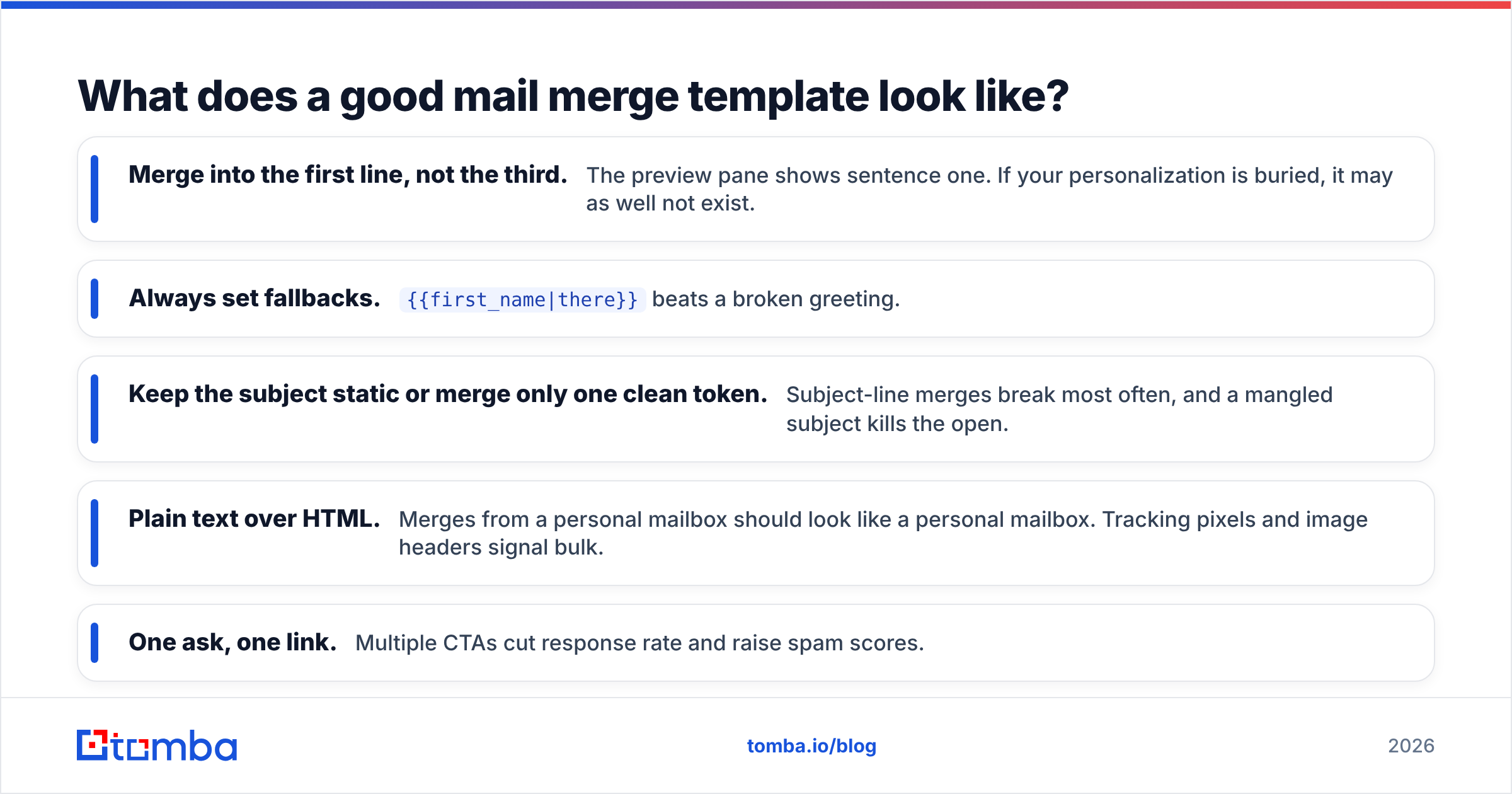
Rules that hold up across thousands of merges:
- Merge into the first line, not the third. The preview pane shows sentence one. If your personalization is buried, it may as well not exist.
- Always set fallbacks.
{{first_name|there}}beats a broken greeting. - Keep the subject static or merge only one clean token. Subject-line merges break most often, and a mangled subject kills the open.
- Plain text over HTML. Merges from a personal mailbox should look like a personal mailbox. Tracking pixels and image headers signal bulk.
- One ask, one link. Multiple CTAs cut response rate and raise spam scores.
Run the draft through a spam checker before you commit — it catches the trigger words and link ratios that push merges into promotions.

How do you keep a mail merge out of spam?#
A merge concentrates risk. You're sending your normal week's volume in ninety seconds, from one mailbox, with near-identical bodies. Filters notice all three.
Throttle the send. Most add-ons let you set a delay between messages. Thirty to sixty seconds is reasonable; some tools randomize it. A 300-recipient merge should take hours, not minutes.
Vary the body. Even minor spintax on the opening sentence breaks the identical-content signature. If your tool doesn't support it, split the merge into three batches with slightly different templates.
Watch the bounce number in real time. If your first 50 recipients produce more than two hard bounces, stop the merge and re-verify the list. That rate at scale will get the domain flagged. G2's reviewers consistently flag list hygiene as the top variable in email deliverability outcomes, ahead of template quality.
Don't merge to role addresses. info@, sales@, support@ — these have higher complaint rates and often sit behind aggressive filters. Strip them in the sheet.
Check your domain isn't already burned. A blacklist checker takes ten seconds and explains a lot of mysteriously bad merges.
If your list came from a scrape, an export, or a purchased file, assume 20–35% of it is dead. Freshly sourced and verified data behaves very differently. Tomba's data sources page details how addresses are gathered and re-validated, which matters more than most people assume when the merge itself is trivial.
What are the common mail merge mistakes?#
Column headers with trailing spaces. First Name will not match {{First Name}}. Invisible, infuriating, ten minutes lost.
Sending the test to a colleague on the same domain. Internal mail skips most filtering. Test to a personal Gmail, a Yahoo address, and an Outlook.com address to see what recipients actually see.
Forgetting the send happens from your real inbox. Every reply, every auto-responder, every angry unsubscribe lands in your primary inbox. Set up a filter and a label before you send, not after.
Merging into a list you didn't build. Purchased lists have consent problems and terrible data. If you didn't source it, verify all of it.
No plan for replies. A 400-person merge with a 6% reply rate is 24 conversations arriving over 48 hours. Block the calendar.
Merging URLs without checking them. A merged link with a broken variable produces a 404 for that recipient, and clicking it is the one action you asked for.
Is mail merge still worth it in 2026?#
Yes, for a specific shape of send: 20 to 500 recipients, high intent, personal sender, no need for complex branching logic. Event invites, customer research outreach, partner announcements, warm re-engagement, and small targeted prospecting all fit.
It's the wrong tool when you need multi-step sequences with conditional branches, when you're sending from multiple domains, or when volume exceeds a few thousand per month. At that point you want a real sequencing platform with inbox rotation, and the merge concept survives as a feature inside it rather than a standalone workflow.
What hasn't changed: the merge is only as good as the sheet. Tooling has gotten cheap and easy — you can be sending in ten minutes with a free add-on. Data quality has not gotten easier. That's where the effort belongs.
Where do you get clean data for the merge?#
Start from the domain, not from a list. If you know the companies you want to reach, domain search returns the verified addresses and the company's email pattern, so you can fill first-name and email columns in bulk instead of guessing formats. For named individuals, the email finder resolves a first name, last name, and domain into a verified address with a confidence score you can filter on in the sheet.
Then verify. Every address, every time — including the ones that came back at 95% confidence, and especially the catch-all domains that need a catch-all verifier rather than a standard check.
Ready to merge against a list that won't bounce? Build your recipient sheet with the Tomba Email Finder — the free tier gives you 25 searches a month to test the workflow, and paid plans start at $49/mo on Starter with bulk processing and API access. Check the Tomba pricing page for the tier that matches your send volume, then export straight to CSV and merge with confidence that every row has a real mailbox behind it.
Related guides#
// get started
Find, verify and enrich your first contacts today
Start on the free plan with 25 searches a month, then scale when your team is ready.
Free plan · No credit card required · GDPR & CCPA
// about the author